Store 'n' Save - External hard drive VERBATIM - Free user manual and instructions
Find the device manual for free Store 'n' Save VERBATIM in PDF.



Frequently Asked Questions - Store 'n' Save VERBATIM
User questions about Store 'n' Save VERBATIM
0 question about this device. Answer the ones you know or ask your own.
Ask a new question about this device
Download the instructions for your External hard drive in PDF format for free! Find your manual Store 'n' Save - VERBATIM and take your electronic device back in hand. On this page are published all the documents necessary for the use of your device. Store 'n' Save by VERBATIM.
USER MANUAL Store 'n' Save VERBATIM
USB 3.0 Desktop Hard Drive Quick Start Guide
Verbatim.
Contents
| English 3 |
| Français 7 |
| Deutsch 11 |
| Italiano 1 5 |
| Espanol 19 |
| Português 23 |
| Wersja Polska 27 |
| Yüccskii 3 1 |
| Česky 35 |
| Magyar 3 9 |
| Eesti 43 |
| Latviesu v 4 / |
| Lietuviuč k 51 |
| Slovensky 55 |
| Slovenskčina 59 |
| Türkçe 63 |
| Nederlands 67 |
| Еλληνία 7 1 |
| Romānă 75 |
| Hrvatski 79 |
| Srpski 83 |
| Dansk 87 |
| Suomi 91 |
| Norsk 95 |
| Svenska 99 |
| Бъларскii 103 |
| Украïnhською 107 |
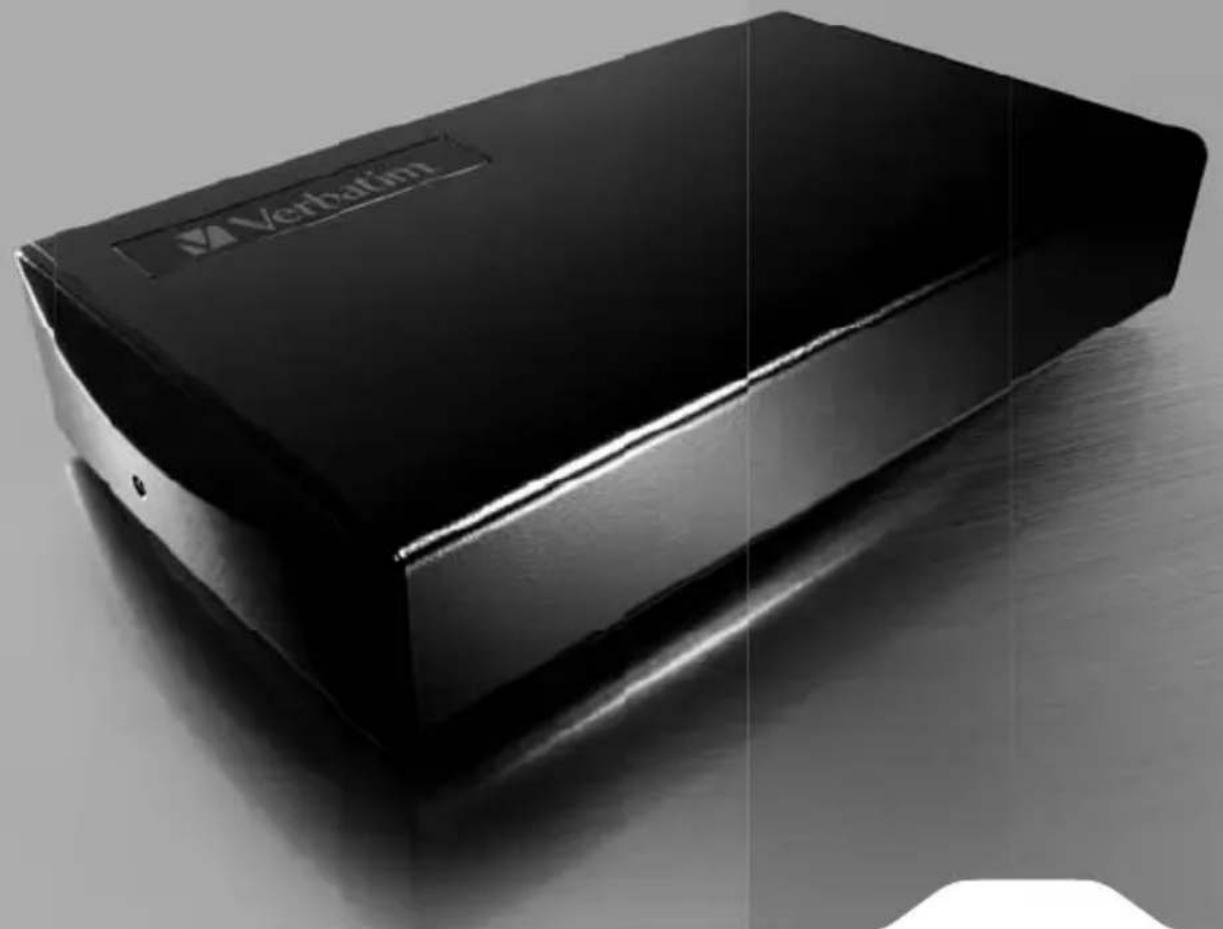
Your Verbatim external hard drive features high-performance storage using a USB 3.0 "Super-Speed" interface. USB 3.0 offers up to 10 times faster data rates than USB 2.0, while maintaining backwards compatibility to any USB 2.0 ports on your computer. Once your drive is connected properly to your computer, you will be able to use it as you would any hard drive for storing your data and for performing data back-up functions.
Pack contents
- SBJ3.0 Desktop Hard Drive
- Power adaptor
- SBJ 3.0 cable (60cm)
-
Quick Start Guide
-
Nero backup so software (contained on the hard drive)
-
Green Button energy saving software (contained on the hard drive)
- Green Button User Manual (contained on the hard drive)
About the Hard Drive
The Verbatim hard disk comes pre-formatted in FAT32format. This format allows for operation with either Windows or Mac OS
Note: Capacity dependent on model. 1 MB = 1,000,000 bytes/1 GB = 1,000,000,000 bytes/1 TB = 1,000,000,000 bytes. Some capacity used for pre-loaded sfb ware, formatting and other functions, and this is not available for data storage. As a result, and due to differing calculation methods, your operating systems may report as fewer megabyte gigab bytes/terabytes.
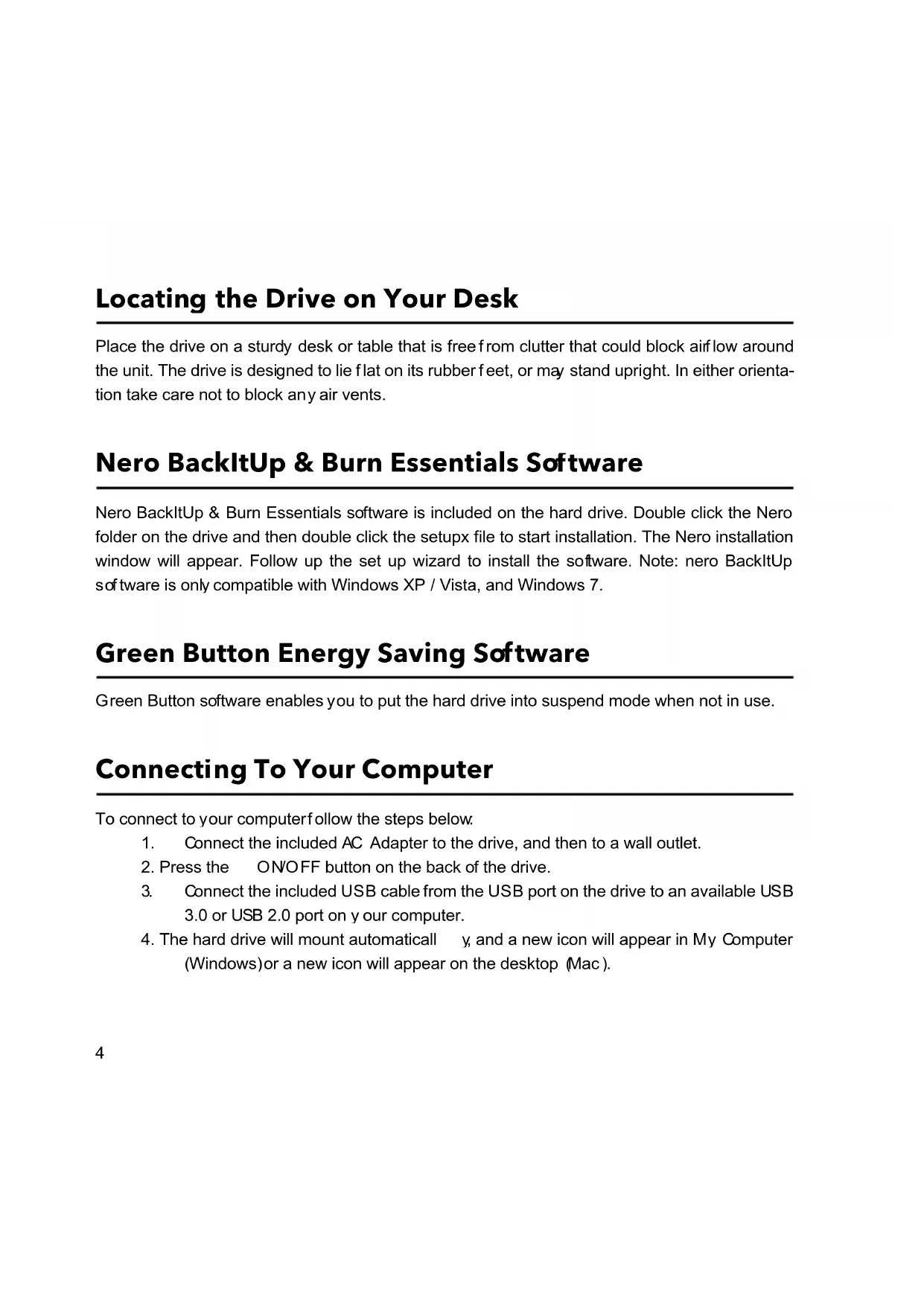
Locating the Drive on Your Desk
Place the drive on a sturdy desk or table that is free from clutter that could block airflow around the unit. The drive is designed to lie flat on its rubber feet, or may stand upright. In either orientation take care not to block any air vents.
Nero BackItUp & Burn Essentials Software
Nero BackItUp & Burn Essentials software is included on the hard drive. Double click the Nero folder on the drive and then double click the setupx file to start installation. The Nero installation window will appear. Follow up the set up wizard to install the software. Note: nero BackItUp software is only compatible with Windows XP / Vista, and Windows 7.
Green Button Energy Saving Software
Green Button software enables you to put the hard drive into suspend mode when not in use.
Connecting To Your Computer
To connect to your computerfollow the steps below.
- Connect the included AC Adapter to the drive, and then to a wall outlet.
- Press the ON/OFF button on the back of the drive.
- Connect the included USB cable from the USB port on the drive to an available USB 3.0 or USB 2.0 port on y our computer.
- The hard drive will mount automatically y, and a new icon will appear in My Computer (Windows) or a new icon will appear on the desktop Mac).
If you are using a USB 1.1 port on your Windows computer, the following cautionary note may appear on your display: Hi-Speed USB Device plugged into non-Hi-Speed USB hub. This does not indicate a problem because the drive is compatible with USB 1.1, USB 2.0 and USB 3.0 ports. Simply close the message and proceed. However, in this case the drive will operate only at USB 1.1 speeds.
Disconnecting Your Hard Drive
Your external hard drive is hot-swappable. It can be connected and disconnected without restarting your computer. To disconnect your drive at any time, perform the following steps. You can also disconnect your hard drive at any time while your computer is powered off.
Note: Please be careful to allow the correct procedure when disconnecting your unit. Simply unplugging the unit without first following the instructions below may result in damage to your unit and/or loss of data.
For Windows Users:
- If you have files located on your drive open in any applications, close them.
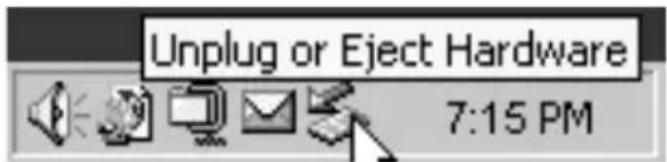
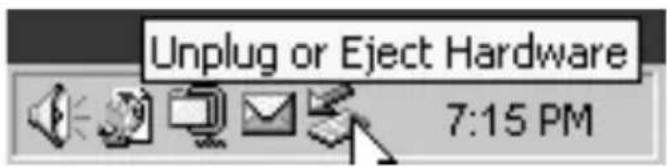
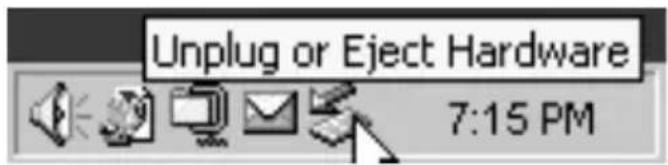
- Click the Unplug or Eject Hardware button in the System Tray.
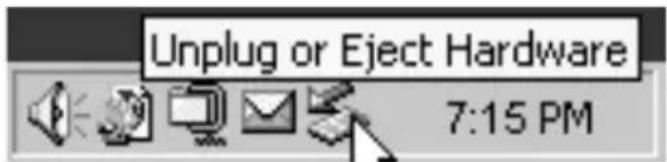
- Select your drive from the menu that appears.
- A fer a moment, Windows will display a message that your hardware can be safely removed.
For Mac OS Users
- If you have files located on your drive open in any applications, close them.
- Locate the icon for your drive on the desktop, and drag it to the trash.
Limited Warranty Terms
Verbatim Limited warrants this product to be free from defects in material and workmanship for a period of 2 years from date of purchase. This warranty excludes batteries. If this product is found to be defective within the warranty period, it will be replaced at no cost to you. You may return it with your original cash register receipt to the place of purchase or contact Verbatim.
In the following European countries, Austria, Belgium, Denmark, Finland, France, Germany, Greece, Hungary, Italy, Luxembourg, Monaco, Netherlands, Norway, Poland, Portugal, Republic of Ireland, Spain, Sweden, Switzerland and United Kingdom call 00 800 3883 2222. All other European countries call +353 61 226586. You can email drivesupport@verbatim-europe.com.
Product replacement is your sole remedy under this warranty, and this warranty does not apply to normal wear or to damage resulting from abnormal use, misuse, abuse, neglect or accident, or to any incompatibility or poor performance due to the specific computer software or hardware used. VERBATIM WILL NOT BE LIABLE FOR DATA LOSS OR ANY INCIDENTAL, CONSEQUENTIAL OR SPECIAL DAMAGES, HOWEVER CAUSED, FOR BREACH OF WARRANTY OR OTHERWISE This warranty gives you specific legal rights and you may also have other rights which vary from state to state or country to country.
NOTE: Verbatim Limited may at any time revise the content of this user guide without further notice.
Green Button Energy Saving Software
Software Green Button Energy Saving
NO Green Button Energy Saving
NO Green Button no3B0nraT nepeBeCTN JeecTKn DnCK B CnAaI npKIM, KOrDa OH He NcNoJIb3yeTcR.
Green Button Energy Saving Software
Green Button Energy Saving Software
Green Button Energy Saving Software
Green Button programmatura lauj aizturec cieto disku, kamer tas netiek izmantots.
Pievieno'ana pie datoria
Green Button Energy Saving Software
Green Button Energy Saving Software
Green Button Energy Saving softver
Green Button softver vam omogucava da hard disk prebacite u rezim mirovanja kad god ga ne koristite.
Povezivanje sa računarom
Sedite navedene korake da biste disk povezali sa računarom:
- Prikl j učite priloženi adapter za naizmeničnu struju u disk, a zatim u zidnu uticnicu.
- Zatim pritisnite du gme za uklucivanje/isklucivanje na zadnjoj strani diska i isklučite svoj računar.
- Pomocu priloženo g US B kabla povežite USB port na disku sa slobodnim US B 3.0 ili USB 2.0 portom na računaru.
- Hard disk ce se automatiski activirati, a njej ova ikona ce se pqaviti u prozoru My Computer (Windows) il na desktopu (Mac).
Ukoliko na svom Windows računaru koristite USB 1.1 port, na ekranu se iz predostrožnosti moze pojaviti sledeća napomena: Hi-Speed USB Device plugged into non-Hi-Speed USB hub (Brzi USB uredaj je prikljucen u spori USB prikljucak). Ovo ne ukazuje na problem pošto je disk kompatibilan sa USB 1.1, USB 2.0 i USB 3.0 portovima. Samo zatvorite poruku i nastavite. Medutim, u ovom slučajuće disk raditi samo na USB 1.1 brzinama.
Isključivanje hard diska
Vaš prenosivi hard disk se može povezivati i iskjičivati bez resetovanja računara. Ukoliko Želite da iskjičite svoj hard disk, sledite navedene korake. Uz to, svoj hard disk možete iskjičiti u bilo kom trenutku dok je računar iskjičen.
Napomena: Pazljivo pratite ispravnu proceduru dok prekidate vezu sa jedinicom. Puko iskopčavanje kabla bez prethodnog postupanja po dolenavedenim uputstima moze dovesti do ostecenja jedinice uli gubitka podataka.
Zakorisnike operativnog systema Windows:
- Ukoliko su fajlovi koji se nalaze na hard disku otvoreni u nekoj aplikaciji, zatvorite ih.
- Kliknite taster Unplug or Eject Hardware u systemskoj paleti.
Green Button Energy Saving Software
Green Button Energy Saving Software
Green Button Energy Saving Software
Green Button-mj ukvara later dig forsa tta hardskien i vantelag e nar den inte anvands.
Anslutning Till Din Dator
Green Button Energy Saving Software
Green Button software Bn no3B0JBA da noCTaBITE TBbPdN A NCK B n3KJIoueH peXIM, KORAto He ro n3no3Ba Te.
Cbbp3BaHe KbM KOMNIOTp
3a da CbpxKeTe KbM KOMNHTbp, N3nBnHETe CJIeHNITE CTbNKN
- CbpxTe npedocabHnA aanTOp kM yctpoiCTBOTo, a cJeT TOBa B KOHTaTa.
- Hatae6yToHa ON/OFF (aBKn.nn3Kn),pa3noJoxenOT3aHa HTbPdNnCK.
- CnpedocTaBHeNr USB ka6eI cbbpKeTe USB npTa Ha yctpoiCTBOTo KbM USB 3.0 INU SB 2.0 npT Ha KOMnIObpa.
- TbpyT Dnck Ie Ce HnuaH3npa ABTomTuHo n HOBa NkOHa Ie ce noBn B My Computer (Windows) nnn Bbpxy paobTHna ekpaH (Mac).
Ako ha Baawra KomnoTbp, pa6oTeu noD Windows, n3non3BaTe USB 1.1 npT, moKe da ce noBn CneHOTO npDeI npEnTHe CbO6eHHe: Hi-Speed USB Device plugged into non-Hi-Speed USB hub (BncokocopocTHo USB yctpoCTBO e BKnUoyeHO B HeBncokocopocTeH USB x6). Toba He O3NaHaBA Bb3NkHaI np6IeM, Tb' KaTo yCTpOcTBTO e CbBMecTMo c USB 1.1, USB 2.0 n USB 3.0 npToBe. PpOcTo 3aTBopeTe CbO6eHHeTo n npOdbJxKeTe. B To3n cnUha, oBaue, yCTPOcTBTO ue pa6oTn cbC ckopocTTa Ha USB 1.1.
Pa3kaçahe Ha TBbρdЯ ДИСК
To3n TBbpD nCK ce HnHcnaHn3npa ABTomatNHyo. ToJ MoKe Da ce Cbbp3Ba n pa3KaUBa, 6e3 da e Heo6xOdmo pectapTnpaHe Ha KOMNtBpa. 3a da pa3KaUnTe TBbpDnA DnCK KOrato nonckate, npocTo n3PbLnHeTe NocOueHIne No-dOly DeiCtBn. C bIo Taka MoKeTe Da pa3KaUnTe PpeHOCIMNA TBbpD nCK n BcraK BpeMe, KOrato K MmIObTpBe V3KnIOueH.
3a6eJek: Mon, eHumamEnHO cn8aume npabunHama npouedpa npu pa3KaHaHe Ha ycmpoucmeo.
13baxdahe Ha ycmpoucmeo 6e3 cnedeBaHe Ha uHcmpy KuUme no-dony moKe da doeede do nopeDa Ha
ycmpoucmeo u' unu 3a8ba Ha daHHu.
3a noIpe6nteIc Windows:
- Ako imate OTBopeHn faJIOBE ot dNcKa, 3aTBopeTe rN.
- ⅢpaKHeTe Bbpy 6yToHa Unplug or Eject Hardware (M3KnIOuN IIN N3BaIIN XapD Yepa), KOITO ce HAMIPA B DIAChATA CNCTEMHa YAcT Ha JNeHTaTc O TBOpeHn 3aDaHn.
- Ⅲ6epeTe DNCKa OT MeHTo, KOeTO Ce NOBBA.
- CnEe MaIko Windows ue nokaKe cbo6ueHne, ye JeenaHraT xapdyep MoKe da 6bJe pa3kaueH 6e3oNaCHO.
3a noTpe6nteJnc Mac OS
- Ako imate OTbopeHn faJIOBE ot dNcKa, 3aTbOpTe rN.
- OtkpniTe IKOHATA Ha npehocmna Dnck Bbpxy pa6oTHra ekpaH n a IIb3HeTe B KOUHeTO.
YcnoBnaHa orpaHnueHa rapaHcna
Фирma Verbatim Limited rapaHTnpa, Ye To3n npOyKT HЯMa Da nOKaKe DepeKTu Bn3pa6OTkata N MaTePnaJIte cn B npOdbJxKeHne Ha 2 rOdInn O T dAtata Ha nOKyPkata. Ot Ta3n rapaHcNc Ce N3KnIOuBbT bATEpInTe. Ako To3n npOyKT nOKaKe DepeKTu NO BpeMe Ha rapaHcUOnHHNepNoD, TO ToN Ie BN 6bIe 3aMeHEn 6e3PiATHO C dpyr. MoXeTe Da ro BbPHeTe 3aeDnC KacOBaTa 6BeJExKa B MAcTOTO Ha nOKyPkata NII da ce CBbPxKeTe c Verbatim.
3a cIeHNTE eBpOeNcKn cTpaHn: ABCTPn, BeJIr, DaHn, FInHnAHDn, FpaHn, TepMaHn, YHrapn, IITaJIy, JIOKcEM6ypr, MoHako, HndepLaHdN, HopBern, PoIsha, NopTyraHn, UpnaHn, IcPaHn, 8Beu n 8BeuCapn, ce obaxdaTe Ha 00 800 3883 2222.3a BCnuCKoctaHaII NBpOeNcKn cTpaHn ce obaxdaTe Ha +353 61 226586.MoxTe da n3npaTnte nmeJn Ha drivesupport@ verbatim-europe.com.
CmHaTt Ha npOyKta e edHCTBeHOTo Bn yDObJIeTBOpEHe cnopeTa3n rapaHcna, KaTO THe CE OTHAc 3a HopMaJIHOTo I3OcBaHe IIN I TOBPeIte Ha npOyKTA B pe3yIITa T H He IpaBnHa YNoTpe6a, 3IOyNtpe6a, HeoIeXJaHe, Dpyr INuIeHT IIN IopAIn HeCbBMeCTUMOCT IIN IooN TeXnueckn POKa3ateJn Ha n3NOJ3BaHn KOnKpeTeH KOMNToBp IIN COfTyep. HIPMATA VERBATIM HMA DA CE CHTA 3A OTROBOPHA 3A 3ArybATA HA DAHHN IINI KAKBtO N DA E INUdEHTHn, 3AKOHOMEPHN IIN OCOBEH NOBPEDN, KOINTO CA IPrUnHEHn B HAPUWeHne HA rAPAHzraTAt NIN IO Dpyr HauH. Ta3n rapaHcna Bn DaBa KOHKpeTHn Iop INdueCKn IpaBa, HO BVE Moxe da IMaTe N dpyr IpaBa, KO ITO Da ce pa3NIuaba T 3a OTdeHNITE Ibpxabn.
3AEBENKKA: Kopnpaun Verbatim moke no ecako epe me da npomeHu cbbpxaHueMoHa moea pbkoed cmeo 3a nompeumel6e3 Hukakeo npe du3becmue.
3OBHiiHii JxopCTKn DnCK Verbatim - ige BncoKoeΦeKTHBnH Hoci i3 «HaDWBnDKHM» iInTeppeiom USB 3.0. LcE cTaHdapt 3a6e3neue do 10 pa3iB WbUdIe nepeDaBaHHaDnHX npOpBnHO 3i cTaHdaptOM USB 2.0, a TAKoK 3aIIuHaTeBc8 3BOpOTHO yMicHm i3 6yDb-RAkMn npTAMN USB 2.0 Ha KOMn'IoTePi. HanexKHM YINHom NiKKnIOuYBnD nCK Do KOMn'IoTepa, BN 3MOXeTe BnKOpNCToBbATn Ioro dJa 36epirAHn DaHnx i pe3epBHOrO KOJIIOBaHHaTak CamO, JaK i 6yd-b-yni HnHn JxopCTKn DnCK.
BmictynakOBKn
- 30BHiHmJxOpCTKmDnck 3 iHTeppeom USB 3.0.
- MepexeBn aadTep 3miHHoro cTpyMy
- Ka6enb USB 360 cm)
- KopoTkn noci6nK KopncTyBaHa
- Поррамне збзени Нero Дя рзервого konioBaHHa (MCTHTbca Ha XopctKOMdNcky)
- Ehepro36epiraue nporpamHe 3a6e3neuHnra Green Button (mictntbca Ha JOpCTKOMDnCKy)
- Ioci6HnK KopuBaHa nporpaMHoro 3a6e3neueHHra Green Button (Micntbca Ha XopCTKOMdNCKy)
Ihopmaia npo JokcKn Dnck
Kopctkni Dnck nocTaaytbcra nonepedHbO BiDfOpMaTOBaHmU y fOpmati FAT32. Ley fOpmat cymicn 3 onepauiHmN cnCTeMaMn Windows i Mac.
Ipumimka. Micmkicmb 3anexumb ei dmo deni. 1 M5 = 1 000 000 6aumie/1 T5 = 1 000 000 000 000 6aumie. Yacmuha duckofo npocmopy bukopucmoeyemcbra nonepedhbo 3abahmaxeHO2 npoapamHoo 3abe3neueHH, fopmamy bAHna ma IHux oHKui, a momy eoHa He docmy nHa dna 6epizAH daHux. Upe3 ue, a makox yHACNO OK p3Huji Memodie cbucnHnna, eaua onepauiHa cucmemma moke 38iny amu npo MeHuy KInbkicmb Mezabaimie/aizabaimie/mepabaimis.
Po3TaUyBaHnJxOpCTKOrO DnCKy Ha cToJI
Dnck cnid po3micntu Ha ctiKii noBepxHi nn CTOni, nOaJI bI d npEmdTeB, 10o MoKyTb nepeUkoJkaTu BeHTnlaui. KoHcTpky KcieIO DnCKa nepeIbAaetbcra Ioro BepTKaIbHe BCTAHOBneHH a6o rOpN3OHTaJIbHe pO3TaUy BaHHa HMy OCHOBi. Y 6yDb-RAOM BynadKy HiIO He NOBINHO 6nOKyBatn BeHTnlaui Hi OTBOpN.
Помамне збесень Nero BackItUp & Burn Essentials
Ha xopctkomy dncy miCTnTbcra nporpamHe 3a6e3neuHnna Nero BackltUp & Burn Essentials. Ioo6 po3noatni nhtanlciio, BiKpnIte panky Nero Ta dbi ci Knaunlt faaiN «setupx». BiKpnEtcBra kIncTalauii Nero. Ioo6 iHcTaIHObATn nporpamHe 3a6e3neuHnna, doTprmyntecb iHcTpKzmaMiaCTpa iHcTalauii. Ppimitka. IporpamHe 3a6e3neuHnna Nero BackltUp oymiche liuwe 3 onepauiHHmncnCTemAmn Windows XP / Vista taWindows7.
Ehepro36epexyBaIbHe nporpaMHe 3a6e3neueHnGreen Button
IporpaMaG reen Button dae 3Mory nepeKJIIOHTN JOKpCTKN DNCKy peXIM OUYBaHHa, KOIN BIn He BNKOpNCTOBye Tbcra.
Пдклоченяdo kom'tepa
I06 niKIOHTN KOpCTKN DnCK Do KOMNIOTepa, DToPmMyITecb HabeDeHnx HnKHe iHcTpkycii.
1.Пдкючы 6лOKЖИВЛЕнгЯ,якій NOCTaHaEТьСВКOMПЛeКТI,ДоЖОРСТКOrOДИСКА, aNotIM-ДОМерекиЖИВЛeння.
2. HaTnCHiB KhoNky ON/OFF(BBIMKHyr/BmMkHyr)Ha 3aHHi naHeni npncTpio.
3. 3'edhaite USB-nopT kopctkoTo dNcky ta doCT yHnI nopT USB 3.0 a6o USB 2.0 KOMn'Iopepa 3a donomoroIO USB-Ka6eIIO, hadaHO B KOMnJIekTi.
4. KOpCTKn DnCK BCTaHOBtbcra ABTomTuHNo, a B nAnci «MiN KOMn'IoTepe» (Windows) abo Ha po6oOyom yctOJI (Mac) 3'ABtbcra BiINObIDHa NiKTOrpama.
Якwo BV Bn BnKOpNCTOByTe npT USB 1.1 Ha komn'otepi nid KepyBaHnM onepauiHOcntemn Windows,Ha ekpaHI moKe BiDobpa3NTncr Take nonpeJxehn: WBnckich NM USB-npncptiinikluoyeNo HeWBnckichoro USB-KoHcHTopa. Ce He CBiDnTB npo npobemy, ockilbKn pncptri cymichn i3 nopTaMn USB 1.1, USB 2.0 i USB 3.0. PpocTo zakpnite nobIDOMJIeHHra Ta npodOBkyIte po6Oy. Ipote B TAKOMy BnnaKy npncptri npaIOBaTIme NIIse Ha WBndkocTnx USB 1.1.
Jgssal jssal 1jssal Jgssal
USB 2.0 USB 3.0 dnnnnsuus uusus USB dnnnnsuus USB
S OBC = S BOC + S BOC - S BOC
MyComputer
.(Mac al) (Windows al)
1 1 1 1 1 1 1 1 1 1 1 1 1 1 1 1 1 1 1 1 1 1 1 1 1 1 1 1 1 1 1 1 1 1 1 1 1 1 1 1 1 1
J
J 1 1 1 1 1 1 1 1 1 1 1 1 1 1 1 1 1 1 1 1 1 1 1 1 1 1 1 1 1 1 1 1
y
:Windows:
1
"p 2
3
J 4
:Mac OS pblj gssnn
1
2
gds
J 1 1 1 1 1 1 1 1 1 1 1 1 1 1 1 1 1 1 1 1 1 1 1 1 1 1 1 1 1 1 1 1 1 1 1 1 1 1 1 1 1 1
J 1 1 1 1 1 1 1 1 1 1 1 1 1 1 1 1 1 1 1 1 1 1 1 1 1 1 1 1 1 1 1 1 1 1 1 1 1 1 1 1 1 1 1 1 1 1 1 1
yI 1111111111111111111111111111
Technical Support
| Country Email Hotline Number | ||
| United King dom | drivesupport@verbatim-europe.com | 00 800 3883 2222 |
| France drivesupport@verbatim-europe.co | m | 00 800 3883 2222 |
| Deutschland drivesupport@verbatim-europe.co | m | 00 800 3883 2222 |
| Italia drivesupport@verbatim-europe.co | m | 00 800 3883 2222 |
| Бер做一个 | drivesupport@verbatim-europe.com | 00 800 3883 2222 |
| Portugal drivesupport@verbatim-europe.co | m | 00 800 3883 2222 |
| Polska | drivesupport@verbatim-europe.com | 00 800 3883 2222 |
| Рос某一 drivesupport@verbatim-europe.co | m | +353 61 226586 |
| Česko | drivesupport@verbatim-europe.com | +353 61 226586 |
| Magyarország drivesupport@verbatim-europe.co | m | 00 800 3883 2222 |
| Eesti drivesupport@verbatim-europe.co | m | +353 61 226586 |
| Latvija | drivesupport@verbatim-europe.com | +353 61 226586 |
| Lietuva | drivesupport@verbatim-europe.com | +353 61 226586 |
| Slovensko | drivesupport@verbatim-europe.com | +353 61 226586 |
| Slovenija | drivesupport@verbatim-europe.com | +353 61 226586 |
| Türkeye drivesupport@verbatim-europe.co | m | +353 61 226586 |
| Nederland drivesupport@verbatim-europe.co | m | 00 800 3883 2222 |
| Еλλάδα drivesupport@verbatim-europe.co | m | +353 61 226586 |
| România | drivesupport@verbatim-europe.com | +353 61 226586 |
| Бulgaria drivesupport@verbatim-europe.co | m | +353 61 226586 |
| Hrvatska drivesupport@verbatim-europe.co | m | +353 61 226586 |
| Srbija drivesupport@verbatim-europe.co | m | +353 61 226586 |
| Suomi | drivesupport@verbatim-europe.com | 00 800 3883 2222 |
| Sverige drivesupport@verbatim-europe.co | m | 00 800 3883 2222 |
| Danmark | drivesupport@verbatim-europe.com | 00 800 3883 2222 |
| Norge | drivesupport@verbatim-europe.com | n0 800 3883 2222 |
| Дематы льж代表大会 | drivesupport@verbatim-europe.co m | +353 61 226586 |
| Укра па | drivesupport@verbatim-europe.com | +353 61 226586 |
For any further support please visit www.verbatim-europe.com/support