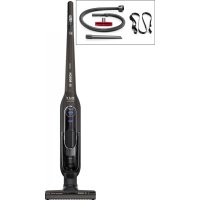
BCH65RT25K - Broom BOSCH - Free user manual and instructions
Find the device manual for free BCH65RT25K BOSCH in PDF.

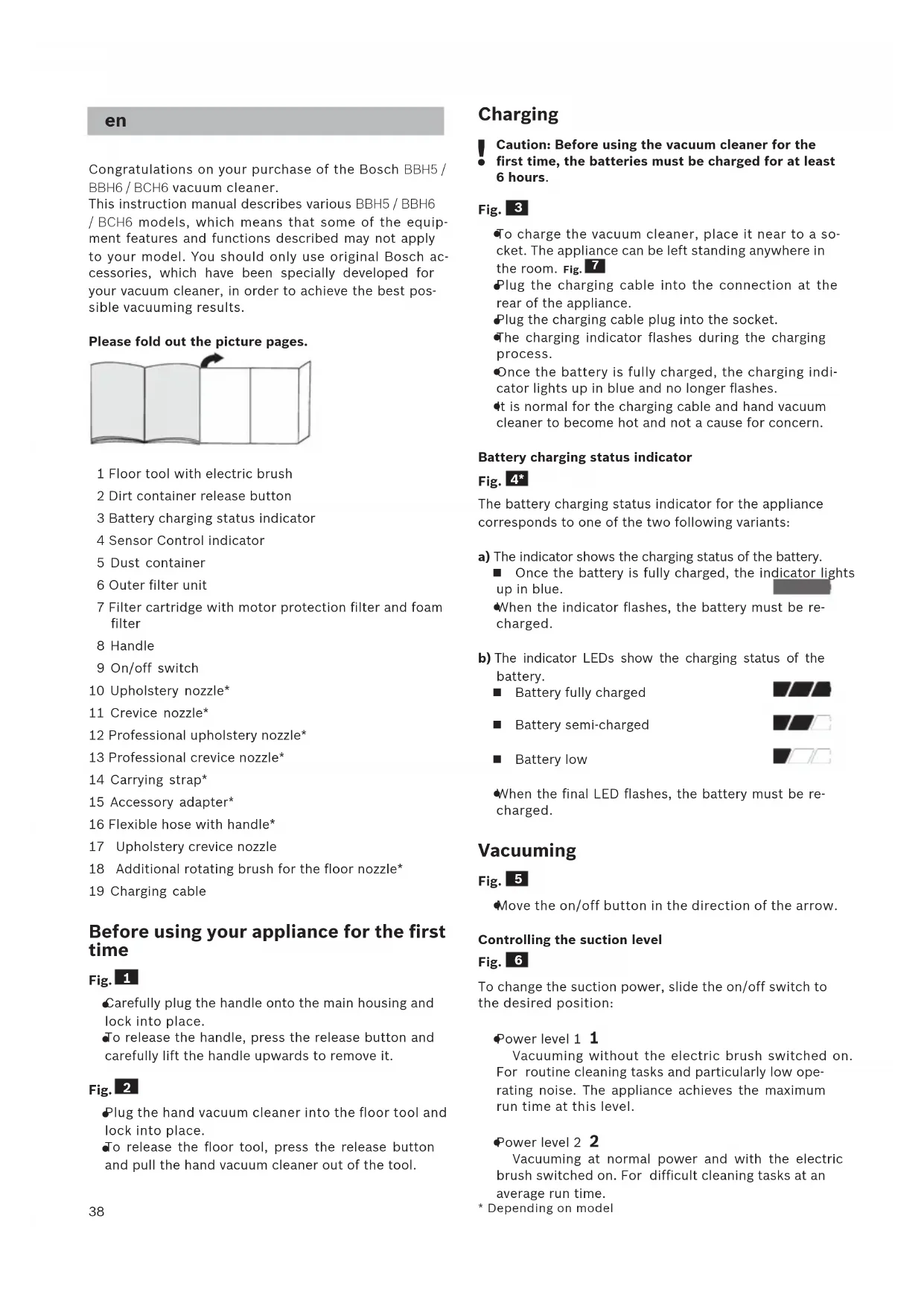


| Brand | Bosch |
| Model | BCH65RT25K |
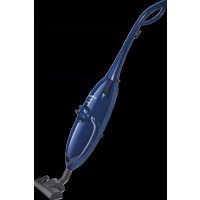
| Product type | Cordless stick vacuum |
| Power supply | Integrated rechargeable lithium-ion battery, charging via mains charging cable |
| Nominal voltage | 25.2 V |
| Battery capacity | 2.6 Ah |
| Runtime | Level 1: up to 60 min Level 2: up to 30 min Level 3/Turbo: up to 12 min |
| Number of power levels | 3 (including Turbo mode) |
| Filtration type | Sensor Control, external filter unit, filter cartridge with motor protection filter and foam filter |
| Sensor Control function | Light indicator signaling need for filter cleaning; automatic switch to power 1 if necessary |
| Floor brush | Removable rotating power brush for cleaning hard floors and carpets |
| Included accessories | Upholstery nozzle, crevice tool, cushion nozzle, carrying strap, accessory adapter, suction hose with handle |
| Charging status indicator | Blue LED: fully charged; flashing: low battery |
| Filter maintenance | External filter unit: shake or clean with a dry cloth. Filter cartridge: tap, wash foam filter in water, dry for 24 h; possible machine wash at 30°C in case of heavy soiling |
| Cleaning the rotating brush | Unlock the brush, cut wound threads and hairs along the pre-cut notch |
| Use | Household only, indoors, temperature 0-40°C |
| Safety instructions | Do not vacuum liquids, hot, sharp, flammable or explosive substances; do not vacuum over people or animals |
| Repairability | Repairs and part replacement only by authorized Bosch after-sales service |
| Warranty | According to the conditions of the country of purchase, presentation of the invoice required |
| Weight | Approx. 3.5 kg (estimate) |
Frequently Asked Questions - BCH65RT25K BOSCH
User questions about BCH65RT25K BOSCH
0 question about this device. Answer the ones you know or ask your own.
Ask a new question about this device
Download the instructions for your Broom in PDF format for free! Find your manual BCH65RT25K - BOSCH and take your electronic device back in hand. On this page are published all the documents necessary for the use of your device. BCH65RT25K by BOSCH.
USER MANUAL BCH65RT25K BOSCH
the sound of the apple
the sound of the apple
the sound of the apple
the sound of the apple
the sound of the apple

de Sicherheitschinweise 2 Gerätebeschreibung 35
en Safety information 3
Your vacuum cleaner. 38
fr Consignes de sécurité 5 Description de l'appareil. 41
it Istruzioni di sicurezza 7
Descrizione dell'apparecchio 44
Veiligheidsvoorschriften. 8
Beschrijving van het toestel. 47
da Sikkerhedsanvisninger 10 Beskrivelse. 50
Sikkerhetshenvisninger. 12
Beskrivelse av apparatet. 53
SV Sakerhetsanvisningar 13
Produktbeskrivning 55
Turballisuusohjeet 15
Laitteen kuvaus 58
pt Instruções de segurança. 16
Descrição do aparecido. 60
es Consejos de seguridad 18
Descripción de los aparatos .63
el YnoideiEic aovpaaleiac 20
Piypaipn Tnc ouakeuuc 66
tr Güvenlik bilgiler 21 Cihaz açiklaması 69
pl Wskazowki dotyczbe bezpieczneistwa 23 Opis urzadzenia .72
hu Biztonsagi utmutató 25 A keszülék leirasa. 75
CS BezpečnostníPokyny 26
Návod k použití 78
ru Yka3aHnno TeXnke 6e3oNaChocTn. 28
OncanHe np6opa . 80
安全信息 30
您的吸塵機 83
32 88
34 1
91
de
Please keep this instruction manual for future reference.
When passing the vacuum cleaner on to a third party, please also pass on this instruction manual.
Intended use
This appliance is intended for domestic use only. This appliance is intended for use up to a maximum height of 2000 metres above sea level. Only use this vacuum cleaner in accordance with the instructions in this instruction manual.
In order to prevent injuries and damage, the vacuum cleaner must not be used for:
Vacuuming persons or animals.
Vacuuming up:
- Hazardous, sharp-edged, hot or red-hot substances.
- Damp or liquid substances.
- Highly flammable or explosive substances and gases.
- Ash, soot from tiled stoves and central heating systems.
- Toner dust from printers and copiers.
Spare parts, accessories
Our original spare parts, original (special) accessories are designed to work with the features and requirements of our vacuum cleaners. We therefore recommend that you only use our original spare parts, original (special) accessories. This will ensure that your vacuum cleaner has a long service life and that the quality of its cleaning performance will remain consistently high throughout.
Please note
Using unsuitable or inferior-quality spare parts, (special) accessories can damage your vacuum cleaner. Damage caused by the use of such products is not covered by our guarantee.
Safety information
This vacuum cleaner complies with the recognised rules of technology and the relevant safety regulations.
The appliance may be used by children over the age of 8 years and by persons with reduced physical, sensory or mental capacity or by persons with a lack of experience or knowledge if they are supervised or have been instructed on the safe use of the appliance and have understood the potential dangers of using the appliance.
Children must never play with the appliance.
-
Cleaning and user maintenance must never be carried out by children without supervision.
-
Plastic bags and films must be kept out of the reach of children and disposed of.
>= There is a risk of suffocation.
Proper use
To charge, only use the charging cable included in the scope of supply.
The charging cable must only be connected and operated as specified on the rating plate.
The appliance must only be stored and charged indoors.
- Do not expose the appliance to temperatures below 0^ or above 40^ .
- Never vacuum without the dust bag or dust container, motor protection or exhaust filter. This may damage the vacuum cleaner.
- Keep the vacuum cleaner away from your head when using nozzles and tubes. This could cause injury.
- Do not use a damaged charging cable. Replace it with an original charging cable.
- When disconnecting the charging cable from the mains, pull the plug itself to remove it; do not pull on the power cord.
-
Do not pull the charging cable over sharp edges or allow it to become trapped.
Before carrying out any work on the vacuum cleaner, switch off the appliance and disconnect it from the charging cable and the mains.
Do not operate the vacuum cleaner if it is damaged.
If a fault is detected, switch off the appliance and disconnect it from the charging cable and the mains.
For safety reasons, only authorised after-sales service personnel are permitted to carry out repairs and fit replacement parts to the vacuum cleaner.
In the following cases, you must stop the appliance immediately and contact the after-sales service: -
If you have accidentally vacuumed up some liquid or liquid has entered the inside of the appliance;
-
If the appliance has been dropped and damaged.
-
Protect the vacuum cleaner from outside weather conditions, moisture and sources of heat.
- Do not pour flammable substances or substances containing alcohol onto the filters (dust bag, motor protection filter, exhaust filter, etc.).
The vacuum cleaner is not suitable for use on construction sites. Vacuuming up building rubble may damage the appliance.
Switch off the appliance when it is not in use.
The packaging is designed to protect the vacuum cleaner from being damaged during transportation. We therefore recommend keeping the packaging for the purpose of future transportation.
Batteries
Your appliance is fitted with lithium-ion batteries which, for safety reasons, are only accessible to professional repair specialists.
For battery replacement, please contact your nearest or after-sales centre or an authorised specialist dealer.
Notes on transport
The lithium-ion batteries in the appliance are subject to the requirements of dangerous goods legislation. The batteries can be transported by the user by road without any further requirements. In the event that they are dispatched by a third party (e.g. transported by air or freight carrier), special requirements regarding packaging and identification must be met. In this case, a dangerous goods expert must be consulted when preparing the goods for dispatch.
Information on disposal
Vacuum cleaners, batteries, accessories and packaging should be recycled in an environmentally friendly manner.
Do not dispose of the vacuum cleaner or the batteries in the household rubbish.
■ Packaging
The packaging is designed to protect the vacuum cleaner from being damaged during transportation. It is made of environmentally friendly materials and can be recycled. Dispos of packaging that is no longer required at an appropriate recycling point.
Old appliances
This appliance contains rechargeable lithium-ion batteries. The appliance must therefore only be disposed of by an authorised after-sales service or dealer.
Batteries
Please follow the notes on transport. Integrated batteries may only be removed by specialist personnel for the purpose of disposal. Opening the housing shell may damage the vacuum cleaner. To remove the battery from the vacuum cleaner, press the on/off switch (Fig. 10) until the battery is fully discharged. Unscrew the screws on the housing and take off the housing shell to remove the battery. To prevent a short circuit, disconnect the battery connections individually one after the other and then insulate the terminals.
Even in the case of complete discharge, the battery still contains a residual capacity that may be released in the event of a short circuit.
fr
Yka3aHnno HcNoIb3ObaHHIO
3TOT npn6op npedHa3Hauen TOnbko DnI yOmaHero nCNoB3OBaHHN H B 6bITOBbIX ycNOBHX. DaHHbI np6Op npedHa3Hauen dIy nCNoB3OBaHHN Ha BBICote He 60nee 2000 M NaD yPoBHeM MOpJ.
Bo n36eXaHne TpaBM n nobpeXeHHn nbinecoc HEnb3n HCnonb3OBaTb dnn:
UNTKINIODeNJKNBOTHbIX;
BCaCbBaHn:
-BpeHbIXIJI3IOPOBByBeIeCTB,OCTpbIX,ROpAUXNIIpaKaJIeHHbIXPpeDMeTOB;
-MOKpbIX npeMeTOB IN KINKOCTei;
-NeRKOBOcPnIaMeHraUxXcHnnB3pblBuatbIX BeueCTBnra3OB;
- nennla, caKNn 3 KaΦeJIbHbIX Neuei n CnCTem ΚeHTpaJIbHOrO OTOpIeHN;
-ToHepa H3 npHTepoB Hnn KOnnpoBaIbHbIX annapaTOB.
3aNachbte yactn, npHnaIeXHOCTn,
HaunOpunHaBbHbe 3aNaChbIe qactn I akceccyapbl, a TaKxpe OpunHaBbHbe Akceccyapbl ONTImaNbHO aanTpOBAhbl K xapaKTepcntkam N Tpe6oBaHnram Haunx PbIneCocOB. PoTOMy MbI peKomeHdyem HCNoB3OBAb Tb TonbKO opunHaBbHbe 3aNaChbIe qactn I akceccyapbl, a TaKxpe OpunHaBbHbe Akceccyapbl. 3To eDInHCTBeHHbI cnoCo6 oEecneuHb DOnrnn Cpok cnYk6bl H
yka3aHHe:
- NcnoIb3ObaHne HenoIoxoJnx nn DepeKTHbIX 3aIacHBx YacTeN, akceccyapOB / npHaadJIeXHOCTe MoKeT NOBpeNTb nbIeoc. HaWa rapaHTn He paCnpocTpahReTcHa ycTaPaHeHne yUep6a, BblBaHHoro NCNoIb3ObaHne TaKHX npOdyKTOB.
Yka3aHnno TExHnKe 6e30napChOCTn
Данны Пылесoc COOTBeTCTByet O6цeпиЗнHHbIM TextHnueckm Tpe6OBaHnM nCpeциальнblm npabHnIam TexHnKn 6e3OpaChOCTn.
IcnoIb3OBAHne np6opap
DeTbMn cTapwe 8 letn InuaMn
C OrpaHnueHHbIMN fH3NuEcKHMn Hn yMCTBeHHbIMN
CnocO6HoCTaMn, a TaKke
Iuamn, He HMeIOUHMn
OnbTa o6paueHn C
IoIo6HbIM o6OpyDoBaHnem,
DOnyckaetc TOnbKO POnd
PnscMOTpOM nHn Pocle
INHCTpykTaJa nO be3OpacHomy
HCNoIb3OBAHnO np6opa n
OCO3HaHnJaHHbIMN INuCaMn ONaCHoCTe, CBa3aHHbIX C eRo 3KcPnyataunei.
- npn cnyuahom BCacbIBaHHN XIKKOCTN HIN npn nonadaHHN XIKKOCTH BHTpb nbIneocca
- npn napeHnn noBpeKdeHnn nbInecoa.
3aunuainTe nbinecoc OT BO3eJCTBnHe6laonpnaTbIX MeTeOpONruecknx ycNOBn, BnaXHOCTN HCTOUYHKOB Tennla.
He noBepraTe fNbTpbl (cMeHHbI nbinec6OpHNK, MOTOPHbI fNbTp, BbInyCKHO fNbTp n T. D.) BO3DeIECTBnIO BOCIIaMeHHOUHXCnIN CnInptOCOdePkaunx BeueCTB.
■Пьлесoc He npedHa3HauenДЯ кспyaTaunn Ha CTponteNbHbIX 6bekTx. => Пи 3acacbHaHn CTponteNbHoro Mycopa nbIneCOC MOKeT BbInn n3 CTPOJ.
BbIKnIOaIte nbIeCoc daKe npn He6oJbux nay3ax By6opKe.
YnakoBka cnjNt Dna 3aunTb nbineCoca OT NOBpeKeHEn npn TpaHCnopTnpOBke. NoTOMy Mbl peKomeHnyem coxpaHntb ynakoBky dna nocJeDyouei TpaHCnopTnpOBkn.
AkkymyIaTopbi
Baw nbinecoc ochaen nHTn-NOHHbIMn
aKkymyITopamN,doCTyn K KOtOpbIM NO COo6paXeHNAM
6e30NaChOCTN BO3MOKeH TOnbKO DnA CneuaHnCTOB
cepBnCHoCnyK6bl.
No noBody 3aMeHbI aKkMyIaTOpOB o6paaIaTeCb B 6bnXaIshn CepBnChbI ceHTp nn K aBTOpn3ObaHHOMy dnnepy.
m = 311 ;
Congratulations on your purchase of the Bosch BBH5/ BBH6/BCH6 vacuum cleaner.
This instruction manual describes various BBH5 / BBH6 / BCH6 models, which means that some of the equipment features and functions described may not apply to your model. You should only use original Bosch accessories, which have been specially developed for your vacuum cleaner, in order to achieve the best possible vacuuming results.
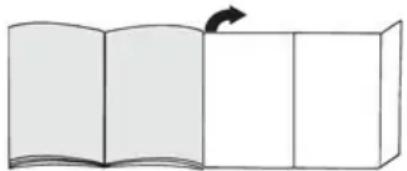
Please fold out the picture pages.
1 Floor tool with electric brush
2 Dirt container release button
3 Battery charging status indicator
4 Sensor Control indicator
5 Dust container
6 Outer filter unit
7 Filter cartridge with motor protection filter and foam filter
8 Handle
9 On/off switch
10 Upholstery nozzle
11 Crevice nozzle
12 Professional upholstery nozzle
13 Professional crevice nozzle
14 Carrying strap
15 Accessory adapter
16 Flexible hose with handle
17 Upholstery crevice nozzle
18 Additional rotating brush for the floor nozzle
19 Charging cable
Before using your appliance for the first time
Fig. 1
Carefully plug the handle onto the main housing and lock into place.
To release the handle, press the release button and carefully lift the handle upwards to remove it.
Fig. 2
Plug the hand vacuum cleaner into the floor tool and lock into place.
To release the floor tool, press the release button and pull the hand vacuum cleaner out of the tool.
Charging
Caution: Before using the vacuum cleaner for the
first time, the batteries must be charged for at least 6 hours.
Fig. 3
To charge the vacuum cleaner, place it near to a socket. The appliance can be left standing anywhere in the room. Fig. 7
Plug the charging cable into the connection at the rear of the appliance.
Plug the charging cable plug into the socket.
The charging indicator flashes during the charging process.
Once the battery is fully charged, the charging indicator lights up in blue and no longer flashes.
It is normal for the charging cable and hand vacuum cleaner to become hot and not a cause for concern.
Battery charging status indicator
Fig. 4*
The battery charging status indicator for the appliance corresponds to one of the two following variants:
a) The indicator shows the charging status of the battery.
Once the battery is fully charged, the indicator lights up in blue.
When the indicator flashes, the battery must be recharged.
b) The indicator LEDs show the charging status of the battery.
Battery fully charged

Battery semi-charged

Battery low

When the final LED flashes, the battery must be recharged.
Vacuuming
Fig. 5
Move the on/off button in the direction of the arrow.
Controlling the suction level
Fig. 6
To change the suction power, slide the on/off switch to the desired position:
Power level 1 1
Vacuuming without the electric brush switched on. For routine cleaning tasks and particularly low operating noise. The appliance achieves the maximum run time at this level.
Power level 2 2
Vacuuming at normal power and with the electric brush switched on. For difficult cleaning tasks at an average run time.
- Depending on model
Power Level 3 / Turbo Mode 3 / Turbo
Vacuuming at full power and with the electric brush switched on. For stubborn cleaning tasks on all surfaces (carpets, in particular) and when using an optional accessory. The appliance achieves a shorter run time at this level.
Runtime
The runtime time stated here may vary due to charge status, battery temperature and battery age etc.
| For 1,95Ah battery For 2,6Ah battery | |||
| Runtime Athlet 18V | Athlet 25,2V | Athlet Runtime Plus 25,2V | |
| Level1: | Up to 40 min. | Up to 60 min. | Up to 75 min. |
| Level 2: Up to 30 min. | Up to 30 min. | Up to 37 min. | |
| Level 3 / Turbo mode: | Up to 10 min. | Up to 12 min. | Up to 12 min. |
Fig. 7
During short pauses in vacuuming, the appliance can be left standing anywhere in the room. To do this, tilt the vacuum cleaner forwards slightly in the direction of the nozzle.
Caution: When the appliance is left standing, it must be switched off, because if the brush is turning while the appliance is standing still, it could cause damage to the floor covering.
Vacuuming with accessories
Fig. 8*
a) Fasten the carrying strap to the short handle provided.
b) Remove the long handle from the main housing.
c) Insert the short handle and lock it in place.
d) Remove the hand-held vacuum cleaner from the floor nozzle.Fig. 2
e) Plug the accessory adapter into the hand-held vacuum cleaner and lock it in place.
Fig. 9*
Fit nozzles as required to the flexible hose with the accessory adapter handle:
Upholstery nozzle for vacuuming upholstered furniture, curtains, etc.
Crevice nozzle for vacuuming crevices and corners, etc.
Upholstery crevice nozzle for vacuuming upholstery, ideal for cleaning car seats in particular
After using the appliance
Fig. 10
Switch off the appliance after vacuuming.
Emptying the dust container
Fig. 11
In order to achieve the best possible vacuuming results, the dust container should be emptied after every use or, at the latest, when dust at one point in the dust container has reached the marking.
We recommend that you not fill the dust container beyond the marking, as this leads to considerable soiling of the filter.
When emptying the dust container, always check how dirty the outer filter unit is and, if necessary, clean it as detailed in the "Cleaning the outer filter unit" instructions. Fig. 16
Caution: The filter can only be cleaned if the appliance is switched off.
Never vacuum without the outer filter unit and its fitted filter cartridge.
Fig. 12
Using the release button, unlock the dust container and remove it from the appliance.
Fig. 13
Take the filter unit out of the dust container.
Empty the dust container.
Fig. 14
- Remove any dirt which may have been lodged underneath the container ejector opening.
Insert the filter unit into the dust container, making sure it is correctly seated. - Insert the dust container in the appliance, so that it 'clicks' audibly into place.
Caution: If you notice any resistance when inserting
- the dust container, check that the filter is complete and that the filter unit and dust container are correctly seated.
Filter care
Caution: The filter can only be cleaned if the appli
- ance is switched off.
Your appliance is equipped with a "Sensor Control" function.
This function constantly monitors whether your vacuum cleaner is working at its optimum power level. The indicator light lets you know when you need to clean the filter cartridge, so that the appliance can reach its optimum power level once more.
Fig. 15 Sensor Control
The indicator lights up blue or is off when the ance is working at its optimum level. Once the indicator turns red and flashes, the outer filter unit and filter cartridge must be cleaned.
The appliance is automatically adjusted to power level 1.
Fig. 16 Cleaning the outer filter unit
The outer filter unit should be cleaned at regular intervals in order to ensure optimum operation of the vacuum cleaner.
Please switch off the appliance to clean the outer filter unit.
Remove the dust container from the appliance.
Fig. 12
Take the filter unit out of the dust container. Fig. 13
Clean the outer filter unit.
a) It is usually sufficient to lightly shake or tap out the whole filter unit when the dust container is emptied in order to dislodge any particles of dirt.
b) If this is not sufficient, you can use a dry cloth to remove dirt particles from the surface.
Fig. 17 Cleaning the filter cartridge
Switch off the appliance.
Remove the dust container from the appliance.
Fig. 12
Take the filter unit out of the dust container. Fig. 13
a) Turn the filter cartridge lid anti-clockwise and remove the filter cartridge from the filter unit.
b) Firstly, clean the filter cartridge by tapping out the dirt.
c) Pull out the foam filter from the motor protection and rinse separately.
Allow the foam filter and motor protection filter to dry completely (approx. 24 hours)
d) After fitting the foam filter, insert the filter cartridge into the dust container.
e) Insert the filter cartridge into the filter unit and lock it by turning the lid clockwise.
If, after hand-washing the filter cartridge, the "Sensor Control" indicator flashes red again, the filter cartridge is so heavily soiled that it must be washed in a washing machine. Use a gentle programme at max. 30^ and the lowest spin speed.
New filters can be obtained from our after-sales service, if required.
Cleaning the floor tool
bele carrying out any maintenance, switch off the vacuum cleaner and disconnect it from the charging cable.
Fig. 18
a) Release the brush roller using the release button and pull it sideways out of the floor tool.
b) Using the groove provided, cut through threads and hairs wound round the rollers with scissors and then remove them.
c) Push the brush roller in sideways along the guide rod in the floor tool and lock in place using the release button.
Caution: The floor tool must only be put into operation with the brush roller fitted.
Care
Before cleaning the hand vacuum cleaner, it must be switched off and disconnected from the charging cable. The vacuum cleaner and plastic accessories can be cleaned with an ordinary plastic cleaner.
Caution: Do not use abrasive materials, glasscleaning agents or all-purpose cleaning products. Never immerse the vacuum cleaner in water.
Subject to technical modifications.
fr
DtaTnpoue To 6ikaiomega TaWv TexviKw aalayw.
tr
Stredne nability akumulator

HnkaTOp 3apAaKKymyITopa
Pnc. 4
HnkaTop 3apAkn aKKymyIaTopa nblncocac COOTBeCTByeT ODHOMY I3 DByx npBedeHHbIX COCTOHH:
a) INDnKaTOp yKa3bIBaET Ha CTeNeHb 3apJKn aKKyMnyTota.
Ecnn akkymynTOp nonHocbIO 3apXKeH, HndkaTOp TropHT CnHm CBetOM.
Cnn HndnKaTOp Mnraet, Tpe6yETc3apnKa aKKymyIaTopa.
b)CBeToIIOIbI INDnKaTopa yKa3bIBaIOT Ha CTeneHb 3apAdkn aKKymyIaTOPa.
AkkymyIaTOP NOnHocTbIO 3apJxKeH

CpeHnIypoBeH ocTaToUHO 3apJa

Hn3kn ypoBeh ocTaToHOro 3apJa

Ccnn noceedHn CBETOIOo MnaeT, Tpe6yeTc3apKa aKKymyIaTopa.
y60pka
Pnc.5
HaXMMTE BbIKNHOaTeNb B HAppaBHeHn, yKa3aHHOM CTpeKNo.
PerynpobkMAOCHBcABHn
Pnc. 6
IpyrnpOBKMOHOCHTBcAcbBaHHcDBHBTe BbIKouaTbB HxHHOe NIOJOKeHHe:
yPOBeHb MoUHocTn 1
IЯ NOBceHbHOy6OpKn C Oco6o Hn3KmUpoBHeM Wyma N CBblKnIOueHHOn 3NeKToPOuETKOJ.
ypoBeHb MoUHOCTn 2 2
TtataTeNbHO y6OpKn H C BKIOUeHHo3NeKTPoouetKoI.
ypoBeHb MOUHOCTn 3/YpOBeHb MOUHOCTnTurbo
3 / Turbo
ДяocobеннToTaTeBHOy6bOpKnIIObOTo TnA NOBepxHOCTeN pIn MaKcHMaNbHOH MoHOCTH.
Bpempa60tbI
Yka3aHHoe 3decb Bpempa60TbMoKet OTnuaTbcB 3aBnCmOCTHOTcTeNeHN 3apAKn, TeMnepatypbI n cpoKa cnJx6blakkyMnyTotaH T. d.
HnKatop ropnt CnHm CBetom HnBbIKNoeH, ecn nbIecoc pa6oTaET c ONTHMaIbHOJ MOUHOCTbIO.
Ecnn OH HauHnae MTraB KpaChbM, BHeuHn HnIbTpoBaHbHbN 6NoK N FnbTppyoun 3neMeHT cNe dyet Ouncntb.
MoHocTb nbIeCoca aBtOMaTHueckn cHxKaetcdo ypOBH1.
Pnc. 16 Ouchstka BheuHero funbtpoBaIbHoro 6noka
IOnTImaIbHOb pa60tI nbinecoca BHeuHn HnbltpoBaIbHbI 6nOK HyKHO perynapHO ouuataB.
OuHCTKN BHeUHero HnIbTpOaBnHO 6noka Heo6xOaHMO BbIKNoHTb NInecoc.
BbHbTe KOHTeHep dIa c6opa nIIN I3 npn6opa. Pnc.12
BbHbTe QnIbTpOBaIbHbI 6IOK I3 KOHTeHepa nn C6Op a nbln. Pnc. 13
OuHCTHTe BHeUHHN ΦHbTpOBAhBn 6Iok.
a)Kak npabHno, yTo6bI ydaHnTb qactuKn rpa3n, DocTaTOUHO, onopoxHHa KOHTeHep dna c6opa nbln, cyTb-uyTb NOTpACTN fHbTpObaHbHb 6nok nnneRKO NoCTyAtb NO Hemy.
b) Ecnntoro HeoctatoHc, Bo3bMTe cyxHy TpRnKy n c e nnnoy ydaHte qactnKn rpa3n C nobepxhoCTN.
Pnc.17 Ounchka qunbtpyuoero ernaenta
BbIKIIOUHTe npH6Op.
BbHbTe KOHTeHep dna c6opa nbln H3 npH6opa. Pnc. 12
BbHbTe pIbTpOaBbHbI 6IOK n3 KOHTeHepa nn c6Op a bIIu. Puc. 13
B 3ABNCMOCTN OT KOMJIeKTAuIN
a) NObepHnTe KpbIuKy fNbTpYIOUero 3JeMeHTa npOTNB yacOBOn CTpeKN N BblbTe fNbTpYIOUIN 3JeMeHT n3 fNbTpOBAJbHorO 6NoKa.
b) Chauana BbyIKoJOTHTe nbInb n3 0JIbTpUOJero 3JIeMeHTa.
c) CHIMNTE NopONOHOBBI ΦHbTp c MOTOPHORIO npOMOHTe Hx pa3dEnbHO. OCTaBBTe NOPONOHOBBI N MOTOPHBII ΦHbTpbl COXHyTb, (npHM. 24 yaca)
d) YcTaHOBnTe NopoLoHOBbI ΦnIbTp B ΦnIbTpYIOuIN 3JIeMeHT N yCTaHOBnTe B KOHTeHep dJa c6opa nblnn.
e) BCTaBbTe 9nIbTpryoUm 3JeMeH T B nIbTpPoBaIbHbI 6NoK I 3aΦNcHpyTe KpbIuKy NOBOpOTM no yacBOi CTpenKe.
Ecn nocne ouhctkn fnhbtpyuoero 3nemeHt a Bpyuhyo HndkaTOp «Sensor Control» no-npexkhem My mraet kpaCHbIM CBeTom, 3TO yKa3bIbAeT Ha To, 4TO fnhbtpyoosn 3nemeHT 3aqr3Hen HactOlbKO, 4TO Tpe6yeTc ero 6pb0TKa B cTHpaJIbHO MaunHe - B pexHme 6peXHoN CTnPKn npn TemnepaType He 6oJee 30^ n npn MmHMmaBHO CKOpocTN OTKMa.
Pn Heo6xOIOMOCTN HOBbIe HINbTpbl MoXHO 3aKa3aTb uepe3 cepBnCHyO cnYk6y.
OuNTka Hacaikn Iy nona/KOBpa
KaJdbi pa3 nepeed Texo6cnyxuBaHnem nbIeocaca BbIKNouaaTe erO n OTCoeDnHaTe OT Ka6enr 3apdHorO yctpOCTBa.
Pnc.18
a) HaxaTHeM KhoNk fHKcaun pa36bokpyTe BaNK 1eTKn N BbHbTe n3 HacadKn dIra Iona/KoBpa c6Oky.
b) Hamotabuhece HHTKN I BOLOcbl pa3peKbTe HOxHncaMn BDOJI cneuaIbHO ppeDycmOTpeHHo npope3n ydaNTe.
c) 3aBnHbTe BaNk UeTkn C6Oky BDoIb HAnpaBnaIOeO cTePxHBA HacAnky DnI Na/KoBpa N3aΦHKnpyTe erHO HAKATEm KHOKNΦNKCaun.
BHHMaHHe: HacaKy IJIa NOJa/KOBpa MoKHO NCNoJIb3OBA Tb TOnIbKO C yCTaHOBJIeHHbIM BaJIHKOM ⅢETKN.
yxo
IpeKaKdouNCTKOINbInecoc Heo6xOIMBOBbIKHouaTb NOTcoeHNHTb OT Ka6en3apnHOYcTPOiCTBa. IbInecoc INnactMaCCOBbie npHaJNeXHOCTHMOXHO uNCTHTb ObUHBMn CpeDCTBaMn dJa UNCTKNPiACTMaCcbI.
BHHMaHHe He nCnONb3yNe Te a6pa3nHBhIe YnCTaUne CpeCTBa, CpeCTBa IIN MblTbIc TekOJI INy HnBepCaIbHbIe MoIOuNE cpeCTBa. He noRpyKaITe Nblncoc B Body.
OCTaBnAeM 3a co6oI npaBO Ha BHeceHne TexHuecknx H3MeHeHH.
zf
jia jia jia jia jia jia jia 17
1
12
13 2
a
15
(b)
i 1
S Sds jgga bala jy g yjai jilj 0jla
(20 24.5)
(d)
(e
a
J 1
"Sensor Control"
a 1
30C 5
j j j j j j j j j j j j j j j j
5 = 3
1 1
16
JlS 1, 2, 3, 4, 5, 6, 7, 8, 9, 10, 11, 12, 13, 14, 15, 16, 17, 18, 19, 20
[j = \frac{1}{2}\left( {x - 1}\right) ]
jai jai oikinui juy jayal kia jil gao bai jilai
Sensor Control 5u Ls
Sensor Control 15
j 1 j 1 j 1 j 1 j 1 j 1 j 1 j 1 j 1 j 1 j 1 j 1 j 1 j 1 j 1 j 1 j 1 j 1 j 1 j 1 j 1 j 1 j 1 j 1 j 1 j 1 j 1 j 1 j 1 j 1 j 1 j 1 j 1 j 1 j
1 1
JSS
i j 10000000000000000000000000000000000000000000000
| 2,6Ah | 1,95Ah | \( \textit{Bara}\textit{b}\textit{a}\textit{r}\textit{s} \) | \( \textit{Bara}\textit{b}\textit{a}\textit{r}\textit{s} \) |
| Athlet Runtime Plus 25,2V | Athlet 25,2V | Athlet 18V | \( \textit{Mcdt}\textit{k}\textit{a}\textit{r}\textit{d}\textit{s} \) |
| \( \begin{array}{c} \text{I}\\ \text{A}\text{B}\text{C}\text{D}\text{E}\text{F}\text{G}\text{H}\text{I}\text{J}\text{K}\text{L}\text{M}\text{N}\text{O}\end{array} \)75 | \( \begin{array}{c} \text{I}\\ \text{A}\text{B}\text{C}\text{D}\text{E}\text{F}\text{G}\text{H}\text{I}\text{J}\text{K}\text{L}\text{N}\text{O}\end{array} \)60 | \( \begin{array}{c} \text{I}\\ \text{A}\text{B}\text{C}\text{D}\text{E}\text{F}\text{G}\text{H}\text{I}\text{J}\text{K}\text{L}\text{N}\text{O}\end{array} \)40 | :1\( \text{I}\text{J}\text{O}\text{N}\text{J} \) |
| \( \begin{array}{c} \text{I}\\ \text{A}\text{B}\text{C}\text{D}\text{E}\text{F}\text{G}\text{H}\text{I}\text{J}\text{K}\text{L}\text{N}\text{O}\end{array} \)37 | \( \begin{array}{c} \text{I}\\ \text{A}\text{B}\text{C}\text{D}\text{E}\text{F}\text{G}\text{H}\text{I}\text{J}\text{K}\text{L}\text{N}\text{O}\end{array} \)30 | \( \begin{array}{c} \text{I}\text{B}\text{C}\text{D}\text{E}\text{F}\text{G}\text{H}\text{I}\text{J}\text{K}\text{L}\text{N}\text{O}\end{array} \)30 | :2\( \text{I}\text{J}\text{O}\text{N}\text{J} \) |
| \( \begin{array}{c} \text{I}\\ \text{A}\text{B}\text{C}\text{D}\text{E}\text{F}\text{G}\text{H}\text{I}\text{J}\text{K}\text{L}\text{N}\text{O}\end{aligned} \)12 | \( \begin{array}{c} \text{I}\\ \text{A}\text{B}\text{C}\text{D}\text{E}\text{F}\text{G}\text{H}\text{I}\text{J}\text{K}\text{L}\text{N}\text{O}\end{array} \)12 | \( \begin{array}{c} \text{I}\text{B}\text{C}\text{D}\text{E}\text{F}\text{G}\text{H}\text{I}\text{J}\text{K}\text{L}\text{N}\text{O}\end{array} \)10 | /3\( \text{I}\text{J}\text{O}\text{N}\text{J} \) :\( \text{I}\text{B}\text{C}\text{D}\text{E}\text{F}\text{G}\text{H}\text{I}\text{J}\text{K}\text{L}\text{N}\text{O}\) |
7
1 1 1 1 1 1 1 1 1 1 1 1 1 1 1 1 1 1 1 1
a 1 a 1 1 1 1 1 1 1 1 1 1 1 1 1 1 1 1 1 1 1 1 1 1 1 1 1 1 1 1 1 1 1 1 1
01
8
a
m = 311
9
1
023 148
*12
a0^2b1 = 4
* 14
*J 15
- 16
*a
* 18
19
J 1
1
24
1 1 1 1 1 1 1 1 1 1 1 1 1 1 1
24
2
g 2
= = 35
j 1 j 1 j 1 j 1 j 1 j 1 j 1 j 1 j
S ACD = S COD + S DCE + S CEA
a 1
Jll
JcLgaiolaii
.
aegio j4y 11 yjell aaiis sao
18
(2018·南京) a_i = 12 1
s
(a) 12x - 1 > - 12x + 1
15 15
(b)
15 0g
i 1
111 111 111 111 111 111 111 111 111
aai jaaai jai jaioi ie
y
jilll aagbgs jll jlls
!
S 如何移动
1.1 2
#
auii jil 16
Jaiy k. aikii t jia 1e 2a lal jll sdd
J 1
a ≤ b
JUeWuJUcuaafoEooCooGooos 30p guo
Jie Jue
2015 2016
x_( 2) = 1

a 1
100
jlllglal kii jilai lglal
(2)
ailllll lllllll
a
bailg
6
a
1
1s
a 1
a
2.
aill Jia 10 aai jy
a2 = a1 + 2
Jaa Jaa slgii 1
10 3
11 1
11
m = 311
2yj11 jz jz jz jz jz jz jz jz jz
14
J 1 1 1 1 1 1 1 1 1 1 1 1 1 1 1 1 1 1 1 1 1 1 1 1 1 1 1 1 1 1 1 1 1 1 1 1 1 1 1 1 1 1
a 1234567890123456789012345678901234567890123456789012345678901234567890123456789012345678901234567890123456789

Turbo / 3
aiiisll aiee
aaii iiee
J 1
a a a a a a a a a a a a a a a a a a a a a
aJbllacg aJIbll
AE United Arab Emirates,
BSH Home Appliances FZE Round About 13.
Plot Nr MO-0532A
Jebel Ali Free Zone - Dubai
Tel.: 04 881 4401
mailto:service.uae@bshg.com
www.bosch-home.com/ae
AL Republika e Shqiperise, Albania
ELEKTRO-SERVIS sh.p.k
Rr. Shkelqim Fusha, Selite
Pallati "Matrix Konstruksior
Kati 0 dhe +1
1023 Tirane
Tel.: 42278130, -131
Fax:42278130
mailto:info@elektro-servis.com
EXPERT SERVIS
Rruga e Kavajes,
Kulla B Nr 223/1 Kati I
1023 Tirane
Tel.: 44806061
Tel.: 42274941
Fax:42270448
Cel: +355 069 60 45555
mailto:info@expert-servis.al
Gate 1, 1555 Centre Road
Clayton, Victoria 3168
Tel.: 1300 369 744*
Fax: 1300 306 818
mailto: aftersales.au@bshg.com
www.bosch-home.com.au
*Mo-Fr: 24 hours
BA Bosna i Hercegovina, Bosnia-Herzegovina
"HIGH" d.o.o
Gradačka 29b
71000 Sarajevo
Tel.: 061 10 09 05
Fax:033213513
mailto:bosch_siemens_sarajevo@yahoo.com
BE Belgique,Belgié,Belgium
BSH Home Appliances S.A. - N.V.
European Trade Center Building, 5th floor, 1784 Sofia
Tel.: 0700 208 17
Fax: 02 878 79 72
mailto:informacia.servis-bg@bshg.com
www.bosch.home.bg
BH Bahrainy
Khalafat Est.
P.O.Box 5111
Manama
Tel.: 017400553
mailto:service@khalaifat.com
BY Belarus, Bénapycb
OOO BCX BbITOBa TeXnka
Tei.: 495 737 2961
mailto:mok-kdhl@bshg.com
CH Schweiz, Suisse, Svizzera, Switzerland
BSH Hausgeräte AG
To arrange an engineer visit, to order spare parts and accessories or for
product advice please visit
www.bosch-home.co.uk
or call Tel.: 0344 892 8979*
*Calls are charged at the basic rate, please check with your telephone service provider for exact charges
GR Greece, Eλλας
BSH Ikiakes Siskeves A.B.E.
Central Branch Service
17 km E.O. Athinon-Lamias & Potamou 20
14564 Kifisia
Tnλεφωνo:2104277701
Tnλεφωνo:181 82
mailto: nkf-CustomerService@bshg.com
www.bosch-home.gr
HK Hong Kong, 香港
BSH Home Appliances Limited
Unit 1 & 2, 3rd Floor,
North Block, Skyway House,
3 Sham Mong Road
Tai Kok Tsui, Kowloon
Hong Kong
Tel.: 2565 6151
Fax: 25656681
mailto:bosch.hk.service@bshg.com
www.bosch-home.cn
HR Hrvatska, Croatia
BSH kučni urežaji d.o.o.
Kneza Branimira 22
10000 Zagreb
Tel.: 015520888
Fax: 01 640 36 03
mailto:informacije.servis-hr@bshg.com
www.bosch-home.com/hr
HU Magyarorszag, Hungary
www.bosch-home.com/hu
IE Republic of Ireland
BSH Home Appliances Ltd
Unit F4, Ballymount Drive
Ballymount Industrial Estate
Walkinstown
Dublin 12
Service Requests, Spares and Accessories
Tel.: 01450 2655*
Fax:014502520
www.bosch-home.co.uk
*0.03 € per minute at peak
Off peak 0.0088 € per minute
IL Israel,
C/S/B/ Home Appliance Ltd.
1, Hamasger St.
North Industrial Park
Lod, 7129801
Tel.: 08 9777 222
Fax: 089777245
mailto:csb-serv@csb-ltd.co.il
www.bosch-home.co.il
IN India, Bharat,
BSH Household Appliances Mfg. Pvt. Ltd.
Arena House, Main Bldg, 2nd Floor,
Plot No. 103, Road No. 12
MIDC, Andheri East
Mumbai 400 093
Toll Free 1800 266 1880*
www.bosch-home.com/in
- Mo-Sa: 8.00am to 8.00pm
(exclude public holidays)
IS Iceland
Smith & Norland hf.
Noatuni 4
105 Reykjavik
Tel.: 0520 3000
Fax: 0520 3011
www.sminor.is
IT Italia, Italy
www.bosch-home.com/it
KZ Kazakhstan, Ka3aKcTaH
IP Anackiy A.N. PTN-Service
Kuyshi Dina str.23/1 N3
Astana
Tel.: 717 236 64 55
mailto: ptnservice@mail.ru
Technodom Service
Utegen Batira Str. 73
480096 Almaty
Tel.: 727 258 8544
mailto: lsr@technodom.kz
www.technodom.kz
Kombitechnocentr
Zhambyl st. 117
480096 Almaty
Tel.: 727 338 45 55
mailto:cts_pavel@bk.ru
www.cts.kz
TOO Evrika Service
Shimkent, Rskulova 22.
Shimkent 160018
Tel.: 727 252 44 63 75
mailto:evrika_kz@mail.ru
www.evrika.com
AV SERVICE
Abulhair hana Str. 51
Uralsk 090000
Tel.: 711 293 99 49
mailto:oastafiev@avservice.kz
www.avservice.kz
LB Lebanon
Teheni, Hana & Co.
Boulevard Dora 4043 Beyrouth
P.O.Box 90449
Jdeideh, 1202 2040
Tel.: 01 255 211
mailto:Info@Teheni-Hana.com
LT Lietuva, Lithuania
Senuku prekybos centras UAB
Jonavos g.62
44192 Kaunas
Tel.: 0372 12146
Fax: 0372 12165
www.senukai.lt
UAB "AG Service"
R. Kalantos g. 32
52494 Kaunas
Tel.: 070055655
Fax:037331363
mailto:servisas@agservice.lt
www.agservice.lt
Baltic Continent Ltd.
Lukšio g. 23
09132 Vilnius
Tel.: 052741788
Fax: 052741722
mailto:info@balticcontinent.It
www.balticcontinent.lt
LU Luxembourg
S.R.L. "Rialto-Studio"
yn.LyceBa 98
2012 KUINHEB
TeJ./paKc:022238180
mailto:bosch-md@mail.ru
ME Crna Gora, Montenegro
Elektronika komerc
UI.Slobode 17
84000 Bijelo Polje
Tel./Fax: 050 432 575
Mobil: 069324812
mailto:ekobosch.servis@t-com.me
MK Macedonia, Madeonna
GORENEC
Jane Sandanski 69 Iok.3
1000 Skopje
Tel.: 022 454 600
Mobil: 070 697 463
mailto:gorenec@yahoo.com
MT Malta
Oxford House Ltd.
Notabile Road
Mriehel BKR 14
Tel.: 021 442 334
Fax: 021 488 656
www.oxfordhouse.com.mt
MV Raajeyge Jumhooriyyaa, Maledives
Lintel Investments
Ma. Maadheli, Majeedhee Magu
Male
Tel.: 0331 0742
mailto:mohamed.zuhuree@
lintel.com.mv
NL Nederlande, Netherlands
Unit F 2, 4 Orbit Drive
Mairangi Bay
Auckland 0632
Tel.: 0800 245 700*
Fax:0800256535
mailto: aftersales.nz@bshg.com
www.bosch-home.co.nz
- Mo-Fr: 8.30 am to 5.00 pm (exclude public holidays)
PL Polska, Poland
SA Kingdom Saudi Arabia,
Abdul Latif Jameel Electronics
and Airconditioning Co. Ltd.
BOSCH Service centre,
Kilo 5 Old Makkah Road
(Next to Toyota), Jamiah Dist.
P.O.Box 7997
Jeddah 21472
Tel.: 800 127 9999
mailto:palakkaln@alj.com
www.aljelectronics.com.sa
SE Sverige, Sweden
BSH Home Appliances AB
Landsvagen 32
169 29 Solna
Tel.: 0771 11 22 77 local rate
mailto:Bosch-Service-SE@bshg.com
www.bosch-home.se
SG Singapo新加坡
BSH Home Appliances Pte. Ltd.
Block 4012, Ang Mo Kio Avenue 10
01-01 Techplace 1
Singapore 569628
Tel.: 6751 5000*
Fax:67515005
mailto:bshsgp.service@bshg.com
www.bosch-home.com.sg
- Mo-Fr: 8.30am to 7.00pm, Sa: 8.30am to 5.30pm
(exclude public holidays)
SI Slovenija, Slovenia
BSH Hišni aparati d.o.o.
Litostrojska 48
1000 Ljubljana
Tel.: 015830700
Fax: 01 583 08 89
mailto:informacije.servis@bshg.com
www.bosch-home.com/si
SK Slovensko, Slovakia
www.bosch-home.com/tr
- Cagli merkezini sabit hatlardan
aramanin bedeli sehir icucretlendirme,
Cep Telefoniarindan isekullanlan
BSH Home Appliances Private Limited
台北市內湖區洲子街80號11樓
11F., No.80, Zhouzi St., Neihu Dist.
Taipei City 11493
Tel.: 0800 368 888
Fax: 02 2627 9788
mailto:bshtzn-service@bshg.com
TOB "BCX NobyToBa TexHika"
Ten.: 044 490 2095
mailto:bsh-service.ua@bshg.com
Service-General SH.P.K.
Rruga Mag Prishtine-Ferizaj
70000 Ferizaj
Tel.: 0290 321 434
Tel.: 0290 330 723
mailto:a_service@
gama-electronics.com
XS Srbija, Serbia
BSH Kucni aparati d.o.o.
Milutina Milankovica br. 92
11070 Novi Beograd
Tel.: 011 353 70 08
Fax:0112052389
mailto:informacije.servis-sr@
bshg.com
www.bosch-home.rs
ZA South Africa
BSH Home Appliances (Pty) Ltd.
15th Road Randjespark
Private Bag X36, Randjespark
1685 Midrand-Johannesburg
Tel.: 086 002 6724
Fax: 086 617 1780
mailto:applianceserviceza@bshg.com
www.bosch-home.com/za


de
This appliance is labelled in accordance with European Directive 2012/19/EU concerning used electrical and electronic appliances (waste electrical and electronic equipment - WEEE). The guideline determines the framework for the return and recycling of used appliances as applicable throughout the EU.
fr
((waste electrical and electronic equipment - WEEE
ωωωωωωωω
UusuoglbssosdsJwJwslgolsoeUjSglcoJ,Scolsg
SUsSusgosuJyusuS JUsuSgSuljsluSulSol
SooosjuscsuSSsss
DE Garantie
GB Conditions of guarantee
For this appliance the guarantee conditions as set out by our representatives in the country of sale apply. Details regarding same may be obtained from the dealer from whom the appliance was purchased. For claims under guarantee the sales receipt must be produced.
FR Conditions de garantie
yai jia jia jia jia jia jia jia jia jia jia jia jia jia jia jia jia jia jia jia jia jia jia jia jia jia jia jia jia jia jia jia jia jia jia jia jia jia jia jia jia jia jia jia jia
20 1 20
a1j aoli ciilaio 2jgo jolaioi jy Jaii
与 SU = 1 : 1
Opoi Eyyunon
- H eyyunan ka n caioupyia wv npoiovw ma napexetai yia xpviko diaaeta iekoi teaaapw (24) mnuw vntnv nepounvia tsnpwtns ayopac tou avaypapetai otn thewpnueyn atrodei ng ayopac. Tia tny npoxn ts eyyunong s aataeitai n etidieign tnC thewpnueyns atrodei ng ayopac stnv otoia avaypapetai o tuioc kai to pvteao tou pioovtoc.
- H etaieia meoa ota avotepw xovikopia, oe tepittwn pannmuelouc aeitoupyiac nsc oukeun, avaalapbavei tvuoxpewan tnc eavapopac tsnc omaan leitoupyka kai tsavtkataotaonkake tuxov elattwoakou depous (tnyv twv avaalawaiuw kai twv eutaw, otwca yuvala, aaptntpck). Aatapaintn npoutoean yia va 1oxei n eyunon eivai n mleitoupyia tsoc uokeun c vipoepxetai atto n v anmuelkataokun tnc kai oxi tnpadeymuat ianto kaki xpon, lavthetaevnykataoataon, m npnan twv onyiw xpnoans tnc ouakeun, akatalan auvtnpan atto ppoawta un egouioobotmeva atto tv BSH Okiakcs zuokeuc A.B.E. n ato ewyveic npayovtec otwos diakotte ngkptko pemuatoc ndiapopotoinong ts taonkltt.
- Σην περίπτωπ τοῦ Προίδιν δεν λειουργείσωτα λόγω της κATAOKEUΦ tou kai εφοσον η πλημελής Λειουργία εκθηλωθηκε κατά την περίδο ευγύπας, η μονάδα ζέρβις (ή το εξουσιδόθιμενο συνεργίο) της BSH OIKIAKÉS ΣUOKEUEÇ A.B.E. θα to ἀπιοκεύασει με σκόπο τη χρήσι γία την οΝΟΙΑ κATAOKEUΔΟΤηΚE, χωρίς ναι πιρεξιχρωση γία ανταλλΑKTΙΚά ἡντη εργασία.
- kaIutovtai aTn Tnv Eyyunon o Kivduov tou oxeticovtai me Tn metapopatou Tpoiovto Tpoc Etno ATOV eTATWAnT n TPOC Tnv MOvadabεpβi (n TPOC TO EGOIOBDOTnevo SuVEpyeo) TCS BSH OIKIAKc SuaKEuEs A.B.E. EFOOv Dv TpayaToTioUvTai aTn Tnv BSH OIKIAKc SuaKEuEs A.B.E. n aTIO EGOIOBDOTmu autiy TPOsTu.
- OLeC oi EtnIOkeuec Tng Eyyunong npeTie va yivovtai aio To EgoaiooBtnevo Szepic (n to EouaoiooBtnevo ouveyio) Tns BSH Okiakcs zuokuec A.B.E.
- H eyyunon kautte kaveva TPOIOV TOU XpnoiOTIOEITAI TEPAV Tuv TPOdiaypaowv Yia Tc OTIOEc kata- OKeuaoTKe (T.x. okiakn xphon).
- H eyyunon kaanc aeoupyias Tou napexetai atro tov kataaekuaatn tauei av atokoannoouv, aaloiowov n tpoTtoinnoov uve oTOIOBDHTote tpotto i Taivies aopaaieas n oi EIDIKES biakpITIKEC autOKoAAANTEC ETIKETEC TTI TOW OToiw avaypapetai o apiOuocseipacn n npepounvia ayopac.
-
H EyyunonEev KaAUTTEI:
-
Eπiokeuες, μεταροτης ἡ καθαριομούς που ελαβαν χωρα σε Κέντρο Σερβίς μη εξουσιδοῦτημένον ατό την BSH Oikiakeς Σωκεuες A.B.E.
-Λαθος χρόση, Απερβολική χρόση, Χερίσμούς έλειουργία του προίντος κατά τρότο μή σύμφωνο με τις Μαθηγες του περίχονται στα εγχερίδία χρόσης καί/ή στα σχετικα ἔγγρασα χρόσης, συμπερίλαμβανομένων της πλημμελούς φύλαξης της συακεύς, της πτώς της συακεύς καίπ.
Poiovt a e duavaywto apiou oepac.
-Znuié TPOIPOKAoUVTaEvEiKtikαIoAOTpAnTc,VePo n UYPaia,ΦWtiA,IOεμo,δnμoieCavatapaxEc, λθoc TaOεIc Tou δIKTuO IAPoxn CpEuμatoC, n OTIOBDHITOTE Aoyo Tou Eivai TEPAV aTO Tov EλEyxO Tou kataokuaotn η Eouoiodotnμevou Ouvepyeiou.
- Avtikataoataon tnc oukeung yivetai mvo eoov dev eivai duvatn n tiidiopthetaon tnc katotinioanng ts aubuiaac etiokueuc atto Egoaioobotnevo zepic (nt to eouoiobotnevo ouvepyie) tnc BSH Oikiakec Zuakeus C.A.B.E.
- H kαθε επιοκεύη n η αντικατάσαη έλατωματικό μέρους δεν παρατίνει τον χρόν ευγύπας τοῦ προίντος.
- EApntmuata kai uika Tou avikaiotovtai kat a Tdiapkeia TcEyyunoc ETioppeovtai oTo ouvepyio.
NANEAAAIKO THAEQNO EYHPETHSHIATQN
01/17



Kpyrnocytohbltepeoh cnyx6bl noepkkn*: 8 (800) 200-29-61
OfncnabHbI caT B INHTepHete: www.bosch-home.ru
Aaepca aBtOpn3oBaHbix CepBnCbIX ueHTPOB, a TAKKe Bc HhΦopMaunr No cepBnCHOMy 6cnyKNaBHNO doCTynHa Ha oHnnaHOM caTe B INTEpHete: www.bosch-home.ru.
Pekomehnyem Bam noIb3oBaTbcra ycnyramn tonbko aBTOpH3OBAHHbIX cepBChbIX cEHtpoB.
OpHnHaBbIe akccecyapbl n cpeCTBa no xyOdy dN B6tTOB TeHHKn Bosch Bbl MOxete npHO6pctn b Hawem qHPmEHOM HHTepHema3HHe: www.bosch-home.ru/store. C ycnOBaMn 3akA3a, onNaIb I doctABKn Bbl MOxete o3hAKoMItcba h caTte. TaKke opHrHaNbHbIbe akccecyapbl n cpeCTBa no xyOdy Bbl MOxete npHO6pctn b ABOTPn3OBaHbIb cepBcHbIX cepBcHbIX tbpX.
1.Идениe
- Moenb
IyHKtB 1-2 3aONHHTC TOnbKO B Cnyae, ecn 3TN DaHHbIe He cOepxatcB DOKyMeTAX O NOKynke N3denn (Kaccobblue Kek n/nn TOBapHbI uek, TOBapHa HaKaJaHa).
3.Даннйаифорmaць PACnpocstpaHHTcRa HMaIbIe bIToBbIe npHbOpbI ToBapHoro 3HaKa Bosch: KoefebapK, KoefemaunHbI, KoefomolKn, Bcebl KxOHbIe KMcbHbIe, MMKeOpbIe, PbIEcObIe, pEzKII, TocIEpBcI, yTOHr, fEOHJI, paCnPIMETHe IINBOIC, 3EeKtPOAHmIKN, COOBbIXHMaIKN, IMeMbIuHTenI, 6BneHdpe, rAnDInhBHe DockN, BaHHoQy, HAnOHbHBe BeCbI, yTOHr, NaPoBBe CTaHUni, rAnDInbHbY OdoCKN aHAnOrMHyIbe N mIDENJI.

- yBaXaembIe dAmblnroCno,cooBsaem BAm, YTO NOITBePckDHeH COOTBeTCTBna Hauwe npOdyKunn OBA3atEnbHm Tpe6oBaHNM BCOOTBeTCTBNN C 3aKOHODaTeBbCTBOM OCyueCTBnRETCB FpOme O8aTeBnHcepTHFKnAUN N DEKnapPOBaHN CoOTBeTCTBNA. HfOpopMaHIO 6OBa3TeBbHOM NO TBPKePckDHeH COOTBeTCTBNa HauN pNpBOpB, B TOM Ucne DaHbNe OHomepeCepTNFKAta COOTBeTCTBNI (DeKnapaunio O COOTBeTCTBnH) Ispoke erO (ee) DeCTBnB Bbl Moeke neOnyUbn B OOO BCX BtBOBIE PInbOpB).
Haia npOyIuIy pOnoBIOHTn oN KOHpONe TpaHcHauHOHbON KOpNOaIe IBCX YaxcrepeTgM6x, anpec Uta6-KbapTNpbIy: 81739 MoHenK, Kapn-Bepn UItpac34, EpermaHs (BSH Hausgerate GmbH, Carw-Wer-Str. 34, 81739 Munchen, Germany).
OpraHn3aueH, BbIIOHNOHoeI dyHKUHN HIOCTPAHHO IAROTOBTEIN, yONHOMOeHHo N3rTOBtENEM Ha OCHOBAHN DOROBOPa C HMM, ABNHcTc KAnA KnyKck, n.15, TenePcho (495) 737-2777, fack (495) 737-2798.
- 063aTeBhE CBeHnO TeHNuecknx XapaKtepeNCTkax npbopa npbedeHb Ha TINOBo Ta6nueke npbopa nnHa erO 3TNKeTke n/nn B cOpOBoNTeBHO DOKyMeHTaun.
6. AkceccyapbI n cpeDCTBa no yxoNy
IJI 63yHpueHOrO FHyKUHOHPOBaHn BaWe TeXHHN H yOxOa 3a He N pOns3BODntb peKoMeHdyet HcNoIb3oBaTb TOnbKoOprrHaHbHBe IeCeccyapbl n cpeCTBa no yOxyO. OprHrHaHbIbe Akeccceapbl pa3pa60TaHb npOn3BODntTelem, OH nIeAInbHo NoXdoTn HMeHNO dnnBaWero np6Oba, OprHrHaHbIbe Akeccceapbl n cpeCTBa no xOxy CooteBTB CTByOT cambl BbCOKHM Tpe6oBAHm KauCTe b TaTOpBRH3aKaOSBc, OH npoxoDRT 3abOBCdKHe IcBtAHTy Dn oEbcneueHHMAKCHMaBHO HaDeXHOCTn B pAOte. PO BcEM BonPocam, CB3aAHbIM C akCEcyapAMn H cpeCTBaMn no yOxy Dn BAWe BbTOBO TeXHHKn, Bbl MoKete ObpatTbcra B aBTOp3oBAHhble cepBHChble ceHTpbl Hnno Tenefohy cnkykbl noNDepKxx.
7. FapaHTHn H3ROTOBNTeJIa
Hnma HrTOBHTnb npOCTaBnHa npnopeTHe BAMn PoCCNCKoI Phedepaunn 6bTOBO npHbOp rapaTHIO B COOTBeCTBnC deNC- Tbyuoum3akoOdaTeBcTOM P CpOKOM 1 Ro. Ha npnopeTeHHB B Pecny6nKe BApocy6 bTOBO npHbOp, K KOtOpomy npTo NKynke 6bl BbIaHapraHTNH TaON, DeCTByOT rapAANTHbE yCNOBn, He npTOBpeuaane 3akoHOaTeBc7Bpy Pecny6nKn BApocy6.
8. BHHMaHHe! BaxHa HhOpMaunn dnn noTpe6ntene
DAnHbI npnBop npedHa3aueH DnI nCNoB3OBaHHN NCKIOHTeBHO DnI NNUBHX, CEmEHbIX, DOMaUHIN X INbIX HYKd, He CB3aHHbIX C Ocy-CTBnEHm PnpnPHMAtenBckOJTeBbHOCTN I60 yDObNEbOPeHNEM 6bIOBbIX NOTpe6HOCTE B OFHcE npDnPHTN, UyPexDEHn HnOPraH3aun. IcNoB3oBaHHe npBopa B cIeX, OTNNbHx OT bIweKa3AHbIX, ABnETc HApUHe m npAByn HndNxaue E3Knnyataun npBopba.
Hannne fnpmeHH 3abOckn TaBNOB H na npbope 6Batebno! Toxanycta, y6eHntecb e ee Hanmnnn coxpaHnte e ha npbope B teuehe Bcero CpoKa cnyk6bl npbopa. Ydaene He TaBnKn Beet K o6e3nueHn npbopa n Bo3MOXhIM hapweHn m npabIn er0 3Knnyataun.
3aT0BHTbHe Hecet OTBcETBHeHOCTb 3a HeOCTaKn B pHbOpE, ccnI cepBCHOn Cny6oB 6ydtDokAA3O, Yo OHN BO3HNIO NocNE nepedau npbopa NotpebHTIO BCNeCTBn HApuyehn HM npabHn NIO bSOBaHN, TpaHCNPOTpOBKN, XpaHEHn, DeHCTBN TpeBHX NtU, HenPeODHMO CNbl (NojkaP, pnpOHOH KATAcTPObHb N. T.I). NonaAHHa 6bTOBbX HaceKObHb INrBpyHOB, BO3dEChTBN HNAIOCTOPHNHb AakToPb, a TaIOke BCNECTBn CyueCTeBHx HApuyehnTexHueCkHex TpeBOAHn OBOpoeHHbX INHCTpyKunno EKnCnnYatauCN, B TOM UHCNE HeCTabINbHOCT npamepTOB 3neKT pcTeH, yctahOBHeHHbX FOCT 32144-2013.
IIO nOIOBTEXEHN IIO NOKNYKN pIbno IpnrApoTHNOM pEmoHTe HIN npDEyBnEHN INHbI npDcMOTpeHHbI 3aKOHMO Tpe6OBaHNN yBeIDENbHO npOCIM BAC COxPAnHbT DOKYMEnbI O NOKYNE (YCK, KEBTANUHIN, INHbI eOkyMeHTN, noIOBTEXDAOUHe DAty n MecTO NKNYKN).
C6oIeHnepeKOpemHaun yKaa3aHcN,coepKpaXuXcB HnCTpyKuHN o KcPnayatauHN (npablnaxonb3ObaHNA), nomoket n36exbTa np06hEM B kcnpnyatau pnp60ra h er 06cbnykBaHH.
HeNcPbAHBEy3nIpyOBpBvRpaHHTnHbepnoeepoHPOHTNPOTCHHIN3aMeHHOTC HOBIMPeueHMe Bonpoc a Qeneco66pa3HOCTHX 3aMeHHIN pMOHTA OCTaETCH 3a Cnyk6AMc BepNCIA.
9.Инфорmaцьо cepBnce
B nepno n noce nctehnra papaTHHoro cpoka hawa Cnyk6a Cepbca, a taKHe MaCTepckne HauNX napHEOB BcERda roTOBbl npedIOXHTB Bam cbON yucyHn. CnCOKA ndecoc yonlHOHouhBHX hTROBHTeM NHYKTOB ABTOPNBOAHORO cepBNCHORO 0cbNyKBHnHAHXoDNTCA Ha oduNHbHM caIe BVtHePHTe: www.bosch-home.ru.
Cpck cnkybbl mabh b6tobh xnp60bp (kpoeme kxyohhhx kombaHOB nblncocB) coacta 2 rda. Cpok cnkybbl kxyohhhx kombai HOB nblncocob coctabniet 5 let. Cpck cnkybbl n3denn Hcuncnlrcn c daIb ero noKynKn, IIOO npn HeBO3MOXHOCTe en onpehenen, c DaTb HrTOBHeNn H3denn, HaneceHNOH na TnOBHy TaNbHcy H3denn B COoteTCTBN Co tAHTAPm HrTOBHTENa dHaTROBHeNn MapkpyetcF D FTT MM, rge TT - roi hroToBHeNn MInyHc 1920, a MM - mecau n3rTOBHeNn. Jnna onpehenenra RoHa3rTOBHeNn pnp60bae Heo6xoMIMO K 1920 pnbabntb cnqno Tl.
*BecnIaThbI KpyrNocyToHbI TeNofoH dIra 3BOHkoB Ha TeppHTOpH PΦ.
B34C065N1-1M00 03/2017

BOSCH
Pa3pa6oTaHOAIAJXH3HN
bosch-infoteam@bshg.com

- de
- Intended use
- In order to prevent injuries and damage, the vacuum cleaner must not be used for:
- Spare parts, accessories
- Please note
- Safety information
- Proper use
- Batteries
- Notes on transport
- Information on disposal
- ■ Packaging
- Old appliances
- fr
- Yka3aHnno HcNoIb3ObaHHIO
- Bo n36eXaHne TpaBM n nobpeXeHHn nbinecoc HEnb3n HCnonb3OBaTb dnn:
- 3aNachbte yactn, npHnaIeXHOCTn,
- yka3aHHe:
- Yka3aHnno TExHnKe 6e30napChOCTn
- AkkymyIaTopbi
- Before using your appliance for the first time
- Fig. 1
- Fig. 2
- Charging
- Fig. 3
- Battery charging status indicator
- Fig. 4*
- Vacuuming
- Fig. 5
- Controlling the suction level
- Fig. 6
- Power level 1 1
- Power level 2 2
- Runtime
- Fig. 7
- Vacuuming with accessories
- Fig. 8*
- Fig. 9*
- After using the appliance
- Fig. 10
- Emptying the dust container
- Fig. 11
- Fig. 12
- Fig. 13
- Fig. 14
- Filter care
- Fig. 15 Sensor Control
- Fig. 16 Cleaning the outer filter unit
- Fig. 17 Cleaning the filter cartridge
- Cleaning the floor tool
- Fig. 18
- Care
- tr
- HnkaTOp 3apAaKKymyITopa
- Pnc. 4
- y60pka
- Pnc.5
- PerynpobkMAOCHBcABHn
- Pnc. 6
- Bpempa60tbI
- Pnc. 16 Ouchstka BheuHero funbtpoBaIbHoro 6noka
- Pnc.17 Ounchka qunbtpyuoero ernaenta
- OuNTka Hacaikn Iy nona/KOBpa
- Pnc.18
- yxo
- zf
- jia jia jia jia jia jia jia 17
- [j = \frac{1}{2}\left( {x - 1}\right) ]
- Sensor Control 15
- J 1
- 1
- 2
- a 1
- Jll
- 18
- #
- GR Greece, Eλλας
- HK Hong Kong, 香港
- HR Hrvatska, Croatia
- HU Magyarorszag, Hungary
- IE Republic of Ireland
- IL Israel,
- IN India, Bharat,
- IS Iceland
- IT Italia, Italy
- KZ Kazakhstan, Ka3aKcTaH
- AV SERVICE
- LB Lebanon
- LT Lietuva, Lithuania
- UAB "AG Service"
- Baltic Continent Ltd.
- LU Luxembourg
- ME Crna Gora, Montenegro
- MK Macedonia, Madeonna
- MT Malta
- MV Raajeyge Jumhooriyyaa, Maledives
- NL Nederlande, Netherlands
- PL Polska, Poland
- SA Kingdom Saudi Arabia,
- SE Sverige, Sweden
- SG Singapo新加坡
- SI Slovenija, Slovenia
- SK Slovensko, Slovakia
- XS Srbija, Serbia
- ZA South Africa
- DE Garantie
- GB Conditions of guarantee
- FR Conditions de garantie
- Opoi Eyyunon
- NANEAAAIKO THAEQNO EYHPETHSHIATQN
- AkceccyapbI n cpeDCTBa no yxoNy
- FapaHTHn H3ROTOBNTeJIa
- BHHMaHHe! BaxHa HhOpMaunn dnn noTpe6ntene
- 9.Инфорmaцьо cepBnce
Brand : BOSCH
Model : BCH65RT25K
Category : Broom