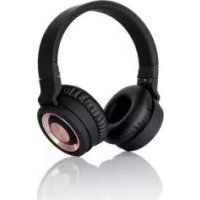
SBTH 4.1 A1 - Wireless Earbuds SILVERCREST - Free user manual and instructions
Find the device manual for free SBTH 4.1 A1 SILVERCREST in PDF.



Frequently Asked Questions - SBTH 4.1 A1 SILVERCREST
User questions about SBTH 4.1 A1 SILVERCREST
0 question about this device. Answer the ones you know or ask your own.
Ask a new question about this device
Download the instructions for your Wireless Earbuds in PDF format for free! Find your manual SBTH 4.1 A1 - SILVERCREST and take your electronic device back in hand. On this page are published all the documents necessary for the use of your device. SBTH 4.1 A1 by SILVERCREST.
USER MANUAL SBTH 4.1 A1 SILVERCREST
natural_image
Black outdoor headphones with earbuds and black bezel (no visible text or logos)www.lidl-service.com
Bluetooth® - Kopfhörer SBTH 4.1 A1
TARGA GMBH
Coesterweg 45
59494 SOEST
DEUTSCHLAND/GERMANY
Operating instructions and safety instructions

IAN 279332
IAN 279332

text_image
1 2 3 4 5 6 7 8 9 10Deutsch......2
Français....21
Italiano....42
English....61
Inhaltsverzeichnis
Warenzeichen 3
natural_image
Diagram of a mechanical assembly with rotating components and directional arrows (no text or symbols)Fehlerbehebung
natural_image
Symbol of a trash bin crossed with two crossed lines, no text or numbers presentnatural_image
Diagram of a mechanical assembly with rotating components and directional arrows (no text or symbols)natural_image
Symbol of a trash bin crossed with two crossed lines, no text or numbers presentnatural_image
Diagram of a mechanical device with rotating components and bidirectional arrow indicating rotation (no text or symbols)natural_image
Symbol of a trash bin crossed with no text or numbers, representing waste sorting or disposal (no text present)Technical specifications 64
Safety instructions 65
Copyright 70
Overview of controls and button functions 70
Before you start 71
Charging the battery 71
Beeps 71
Getting started 72
Powering the headphones on/off 72
Pairing the headphones....72
Pairing the headphones with two Bluetooth ^® devices 73
Using a wired headphones connection ....73
Putting on the headphones....74
Music playback....74
Making phone calls....75
Clearing the paired devices list 76
Shipping / storage when not in use 76
Troubleshooting 77
Environmental regulations and disposal information ...... 77
Conformity notes.... 78
Warranty and Service Information.... 78
Congratulations!
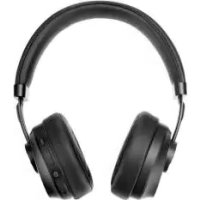
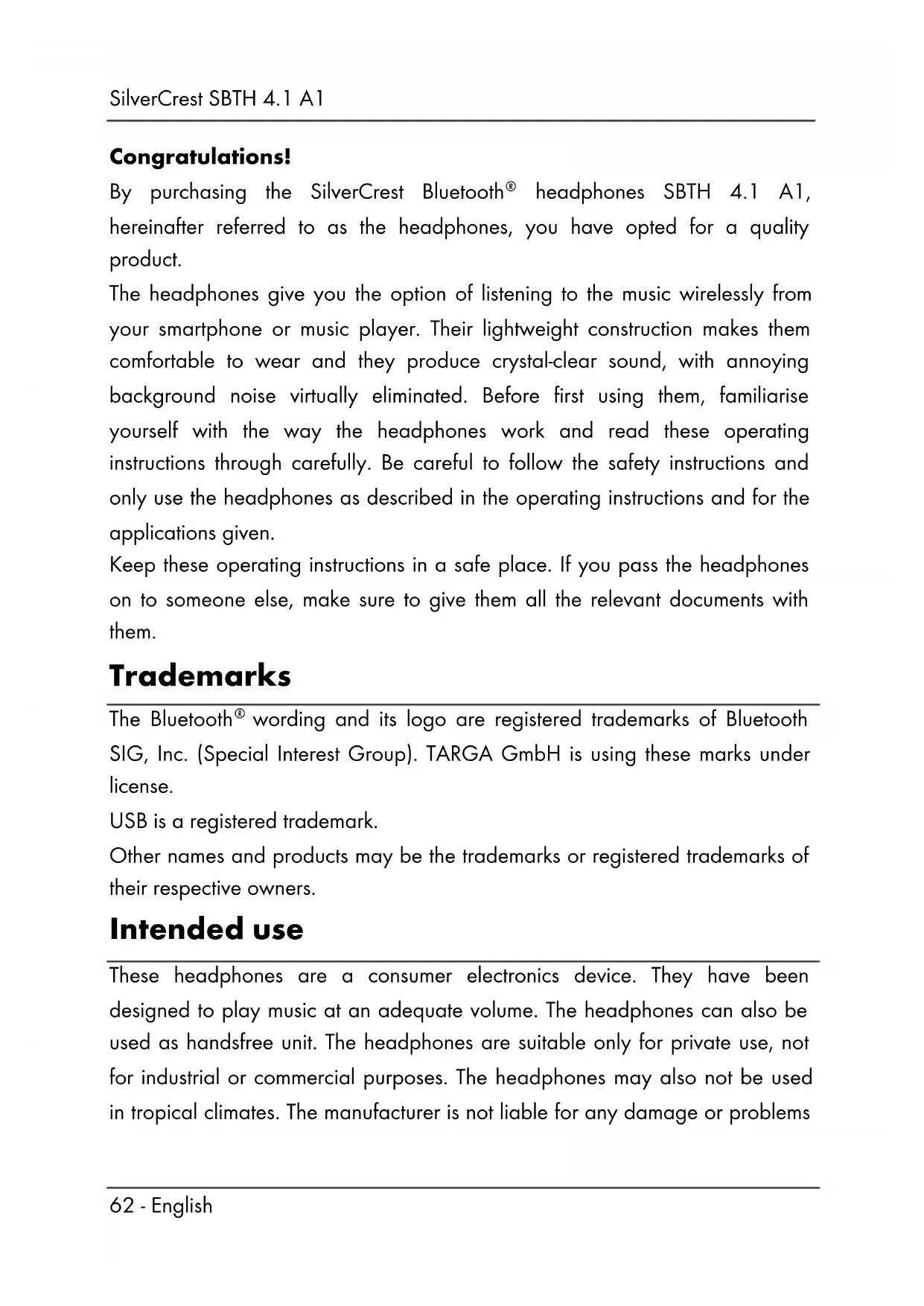
By purchasing the SilverCrest Bluetooth® headphones SBTH 4.1 A1, hereinafter referred to as the headphones, you have opted for a quality product.
The headphones give you the option of listening to the music wirelessly from your smartphone or music player. Their lightweight construction makes them comfortable to wear and they produce crystal-clear sound, with annoying background noise virtually eliminated. Before first using them, familiarise yourself with the way the headphones work and read these operating instructions through carefully. Be careful to follow the safety instructions and only use the headphones as described in the operating instructions and for the applications given.
Keep these operating instructions in a safe place. If you pass the headphones on to someone else, make sure to give them all the relevant documents with them.
Trademarks
The Bluetooth ^® wording and its logo are registered trademarks of Bluetooth SIG, Inc. (Special Interest Group). TARGA GmbH is using these marks under license.
USB is a registered trademark.
Other names and products may be the trademarks or registered trademarks of their respective owners.
Intended use
These headphones are a consumer electronics device. They have been designed to play music at an adequate volume. The headphones can also be used as handsfree unit. The headphones are suitable only for private use, not for industrial or commercial purposes. The headphones may also not be used in tropical climates. The manufacturer is not liable for any damage or problems
caused by unauthorised modifications. Only use accessories recommended by the manufacturer. Observe the regulations and laws in the country of use.
Package contents
Remove the headphones and their accessories from the package and remove all packaging material. Check the packaging for any missing contents. Please contact Customer Service immediately if any items are missing.
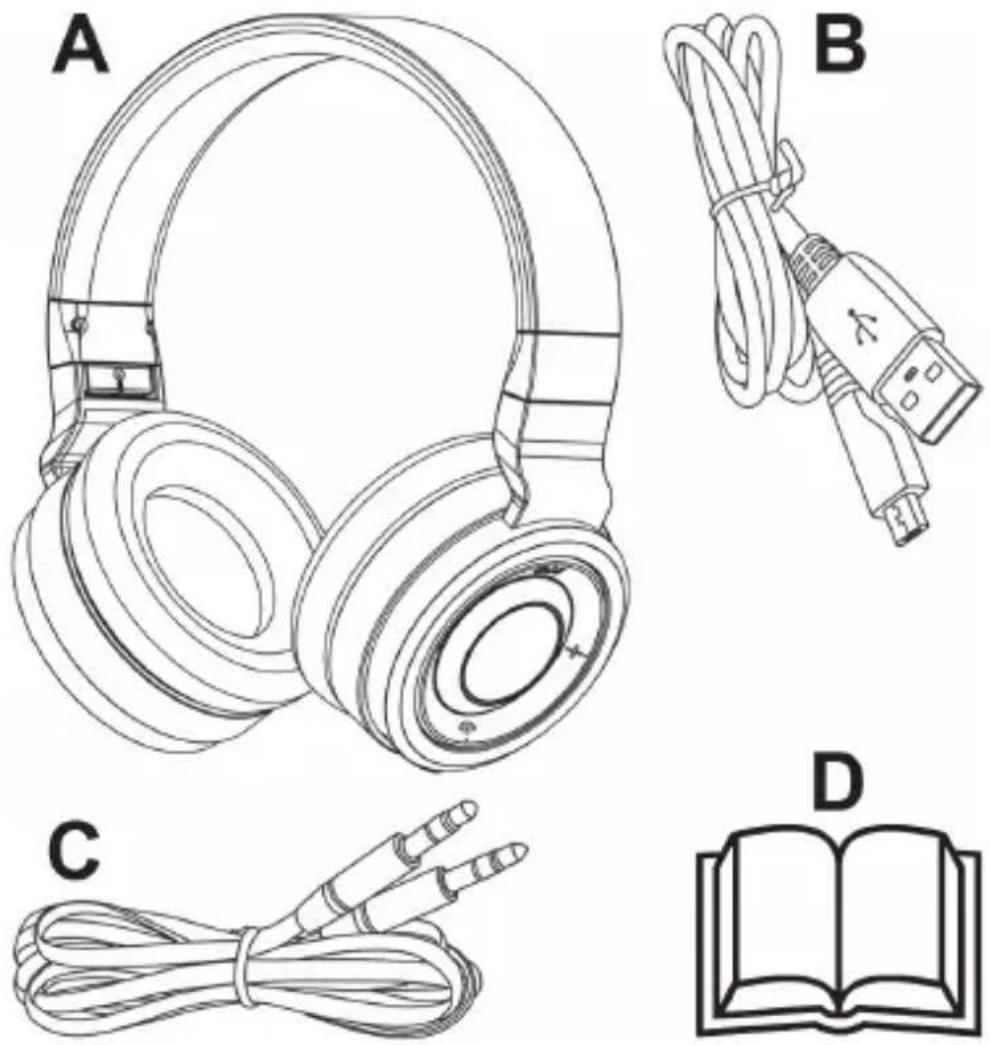
A SilverCrest SBTH 4.1 A1 Bluetooth ^ headphones
B USB charger cable
C 3.5 mm audio cable (with jack-type connector)
D These operating instructions (linear illustration)
Technical specifications
| Operating voltage 5 V | ∞ |
| Battery Li-Po, 3.7 V | |
| Battery capacity 400 mAh | |
| Bluetooth® specifications v4.1 | |
| Supported profiles A2DP, AVRCP, HSP, HFP | |
| Headphones frequency range 20 Hz - 20 kHz | |
| Bluetooth® signal range up to 10 m | |
| Charging time approx. 3.5 hours | |
| Music playback approx. 15 hours* | |
| Talk time approx. 15 hours* | |
| Impedance (when connected via cable) | approx. 32 Ohms |
| Broadband characteristic voltage (when connected via cable) | approx. 80 mV |
| Dimensions (W x H x D) approx. 173 x 190 x 76 mm | |
| Weight approx. 260 g | |
| Operating temperature -5°C to +45°C | |
| Storage temperature -10°C to +45°C | |
| Relative humidity | max. 85% rel. humidity (non-condensing) |
* at medium volume setting
The technical data and design may be changed without prior notice.
Safety instructions
Before you use these headphones for the first time, please read the following notes and heed all warnings, even if you are familiar with handling electronic devices. Keep this manual in a safe place for future reference. If you s headphones or pass them on, it is essential that you al manual, as it is part of the product.
Explanation of danger-alerting symbols used in this manual

DANGER! This symbol and the word "Danger" alert you to a potentially dangerous situation. Ignoring it can lead to severe injury or even death.

WARNING! This symbol and the word "Warning" denote important information required for the safe operation of the product and for the safety of its users.
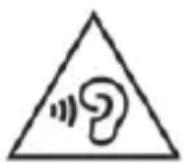
Be careful when using headphones. Listening to high-volume audio can damage your auditory system. Adjust the volume to the lowest setting before using the headphones.

This symbol denotes further information on the topic.

DANGER! Radio interface
Turn the headphones off when on board an aircraft, in a hospital, in an operating theatre or in the vicinity of electronic medical equipment. The RF signals may interfere with the functionality of sensitive devices. Keep the headphones at least 20 cm (8 inches) away from pacemakers or implanted defibrillators, as the RF signals could interfere with their functionality. The RF signals transmitted can interfere with hearing aids. If the wireless mode is switched on, do not place the device near flammable gases or in a potentially explosive area (e.g. a paint shop), as the RF signals transmitted could cause explosions or fire. The range of the radio frequency signals depends on environmental conditions. If data is transmitted via a wireless connection, it can also be received by unauthorised parties. Targa GmbH is not liable for any interference caused to RF or TV signals through unauthorised modification to this device. Furthermore, Targa accepts no liability for replacing any cables or devices that have not been specifically approved by Targa GmbH. The user is solely responsible and liable for remedying any interference caused by such unauthorised modification of this device and for replacing appliances.

DANGER! Risk of explosion!
Never throw the headphones into fire, as this could cause the built-in battery to explode.

DANGER! Children and persons with disabilities
These headphones may be used by children of 8 years or over or by persons with physical, sensory or mental impairments or those with no knowledge or experience providing they are supervised or they have been given instructions on the proper use of the headphones and they understand the associated risks. Do not allow children to play with the headphones. The product must not be cleaned or maintained by unsupervised children. Small parts can represent choking hazards.
Keep the packaging materials out of the reach of children.

DANGER! There is a risk of suffocation.

WARNING! Always make sure that
- the headphones aren't damaged. Check them for damage before using them. A damaged device must not be used.
- no direct heat sources (e.g. heating) can affect the headphones
- the headphones are not exposed to strong artificial light
- contact with water spray and drops and aggressive fluids is avoided and the headphones are never operated near water. The headphones must especially never be immersed (do not place any recipients containing liquids such as drinks, vases, etc. on or next to the headphones).
- the headphones are never used in the immediate vicinity of magnetic fields (e.g. loudspeakers)
- no naked flames (e.g. burning candles) are placed on or near the headphones
-
no foreign bodies can penetrate into the device
-
the headphones are not subjected to any major temperature fluctuations as this can cause condensation and short-circuiting. If the headphones have been exposed to strong temperature fluctuations, wait for them to reach the ambient temperature before switching them on (about 2 hours).
- the headphones should not be subjected to excessive shocks and vibrations
- while the headphones battery is being charged, it must never be covered as the battery can heat up during charging
- when using an optional USB power adapter, you read the corresponding operating instructions
- cables are laid so they do not present a trip hazard. There is a danger of injury.
- no objects are placed on a connected cable and the cables are never installed around sharp objects to avoid damaging them
Risks associated with excessive volume levels
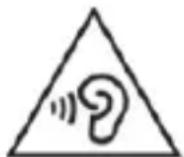
Be careful when using headphones. Audio listening at high volume can harm the user's auditory system.
Do not use the headphones at high volume levels, otherwise you will damage your hearing and possibly disturb other people. Never turn the volume up so high that you cannot hear what is going on around you. Please note that ambient noise can be perceived in a different and unfamiliar way.
Do not use the device in hazardous situations, e.g. when driving or riding a bike, working with machines or other situations which require your full attention. The sound may distract your attention or prevent you from being aware of what is happening around you.
Observe the regulations and laws in the country of use.

WARNING! Maintenance/cleaning
Repairs are required if these headphones have been damaged in any way, for example if the device housing is damaged, if liquids or objects have penetrated the device or if the product has been exposed to rain or moisture. Repairs are also necessary if the product is not working properly or has been dropped. If smoke, unusual noises or smells are noticed, power off the headphones immediately and unplug all connected cables. If this occurs, the headphones should no longer be used until they have been inspected by authorized service personnel. All repairs must be carried out by qualified service personnel. Never open the headphones housing.
Only use a clean, dry cloth for cleaning the headphones. Never use any corrosive liquids. When very dirty, use a slightly dampened cloth with a soft cleaner.
Do not attempt to open the housing of the headphones, this will void your warranty.
Operating environment
The headphones are not designed for use in environments with high temperatures or humidity (e.g. bathrooms), and must be kept free of dust. Operating temperature and operating humidity: -5^ to 45^ , max. 85% rel. humidity.
Copyright
All the contents of this user manual are protected by copyright and provided to the reader for information only. Copying data and information without the prior explicit written consent of the author is strictly forbidden. This also applies to any commercial use of the contents and information. All texts and diagrams are up-to-date as of the date of printing.
Overview of controls and button functions
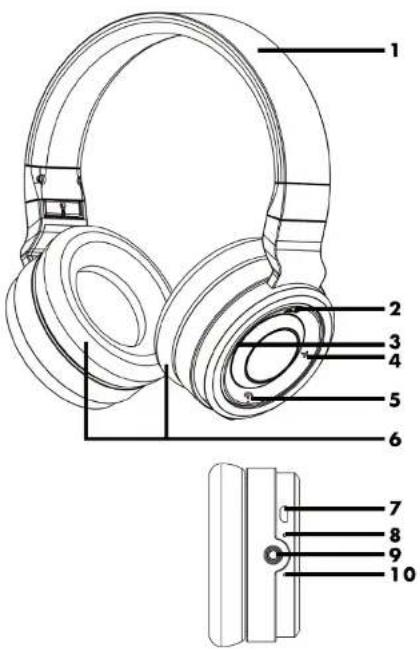
An illustration of the items and controls and their corresponding numbers can be found on the inside page of the fold-out cover of this user manual. You can keep this page folded out whilst reading the different chapters of this user manual. This allows you to refer to the relevant controls at any time.
1 Headband
2 ▶|| button
3 - button
4 + button
5 button
6 Speaker
7 USB charging connector
8 LED
9 3.5mm jack
10 Microphone
Before you start
Charging the battery
Before the first use or whenever the built-in battery is empty, charge it as follows:
- Connect the USB charging cable (B) to the USB charging port (7) and to a free USB port of your powered-on PC. Or use a USB power adapter (not supplied).
- The LED (8) will light orange during charging. When the battery is fully charged, the LED (8) will light blue.
When the battery becomes weak, the LED (8) flashes orange once every 20 seconds and 4 beeps can be heard at the same time.

Please note that the battery will only reach its full performance after 4-5 charging/discharging cycles.
Beeps
On certain events, the headphones emit acoustic signals. The table below tells you what they mean:
| Event | Beep |
| Power on process Melody | |
| Power off process Melody | |
| Pairing successful Melody | |
| Bluetooth® connection established | Melody |
| Incoming call Ring tone | |
| Minimum volume reached Beep | |
| Maximum volume reached Beep | |
| Weak battery 4 beeps every 20 seconds |
Getting started
Powering the headphones on/off
To power the headphones on, press and hold the ⏻ button (2) for approx. 4 seconds. The LED (8) flashes orange to indicate standby mode. If this is the first time you power the headphones on and they were not paired with any device before, pairing mode is started automatically. In pairing mode the LED (8) flashes alternating blue and orange. Please read the next chapter to pair your device.
To power the headphones off, press and hold the 🎨ll button (2) for approx. 4 seconds. The LED (8) flashes orange multiple times while powering off.
Pairing the headphones
Proceed as follows to pair the headphones with your device.
• Power the headphones off.
- To start pairing mode, press and hold the ⏻ll button (2) for approx. 6 seconds.
- The LED (8) flashes alternating blue and orange. The headphones are now in search mode. The search mode lets you connect a compatible Bluetooth ^® device to the headphones.
- Next establish a Bluetooth® connection to a smartphone or audio/media player. Please also read the smartphone or media player User Manual. From the list of found devices, select "SBTH 4.1 A1" and establish the connection. If you are prompted for a PIN, enter "0000".
While connected, the LED (8) briefly flashes blue every 4 seconds. If you power off your device or move out of range, the headphones will t standby mode (not connected) and the LED (8) flashes blue quickly.
If you want to connect a different device to your headphones, you have to repeat pairing as described above.
As soon as the previously paired device moves into the headphone range the connection is established automatically. It may be necessary to confirm this connection on your device.
Pairing the headphones with two Bluetooth ^® devices
You can pair the headphones with two Bluetooth ^® devices at the same time. If the headphones have already been paired with one device, proceed as follows to pair a second device:
- Power the headphones off and disable Bluetooth ^ on the first device.
- Power the headphones back on and pair the 2nd device as described in the previous chapter "Pairing the headphones".
- After a successful pairing, enable Bluetooth ^ on the first device. The connection between the headphones and the first device is established automatically.
Using a wired headphones connection
You can also use the supplied 3.5mm jack-type audio cable (C) to connect your headphones (A) to the audio source. To do this, insert one end of the 3.5mm jack-type audio cable (C) into the 3.5mm audio jack (9) and then connect the other end to your audio source. When connected via cable, the headphones work like any other non-Bluetooth ^® headphones and can also be used when its battery is discharged. In this case, adjust the volume directly c the audio source. The headphone (A) buttons have no function in this mode.
Putting on the headphones
To fit the headphones correctly, note the labels on the inside of the headband (1) just above the speaker (6): R = right, L - left. The buttons and the LED (8) are on the right-hand side.
You can adjust the size of the headband (1) by pulling the speaker (6) slightly out from the headband (1) or pushing it back into the headband (1). This guarantees optimum comfort when wearing.
Music playback

All functions described hereafter depend on the mobile phone or media player you are using and not all functions may be supported.
While the headphones are connected to a smartphone or music player, you can listen to the music with the headphones. The following functions are available:
| Function | Action |
| Playback Briefly press the ▶ll button (2). | |
| Pause Briefly press the ▶ll button (2). | |
| Next Title | Briefly press the + button (4). |
| Previous title | Briefly press the - button (3) or press the - button (3) twice. |
| Increase volume | Keep the + button (4) pressed.* |
| Reduce volume | Keep the - button (3) pressed.* |
*A beep can be heard when the maximum or minimum volume level is reached.
Making phone calls
While the headphones are connected to a mobile phone, you can make phone calls with the headphones. The following functions are available:
| Function | Action |
| Accept call Briefly press the button (5). | |
| Hang-up Briefly press the button (5). | |
| Reject call Press and hold the button (5) for approx. 2 seconds until a beep can be heard. | |
| Redial Briefly press the button (5) twice. | |
| Increase volume | Keep the + button (4) pressed. |
| Reduce volume | Keep the - button (3) pressed. |
| Hand-over a call from the headphones to the mobile phone | Press and hold the button (5) for approx. 2 seconds until a beep can be heard (while the call is active). |
| Hand-over a call from the mobile phone to the headphones | Press and hold the button (5) for approx. 2 seconds until a beep can be heard (while the call is active). |
| Accept a new incoming call and end the current call* | Briefly press the button (5). |
| Call swapping* Briefly press the | button (5) twice. |
* This function must be supported by your mobile phone provider and be enabled on your smartphone.
Clearing the paired devices list
The headphones stores the recently paired devices in a paired device list. You can clear the paired devices list as follows:
- Start the pairing mode as described in the chapter "Pairing the headphones". The LED (8) flashes alternating blue and orange.
- Press the ⏻ll button (2) twice. The LED stops flashing and the paired devices list is cleared. A beep can be heard and the LED (8) briefly lights purple.
- The headphones are in pairing mode again and the LED (8) flashes alternating blue and orange.

When you hand over the headphones to another person you must clear the paired devices list to avoid that this person can connect to your mobile phone.
Shipping / storage when not in use
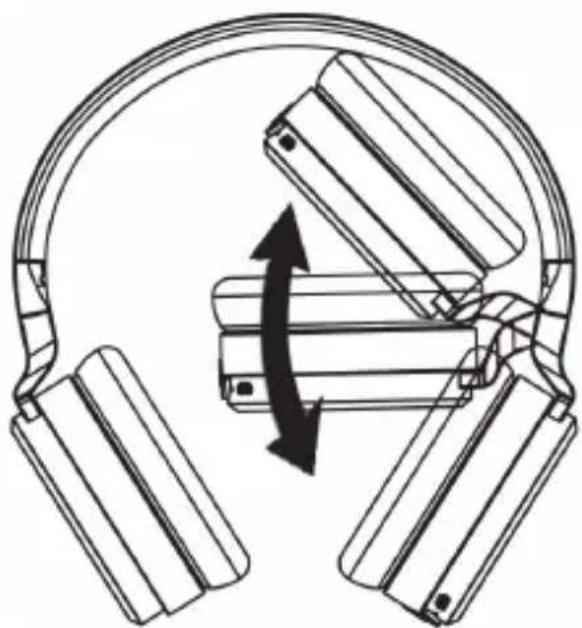
When not using the headphones (A) or if you have to ship it you can fold it to save space (see the figure). To keep the battery performance while stored for a long time, you should recharge it regularly.
natural_image
Diagram of a mechanical assembly with rotating components and directional arrows (no text or symbols)Troubleshooting
Unable to power the headphones on
- Recharge the battery.
No beep during Bluetooth® pairing
• Power the headphones on.
• Try to pair the headphones again with your device.
No Bluetooth ^® connection is established
- Please check if the Bluetooth ^ function of your device is switched on.
- The distance between the headphones and your device is too high, reduce it.
- Please note that the Bluetooth connection is interrupted as soon as you connect a 3.5mm jack-type connector to the 3.5mm jack (9).
Not all of the described functions are working
- The described functions depend on the functionality of the device used.
Environmental regulations and disposal information
natural_image
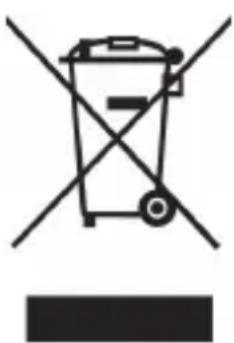
Symbol of a trash bin crossed with a diagonal line, no text or numbers presentDevices marked with this symbol are subject to the European Directive 2012/19/EU. All electrical and electronic devices must be disposed of separately from household waste at official disposal centres. Proper disposal of old devices prevents damage to the environment or your health. For further information about proper disposal, contact your local council, recycling centre or the shop where you bought the device.
The built-in rechargeable battery cannot be removed for disposal.
Dispose of all packaging in an environmentally friendly manner. Cardboard packaging can be taken to paper recycling centres or public collection points for recycling. Any film or plastic contained in the packaging should be taken to your public collection points for disposal.
Conformity notes
CE
This appliance complies with the basic and other relevant requirements of the EMC Directive 2014/30/EU, the Low-voltage Directive 2014/35/EU, the R&TTE Directive 1999/5/EC and the RoHS Directive 2011/65/EU.
In order to receive the complete EU declaration of conformity, please send an e-mail to the following e-mail address: ce@targa.de
Warranty and Service Information
Warranty of TARGA GmbH
This device is sold with three years warranty from the date of purchase. Please keep the original receipt in a safe place as proof of purchase. Before using your product for the first time, please read the enclosed documentation. Should any problems arise which cannot be solved in this way, please call our hotline. Please have the article number and, if available, the serial number to hand for all enquiries. If it is not possible to solve the problem on the phone, our hotline support staff will initiate further servicing procedures depending on the fault. Within the warranty period the product will be repaired or replaced free of charge as we deem appropriate. No new warranty period commences if the product is repaired or replaced. Consumables such as batteries, rechargeable batteries and lamps are not covered by the warranty.
Your statutory rights towards the seller are not affected or restricted by this warranty.
Service

Phone: 020 - 70 49 04 03
E-Mail: service.GB@targa-online.com

Phone: 01-4370121
E-Mail: service.IE@targa-online.com

Phone: 027 78 11 03
E-Mail: service.MT@targa-online.com

Phone: 02 - 20 09 025
E-Mail: service.CY@targa-online.com
IAN: 279332

Manufacturer
TARGA
GmbH
Coesterweg 45
59494 SOEST
GERMANY