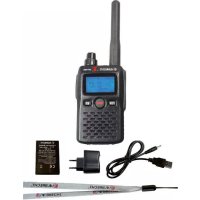
29902 - Radio ALBRECHT - Free user manual and instructions
Find the device manual for free 29902 ALBRECHT in PDF.



| Product type | PMR 446 radio transceiver (Two-way radio) |
| Brand | Albrecht |
| Model | 29902 (ATT 100) |
| Category | Radio (tour guide two-way radio) |
| Frequencies | UHF PMR 446 (400-470 MHz, programmable) |
| Number of channels | 20 (channels 001-010 standard, 011-020 increased power) |
| Power supply | Rechargeable lithium-ion battery 1400 mAh (3.7 V) |
| Charging type | USB via mains adapter or computer port |
| Charging time | Approximately 5 to 6 hours (automatic charging) |
| Battery life | Varies depending on usage (integrated power saving) |
| Transmission power | Normal (channels 001-010) and 10x (channels 011-020) |
| Range | Standard (channels 001-010) and increased (channels 011-020) |
| Main functions | Tour guide communication, two-way radio, FM reception, MP3 input, VOX |
| Microphone | Built-in and headset with PTT |
| Display | Screen with battery voltage, channel status, backlight |
| LED indicators | Green (free channel), Red (occupied channel or transmitting) |
| Connectors | USB (charging), 4-pin headphone jack (Mic), 3-pin MP3 jack |
| Safety | BCLO (busy channel lockout), TOT (maximum transmission time) |
| Compliance | CE, compliant with European directives (EN 300 296, EN 301 489, EN 60950) |
| Maintenance | Clean with a soft cloth, do not expose to moisture, recycle at end of life |
| Repairability | User-replaceable battery, PC programming possible |
Frequently Asked Questions - 29902 ALBRECHT
User questions about 29902 ALBRECHT
0 question about this device. Answer the ones you know or ask your own.
Ask a new question about this device
Download the instructions for your Radio in PDF format for free! Find your manual 29902 - ALBRECHT and take your electronic device back in hand. On this page are published all the documents necessary for the use of your device. 29902 by ALBRECHT.
USER MANUAL 29902 ALBRECHT
APO (Auto Power Off)
FM RET (empfohlen OFF)
User Instructions Tour Guide (Transmit) Radio ATT 100
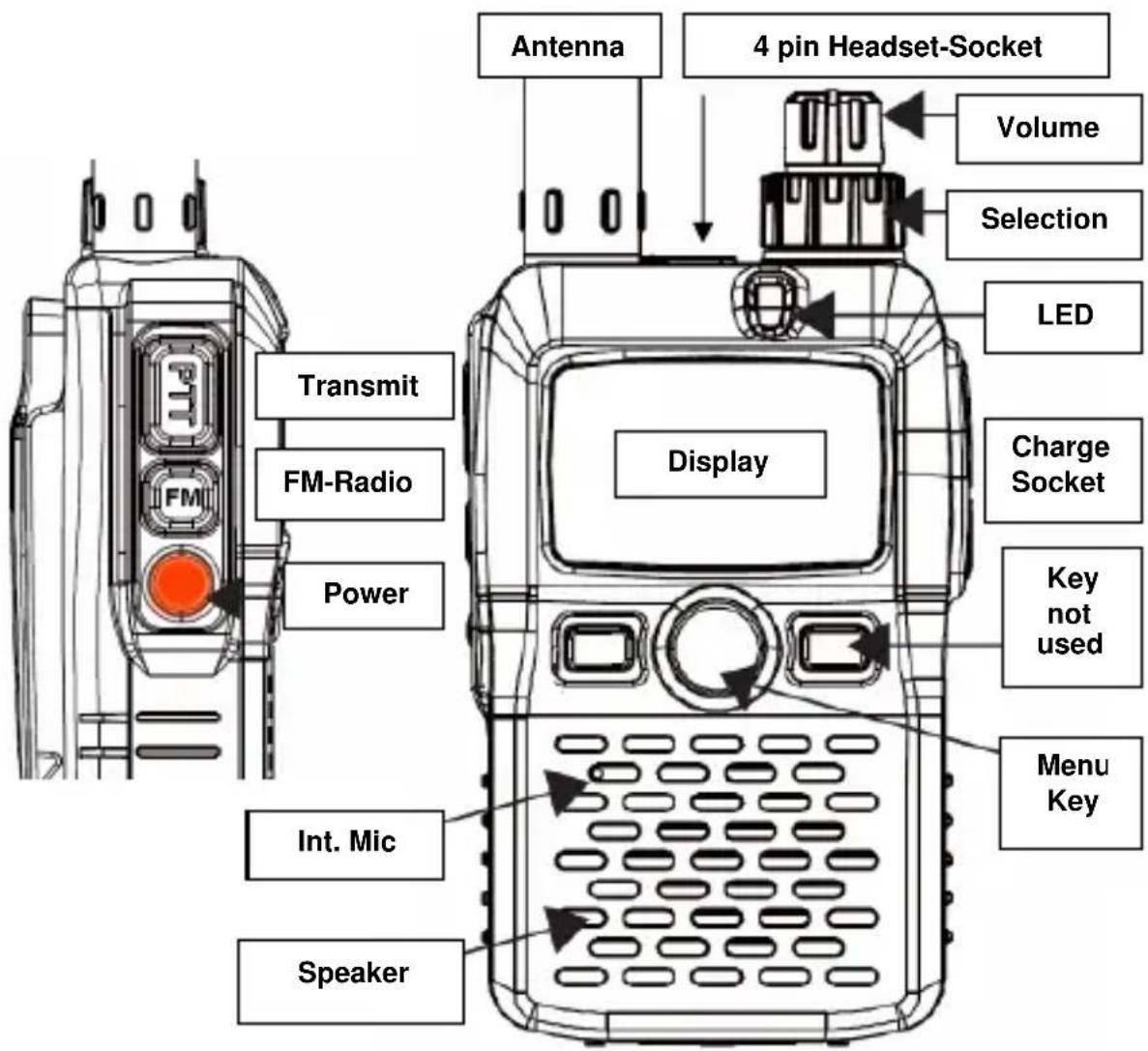
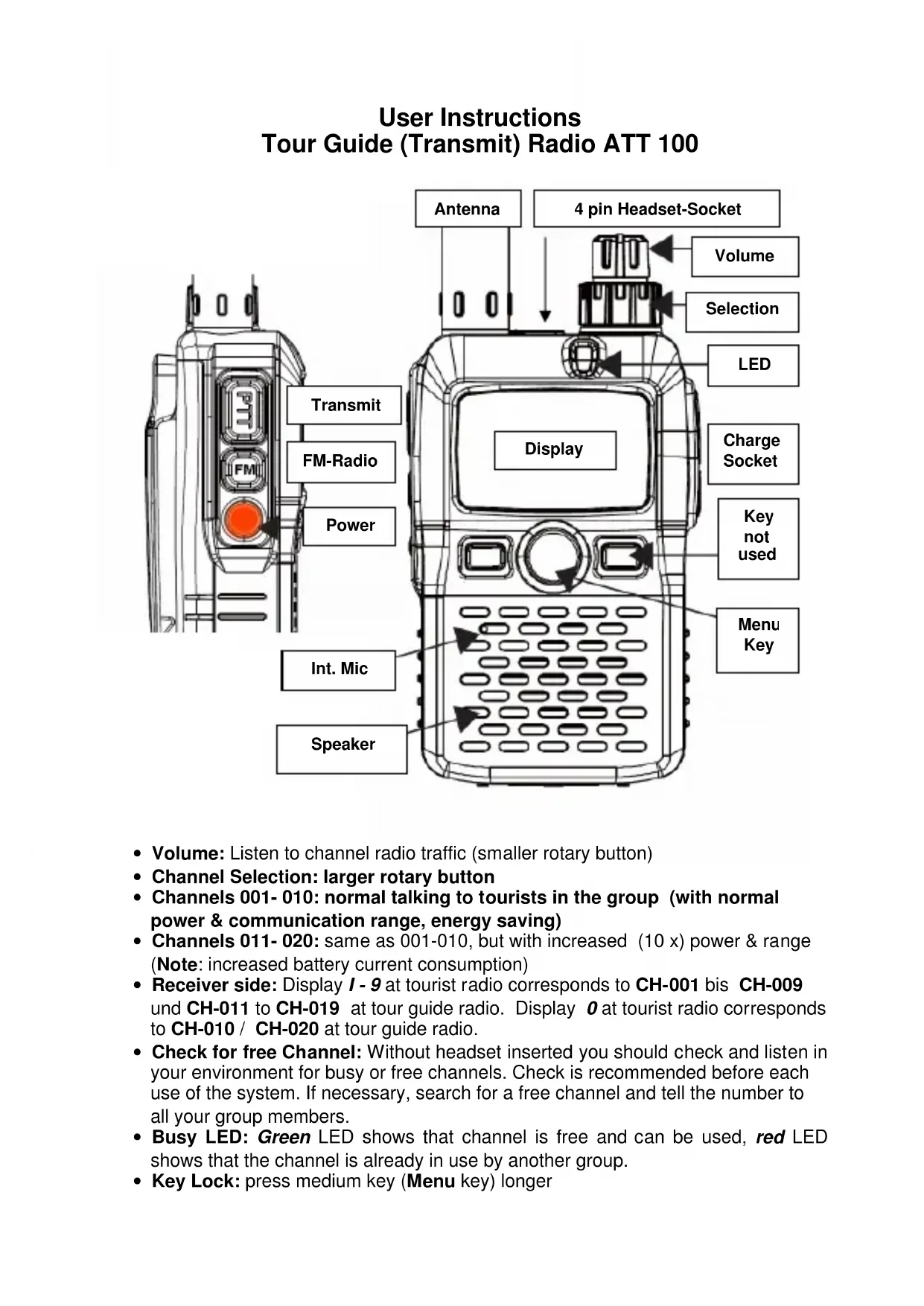
Volume: Listen to channel radio traffic (smaller rotary button)
- Channel Selection: larger rotary button
- Channels 001-010: normal talking to tourists in the group (with normal power & communication range, energy saving)
- Channels 011-020: same as 001-010, but with increased (10 x) power & range (Note: increased battery current consumption)
- Receiver side: Display 1 - 9 at tourist radio corresponds to CH-001 bis CH-009 und CH-011 to CH-019 at tour guide radio. Display 0 at tourist radio corresponds to CH-010 / CH-020 at tour guide radio.
- Check for free Channel: Without headset inserted you should check and listen in your environment for busy or free channels. Check is recommended before each use of the system. If necessary, search for a free channel and tell the number to all your group members.
- Busy LED: Green LED shows that channel is free and can be used, red LED shows that the channel is already in use by another group.
Key Lock: press medium key (Menu key) longer
Announcements to Tourist Group Members
Announcements via internal Microphone
Press Transmit button (PTT), talk into microphone (up to 20..30 cm distance is ok) and release button after announcement. Other system's typical disturbing squelch switching noise after releasing the PTT button is eliminated by a special circuit. So it is not necessary to keep the transmit button longer pressed than necessary. This saves battery energy and keeps the channel free when not used! During transmit mode the LED will be red.
Announcement with Headset
With Tour Guide headset inserted you can either talk to your tourist group or you can transmit a prepared and recorded announcement from any MP 3 player to the tourists. Plug the 4 pole plug into the yellow marked Mic socket besides the antenna. Press PTT button at headset control unit to transmit. Only where necessary and justified, you can also transmit longer time continuously by switching the small slide switch at the headset controller from PTT to PTX (Permanent Transmit). Do not forget to release PTT button or to switch slide switch back to PTT after finishing the announcement.
Transmission of pre-recorded Tourist Information to the Group Members
Use the 3 pole plug for the MP 3 player. You can listen the recorded information via your headset. To transmit these information, just press PTT button (or use PTX slide switch). Simply adjust the MP 3 volume at your player to obtain a convenient volume at your own headset. (We recommend to test for best volume before use). You can also speak at the same time via your microphone to the tourist group! The sound is automatically mixed.
Battery Charging
At every power-on procedure the tour guide can read the actual battery voltage in the display for a short moment. (for example 3.8V means half charged, 4~V is fully charged and 3.4~V means nearly discharged)
The charge socket DC IN is below the rubber cap on the right side. Here you can connect the supplied USB charging cable. It is possible to re-charge the 1400 mAh Lithium Ion battery from any USB wall adaptor or from any computer via USB socket. A totally discharged battery will need about 5-6 hours charging time. Charging terminates automatically. During charging, you will see CHGING in the display. We recommend to switch the radio off during charge, then you will see the LED red, until the battery will be fully charged.
The wall adapters of ATR 100 and ATT 100 are the same type and can be used for each other radio.
Please respect the Safety Rules for the correct treatment of Lithium Ion batteries. Air transport rules may regard such batteries as "exempted" dangerous goods (IATA DGR 52) Please see and read the summary of air transportation rules in the carrying bag window.
Important Note for Air transportation
Most airlines may request to transport the replaceable and the spare battery of the ATT 100 in your personal cabin luggage and not in the checked in luggage! Never open a Lithium battery, never use not qualified chargers and never make any short circuit of the bottom contacts. Best is to carry batteries in plastic bags or strong paper boxes.
Change Battery
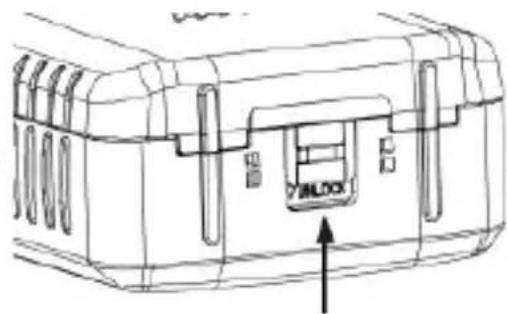
You can unlock the battery door cover with a finger nail or with the tip of a ball point pen as shown here: Please take care that you use the correct positioning of the battery. If you place the battery so, that you can read the label, it will be automatically correct inserted.
Additional Radio Functions (not necessary for Tour Guide use)
Use as Walkie Talkie between the Tour Guides
Without inserted headset the ATT 100 represents a standard 2-way radio in the UHF PMR 446 frequency range for internal communications. (The inserted headset does not allow any reception, because the earpiece can only be used for MP 3 playback). Communicate with other Tour Guides just by using the internal PTT and internal microphone and speaker. Please take care that all radios used for the communication are switched to the same channel number.
Additional Broadcast Radio Reception
You can receive FM broadcast stations with the ATT 100 as well (via internal speaker only). Activation: Press 2 seconds on the FM button on the left side. The radio receives now FM broadcast and shows a typical radio frequency e.g. 88.0 MHz. With the outer rotary knob (channel selector) you can now select the radio stations. The 2 way radio signals have still priority: As soon as a signal is received, or as soon as you press your PTT button, the radio will return to your last used communication channel.
Additional Functions via Menu Button (middle key)
After pressing Menu, following Menu functions can be reached via rotary channel selector:
TX Code and TX Code
Shows the actually used CTCSS / DCS Codes - Modifications only via PC programming kit possible.
SQL
Shows the setting of the squelch level. Can be selected between 0 (open, you hear everything on the channel, including background noise) und 4 (fully closed squelch) For use as Tour Guide we recommend to select values not below 2.
BCLO
Busy Channel Lock Out - Transmit blocking at busy channel. Normally = off. In future regulatory administrations intend to request channel survey before talking ("Listen before talk, LBT) If BCLO is on, you cannot transmit as long as someone else is using the selected channel. Default setting: BCLO OFF.
LIGHT
Background illumination on/off (automatically) or always on. Recommended setting: OFF.
SAVE
Battery saver circuit. Should be ON.
K TONE
Key tone on/off. Recommended: OFF
APO (Auto Power Off)
Automatic Power off, when radio is not used for some time. Recommended: OFF
TOT (Recommended : OFF)
Time-Out-Timer: maximum allowed transmit time. Enables transmitter after selected transmit time. To continue transmitting, it is necessary to release 1 x the PTT button for a moment, before you can start a new transmission period.
VOX (Recommended: OFF)
Automatic Voice control (handsfree). Selections: OFF-1,2,3,4. In position 4 the voice detection has the highest sensitivity. We do not recommend to use VOX operation, because it is necessary to perform a personal training process to learn a speech behaviour which avoids lost sillables or words at the beginning of talking.
FM RET (Recommended: OFF)
Automatic restart of Broadcast radio after radio communications have been finished. Not recommended to use by tour guides, because increased power consumption (no power save in silent periods)!
PC Programming (only for Service)
A programming kit can be connected to the radio and allows activation / deactivation of certain functions as well as other channel frequencies within the range 400....470 MHz (national regulations may request license application). Connection of PC programmer via MIC socket and Modem cable (optional accessory item)
Conformity to European Standards and Directives

Alan Electronics declares the conformity with European Directives and harmonized technical standards EN 300 296 V 1.3.1, EN 301 489-1 V 1.8.1, EN 301 489-3 V.1.3.1 und EN 60 950-1: 2006 Ed 2 for PMR 446 radio communication. The radios carry the CE mark and may be used in all EU member states and other states where the R&TTE regulations are
applied (incl. IS, N, CH, FL) and TR .
Radios which are defective or not used any more must be recycled properly according to European rules, not any more via household trash, but only via public recycling stations.
All original documents are provided for download any time from
http://service.alan-electronics.de