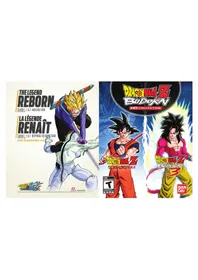
Dragon Ball Z Budokai (PS3) - Game SONY - Free user manual and instructions
Find the device manual for free Dragon Ball Z Budokai (PS3) SONY in PDF.


| Product type | Video game for PlayStation 3 |
| Brand | Sony |
| Model | Dragon Ball Z Budokai (PS3) |
| Category | Game |
| Platform | PlayStation 3 |
| Genre | Fighting / Action |
| Number of players | 1 to 2 players (local) |
| Game modes | Story, Duel, World Championship, Training, Technique Editor, Dragon World |
| Supported controllers | DUALSHOCK 3 wireless controller |
| Video resolution | HD (requires compatible HD cables and display) |
| Save data storage | PS3 console hard drive |
| Network feature | PlayStation Network Trophies |
| Case dimensions | Approximately 17 x 13.5 x 1.5 cm |
| Game weight | Approximately 100 g |
| Power supply | Provided by PlayStation 3 console |
| Disc maintenance | Wipe with a soft, lint-free cloth from center to edge |
| Safety precautions | Avoid prolonged exposure, take 15-minute breaks per hour, watch for photosensitive epilepsy |
| Compatibility | PlayStation 3 only |
| Box contents | Game disc, instruction manual |
Frequently Asked Questions - Dragon Ball Z Budokai (PS3) SONY
User questions about Dragon Ball Z Budokai (PS3) SONY
0 question about this device. Answer the ones you know or ask your own.
Ask a new question about this device
Download the instructions for your Game in PDF format for free! Find your manual Dragon Ball Z Budokai (PS3) - SONY and take your electronic device back in hand. On this page are published all the documents necessary for the use of your device. Dragon Ball Z Budokai (PS3) by SONY.
USER MANUAL Dragon Ball Z Budokai (PS3) SONY
A very small percentage of individuals may experience epileptic seizures or blackouts when exposed to certain light patterns or flashing lights. Exposure to certain patterns or backgrounds on a television screen or when playing video games may trigger epileptic seizures or blackouts in these individuals. These conditions may trigger previously undetected epileptic symptoms or seizures in persons who have no history of prior seizures or epilepsy. If you, or anyone in your family, has an epileptic condition or has had seizures of any kind, consult your physician before playing. IMMEDIATELY DISCONTINUE use and consult your physician before resuming gameplay if you or your child experience any of the following health problems or symptoms:
-
dizziness - eye or muscle twitches - disorientation - any involuntary movement
-
altered vision - loss of awareness - seizures
RESUME GAMEPLAY ONLY ON APPROVAL OF YOUR PHYSICIAN.
Use and handling of video games to reduce the likelihood of a seizure
- Use in a well-lit area and keep as far away as possible from the television screen.
- Avoid large screen televisions. Use the smallest television screen available.
- Avoid prolonged use of the PlayStation®3 system. Take a 15-minute break during each hour of play.
- Avoid playing when you are tired or need sleep.
Stop using the system immediately if you experience any of the following symptoms: lightheadedness, nausea, or a sensation similar to motion sickness; discomfort or pain in the eyes, ears, hands, arms, or any other part of the body. If the condition persists, consult a doctor.
NOTICE:
Use caution when using the DUALSHOCK® 3 wireless controller motion sensor function. When using the DUALSHOCK® 3 wireless controller motion sensor function, be cautious of the following points. If the controller hits a person or object, this may cause accidental injury or damage. Before using, check that there is plenty of space around you. When using the controller, grip it firmly to make sure it cannot slip out of your hand. If using a controller that is connected to the PS3™ system with a USB cable, make sure there is enough space for the cable so that the cable will not hit a person or object. Also, take care to avoid pulling the cable out of the PS3™ system while using the controller.
WARNING TO OWNERS OF PROJECTION TELEVISIONS:
Do not connect your PS3^TM system to a projection TV without first consulting the user manual for your projection TV, unless it is of the LCD type. Otherwise, it may permanently damage your TV screen.
HANDLING YOUR PS3TM FORMAT DISC:
- Do not bend it, crush it or submerge it in liquids. - Do not leave it in direct sunlight or near a radiator or other source of heat. - Be sure to take an occasional rest break during extended play. - Keep this disc clean. Always hold the disc by the edges and keep it in its protective case when not in use. Clean the disc with a lint-free, soft, dry cloth, wiping in straight lines from center to outer edge. Never use solvents or abrasive cleaners.
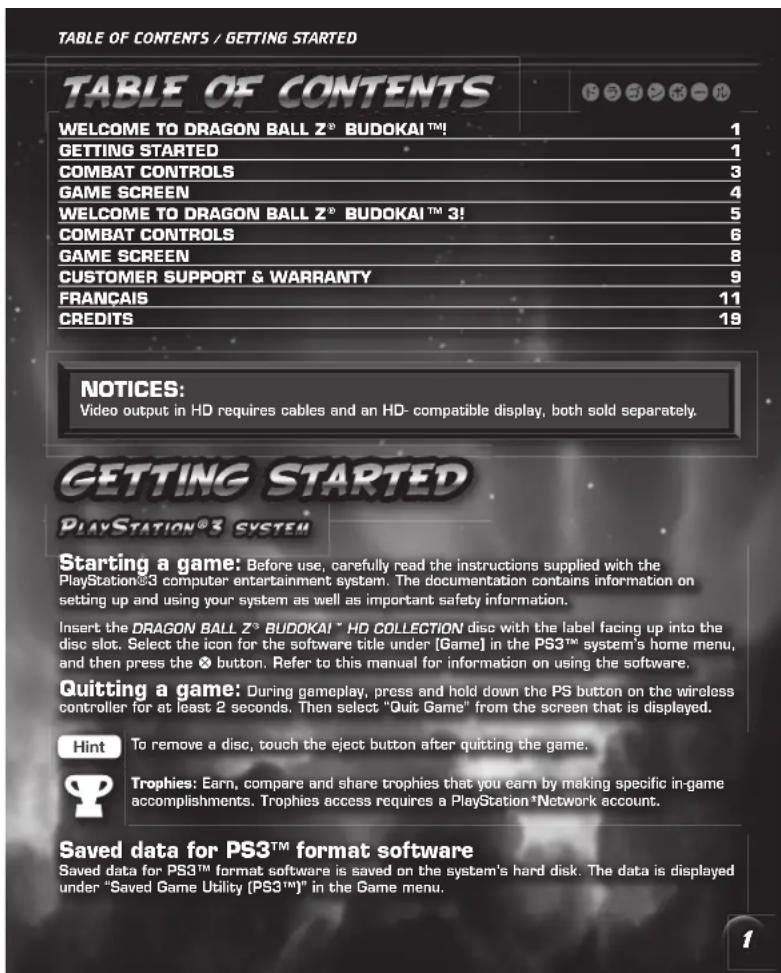
WELCOME TO DRAGON BALL Z" BUDOKAI" MAIN MENU COMBAT CONTROLS
WELCOME TO
Goku finally defeated Piccolo, the Demon King, at the World Tournament. After the match, he returned to Kame House to be reunited with his friends. Just as Goku was ready to settle down with his family and live in peace, a mysterious alien calling himself Raditz appeared. After quickly defeating Goku, Raditz kidnapped Goku's son, Gohan, causing Goku to vow to face the alien in yet another fierce battle.
MAIN MENU
Before proceeding to the Main Menu, you must decide to either begin a new game from scratch or load your previously saved game. Loading a game allows you to continue your previously saved progress.
STORY
Begin a new story in Dragon Ball Z Budokai. Take control of Goku as he fights Raditz, and then experience the unbelievable power of the rest of the cast of the series as you progress through the original story of Dragon Ball Z!
DUEL
Go head-to-head against your rival! Play against friends, fight the computer, or watch two computer-controlled characters duke it out. As you unlock characters in Story mode, they become available in Duel mode. In addition, you can play as customized versions of your favorite characters after editing their Skills in Edit Skills mode.
WORLD TOURNAMENT
Choose a fighter, select whether they are Normal or Custom, and battle to become the Champion. If you are the winner or runner-up, you win prizu money that you can spend on new Skill Capsulas!
PRACTICE
Use Practice to test out your fighting moves against a customizable computer opponent. There is no time limit and neither character can be defeated, so train until you master your chosen character.
EDIT SKILIS
The Exciting Skill System (E.S.S.) allows you to edit a character's Skills. Editing Skills lets you turn a hardened warrior into a customized fighting machine. You acquire Skills by gathering Capsules in Story mode or buying Skills from Mr. Papa's Skill Shop.
OPTIONS
Change various game settings, including Game Difficulty, Controller Configuration, and more.
LEGEND OF HERCULE
Winning the World Tournament is a great honor, but winning the tournament on higher difficulty levels reveals an all-new hidden mode: The Legend of Hercules. What lies behind the seventh Dragon Ball? There's only one way to find out. Show your supremacy and get ready for action.
COMBAT CONTROLS
DEFAULT CONTROLS
Kick
Ki Blast Wave
Deflect/Return [when attacked by Ki Blast Wave] Roll
Punch
throw......
Guard Cross
Transform
ADVANCED CONTROLS
ADVANCED KICK/PUNCH
If you press Punch or Kick while moving away from your opponent, your character performs a more powerful attack. You can even tie these attacks together into a combo.
CHARGE ATTACK
Double-tap the directional buttons left or right, whichever direction is toward your opponent, and then press Punch or Kick to break through their defense.
DASH
Double-tap and hold the directional buttons loft or right to dash toward or away from your opponent at increased speed.
DEFLECT/RETURN
If you press Guard right before a Ki Blast Wave hits you, you can deflect it aside. If you time it just right, you can deflect it right back at your opponent!
GATHER
Press and hold Guard and double-tap and hold the directional buttons left or right, away from your opponent, to generate Ki. You also generate Ki by landing attacks on your opponent.
ITEMS
Equip your character with an Item for a quick advantage in battle. Press and hold Guard and then press the directional button down twice to activate the Item.
ROLL
If you are knocked back, tap Guard at the exact moment you hit the ground for a quicker recovery. This works in the World Tournament, as well, so you can stop yourself from flying out of the ring with a well-timed button press.
TAUNT
Press and hold Guard and press the directional button down twice to taunt your opponent. Upon completion, your opponent loses one full Ki bar of energy. This move can only be performed when you don't have any usable items in your Skill Tray.
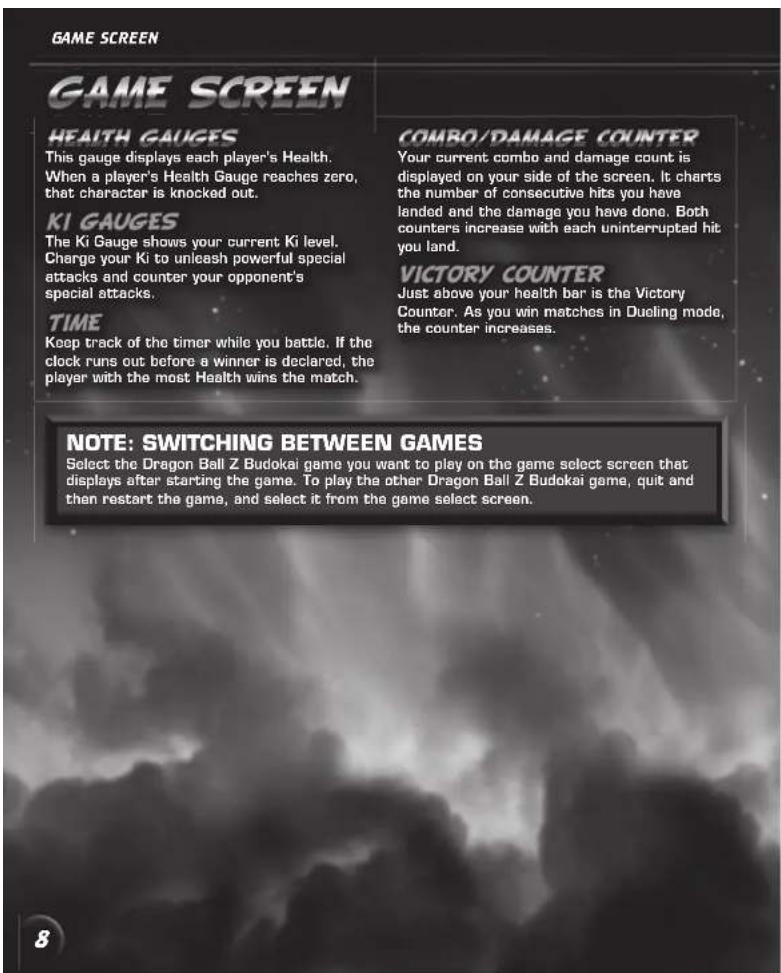
This gauge displays each player's Health. When a player's Health Gauge reaches zero, that character is knocked out.
KI GAUGES
The Ki Gauge shows your current Ki level. Charge your Ki to unleash powerful special attacks and counter your opponent's special attacks.
TIME
Keep track of the timer while you battle. If the clock runs out before a winner is declared, the player with the most Health wins the match.
COMBO COUNTER
Your current combo count is displayed on your side of the screen. It charts the number of consecutive hits you have landed. The counter increases with each uninterrupted hit you land.
ADCS/IEC
Capsules are mid-match power ups and Skills that can give you a leg up on your opponent. As you utilize Capsules, they flash and their title appears on-screen.
VICTORY COUNTER
Just above your health bar is the Victory Counter. As you win matches in Duel mode, the counter increases. The Victory Counter only appears during Duel mode.
WELCOME TO
The greatest warriors from Dragon Ball Z, DBZ movies, and Dragon Ball GT have assembled for the Tournament of Champions. Control them all with the Rakurai Fighting system for even more explosive DBZ combat. Focus your ferocity and, one-by-one, your opponents will fall.
MAIN MENU
After progressing past the Title Screen, you can start a new game or load a previously saved game. After creating a new game or loading a previously saved one, you proceed to the Main Menu. The Main Menu contains a list of game modes for Dragon Ball Z Budokai 3.
DRAGONUNIVERSE
Enter the Dragon Universe and become one with the characters from Dragon Ball Z and Dragon Ball GT as you explore the world, build your skills, fight legendary battles, and try to find the elusive Dragon Balls.
However, keep in mind that Budoksi 3only saves the progress of one story at a time. If you start a new story on a different character, your progress will be lost and you must start the story over. All of your Capsules and Skill Points will still be saved, but you will need to start the story over if you change characters during Dragon Universe mode.
DUELING
Choose a fighter, select whether they are Normal or Custom, and battle against your friends or a computer-controlled opponent.
WORLD TOURNAMENT
Select a warrior, either Normal or Custom, and battle to become the Champion. If you are the winner or runner-up, you win prize money that you can spend on new Skill Capsules!
DRACTICE
Use Practice to test out your fighting moves against a customizable computer opponent. Select Training to receive valuable lessons about specialized fighting techniques from some of the greatest warriors of all time.
SKILL EDITING
After you unlock Skills in Dragon Universe, you can use them to customize characters. You can also buy Skill Capsules using any Zenia you have won in World Tournament or collected while playing through Dragon Universe.
OPTIONS
Change various game settings, including Game Difficulty, Controller Configuration, and more.
COMBAT CONTROLS COMBAT CONTROLS
COMBAT CONTROLS
DEFAULT CONTROLS
| Kick | ✘ |
| Ki Blast Wave | ✘ |
| Guard | ✘ |
| Deflect/Return | ✘ (when attacked by Ki Blast Wave) |
| Roll | ✘ (when hitting the ground) |
| Punch | ✘ |
| Throw | 11 / ✘ + ① |
| Hyper Mode | 12 / ① + ② + ③ + ④ |
| Guard Crush (Punch) | 12 / ① + ② |
| Guard Crash (Kick) | ✘ + ① + directional buttons |
| Transform | 11 / ① + ② + ③ (when available) |
| Pursue | ⑧ (after knocking an enemy back) |
ADVANCED CONTROLS
ADVANCED KICK/PUNCH
If you press Punch or Kick while moving away from your opponent, your character performs a more powerful attack. You can even tie these attacks together into a combo.
CHARGE ATTACK
Double-tap the directional buttons left or right, whichever direction is toward your opponent, and then press Punch to break through their defense.
Double-tap and hold the directional buttons left or right to dash toward or away from your opponent at increased speed.
DEFLECT/RETURN
If you press Guard right before a Ki Blast Wave hits you, you can deflect it aside. If you time it just right, you can deflect it right back at your opponent!
DODGING
Tap Guard at the exact moment before a physical attack lands to dodge the attack. This costs one half of a single Ki gauge bar.
FREEFLIGHT
Hold the directional button up while dashing away from your opponent to begin flying. Hold down instead to lower yourself to the ground.
GATHER KI
Press and hold Guard and double-tap and hold the directional buttons left or right, away from your opponent, to generate Ki. You also generate Ki by landing attacks on your opponent.
ITEMS
Equip your character with an Item for a quick advantage in battle. Press and hold Guard and then press the directional button down twice to activate the Item.
ROLL
If you are knocked back, tap Guard at the exact moment you hit the ground for a quicker recovery. This works in the World Tournament, as well, so you can stop yourself from flying out of the ring with a well-timed button press.
SIDESTEP
Press Guard and the directional buttons up or down to move in a circle around your opponent. This is especially helpful for getting away from the edge of the ring.
TAUN
Press and hold Guard and press the directional button down twice to taunt your opponent. Upon completion, your opponent loses one full Ki bar of energy. This move can only be performed when you don't have any usable items in your Skill Tray.
TELEPORT
Press the directional buttons left or right and Guard to instantly teleport behind your opponent.
SPECIAL ATTACKS
Some of the special attacks in Dragon Ball Z Budapest 3require more than just completing a specific combination of buttons. For these attacks, you must input additional commands once the attack is launched. You will be prompted to do so by an onscreen graphic.
BEAM STRUGGLS
If you and your opponent fire a large Ki blast attack at the same time, the beams collide and you must complete a Beam Struggle. You must rotate the left stick or the right stick or push any buttons as quickly as possible. Whoever is the slowest loses the encounter.
HYPER MODE
Press Guard, Punch, Kick, and Ki Blast. Wave simultaneously to enter Hyper Mode. While in this powerful mode, your character glows with an aura and his or her Ki energy steadily declines. Once all their Ki energy is drained, your character is momentarily vulnerable. Spin the left stick or the right stick or push any button as quickly as you can to recover faster.
the same button as the attacker, then all or some of the damage from the Dragon Rush attack is nullified.
ULTIMATE ATTACK
When your opponent's Fatigue gauge is full and you are in Hyper Mode, your character can launch a devastating UltimaTata Attack by simultaneously pressing Punch, Kick, Guard, and Ki Blast Wave. Once you launch an Ultimate Attack, a gauge appears at the bottom of the screen. Each player must try to press a button at the exact moment the gauge fills. The player who performs the best wins that conflict. There are three chances to win, and the player who wins two or more chances wins. If the attacking player wins, the Ultimate Attack does its full damage. If the defending player wins, some of the damage is blocked.
DRAGON RUSH
While in Hyper Mode, you can launch the Dragon Rush attack. As soon as you knock your opponent back, press Punch, Guard, Kick, and Ki Blast Wave simultaneously. The Dragon Rush attack plays out in three phases, and the defender gets a chance to block each phase. When you see this graphic at the bottom of the screen, both players must press Punch, Guard, Kick, Ki Blast Wave, or no button at all. If the defending player presses
LIMITED WARRANTY
NAMCO BANDAI Games America Inc.
ATTN: Customer Service
1740 Technology Drive, Suite 600
San Jose, CA 95110
Before returning any defective materials to us, please contact us for a Return Merchandise Authorization (RMA) number. You can reach us at the address above, via e-mail at support@namcobandaigames.com or contact us at (408) 235-2222. Please note that any materials sent to us without an RMA number will be refused and returned. We highly recommend that you use a traceable and /or insured method of shipping the materials to us.
Namco Bandai Games America Inc. Online
www.namcobandaigames.com
Visit our Website to get information about our new titles.
Check out our online knowledgebase for answers to our most Frequently Asked Questions!
Available 24 hours a day, 7 days a week!
http://support.namcobandaigames.com
LIMITED WARRANTY
NAMCO BANDAI Games America Inc. warrants to the original purchaser that this NAMCO BANDAI Games America Inc. game pack shall be free from defects in material and workmanship for a period of ninety (90) days from the date of purchase. If a defect covered by this limited warranty occurs during this 90-day limited warranty period, NAMCO BANDAI Games America Inc. will repair or replace the defective game pack or component part, at its option, free of charge. This limited warranty does not apply if the defects have been caused by negligence, accident, unreasonable use, modification, tampering, or any other cause not related to defective material or workmanship.
LIMITATIONS ON WARRANTY
Any applicable implied warranties of merchantability and liability for a particular purpose are hereby limited to ninety (90) days from the date of purchase and are subject to the conditions set forth herein. In no event shall NAMCO BANDAI Games America Inc. be liable for consequential or incidental damages resulting from the possession or use of this product. The provisions of the limited warranty are valid in the United States only. Some states do not allow limitations on how long an implied warranty last, or exclusion of consequential or incidental damages, so the above limitation or exclusion may not apply to you. This limited warranty provides you with specific legal rights. You may have other rights which vary from state to state.
"PlayStation", "DJALSHOCK" and "SIXAXIS" are registered trademarks and "PS3" and the PlayStation Network logo are trademarks of Sony Computer Entertainment Inc. The ESRB rating icons are registered trademarks of the Entertainment Software Association.

AVERTISSEMENT:PHOTOSENSIBILITE/EPILEPSIE/CONVULSIONS
Pyramid, Inc.
Dipper, Canada
Dime Corporation
NAMBO BANDA
Games Inc.
PUBLISHED BY
NAMCO BANDAI
Games America Inc.
NAMCO BANDAI
GAMES AMERICA
PRESIDENT & CEO
Mark Tsui
EXECUTIVEVP&COD
Nabuhiro Kasahara
EXECLTEVP2&PE0
Shuji Nakata
SENIOR DIRECTOR OF JAPAN PRODUCTION
Takahiro Sasano
DIRECTOR OF IP STRATIy, BANDAI
Naoki Eguchi
SENQOR MANAGER, BANDAI
Nobuaki Taguchi
ASSOCIATE MEDIA MANAGER
Nick Kinling
MANAGER, SOCIAL MIDIA & COMMUNITY
Jenny Park-Chan
COMMUNITY MANAGER
Richard "FithieRich" Bantegui
SENIOR MANAGER, MARKETING COMMUNICATIONS
Denny Chiu
ASSOCIATE EVENTS MANAGER
Jason Cline
GENIOR PUBLIC RELATIONS SPECIALIST
Nick O'Leary
MARKETING & PUBLIC RELATIONS COORDINATOR
Rosa Eins
DIRECTOR OF RETAIL AND CHANNEL MARKETING
Laura Yoshioka
ASSOCIATE MANAGER, CHANNEL MARKETING
Justin Lucas
DIRECTOR OF MARKETING SERVICES & BRANDING
Michiko Wang
ART DIRECTION
Mariang Fe de Leon
GRAPHIC ARTIST
Misaki Kitamura
SENIORVIDEOSIDROR
Keisuke Kum
EUROPSAN PRODUCT MANAGER
Camille Vace
INTERNATIONAL MARKETING SUPPORT
Eddie Nagura
MANUAL LAYOUT AND TRANSLATION
Off Base Productions
DIRECTOR OF PRODUCTION SERVICES & QA
Tad Hirabayashi
SERVIORAPPLICATIONS&OPERATIONEMANAGER
Hans Lui
GENIOR OPERATIONS MANAGER
Jennifer Tarsigni
OPERATIONS ANALYST
David Wang
QA SUPERVIGOR
Damon Berns
CAG SUPERVISION
David May
QA LBAD
Matt Peterson
CREDITS / GÉNÉRIQUE
CAC MATERS
Kevin Chen
Victor Del Rosario
Minh Cao
Michael Geary David Humber
David Rumbert
Drexburg, MD
Dareen Lin
Aina Lin
Alistair Lill Richard Nawrro
Miles Niel
Kimbamintuan
YengVue
CUSTOMER SUPPORT SUPERVISOR
Jesus Barragan
SPECIAL THANKS
Bianhong EUNuonny
Punification Production Jill Hitton
Curtis Shi
Grae Gønth
Greg ently
Barab Sullivan
Saori Sallonen Koichi Sawyer
Kesai Eflat
Sae Song
Austin Keys
Andrew Davis
POLE TO WIN AMERICA, INC.
QA TEST LEAD
Robert Harada
CA
a
Bharish Bhatt
Ravi Naroyan
Darell Canen
Jans Muisel Finshtein
Joan Miguel Cunisana
Jon Gower
Borin Borel
Reggle Gamle
Cyrus Harris
coordinated by FUNimation* Productions, Ltd. All
rights reserved, Dragon Ball, Dragon Ball Z, Dragon
Ball GT, and all logos, character names and distinctive
likenesses thereof are trademarks of Shueisha Inc.
This software uses fonts produced by Fontworks Inc.
Footworks, and font names are trademarks or
registered trademarks of Fontworks Inc.
RENSEIGNEMENTS
ADDITIONNELS
BIRDSTUDIO/SHUEISHA,TOE1 ANIMATION
1740 Technology Drive, Suite 600
San Jose, CA 95110