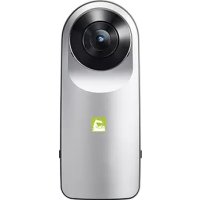
R105 - Camera LG - Free user manual and instructions
Find the device manual for free R105 LG in PDF.



Frequently Asked Questions - R105 LG
User questions about R105 LG
0 question about this device. Answer the ones you know or ask your own.
Ask a new question about this device
Download the instructions for your Camera in PDF format for free! Find your manual R105 - LG and take your electronic device back in hand. On this page are published all the documents necessary for the use of your device. R105 by LG.
USER MANUAL R105 LG
Contact office for compliance of this product :
LG Electronics European Shared Service Center B.V.
Krijgsman 1, 1186 DM Amstelveen, The Netherlands

User Guide
LG 360 CAM LG-R105
All rights reserved. LG Electronics Inc., 2016 Note: Please read all information carefully prior to using the LG 360 CAM in order to enjoy the best performance and prevent damage to the product.
Product Overview
The LG 360 CAM is a smart device that allows you to easily take high-quality photos and videos with dynamic audio.
Take 16-megapixel spherical photos or record QHD videos using dual cameras.
- Record 5.1-channel surround sound using three microphones.
- Using the LG 360 VR product (sold separately), you can view your vivid photos and videos, as well as enjoy a more realistic sound environment.
Trademarks
- Bluetooth® is a registered trademark of Bluetooth SIG, Inc. worldwide.
- Wi-Fi® and the Wi-Fi logo are registered trademarks of the Wi-Fi Alliance.
Open Source Software Notice Information
-
To obtain the source code under GPL, LGPL, MPL, and other open source licenses, that is contained in this product, please visit http://opensource.lge.com. In addition to the source code, all referred license terms, warranty disclaimers and copyright notices are available for download. LG Electronics will also provide open source code to you on CD-ROM for a charge covering the cost of performing such distribution (such as the cost of media, shipping, and handling) upon email request to opensource@lge.com. This offer is valid for three (3) years from the date on which you purchased the product.
-
The open source license text can be found on the Manager app that works with the product.
This wireless device may cause electromagnetic interference. To prevent possible interference with sensitive medical equipment, turn off the device when requested to do so in hospitals, clinics, or healthcare facilities.
Important Safety Information
Always use genuine products. Do not use this product for any unintended purpose.
- Using or connecting products that are not genuine may shorten the product's longevity or cause an explosion. Doing so may also damage the product and thereby void the service warranty.
- Do not disassemble the product or allow anything to impact it. Doing so may cause an electric shock, short-circuit, or fire.
Applying heavy pressure to the product may damage it.
- Some functions of this product may be damaged, or its appearance may be altered or impaired, if it is bent or crushed and not repaired immediately.
- In order to prevent damage, be careful not to drop the product on a hard surface or subject it to severe shock.
- Keep the product away from water, alcohol, benzene, etc.
- Use the product at temperatures between 0^ and 35^ . Do not use or store the product in environments with extreme temperatures. Do not leave the product in direct sunlight for long periods of time. Doing so may cause damage or an explosion.
Use a soft cloth to wipe the product.
- Do not place the product near metal objects such as necklaces, keys, coins, nails, or clocks. In the case of a short circuit, there is also a risk of explosion.
- Keep the product out of the reach of small children and pets. Do not put the product in your mouth or subject it to severe shock. There is a risk of electric shock, explosion, or suffocation.
- Do not connect or insert conductive materials (metal pieces, pencil leads, etc.) into the connectors.
- Do not cover or wrap the product with a blanket while in use.
- The product may become hot after long periods of use. Avoid touching the product when it becomes hot as it may cause a low-temperature burn.
- When shooting video for a long period of time, the camera may become hot. To prevent damage from high temperatures, the camera may stop operating.
- Do not dispose of the product as household waste. Doing so may cause a fire or damage the environment.
- For your safety, do not remove the battery incorporated in the product
- If you need to replace the battery, take it to the nearest authorized LG Electronics service point or dealer for assistance.
- Li-ion Battery is hazardous component which can cause injury.
- Battery replacement by non-qualified professional can cause damage to your device.
- Do not replace the battery by yourself. The battery can be damaged, which can cause overheat and injury. The battery must be replaced by the authorized service provider. The battery should be recycled or disposed separately from household waste.
-
In case this product contains a battery incorporated within the product which cannot be readily removed by end-users, LG recommends that only qualified professionals remove the battery, either for replacement or for recycling at the end of this product's working life. To prevent damage to the product, and for their own safety, users should not attempt to remove the battery and should contact LG Service Helpline, or other independent service providers for advice.
-
Removal of the battery will involve dismantling of the product case, disconnection of the electrical cables/contacts, and careful extraction of the battery cell using specialized tools. If you need the instructions for qualified professionals on how to remove the battery safely, please visit http://www.lge.com/global/sustainability/environment/take-back-recycling.
DECLARATION OF CONFORMITY
Hereby, LG Electronics declares that this LG-R105 product is in compliance with the essential requirements and other relevant provisions of Directive 1999/5/EC. A copy of the Declaration of Conformity can be found at http://www/lg.com/global/declaration
Product Components


LG 360 CAM USB CableCap User Guide
If there are any missing components, contact the retailer where you purchased the product.
Some items are subject to change without prior notice depending on the circumstances.
The appearance and specifications of the product are subject to change without prior notice in order to improve performance.
Product Description

Using the Buttons
| Power on Press and hold the Power Button (1 second). | |
| Power off Press and hold the Power Button (4 seconds or longer). | |
| Take a photo Press the Shutter Button. | |
| Record a video Press and hold the Shutter Button (1 second). | |
| Stop a recording Press the Shutter Button. | |
| Enter sleep mode Press and hold the Power Button (1 second). | |
| Exit sleep mode | Press the Power Button or Shutter Button. |
| Forced shutdown | Press and hold the Power Button (12 seconds or longer). |
How to Reset the Device
Simultaneously press and hold the Power Button and the Shutter Button for 8 seconds. Release the buttons after you hear the second beep, and then press the Power Button within 4 seconds to reset the device.
- You can take photos and record videos only when an external SD card has been inserted.
Battery Charging and Alerts
The Power LED indicates the battery level.
| Power LED (with the cable disconnected) | Green Red Red blinking | ||
| Battery Status More than 15% 5-15% Less than 5% | |||

Open the bottom cover of the product and connect the charger to the USB port.
| Power LED (with the cable connected) | Red Green | |
| Battery Status Charging Completed | ||
Connections
Connect a Device
- Turn on your LG 360 CAM.
- Launch the 360 CAM manager app on your phone.
- Your LG 360 CAM and the manager app will automatically connect.
- Your LG 360 CAM is now ready to use.
Notes
- Connecting your phone to the LG 360 CAM will turn off the Wi-Fi connection on your phone.
- The LG 360 CAM manager app can be downloaded from Google Play™ Store on Android™ phones and from App Store® on an iPhone® by searching for "LG 360 CAM." (Supported on Android 5.0 (Lollipop OS) or later and iOS™ 8 or later.)
- When the manager app asks for a Bluetooth connection and location permissions, you must allow the permissions before using the app.
- When launching the manager app for the first time, you must agree to the terms and conditions before using the app.
- The LG 360 CAM can be connected to only one phone at a time. To connect it to another phone, first disconnect it from the phone it is currently connected to.
If your LG 360 CAM is password protected, enter the password to connect it.
The default Wi-Fi password is "00" plus the last six digits of your product's serial number. - To reset the Wi-Fi connection, simultaneously press and hold the Power Button and the Shutter Button for 3 seconds until you hear a beep.
- Turn on or off the device's Wi-Fi by pressing the Power Button and the Shutter Button twice.
- Bluetooth® is used for pairing and Wi-Fi is used for Preview and data transfers.
Features and Usage
Taking Photos and Recording Videos
- Shooting without a Connected Device
Press the Shutter Button on your LG 360 CAM to take photos or record videos. (See Using the Buttons on page 9.)
| LED mode Top LED on Bottom LED on | |
| Shooting Mode 360° 180° |
- Shooting with a Connected Device
Tap on the 360 CAM app home screen.

| 1 | Select the image quality. | |
| 2 | Select the shooting environment. | |
| 3 | Select the camera direction. | |
| 4 | Select a Shooting mode (360°/180°). | |
| 5 | Select Normal or Manual mode. | |
| 6 | ← | Go to the previous menu. |
| 7 | Take a photo. | |
| 8 | Record a video. | |
| 9 | View a preview. |
- Avoid touching or removing the external SD card while the camera is operating or transferring data.
Each file can contain up to 20 minutes of video at the maximum resolution.
Video editing and message attachment may not be available on some phones.
Gallery
Tap on the 360 CAM app home screen.

| 1 | ← | Go to the previous menu. |
| 2 | Open the camera. | |
| 3 | Download the files from your LG 360 CAM to your phone. | |
| 4 | Share your files. | |
| 5 | Delete any unwanted files. | |
| 6 | Spherical image icon | |
| 7 | Video play icon | |
| 8 | Access the file list on your LG 360 CAM. | |
| 9 | Access the file list on your phone. |
- High resolution videos may not play depending on your phone specifications, but they should play on a PC.
- The PC software can be downloaded from the LG Electronics website (http://www/lg.com). (Supported on Windows® 7 or later and iMAC® 10.10 or later.)
Settings
Tap the on the 360 CAM app home screen.
Sound
Press this button to mute/unmute your LG 360 CAM.
Wi-Fi Password
This allows you to set a Wi-Fi password.
Storage
This allows you to check or format a storage space.
Battery
This displays the battery level of your LG 360 CAM.
Auto-sleep
This allows you to set the time before your LG 360 CAM enters Power Saving mode.
About LG 360 CAM
This displays software updates, device information and the Terms of Service for your LG 360 CAM.
- The LG bridge program that is required for LG 360 CAM software upgrade can be downloaded from the LG Electronics website (http://www/lg.com).
Help
Press the button for help.
Specifications and Features
| Bluetooth Specification V4.1 | |
| Wi-Fi Specification 802.11 b/g/n | |
| USB Type | Type-CTM USB 2.0 |
| Battery | 1,200 mAh |
| Charging time | 130 minutes (charging may take longer if the LG 360 CAM is turned on.) |
| Optics 13 M, 206° x 2 (Dual Fisheye Lens) | |
| Max. Video Resolution 2560 x 1280 (30 fps) | |
| Max. Photo Resolution 5660 x 2830 (16 M) | |
| Image/ Video File Format | Still Image: JPEG Video: MP4 (MPEG-4 AVC/H.264, Audio: AAC 5.1 Ch) |
| Capturing Spherical/Half-spherical image and video | |
| Sound 3 Microphones | |
| External SD Card | Up to 2 TB |
| Dimensions/Weight | 40 mm x 97 mm x 25 mm / 76.7 g |
It is recommended that you use a UHS-1 (U3) read/write 10 MB or higher SD memory card (class 10 or higher).
works with Google Street View YouTube
The LG 360 CAM supports Google Street View™ and YouTube™ 360^ services.
Additional Information

Disposal of your old appliance
1 This crossed-out wheeled bin symbol indicates that waste electrical and electronic products (WEEE) should be disposed of separately from the municipal waste stream.
2 Old electrical products can contain hazardous substances so correct disposal of your old appliance will help prevent potential negative consequences for the environment and human health. Your old appliance may contain reusable parts that could be used to repair other products, and other valuable materials that can be recycled to conserve limited resources.
3 You can take your appliance either to the shop where you purchased the product, or contact your local government waste office for details of your nearest authorised WEEE collection point. For the most up to date information for your country please see www/lg.com/global/recycling

Disposal of waste batteries/accumulators
1 This symbol may be combined with chemical symbols for mercury (Hg), cadmium (Cd) or lead (Pb) if the battery contains more than 0.0005% of mercury, 0.002% of cadmium or 0.004% of lead.
2 All batteries/accumulators should be disposed separately from the municipal waste stream via designated collection facilities appointed by the government or the local authorities.
3 The correct disposal of your old batteries/accumulators will help to prevent potential negative consequences for the environment, animal and human health.
4 For more detailed information about disposal of your old batteries/ accumulators, please contact your city office, waste disposal service or the shop where you purchased the product.
C∈0168
Exposure to radio frequencies
This section includes information on radio wave exposure and the Specific Absorption Rate (SAR).
This device model LG-R105 has been designed to comply with all applicable safety requirements regarding exposure to radio waves. These requirements are based on scientific guidelines that include safety margins designed to ensure the safety of all persons, regardless of their age and health.
- The radio wave exposure guidelines employ a unit of measurement known as the Specific Absorption Rate (SAR). Tests for the SAR are conducted using standardised methods with the device transmitting at its highest certified power level in all used frequency bands.
While there may be differences between the SAR levels of various LG device models, they are all designed to meet the relevant guidelines for exposure to radio waves. - The SAR limit recommended by the International Commission on Non-Ionising Radiation Protection (ICNIRP) is 2W / kg averaged over 10g of tissue.
- The highest SAR value for this device when worn on the body, as described in this user guide, is 0.413W/kg .
- This device meets RF exposure guidelines when positioned 0.00cm away from the body.
- In order to transmit data files, this device requires a strong network connection. In some cases, the transmission of data files may be delayed until such a connection is available. Follow the separation distance instructions listed above until the device finishes transmitting.
Limited Warranty
SUBJECT TO THE CONDITIONS OF THIS LIMITED WARRANTY, LG ELECTRONICS Warrants THIS PRODUCT TO BE FREE FROM DEFECTS IN DESIGN, MATERIAL AND WORKMANSHIP AT THE TIME OF ITS ORIGINAL PURCHASE BY A CONSUMER, AND FOR A SUBSEQUENT PERIOD OF ONE (1) YEAR. SHOULD YOUR PRODUCT NEED WARRANTY SERVICE, PLEASE RETURN IT TO THE DEALER FROM WHOM IT WAS PURCHASED OR CONTACT YOUR LOCAL LG ELECTRONICS CONTACT CENTRE TO GET FURTHER INFORMATION.
According to the regional service policies, Spain, Sweden, Czech Republic, Poland, Greece, Portugal, Romania, Denmark, Slovakia, Turkey, Montenegro, Norway, Finland, Iceland, Serbia and Bulgaria will now offer two-year warranties.

Press this button to mute/unmute your LG 360 CAM.
Wi-Fi Heslo
Umožnjuje nastavit heslo sîte Wi-Fi.
Uložište
Press this button to mute/unmute your LG 360 CAM.
Wi-Fi
Gör dig i stand til at angive en Wi-Fi-adgangskode.
Lagring
Gör dig i stand til at kontrollere en lagerplads eller formatere den.
Batteri
Viser batteriniveauaet i dit LG 360 CAM.
Strømsparetilstand
LG Electronics Inc., 2016
Press this button to mute/unmute your LG 360 CAM.
Wi-Fi
Press this button to mute/unmute your LG 360 CAM.
Wi-Fi
Press this button to mute/unmute your LG 360 CAM.
Wi-Fi
Press this button to mute/unmute your LG 360 CAM.
Wi-Fi
Press this button to mute/unmute your LG 360 CAM.
Wi-Fi
Press this button to mute/unmute your LG 360 CAM.
Wi-Fi
Pozwala na ustawuminium hasla Wi-Fi.
Pamiec
Press this button to mute/unmute your LG 360 CAM.
Wi-Fi
Press this button to mute/unmute your LG 360 CAM.
Wi-Fi
Umožnjuje nastavit heslo pripojenia Wi-Fi.
Ulozny priestor
Umožnjuje skontrolovat kapacitu uložného priestoru zariadenia alebo ho naformátovat.
Bacteria
Zobrazije uroven nabitia baterie zariadenia LG 360 CAM.
Režim šetrenia batérié
Umožnjuje nastavit Čas, kedy sa zariadenie LG 360 CAM prepne do režimu šetrenia batérié.
Press this button to mute/unmute your LG 360 CAM.
Wi-Fi
Press this button to mute/unmute your LG 360 CAM.
Wi-Fi
works with Google Street View YouTube
LG 360 CAM, Google Street View™ ve YouTube™ 360^ hizmetlerini destekler.
ilave Bilgiler