Base Line SL6449 - Keyboard Speedlink - Free user manual and instructions
Find the device manual for free Base Line SL6449 Speedlink in PDF.



Frequently Asked Questions - Base Line SL6449 Speedlink
User questions about Base Line SL6449 Speedlink
0 question about this device. Answer the ones you know or ask your own.
Ask a new question about this device
Download the instructions for your Keyboard in PDF format for free! Find your manual Base Line SL6449 - Speedlink and take your electronic device back in hand. On this page are published all the documents necessary for the use of your device. Base Line SL6449 by Speedlink.
USER MANUAL Base Line SL6449 Speedlink
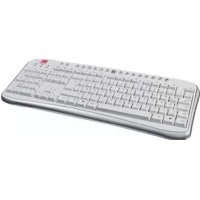
Base Line USB Keyboard

SPEEDLINK
Instructions
SL-6449-SBK/SRD
DE
SICHERHEITSHINWEISE
Wichtig!
IMPORTANT SAFETY INFORMATION
Important!
Before using this product, read the instruction manual for important safety information. Please retain this manual for future reference and warranty information.
Exemption from Liability
No liability will attach to Jöllenbeck GmbH if any damage, injury or accident is attributable to inattentive, inappropriate, negligent or incorrect operation of the machinery whether or not caused deliberately.
Troubleshooting & Servicing
Do not attempt to service or repair the device yourself. Refer all servicing to qualified service personnel. Do not attempt to modify the device in any way. Doing so could invalidate your warranty.
Moisture and heat sources
Do not use this apparatus near water (for example, sinks, baths, pools) or expose it to rain, moisture, or dripping or splashing liquids. Do not expose the unit to high temperatures, high humidity or direct sunlight.
Cleaning
When cleaning the device, please use a soft, dry cloth. Never use benzine, paint thinner, or other chemicals on the device.
Location
Place the device in a stable location, so it will not fall causing damage to the device or bodily harm.
Intended use
The product may only be used with the original parts intended for it.
The product may only be used in closed and dry rooms.
The intended use includes adherence to the specified installation instructions. The manufacturer accepts no liability for damage arising due to improper use.
Included in the delivery
- Base Line USB Keyboard
PS/2 adapter - Operating manual
System requirements
Windows 2000/ME/XP
USB port
Start-up
Note: Please note that USB operation is not supported by Windows 95/NT.
Connecting to the PC
- Plug the USB connector into one of the USB ports on your computer. The operating system will automatically detect that a new device has been connected.
In some cases, the operating system might ask you to insert the Windows installation CD. If so, simply follow the on-screen instructions.
Hotkey function
| Starts/Stops playback of your media player | |
| Mutes the media playback | |
| Changes to the previous track | |
| Changes to the next track | |
| Opens the home page in your Internet browser | |
| Opens your favourite sites in the Internet browser | |
| Opens your default e-mail program | |
| Puts the PC into standby mode, pressing the button again reactivates the PC |
*Note: These keys will not work unless you have activated ACPI (Advanced Configuration and Power Management Interface) in your BIOS. To check the configuration, enter the BIOS when you boot your computer and look at the settings under the Power Management Setup.
GB
Technical Information
Manufacturer: Jöllenbeck GmbH, Kreuzberg 2, D-27404 Weertzen, Germany
Model number: SL-6449
Product name: Base Line USB Keyboard
1.40m shielded USB cable
Operating voltage: 5V DC
Workspace ergonomics

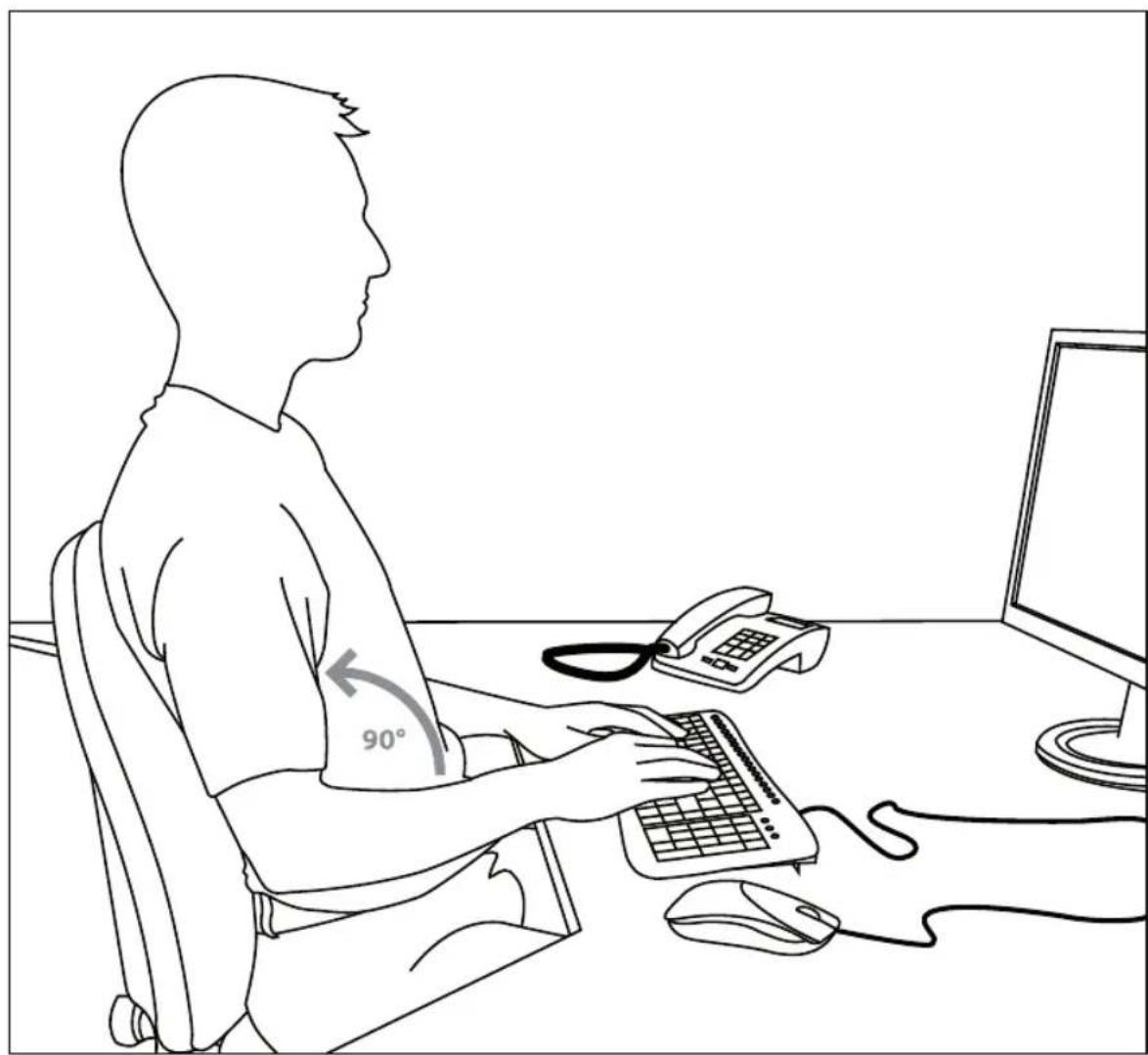
Incorrect use of a keyboard, or using it for extended periods of time, can lead to physical injury. You can minimise this by following a few simple steps. An ergonomically laid out workspace can help minimise injury and even increase your productivity.
Set-up
Arrange your workspace as symmetrically as possible. Sit directly in front of the monitor so that the screen runs parallel to the edge of your desk. Make sure that you are sitting at least one arm's length away from the monitor. Place your keyboard dead centre in front of you and at the same height as your mouse.
Other frequently used items (e.g. telephone) should be placed within easy reach of where you are sitting. The ideal position for your arms is one where your elbows rest at the side of your upper body.
Posture
Your upper arms should rest parallel to your upper body. Your upper and lower arms should form a right angle. Place your feet firmly on the floor. Your upper and lower legs should form a right angle. If you have adopted the correct seating position then your upper and lower body should form a step-like shape. Above all, make sure you are sitting comfortably. You should feel comfortable when sitting at your desk and you should be able to reach any items you need with ease.
Note: If you are not able to place your feet comfortably on the floor then use a foot rest.
Keyboard
Those who type using the ten-finger typing system distribute load equally across all fingers. Keep your wrists as straight as possible when working on the computer. Ideally, your lower arm and hand should form a straight line. Also try reducing your typing speed once in a while. Use pauses, for example, to do some exercises to reduce typing stress. Basically, you should type in a relaxed manner and not press down too hard.
Note: An additional wrist rest in front of the keyboard will support your hands and relieve strain on the wrists and shoulders.
Guarantee
We guarantee this product in respect of workmanship and all built-in components for a period of two years from date of purchase.
If you need help...
In case of technical problems don't hesitate to contact our technical support.
INSTRUCTIONS DE SÉCURITÉ
FR
Important!
This publication or parts of it may not be published or copied without the express consent of the publisher. Jöllenbeck GmbH reserves the right to make changes without prior notice.
This product complies with the relevant European regulations.
You may request a compete declaration of conformity via our website at http://www.speed-link.com.