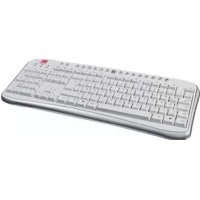
SL6441SWT - Keyboard Speedlink - Free user manual and instructions
Find the device manual for free SL6441SWT Speedlink in PDF.



| Product Type | Computer keyboard with shortcut keys |
| Brand | Speedlink |
| Model | SL6441SWT |
| Interface | USB or PS/2 (adapter included) |
| Supported Operating Systems | Windows 95/98/98SE/ME/2000/XP |
| Shortcut Keys | My Computer, email, browser, search, media playback, volume, sleep, calculator, etc. |
| Driver Required | Windows 95/98/98SE/2000 (downloadable from www.speed-link.com) |
| Installation | Plug & Play under Windows XP; for others, driver installation and restart |
| Warranty | 2 years parts and labor from date of purchase |
| Power Supply | Powered by USB or PS/2 port (no batteries) |
| Maintenance and Cleaning | Clean with a soft, dry cloth; do not use liquids |
| Safety | Do not expose to moisture, splashes or water; do not open or modify |
| Intended Use | Personal use in enclosed, dry spaces |
| Reference | SL-6441-SSV / SL-6441-SBK |
Frequently Asked Questions - SL6441SWT Speedlink
User questions about SL6441SWT Speedlink
0 question about this device. Answer the ones you know or ask your own.
Ask a new question about this device
Download the instructions for your Keyboard in PDF format for free! Find your manual SL6441SWT - Speedlink and take your electronic device back in hand. On this page are published all the documents necessary for the use of your device. SL6441SWT by Speedlink.
USER MANUAL SL6441SWT Speedlink
Instant Access Keyboard
SL-6441-SSV/SBK
Einleitung
Thank you for purchasing the Instant Access Keyboard. This product is specifically tailored to the user, provides outstanding convenience and efficiency when working at the PC.
Features
- Connects to USB or PS/2 port of the PC
- Hotkeys for direct access to: My computer, e-mails, media playback and operation
System requirements
- Windows 95/98/98SE/2000/ME/XP
- USB or PS/2 port
Driver installation
Note: For Windows 95/98/98SE/2000 systems the multimedia keys will function only after software installation.
Please download latest software from our web site:
http://www.speed-link.com
- Double click on the file "setup.exe".
- Follow the instructions on the screen.
- Restart your PC when you are asked.
Hardware installation
Note: Please note that Windows 95/NT do not support USB devices.
USB connection
- Connect the USB cable to the corresponding USB port of your computer. The plug&play function of your computer will detect the new device automatically.
- Windows may ask you to insert the Windows Installation CD. Follow the instructions on the screen.
PS/2 connection
- Make sure your computer is switched off.
- Connect the PS/2 adaptor to the USB plug of your keyboard and then connect it to the PS/2 socket of your computer.
- Restart your computer.
Hotkey function
| Opens your default web browser | |
| Opens your default e-mail program | |
| Opens the search function | |
| Restarts the download of a web site | |
| Opens the previous internet page | |
| Opens the next internet page | |
| Opens your favourites folder | |
| Stops the download of a web site | |
| Puts the PC in standby mode if the power management function is activated (in the BIOS of your system) | |
| Starts/stops playback of your media player | |
| Stops Media reproduction | |
| Finds the previous track | |
| Finds the next track | |
| Increases the volume | |
| Reduces the volume | |
| Opens My PC | |
| Starts the calculator feature |
GB
GB
Important Advice
- Do not take the device apart. Do not attempt to service or repair the device yourself. Refer all servicing to qualified service personnel.
- Do not attempt to modify the device in any way. Doing so could invalidate your warranty.
- Do not use this apparatus near water (for example, sinks, baths, pools) or expose it to rain, moisture, or dripping or splashing liquids.
Intended use:
- Computer keyboard for home use
- The product may only be used with the original parts intended for it.
The product may only be used in closed and dry rooms. - The intended use includes adherence to the specified installation instructions.
- The manufacturer accepts no liability for damage arising due to improper use.
Specifications
Article n°: SL-6441-SSV/SL-6441-SBK
Interface: USB or PS/2
Guarantee
We guarantee this product in respect of workmanship and all built-in components for a period of two years from date of purchase.
If you need help...
In case of technical problems don't hesitate to contact our technical support. The hotline number is given on the back page of this manual.
Introduction
© 2004 Jöllenbeck. All rights reserved. All product names mentioned in this manual may be trademarks or registered trademarks and are the property of their respective owners. The signs ® or ™ are not mentioned in each case in this manual. Information contained herein is subject to change without notice.
SL-6446-SBK/-SWT Version 2.0

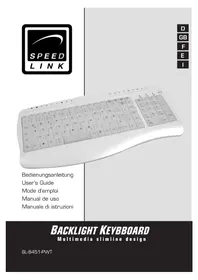
Brand : Speedlink
Model : SL6441SWT
Category : Keyboard