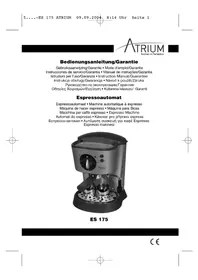
ES 175 - Coffee machine Atrium - Free user manual and instructions
Find the device manual for free ES 175 Atrium in PDF.


| Product type | Espresso machine with steam wand |
| Brand | Atrium |
| Model | ES 175 |
| Power supply | 230 V ~ 50 Hz |
| Power | Approx. 1000 W |
| Water tank | Removable, with level indicator |
| Pressure switch | READY indicator for temperature reached |
| Functions | Espresso, cappuccino, hot water |
| Warming plate | For cups, on top |
| Filter holder | With special lever, for 1 or 2 cups |
| Steam wand | Rotating, for frothing milk |
| Safety | Anti-overflow with red level indicator |
| Maintenance | Regular cleaning of accessories with soapy water, rinse steam wand after use |
| Warranty | 24 months from purchase date |
| Dimensions (approx.) | 30 x 25 x 30 cm |
| Weight (approx.) | 5 kg |
Frequently Asked Questions - ES 175 Atrium
User questions about ES 175 Atrium
0 question about this device. Answer the ones you know or ask your own.
Ask a new question about this device
Download the instructions for your Coffee machine in PDF format for free! Find your manual ES 175 - Atrium and take your electronic device back in hand. On this page are published all the documents necessary for the use of your device. ES 175 by Atrium.
USER MANUAL ES 175 Atrium
natural_image
Exterior view of a modern espresso machine (no visible text or symbols)ES 175
Inhalt
Inhoud • Sommaire • Indice • Índice • Indice • Contents
Spis treści • Obsah • Содержание • Періехóμεν • Fihrist
D Übersicht Bedienelemente . . . . . . . . . . . . . . . . . . . . . . . . . . . . . . . . . . . . . . . . . . . . . . . . . . . . . . . . . . . . . . . . . . . . . . . . . . . . . . . .
Bedienungsanleitung . . . . . . . . . . . . . . . . . . . . . . . . . . . . . . . . . . . . . . . . . . . . . . . . . . . . . . . . . . . . . . . . . . . . . . . . . . . . . . . . . . . . . . . .
General Safety Instructions
GB
- Read the operating instructions carefully before putting the appliance into operation and keep the instructions including the warranty, the receipt and, if possible, the box with the internal packing.
- The appliance is designed exclusively for private use and for the envisaged purpose. This appliance is not fit for commercial use. Do not use it outdoors (except if it is designed to be used outdoors). Keep it away from sources of heat, direct sunlight, humidity (never dip it into any liquid) and sharp edges. Do not use the appliance with wet hands. If the appliance is humid or wet, unplug it immediately. Do not put it in water.
- When cleaning or putting it away, switch off the appliance and always pull out the plug from the socket (pull on the plug, not the cable) if the appliance is not being used and remove the attached accessories.
- Do not operate the machine without supervision. If you should leave the workplace, always switch the machine off or remove the plug from the socket (pull the plug itself, not the lead).
• To protect children from the dangers posed by electrical appliances, make sure that the cable is hanging low and that children do not have access to the appliance. - Check the appliance and the cable for damage on a regular basis. Do not use the appliance if it is damaged.
- Do not try to repair the appliance on your own. Always contact an authorized technician. To avoid the exposure to danger, always have a faulty cable be replaced only by the manufacturer, by our customer service or by a qualified person and with a cable of the same type.
- Use only original spare parts.
- Pay careful attention to the following "Special Safety Instructions".
Overview of the Components
- Tank opening 9. Water level scale
- Hotplate 10. Filter holder
- Function selector 11. Special lever
- POWER LED 12. Small filter (1 cup)
- READY LED 13. Large filter (2 cups)
- On/Off (O/I) switch 14. Drip tray
- Water/steam switch 15. Float
- Steam nozzle
Before Start-up
Unpack the Espresso machine carefully. Take out all the accessories and the packing material. Wash the accessories in a sink. To clean the device, carry out 2-3 complete cycles with clean water before brewing the first espresso. Proceed as described in item 1 to 8 of “Making an Espresso” without using espresso coffee though.
GB
Making a Espresso
-
Connect the machine to a correctly installed 230 V, 50 Hertz safety socket.
-
Ensure that the on/off switch (O/I) (6) is in the O position.
-
Place the draining grid in the indentation of the draining tray.
-
Open the lid and remove the water tank by the handle.
-
Fill the required amount of fresh clear water into the tank.
-
Release the filter holder (10) by turning the handle to the left (INSERT).
-
Place the filter (12 or 13) into the filter holder (10). Now add one to two level measuring spoons of coffee. Distribute the coffee evenly and press the coffee powder lightly with a measuring spoon or other spoon. The aim of pressing the coffee powder with the spoon is to distribute it evenly in the coffee bowl rather than compressing it. We recommend a flat surface plunger. Ensure that the filter holder is firmly fixed in the percolating head.
-
In order to preheat your espresso cups, place them on the warming plate (2) above the percolating head.
-
Switch the machine on using the on/off switch (O/I) (6). The control lamps (4+5) located on the right and left in the function control light up.
-
When the water has reached the required temperature, the control lamp (5) on the right-hand side (READY) switches off. Note: if the control lamp lights up again before percolation is finished, the water temperature is no longer high enough. Turn the function selection switch (3) to O and wait for the lamp to go out again. You can now continue preparing the espresso.
-
Remove the espresso cup(s) from the warming plate (2) and place them under the percolating head.
-
Turn the function switch (3) to the symbol showing the espresso cup.
-
The espresso is now ready and is poured into the cup(s).
-
When percolation is finished, turn the function switch (3) back to the O position.
-
Switch the machine off using the on/off switch (O/I) (6).
-
After brewing wait for a few seconds before removing the filter. Turn the handle of the filter holder from right to left. Pay attention to the steam! To remove the used coffee, hold the filter by using the special lever (11) on the handle in the relevant position. Turn the filter holder (10) and knock out the used coffee. Remove the filter holder (10) after making an espresso. By doing so, you will extend the service life of the rubber seal in the brewing head. To make other espressos, fill the coffee bowl (12 or 13) with coffee powder again and carry out the brewing procedure as described above.
Making a Cappuccino
GB
To make a cappuccino, you must first make an espresso. Proceed as described under "Making an Espresso" from steps 1 to 13. To froth the milk, proceed as follows:
- Make sure that the function selector (3) is in O position.
- Swing the steam nozzle (8) out so that you can position the container (please use a heat-resistant container) comfortably under the nozzle.
- Fill the container up to a 1/3 with fresh cold milk (warm, hot or stale milk does not froth).
- Switch the steam function switch (7) on.
- Dip the steam nozzle (8) slightly below the surface of the milk in the container and turn the function selector (3) to the left (Steam symbol).
- Move the container slightly up and down. Once the milk reaches the desired volume, you can warm the milk more by lowering the steam nozzle (8) to the bottom of the container. Do not make the milk boil or the froth will be ruined.
- Turn the function selector (3) back to the O position and switch the device off with the On/Off (O/I) (6) switch.
- Scoop out the froth into the espresso. Add liquid milk. A cappuccino is usually composed of 1/3 coffee, 1/3 hot milk and 1/3 frothed milk.
Your cappuccino is now ready. Improve the flavor by adding some cinnamon or chocolate powder.
Hot Water
You can even use the Espresso machine to make tea, hot drinks and meat soups. Make sure that the tank has enough cold water.
- Switch on the device with the On/Off (O/I) (6) switch. Both LED's (4 - 5) to the left and right of the function selector light up.
- Switch the steam function button (7) to the liquid symbol.
- Swing the steam nozzle out so and position a heat-resistant container under the steam nozzle.
- When the READY LED (5) is off, the water has reached the right temperature and the function selector (3) can be turned to the left to Steam position.
- The hot water now flows into the container.
- Once this procedure is over, Turn the function selector (3) back to the O position and switch the device off with the On/Off (O/I) (6) switch.
Cleaning
After frothing milk, the steam nozzle is to be immediately cleaned from all milk residues.
If the milk dries, it becomes difficult to remove. Soak the steam tube in a container with water over night so that the milk residue softens. Place a heat-resistant container full of water under the nozzle so that the nozzle is dipped in the water. Turn the function selector to Steam position. Wipe the steam nozzle with a moist cloth to
GB
remove the milk residue before it hardens. The water tank, drip tray, drip tray cover, filter, filter holder and the hotplate can be washed by hand in a sink with warm water. Do not use abrasive detergents. Wash the parts regularly. If the filter's holes are clogged, clean it with a fine brush.
Do not wash the machine.
Never wash the parts or accessories in a dishwasher. The drip tray has an overflow protection. A red-marked "float" is found in the tray. The more water the drip tray contains, the higher the float rises. To empty the tray you can remove the drip tray completely and lift the grid.
This device has been tested according to all relevant current CE guidelines, such as electromagnetic compatibility and low voltage directives, and has been constructed in accordance with the latest safety regulations.
Subject to technical changes without prior notice!
Guarantee
The device supplied by our Company is covered by a 24 month guarantee starting on the date of purchase (receipt).
During the life of the guarantee any fault of the device or its accessories *) ascribable to material or manufacturing defects will be eliminated free of charge by repairing or, at our discretion, by replacing it. The guarantee services do not entail an extension of the life of the guarantee nor do they give rise to any right to a new guarantee!
Proof of the guarantee is provided by the proof of purchase. Without proof of purchase no free replacement or repair will be carried out.
If you wish to make a claim under the guarantee please return the entire machine in the original packaging to your dealer together with the receipt.
*) Damage to accessories does not mean automatic free replacement of the whole machine. In such cases please contact our hotline. Broken glass or breakage of plastic parts are always subject to a charge.
Defects to consumables or parts subject to wearing (e.g. motor pistons, kneading blades, drive shafts, spare remote control, spare toothbrushes, saw blades, etc.) as well as cleaning, maintenance or the replacement of said parts are not covered by the guarantee and hence are to be paid!
The guarantee lapses in case of unauthorized tampering.
After the expiry of the guarantee
After the expiry of the guarantee repairs can be carried by the competent dealer or repair service against the payment of the ensuing costs.