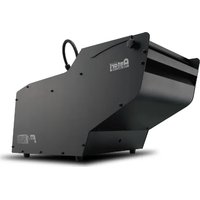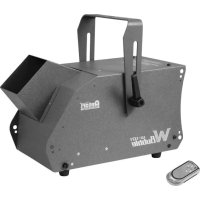
W101 - Effect machine Antari - Free user manual and instructions
Find the device manual for free W101 Antari in PDF.


| Product type | Bubble machine |
| Brand | Antari |
| Model | W101 |
| Dimensions (L x W x H) | 241 x 170 x 172 mm |
| Net weight | 3.4 kg |
| Gross weight | 4.2 kg |
| Power supply | 120 V AC, 60 Hz (120 V model) or 230 V AC, 50 Hz (230 V model) |
| Fuse | F 2A/250 V (120 V) / T 1A/250 V (230 V) |
| Tank capacity | 1 liter |
| Recommended liquid | ANTARI BL bubble fluid or equivalent |
| Remote control included | W-1 (wireless, UHF 433.920 MHz) |
| Remote control range | Approximately 50 meters |
| Remote control power | 12 V type 23A battery |
| Operating modes | Manual (switch) or wireless (W-1) |
| Mounting | Mounting bracket included (max tilt angle 25°) |
| Usage | Indoor only |
| Protection | Splash proof (do not immerse) |
| Maintenance | Clean regularly, empty tank before transport |
| Safety | Unplug before filling, do not direct at people or flames |
| Warranty | Valid only at authorized Antari dealer |
Frequently Asked Questions - W101 Antari
User questions about W101 Antari
0 question about this device. Answer the ones you know or ask your own.
Ask a new question about this device
Download the instructions for your Effect machine in PDF format for free! Find your manual W101 - Antari and take your electronic device back in hand. On this page are published all the documents necessary for the use of your device. W101 by Antari.
USER MANUAL W101 Antari
Congratulations on the purchase of your new ANTARI W-Series bubble MACHINE.
Introduction
Thank you for choosing an Antari W-Series Bubble Machine. You now own a rugged and powerful state-of-the-art bubble machine. Prior to use, we suggest that you carefully read all of the instructions. By following the suggestions found in this user manual, you can look forward to the reliable and satisfactory performance of your Antari Bubble Machine for years to come.
Please follow these operation, safety and maintenance instructions to ensure a long and safe life for your Antari bubble machine.

CAUTION
Risk of Electric Shock. Disconnect the appliance from the electric supply before refilling liquid, cleaning or performing maintenance on the machine.
Pay attention to all warning labels and instructions printed on the exterior of your Antari Bubble Machine.
Do not overfill your bubble machine. Overfilling could cause the unit to leak.

Danger of Electric Shock
- Keep this device dry.
- Keep the bubble machine upright.
- For all models, use a 3-prong grounded electrical outlet only. Prior to use take care to determine that the unit is installed at the rated voltage.
- Turn off or unplug the machine when not in use.
- The power plug needs to be clearly seen by the user when installed on the wall.
This machine is not water-proof. If moisture, water, or fluid gets inside the housing, immediately unplug the unit and contact a service technician or your Antari dealer before using it again.
No user serviceable parts inside. Refer to your Antari dealer or other qualified service personnel.
For inside use only. Not designed for outside use.
This appliance must be earthed.
For adult use only. The bubble machine must be installed out of the reach of children. Never leave the unit running unattended.
- Never aim the output nozzle at open flames.
Extended use will make all surfaces slippery. Please kindly pay attention.
- Position the output of bubbles away from people.
- Switch off from mains when refilling the liquid or cleaning the system.
- Regular cleaning of the bubble wheel is required.
- Do not transport with liquid. If the machine gets wet, do not use until it is completely dry.
- Antari bubble liquid may leave permanent marks on clothing.
Unpacking & Inspection
Open the shipping carton and check that all equipments necessary to operate the system have arrived intact. The shipping carton should contain the following items:
- One unit of W-101 Bubble machine
- One set of W-1 Transmitter
- User manual
- Power cord and plug.
- Hanging bracket with washers/screws
If any equipment is missing contact your Antari dealer immediately.
- Before beginning your initial setup on the Antari W-101 Bubble Machine, make sure that there is no evident damage caused by transportation.
- In the event that the unit's housing or cable is damaged, do not plug it in and do not attempt to use it until after contacting your Antari dealer for assistance.
Setup
- Remove all packing materials from the bubble machine.
- Place bubble machine on a flat surface.
Loosen the side screws and lift the housing upwards. You will see a liquid tank.
Pour bubble liquid into the liquid tank. Be careful not to exceed the maximum fluid level. DO NOT OVERFILL. - It is recommended to use Antari BL- Bubble Liquid for best performance.
- When the container is 3/4 full, lower the housing and tighten the screws.
Important:
- Always monitor tank fluid level as you are operating.
-
Never drink bubble liquid. If it is ingested, call a doctor immediately. If the bubble liquid comes in contact with skin or eyes, rinse thoroughly with water.
-
Always replace the caps on the liquid container immediately after filling to avoid contamination.
W-101 Hanging Bracket:
Your model includes a mounting bracket designed for overhead installation; it may be installed at floor level or suspended overhead. If the unit is to be mounted using the bracket, it is important that the bubbles do not shoot directly at anyone's face. Whatever installation method you choose, do not allow the unit to have more than a 25 degree angle of inclination.
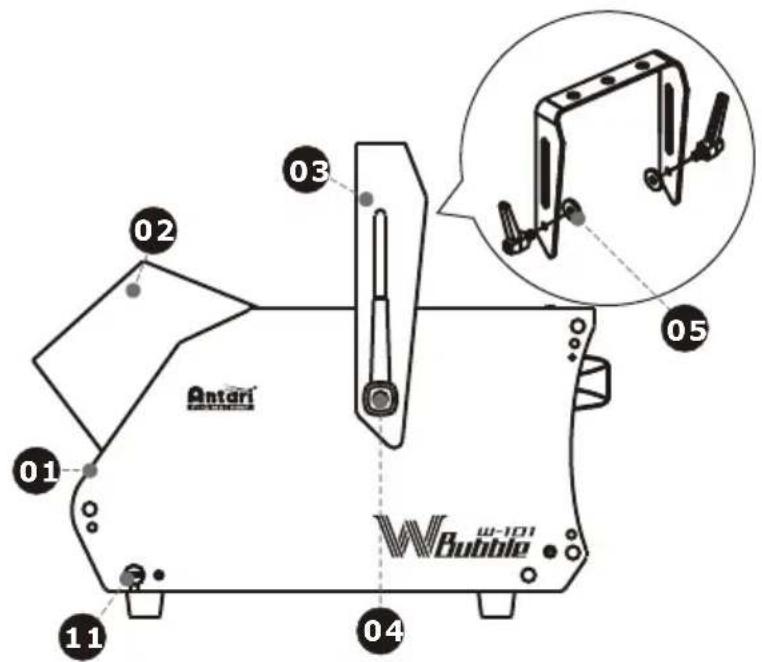
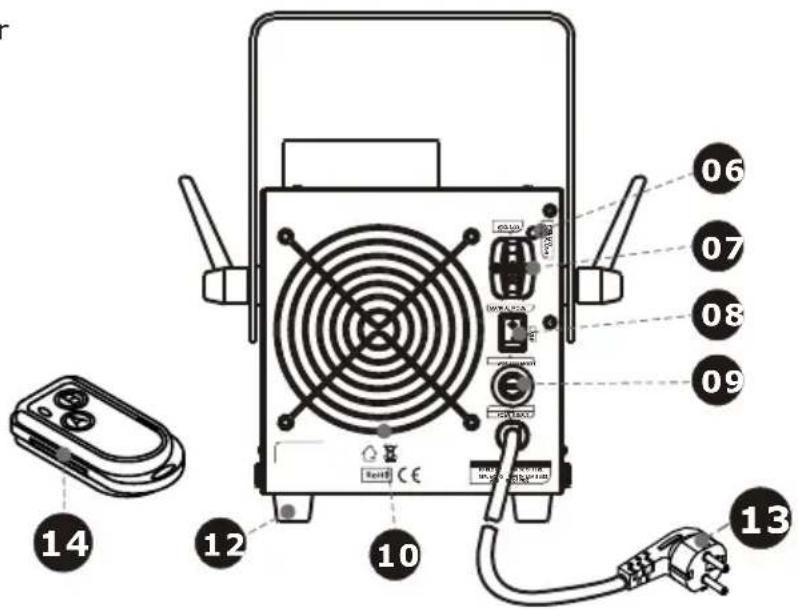
W-101 External View
- Body
- Spout
- Yoke
- Tightening screw
- Washer
- Pilot lamp
- W-1 Wireless receiver
- Rocker switch/Power
- Fuse holder
- Fan
- Screw lock
- Foot
- Power cord
- W-1 Wireless controller
IMPORTANT SAFETY NOTICE:
Ensure your bubble machine is unplugged from the mains electrical supply before attempting to open the housing.
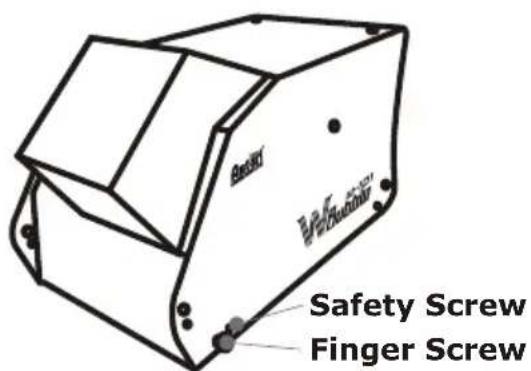
To help avoid accidental exposure to dangerous live AC mains voltage, two safety screws are fitted that require a screw driver to remove. Once these are removed, the finger screws can be undone by hand (see photo above).
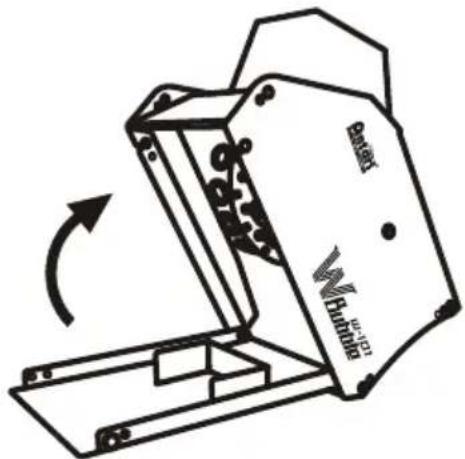
Once the screws are removed, the lid of the housing can be carefully swung upwards, as shown above. Take care not to spill any of the bubble fluid inside the unit.
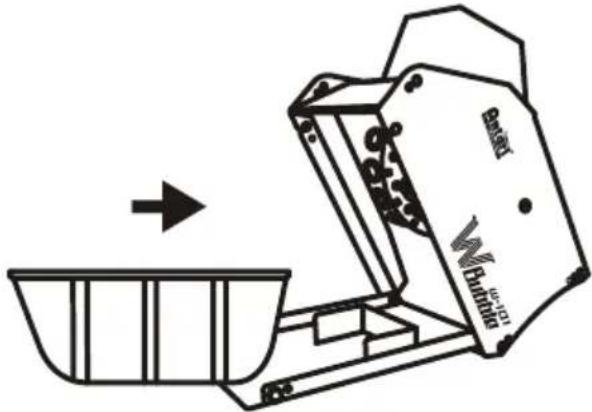
The fluid tank is designed to fit only one way around. Make sure you insert it correctly, as shown above, with the lower edge facing into the machine.
OPERATION
For manual operation, set the power switch to "Manual Mode" on the back of the machine. The internal bubble drum and fan are activated and the machine
produces bubbles. For wireless operation with the W-1, set the power switch to "Wireless Mode". Now please refer to chapter "W-1 Wireless Remote" for setting the remote control.
W-1 Wireless Remote
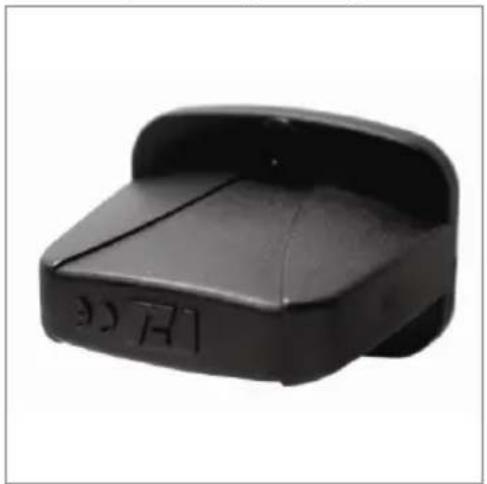
The wireless remote control system W-1 consists of a transmitter equipped with two buttons for bubbles on and off, and a receiver pre-attached to the rear panel of each W-series model.
* Transmitter:
With the transmitter it is possible to emit bubbles via radio over a distance of up to 50 meters. The transmitter is compatible to any receiver of the W-series and can control an unlimited number of machines in parallel.
Press the button "A", to emit bubbles. As control, the blue LED lights. To stop the bubble output, press the button "B".
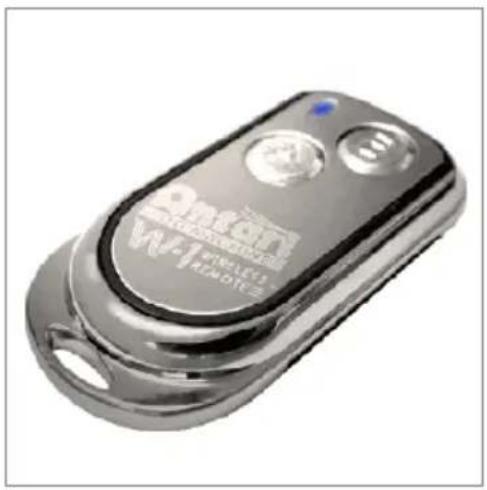
* Receiver:
The receiver is tested and pre-attached to the rear panel of each W-series model. Please do not try to remove it. The receiver responds to up to 5 different transmitters that are registered with the machine. The included transmitter has been registered with the machine before shipment. It can be directly operated without any start-up setting.
- Registering transmitters:
To operate the machine with a different transmitter than the included one, or to operate it with up to 5 different transmitters, each transmitter must be registered first. There is an LED light on the rear control panel of the machine. When the machine is turned on, the green LED will be flashing for 15 seconds. During the 15-second interval, users can register signals for one or more transmitters. For this purpose, press the button "A" on each transmitter. If the registering signals of the transmitters are well received by the receiver, the green LED will stop flashing and light permanently. The previous transmitters are cleared from the memory of the receiver. If no transmitter is registered while the machine is switched on, the memory of the receiver will keep the record of the previous operation.
Setting Example 1:
In order to register several transmitters with a machine, turn on the machine. While the green LED is flashing, press the button "A" on each transmitter to establish the signal transmission.
Setting Example 2:
In order to use 1 transmitter to control 2 or more machines, turn on the machines at the same time. While the green LEDs are flashing, press the button "A" on the transmitter to establish the signal transmission.
- Battery change on the transmitter
If the range of the transmitter decreases, the battery is probably exhausted and must be replaced. For this purpose, take off the housing cover and remove the used battery. Insert a fresh 12V battery, type 23A as indicated in the battery compartment and refit the housing cover.
Technical Specifications
| Power | 120 V AC, 60 Hz (120 V model) |
| 230 V AC, 50 Hz (230 V model) | |
| Fuse | F 2 A/250 V (120 V model) |
| T 1 A/250 V (230 V model) | |
| Weight | net 3.4 kg; gross 4.2 kg |
| Dimensions (LxWxH) | 241 x 170 x 172 (mm) |
| Functions | On/off, no DMX interface |
| Tank capacity | 1 liter |
| Remote included | W-1 |
| Carrier frequency | UHF-433.920 Mhz |
| Battery | 12 V, type 23A |
| Range | approx. 50 m |
Approval
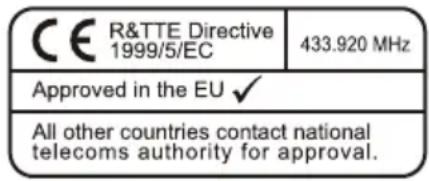
This product is in accordance with the R&TTE directive (Radio and Telecommunication Technical Equipment) of the European Union and falls into equipment Class 1. In all EU member countries, the operation of this wireless system is generally approved by the national telecom regulatory authority. The system is license-free. In some countries outside the EU, the operation of this wireless system may needs to be approved by the national telecoms regulatory authority.
Warranty
Warranty shall be valid only if the product is purchased from Antari's authorized distributors or dealers. For warranty service, send the product only to an authorized distributor or dealer.
All warranties are void if the product has been modified in any manner; if the product has been repaired or serviced by unauthorized personnel; or the product is damaged due to improper use or maintenance as set forth in the instruction manual.
This is not a service contract and does not include standard maintenance or cleaning. All expendables are not covered by this warranty.
Additional warranties provided at the discretion of the distributor dealers shall remain the sole obligation of the distributor or dealer.
Always quote the unit's serial number and model name when contacting your distributor for information or assistance.
Save these instructions
W
It is recommended to use Antari BL- Bubble Liquid for best performance.