EasyManual
HZ350 - Effect machine Antari - Free user manual and instructions
Find the device manual for free HZ350 Antari in PDF.


Frequently Asked Questions - HZ350 Antari
User questions about HZ350 Antari
0 question about this device. Answer the ones you know or ask your own.
Ask a new question about this device
Download the instructions for your Effect machine in PDF format for free! Find your manual HZ350 - Antari and take your electronic device back in hand. On this page are published all the documents necessary for the use of your device. HZ350 by Antari.
USER MANUAL HZ350 Antari
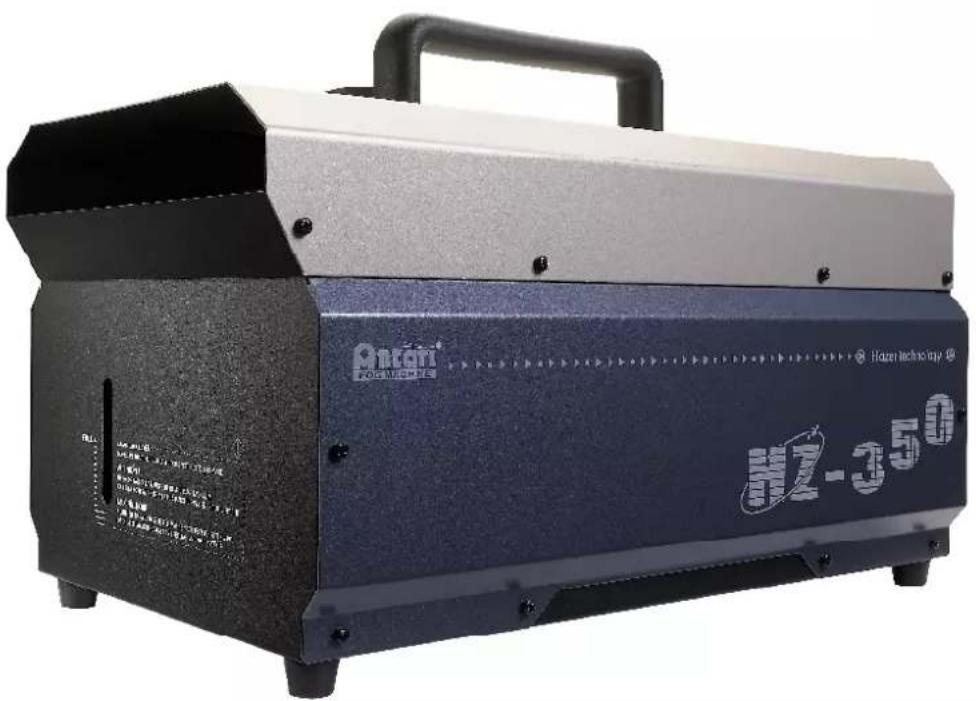
HZ-350 Haze Machine USER MANUAL
text_image
Oxtani Huzan technology HZ-350English
Français
Deutsch
- 中文

text_image
HZ-350ANTARI HZ-350 HAZE MACHINE
INTRODUCTION
Thank you for choosing Antari HZ-350 Haze Machine. Prior to use, it is suggested to read the instructions carefully and thoroughly. By following the instructions listed in this user manual, you can look forward to the best haze effect and the most reliable performance of your Antari HZ-350 Hazer for years to come.

Please follow these operation and safety instructions to ensure a long and safe life for your HZ-350.
DANGER OF ELECTRIC SHOCK
◆ Keep this device dry.
◆ Use grounded electrical outlet. Prior to use, make sure that the unit is installed at the rated voltage.
◆ Always unplug the hazer before filling haze fluid.
◆ Turn off or unplug when not in use.
This machine is not water-proof. If moisture, water, or haze fluid gets inside the housing, immediately unplug the unit. After unplugging, wipe the unit with dry clothe and leave the unit stand still for a while. If any problem while use again, please contact a service technician or your ANTARI dealer.
DANGER OF BURN
◆ No user serviceable and modifiable parts inside. Do not disassemble the housing and do any modification; otherwise damage of the device or danger of burn may be caused.
◆ For adult use only. Hazer must be installed out of the reach of children. Never leave the unit running unattended.
◆ Position the hazer in well-ventilated area. Please leave at least 20cm spaces surrounding the machine.
◆ Never aim the machine at open flames or close to flammable articles.
◆ Never add flammable liquids of any kind (oil, gas, perfume) to the haze fluid.
◆ Use only dealer recommended genuine Antari haze fluid (HZL). Please do not use any other liquid which may cause erosion of inner parts.
◆ If your Antari HZ-350 Hazer fails to work properly, stop using immediately. Contact
you're your Antari dealer first. Drain all hazer liquid from the tank either by placing the machine up side down or by hazing out the haze fluid left in the tank, pack the unit securely (preferably with the original packing material), and return it to your ANTARI dealer for service.
◆ Please note that before sending the machine for transporting purpose, make sure the haze fluid tank is empty.

Pay attention to all warning labels, signs and instructions printed on the exterior of your Antari Hazer
UNPACKING & INSPECTION
Open the shipping carton and check that all equipment necessary to operate the machine have arrived intact. Before beginning initial setup of your ANTARI HZ-350 Hazer, make sure that there is no evident damage caused by transportation. In the event of that the unit's housing or cable is damaged, do not plug it nor use it until contacting your Antari dealer for assistance.
HAZE FLUID FILLING & POWER ON
- Place the unit on a flat surface. Plug power cord into a grounded electrical outlet.
- Remove the fluid tank cap and pour the Antari Haze Fluid into the tank slowly and carefully to avoid overfilling. Otherwise, the haze fluid may be overfilled and damage the machine. Basically, after refilling 1 liter of haze fluid you have to stop and check the tank. Make sure the fluid level does not exceed the indicator outside the housing.
- Please use only dealer-recommended high-quality haze fluid. Any other types of fluids
- may cause health hazard and damage to the unit. Use of any other fluids may void warranty.
- Set the power switch to "ON" on the rear of the machine. Make sure that the red indicator light is on.
TRANSMITTER REGISTRATION
After powering on, the LCD screen will show sequentially “Antari HZ-350”, “Version 1.0” and then “Wireless Setup...”. Press button “A” on the transmitter(s) to register when see “Wireless Setup...” is on. There are around 15 seconds for finishing the registration of the transmitter(s). Once registration is completed, the LCD screen will blink and beep. The LCD screen will finally show “Wireless Setup.OK” once the 15 seconds ends. Up to 5 transmitters are allowed to be registered with one HZ-350. The included transmitter has been registered with the machine before shipment and can be directly operated without any start-up setting. Therefore, the registration is only needed before use of new W-1.
Note: Transmitter registration must be completed within 15 seconds or HZ-350 has to be power on again for next registration.
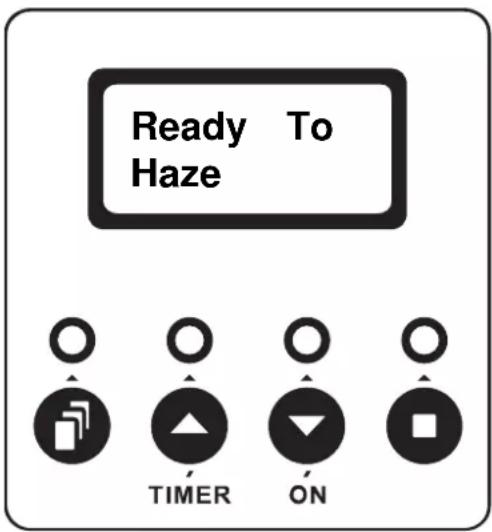
After transmitter(s) registration time ends, LCD screen will then show "Ready To Haze". Now the machine is ready for operating.
text_image
Ready To Haze TIMER ONFUNCTIONS SETTING
Press Menu button for setting different functions per sequence as below.
Interval Set To set the interval time under timer mode by pressing Up/Timer ▲ and Down/On buttons (5 to 200 seconds).
Duration Set To set the duration time under timer mode by pressing Up/Timer ▲ and Down/On buttons (5 to 200 seconds).
DMX512 Add. To set the DMX channel under DMX control mode by pressing Up/Timer and Down/On buttons (1 to 512 channels).
Wireless ON To activate/terminate the wireless control system by pressing Up/Timer and Down/On buttons (ON/OFF). When wireless control system is activated, letter "W" will be showed under main screen display "Ready To Haze". Once the wireless control system is terminated then the letter "W" will disappear accordingly.
Quick Start To activate/terminate quick start function by pressing Up/Timer ▲ and Down/On ⬇ buttons (ON/OFF). Once Quick Start function is on, the output job under timer or continuous output (LCD/W-1/DMX) mode terminated by power off will be directly resumed after power on again. When the unit is power off not under output mode then the LCD screen will resume to “Ready To Haze” main screen display directly.
OUTPUT UNDER TIMER MODE
Press Up/Timer ▼ button to execute the interval/duration timing set and press Stop □ to stop.
OUTPUT UNDER CONTINUOUS OUTPUT MODE
Press Down/On ▼ button to output continuously until Stop □ button is pressed.
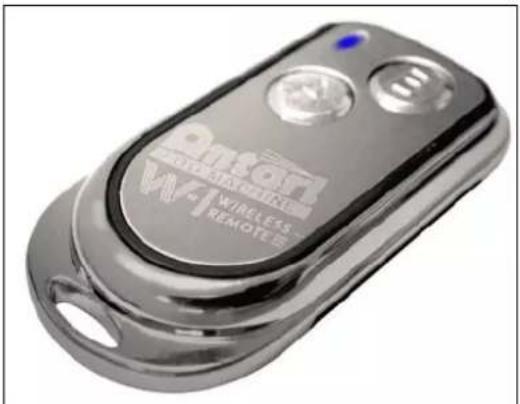
W-1: The wireless remote control W-1 consists of a transmitter equipped with two buttons for fog on and off, and a receiver pre-attached to HZ-350.
\* Transmitter
natural_image
Close-up of a metallic wireless remote control device (no visible text or symbols on the device body)With the transmitter it is possible to emit fog via radio over a distance of up to 50 meters. The transmitter is compatible to any receiver of HZ-350 and can control an unlimited number of machines in parallel. Press the button “A”, to emit fog. As control, the LED on the transmitter is lit. To stop the fog output, press the button “B”.
\* Receiver
natural_image
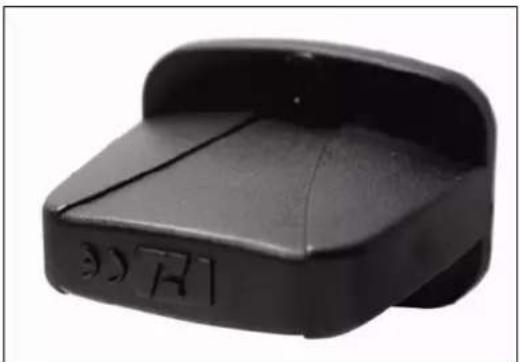
Black plastic object with embossed markings, no visible text or symbolsThe receiver is tested and built in HZ-350. Please do not try to remove it. The receiver responds to up to 5 different transmitters that are registered with the machine. The included transmitter has been registered with the machine before shipment. It can be directly operated without any start-up setting.
Battery change on the transmitter
If the range of the transmitter decreases, the battery is probably exhausted and must be replaced. For this purpose, take off the housing cover and remove the used battery. Insert a fresh 12 V battery, and refit the housing cover.
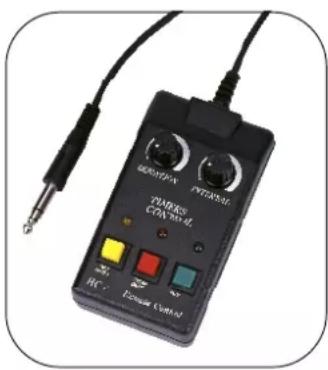
HC-1(Optional): 10 meter wired multi-function remote controller with 1/4" stereo plug.
text_image
PETERNS CTN test HC Power ControlRed Button – Control ON/OFF
By having the red button pressed, HC-1 is activated and ready for using. The red indicator light will be on whenever HC-1 is on.
Green Button – Haze
Keep the green button pressed; the unit will output continuously. Release the button to stop.
Yellow Button – Timer ON/OFF
Duration and Interval Knobs
Press the yellow button to activate the timer function for the knobs DURATION and INTERVAL located on the top of the controller. Adjust the interval between each haze emission (within the range from 10 to 200 seconds) by means of the INTERVAL control knob. Adjust the duration of each haze emission (within the range from 5 to 100 seconds) by means of the DURATION control knob.
HZ-350 has on-board DMX control and the addressing is via LCD control panel. HZ-350 uses 1 channel to control on/off operation. The channel has a value range from 0 to 255. The on/off function can also be programmed with a DMX controller or DMX control software used by lighting and effects operator.
Channel A

$$ 1 1 - 2 5 5 = \mathrm{ON} $$
$$ 0 - 1 0 = \text { OFF } $$
If the value of channel A is set between 0 to 10, the unit is off.
While the value is set between 11 to 255, the unit is on.
Note: Once DMX cable is connected to the unit, then the LCD control panel, W-1 transmitter and HC-1 controller connected cannot be used.
CAUTION

Never drink haze fluid. If feel sick after ingesting in any case, call the doctor immediately. If haze fluid comes in contact with skin or eyes, rinse thoroughly with cold water.
- The fan located at the rear of the machine is set to stop 60 seconds after the output is terminated for the purpose of radiating. Thus it is advised to power off the machine after the termination of fan.
- If you have followed the above operation steps, and you still experience low output, mechanical noise or no output at all, unplug the unit immediately from the mains. Check the fluid level, the external fuse, the remote control connection, and the power cable from the wall. If all of the above appears to be O.K., plug again. If the hazer is still not functional, discontinue operating otherwise it may result in permanent damage to the unit. Return the machine to your Antari dealer. Always drain tank before sending the unit.
HAZE FLUID
Antari HZL haze fluid was designed for the use with Antari HZ-350. Antari HZL is a non-toxic solution that produces a pure, translucent haze with extremely long hang time and low moisture, perfect for HZ-350.
Important: Never mix oil-based and water-based hazer fluids. Before switching the kind of haze fluid in use, completely drain the tank to avoid mixing.
TECHNICAL SPECIFICATIONS
| Model | HZ-350 | |
| Power Supply | 110~120V AC / 50~60Hz | 220~240V AC / 50~60Hz |
| Power Consumption | 315W | |
| Output Volume | 2,000 cu.ft / min | |
| Tank Capacity | 2.5 liters | |
| Fluid Consumption | 21hrs / liter | |
| Weight | 14.2kgs | |
| Dimension (LxWxH) mm | 491.8 / 273 / 314.5 | |
Approval
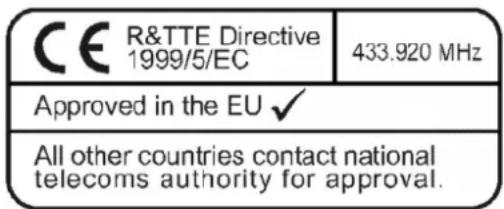
This product is in accordance with the R&TTE directive (Radio and Telecommunication Technical Equipment) of the European Union and falls into equipment Class 1. In all EU member countries, the operation of this wireless system is generally approved by the national telecom regulatory authority. The system is license-free. In some countries outside the EU, the operation of this wireless system may needs to be approved by the national telecoms regulatory authority.
text_image
CE R&TTE Directive 1999/5/EC 433.920 MHz Approved in the EU ✓ All other countries contact national telecoms authority for approval.Please save this user manual carefully