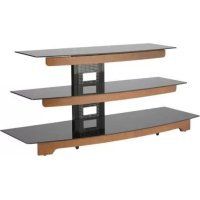
SANUS BFAV550CN1 - TV Stand

BFAV550CN1 - TV Stand SANUS - Free user manual and instructions

Find the device manual for free BFAV550CN1 SANUS in PDF.

📄 28 pages PDF ⬇️ English EN 💬 AI Question 🖨️ Print
Notice SANUS BFAV550CN1 - page 4
View the manual : Français FR English EN
Manual assistant
Powered by ChatGPT
Waiting for your message
Product information

Brand : SANUS

Model : BFAV550CN1

Category : TV Stand

Download the instructions for your TV Stand in PDF format for free! Find your manual BFAV550CN1 - SANUS and take your electronic device back in hand. On this page are published all the documents necessary for the use of your device. BFAV550CN1 by SANUS.
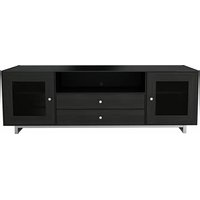
USER MANUAL BFAV550CN1 SANUS

Sanus Systems 2221 Hwy 36 West Saint Paul, MN 55113 USA Customer Service Americas: 800-359-5520 • 651-484-7988 • info@sanus.com Europe, Middle East, and Africa: + 31 40 2324700 • europe.sanus@milestone.com Asia Pacifi c: 86 755 8996 9226 • sanus.ap@milestone.com sanus.com ©2010 Milestone AV Technologies, a Duchossois Group Company. All rights reserved. Sanus is a division of Milestone. All other brand names or marks are used for identifi cation purposes and are trademarks of their respective owners. BFAV550 (6901-002054<01>)6901-002054<01>

WARNING: This product contains small items that could be a

IMPORTANT SAFETY INSTRUCTIONS – SAVE THESE INSTRUCTIONS – PLEASE READ ENTIRE MANUAL BEFORE USING THIS PRODUCTSpeci cationsWeight capacities: Top shelf : 57 kg (125 lbs) Middle shelf: 23 kg (50 lbs) Bottom shelf: 23 kg (50 lbs) CAUTION: Avoid potential personal injuries and property damage! Do not use this product for any purpose not explicitly speci ed by manufacturer. If you do not understand these instructions, or have doubts about the safety of the installation, assembly or use of this product, contact manufacturer Customer Service or call a quali ed contractor. Manufacturer is not responsible for damage or injury caused by incorrect assembly or use. CAUTION: English6901-002054<01>

[01] x 1 [02] x 1 [03] x 1 [04] x 1 [06] x 1[05] x 1 [08] x 1 [11] x 4 [12] x 12 [09] x 1 [10] x 4 [07] x 1 Supplied Parts and Hardware. Before starting assembly, verify all parts are included and undamaged. If any parts are missing or damaged, do not return the damaged item to your dealer; contact Customer Service. Never use damaged parts! NOTE: Not all hardware included will be used. OPT [13] x 4 [14] x 10 [15] x 1 OPT6901-002054<01>

Begin with the top glass assembly [07] top-down on a soft surface on the oor. Pucks (p)should face upward.

1. Attach right leg assembly [05] to the top glass assemly [07] using bolt

2. Attach the back panel [06] to the right leg assembly [05] using bolt

bolt [12], as shown.2. Flip the unit right side up. Attach the middle and bottom front panels [02, 03] to the leg assembiles [04, 05] using bolt [12], as shown.

1. Attach the clear bumpers [14] to the front panels [02, 03]

and the leg assemblies [04, 05] as shown. 2. Gently place glass shelves [08, 09,] on top of the clear bumpers [14].

NOTE: The M4 allen key and pillar bracket are included with the FMK056 pillar kit mount. Attach Pillar Brackets OPT [13]6901-002054<01>

Attach the ELM701 Anti-tip Strap OPT NOTE: Hardware to attach the ELM701 Anti-Tip Strap is included with the strap.6901-002054<01>

1. Attach the clear bumpers [14] to the front panels [02, 03] and the leg assemblies [04, 05] as shown.

2. Gently place glass shelves [08, 09,] on top of the clear bumpers [14].