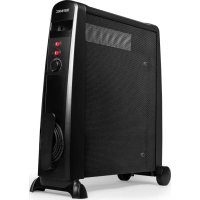
HV101 - Heating Duronic - Free user manual and instructions
Find the device manual for free HV101 Duronic in PDF.


| Brand | Duronic |
| Model | HV101 |
| Product type | Oil-free MICA radiator |
| Power | 2500 W (adjustable: 1000 W, 1500 W, 2500 W) |
| Power supply | 220-240 V, 50/60 Hz |
| Dimensions (W x D x H) | 710 x 232 x 648 mm |
| Weight | 6.1 kg |
| Heating time | Less than a minute at full power |
| Number of power settings | 3 (I: 1500 W, II: 1000 W, I+II: 2500 W) |
| Special functions | Anti-frost, configurable comfort zone, automatic shutdown on overheating and anti-tip |
| Safety | Overheat protection, anti-tip, indicator light, cover detection system |
| Noise levels | Silent |
| Maintenance | Clean with vacuum cleaner and damp cloth. Do not use abrasive detergents. |
| Storage | In a dry and cool place, preferably in the original packaging, cord stored in the provided compartment. |
| Warranty | 1 year (Shine-Mart Ltd) - Valid in the European Union |
| Included accessories | Casters and base for installation |
| Repairability | Any repair must be carried out by an authorized representative. No spare parts provided. |
Frequently Asked Questions - HV101 Duronic
User questions about HV101 Duronic
0 question about this device. Answer the ones you know or ask your own.
Ask a new question about this device
Download the instructions for your Heating in PDF format for free! Find your manual HV101 - Duronic and take your electronic device back in hand. On this page are published all the documents necessary for the use of your device. HV101 by Duronic.
USER MANUAL HV101 Duronic
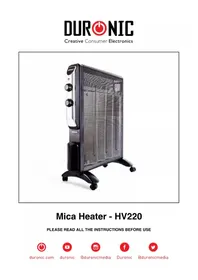
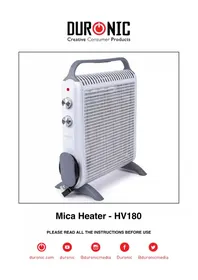
Mica Heater - HV051 / HV101
PLEASE READ ALL THE INSTRUCTIONS BEFORE USE
Contents
English Manual 5
Features & Specifications 8
Introduction 9
Remove Packaging 10
Installation of Wheels 11
Operation 12
Important Safeguards 14
Cleaning, Storage & Warning 16
Trouble-shooting 17
Features & Specifications
Oil-Free Column Heater
The Duronic HV101 and HV051 use a "Mica Heating Element" which is a leading technology in heating. Our mode is not only oil free, but also offers more than a standard oil heater. It heats up within a minute hence making it a very cost effective heater. All our Mica heaters have easy carry handles and wheels to make it a fantastic portable heater.
Special Features
Full heat in 1 Minute
Three Power settings
Covering sensor (overheat protection) and Tip over protection
On/Off switch with light indicator
Temperature setting indicator
Comfortable zone
Anti -frost
Light weight
Quiet operation
No oil = No leakage
No dehumidifying
Power cord storage on front
Specification
| Item Power Voltage Rating Unit Size Unit | Weight | |
| HV101 2500W 220-240V, 50/60Hz | 710(L)*232(W)*648(H)mm 6.1kg | |
| HV051 1500W 220-240V, 50/60Hz | 525(L)"232(W)"648(H)mm 4.8kg |
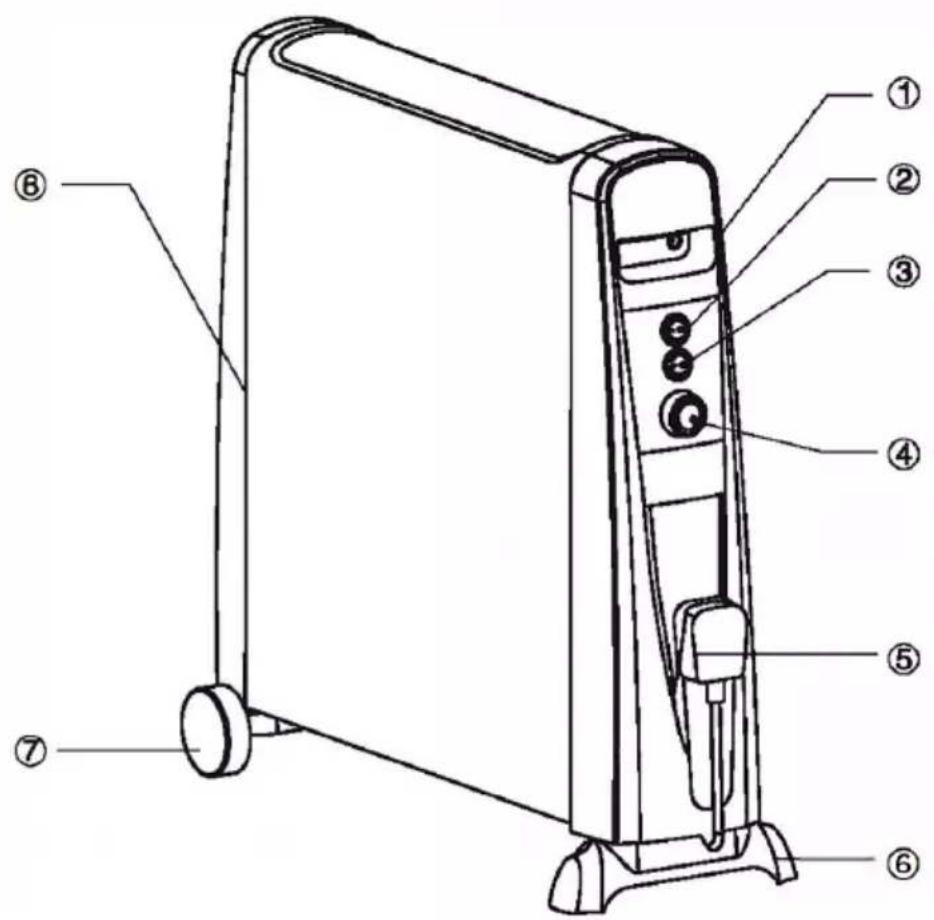
Unit Layout
- Built-in handle
- I ON/OFF Switch
- I ON/OFF Switch
- Temperature Control Knob
- Storage location for cord
- Stand
7.Wheel - Right panel
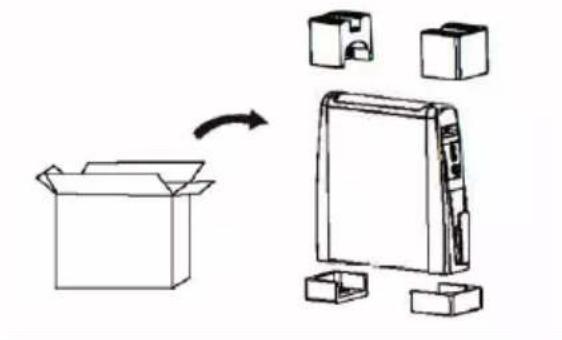
Removing the Packaging
- Take the heater and the packaging out of the box .
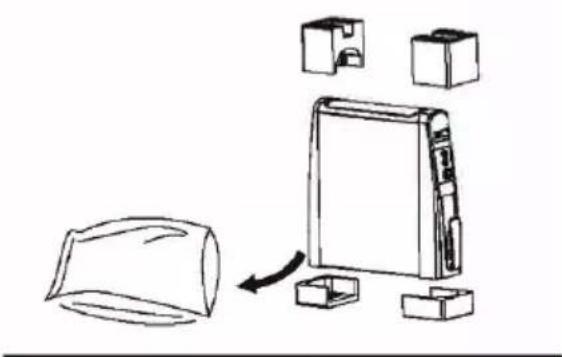
- Remove the foam from both ends of the heater. Remove the polybag which is covering the heater and store away. Keep any bags and foam away from children.
- Remove the front foot and wheels from the foam packaging
- Keep your packaging safe, as this is part of the guarantee. It is also useful for storing the heater when not in use.
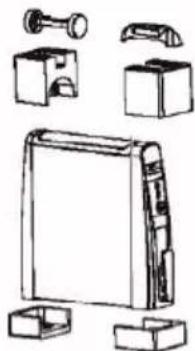
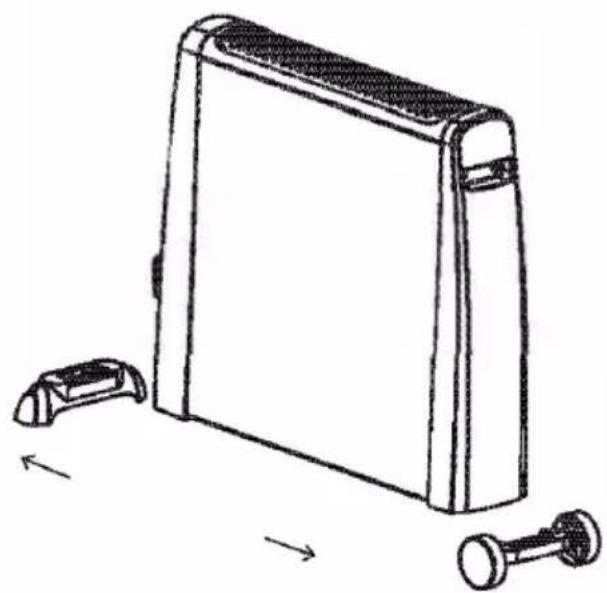
Installation of the wheels and the base
Insert the wheels and the base onto the bottom of the heater by slotting them into the gaps.
Operation
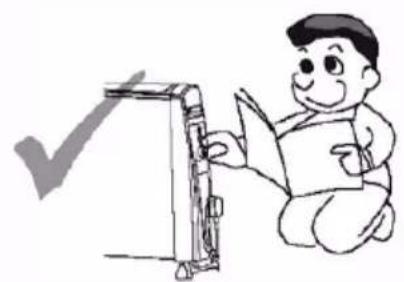
PLEASE READ THE INSTRUCTIONS IN FULL BEFORE USING THIS HEATER.
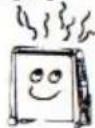
- Check that the unit is at:
- [OFF] position (Fig. 1).
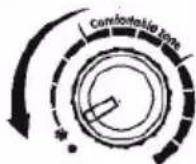
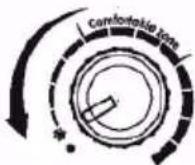
- The Temperature Control Knob is at [OFF] position (Fig. 2).
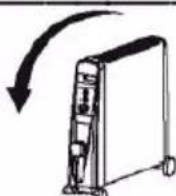
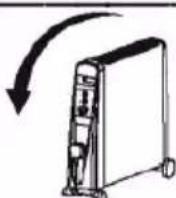
- Also the power at Low Heat Position (Fig. 3)
2.Plug in the power cord to a suitable electrical outlet. (Rated not less than 10 AMP) - Press the ON/OFF switch to [ON] position.
At this moment, its light indicator is on.
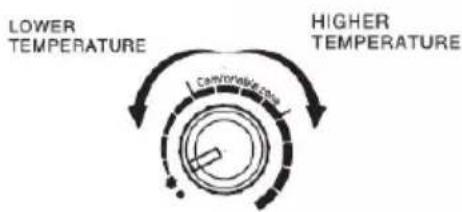
- Turn the temperature control knob to your desired temperature. The light indicator and heater will turn on until the room has reached the desired temperature. It will then automatically turn off until the room temperature drops. The heater will then turn on again so that the desired room temperature is maintained. According to personal needs you can adjust the temperature control knob to increase or decrease the room temperature.


- Then press the Power switch to:[ I ] Heating power setting I [II] Heating power setting II HV101
[I] 1500W, [II] 1 ooow,
[I]&[II]2500W HV051
[1] 1000W, [II] 500 W,[I]& [II] 1500W
-
For a pleasant temperature there is an area indicated on the Temperature Control Knob which is known as the "Comfortable Zone".
-
Anti-Frost Function This function will keep the surrounding temperature above freezing point. To do this, simply plug in the power cord, and turn the Temperature control knob to the "Snowflake" position.
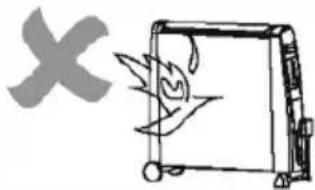
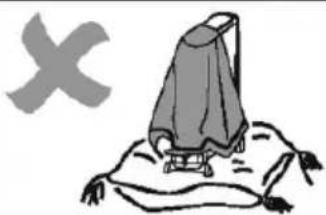
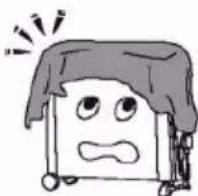
a. Covering Sensors Even though a warning label DO NOT COVER" has been placed on the unit, some users may accidentally cover the unit with towels or blankets etc.
Therefore, a safety device has been installed within the heater to detect overheating. Once the unit overheats, power will be cut off. When the unit temperature falls again, power will be resumed.
- Tip over protection. If the heater is accidentally knocked over, it will switch off automatically.
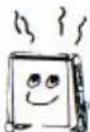
Low power setting
[1]or[II]

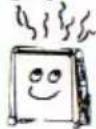
High power setting
[1]or[1]



Important Safeguards
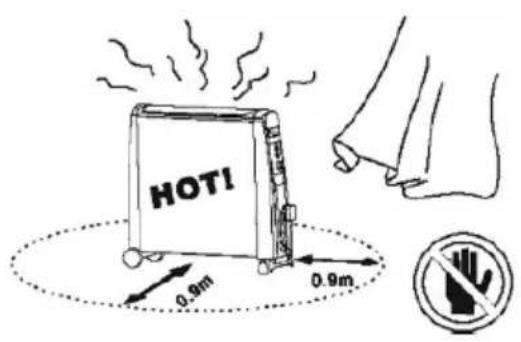
The heater is hot when in use. To avoid burns, do not let bare skin touch the hot surface. Use the handles when moving the heater. Keep combustible materials, such as curtains etc., and other furnishings at least 3 feet (0.9m) radius from the heater to avoid a fire hazard.
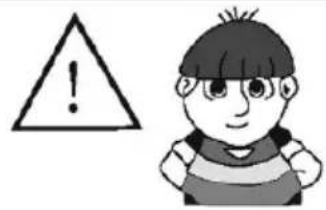
Extreme caution is necessary when any heater is used near children, Do not leave children unattended when this heater is ON. The heater is not a toy.
Do not use the heater outdoors.
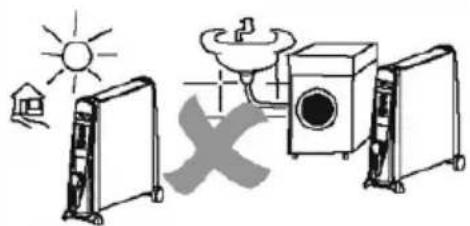
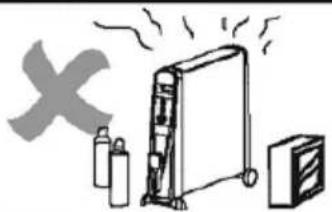
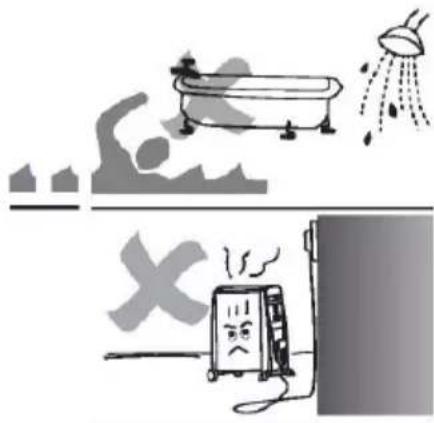
This heater is not intended for use in bathrooms, laundry areas and similar indoor locations. Never use the heater near any forms of water. Do not use the heater in areas where gasoline, paint or flammable liquids are used or stored.
Do not insert or allow any objects to enter any ventilation or exhaust opening as this may cause an electric shock or fire, or damage the heater.
To prevent a possible fire, do not block air intakes or exhaust in any manner.
Do not operate this appliance on a soft or uneven surface as that can block the openings.
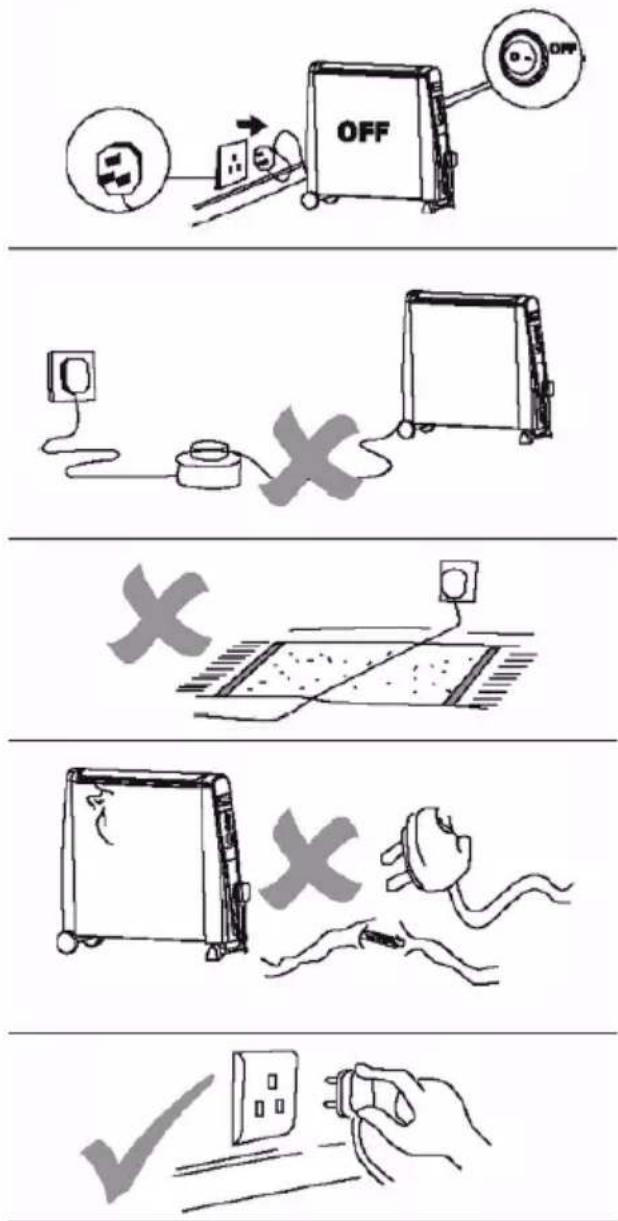
Always unplug the heater when not in use. To disconnect the heater, remove plug from outlet.
Please avoid using an extension lead with this heater. All extension leads have a maximum wattage allowance, and by using this heater with other appliances the wattage allowance may be exceeded and overheat the plug and extension socket and result in a fire risk.
Do not run the cord under carpeting. Do not cover the cord with throw rugs, runners, etc. Arrange the cord tidily where is cannot be tripped over. Do not operate any heater with a damaged cord or plug. If the supply cord is damaged, it must be replaced by a qualified person in order to avoid hazard.
Connect to properly grounded outlets only.
Use this heater only for the purpose as described in this manual. Any other use not recommended by the manufacturer may cause fire, electric shock, or injury to persons. Do not use this heater with a programmer, timer or any other device that switches the heater on automatically, since a fire risk exists if the heater is covered or positioned incorrectly.
Cleaning
- Before cleaning turn off the heater, unplug the power cord and allow the heater to cool.
- Do not immerse the power cord, plug or heater in water or other liquids, or pour water or other liquids over the heater.
- Use a vacuum cleaner to remove dust and lint from the metal grill of the heater. Wipe the heater with a dry cloth to remove dust and a damp cloth (not wet) to clean off stains.
- Do not use detergents, abrasive cleaning products or any kind of polishing material on the body of the heater as these can damage the finish.
Storage
- Store the heater in a cool dry location, preferably covered to prevent dust and dirt building up in the heater. Use old packaging to repack the unit.
- Unplug the heater and store the mains lead in the storage tidy at the front of the heater. Ensure that the plug does not trail.
Warning
Any other servicing should be performed by an authorized service representative.
Do not use this heater in the immediate surroundings of a bath, a shower or a swimming pool
The heater must not be located immediately below a socket-outlet.
Troubleshooting
Heater is not warm
- Check the heater is plugged in.
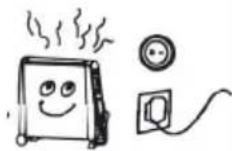
- Check that the temperature setting is in right position.
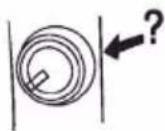
- Check that the heater is not covered.
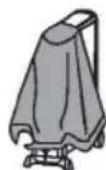
- On the lowest heat settings not all panels heat up. This does not mean that the heater is defect.
Heater is not operating
- Check the power cord is plugged into the electrical outlet
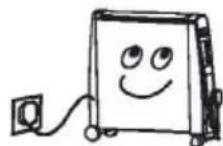
-
Check whether the electricity or the main fuse is working
-
Make sure the power switch is at the [ON] position.
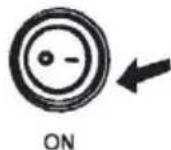
- Check that heater is on the Thermostat Control Condition.
There is a smell coming from the heater
After storage or restarting the heater, the heater may smell slightly. This is because the heater absorbs the air from the room, which may contain cigarette smoke, cosmetic fumes and smells from furniture or the walls etc. When the heater starts up again, it will emit those smells, this is normal and after a short period of time the smell will start to disappear.
Keep these instructions safe
Warranty
1 Year Guarantee from Shine-Mart Ltd, Trademark owners of Duronic Products. NOTE: THESE STATEMENTS DO NOT AFFECT YOUR STATUTORY RIGHTS AS A CONSUMER
This product has been manufactured under the strictest or quality control procedures, and using the highest quality of materials, to ensure excellent performance and reliability. It will give very good and long lasting service, provided it is properly used and maintained. The product is guaranteed for 1 years from the date of original purchase. If any defect arises due to a faulty materials or poor workmanship, the faulty product must be returned to the original place of purchase. Refund or replacement is at the discretion of that company.
Duronic Products are offered with a 1 year guarantee under the following conditions:
- The product must be returned to the retailer with original proof of purchase.
- The product must be installed and used in accordance with the instructions contained in this operating manual.
- It must be used only for domestic purposes.
- It does not cover wear and tear, malicious damage, misuse, neglect, inexpert repairs or consumable parts.
- Shine-Mart Ltd has no responsibilities for accidental or consequential loss or damage.
- Shine-Mart Ltd are not liable to carry out any type of servicing work, under the guarantee
- Valid in the UK only
This product is fitted with BS:1363 plug and fuse Imported by Shine-Mart Ltd, RM3 8SB

Information on waste Disposal for Consumers of Electrical & Electronic Equipment.
This mark on a product and/or accompanying documents indicates that when it is to be disposed of, it must be treated as Waste Electrical & Electronic Equipment, (WEEE).
Any WEEE marked products must not be mixed with general household waste, but kept separate for the treatment, recovery and recycling of the materials used.
For proper treatment, recovery and recycling; please take all WEEE marked waste to your Local Authority Civic waste site, where it will be accepted free of charge.
If customers dispose of Waste Electrical & Electronic Equipment correctly, they will be helping to save valuable resources and preventing any potential negative effects upon human health and the environment, of any hazardous materials that the waste may contain.
Follow Us

duronic.com

duronic

@duronicmedia

Duronic

@duronicmedia
[1] 1000W, [II] 500W, [I] & [II] 1500W
[I] 1500W, [II] 1000W,
[I]&[II]2500W HV051
[1] 1000W, [II] 500 W, [I] & [II] 1500W
Low power setting [1]or[II]

High power setting [1] or [II]


Trouble-shooting 119
Features & Specificities
Olie-vrije Radiator
Full heat in 1 Minute

- Mica Heater - HV051 / HV101
- Contents
- Features & Specifications
- Oil-Free Column Heater
- Special Features
- Specification
- Unit Layout
- Removing the Packaging
- Installation of the wheels and the base
- Operation
- Important Safeguards
- Cleaning
- Storage
- Warning
- Troubleshooting
- Heater is not warm
- Heater is not operating
- There is a smell coming from the heater
- Warranty
- Follow Us
- Features & Specificities
Brand : Duronic
Model : HV101
Category : Heating