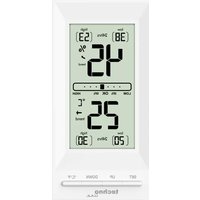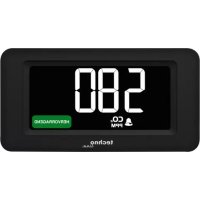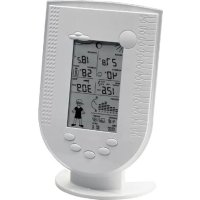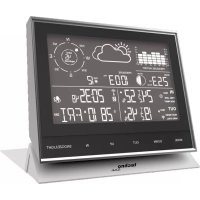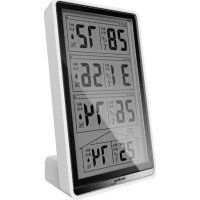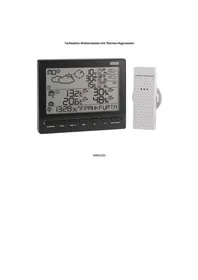
WM 5300 - Weather Station TECHNOLINE - Free user manual and instructions
Find the device manual for free WM 5300 TECHNOLINE in PDF.



| Product type | Weather station with Meteotime forecasts |
| Brand | TECHNOLINE |
| Model | WM 5300 |
| Station power supply | 2 AA LR06 1.5V batteries (not included) |
| Outdoor sensor power supply | 2 AAA LR03 1.5V batteries (not included) |
| Indoor temperature range | -5°C to +50°C |
| Outdoor temperature range | -20°C to +60°C (sensor) |
| Humidity display range | 1% to 99% RH |
| Transmission frequency | 433 MHz |
| Wireless range | 30 meters in open field |
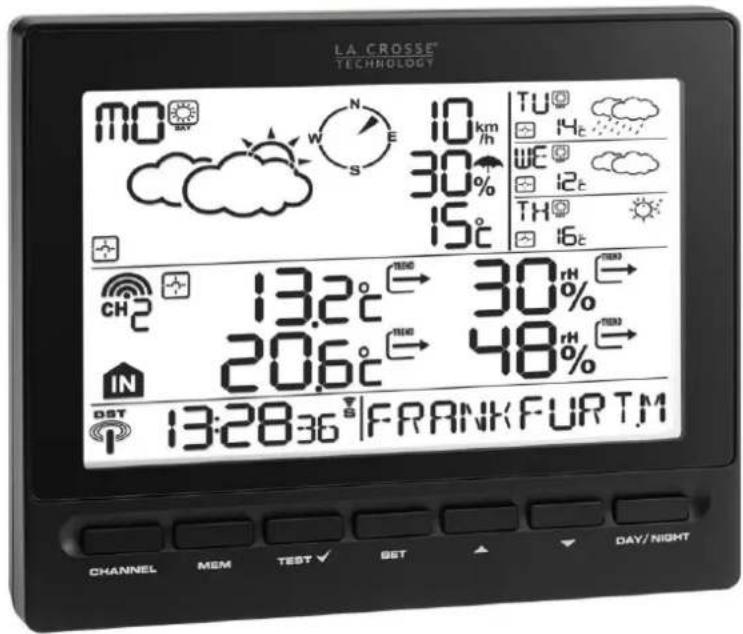
| Main functions | 4-day weather forecast, indoor/outdoor temperature and humidity, daily and single alarms, frost alarm, min/max records, favorite city selection, location customization, weather alerts, day/night display |
| Time reception | Radio-controlled DCF77 (24h format) |
| Outdoor sensors | Up to 3 sensors (1 included) |
| Display languages | French, English, German, Spanish, Italian, Dutch, Swedish |
| Display | Day/night weather icons, temperature, humidity, wind, rain probability, alerts |
| Reception test function | TEST button to optimize placement |
| Alarms | Daily (Mon-Fri), single (one-time), frost (adjustable pre-alarm) |
| Low battery indicator | For station and sensor |
| Maintenance | Clean with a soft dry cloth. Do not use abrasive products. |
| Safety | Do not expose to excessive humidity, do not use for medical purposes. Keep out of reach of children. |
| General information | For domestic use only. Do not dispose of with household waste. Recycle in accordance with regulations. |
Frequently Asked Questions - WM 5300 TECHNOLINE
User questions about WM 5300 TECHNOLINE
0 question about this device. Answer the ones you know or ask your own.
Ask a new question about this device
Download the instructions for your Weather Station in PDF format for free! Find your manual WM 5300 - TECHNOLINE and take your electronic device back in hand. On this page are published all the documents necessary for the use of your device. WM 5300 by TECHNOLINE.
USER MANUAL WM 5300 TECHNOLINE
text_image
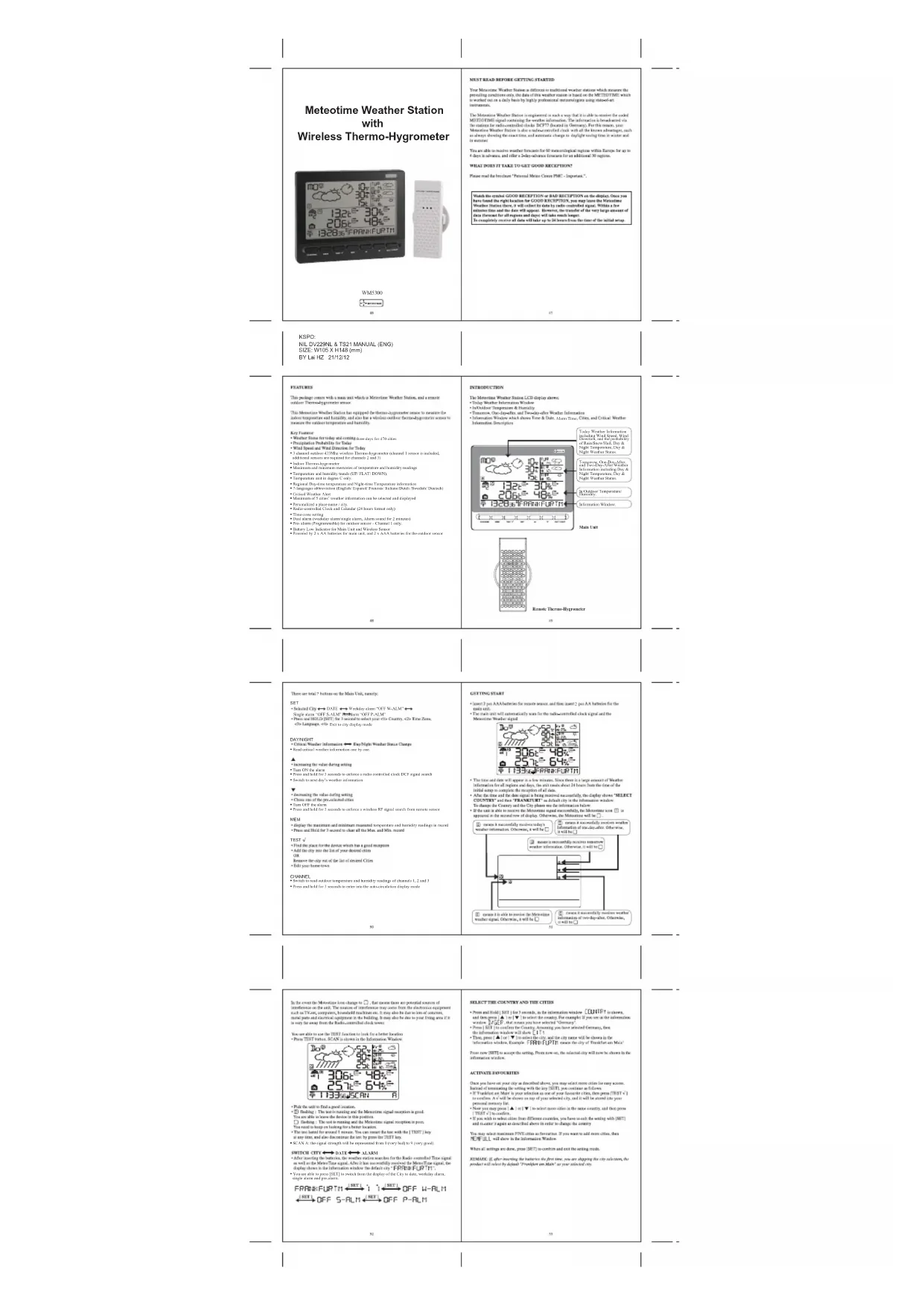
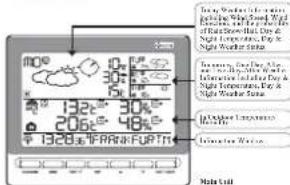
Today Weather Information including Wind Speed, Wind Direction, and the probability of Rain/Snow/Hail, Day & Night Temperature, Day & Night Weather Status. Tomorrow, One-Day-After, and Two-Day-After Weather Information including Day & Night Temperature, Day & Night Weather Status. In/Outdoor Temperature/ Humidity. Information Window. 13:28:36 | FRANKFURT M CHANNEL MEM TEXT SET ▼ DAY / NIGHT Main Unit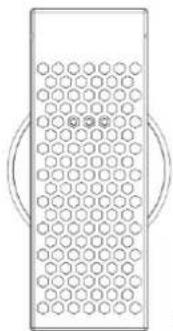
natural_image
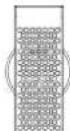
Simple line drawing of a rectangular device with circular holes and two curved handles (no text or symbols)Remote Thermo-Hygrometer
flowchart
graph TD
    A["means it successfully receives today's weather information. Otherwise, it will be □"] --> B["means it successfully receives tomorrow weather information. Otherwise, it will be □"]
    C["means it is able to receive the Meteotime weather signal. Otherwise, it will be □"] --> D["means it successfully receives weather information of two-day-after. Otherwise, it will be □"]
    E["means it successfully receives one-day-after. Otherwise, it will be □"] --> F["means it successfully receives weather information of one-day-after. Otherwise, it will be □"]
    G["means it successfully receives today's weather information. Otherwise, it will be □"] --> H["means it successfully receives tomorrow weather information. Otherwise, it will be □"]
| English | Deutsch |
| SET | SET |
text_image
Today's weather information: MO 10 km 30% 15°C TU WE TH CH2 13.2°C → 30% 20.6°C → 48% 13:28:36° | FRANKFURTM UP [▲] Tomorrow's weather information: TU S km 50% 14°C WE TH CH2 13.2°C → 30% 20.6°C → 48% 13:28:36° | FRANKFURTM UP [▲] One-day-after's weather information: WE 15 km 40% 12°C TH CH2 13.2°C → 30% 20.6°C → 48% 13:28:36° | FRANKFURTM UP [▲] Two-day-after's weather information: TH 60km 12km 16°C 13.2°C → 30% 20.6°C → 48% 13:28:36° | FRANKFURTMWECHSEL TAGWETTERINFORMATIONEN <- -> NACHTWETTERINFORMATIONEN
flowchart
graph TD
    A["Day/NIGHT"] --> B["Weather Icon 1: Cloud with sun, moon icon 2: Rain, moon icon 3: Wind"]
    B --> C["Weather Icon 4: Cloud with sun, moon icon 5: Rain, moon icon 6: Wind"]
| English | Deutsch |
| DAY/NIGHT | TAG/NACHT |
INFORMATIONEN ZU KRITISCHEN WETTERLAGEN
text_image
IN Low-battery indicator icon for main unit low-battery indicator icon for outdoor-transmitterMeteotime Weather Station with Wireless Thermo-Hygrometer
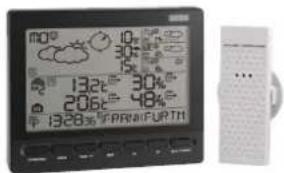
text_image
mo 132°C 30% 206°C 48% 1328°C PRM/FURTMWM570
MUST READ BEFORE GETTING STARTED
Your Minimum Weather Station a difference in multivariate weather status which means the prevailing conditions only, the date of this weather station is based on the METSOTIME which is worked out on a daily basis by highly professional methodologies using state-of-the instruments.
The Metastine Weather Fixton is registered in such a way that it is able to receive the added MEISO/TIME signal maintaining the weather information. The information is broadcast via the matrix for radio-controlled clouds (BCFT) located in Germany. For this reason, your Metastine Weather Fixton is also a radio-controlled clock with all the known advantages, such as always driving the next time, and automatic change to daylight seeing time to winter and to summer.
You are able to manage weather forecasts for the natational region within Africa by up to 6 days in advance, and offer a 2-day advance forecast for as additional 30 regions.
WHAT DOES IT TAKE TO GET GOOD RECEPTION?
Please read the brochure "Personal Mono-Cross PMC - Ingestare."
Warts the symbol GOOD RECEPTION OR BAD RECEPTION on the display. Once you have found the right location for GOOD RECEPTION, you may leave the Verizon Time. Weather Station there, it will exact to data by radio controlled signal. Within a few minutes time and the date will appear. However, the transfer of the very large amount of data (forecast for all regions and days) will take much longer. To completely receive all data will take up to 24 hours from the time of the initial setup.
KSPC: NIL DV229NL & TS21 MANUAL (ENG) SIZE: W105 X H148 (mm) BY Lai HZ 21/12/12
FEATENIE
The package contains with a man and which is Kinerlone Western Station, and a remote outlet. There-by-gometer gauge
This Monomeric Wireless Station has equipped De-thermo-phygmometer sensor to ensure the above temperature and humidity, and also has a visible outlet thermodephygmometer sensor to ensure the above temperature and humidity.
Key Fortune
- Weather Smaa for today and coming close to 4.5x for 120 shrs
• Wind Bureau and Wind Direction for Today
E. Dauki nihir 2019/He kishem Hr. 2019/2019 (jouwimindaki,
A. 10.2.3.1.
• Mechanical and reductive components of resonance/catalytic modeling
• Temperature and humidity rates (UW/ALD 1039N)
Corporation with Degree Code
• Regional Depressive Impairment and Negative Impairment information
1.1.1.1.1.2.3.4.5.6.7.8.9.10.11.12.13.14.15.16.17.18.19.20.21.22.23.24.25.26.27.28.29.30.31.32.33.34.35.36.37.38.39.40.41.42.43.44.45.46.47.48.49.50.51.52.53.54.55.56.57.58.59.60.61.62.63.64.65.66.67.68.69.70.71.72.73.74.75.76.77.78.79.80.81.82.83.84.85.86.87.88.89.90.91.92.93.94.95.96.97.98.99.100
• Mechanical of S. alfa's journal information can be included and displayed
• Classical paper
• Radio-confirmed Clock and Calendar (28 hours Semin city)
- 2023年1月1日
• 1984, 2003; 2004; 2005; 2006; 2007; 2008; 2009; 2010; 2011; 2012; 2013; 2014; 2015; 2016; 2017; 2018; 2019; 2020; 2021; 2022; 2023; 2024; 2025; 2026; 2027; 2028; 2029; 2030; 2031; 2032; 2033; 2034; 2035; 2036; 2037; 2038; 2039; 2040; 2041; 2042; 2043; 2044; 2045; 2046; 2047; 2048; 2049; 2050; 2051; 2052; 2053; 2054; 2055; 2056; 2057; 2058; 2059; 2060; 2061; 2062; 2063; 2064; 2065; 2066; 2067; 2068; 2069; 2070; 2071; 2072; 2073; 2074; 2075; 2076; 2077; 2078; 2079; 2080; 2081; 2082; 2083; 2084; 2085; 2086; 2087; 2088; 2089; 2090; 2091; 2092; 2093; 2094; 2095; 2096; 2097; 2098; 2099;
• Selway (on X-axis: New York)
7.10pmed by 25 AABetation for main cell and 2 × AAb tetramer for more than one
INTRODUCTION
The Monetary Weather Station LCD display shows:
• Today Weather Information Outlook
• Information Window which shows Price & Date, A:371.182, China, and Critical Weather
Information Description
Bancs Henan Leguider
开
There are two: buttons on the Main Unit, namely:
* Press and HOLD [SIT] for 3 seconds to select one <1> Country <2> Fine Zoon.
dislangupt, ebi Eoi wcy dplyt msk
DAYNIGHT
• Critical Weather Information ➕ Key/MegWeather Status Change
• Incentive use of the
1 increasing the color density values
2.1.1.1.1
• In order to the following described text (10-24):
•
√
• Decreasing the value dating setting • Change one of the pre-selected criteria
- 2016年1月1日
• From not add to a non-increase, the amount applied to the amount
MFW
* Display the maximum and minimum measured temperature and humidity reading in mm
* Prime and Hotel for 3 seconds to clear all the Man, and Miss / record
1281
• Find the place for the division which has a good implication
- Add the city into the
Because the city out of the list of seized crimes
4 Fully neat loose turns.
CHANNEL
*Seal, 2013, al., 1998, 17: 24–31
Flow in half a series of 10000 samples
GING START
- Insert 2 per AAA batteries for private users and then insert 2 gas A,B batteries for the
(四) 10.
^a The chain and wire automatically wins for the middle-controlled chain signal, and the
Monotree weather impact
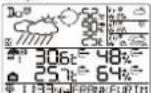
- The true and date will appear in a low minimum. Black floor in a large section of weather
Information for all regions and days, the only result
After the time and the time signal is being minimized, consequently the delay signals "SELECT
COUNTRY" and two "FRANKTUR" in the Internet
To change the Country and the City please use the information before
- If the signal is given to Survey the Metastine signal successfully, the Microfuran test is
eglective of the knowledge of display. However, the Knowledge and Se
more 1 successfully makes today's
such information. Otherwise, it will be □ information at my time after. Otherwise, it will be □
(1) (2)
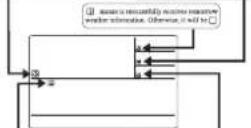
① comes to play a moment by Marsina.
similar digital. Otherwise, it will be □ Information of the digital. Otherwise,
(二) 证明目标
90
SELECT THE COUNTRY AND THE CITY
• Store and Hold (1007) for 3 seconds, in the information window. CUNTF is shown.
and then yes (▲) is [▼] to select the country. For example if you are in our information:
where B/GEF, that means you have selected "Germany".
- Press [SET] to confirm the Country, Accounting you have selected Germany, Rent
the information window will show 1.1
- Then, press (▲) or (▼) to select the city and the city name will be shown in the information below. Specifically, CDO-LONTM, means the city of Boston at 20:31.
Information window, financial +1/44/2 (P/T): Down Friday of Frankfurt am Main
From now 15/07 to aware the action. From now on, the principal site will now be chosen in the
(四)审议《关于
ACTIVATE FAVOURIES
Once you have sat your duty as described above, you may select more order for easy words.
hatrad of stimulating the setting with the ary (SIT), you continue as follows:
- In Franklin, he said that his interest is one of your favorite cities, new people, and
In addition, AV will be seen for up to your internet (or, there will be more than your own or more free).
personal technology Inc.
- Now you have been [■] to be able to get it for the country, but not just
6.2017年10月31日
(1) The following table provides the original text: "A. 2004" and "B. 2005".
The day is what the year's time is being. If you want to add money, there
2018.1.1. All shares in the Information Window
- 2017年1月1日
When all settings are down, press (3017) monowire and end the setting needs.
REMARK: If, after opening the batteries the first time, you are skipping the city selection, the
product will select by desired "Transpersion Model" 43 year software
In the event the Motoring level change to □, but most times are potential sources of
inference on the end, The reaction of interference may create from the electrical equipment
such as TV.com, companies, broadband machines on. It may also be due to lots of customers.
normal parts and electrical equipment in the building. It may also be also to your living area if it
is very far away from the Radio-controlled clock news
You are able to use the 125% function to look for a better location.
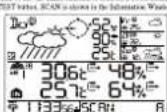
• Pick the unit to find a good motivation.
- ① Building: The test is running and the Monominee signal reception is good.
You are after it leaves the device in this position.
□ flanking: The set is missing and the blucommus signal reception in point
"You need to keep our housing free a better occasion."
* You can look for greater 1 minute. You can mean the low with the [TBS] key
at any time, and also decrease the time by given the TBS1 key.
*623.45 in signal strength will be represented from 1 very bad to 9 were good
SWITCH CITY ↔ DATE ↔ ALARM
* After inserting the batteries, the wireless station searches for the radio-controlled Time signal
as well as the MeteorTime signal. After it has successfully received the MeteorTime
display shows in the information window the default city "F" is a key function?
*Volumable process [517] to which from the display of the 2- to date, start, end
magic data and 2x-grams
ECONVERITAN |NET| * |NET| 255 + 014
FMRFRURIN ⇌ T1 ⇌ OFF WHICH
(REF) OFF S-BLM (REF) OFF P-BLM
知
8
DISPLAY OF FAVOCRITES
If you have selected more than one city at Saratini, as an example Sprakfar, are Malis, Paris and Brackhoir, then you are able to scroll through those cities by pressing. [▼] when the Information Wizard shows the CITY NAME (Pays) with a guide to the City Plan.
FRR4=LRTR←(▲▼)→FRRS←(▲▼)→STOCKDUR
REMOVE A CITY FROM THE LIST OF FAIROURITES
+Puma and Hold (SIFT) for 5 openals, [OUP] is shown in the Information Wizard, then name (▲/or ▼) to select the option.
• Item 1 SIT (Key to confirm for Country
*Then, press [▲] or ▼ I'm go to your attention only with the
+Item [TEST v'] to remove the v'. Now this city is removed from the favorite
- Repeat this if you wish to introduce more cities from your list
• Now you may also press [▲] or [▼] to install another (e.g. this city,
Once you have made all your charges, press [SET] to exit. [1] will be given as the information window. After 4 seconds, it will go to the CityBox Time Module.
M
PERSONALIZED A PLACE NAME
• Press and Hold [DE] for 7 seconds. In the information window, COUNT? is shown, and then press [▲] or [▼] buy to select the country. Let's read you have selected the country.
- Pass: SBC? I key to confirm the Country dot's said we adopt Germany right now, and use information window with them.
- Then, press | ▲ | or | ▼ | key to start the city, and the city name will be shown in the information window such as [2013] — 1971 must the city Frankfurt and Main, and
you would like to enter a new city which is near the region of Frankfurt sex Man. * From the M&M list: a career friend on the first position of the information window
2.10.14
Then following upon comments that apply
Name: Puechko
•
<1> Accept the selected letter and jump to the next position. Off <2> If you have not entered any letter (in other words, if only the number is floating at the last position), answers the entry with this key and your place will also be included in the memory with immediate clicks.
One position back in the Asia entity process
**The place that you have selected to enter your own description *61 will reach under the
19th table.
- Press (2017) key to confirm and exit
SET THE TIME ZONE, LANGUAGE and CONTRARY
- Press and Hold | SET | for 1 second, COUNTRY is shown in the Information Windows - Press (SET) again, then ZONE FODHP is shown in the Information Windows, press
→Press (5817) again, then the language will be shown in the Information Window, print.
[▲] or [▼] keep to select your desired language. There are total words language for selection, sample Oomna, English, Spanish, French, Japanese, British, Swedish
- Press [SUT] again, then [CONTRST], is also under information W
[▲] or [▼] key to adjust the LCD contact Level. - Press / SET) again set. C_1 will be shown at the information window. APs are sounds.
it all changes to the City-Data-Time Media
(1) 2017年
REDADE: If you do not have any selection into the Text made up to 90 seconds, it will automatically with the text made. The information window will show City / Nantou at Sunset Place / Time & Days
16
SWITCH TO NEXT DAYS WEATHER INFORMATION
Fierre approx. (100) [▲] butu, la ymera alvarese le sodus (inclustes) (for lebe to tavaree, marina (frem), qu'ale).
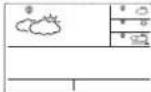
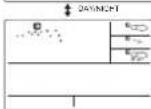
The device is able to automatically switch to DAY, WEATHER and NIGHT, WEATHER
respectively. The test can prove the [DAY]FE2H, means to see the LAXN-
The following section is hereby given that the Board will be issued.
CRITICAL WEATHER INFORMATION
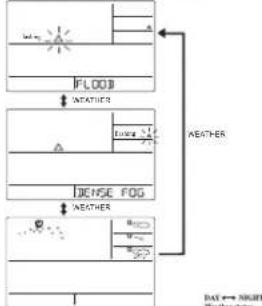
Monastic Weather signal contains the Critical Weather Information such as Last, Pharm-Kata, Henry Snow, Thavde, Strong TV, Denise Peg, Blue, Mistral, etc. for today and moving three days. A critical wonder shot signal will be turned on in case that day has critical weather that the super case knows.
a1
Supervices free on revenue and virtual revenue interactions in the top
From: DAY54G [7] has to read the critical weather information one by one.
The special issue of the day will be ✈fachal when you had the information.
(No text)
flowchart
graph TD
    A["FLOOD"] --> B["NEATHER"]
    B --> C["DENSE FOG"]
    C --> D["NEATHER"]
    D --> E["NEATHER"]
    style A fill:#f9f,stroke:#333
    style B fill:#ccf,stroke:#333
    style C fill:#cfc,stroke:#333
    style D fill:#fcc,stroke:#333
    style E fill:#ffc,stroke:#333
• Press | SET | key to go back to the display of CITY ↔ DATE ▼DEEAY ALABH
→ SINGLE ALARM ONE ALARM If you would live to mail the Weather
Information in the information window, from press [CAV.M24] may to display
(2017) 4-6 MIRACI Weather Information and also the Critical Weather Information
If you are surprised, the critical commentary information will be taken to divide.
in the case of you are part of the critical member deals.
LOW BATTERY INDICATION
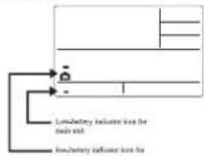
When it is close to signin batteries, the respective low-betaity indicator (new probabilities will appear next to the weather forecast for the display unit at next to the outdoor temperature (for the outside ambient)
**
WEATHER STATUS
These are just 12 worker strike for Day and 12 worker strike for Nign.
| Significance | Day | Night | Significance | Day | Night |
| Uney (Clear at night) | Heavy Rain | ||||
| Light Cloudy | P neutral Storms | ||||
| Mildly Cloudy | Heat Storms | ||||
| Overcast | Cold Storms | ||||
| Stress Crush | Snow Storms | ||||
| Fog | Hot | ||||
| Sweens | Snow | ||||
| Light Rain | |||||
REMOTE SENSORS STATUS
The name constitutes the current condition (see above the connection status of the corresponding
(1) 2017年
| love strain | |
| Searching for the guide from the sense of mind | |
| Corresponding cause of mind that is carried successfully | |
| No change was still in our time |
SEARCH FOR REMOTE SENSORS
The main unit can be manually active and to switch for the signal from reverse output.
(2) 10.88.22 down (V) 350
VIEWING REMOTE (CHANNEL) TEMPERATURE AND RUMINIETY
Malis Morlson
[Cross Channel.] (by: public reservoir, 100 E/400 units, each
modu to unigus chiral 1.2, or 2

Church Anti-San Bings
Prior To enable to operate: use of all channels, power and hold [CHANNEL], and the
key is delivered. The measurements from each screen channel will be absolutely delivered with 12 octahedral units.
NOTE: A large number of 100,000 samples were used to generate
NOTE: The chart is to be a key reference for the following table.
2.2.1 本次股东大会决议的有效期
MAXIMUM AND MINIMUM TEMPERATURES
The medium and raintrain recorded incoo and outdoor temperature and humidity will be theoretically stored in a series of the pole out. To give better, see IMI-Mi honor.
are the separation inducing HAAK or DNN will be displayed.
Longitudinal record set be closed.
化
CE
Aud Norway N
CH
RTTE Compliant Countries :
Additional information: The product is therefore conform with the Low Voltage Directive 2006/95/EC and R&TTE Directive 1999/5/EC and carries the respective CE marking.
Low voltage directive EN 60950-1:2006+A11:2009+A1:2010+A12:2011
Electromagnetic compatibility ETSI EN 301 489-1 V1.9.2 (2011-09) ETSI EN 301 489-3 V1.4.1 (2002-08)
Electromagnetic compatibility and Radio spectrum Matters ETS1 EN 300 220-2 V2.3.1 (2010-02) ETS1 EN 300 330-2 V1.5.1 (2010-02)
This product contains the approved transmitter and complies with the essential requirements of Article 3 of the R&TTE Directives 1999/5/EC, if used for its intended use and that the following standard(s) has/have been applied:
EC-DECLARATION OF CONFORMITY
- Press [SET] to toggle between weekday, single alarm time or pre-alarm. If the alarm is disarmed, the time will be displayed as "OFF W-ALM"
- Hold [SET] for 3 seconds, the hour digits will blink.
- Enter the hour by using UP [▲] or DOWN [▼] button.
- Press [SET] to confirm, the minute digits will blink.
- Enter the hour by using UP [▲] or DOWN [▼] button.
- Press [SET] to exit and the respective alarm icons [W], [S] and [PRE-AL] will be activated.
- This is a repeat alarm that will activate daily from Monday to Friday at a set time.
Single Alarm: - This is a single alarm that will activate once at a set time
ALARM FEATURE
Weekday Alarm:
H2O H2O - This is a single alarm that will activate once at a set time
Single Alarm: - This is a repeat alarm that will activate daily from Monday to Friday at a set time.
- Enter the hour by using UP [▲] or DOWN [▼] button.
- Press [SET] to exit and the respective alarm icons [W], [S] and [PRE-AL] will be activated.
- Enter the hour by using UP [▲] or DOWN [▼] button.
- Press [SET] to confirm, the minute digits will blink.
- Hold [SET] for 3 seconds, the hour digits will blink.
- 本次股东大会的召集、召开符合《公司法》及《公司章程》的规定。
- Press [SET] to toggle between weekday, single alarm time or pre-alarm. If the alarm is disarmed, the time will be displayed as "OFF W-ALM"
HOW TO SET ALARM
The Ground Truth image displays a single, solid horizontal line. According to Rule 2 (UNDERSCORE & LINE RULES), this is a stylistic or background line, not a placeholder underscore. Therefore, the OCR result must ignore it. The provided OCR content is "____", which consists of four underscores. This is an incorrect interpretation of the line as a placeholder, violating the rule that stylistic lines must be ignored. The OCR has hallucinated underscores where none should exist based on the GT's visual context. Hence, the OCR result is inconsistent with the Ground Truth. - This is a single alarm that will activate once at a set time
Single Alarm: - This is a repeat alarm that will activate daily from Monday to Friday at a set time.
- Enter the hour by using UP [▲] or DOWN [▼] button.
- Press [SET] to exit and the respective alarm icons [W], [S] and [PRE-AL] will be activated.
- Enter the hour by using UP [▲] or DOWN [▼] button.
- Press [SET] to confirm, the minute digits will blink.
- Hold [SET] for 3 seconds, the hour digits will blink.
If the alarm is disarmed, the time will be displayed as "OFF W-ALM" - Press [SET] to toggle between weekday, single alarm time or pre-alarm
HOW TO SET ALARM
(1) 2017年1月1日至2018年1月1日,公司与关联方累计发生关联交易的总金额为人民币45,639.87万元。 - This is a single alarm that will activate once at a set t
Single Alarm: - This is a repeat alarm that will activate daily from Monday to Friday at a set time.
Weekday Alarm: This is a recent alarm that will activate daily from Monday to Friday at a net time. - Enter the hour by using UP [▲] or DOWN [▼] button.
- Press [SET] to exit and the respective alarm icons [W], [S] and [PRE-AL] will be activated.
- Enter the hour by using UP [▲] or DOWN [▼] button.
- Press [SET] to confirm, the minute digits will blink.
- Hold [SET] for 3 seconds, the hour digits will blink.
ned, the time will be displayed as - Press [SET] to toggle between weekday, single alarm time or pre-alarm
HOW TO SET ALARM
(1) 2017年 ,公司与上海浦东发展银行股份有限公司签订了《关于使用部分闲置募集资金进行现金管理的协议》。 - This is a single alarm that will activate once at a set t
Single Alarm: - This is a repeat alarm that will activate daily from Monday to Friday at a set time.
Main Unit is powered by AA batteries x 2 pcs.
Outdoor Thermo-hygrometer is powered by AAA batteries x 2 pcs.
Humidity Accuracy : +/- 5% (within 25% - 80% at 25 C)
RF Transmission Frequency : 433 Mhz
RF Transmission range : Maximum 30 meters (Open Area)
Temperature Accuracy
Humidity Display Range
Temperature Operating Range (Main Unit)
Temperature Operating Range (Sensor Unit)
Temperature Display Range
Temperature Resolution
SPECIFICATION ON IN/OUTDOOR TEMPERATURE AND HUMIDITY MEASUREMENT
SPECIFICATION ON IN/OUTDOOR TEMPERATURE AND HUMIDITY MEASUREMENT
Meteotime
Station météo
MANUEL D'UTILISATION
text_image
LA CROSSE® TECHNOLOGY MO N E 10 km/h 30% 15°C TU 4h WE 2t TH 6t 13.2°C → 30° 20.6°C → 48° DST 13:28:36 °F FRANK FURT M CHANNEL MEM TEST √ SET DAY/NIGHT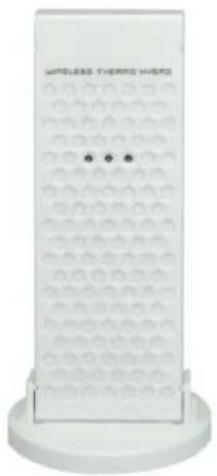
natural_image
Diagram of a rectangular container with circular patterns and two side handles, no text or symbols present.Station Météo
FONCTION DES TOUCHES
FRANKFURT.M ← [SET] → D,26 M,5 ← [SET] → OFF W-ALM ← [SET] → OFF S-ALM ← [SET] → OFF P-ALM
CHOIX DU PAYS, DE LA VILLE / DES VILLES
FRANKFURT.M ← [▼] → PARIS ← [▼] → STOCKHOLM
POUR SUPPRIMER UNE VILLE OU PLUSIEURS VILLES DE VOTRE LISTE DE FAVORIS
text_image
Two-panel document layout showing weather icons and a blank grid with 'DAY/NIGHT' text belowALERTE(S) METEO
Directive Basse Tension
EN 60950-1:2006+A11:2009+A1:2010+A12:2011
text_image
Today Weather Information including Wind Speed, Wind Direction, and the probability of Rain/Snow/Hail, Day & Night Temperature, Day & Night Weather Status. Tomorrow, One-Day-After, and Two-Day-After Weather Information including Day & Night Temperature, Day & Night Weather Status. In/Outdoor Temperature/ Humidity. Information Window. 13:28:36 | FRANKFURT M CHANNEL MEM TEXT SET DAY/ NIGHT Main Unit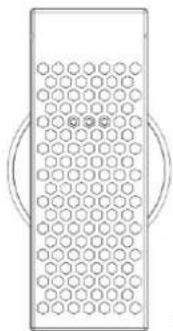
natural_image
Simple line drawing of a rectangular device with circular holes and two curved handles (no text or symbols)Remote Thermo-Hygrometer
flowchart
graph TD
    A["means it successfully receives today's weather information. Otherwise, it will be □"] --> B["means it successfully receives tomorrow weather information. Otherwise, it will be □"]
    C["means it is able to receive the MeteorTime weather signal. Otherwise, it will be □"] --> D["means it successfully receives weather information of two-day-after. Otherwise, it will be □"]
    E["means it successfully receives one-day-after. Otherwise, it will be □"] --> F["means it successfully receives weather information of one-day-after. Otherwise, it will be □"]
    G["means it successfully receives today's weather information. Otherwise, it will be □"] --> H["means it successfully receives tomorrow weather information. Otherwise, it will be □"]
    I["means it is able to receive the MeteorTime weather signal. Otherwise, it will be □"] --> J["means it successfully receives weather information of two-day-after. Otherwise, it will be □"]
[SET] OFF S-ALM [SET] OFF P-ALM
| English | Italiano |
| SET | SET |
text_image
Today's weather information: MO 10 km 30° 15°C TU HE WE 12°C TH 16°C CH2 13.2°C → 30° 20.6°C → 48° DAY 13:28:36 | FRANKFURTM UP [▲] Tomorrow's weather information: TU N S km 50° 14°C WE 12°C TH 16°C CH2 13.2°C → 30° 20.6°C → 48° DAY 13:28:36 | FRANKFURTM UP [▲] One-day-after's weather information: WE N 15 km 40° 12°C TH 16°C CH2 13.2°C → 30° 20.6°C → 48° DAY 13:28:36 | FRANKFURTM UP [▲] Two-day-after's weather information: TH N 60° 12 km 16°C CH2 13.2°C → 30° 20.6°C → 48° DAY 13:28:36 | FRANKFURTMtext_image
Low-battery indicator icon for main unit low-battery indicator icon for outdoor-transmittertext_image
MO 10 30% 15°C TU HE WE 12 TH 16 CH2 13.2°C → 30° 20.6°C → 48° DIST 13:28:36 °F FRANK FURT M CHANNEL MEM TEST SET DAY/NIGHT WIRELESS THERM HOURS ...WM5300
LEES ALVORENS AAN DE SLAG TE GAAN
text_image
Today Weather Information including Wind Speed, Wind Direction, and the probability of Rain/Snow/Hail, Day & Night Temperature, Day & Night Weather Status. Tomorrow, One-Day-After, and Two-Day-After Weather Information including Day & Night Temperature, Day & Night Weather Status. In/Outdoor Temperature/ Humidity. Information Window. 13:28:36 °F FRANK FUR TM CHANNEL MEM TEST SET DAY/NIGHT Main Unit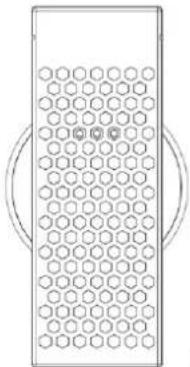
natural_image
Pure diagram of a rectangular device with hexagonal grid pattern and circular side elements (no text or symbols)Remote Thermo-Hygrometer
flowchart
graph TD
    A["means it successfully receives today's weather information. Otherwise, it will be □"] --> B["means it successfully receives tomorrow weather information. Otherwise, it will be □"]
    C["means it is able to receive the Meteotime weather signal. Otherwise, it will be □"] --> D["means it successfully receives weather information of one-day-after. Otherwise, it will be □"]
    E["means it successfully receives weather information of two-day-after. Otherwise, it will be □"] --> F["means it successfully receives weather information of one-day-after. Otherwise, it will be □"]
text_image
Today's weather information: MO 10 km 30% TU 14°C WE 12°C TH 16°C CH2 13.2°C → 30° 20.6°C → 48° DST 13:28:36 | FRANKFURTM UP [▲] Tomorrow's weather information: TU 50 km WE 12°C TH 16°C CH2 13.2°C → 30° 20.6°C → 48° DST 13:28:36 | FRANKFURTM UP [▲] One-day-after's weather information: WE N 40° TH 16°C CH2 13.2°C → 30° 20.6°C → 48° DST 13:28:36 | FRANKFURTM UP [▲] Two-day-after's weather information: TH 60° TH 16°C CH2 13.2°C → 30° 20.6°C → 48° DST 13:28:36 | FRANKFURTM| English | Nederlands |
| Today's weather informaon: | Weersinformatie van vandaag: |
| Tomorrow's weather information: | Weersinformatie van morgen: |
| One-day-aer's weather informaon: | Weersinformatie van overmorgen: |
| Two-day-aer's weather informaon: | Weersinformatie van de-dag-na-overmorgen: |
| UP [▲] | OMHOOG [▲] |
SCHAKEL DAG WEERINFORMATIE <--> NACHT WEERINFORMATIE
text_image
Low-battery indicator icon for main unit low-battery indicator icon for outdoor-transmitterElectromagnetic compatibility and Radio spectrum Matters
ETSI EN 300 220-2 V2.3.1 (2010-02)
ETSI EN 300 330-2 V1.5.1 (2010-02)
text_image
Today Weather Information including Wind Speed, Wind Direction, and the probability of Rain/Snow/Hail, Day & Night Temperature, Day & Night Weather Status. Tomorrow, One-Day-After, and Two-Day-After Weather Information including Day & Night Temperature, Day & Night Weather Status. In/Outdoor Temperature/ Humidity. Information Window. Main Unit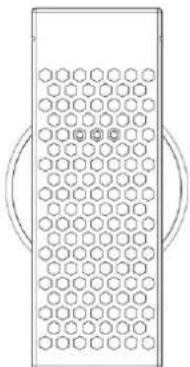
natural_image
Pure diagram of a rectangular device with hexagonal grid pattern and circular ends (no text or symbols)Remote Thermo-Hygrometer
flowchart
graph TD
    A["means it successfully receives today's weather information. Otherwise, it will be □"] --> B["means it successfully receives tomorrow weather information. Otherwise, it will be □"]
    C["means it is able to receive the Meteotime weather signal. Otherwise, it will be □"] --> D["means it successfully receives weather information of two-day-after. Otherwise, it will be □"]
    E["means it successfully receives weather information of one-day-after. Otherwise, it will be □"] --> F["means it successfully receives tomorrow weather information. Otherwise, it will be □"]
    G["means it successfully receives today's weather information. Otherwise, it will be □"] --> H["means it successfully receives tomorrow weather information. Otherwise, it will be □"]
text_image
Today's weather information: MO 10 km 30% TU 14°C WE 12°C TH 16°C CH2 13.2°C → 30° 20.6°C → 48° DST 13:28:36 | FRANKFURTM UP [▲] Tomorrow's weather information: TU 50 km WE 12°C TH 16°C CH2 13.2°C → 30° 20.6°C → 48° DST 13:28:36 | FRANKFURTM UP [▲] One-day-after's weather information: WE N 40° TH 16°C CH2 13.2°C → 30° 20.6°C → 48° DST 13:28:36 | FRANKFURTM UP [▲] Two-day-after's weather information: TH 60° TH 16°C CH2 13.2°C → 30° 20.6°C → 48° DST 13:28:36 | FRANKFURTMflowchart
graph TD
    A["Day/NIGHT"] --> B["Weather Icon 1: Cloud with sun, moon icon"]
    A --> C["Weather Icon 2: Rain, moon icon"]
    A --> D["Weather Icon 3: Cloud with sun, moon icon"]
    A --> E["Weather Icon 4: Rain, moon icon"]
    F["Weather Icon 5: Cloud with sun, moon icon"] --> G["Weather Icon 6: Cloud with sun, moon icon"]
    H["Weather Icon 7: Rain, moon icon"] --> I["Weather Icon 8: Cloud with sun, moon icon"]
    J["Weather Icon 9: Cloud with sun, moon icon"] --> K["Weather Icon 10: Cloud with sun, moon icon"]
| English | Español |
| DAY/NIGHT | DIA/NOCHE |
INFORMACIÓN METEOROLÓGICA CRÍTICA
text_image
Low-battery indicator icon for main unit low-battery indicator icon for outdoor-transmitternatural_image
White wireless heating device with hexagonal grid pattern and two dots on side (no text or symbols visible)WM5300
text_image
Today Weather Information including Wind Speed, Wind Direction, and the probability of Rain/Snow/Hail, Day & Night Temperature, Day & Night Weather Status. Tomorrow, One-Day-After, and Two-Day-After Weather Information including Day & Night Temperature, Day & Night Weather Status. In/Outdoor Temperature/ Humidity. Information Window. 13:28:35 | FRANKFURTM CHANNEL MEM TEST SET DAY/NIGHT Main Unit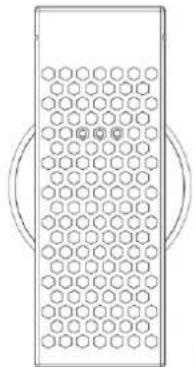
natural_image
Pure diagram of a rectangular device with hexagonal grid pattern and circular side handles (no text or symbols)Remote Thermo-Hygrometer
flowchart
graph TD
    A["means it successfully receives today's weather information. Otherwise, it will be □"] --> B["means it successfully receives tomorrow weather information. Otherwise, it will be □"]
    C["means it is able to receive the Meteotime weather signal. Otherwise, it will be □"] --> D["means it successfully receives weather information of two-day-after. Otherwise, it will be □"]
    E["means it successfully receives weather information of one-day-after. Otherwise, it will be □"] --> F["means it successfully receives tomorrow weather information. Otherwise, it will be □"]
    G["means it successfully receives today's weather information. Otherwise, it will be □"] --> H["means it successfully receives tomorrow weather information. Otherwise, it will be □"]
| English | Polski |


[Non-Text]
[SET] OFF S-ALM [SET] OFF P-ALM
| English | Polski |
| SET | USTAWIANIE |
WYBÓR KRAJU I MIAST
text_image
Today's weather information: MO 10 km 30% TU HE WE 12t TH 16t CH2 13.2°C → 30° 20.6°C → 48° DST 13:28:36 | FRANKFURTM UP [▲] Tomorrow's weather information: TU 50 km WE 12t TH 16t CH2 13.2°C → 30° 20.6°C → 48° DST 13:28:36 | FRANKFURTM UP [▲] One-day-after's weather information: WE N 40 km TH 16t CH2 13.2°C → 30° 20.6°C → 48° DST 13:28:36 | FRANKFURTM UP [▲] Two-day-after's weather information: TH 60 km TH 16t CH2 13.2°C → 30° 20.6°C → 48° DST 13:28:36 | FRANKFURTMflowchart
graph TD
    A["Day/NIGHT"] --> B["Weather Icon 1: Cloud with sun, Moon icon"]
    A --> C["Weather Icon 2: Rain, Moon icon"]
    A --> D["Weather Icon 3: Cloud with sun, Moon icon"]
    A --> E["Weather Icon 4: Rain, Moon icon"]
    F["Weather Icon 5: Cloud with moon icon"] --> G["Day/NIGHT"]
    H["Weather Icon 6: Cloud with moon icon"] --> I["Day/NIGHT"]
    J["Weather Icon 7: Cloud with moon icon"] --> K["Day/NIGHT"]
| English | Polski |
| DAY/NIGHT | DZIEŃ/NOC |
INFORMACJA O KRYTYCZNEJ POGODZIE
text_image
Low-battery indicator icon for main unit low-battery indicator icon for outdoor-transmitterDEKLARACJA ZGODNOŚCI WE
Produkt: WM5300
natural_image
White wireless heating device with hexagonal grid pattern and two dots on side (no text or symbols visible)WM5300

METEOTIME
NEŽ ZAČNĚTE, PŘEČTĚTE SI POKYNY
text_image
Today Weather Information including Wind Speed, Wind Direction, and the probability of Rain/Snow/Hail, Day & Night Temperature, Day & Night Weather Status. Tomorrow, One-Day-After, and Two-Day-After Weather Information including Day & Night Temperature, Day & Night Weather Status. In/Outdoor Temperature/ Humidity. Information Window. Main Unit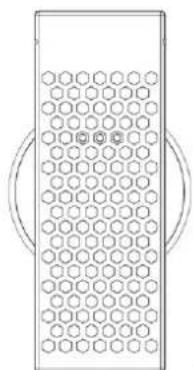
natural_image
Simple line drawing of a rectangular container with hexagonal pattern and two circular side handles (no text or symbols)Remote Thermo-Hygrometer
flowchart
graph TD
    A["means it successfully receives today's weather information. Otherwise, it will be □"] --> B["means it successfully receives tomorrow weather information. Otherwise, it will be □"]
    C["means it is able to receive the Meteotime weather signal. Otherwise, it will be □"] --> D["means it successfully receives weather information of two-day-after. Otherwise, it will be □"]
    E["means it successfully receives one-day-after. Otherwise, it will be □"] --> F["means it successfully receives weather information of one-day-after. Otherwise, it will be □"]
    G["means it successfully receives today's weather information. Otherwise, it will be □"] --> H["means it successfully receives tomorrow weather information. Otherwise, it will be □"]
    I["means it successfully receives today's weather information. Otherwise, it will be □"] --> J["means it successfully receives November weather information. Otherwise, it will be □"]
    K["means it successfully receives November weather information. Otherwise, it will be □"] --> L["means it successfully receives October weather information. Otherwise, it will be □"]
    M["means it successfully receives October weather information. Otherwise, it will be □"] --> N["means it successfully receives November weather information. Otherwise, it will be □"]
    O["means it successfully receives November weather information. Otherwise, it will be □"] --> P["means it successfully receives October weather information. Otherwise, it will be □"]
    Q["means it successfully receives October weather information. Otherwise, it will be □"] --> R["means it successfully receives November weather information. Otherwise, it will be □"]
    S["means it successfully receives November weather information. Otherwise, it will be □"] --> T["means it successfully receives October weather information. Otherwise, it will be □"]
    U["means it successfully receives October weather information. Otherwise, it will be □"] --> V["means it successfully receives November weather information. Otherwise, it will be □"]
    W["means it successfully receives November weather information. Otherwise, it will be □"] --> X["means it successfully receives October weather information. Otherwise, it will be □"]
    Y["means it successfully receives October weather information. Otherwise, it will be □"] --> Z["means it successfully receives November weather information. Otherwise, it will be □"]
    AA["means it successfully receives November weather information. Otherwise, it will be □"] --> AB["means it successfully receives October weather information. Otherwise, it will be □"]
    AC["means it successfully receives October weather information. Otherwise, it will be □"] --> AD["means it successfully receives November weather information. Otherwise, it will be □"]
    AE["means it successfully receives November weather information. Otherwise, it will be □"] --> AF["means it successfully receives October weather information. Otherwise, it will be □"]
    AG["means it successfully receives October weather information. Otherwise, it will be □"] --> AH["means it successfully receives November weather information. Otherwise, it will be □"]
    AI["means it successfully receives November weather information. Otherwise, it will be □"] --> AJ["means it successfully receives October weather information. Otherwise, it will be □"]
    AK["means it successfully receives October weather information. Otherwise, it will be □"] --> AL["means it successfully receives November weather information. Otherwise, it will be □"]
    AM["means it successfully receives November weather information. Otherwise, it will be □"] --> AN["means it successfully receives October weather information. Otherwise, it will be □"]
    AO["means it successfully receives October weather information. Otherwise, it will be □"] --> AP["means it successfully receives November weather information. Otherwise, it will be □"]
    AQ["means it successfully receives November weather information. Otherwise, it will be □"] --> AR["means it successfully receives October weather information. Otherwise, it will be □"]
    AS["means it successfully receives October weather information. Otherwise, it will be □"] --> AT["means it successfully receives November weather information. Otherwise, it will be □"]
    AU["means it successfully receives November weather information. Otherwise, it will be □"] --> AV["means it successfully receives October weather information. Otherwise, it will be □"]
    AW["means it successfully receives October weather information. Otherwise, it will be □"] --> AX["means it successfully receives November weather information. Otherwise, it will be □"]
    AY["means it successfully receives today's weather information. Otherwise, it will be □"] --> AZ["means it successfully receives November weather information. Otherwise, it will be □"]
    BA["means it successfully receives October weather information. Otherwise, it will be □"] --> BB["means it successfully receives November weather information. Otherwise, it will be □"]
    BC["means it successfully receives November weather information. Otherwise, it will be □"] --> BD["means it successfully receives October weather information. Otherwise, it will be □"]
    BE["means it successfully receives October weather information. Otherwise, it will be □"] --> BF["means it successfully receives November weather information. Otherwise, it will be □"]
    BG["means it successfully receives November weather information. Otherwise, it will be □"] --> BH["means it successfully receives October weather information. Otherwise, it will be □"]
    BI["means it successfully receives October weather information. Otherwise, it will be □"] --> BJ["means it successfully receives November weather information. Otherwise, it will be □"]
    BK["means it successfully receives November weather information. Otherwise, it will be □"] --> BL["means it successfully receives October weather information. Otherwise, it will be □"]
    BM["means it successfully receives October weather information. Otherwise, it will be □"] --> BN["means it successfully receives November weather information. Otherwise, it will be □"]
    BO["means it successfully receives November weather information. Otherwise, it will be □"] --> BP["means it successfully receives October weather information. Otherwise, it will be □"]
    BQ["means It is able to receive the Meteotime weather signal. Otherwise, it will be □"] --> BR["means It is able to receive the Meteorime weather signal. Otherwise, it will be □"]
    BS["means It is able to receive the Meteorime Weather Signal. Otherwise, it will be □"] --> BT["means It is able to receive the Meteorime Weather Signal. Otherwise, it will be □"]
| English | Česky |
| SET | NASTAVENÍ |
ZVOLTE ZEMI A MĚSTA
text_image
Today's weather information: MO 10 km 30% TU HE WE 12t TH 16t CH2 13.2°C → 30° 20.6°C → 48° DST 13:28:36 | FRANKFURTM UP [▲] Tomorrow's weather information: TU 50 km WE 12t TH 16t CH2 13.2°C → 30° 20.6°C → 48° DST 13:28:36 | FRANKFURTM UP [▲] One-day-after's weather information: WE N 40 km TH 16t CH2 13.2°C → 30° 20.6°C → 48° DST 13:28:36 | FRANKFURTM UP [▲] Two-day-after's weather information: TH 60 km TH 16t CH2 13.2°C → 30° 20.6°C → 48° DST 13:28:36 | FRANKFURTMtext_image
Low-battery indicator icon for main unit low-battery indicator icon for outdoor-transmitterMAXIMÁLNÍ A MINIMÁLNÍ TEPLOTY
text_image
Map showing geographic distribution with labeled points and shaded regions, likely indicating locations or zones within a larger area.KSPQ:0182-12(LAC)
NIL BRAND DV218 & T958 CITY CODE
SIZE: W106 X H148 (mm)
BY La HZ 16/04/12
LIST OF COUNTRY CITY CODES
* metro for example in 2 days only
"pravetris pen "evanized
• National Agency (2017) Tax