Digisight LRF N870 - Binoculars PULSAR - Free user manual and instructions
Find the device manual for free Digisight LRF N870 PULSAR in PDF.



| Product Type | Digital night vision scope with integrated laser rangefinder |
| Brand | PULSAR |
| Model | Digisight LRF N870 |
| Optical magnification | 4.5x (digital zoom up to 2x, total 9x) |
| Lens | 50 mm f/1.0 |
| Field of view (4.5x / 9x) | 5° / 2.4°; 8.7 m / 4.2 m at 100 m |
| Eye relief | 67 mm |
| Exit pupil diameter | 6 mm |
| Resolution | ≥ 55 lines/mm |
| Max detection distance | 450 m (target 1.7x0.5 m, illumination 0.05 lux) |
| Diopter adjustment | ±4 diopters |
| Minimum focus distance | 5.5 m |
| Sensor | 1/3 inch CCD, CCIR signal |
| Display | OLED 640x480 pixels, 0.31 inch diagonal |
| Built-in IR illuminator | Wavelength 915 nm, power 125 mW (3 levels), laser class 1 |
| Laser rangefinder | Max range 400 m, accuracy ±1 m |
| Power supply | 4 AA batteries (4-6.3 V) or external DC 9-15 V, 3 W |
| Battery life (AA batteries) | 4 h (IR off) / 2.5-3 h (IR on) |
| Dimensions (LxWxH) | 342 x 112 x 94 mm |
| Weight (with/without batteries) | 1.1 kg / 1.0 kg |
| Operating temperature | -25 °C to +50 °C |
| Main features | SumLight™, automatic contrast, progressive digital zoom, switchable reticles (13 types, 4 colors), tilt indicator, calibration shot (single shot or Freeze), video output PAL/NTSC, wireless remote control, auto-off, memory for 3 weapons |
| Package contents | Scope, remote control, video cable, carrying case, mount, user manual, cleaning cloth, warranty card |
Frequently Asked Questions - Digisight LRF N870 PULSAR
User questions about Digisight LRF N870 PULSAR
0 question about this device. Answer the ones you know or ask your own.
Ask a new question about this device
Download the instructions for your Binoculars in PDF format for free! Find your manual Digisight LRF N870 - PULSAR and take your electronic device back in hand. On this page are published all the documents necessary for the use of your device. Digisight LRF N870 by PULSAR.
USER MANUAL Digisight LRF N870 PULSAR
natural_image
Exterior view of a black-and-white optical range selector (no text or symbols visible)DIGISIGHT LRF
N850 N870
DIGITAL RIFLESCOPE
INSTRUCTION
ENGLISH / FRANÇAIS / DEUTSCH / ESPAÑOL / ITALIANO / PYCCKIЙ
Class 1 Laser Product
Caution - use of controls or adjustments or performance of procedures other than those specified herein may result in hazardous radiation exposure.
natural_image
Close-up of a mechanical optical device with lens and aperture (no visible text or symbols)Laser aperture
| DIGITAL RIFLESCOPE DIGISIGHT LRF N850/N870 | 2-17 | ENGLISH |
| LE VISEUR NUMERIQUE DIGISIGHT LRF N850/N870 | 18-33 | FRANÇAIS |
| DIGITALES ZIELFERNROHR DIGISIGHT LRF N850/N870 | 34-49 | DEUTSCH |
| VISOR DIGITAL DIGISIGHT LRF N850/N870 | 50-65 | ESPAÑOL |
| CANNOCHIALE DIGITALE DIGISIGHT LRF N850/N870 | 66-81 | ITALIANO |
| ЦИФРОВОЙ ПРИЦЕЛ DIGISIGHT LRF N850/N870 | 82-97 | РУССКИЙ |
ENGLISH
SPECIFICATIONS
| MODELSKU# | Digisight LRF N85076331 | Digisight LRF N87076332 |
| Optical characteristics | ||
| Generation | Digital | Digital |
| Optical magnification, x | 4.5 | 4.5 |
| Magnification with 2x digital zoom, x | 9 | 9 |
| Objective lens | 50 mm f1.0 | 50 mm f1.0 |
| Field of view (at 100m), angular degree / m | 5 / 2.4 | 5 / 2.4 |
| Field of view (at 100m).with 2x digital zoom, angular degree / m | 8.7 / 4.2 | 8.7 / 4.2 |
| Eye relief, mm | 67 | 67 |
| Exit pupil, mm | 6 | 6 |
| Resolution, lines/mm | ≥55 | ≥55 |
| Max. detection range, m* | 600 | 450 |
| Eyepiece adjustment, diopter | ±4 | ±4 |
| Close-up range, m | 5.5 | 5.5 |
| Click value, mm at 100 m (H/V) | 13/13 | 13/13 |
| Click range, mm@100m (H/V) | 1040 / 1300 | 1040 / 1300 |
| Sensor | ||
| Sensor type | CCD | CCD |
| Signal format | CCIR | CCIR |
| Sensor size | 1/3" | 1/3" |
| Display | ||
| Type | OLED | OLED |
| Resolution, pixel | 640x480 | 640x480 |
| Built-in laser IR Illuminator | ||
| Wavelength, nm | 780 | 915 |
| Equivalent power (degrees), mW | 125 (75-100-125) | 125 (75-100-125) |
| Safety class for laser equipmentaccording to IEC 60825-1:2007 | 1 | 1 |
| Operational characteristics | ||
| Operating voltage/Batteries, V | 4-6.3 (4xAA) | 4-6.3 (4xAA) |
| External power supply / consumed power | DC 9 -15V / 3W | DC 9 -15V / 3W |
| Operating temperature | -25 °C...+50 °C / -13 °F...122 °F | |
| Operating time on single battery pack (IR off/on), hour | 4 / 2.5-3.5** | 4 / 2.5-3** |
| Operating time on EPS3/EPS5 battery pack, hour | 9 / 20 | 9 / 20 |
| Operational frequency | 2.4 GHz | 2.4 GHz |
| Remote control operating voltage/Battery, V | 3 / CR2032 | 3 / CR2032 |
| Remote control operating time on a single battery | Two years | Two years |
| Max. recoil power on rifled weapon, Joules | 6000 | 6000 |
| Max. recoil power on smooth bore weapon, caliber | 12 | 12 |
| Dimensions, mm / inch | 340x112x94 / 13.4x4.4x3.7 | |
| Weight (with/without batteries), kg / oz | 1.1 / 1 / 38.8 / 35.3 | 1.1 / 1 / 38.8 / 35.3 |
| Characteristics of rangefinder | ||
| Max. measuring range, m | 400 | 400 |
| Measuring accuracy, m | ±1 | ±1 |

PACKAGE CONTENTS
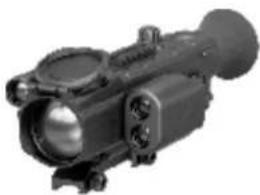
• Digisight LRF N850/N870
- Wireless remote control
- Mount (with screws and hex-nut wrench)***
- Carrying case
Video cable
- User manual
- Lens cleaning cloth
- Warranty card
*** Mount may not be included for certain orders.
For improvement purposes, design of this product is subject to change.
natural_image
Close-up of a black optical device with lens and eyepiece (no visible text or symbols)
FEATURES
Optics
• Fast Aperture Lens 50 mm f1.0
• Long Eye Relief (67 mm)
• Accurate Internal Focus Adjustment
• 4.5x optical magnification
Rangefinder
• Measuring range up to 400m
• Measuring accuracy ±1m
Reticles
- Wide choice of selectable reticles in riflescope's memory
• Four colour variations of the reticles
Electronics
• Quality OLED display (640x480 Pixel)
- Smooth digital zoom (1x to 2x with 0.1x increment)
• Highly sensitive CCD Array
• Weapon tilt and angle of elevation indicators
• Signal Processing Program Sum Light™
• One Shot Zeroing and with FREEZE function
• Resistant to bright light exposure
- On-screen indication of hot functions
• True distance measuring
• Automatic shutoff
• Memorization of zero-in parameters for three types of weapon or distances
• Memorization of brightness and contrast user settings
Extra functions
• Built-in laser IR Illuminator with adjustable power
• Wireless remote control
- Wide range of image brightness and contrast adjustment
• Operation at low temperatures (up to -25 °C)
- Low battery indicator
• Interchangeable mounts
• Built-in clock
• External power supply
• Video output for video recording
• Video output disable for optimized energy consumption

COMPONENTS AND CONTROLS
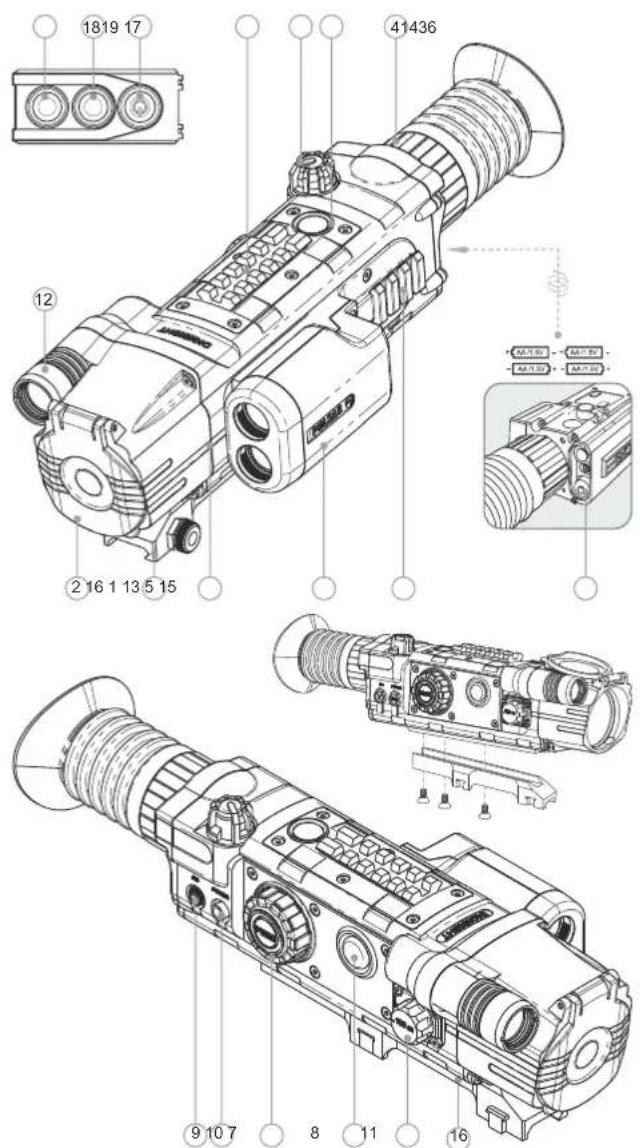
1 Objective lens
2 Lens cap
3 Five-position selector switch (OFF-ON-IR -IR IR)
4 Eyepiece adjustment ring.
5 Weaver rail.
6 Additional Weaver rail
7 Controller
8 Functional programmable button (default function - SumLightTM)
9 Video output
10 "Power" jack connection to external power supply
11 Lens focus knob
12 Built-in Laser IR Illuminator
13 Built-in rangefinder
14 Distance measuring button
15 Battery compartment
16 Mount
Wireless remote control:
17 "ON" button
18 "IR" button
19 Rangefinder ON-OFF / Distance measuring button

MENU/STATUS BAR ICONS
Directions of reticle movements
X=00 Y=00 Reticle's X and Y coordinates
Mode "Automatic contrast"
S Function "SumLight™"
Brightness and contrast setup
00:00 AM Clock
Low battery indicator
Clock setup
x1.1 Smooth digital zoom (up to 2x)
IR·IR:IR: IR Illuminator power level
- Indication for external power supply
One shot zeroing
Activation of wireless remote control
□ Limiting frame
× Auxiliary cross
PAL/NTSC video output signal selection / disable
+ Reticle selection
Weapon selection
Please refer to section 12 "Main menu" for other icons.
4
5

DESCRIPTION
The Digisight LRF N850/N870 riflescope is designed for observation and shooting in twilight or nighttime. In complete darkness (no stars or the Moon) use of the built-in IR (or laser) Illuminator with 780nm wavelength (visible range) or 915nm wavelength (invisible range) is highly recommended. The riflescope is equipped with a built-in multifunctional rangefinder with a working measuring range of 400 metres. Your riflescope is a versatile device designed for a wide range of professional and amateur applications such as hunting, sports shooting, night video recording and observation.

The riflescope has been designed for long-term use. To ensure long performance, please adhere to the following:
- Before use make sure that you have installed and fixed the mount according to the instructions of the section "Installation of mount" (section 9 "Operation").
- Store with the lens cap on in the carrying case.
- Switch off the scope after use.
• The riflescope cannot be submerged in water.
- Attempts to disassemble or repair the scope will void the warranty!
- Clean the scope's optical surfaces only if necessary, and use caution. First, remove (by blowing with a blower brush or canned air) any dust or sand particles. Then proceed to clean by using camera/lens cleaning equipment approved for use with multicoated lenses. Do not pour the solution directly onto the lens!
- The riflescope can be used in various operating temperatures. However, if it has been brought indoors from cold temperatures, do not turn it on for 3 to 4 hours. This will prevent external optical surfaces from fogging.
- If the scope is unable to mount onto the rifle securely, or you have doubts about the mounting system, see a qualified gunsmith. Using the weapon with a poorly mounted scope can lead to inaccurate target shooting!
- To ensure reliable performance, it is recommended to carry out regular technical inspections of the unit.
- Do not leave batteries in the unit if it is not going to be used for an extended period.
Batteries shall not be exposed to excessive heat such as sunshine, fire or the like.

INSTALLATION OF BATTERIES
- Unscrew and remove the battery cover from the battery compartment (15).
• Install four AA batteries according to the marking on the battery compartment cap. - Replace and screw back the battery cover tightly.
- Battery charge level is displayed on the status bar (☐).
- In case of complete battery discharge, a red icon is flashing on the status bar and in the centre of the display.
Note: to ensure long and reliable operation it is recommended that you use quality rechargeable batteries with a capacity of at least 2500 mAh. Please do not use batteries of different types or batteries with various charge levels.

EXTERNAL POWER SUPPLY
- The riflescope can be powered with an external DC power supply (2.1mm pin) with stabilized voltage ranging from V to 15V (max. consumption power 3W) or 9 a 12V vehicle socket.
- External power supply (AC/DC) is to be connected to "Power" (10) jack located on the right side of the riflescope.
Note: central pin of the power supply that you connect to the "power" jack of the riflescope, must have marking "+". The power supply may have marking -0-+. - Connection of an external power supply (icon - on the status bar) automatically cuts off power supply from batteries.
External power supply DOES NOT charge the batteries in the riflescope! Attention! We suggest that you use battery packs EPS3 or EPS5 ensuring from 9 to 20 hours of continuous operation.

OPERATION
Installation of mount
Before using the riflescope you need to install the mount.
The riflescope can be used with various mount types such as Weaver, Europrism, Los, MAK adapter etc. that allow the scope to be installed on different types of rifles.
- The mounting holes in the base of the riflescope enable the mount to be installed in one of the multiple positions. The choice of the mounting position helps the user to ensure the correct eye relief depending on the rifle type. - Attach the mount to the base of the riflescope using a hex-nut wrench and screws (see installation scheme on page 5).
• Install the scope on the rifle and check if the position is suitable for you
- If you are happy with its position, remove the scope, unscrew the screws halfway, apply some thread sealant onto the thread of the screws and tighten them fully (do not overtighten). Let the sealant dry for a while.
• The riflescope is ready to be installed on a rifle and to be zeroed.
- After first installation of your riflescope on a rifle, please follow instructions in the section "Zeroing".
Note: Please check that your riflescope is duly zeroed after changing a mount.
Starting the scope and image setup
• Install the batteries according to the instructions in Section 7 "Installation of batteries" or connect an external power supply.
Open the lens cap (2).
- Turn on the riflescope turning the selector switch (3) to the "ON" position – within a couple of seconds the display will light up.
- Adjust the sharpness of onscreen symbols with the eyepiece adjustment ring (4). After this adjustment no further dioptre adjustment should be required, regardless of distance or other factors.
- To adjust the display brightness, rotate the controller (7). Brightness level from 0 to 20 is shown next to the icon in the upper part of the display and then on the status bar.
- Press the controller (7) to switch to display contrast setup mode. Contrast level from 0 to 20 is shown next to the icon in the upper part of the display and then on the status bar.
- You can select reticle color among one of the four options in menu M1 (section 12 "Main menu"):
- Choose a still object that is, for instance, 100 metres away.
- Rotate the lens focus knob (11) to achieve best possible image sharpness. To quickly adjust for a target 100m away, set the lens focus knob opposite mark "100" on the lens focus knob.
Warning! Focusing range may vary depending on the illuminance level in the daytime mark "100 m" on the lens focus knob equates to around 10 metres. - To activate smooth digital zoom (with 0.1 increments), press shortly the controller three times and rotate it. Icon x1.0 appears in the right upper part of the display. Rotate the controller (7) to adjust zoom from 1.0x to 2.0x (with 0.1x increment).
- In low light conditions or in complete darkness turn on the built-in laser IR Illuminator (12). The IR Illuminator has three power degrees – choose the required one by turning the selector switch (3) to one of the three positions IR: IR: IR;
- When finished, turn off the riflescope by turning the selector switch (3) to the "OFF" position.
- Close the lens cap (2).

ZEROING
The riflescope features two zeroing methods - "one shot" zeroing and using FREEZE function.
Zeroing should be done at operating temperatures, by following the order of these steps:
One shot zeroing
- Mount the rifle with the riflescope installed on a bench rest.
- Set a target at a distance of about 100m.
- Adjust the riflescope according to the instructions of Section 9 "OPERATION".
- Aim the firearm at the target using the mechanical sight.
Take a shot. If the point of impact does not match the aiming point, press the controller button (7) to enter menu M2 and rotate the controller to select option "Zeroing" marked with icon. - Red auxiliary cross × (C) appears in the centre of display. On the right of the icon appear horizontal arrows and coordinated of the auxiliary cross ◇◀▶X=00
- Holding the reticle in the aiming point, by rotating the controller (7) move the auxiliary cross (C) horizontally or vertically relative to the reticle until the auxiliary cross matches the point of impact (P) (see pic.).
- To switch between movement direction push shortly the controller button (7) to hear a click. Vertical lines appear next to the icon.
Note: the auxiliary cross moves only within the limiting frame (see pic.) that defines its travel range: 80 clicks horizontally (+40/-40) and 100 clicks vertically (+50/-50).
- Exit submenu "Zeroing" with a long press of the controller button. Message OK confirms successful operation. The reticle will now move to the point of impact.
Attention! Do not turn off the riflescope before zeroing settings are saved, otherwise your settings will be lost.
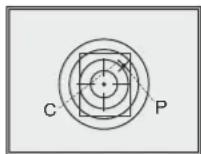
• Take another shot - the point of impact should now match the aiming point.
- The riflescope should now be zeroed-in for the specified distance.
Note: zeroing parameters (coordinates X; Y) are saved in the riflescope's
memory as number 1 in the menu option "Weapon choice". If you want to zero in the riflescope using another weapon or another distance, select option 2 or 3 (details in the menu option "Weapon choice" section 12) and do the zeroing.

BUILT-IN RANGEFINDER
The riflescope is equipped with a built-in rangefinder (13), allowing you to measure distance to objects up to 400m away.
How the rangefinder works:
- Turn on the riflescope, adjust image according to section 9, press the distance measuring button (14) or Rangefinder ON-OFF/Distance measuring button (19) on the wireless control – rangefinding indicator appears (and aiming reticle disappears), point the indicator at an object and press button (14).
- In the top right corner of the display you will see distance in metres (or yards – depending on settings).
Note: if the rangefinder is idle longer than for three seconds, it turns off automatically and aiming reticle appears. - To measure distance in scanning mode, hold down button (14) or rangefinder ON-OFF/Distance measuring button (19) longer than for two seconds.
- Measurement readings will be changing in real time as you point the riflescope at different objects. In top right corner message SCAN appears. To exit scanning mode, press button (14) or (19) again.
• In case of unsuccessful measurement dashes will appear on the screen.
The rangefinder has several functions, please read detailed description in menu M3 (see Section 12).
Peculiarities of operation
- Accuracy of measurement and maximum range depend on the reflection ratio of the target surface, the angle at which the emitting beam falls on the target surface and environmental conditions. Reflectivity is also affected by surface texture, colour, size and shape of the target. A shiny or brightly coloured surface is normally more reflective than a dark surface.
- Measuring range to a small sized target is more difficult than to a large sized target.
- Accuracy of measurement can also be affected by light conditions, fog, haze, rain, snow etc. Ranging performance can degrade in bright conditions or when ranging towards the sun.
- When measuring range to a small-sized target located more than 300 meters away, it is recommended that you put your elbow against a solid surface. This is due to possible hand tremors and difficulty in hitting the target with the beam at a longer distance.

MAIN MENU
Operating the menu
- Hold down the controller button (7) – entering the menu.
- Rotating the controller – menu navigation.
- Short press of controller button – entering the menu and confirming settings selection.
- Long press of controller button – exiting the submenu and menu (depending
- Automatic exiting the menu takes place after more than 10 seconds of inactivity (no navigation).
Status bar
Status bar in the bottom part of the display shows information as follows:
Number of weapon choice (1,2,3)
• Digital zoom (from 1.1x to 2.0x with 0.1x increment): x2.0
• Automatic shutoff is onAuto
• IR Illuminator is on (with power level 1;2;3)
• "SumLight™" function on/offS
• "Automatic contrast" function on/off:
• Running time: 00:00 AM
- Battery charge level or connected external battery:

The riflescope has three menus:
M1 - menu 1 (main menu);
M2 - menu 2 (additional menu);
M3 – menu 3 (rangefinder menu).
Active menu is highlighted with a frame ☐. To switch to another menu, rotate the controller and move the cursor (the frame will be flashing), press controller button (7).
Menu M1 (main menu) includes:
• "Sum Light™" ON/OFF S
• "Automatic contrast" ON/OFF ①
• Weapon selection (1;2;3)
• Selection of preloaded reticle +
• Reticle colour selection
- Weapon tilt indicator ON/OFF ✗
• Brightness control of onscreen symbols
(menu and status bar)
Menu M2 (additional menu) includes:
• One shot zeroing ◊
• "Freeze" zeroing ❄
• Selection/disable of video output signal
• Clock setup 00:00 AM
• Remote control activation
• Automatic shutoff ON/OFF Aut
- Assignment of the functional button (8) -
"SumLight™", "Automatic contrast", "Reticle colour selection"
Menu M3 (rangefinder menu) includes:
• "THD" function (selection of true
horizontal distance) THD
• Choice of rangefinding indicator [?]
• "AoE" function (angle of elevation
measurement) AoE
• Switching between units of measurement
(metres/yards) M/FY
Return to default settings ○
DESCRIPTION OF MENU OPTIONS
Menu M1 options
"SumLight™" function
SumLight ^™ function substantially increases sensitivity of the CCD array thus enabling observation in low light without using the IR Illuminator. When using the unit at a sufficient level of night illumination, the Sum Light ^™ function can be deactivated manually using the menu or the functional button (8).
- Rotate the controller (7) to select "On" or "Off". Short press of the controller button confirms choice.
- Icon "SumLight™" (on or off) is shown on the status bar.
Attention! Please note that higher sensitivity causes an increased noise level in the picture, lower frame rate; image slows down, if the riflescope is rapidly moved from one side to the other, the picture may be blurred for a moment. Neither of these effects is a flaw of the unit. After the SumLight™ Signal Processing Program is activated, light dots (pixels) may appear in the field of view which is explained by operation peculiarities of this function. This is not a defect either.
"Automatic contrast" function
- Rotate the controller (7) to select "On" or "Off".
- Short press of the controller button confirms choice.
- Icon "SumLight™" (on or off) is shown on the status bar.
Weapon selection (1,2,3)
This menu option allows selection of three variants of zeroing parameters for various types of weapons or for various distances. Also this option allows you to save three types of reticle for each weapon.
• To select option, press controller button and select number out of the list
(1; 2; 3).
- Confirm your choice by a short press of the controller button.
• Number of the selected variant of the weapon to use is shown in the status bar
in the lower portion of the display.
Note: Originally the reticle for all the three variants is located in the display centre (coordinates X=0; Y=0). Further on, each type of weapon (distance) requires individual zeroing.
Selection of preloaded reticle
This menu option allows selection of one of the 13 preloaded reticles. Menu option shows number of the reticle.
- To select option, press controller button and select reticle number out of the list. Corresponding reticle will be shown on the display.
- Confirm your choice by a short press of the controller button.
• List and full description of the reticles can be found at www.pulsar-nv.com
IMPORTANT! Please note that due to peculiarities of OLED display technology, when switching between various reticles, you may notice on the riflescope's display residual "ghost image" of the previous reticle. The "ghost image" looks like semitransparent white lines. The image may appear if a new reticle does not contain elements (such as lines, circles, bars etc.) of the previous reticle. After a while the "ghost image" becomes less noticeable. We do not take any responsibility for the claims in connection with "ghost image" arisen due to multiple change of reticles.
Reticle colour selection
This option allows you to switch between four reticle colour options.
- To select one of the colour options, press the controller button (7) and rotate the controller.
Colour options are as follows:
Option 1 - main part of the reticle is black, additional part is red;
Option 2 - main part of the reticle is black, additional part is green;
Option 3 - main part of the reticle is white, additional part is green;
Option 4 - main part of the reticle is white, additional part is red.
Weapon tilt indicator
This option allows you to activate/deactivate the weapon tilt indicator.
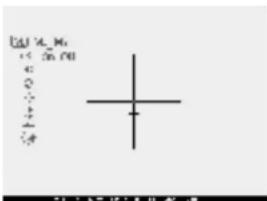
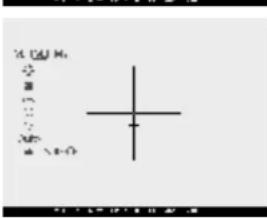
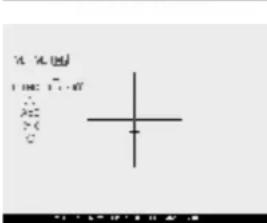
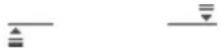
Weapon tilt is indicated by "sector" arrows on the edges of the horizontal line of the reticle (see image). Arrows show the direction in which you should move your rifle to eliminate tilt.
There are three modes of weapon tilt indication:
5^ - 10^ - one sector arrow;
10^ - 20^ - two sector arrow;
>20^ - three sector arrow.
A tilt of less than 5^ is not shown on the display.
Brightness control of onscreen symbols
• To select option, rotate the controller (7) and press controller button.
- Rotate the controller to select brightness level of icons – from 1 to 10.
- Confirm choice by a short press of the controller button.
Menu M2 options
One shot zeroing
- Please refer to section 10 "ZEROING"
Zeroing with "Freeze" function
• Before using this function, please take a shot.
- Select "Freeze" function in menu M1
- Riflescope will prompt you to press any button on the riflescope or wireless control within 30 seconds to freeze (memorize) the image. The status bar shows corresponding icon.
- Before pressing a button match the reticle of the riflescope with the aiming point (as a rule - target centre). After button is pressed, the image "freezes" and a limiting frame with an auxiliary cross appear.
Note: after the image is "frozen", there is no need to aim at the target.
- Rotating the controller, move the auxiliary cross within the limiting frame until the cross matches the point of impact.
- Short press of the controller button allows you to switch direction of auxiliary cross (horizontal or vertical). Long press of the controller button saves zeroing settings and exits the menu.
- Saving the settings is confirmed with "Ok" message displayed instead of the coordinates.
• After exiting the menu, the image returns to normal.
Selection/disable of video output signal
- Press the controller button and rotate it to select output video signal – PAL or NTSC (video output is disabled by default).
- To disable the video output, select option "OFF". Disabled video output reduces power consumption.
- Confirm your choice by a short press of the controller button.
Clock setup
- Press the controller button (7) and rotate the controller to select time format 24/AM/PM.
- Press the controller button to proceed to hour setup. Set the hour value rotating the controller.
- Press the controller button to proceed to minute setup. Set the minute value. - To exit submenu, hold down the controller (7) for two seconds. Or wait ten seconds to exit automatically.
Remote control activation
- Wireless remote control duplicates functions of riflescope and IR Illuminator on/off and rangefiner on/off/distance measuring.
It has three buttons:
- Button "ON" (17) – turning riflescope on/off (press for two seconds to activate).
- Button "IR" (18) - turning IR Illuminator on/off, selecting power level.
- Rangefinder ON-OFF /Distance measuring button (19).
To start using the wireless remote control you will need to activate it:
- Turn on the scope and select menu option "RC activation".
- Press controller button, a message "WAIT" will show up and countdown will start within which you need to press any button of the RC.
- If the activation is successful, a message "Complete" will show up next to 🔺 icon. If a message "ERROR" appears, repeat activation procedure.
The RC is ready for use.
Automatic shutoff
This option allows you to activate automatic on/off of the riflescope which recognizes whether your riflescope is in a shooting position.
The automatic on/off function is actuated 10 seconds after you move the riflescope relative to the optical axis:
Upwards >70°; Downwards >70°; Leftwards >30°; Rightwards >30°
• To select option, rotate the controller (7) and press controller button
- Rotate the controller (7) to select "Yes" and press the controller button.
Message AUTO appears in the status bar.
• To disable the function, select "Off".
Assignment of the functional button
This button allows you to assign to the button (8) one of the three functions:
-
"SumLight™"
-
"Automatic contrast"
-
"Reticle colour".
- Rotate the controller to select required function.
- Press the controller button to confirm.
Default setting of button (8) is SumLight™ function.
Menu M3 options
THD" function (True horizontal distance)
"THD" function allows the user to measure true horizontal distance to a target based on the angle of elevation value.
• To select the function, press the controller button, select ON.
- Confirm your choice by a short press of the controller button. Hereinafter message THD will appear above the distance readings.
Choice of rangefinding indicators
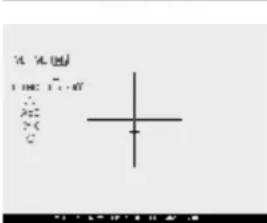
This option allows you to switch between the three types of indicators for the rangefinder.
- Push the controller button (7) and rotate the controller to select number of indicator. Number is shown to the right of the icon.
- Confirm your choice by a short press of the controller button
"AoE" function
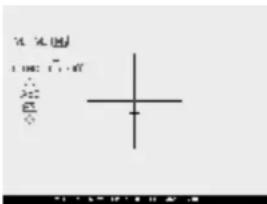
Function "AoE" allows you to change angle of
target location (angle of elevation). When the function is activated, the angle is shown continuously. When the function is disabled, the angle is shown if the rangefinder is working. The angle is shown in a pop-up menu during measurement.
- To activate the function, press the controller button (7) and select "ON".
- Confirm your choice by a short press of the controller button.
Switching units of measurement
This menu option allows you to switch units of measurement – metres or yards.
- Rotate the controller to select "M" (metres) or "Y" (yards).
- Confirm your choice by a short press of the controller button.
Icon of unit of measurement is shown next to the distance readings.
Return to default settings
To return to default settings:
- Rotate the controller to select "Default settings". Press the controller button.
- To activate return to default settings, rotate the controller to select "Yes", press the controller button.
The following settings will return to their original status before the changes:
- "SumLight™" – ON
• "Automatic contrast" – OFF
- Weapon selection – 1
- Selection of preloaded reticle – 1
- “Reticle colour selection” – main part of the reticle is black, additional part is
red;
- Weapon tilt indicator – OFF
- Brightness of onscreen symbols (menu and status bar) – 5
• Video output – OFF
• Automatic shutoff – OFF
- Functional programmable button – "SumLight™"
- "SCAN" – OFF
- "THD" - OFF
• Selection of rangefinder indicator – 1
• "AoE" - OFF
- Switching units of measurement – metres
- Brightness level – 10
- Contrast level – 10
To cancel return to default settings, select "No" and press controller button to confirm.
Note: zeroing coordinates do not return to default for all types of weapon.

USE OF THE ADDITIONAL WEAVER 7/8" RAILS
The riflescope is fitted out with two Weaver rails – one on the top of the unit (6) and the other on the left side of the body. With the help of this rail you can attach accessories like:
- Pulsar IR Flashlights Pulsar-805 / Pulsar-940 / Pulsar-X850 (# 79071 / 79076/79074)
• Laser IR Illuminators Pulsar L-808S / L-915 (#79072 / 79075)
• External power supply EPS3/EPS5 etc.

VIDEO OUTPUT
"Video out" jack (9) is designed to connect external recording devices and to transmit video signal to monitors, TV sets etc.
- Use the supplied cable to connect an external signal receiver to the video output (9).
- Turn on the riflescope – image will appear on the external device. Please make sure the external device is in the AV mode.
To record video, you can use video recorders such as Yukon MPR (#27041) / CVR640 (#17044) and others.
NOTE: it is not recommended to attach the CVR640 on the riflescope because the video recorder is not designed for heavy shock resistance.

TECHNICAL INSPECTION
It is recommended that you inspect the riflescope before every use. Make sure to check for the following:
- Visually inspect that the unit is free from any physical damage; cracks, dents or signs of corrosion which may disqualify it from proper use.
- Check the sturdiness and proper fit of the mounting system.
- Ensure that the objective lens, eyepiece, IR illuminator and rangefinder are free of cracks, grease spots, dirt, water stains and other residue before use.
- Visually inspect the condition of the battery and the battery compartment; the battery should be free of electrolyte and oxidation residue, especially where the battery makes contact with metal.
- Verify the proper function of the following: selector switch, control buttons.
- Verify the smoothness of the objective lens focus knob, dioptre focus knob.

TECHNICAL MAINTENANCE
Technical maintenance should be done at least twice a year, includes the following steps:
- Clean the outside metal and plastic surfaces from dust, dirt and moisture; wipe the scope with a soft lint free cloth.
- Clean the battery compartment's electric contact points using an oil-free solvent.
- Inspect the eyepiece lens, the objective lens, IR illuminator and rangefinder and gently blow off any dust and sand, and clean using lens cleaner and a soft cloth; see section 6 "GUIDELINES FOR OPERATION".

STORAGE
Always store the unit in its carrying case in a dry, well-ventilated space. For prolonged storage, remove the batteries.

TROUBLESHOOTING
Listed below are some potential problems that may occur when using the scope. Carry out the recommended checks and troubleshooting steps in the order listed. Please note that the table does not list all of the possible problems. If the problem experienced with the scope is not listed, or if the suggested action meant to correct it does not resolve the problem, please contact your seller.
| PROBLEM | POSSIBLE CAUSE(s) | CORRECTIVE ACTION |
| The riflescope will not turn on. | Batteries have been wrongly installed. | Reinstall the batteries with the correct polarity orientation. |
| Oxidized contact points in the battery compartment due to "leaky" batteries or contact points becoming exposed to a chemically-reactive solution. | Clean the battery compartment, focusing on the contacts. | |
| The batteries are empty or one of batteries is faulty. | Install fresh batteries. | |
| The reticle is blurred and cannot be focused with the dioptre knob. | The dioptre cannot be adjusted to your eyesight. | If you wear prescription glasses with a range of +/- 4, keep glasses on when looking through the eyepiece. |
| With a crisp image of the reticle, the image of the observed target that is at least 30 m away is blurred. | Dust and condensate are covering the outside optical surfaces after the riflescope was brought in from the cold into a warm environment, for example. | Clean the lens surfaces with a blower and soft lens cloth. Let the riflescope dry by leaving it in a warm environment for 4 hours. |
| The aiming point shifts after firing rounds. The riflescope will not focus. | The riflescope is not mounted securely or the mount was not fixed with thread sealant. | Check that the riflescope has been securely mounted, make sure that the same type and calibre bullets are being used as when the scope was initially zeroed; if your riflescope was zeroed during the summer, and is now being used in the winter (or the other way round), a small displacement of the aiming point is possible. |
| The riflescope will not focus. | Wrong settings. | Adjust the riflescope according to the instructions given in the Section 9 "OPERATION" and check the surfaces of the eyepiece and objective lenses and clean them if necessary from dust, condensation, frost, etc; to prevent fogging in cold weather, apply a special anti-fog solution. |
| The scope is used in day light at long working distance. | Check focusing of the scope in night conditions. | |
| The rfilescope cannot be started with wireless remote control. | Remote control is not activated. | Activate the remote according to instructions in section 16. |
| Low battery. | Install a new CR2032 battery. | |
| The unit does not operate on external power supply. | Make sure your power supply provides output voltage.Make sure the central pin of the external power supply is intact. | Charge the power supply (if required).If it's necessary, unbend the pin to ensure electric contact. |
| After the built-in laser IR illuminator is activated, you may see a slightly grainy, non-uniform pattern which does not impact detection range and efficiency of observation. | This is normal for eye safe laser illuminators. | This is not a defect. |
| Rangefinder does not measure distance. | In front of the receiver lens or objective lens there is an object that prevents signal transmission. | Make sure that the lenses are not blocked by your hand or fingers. |
| The unit is not held steadily when measuring. | Do not stress the unit when measuring. | |
| Distance to the object exceeds 400m. | Choose an object at a distance longer than 400m. | |
| Low reflection ratio (i.e. leaves of trees). | Choose an object with a higher reflection ratio. | |
| Large measurement error. | Inclement weather conditions (rain, mist, snow). |
Peculiarities of CCD array
CCD arrays employed in Pulsar digital night vision devices, feature high quality. However certain pixels (or groups of pixels) with increased luminosity (lighter or darker) are allowed. These defects can be seen when conducting observation not only in the nighttime but in the day time too, especially if SumLight™ function is active. Presence of light and dark pixels and other minor defects of a CCD array (up to 4%) are acceptable in accordance with regulations of sensor producer. Visibility on the screen of light pixels also depends on the type of CCD array, heating temperature during operation.
FRANÇAIS
SPECIFICATIONS

DESCRIPTION
natural_image
Close-up of a black optical surveillance camera (no visible text or markings)
BESTANDTEILE UND STEUERORGANE DES ZIELFERNROHRS
37

BESCHREIBUNG
natural_image
Close-up of a black optical device with lens and screen (no visible text or symbols)
ELEMENTOS Y ÓRGANOS DE MANDO
53

DESCRIPCIÓN
natural_image
Black-and-white photo of a mounted optical device with lens and screen (no visible text or symbols)
CARATTERISTICHE PRINCIPALI
Ottica
69

DESCRIZIONE
![A [M] M B C D E F G H I J K L M N O P Q R S T U V W X Y Z A B C D E F G H I J K L M N O P Q R S T U V W X](/content/2026/02/404729/images/3ec19e2136e2fd5e9ed3f68efd88d2d6d38b5cafe5372a51a3f63d64dc7d737a.jpg)
Funzione "AoE"
natural_image
Black-and-white photo of a mounted optical device with lens and screen (no visible text or symbols)85

ОПИСАНИЕ
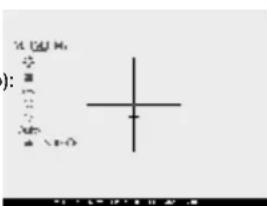
Меню М1
Функция "SumLight™"

- DIGISIGHT LRF
- Class 1 Laser Product
- ENGLISH
- PACKAGE CONTENTS
- FEATURES
- Optics
- Rangefinder
- Reticles
- Electronics
- Extra functions
- COMPONENTS AND CONTROLS
- MENU/STATUS BAR ICONS
- DESCRIPTION
- INSTALLATION OF BATTERIES
- EXTERNAL POWER SUPPLY
- OPERATION
- Installation of mount
- Starting the scope and image setup
- ZEROING
- One shot zeroing
- BUILT-IN RANGEFINDER
- Peculiarities of operation
- MAIN MENU
- Operating the menu
- Status bar
- The riflescope has three menus:
- Menu M1 (main menu) includes:
- Menu M2 (additional menu) includes:
- Menu M3 (rangefinder menu) includes:
- DESCRIPTION OF MENU OPTIONS
- Menu M1 options
- "SumLight™" function
- "Automatic contrast" function
- Weapon selection (1,2,3)
- Selection of preloaded reticle
- Reticle colour selection
- Weapon tilt indicator
- Brightness control of onscreen symbols
- Menu M2 options
- Zeroing with "Freeze" function
- Selection/disable of video output signal
- Clock setup
- Remote control activation
- Automatic shutoff
- Assignment of the functional button
- Menu M3 options
- THD" function (True horizontal distance)
- Choice of rangefinding indicators
- "AoE" function
- Switching units of measurement
- Return to default settings
- USE OF THE ADDITIONAL WEAVER 7/8" RAILS
- VIDEO OUTPUT
- TECHNICAL INSPECTION
- TECHNICAL MAINTENANCE
- STORAGE
- TROUBLESHOOTING
- Peculiarities of CCD array
- FRANÇAIS
- BESTANDTEILE UND STEUERORGANE DES ZIELFERNROHRS
- BESCHREIBUNG
- ELEMENTOS Y ÓRGANOS DE MANDO
- DESCRIPCIÓN
- CARATTERISTICHE PRINCIPALI
- Ottica
- DESCRIZIONE
- Funzione "AoE"
- ОПИСАНИЕ
- Меню М1
- Функция "SumLight™"
Brand : PULSAR
Model : Digisight LRF N870
Category : Binoculars