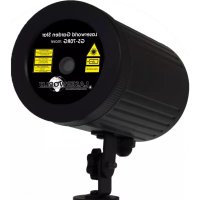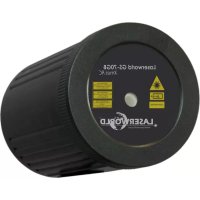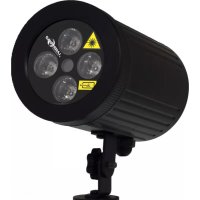
GS80RG LED - Effect machine Laserworld - Free user manual and instructions
Find the device manual for free GS80RG LED Laserworld in PDF.



| Product type | IP65 waterproof effects laser projector |
| Brand | Laserworld |
| Model | GS80RG LED |
| Category | Effect machine |
| Usage | Indoor and outdoor (IP65) |
| Power supply | AC 100-240 V 50/60 Hz power adapter, DC 12 V output (included) |
| Power consumption | Approx. 12 W |
| Laser source | DPSS diode, red 30 mW (650 nm), green 20 mW (532 nm) |
| Laser class | 2 (IEC 60825-1:2015-07) – eye safety for accidental exposure |
| Effects | Multi-points, starry sky, diffraction grating, rotation, flash |
| Laser/LED deviation | Approx. 80° for laser, approx. 60° for LEDs |
| LED lighting | 4 x 3 W RGB (multiple selectable colors) |
| RF remote control functions | Laser and LED on/off, timer (1-6 h), variable rotation, laser/LED flash, automatic color change, manual laser color selection (red/green/red+green) and LED (8 colors) |
| Protection rating | IP65 (projector), IP44 (adapter) |
| Operating temperature | -20°C to +40°C |
| Dimensions (L x W x H) | 85 x 85 x 135 mm |
| Weight | 0.5 kg |
| Package contents | Projector, power adapter, mounting spike, RF remote control, user manual |
| Installation | Wall or tripod mounting included (temporary) |
| Maintenance | Disconnect before cleaning, avoid rapid switching, transport without shocks |
| Safety | Do not look directly into the beam, do not open the device, keep batteries out of reach of children |
| Warranty | The manufacturer disclaims all liability for improper use |
Frequently Asked Questions - GS80RG LED Laserworld
User questions about GS80RG LED Laserworld
0 question about this device. Answer the ones you know or ask your own.
Ask a new question about this device
Download the instructions for your Effect machine in PDF format for free! Find your manual GS80RG LED - Laserworld and take your electronic device back in hand. On this page are published all the documents necessary for the use of your device. GS80RG LED by Laserworld.
USER MANUAL GS80RG LED Laserworld
Please spend a few minutes to read this manual fully before operating this laser!
-
Legal notice, operating instructions and usage policy
-
Product and package contents
- Preliminary warning notices
- Initial operations, safety instructions
4.Warnings and Other Notices on the Device - Installation and operation
- Remote controller operation
- Service notes
Final statement
Technical data sheet & specifications
English Version
Legal notice:
Thank you for purchasing this Laserworld product.
Due to continual product developments and technical improvements, Laserworld (Switzerland) AG reserves the right to make modifications to its products.
This manual and its content have been made with due care but Laserworld (Switzerland) AG cannot however, take any responsibility for any errors, omissions or any resulting damages forthwith.
The brands and product names mentioned in this manual are trade marks or registered trade marks of their respective owners.
Opening instructions and usage policy: The laser systems of the Laserworld Garden Star Series are intended for private use only. This device is no toy and must not be operated by minors or children!
1. Product and package contents
Please check if all listed parts are included and undamaged. Included in delivery:
1 x laser light effect 1 x remote control unit 1 x manual
1x power supply unit 1x stake
2. Preliminary warning notices
- Please use this device only according to these operating instructions.
- Do not use the device if there are any visible damages on housing, power adapter or power cords.
- Never look directly into the light source of a laser projector.
- This device is manufactured according to protection class IP65. It is dust-proof and protected against temporary submergence. Do not operate the device under water.
3. Initial operations, safety instructions
- Make sure to use correct voltage; see information in this manual.
- Make sure that the device is not connected to mains during installation.
- Installation has to be done according to safety regulations of the respective country.
- If the device has been exposed to great temperature changes, do not switch it on immediately. Condensation may damage device.
- Never use dimmer, RC or other electronically switched sockets.
- Ensure sufficient ventilation and do not place the device on any warm or heat radi
ating surface. Ensure that the device does not get overheated.
- Operating temperatures: -20^ up to +40^
- The operation of the device below -15^ may result in reduced output power and below -20^ laser output may stop. This is not a deficiency, but derives from general physical principles. When the temperatures rise above the given temperatures the laser runs at normal level again.
- This unit is intended for indoor and outdoor use.
- Do not open the device! This product has no user serviceable parts inside. Danger of laser radiation!
4.Warnings and Other Notices on the Device
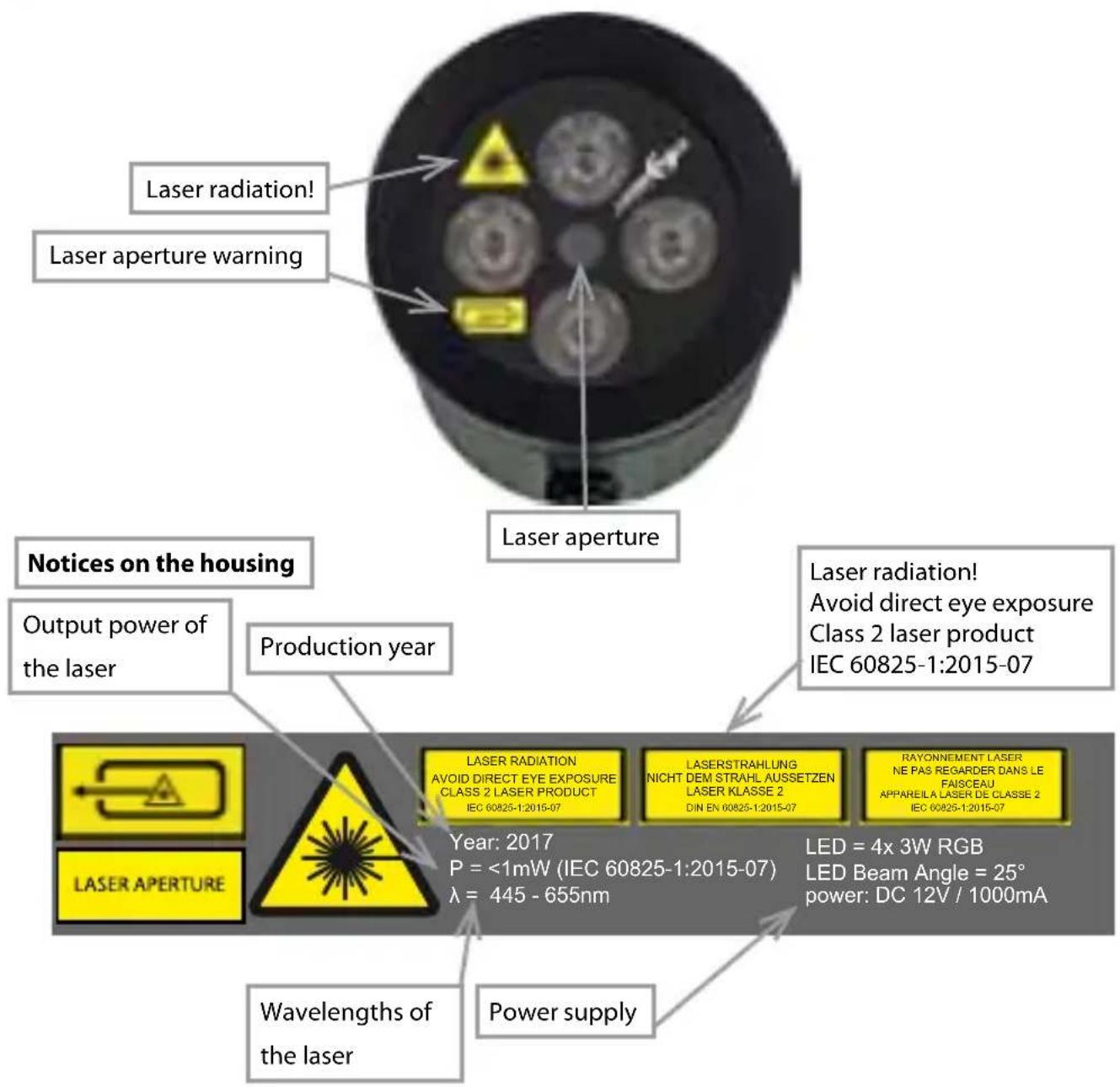
Warnings and notices on the front site
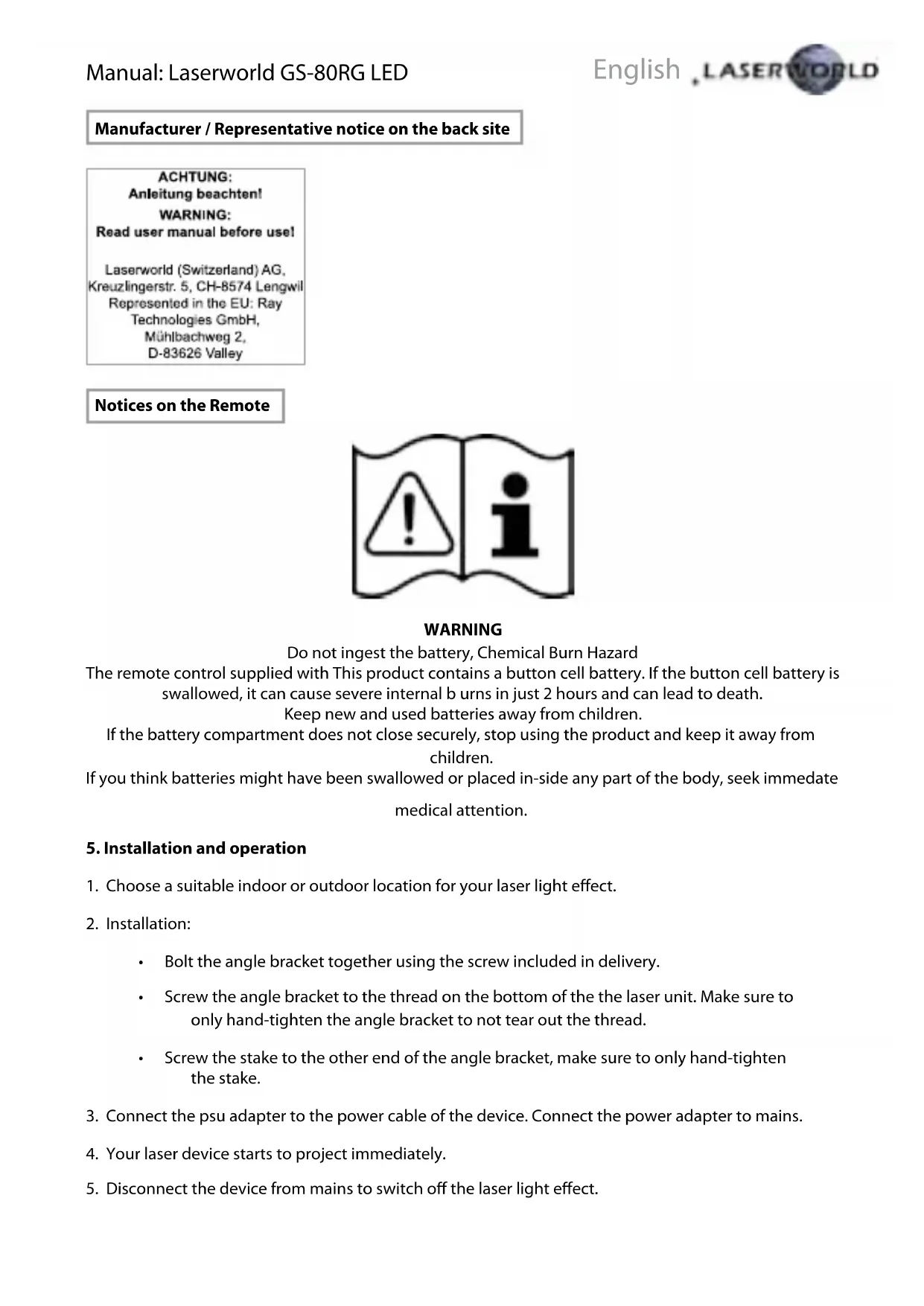
Manufacturer / Representative notice on the back site
ACHTUNG:
Anleitung beachten!
WARNING:
Read user manual before use!
Laserworld (Switzerland) AG,
Kreuzlingerstr. 5, CH-8574 Lengwil
Represented in the EU: Ray
Technologies GmbH,
Muhlbachweg 2.
D-83626 Valley
Notices on the Remote

WARNING
Do not ingest the battery, Chemical Burn Hazard
The remote control supplied with This product contains a button cell battery. If the button cell battery is swallowed, it can cause severe internal burns in just 2 hours and can lead to death.
Keep new and used batteries away from children.
If the battery compartment does not close securely, stop using the product and keep it away from
children.
If you think batteries might have been swallowed or placed in-side any part of the body, seek immediate
medical attention.
5. Installation and operation
- Choose a suitable indoor or outdoor location for your laser light effect.
-
Installation:
-
Bolt the angle bracket together using the screw included in delivery.
- Screw the angle bracket to the thread on the bottom of the the laser unit. Make sure to only hand-tighten the angle bracket to not tear out the thread.
-
Screw the stake to the other end of the angle bracket, make sure to only hand-tighten the stake.
-
Connect the psu adapter to the power cable of the device. Connect the power adapter to mains.
- Your laser device starts to project immediately.
- Disconnect the device from mains to switch off the laser light effect.
6. Remote controller operation
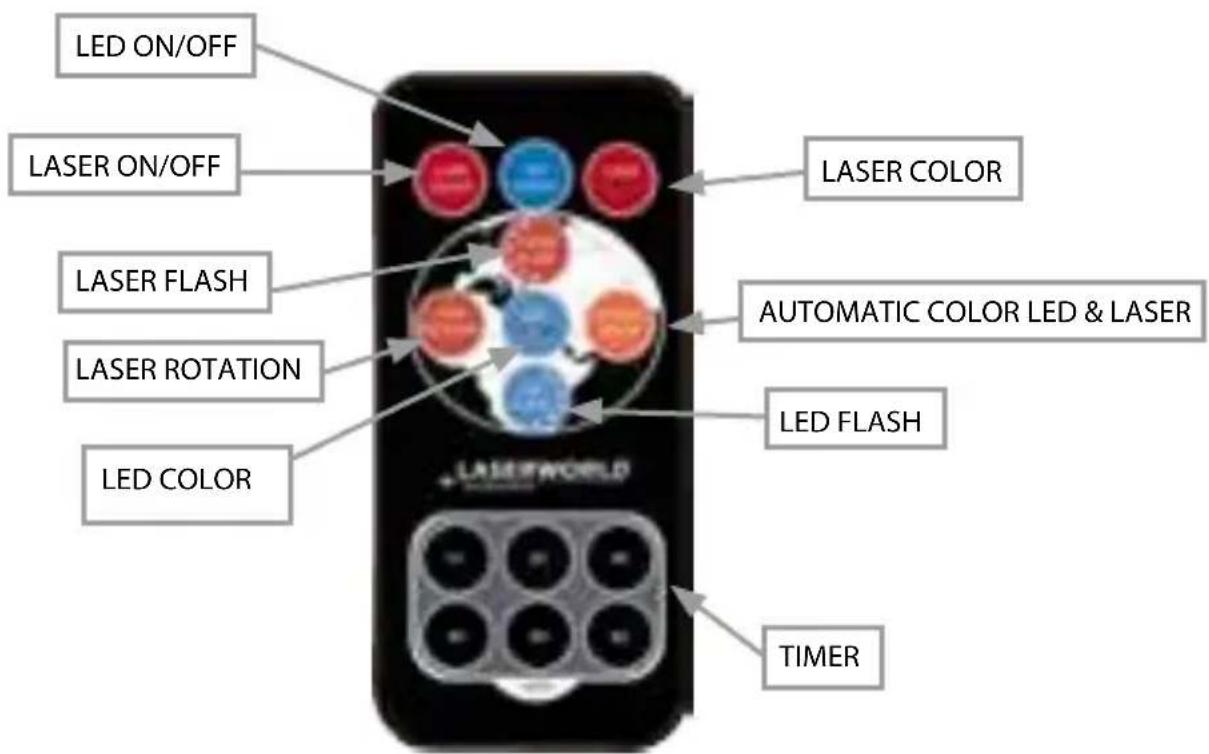
LASER ON / OFF & LED ON / OFF:
Every remote control that is delivered with the Laserworld Garden Star GS-80RG LED has two "ON/OFF" buttons (red for laser, blue for LED) on the left corner, to switch both the Laser and the LED on and off. Push power and the laser respectively the LED output starts. When pushing the "On / OFF" button again, output stops. Even if the laser and LED both have been switched off by the remote control, it is recommended to remove the power supply plug from the socket when the device is not in use.
TIMER:
The Laserworld Garden Star GS-80RG LED offers a timer function. With the timer feature a power off time for your Garden Star unit can be set.
After 1, 2, 3, 4, 5 or 6 hours the Garden Star unit powers off automatically, if the respective button has been pushed. If a certain time period is selected, output will automatically start at the same time on the next day for the same selected time period.
For setting a power off timer press one of the six timer buttons on the bottom of the remote control. The laser projection blinks. If the setting has been made press the timer button a second time to delete the previously selection.
ROTATION:
The term "ROTATION" stands for the rotation function of the laser output. Press the button several times for changing the speed of the rotation you need to press the button several times until it stops. When pushing it again, the rotation starts again very slowly.
LASER FLASH:
The Laserworld Garden Star GS-80RG LED offers a flash feature for LED as well as for laser output. Pushing the button "LASER FLASH" makes the laser output stop and start again after a few seconds. With the same button you can speed up the flash feature until it reaches the fastest level. The FLASH speed can be adjusted by pressing the button several times.
LED FLASH:
The Laserworld Garden Star GS-80RG LED offers a flash function for LED as well as for laser output. Push the button „LED FLASH" once (with LED selected ON) light starts to flash.
By pressing the "LED FLASH" button multiple times the flash frequency can be increased It's possible to make both LED & LASER flash at the same time by pressing the respective buttons.
AUTOMATIC COLOR LED & LASER
When pressing the button, colors of LED & LASER are changing and the different color automatically cycle through. It just works if both the LASER and LED output is selected on.
LASER COLOR
When pushing the green "LASER COLOR" button on the right upper corner of the remote control, the colors of the laser output change. Press the button several times to select the desired mode: single green, single red or red and green mode.
LED COLOR
The laser uni is equipped with multi color LEDs. With using the LED COLOR button, the output power of the LED's can be selected. Press it several times to choose the desired color.
7. Service notes
-
Quick on/off switching of this device can dramatically reduce lifetime of the laser diode.
-
Avoid sharp knocks and shocks to this device and ensure sufficient protection during transportation. Look after your Laserworld product.
-
Disconnect the device from mains when it is not needed.
The devices of the Garden Series are not meant for professional applications.
- Damages on the device caused by improper handling, neglect of the safety instructions and service notes will void warranty.
Final statement
Laserworld products are tested and product packaging is inspected before leaving our warehouse.
Users must to follow their local safety regulations and warnings within this manual and adhere to any regulations within its place of use. Damages through inappropriate use will void any liability or warranty of our products.
Due to continual product developments, please check for the latest update of this product manual at www.laserworld.com. If you do have any further questions, then please contact your dealer/place of purchase or use our contact section on our website.
For service issues, please contact your dealer/place of purchase and ensure only genuine Laserworld spare parts are used in any service repairs.
Errors and omissions excepted and products are subject to change.
Laserworld (Switzerland) AG
Kreuzlingerstrasse 5
8574 Lengwil
Switzerland
Registered office:
8574 Lengwil / Switzerland
Company number: CH-440.3.020.548-6
Commercial Registry Kanton Thurgau
CEO: Martin Werner
VAT no. (Switzerland): 683 180
UID (Switzerland):CHE-113.954.889
VAT no. (Germany): DE258030001
WEEE-Reg.-No. (Germany): DE 90759352
www.laserworld.com
info@laserworld.com
representative according to EMVG:
Managing Director: Martin Werner
Muhlbachweg 2
83626 Valley / Germany

Inhaltsverzeichnis:
Read user manual before use!
Laserworld (Switzerland) AG, Kreuzlingerstr. 5, CH-8574 Lengwil Represented in the EU: Ray Technologies GmbH, Muhlbachweg 2, D-83626 Valley
Read user manual before use!
Laserworld (Switzerland) AG,
Kreuzingerstr. 5, CH-8574 Lengwi
Represented in the EU: Ray
Technologies GmbH,
Mühbachweg 2,
D-83626 Valley
Managing Director: Martin Werner
Muhlbachweg 2
Read user manual before use!
Laserworld (Switzerland) AG,
Kreuzlingerstr. 5, CH-8574 Lengwil
Represented in the EU: Ray
Technologies GmbH,
Muhlbachweg 2.
D-83626 Valley
Managing Director: Martin Werner
Muhlbachweg 2