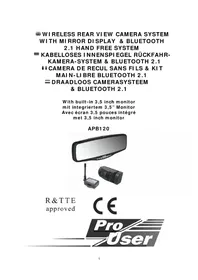
APB120 - Rear Camera Pro-User - Free user manual and instructions
Find the device manual for free APB120 Pro-User in PDF.



| Product type | Wireless reversing camera with monitor built into rearview mirror |
| Brand | Pro-User |
| Model | APB120 |
| LCD screen size | 3.5 inches (320x240 pixels) |
| Camera power supply | 12V DC (via cable to connect to reverse light) |
| Camera power consumption (with transmitter) | Less than 180 mA |
| Camera sensor | CMOS 640x480 pixels |
| Camera horizontal resolution | Greater than 330 TVL |
| Camera lens | 2.4 mm |
| Wireless transmission frequency | 2468 MHz |
| Transmission range (open field) | More than 80 meters |
| Monitor power supply | 12V DC (via cigarette lighter plug) |
| Monitor standby power consumption | Less than 210 mA |
| Monitor operating power consumption | Less than 450 mA |
| Bluetooth | Standard 2.1, class II, range 10 meters |
| Bluetooth phonebook memory capacity | Up to 600 numbers |
| Operating temperature | -10°C to +45°C |
| Main functions | Wireless reversing camera, Bluetooth hands-free kit, distance display (guidelines), LCD screen integrated into rearview mirror |
| Maintenance and cleaning | Clean with a soft, dry cloth. Do not use abrasive products or solvents. |
| Safety | Do not open the camera or monitor housing, as this will void the warranty. Electrical installation should be carried out by a professional if necessary. |
| Spare parts and repairability | Spare parts are not provided. In case of failure, contact the dealer or Pro-User after-sales service. |
| Package contents | Rearview monitor, camera with mounting plate, transmitter housing, monitor power cable (cigarette lighter plug), transmitter power cable, mounting accessories (straps, cable ties, grommet), user manual |
Frequently Asked Questions - APB120 Pro-User
User questions about APB120 Pro-User
0 question about this device. Answer the ones you know or ask your own.
Ask a new question about this device
Download the instructions for your Rear Camera in PDF format for free! Find your manual APB120 - Pro-User and take your electronic device back in hand. On this page are published all the documents necessary for the use of your device. APB120 by Pro-User.
USER MANUAL APB120 Pro-User
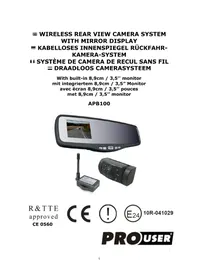
WIRELESS REAR VIEW CAMERA SYSTEM WITH MIRROR DISPLAY & BLUETOOTH 2.1 HAND FREE SYSTEM
KABELLOSES INNENSPI EGEL RÜCKFAHR-KAMERA-SYSTEM & BLUETOOTH 2.1
CAMERA DE RECUL SANS FILS & KIT MAIN-LIBRE BLUETOOTH 2.1
DRAADLOOS CAMERASYSTEEM & BLUETOOTH 2.1
natural_image
Exterior view of a rear mirror and camera module (no text or symbols visible)R & TTE approved
CE
Pro User
INTRODUCTION
The Pro-User APB120 is member of the family of advanced car Rear view mirror back up & Bluetooth 2.1 hand free systems manufactured by Pro User International Ltd.
The Pro-User Wireless Rear view mirror Back-up Camera & Bluetooth 2.1 hand free systems, when used as described, will improve your ability to see behind your car, camper, trailer, or mini-van. We have taken numerous measures in quality control to ensure that your product arrives in top condition, and will perform to your satisfaction.
Please carefully read and follow the following safety and operating instructions.
IMPORTANT SAFETY AND PRIVACY
Before You Install
If you are not confident working with 12 volt DC vehicle wiring, removing and reinstalling interior panels, carpeting, dashboards or other components of your vehicle, contact the vehicle's manufacturer, or consider having the camera system professionally installed.
Interference
All wireless devices are susceptible to interference or may cause interference, which could affect usability.
Privacy
Upon detection of new mobile device (different ID) pairing, the Bluetooth system will automatically erase all information concerning the previous linked mobile device, including download phonebook, call log, etc.
Repair
The camera system should not be opened. Any attempt at modification or repair by the user will entail the loss of your guarantee.
PARTS
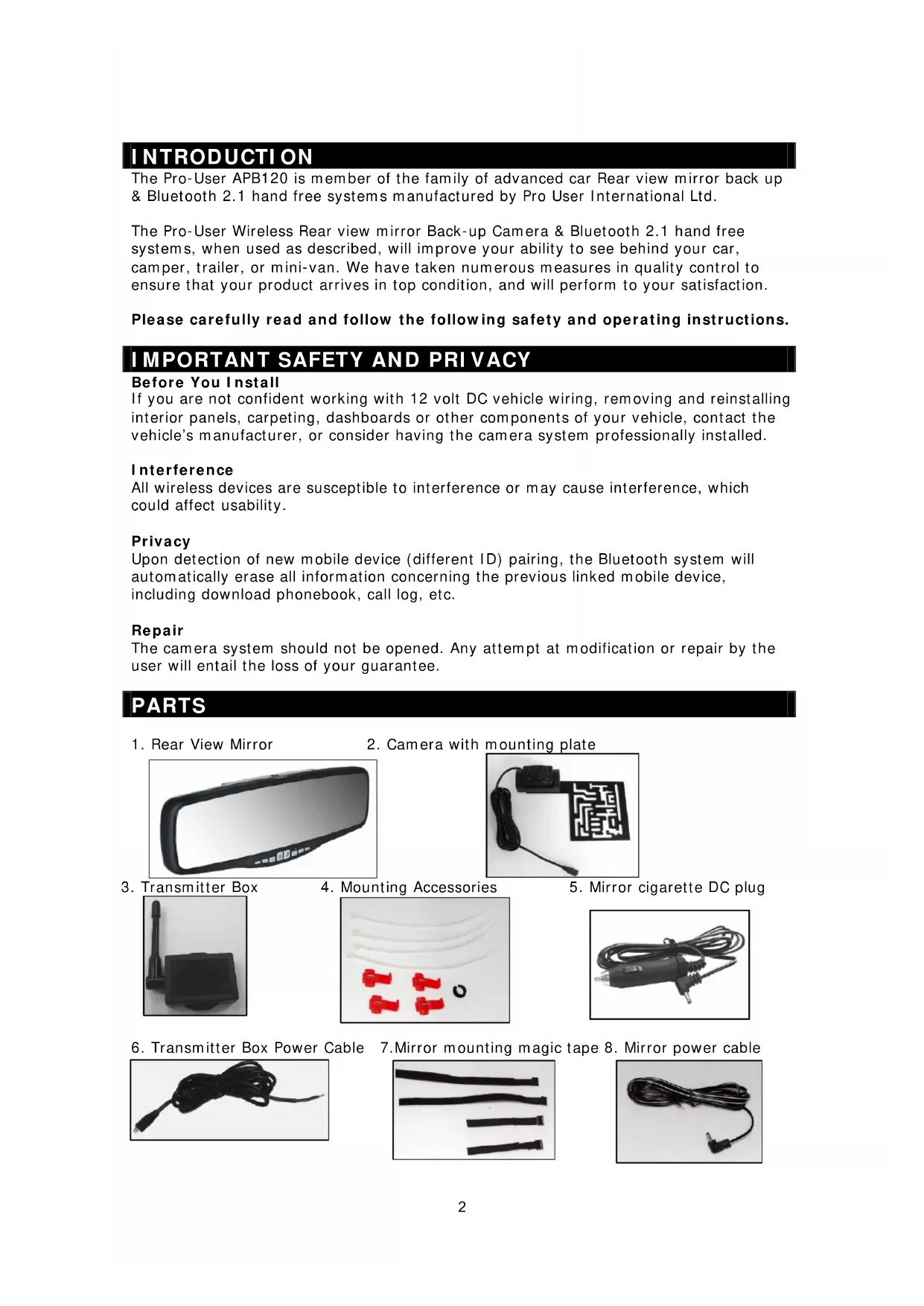
- Rear View Mirror
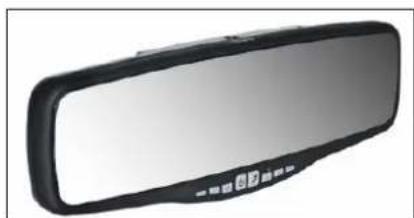
natural_image
Close-up of a black and white rear mirror with a small circular button on the side (no text or symbols visible)- Camera with mounting plate
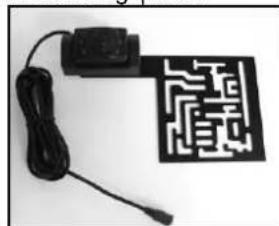
natural_image
Electronic circuit board with a black rectangular component and a black connector, connected to a cable (no visible text or symbols)- Transmitter Box
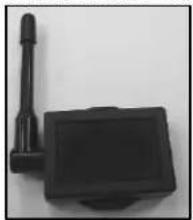
natural_image
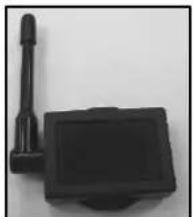
Black rectangular device with a protruding rod and base, no visible text or symbols- Mounting Accessories
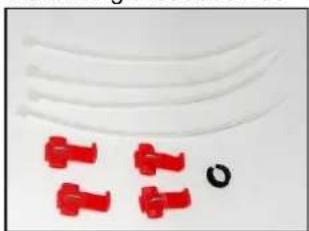
natural_image
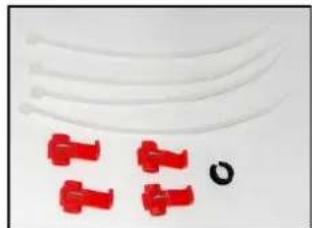
Close-up of red plastic clips and a black circular object on a plain background (no text or symbols)- Mirror cigarette DC plug
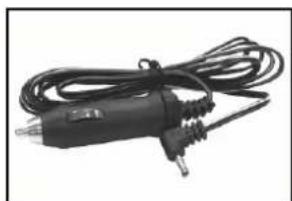
natural_image
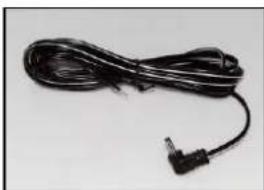
Black electrical plug with coiled cable and terminal connectors (no visible text or symbols)- Transmitter Box Power Cable 7. Mirror mounting magic tape 8. Mirror power cable
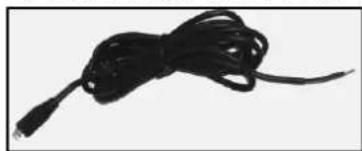
natural_image
Black cable with coiled cord, isolated on white background (no text or symbols)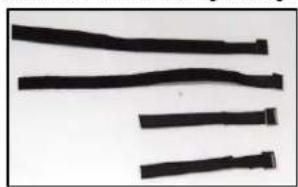
natural_image
Close-up of several black cylindrical objects with curved and straight edges, no visible text or symbols.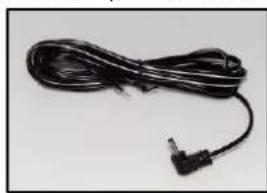
natural_image
Black cable with a terminal connector, isolated on white background (no text or symbols)INSTALLATION
These instructions do not apply to all vehicles. They are only meant as a general guide due to the number of different makes & models. For vehicle specific questions contact your vehicle's manufacturer.
Camera installation
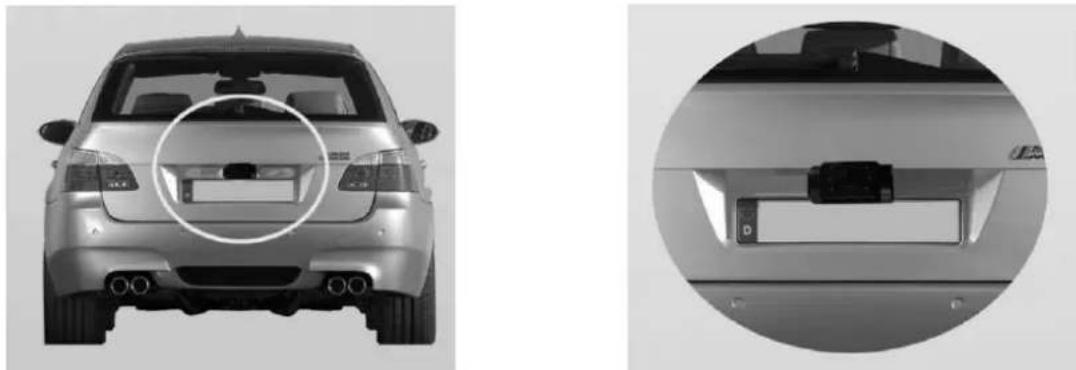
There are several ways to mount the camera on the back of your car. But the most convenient is to mount it near the license plate of the car. Supplied is one mounting plate that can be fixed behind the license plate, and the mounting plate have been installed in the camera.
The camera is tiltable, camera angle can be adjusted manually on vertical direction. Make sure that its field of view and detection are not obstructed.
natural_image
Front and side views of a silver car showing rear, front, and side views (no visible text or symbols)At some type of cars it is not possible to mount the camera near the license plate. You may have to find another spot at the back of your car to mount the camera.
- Remove the rear license plate, and then loosen the license plate bolts/screws.
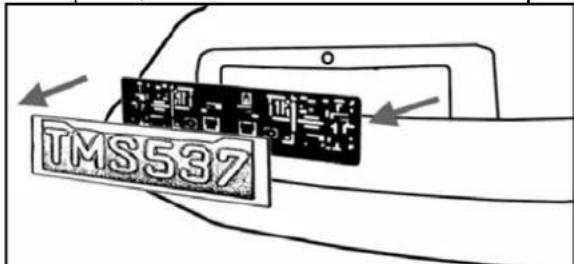
text_image
TMS537- Position the supplied mounting plates (with camera together) behind the license plate bracket. Secure both license plate bracket and mounting plates with the license plate bracket bolts/screws.
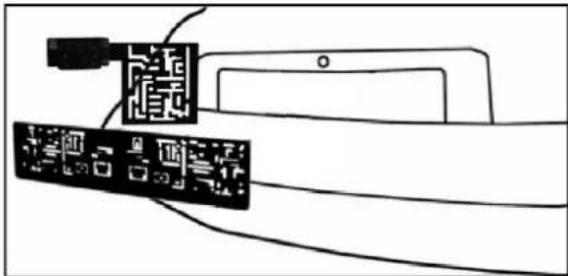
text_image
Diagram showing a device connected to a tablet, with Chinese text labels indicating components or functions.- Mount the license plate on the license plate bracket.
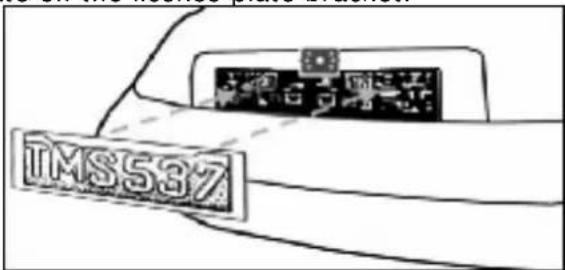
text_image
TMS537-
Choose a routing path for the camera's power cable through the vehicle's body to the reverse light circuit. If in doubt, seek professional installation assistance.
-
Some vehicles may have a hole available to pass the wire through, such as where the license plate light is mounted, or you can drill a hole close to where the power cable is attached to the camera. Once you have chosen where the cable will enter the vehicle's body, remove the camera. If you are able to use an existing opening, skip the next two steps.
-
Before you drill a hole you MUST CHECK and see WHAT IS BEHIND WHERE YOU ARE DRILLING. If there are any vehicle components, such as electrical parts or fuel system components behind where you are drilling, you must take whatever precaution is necessary not to damage them. Remove the license plate and camera before drilling.
-
After you have drilled the hole, insert the supplied grommet, then pass the camera cables through the grommet into the vehicle. You must use the grommet to prevent the metal edge of the hole from cutting the camera cable.
-
Mount the transmitter box inside the trunk. Connect the camera's power cable and the transmitter box power cable to the transmitter box.
-
Next you'll need to find the vehicle's reverse lights. Turn the vehicle's ignition key to the accessory position, engage the parking brake and put the car in reverse. Look at the vehicle's tail lights to see where the reverse lights are located, they are the white lights. To locate the reverse light's 12V+ wire it will be necessary to gain access to the rear of the vehicle's tail light. For help locating the vehicle's reverse light circuit contact your vehicle's manufacturer for vehicle specific wiring diagrams.
-
Once you have located the reverse light circuit you will have to route the transmitter box power cable to that location. You must securely fasten the power cable to prevent it from being caught on any vehicle component such as the trunk hinge. Never route the cable on the outside of the vehicle!
-
The reverse light sockets on most vehicles have two wires connected to them. Usually the negative wire is black and the positive wire is a colored wire. If you are uncertain about the wiring, you can use a 12 volt multimeter available at most auto parts stores to determine which is the positive wire. Follow the manufacturer's instructions for the safe use of the multimeter.
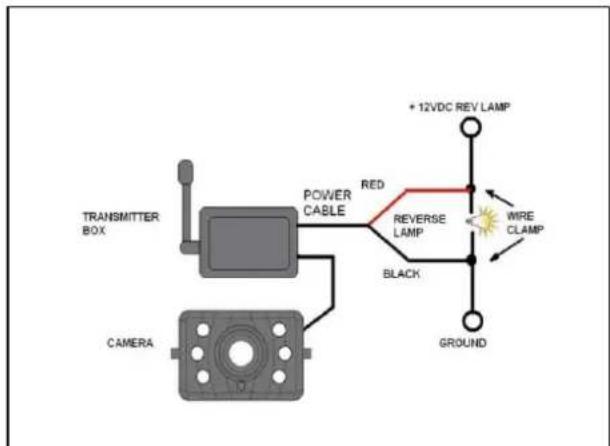
text_image
TRANSMITTER BOX CAMERA POWER CABLE RED REVERSE LAMP BLACK + 12VDC REV LAMP WIRE CLAMP GROUND-
After determining which wire is the positive and which is the negative, turn off the ignition key, then remove the battery's negative cable.
-
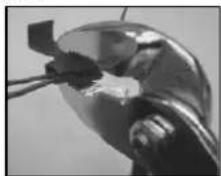
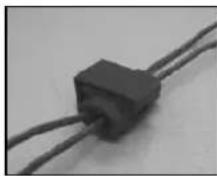
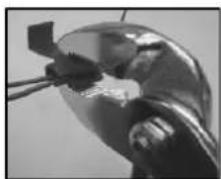
Splice the red wire using the supplied in-line wire connectors to the reverse light's positive (+) wire. Use a set of slip joint pliers to squeeze the TAP and insure good connection.
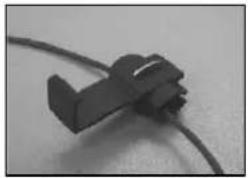
natural_image
Close-up of a black plastic clip attached to a wire, no visible text or symbols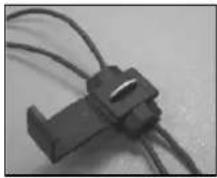
natural_image
Close-up of a black plastic connector with wires attached (no visible text or symbols)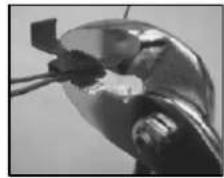
natural_image
Close-up of a metallic mechanical component with a small rectangular component inserted (no visible text or symbols)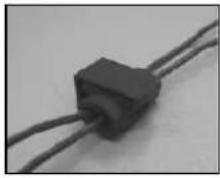
natural_image
Close-up of a black rectangular electronic component with two wires (no visible text or symbols)-
Next splice the black wire of the transmitter box power cable to the reverse light's negative (-) wire or ground.
-
Replace the reverse light bulb, and then re-install the light socket. Secure all the wires with cable ties or electrical tape.
-
Re-attach the negative battery cable to the battery.
Rear View Mirror Installation
When mounting the mirror, please double check the width of your car's rear view mirror≤80mm to avoid cannot be installed.
- Place the spring loaded top clips underneath the car's existing rear view mirror.
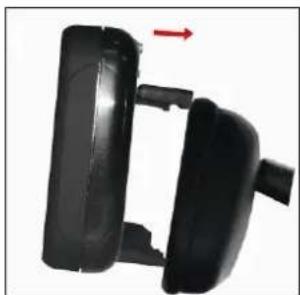
natural_image
Close-up of a black plastic door handle with a red arrow pointing to the side (no text or symbols visible)- Press down the mirror extend to the bottom clips, then tilt the mirror towards the existing rear view mirror.
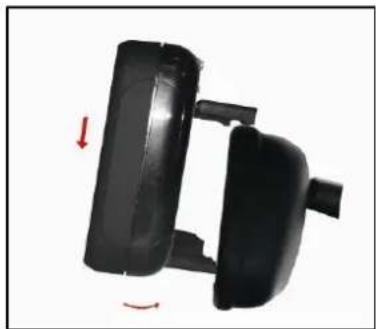
natural_image
Two black plastic door holders with red directional arrows indicating movement or rotation (no text or symbols)- Left the spring loaded clips close around the mirror. Adjust the Rear View Mirror for the best rear view.
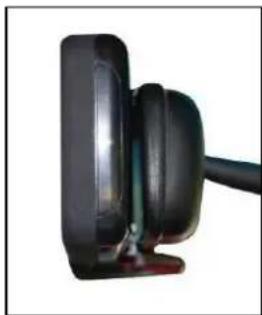
natural_image
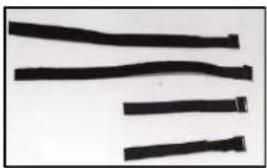
Close-up of a black mechanical component with a cable extending from its side (no visible text or symbols)- Tighten the magic tape to fix the position.
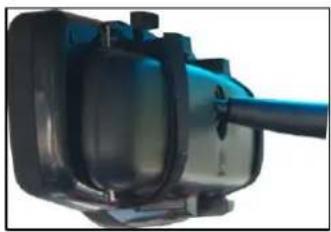
natural_image
Close-up of a blue industrial engine component with black housing and shaft (no visible text or symbols)Remark: Please make sure the male and female of the magic tape are matched perfectly before you connect the metal buckle of the magic tape to the main unit, once you connect them, you can not pull the metal buckle out.
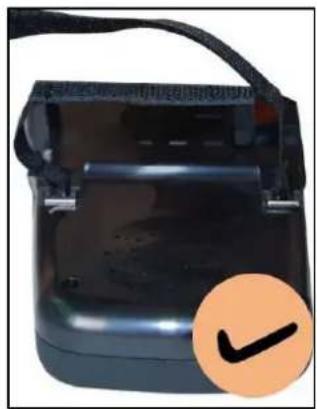
natural_image
Close-up of a black electronic device with a circular orange checkmark overlay (no visible text or symbols)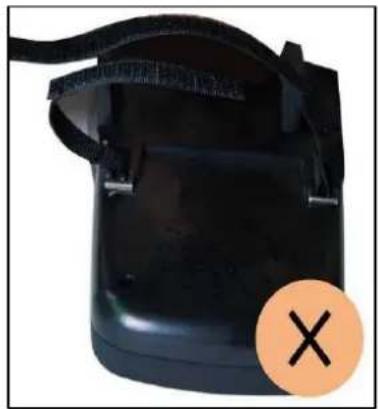
natural_image
Black plastic container with black straps and a circular orange X symbol (no text or symbols on the object itself)- Choose a Location and Install Power Cable as below alternative methods showed in the pics:
a. Choose a location on windshield or dashboard of your car, where does not obstruct your vision.
b. Insert the small 12 Volt DC plug of the power cable into the top of the mirror.

text_image
DC 12Vc. Connect the Cigarette DC plug cable (provided) with the cigarette lighter socket/12V power outlet of vehicle.
Remark: The cable must not interfere the safe operation of the vehicle.
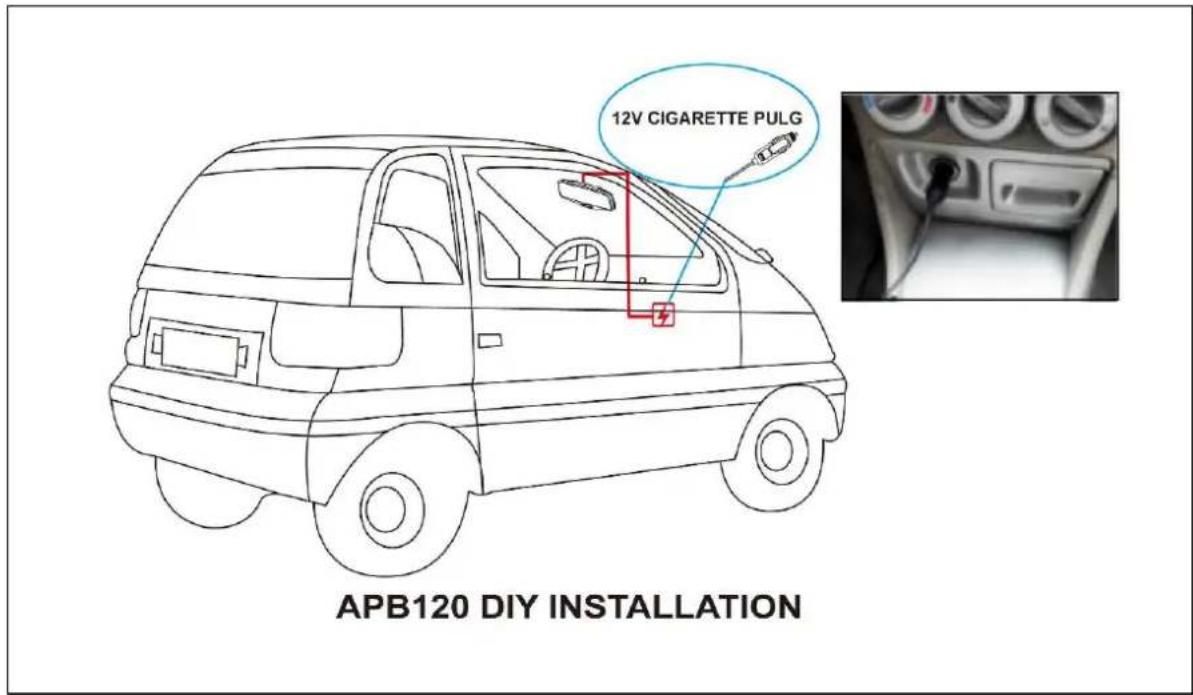
text_image
12V CIGARETTE PULG APB120 DIY INSTALLATION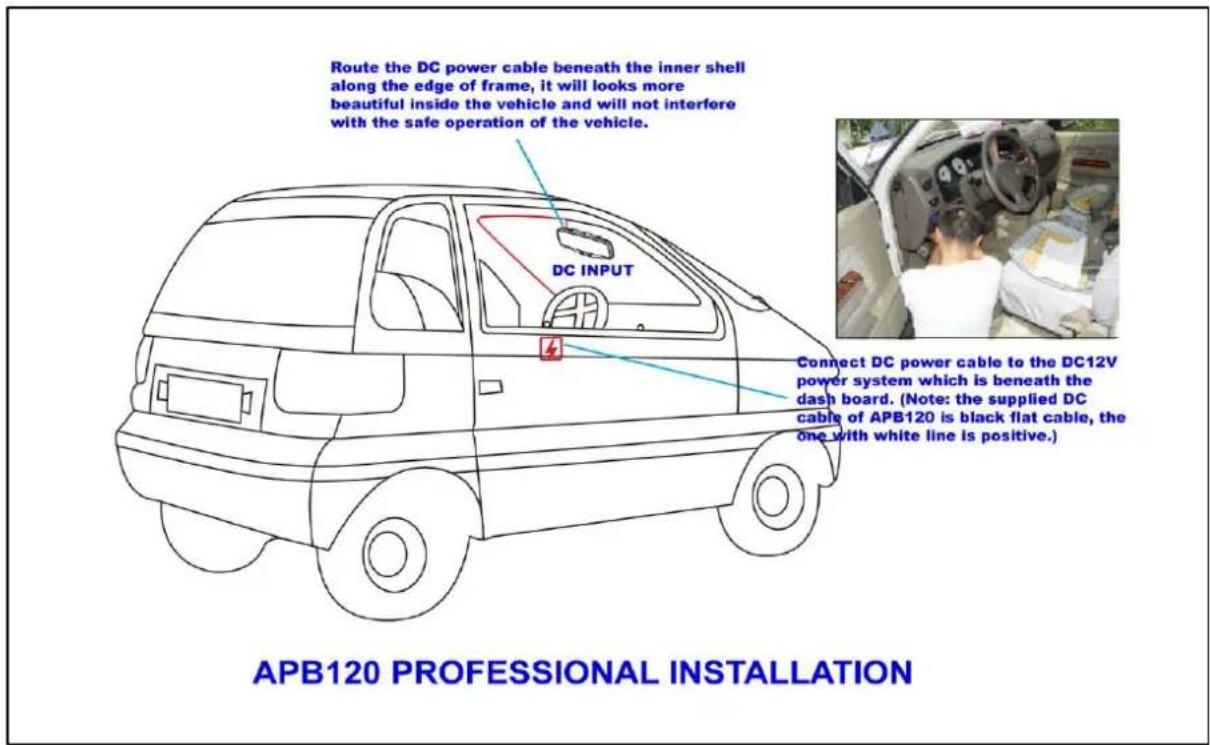
text_image
Route the DC power cable beneath the inner shell along the edge of frame, it will looks more beautiful inside the vehicle and will not interfere with the safe operation of the vehicle. DC INPUT Connect DC power cable to the DC12V power system which is beneath the dash board. (Note: the supplied DC cable of APB120 is black flat cable, the one with white line is positive.) APB120 PROFESSIONAL INSTALLATIONFor professional installation, refer to the illustration above, if doubt please seek professional assistant.
NOTE: UNDER EXTREME BRIGHT LIGHT CONDITIONS, THE SCREEN IMAGE MAY TAKE A FEW SECONDS TO STABLIZE. PLEASE WAIT UNTIL THE IMAGE HAS STABLIZED BEFORE BACKING UP.
Back up System testing
1 Reattach the vehicle's negative battery cable.
2 Turn the ignition key to the accessory position, do not start the vehicle.
3 Engage the parking brake, and then put the shifter in the reverse position.
After testing the unit and you are satisfied with the route you have chosen for the cabling, you must permanently install it.
Route all wires behind interior panels or under carpeting so they are hidden. Use supplied cable ties to neatly gather any excess wire.
OPERATION
The built-in LCD display beneath the mirror will automatically turn on and enter back up mode when the vehicle is in reverse gear, otherwise, the device will turn into Bluetooth hand free mode, in Bluetooth mode, if no mobile device was found in 30 sec, system will enter sleep mode.
There are 8 control buttons and a volume dial available for users to have their controls:
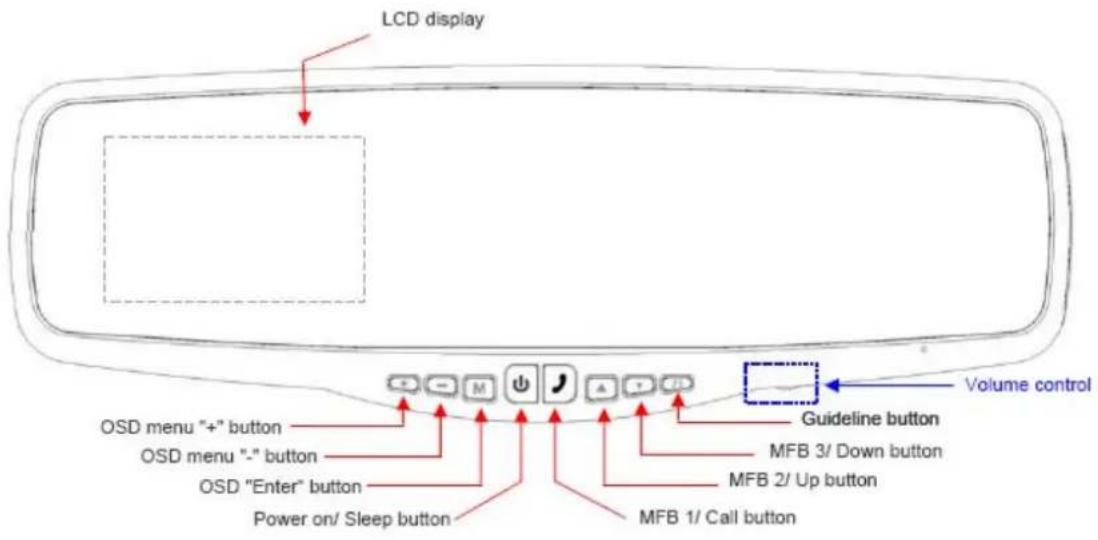
text_image
LCD display OSD menu "+" button OSD menu "-" button OSD "Enter" button Power on/ Sleep button MFB 1/ Call button MFB 2/ Up button MFB 3/ Down button Guideline button Volume controlPower on/ Sleep button
Press the POWER button to supply power to the mirror. When the mirror image is on, the yellow LED (beneath the power button) will be off. If there is power to the mirror, but the mirror image is OFF, the yellow LED will on. When the monitor power is off, no picture can appear on the screen and the yellow LED will be off as well.
OSD buttons-The left three buttons for back up mode control
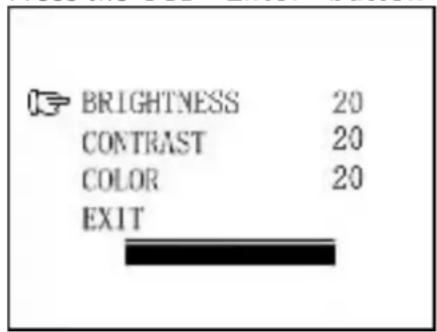
Press the OSD "Enter" button to enter the menu screen as shown below:
text_image
BRIGHTNESS 20 CONTRAST 20 COLOR 20 EXITRepeat pressing the OSD "Enter" button to select Brightness, contrast or colour of the picture.
Press the OSD menu “+” button or
OSD menu “-” button to adjust settings within the control selected.
To exit the menu screen, select exit on the screen using the OSD "Enter" button and press either OSD menu "+" button or OSD menu "-"button to exit the menu screen.
MFB 1/ Call button (MFB is abbreviation of Multi-
function Bluetooth)
Answer / Decline incoming calls
Dialing outgoing calls
Voice dialing On / Off
Activate of searching mobile device (under Bluetooth sleep mode)
Dual color LED backlight. Red LED backlight twinkles when Bluetooth is not connected to mobile device. Blue LED backlight twinkles when Bluetooth is connected to mobile device
MFB 2/ Up button
Go previous page of call log / address book
Press once (< 3 sec) for call log display, press twice for "previous page" call log display.
Press continuous 3 sec, will activate phone book searching on connected mobile device and auto download
MFB 2/ Down button
Go next page of call log / address book
Press once (< 3 sec) for phone book display
Press continuous 3 sec, will active voice caller ID mode end with “one, two, three” voice warning. Press another 3 sec, will exit voice caller ID mode end with a “toot” warning tone.
Guideline button
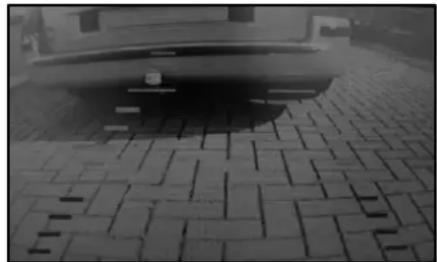
The unit has the option to show distance-guidelines on the display. This helps you to visually see the distance between the objects behind your car. By pressing the guideline button, you can switch this option on and off.
natural_image
Black-and-white photo of a car parked on a paved pavement with brick patterns (no visible text or symbols)Volume control
There is a dial for system speaker volume control in Bluetooth hand free mode.
Bluetooth hand free system operation
Refer the Bluetooth operation in your mobile device instruction to pair it with the Bluetooth hand free system.
NOTE: Subject to different version of your mobile device, the function and operation may be different to below description.
-
Upon power on for 3 sec, unit will start searching of rear view camera signal. If signal was found, Bluetooth system will turn off automatically
-
If rear view camera signal not found, unit will enter Bluetooth mode and search for last connected mobile device. LCD will display as below and red LED twinkles:

text_image
SEARCHING...- When the unit is connected with the mobile device, the LCD will show the mobile device name, Blue LED of MFB 1 button twinkles. At this moment, if the mobile prompts to enter the online password, please use the mobile keys to enter "0000" and confirm. You can also set the mobile to connect automatically, for detailed operation, please refer to your mobile phone's manual.
NOKIA 7230C
- If no mobile device was found in 10 sec, Bluetooth will enter sleep mode, and red LED of MFB 1 will be off 2 minutes later.
-
Under sleep mode, press MFB 1 button once will start searching the last connected mobile device again.
-
After unit paired up with mobile device, press MFB 1 button once will activate voice dialing function (subject to the function availability of mobile device) and the system will "beep" once.
- Under connected mode, press MFB 2/ Up button once, will enter call log mode, press MFB 2/ Up or MFB 3/ Down button to select number and press MFB 1 button for calling. Press and hold MFB 2/ Up button for about 3 sec to quit call log mode.
- Press MFB 3/ Down button once, will enter address book mode, press MFB 2/ Up or MFB 3/ Down button to select number and press MFB 1 button for calling. Press and hold MFB 3/ Down button for about 3 sec to quit address book mode.
OUTGOING CALL.. 87652321
- Press MFB 2/ Up button and hold for 3 sec, will enter address book searching mode on the connected mobile device and download automatically (not including SIM card address book). The maximum capacity is 600 name / phone number. When the phone book is downloaded, press and hold MFB 2/ Up button to stop download, downloaded phone numbers will not be dropped.

flowchart
graph LR
    A["DOWNLOAD PHONEBOOK..."] --> B["TOTAL 13"]
    B --> C["END TOTAL 103"]
- Press MFB 3/ Down button for 3 sec, enter voice caller ID mode. System will broadcast a message "one, two, three" to indicate the mode activation. Press again for 3 sec will exit voice caller ID mode and system will have a "toot" tone to indicate the mode deactivation.
- When there is incoming call, press MFB 1 once will answer the phone. Press twice will decline the incoming call. Under talking states, press MFB 1 button once to hang up.
- Press both MFB 2 & 3 buttons simultaneously for 5 sec, call log and downloaded phone book will be erased, LCD displays as below.
PB DELETED
TECHNICAL SPECIFICATIONS
| Camera | |
| Operating Voltage 12V DC | |
| Current consumption(include transmitter box) | <180mA |
| Image sensor CMOS | |
| No. of pixel 640x480 | |
| Resolution Horizontal | >330 TVL |
| Optical lens 2,4mm / F2,1 | |
| Wireless transmitter | |
| Transmission frequency 2468MHz | |
| RF transmission distance (open space) >80M | |
| LCD monitor | |
| Operation Voltage 12V DC | |
| Standby Current <210mA | |
| Operation Current <450mA | |
| LCD display screen size 3.5inch | |
| No. of pixel 320x240 | |
| Bluetooth | |
| Bluetooth Standard Bluetooth2.1, class II | |
| Bluetooth transmission distance 10m on open field | |
| Flash memory support phone number | Up to 600 |
| Operation temperature -10 to +45 degree Celsius |
R & TTE approved

ENVIRONMENTAL PROTECTION
Waste electrical products should not be disposed of with household waste. Please recycle where facilities exist. Check with your local authority or retailer for recycling advice.
WARRANTY
Pro-User warrants this product for a period of 2 years from the date of purchase to the original purchaser. Warranty is not transferable. Warranty covers defect against workmanship and materials only. To obtain warranty service, please return the unit to the place of purchase or authorized Pro-User dealer together with your proof of purchase. The warranty is void if the product has been damaged or not used as described in this manual. Warranty is void if a non-authorized repair has been performed. Pro-User makes no other warranty expressed or implied. Pro-User is only responsible for repair or replacement (at Pro-Users' Discretion) of the defective product and is not responsible for any consequential damage or inconvenience caused by the defect.
EINLEITUNG
W I CHTI GE SI CHERHEI TSHI NW EI SE
Vor der Montage
natural_image
Close-up of a black and silver rear mirror with a small logo on the side (no text or symbols visible)
natural_image
Electronic circuit board with a black rectangular component and cable, no visible text or symbolsInstallations-
- Sender
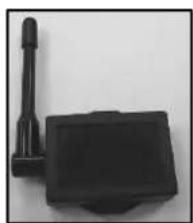
natural_image
Black rectangular device with a cylindrical sensor attached to a rectangular base (no visible text or symbols)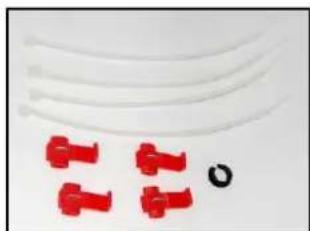
natural_image
Close-up of red plastic connectors and a black circular hole on a plain white background (no text or symbols)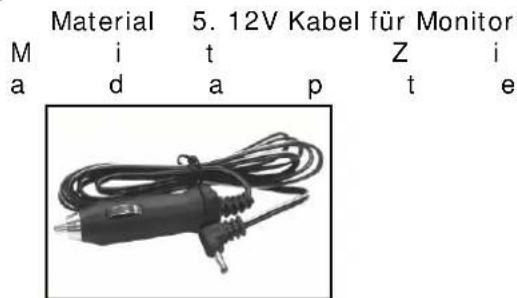
text_image
Material 5. 12V Kabel für Monitor M i t Z i a d a p t enatural_image
Black cable with coiled cord, isolated on white background (no text or symbols)natural_image
Coiled black cable with a terminal connector, isolated on white background (no text or symbols)MONTAGE
natural_image
Front view of a silver sedan car with a circular highlight on the windshield (no text or symbols visible)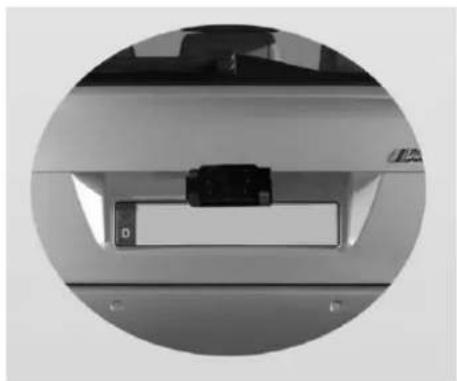
natural_image
Close-up of a mechanical component with a black rectangular block and circular base, no visible text or symbolsnatural_image
Diagram showing two electronic components connected to a device (no text or symbols visible)natural_image
Close-up of a black plastic clip attached to a wire, no visible text or symbols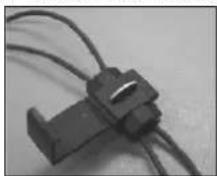
Spiegelmonitor Installation
natural_image
Close-up of a black plastic door handle with a red arrow pointing to the side (no text or symbols visible)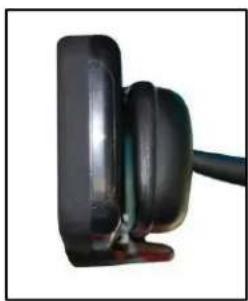
natural_image
Close-up of a black plastic electronic component with a cable, no visible text or symbolsnatural_image
Close-up of a blue cylindrical mechanical component with black housing and black connectors (no visible text or symbols)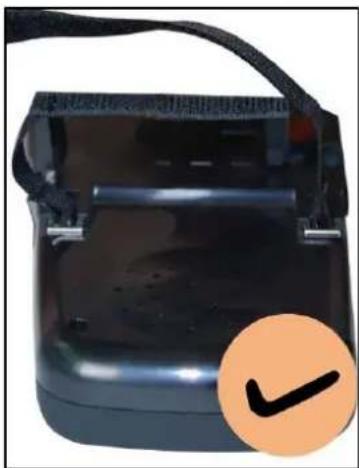
natural_image
Black electronic device with a black strap and orange checkmark icon (no text or symbols on body)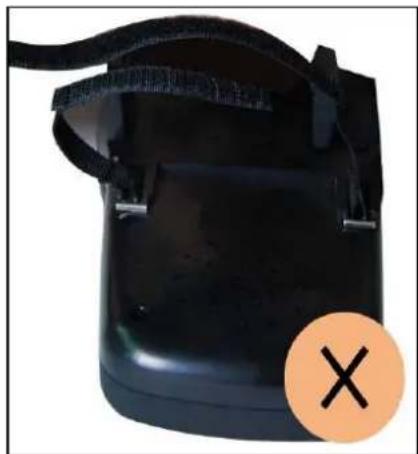
natural_image
Black electronic device with black straps and a circular orange cross symbol (no text or labels)natural_image
Black-and-white photo of a car's rear bumper on a paved pavement (no visible text or symbols)text_image
SEARCHING...IMPORTANT SAFETY AND PRIVACY
natural_image
Close-up of a black and white car rear mirror with a small logo on the side (no text or symbols visible)natural_image
Electronic device with a black circuit board and cable, no visible text or symbolsnatural_image
Black plastic electronic device with a cylindrical port and rectangular base (no visible text or symbols)natural_image
Close-up of white plastic cable connectors and red plastic clips with a black circular hole (no text or symbols)natural_image
Black electrical soldering iron with coiled cable and terminal plug (no visible text or symbols)natural_image
Black cable with coiled wires against a white background (no text or symbols)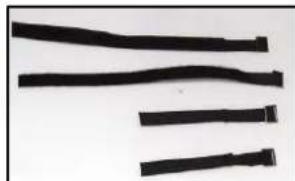
natural_image
Close-up of black plastic strips on a plain background (no text or symbols)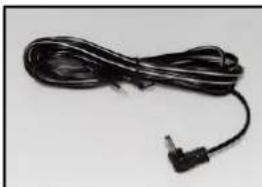
natural_image
Coiled black cable with a terminal connector, isolated on white background (no text or symbols)INSTALLATION
natural_image
Front view of a silver sedan car with visible license plate and side exhaust pipes (no text or symbols)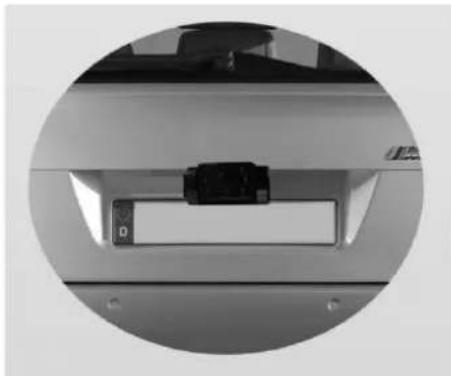
natural_image
Close-up of a mechanical component with a small rectangular device inserted, enclosed in a circular frame (no visible text or symbols)natural_image
Diagram showing two connected components with circuit traces, no text or symbols presentnatural_image
Close-up of a black mechanical clip attached to a wire (no text or symbols visible)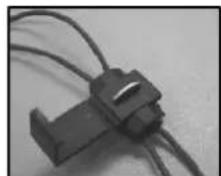
natural_image
Close-up of a black plastic connector with coiled wires (no visible text or symbols)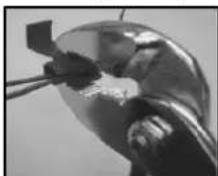
natural_image
Close-up of a metallic object with a small square object inserted, possibly part of a mechanical or industrial component (no visible text or symbols)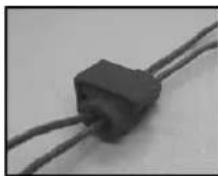
natural_image
Close-up of a black rectangular electronic component with two wires (no visible text or symbols)natural_image
Close-up of a black plastic door handle with a red arrow pointing to the side (no text or symbols visible)natural_image
Two black plastic door holders with red directional arrows indicating movement or change (no text or symbols)natural_image
Close-up of a black plastic electronic device with a cable extending from its side (no visible text or symbols)natural_image
Close-up of a blue electric motor with black housing and shaft (no visible text or symbols)natural_image
Close-up of a black electronic device with a handle and a circular orange checkmark icon (no text or symbols on the device itself)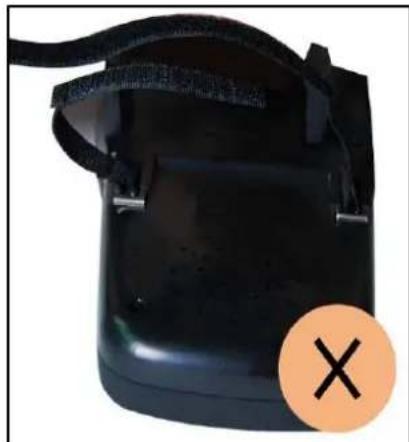
natural_image
Black electronic device with black strap and orange circular mark (no text or symbols)text_image
Route the DC power cable beneath the inner shell along the edge of frame, it will looks more beautiful inside the vehicle and will not interfere with the safe operation of the vehicle. DC INPUT 4 Connect DC power cable to the DC12V power system which is beneath the dash board. (Note: the supplied DC cable of APB120 is black flat cable, the one with white line is positive.) APB120 PROFESSIONAL INSTALLATIONnatural_image
Black-and-white photo of a car parked on a paved pavement with brick patterns (no visible text or symbols)Bouton GUIDELINE (grille de graduation)
natural_image
Close-up of a black and white rear mirror with a circular design element (no text or symbols visible)natural_image
Electronic device with earpiece and maze-like pattern (no visible text or symbols)- Zender
natural_image
Black plastic electronic device with a cylindrical port and rectangular base (no visible text or symbols)- Installatieaccessoires
natural_image
Close-up of white plastic cable connectors with red plastic clips and a black circular mark (no text or symbols)natural_image
Black electric shaver with coiled cable and plug (no visible text or symbols)natural_image
Black cable with coiled wire against white background (no text or symbols)- Installatietape spiegel
natural_image
Close-up of black plastic strips on a plain background (no text or symbols)- Netsnoer spiegel
natural_image
Black cable with a terminal connector, isolated on white background (no text or symbols)INSTALLATIE
natural_image
Front view of a silver sedan car with visible headlights, rear taillers, and exhaust pipes (no text or symbols)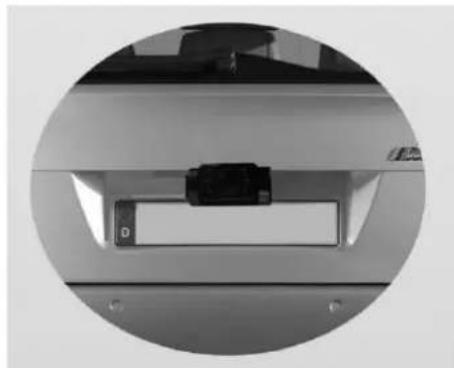
natural_image
Close-up of a mechanical component with a black rectangular block and circular housing, no visible text or symbolsnatural_image
Diagram showing two electronic components connected to a device (no text or symbols visible)natural_image
Close-up of a black plastic clip attached to a wire, no visible text or symbols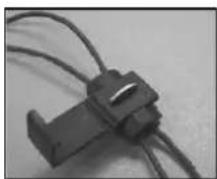
natural_image
Close-up of a metallic mechanical component with a small attached component (no visible text or symbols)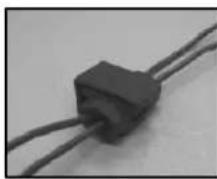
natural_image
Close-up of a black rectangular electronic component with two wires, no visible text or symbolsnatural_image
Close-up of a black plastic door handle with a red arrow pointing to the side (no text or symbols visible)natural_image
Two black plastic door holders with red directional arrows indicating movement or rotation (no text or symbols)natural_image
Close-up of a black plastic electronic device with a cable extending from its side (no visible text or symbols)natural_image
Close-up of a blue industrial engine component with black housing and shaft (no visible text or symbols)natural_image
Close-up of a black electronic device with a circular orange checkmark overlay (no visible text or symbols)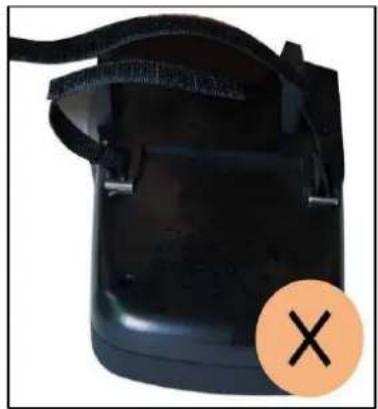
natural_image
Black plastic container with black straps and a circular orange X symbol (no text or symbols on the device itself)text_image
Route the DC power cable beneath the inner shell along the edge of frame, it will looks more beautiful inside the vehicle and will not interfere with the safe operation of the vehicle. DC INPUT Connect DC power cable to the DC12V power system which is beneath the dash board. (Note: the supplied DC cable of APB120 is black flat cable, the one with white line is positive.) APB120 PROFESSIONAL INSTALLATIONnatural_image
Black-and-white photo of a car parked on a paved pavement with brick patterns (no visible text or symbols)Volume
Declaration of Conformity
Application of Council Directives
CE-R&TTE, CE-LVD, CE-EMC
Standards to which Conformity are Declared:
A) CE-R&TTE
EN301489-1 V1.8.1:2008
EN301489-3 V1.4.1:2002
EN300440-2 V1.2.1:2008
EN300440-1 V1.4.1:2008
B) CE-LVD
EN 60950-1:2006+A11:2009
C) CE-EMC
EN 55022-1:2006+A1:2007
EN 55024: 1998+A1:2001+A2:2003
Manufacturer's Name: Pro User International Ltd.
Manufacturer's Address: Unit 2504, 25/F, Nanyang Plaza, 57 Hung To Road, Kwun Tong, Kowloon, Hong Kong
Type of Equipment: Wireless Rear View Mirror Backup System
Model No.: APB120
We, Pro User International Ltd, hereby declare that the equipment specified above conforms to the above Standards.
Place: Hong Kong
Date: 24 Nov., 2010

text_image
For and on behalf of PRO-USER INTERNATIONAL LIMITED Authorized Signature(s)Unit 2504, 25/F, Nanyang Plaza, 57 Hung To Road, Kwun Tong, Hong Kong
57 25 [2504]
info@pro-user.com
www.pro-user.co
www.pro-user.com