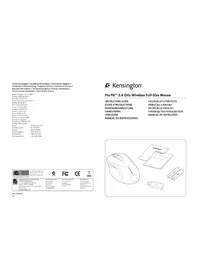
Pro Fit K72342EU - Mouse KENSINGTON - Free user manual and instructions

Find the device manual for free Pro Fit K72342EU KENSINGTON in PDF.

📄 31 pages English EN 💬 AI Question
Notice KENSINGTON Pro Fit K72342EU - page 2

User questions about Pro Fit K72342EU KENSINGTON

0 question about this device. Answer the ones you know or ask your own.

Ask a new question about this device

L'email reste privé : il sert seulement à vous prévenir si quelqu'un répond à votre question.

No questions yet. Be the first to ask one.

Download the instructions for your Mouse in PDF format for free! Find your manual Pro Fit K72342EU - KENSINGTON and take your electronic device back in hand. On this page are published all the documents necessary for the use of your device. Pro Fit K72342EU by KENSINGTON.
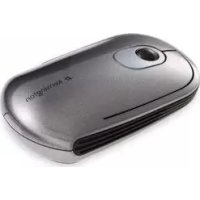
USER MANUAL Pro Fit K72342EU KENSINGTON

France 01 70 20 00 41

Hungary 20 9430 61

Ireland 016011163

Italy 0248271154

Mexico 3313003700 Noidah 452192000

Nederland 33798301

For technical support visit:

vayilne xiter

www.hennington.com

The Kensington Promise

Kensington Compu

A Division of ACCO Brands 2013 Year Ended December 31, 2014

ACCO 333 Twin Dolphin Drive,601
TRENDLE Redwood Stores,CA-94055

Respond in California, U.S.A. by Kennington
Made in China
www.kensington.com

KENSINGTON Pro Fit K72342EU - 1

KENSINGTON Pro Fit K72342EU - 2

KENSINGTON Pro Fit K72342EU - 3

KENSINGTON Pro Fit K72342EU - 4

ACCO Brands Europe
Oxford House
Orford Read
A
United Kingdom

ACCO Brands Canada
5 Predicla Court
Brampton
Cunia, Canada
1

ACCO Australia
Level 2,8 Lord 5t
Botany N5W 2019
0000014
Australia

901-2336-02

KL

Kensington

Pro FitTM 2.4 GHz Wireless Full-Size Mouse

INSTRUCTION GUIDE

GUIDE D'INSTRUCTIONS

A. Pro FitTM 2.4 GHz Wireless Full-Size Mouse
B. Warranty Card
C. Instruction Guide
D. Batteries
E. Receiver

Compatibility

Windows XP, Windows Vista and Windows 7 operating systems.

Getting Started

KENSINGTON Pro Fit K72342EU - Getting Started - 1

1. Battery Installation

KENSINGTON Pro Fit K72342EU - Battery Installation - 1

Please be sure the batteries are installed properly in the mouse. The proper orientation for the batteries is indicated in the battery compartment.

Average battery life for your wireless mouse is 4-6 months, depending on usage.

The low battery indicator will turn red when your batteries are low.

2. Wireless Installation

KENSINGTON Pro Fit K72342EU - Wireless Installation - 1

a. To Establish a Wireless Connection:

After placing batteries in the mouse, make sure that the slide switch (3) on the underside of the mouse is in the "on" position. Plug the USB Wireless Receiver into a USB port on your computer. Your mouse should now be ready to use.

b. Re-establishing a Wireless Connection:

If the connection between your mouse and receiver is broken (mouse is in proper working order working with good batteries, and the receiver is installed properly, yet it is not working), you may need to re-establish a wireless connection.

c. To Re-establish a Wireless Connection:

With the USB receiver in position and mouse turned on, press the "connect" button on the receiver (1), and within 30 seconds, also press the "connect" button on the bottom of the mouse (2). You have now established a new connection for the mouse. If this does not work, try repeating these steps while holding the mouse close to the receiver. This step may need to be repeated 2-3 times for the mouse to synchronize. If necessary, repeat this procedure after replacing depleted batteries.

KENSINGTON Pro Fit K72342EU - c. To Re-establish a Wireless Connection: - 1

IMPORTANT: This wireless device is similar to an FM radio, the position of your computer and surrounding objects (especially metal objects) may effect your wireless reception and range (average range is approximately 10 meters or 30 feet).

Optional Battery Saving Feature

To preserve battery life when not using the mouse for long periods of time, slide the switch (3) to OFF.

KENSINGTON Pro Fit K72342EU - Optional Battery Saving Feature - 1

Registering Your Kensington Product

Register your Kensington product online at www.kensington.com.

Common Troubleshooting Steps

  1. Unplug and re- plug the receiver. Repeat steps 2b to 2c to re-establish a wireless connection.
  2. Install a fresh set of batteries in the mouse.
  3. Test the device on another USB port or computer.
  4. Some surfaces may "trick" the optical sensor, such as reflective surfaces like glass or mirrors. The optical sensor should perform well on all other surfaces.
  5. To establish a wireless connection, see steps 2a to 2c.
  6. To save battery power, turn off the mouse when not in use. See Optional Battery Saving Feature.

Health Warning

Use of a keyboard, mouse, or trackball may be linked to serious injuries or disorders. Recent medical research of occupational Injuries has linked normal, seemingly harmless activities as a potential cause of Repetitive Stress Injuries ("RSI"). Many factors may be linked to the occurrence of RSI, including a person's own medical and physical condition, overall health, and how a person positions and uses his or her body during work and other activities (including use of a keyboard or mouse). Some studies suggest that the amount of time a person uses a keyboard, mouse, or trackball may also be a factor. Consult a qualified health professional for any questions or concerns you may have about these risk factors.

When using a keyboard, mouse, or trackball, you may experience occasional discomfort in your hands, arms, shoulders, neck, or other parts of your body. However, if you experience symptoms such as persistent or recurring discomfort, pain, throbbing, aching, tingling, numbness, burning sensation, or stiffness, even if such symptoms occur while you are not working at your computer. DO NOT IGNORE THESE WARNING SIGNS. PROMPTLY SEE A
QUALIFIED HEALTH PROFESSIONAL. These symptoms can be signs of sometimes permanently disabling RSI disorders of the nerves, muscles, tendons, or other parts of the body, such as carpal tunnel syndrome, tendonitis, tenosynovitis, and other conditions.

Technical Support

Technical support is available to all registered users of Kensington products. Technical Support contact information can be found on the back page of this manual.

Web Support

You may find the answer to your problem in the Frequently Asked Questions (FAQ) section of the Support area on the Kensington Website: www.support.kensington.com.

Telephone Support

There is no charge for technical support except long-distance charges where applicable. Please visit www.kensington.com for telephone support hours. In Europe, technical support is available by telephone Monday to Friday 09:00 to 21:00 (Central European time). Please note the following when calling support:

Call from a phone where you have access to your device.
- Be prepared to provide the following information:
-Name, address, and telephone number
Name of the Kensington product
Make and model of your computer
- System software and version
Symptoms of the problem and what led to them

FEDERAL COMMUNICATIONS COMMISSION RADIO FREQUENCY INTERFERENCE STATEMENT

This device has been tested and found to comply with the limits for a Class B digital device, pursuant to Part 15 of the FCC Rules. These limits are designed to provide reasonable protection against harmful interference in a residential installation. This equipment generates, uses, and can radiate radio frequency energy and, if not installed and used in accordance with the instructions, may cause harmful interference to radio communications.
However, there is no guarantee that interference will not occur in a particular installation. If this equipment causes harmful interference to radio or television reception, which can be determined by turning the equipment off and on, the user is encouraged to try to correct the interference by one or more of the following measures:
Reorient or relocate the receiving antenna.

  • Increase the separation between the equipment and receiver.

  • Connect the equipment into an outlet on a circuit different from that to which the receiver is connected. Consult the dealer or an experienced radio/TV technician for help.

MODIFICATIONS: Modifications not expressly approved by Kensington may void the user's authority to operate the device under FCC regulations and must not be made.

SHIELDED CABLES: In order to meet FCC requirements, all connections to equipment using a Kensington input device should be made using only the shielded cables.

RF TECHNICAL SPECIFICATION

Operating Frequency Range: 2.403GHz to 2.480GHz Maximum RF Output Power:1.6W

FCC RADIATION EXPOSURE STATEMENT

This equipment complies with FCC radiation exposure limits set forth for an uncontrolled environment. End users must follow the specific operating instructions for satisfying RF exposure compliance. This transmitter must not be co-located or operating in conjunction with any other antenna or transmitter.

FCC DECLARATION OF CONFORMITY COMPLIANCE STATEMENT

This product complies with Part 1.5 of the FCC rules. Operation is subject to the following two conditions: (1) This device may not cause harmful interference, and (2) This device must accept any interference received, including interference that may cause undesired operation. As defined in Section 2.909 of the FCC Rules, the responsible party for this device is Kensington Computer Product Group, 333 Twin Dolphin Drive, Redwood Shores, CA 94065, USA.

KENSINGTON Pro Fit K72342EU - FCC DECLARATION OF CONFORMITY COMPLIANCE STATEMENT - 1

CAUTION: This device has no serviceable parts. Use of controls or adjustments or performance of procedures other than those specified herein may result in hazardous radiation exposure.

CE DECLARATION OF CONFORMITY

Kensington declares that this product is in compliance with the essential requirements and other relevant provisions of applicable EC directives.

For Europe, a copy of the Declaration of Conformity for this product may be obtained by clicking on the Compliance Documentation link at www.support.kensington.com.

INDUSTRY CANADA CONFORMITY

This device has been tested and found to comply with the limits specified in R55-210. Operation is subject to the following two conditions: (1) This device may not cause interference, and (2) This device must accept any interference, including interference that may cause undesired operation of the device.

This Class [B] digital apparatus complies with Canadian ICEs-003.

SAFETY AND USAGE GUIDELINES

  1. In the absence of proper operation and if customer initiated troubleshooting is unsuccessful, switch off device and contact Kensington technical support: www.kensington.com.
  2. Do not disassemble product or expose it to liquid, humidity, moisture, or temperatures outside the specified operating ranges of 0^ ( 32^ ) to 40^ ( 104^ ).
  3. If your product is exposed to out-of-range temperatures, switch it off and allow temperature to return to the normal operating range.

THE FOLLOWING INFORMATION IS ONLY FOR EU-MEMBER STATES:

KENSINGTON Pro Fit K72342EU - THE FOLLOWING INFORMATION IS ONLY FOR EU-MEMBER STATES: - 1

The use of the symbol indicates that this product may not be treated as household waste. By ensuring this product is disposed of correctly, you will help prevent potential negative consequences for the environment and human health, which could otherwise be caused by inappropriate waste handling of this product. For more

detailed information about recycling of this product, please contact your local city of fice, your household waste disposal service or the shop where you purchased the product.

Kensington and the ACCO name and design are registered trademarks of ACCO Brands. The Kensington Promise is a service mark of ACCO Brands. Pro Fit is a trademark of ACCO Brands. Windows, Windows Vista and Windows are registered trademarks of Microsoft Corporation in the U.S. and/or other countries. All other registered and unregistered trademarks are the property of their respective owners.

© 2009 Kensington Computer Products Group, a division of ACCO Brands. Any unauthorized copying, duplicating, or other reproduction of the contents hereof is prohibited without written consent from Kensington Computer Products Group. All rights reserved. 11/09

Français

KENSINGTON Pro Fit K72342EU - Français - 1

Contenu

Assistance technique

INDUSTRY CANADA-KONFORMITAT

CONFORMITEIT MET INDUSTRY CANADA

IMPORTANTE: Anything disassembled is made in a radio FM, which is the position of the computer and the electronics. (specie gli oggetti metallici) so as to make the reception possible.

CONFORMIDAD CON INDUSTRY CANADA

DEKLARACJA ZGODNOSCI WE

TEXHUNECKHEXAPAKTEPACTKNPAIMONACTOTHOTOOBAHN

Dmaaonpa6oienyacto:2,403-2,480TTu

MaKCHMADbHABBICOKOyACTOTAH BbIXOGHARMOHOCb:1,6BT

3AARIEHEO O COOTBETCTBNI OTOPAHNEHAM HA YPOBEH BOBUYEHNFA FCC (FEJEPALNBHOI KOMICSIOI PO CPECTBAM CB8N CUA)

DahHoe 06OpdyoBaHHe COOTBETCTByeT OpaHneHHa H ypoBeHb 06nyeHn, yctAHOBnHHm FCC dnn

HEKHOHTPPOPPYBUECpeBJ,INIOOTOHCTBNAIpaJNOACCTOHTOMyHsNTNHNKOKEHNIIOIBaOBATEENIOKENCEIOBAbONPEDEHNNHbPAABoPABOI,IIHHNIEpAeTnIKHe pONKeHAXODITcR pAOOM NIApOBAOTa BmCTe cDpyTMMnpEDATKHMN ANTHEHNO.

3AABJIEHNE O CO6JIIOJENH NIEKJIAPALIMN COOTBETCTBNA FDEIPEPAJBHO KOMMCCN NO CBR3N (ΦKC)

DnHnn PNOyKOT CBOAETCTBYP 4aepeny 15 Ppaaon OOK, PnIeNcIpyaun DOnnHb6bIb6o cOIOHdEBA yCPOBNA: (1) DnHOHcYTOPOCTAOHE NOIOHO BHTOHNHIE BEPHOPO HNHYENHE; (2) DAHOHO YCTPOYCTBOOJOHO HOHMAHBT BCE nonyaemoe MauhyneHIE, AOKNIAU NauyHHeM, MoryJeePi pRmEeT KHexenatEnhno BoTaTe. KAK cnpepeho B IaparpaQ 2.909 PpAAIN OOK, stcoptOH, oBtAEuOe3a daHOHO cYTOPOCTBOO, RBNETC KENNSs Computer Products Group, 333 Twin Dolphin Drive, Redwood Shores, CA 94065, USA (CDA).

KENSINGTON Pro Fit K72342EU - DEKLARACJA ZGODNOSCI WE - 1

BHIMAHIEB DAnHom UcTPOIe TBCYCTBYIOTeAIN,NOpNEXaHnepeMOHTy. YnpabNeHnEpePnymOBKIMKANeMIO6DeCtBN,OTNnAAoueNCoTEx,TOKOpbye kka3aHnB DAnHOH MCHPTpykun,MOVTnPBNECTN KOANOHOMObHyENHO.

DEKIAAPAUHOR COOTBETCTBIM INIPEKTNBbI COBETA EBPONbl

KOMANKH KENNISAK 38AABNT, TIO DAHHB NPOOJKT COOTBECTBYCT OCHOBHAM TPCOBAHARN H A DPTYN BAHHM YCOWHMR COOTETCTYBOX XDNPEKTHI EC.

KONIA DekaPaua O COOTETCTWIN EN EUPHONI SA HADN N PNOYKT MOKET BHTB NOLYENA NO CCNIKE 'Compliance Documentation' (COOYMETERA O COOTETCTWIN) HcAte Ww. support.kensington.com.

COOTBETCTBME TPE60BAHARM MHHNCTEPCTBA NPOMBILNEHHOCTM KAHADJI

JHAnHOy cYTOBIO pOeTPOBHO H OoCTOBETPOBHO rOAPUHcHbHM, YK3a3AHbM B CTANADPE RSS-210. PnI KcNpAutaJIc DIOHNH 6BtB CooHOBHc HcEIOOJHc I (1) dHIOHOy eTOPOBIO bEOHO H BOHO 6BtB KTOHIOKMO H NcHHeHH; (2) JHOHOy cTOPOBIO bIOHO H PnIHMMb BCE IOPOAoe MOHcyene, BOKOHAAIOHOHyNE, MOrjUePmRbCTN K HcNcLPTBOH pAOTE cTOPOBIO.

IaHnnbIuOpobor annapat KnaCa [S] COoTBeTCTBye KaHaJIcKOMy CTaHnAPrY Ha B3BaRauJIe IOnMeXu o6OppyaHHe ICES-003.

YKA3AHNIOMEPAMBE3ONACHOCTINNCIONB3OBAHIO

  1. Bcyaue HnEhAekLaeBae paoBtAnH,ecnH NOKK KHeHTOM PnNHNH HeNnPnOCTOBH 6yBeSyeeNnHBA,BBKIOHOTy cYpOCTBOU CxNBCEXtC coZyKHO TENKHEKNOBnDnKpKNKOMANKH KENsON. wwwupport.kensington.com.
  2. He naepaHne kueiJe ne nnepeae erro 8oaeTBe HxKIOCTe, BIAKHOCTn Hm TEmpeAToPb BHe npedaoor o rpaC. C32 pR.F.o 40 rpaC. C104 paF.

  3. EANAEAIEAIEAIEAIEAIEAIEAIEAIEAIEAIEAIEAIEAIEAIEAIEAIEAIEAIEAIEAIEAIEAIEAIEAIEAIEAIEAIEAIEAIEAIEAIEAIEAIEAIEAIEAIEAIEAIEAIEAIEAIEAIEAIEAIEAIEAIEAIEAIEAIEAIEAIAEIAI

HHOPMALI TOJbKO JINIROYDAPCTB YHEHOB EC

3TN 3NHNK YKSAHKBNO HTO TIO DAHOH NIEHNE HNMOE NTHOKHT KBOHNO BTHOYD OAOA.ObeCNNEI pRABHNO YUOTAIJNIAKINBEN,BIHONOKOTE BNPPOETNNEHNOHTNHEHNTNHEOTNNHOCNPOCTBNNORKPOXYNC 1000000000000000000000000000000000000000000000000000000

roopckm oon, CNYoBn BbBcBx CboBbX OTOOIOH NMI MarasiHO, B KOTOPOM BHI KyTNIN ASNEIIE.

Hasnainu nn Kenington n ACCAOBANOT sperncpapabHnTobapnnn HsaknKOMANANH ACCO Brands, Kentington Promise ane haoh o6cnpaHnACO BDOrs, Pro FIn aetneroTobapnnn HsaknKOANANH ACCO Brands. Windows,Windows Vista n Windows 7 anonno3r cspnrnpbopaaHnTOBAPnnn HsaknKOMANANH ACCO Brand. Minkocpof t CuaNn pwn TcPbAe. Bce npoeae sptepnppoBnHne HsapeepnnpopBBHe TOBAppe HAnmIKoC0cbTnCIO Co08TeCTCYQWnBnEgNt

© 2009 Kensington Computer Products Group, copdamaenne HOMAN ACCO Brands. Zanepaetchen HeacnKIOHNOBAHOE KONPBOAHNE, yibmPOBAAHIN PAASMOKENHE NbHb CTcOeobmCoepekMMORo HAcTeJIero DOyMHrAbe b3 nCIMNEMHO RornCAHOMAN KENsHON Computer Products Group. Bce npbaa 3aauuuehns.11/09

KENSINGTON Pro Fit K72342EU - YKA3AHNIOMEPAMBE3ONACHOCTINNCIONB3OBAHIO - 1
Portugues

Contudo

Manual assistant
Powered by Anthropic
Waiting for your message
Product information

Brand : KENSINGTON

Model : Pro Fit K72342EU

Category : Mouse