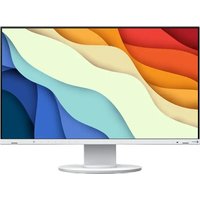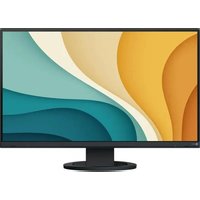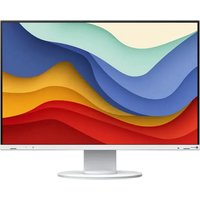
FlexScan EV2451 - Monitor EIZO - Free user manual and instructions
Find the device manual for free FlexScan EV2451 EIZO in PDF.


Frequently Asked Questions - FlexScan EV2451 EIZO
User questions about FlexScan EV2451 EIZO
0 question about this device. Answer the ones you know or ask your own.
Ask a new question about this device
Download the instructions for your Monitor in PDF format for free! Find your manual FlexScan EV2451 - EIZO and take your electronic device back in hand. On this page are published all the documents necessary for the use of your device. FlexScan EV2451 by EIZO.
USER MANUAL FlexScan EV2451 EIZO
natural_image
Pure electrical circuit lines without any symbols
WARNING
RISK OF ELECTRIC SHOCK. DO NOT OPEN.
AVERTISSEMENT
WARNUNG
The equipment must be connected to a grounded main outlet.
natural_image
Line drawing of a laptop connected to a desktop computer monitor (no text or symbols)natural_image
Diagram showing a server tower connected to two computer monitors (no text or symbols present)natural_image
Diagram showing two panels mounted on stands and a close-up of a wall-mounted device with a chimney (no text or symbols)Remarque
text_image
EcoView Settings Auto EcoView [ On ] Advanced Settings EcoView Optimizer 2 [ On ] Power Reduction ** W CO2 Reduction * g Eco Performance Level- Auto EcoView
text_image
Diagram showing a monitor connected to a toolbar with icons for zoom, document, audio, and power functions.2. Réglage/configuration
flowchart
graph LR
    A["User Interface"] --> B["Device Setup"]
    B --> C["Main Display"]
    C --> D["EcoView Settings"]
    D --> E["Advanced Settings (Auto EcoView)"]
    E --> F["Maximum: Brightness: 80"]
    E --> G["Ambient Light: Bright"]
    E --> H["Minimum: Brightness: 20"]
    E --> I["Ambient Light: Dark"]
    E --> J["Reset"]
Remarque
text_image
Diagram illustrating a device adjustment process with an icon and progress bar, showing a monitor setup before and after adjustment.Remarque
text_image
Color (User1) Color Mode [ User1 ] Brightness [ 100 ] Contrast [ 50 ] Temperature [ Off ] Gamma [ 2.2 ] Advanced Settings Resettext_image
Brightness 100 < >text_image
Color (User1) Color Mode [ User1 ] Brightness [ 100 ] Contrast [ 50 ] Temperature [ Off ] Gamma [ 2,2 ] Advanced Settings Reset Advanced Settings (User1) Overdrive [ Standard ] Hue [ 0 ] Saturation [ 0 ] Gaintext_image
Signal (0-SUB) Picture Expansion [ Full Screen ] Sharpeness [ 0 ] Sound Source [ Stereo Mini Jack ] Analog Adjustment Analog Adjustment Auto Screen Adjust Auto Range Adjust Clock [ 2200 ] Phase [ 22 ] Hor. Position Ver. Positiontext_image
Preferences Menu Rotation [ 0° ] Power Save [ On ] Power Indicator [ On ] Monitor Resetnatural_image
Diagram showing a monitor connected to a rectangular object with two wheels, no text or symbols presenttext_image
(1) (2) Clic !natural_image
Diagram of a mechanical component with an arrow indicating direction (no text or symbols)natural_image
Technical line drawing of a mechanical component with internal structure and dashed alignment lines (no text or symbols)natural_image
Diagram showing a device being processed from a circular base to a container, with no visible text or symbols.natural_image
Two technical diagrams labeled A and B showing internal components with no visible text or symbols.natural_image
Technical line drawing of a device with labeled component A, showing front and side views (no text or symbols present)natural_image
Diagram of a mechanical device with a downward arrow indicating force or movement (no text or symbols present)natural_image
Diagram of a mechanical device with wires and a downward arrow indicating force or movement (no text or symbols present)natural_image
Line drawing of a computer monitor with cable and plug, showing an upward arrow (no text or symbols)natural_image
Illustration of a hand using a handheld device to press or install a component, with an upward arrow indicating motion (no text or symbols present)A third-party certification according to ISO 14024

Toward sustainable IT products
natural_image
Illustration of various electronic devices including desktops, laptops, headphones, and monitors (no text or symbols)Say hello to a more sustainable product
IT products are associated with a wide range of sustainability risks throughout their life cycle. Human rights violations are common in the factories. Harmful substances are used both in products and their manufacture. Products can often have a short lifespan because of poor ergonomics, low quality and when they are not able to be repaired or upgraded.
This product is a better choice. It meets all the criteria in TCO Certified, the world's most comprehensive sustainability certification for IT products. Thank you for making a responsible product choice, that help drive progress towards a more sustainable future!
Criteria in TCO Certified have a life-cycle perspective and balance environmental and social responsibility. Conformity is verified by independent and approved verifiers that specialize in IT products, social responsibility or other sustainability issues. Verification is done both before and after the certificate is issued, covering the entire validity period. The process also includes ensuring that corrective actions are implemented in all cases of factory non-conformities. And last but not least, to make sure that the certification and independent verification is accurate, both TCO Certified and the verifiers are reviewed regularly.
Want to know more?
Read information about TCO Certified, full criteria documents, news and updates at tcocertified.com. On the website you'll also find our Product Finder, which presents a complete, searchable listing of certified products.
For U.S.A., Canada Only
FCC Declaration of Conformity
We, the Responsible Party EIZO Inc.
5710 Warland Drive, Cypress, CA 90630
Phone: (562) 431-5011
declare that the product Trade name: EIZO
Model: FlexScan EV2451
is in conformity with Part 15 of the FCC Rules. Operation of this product is subject to the following two conditions: (1) this device may not cause harmful interference, and (2) this device must accept any interference received, including interference that may cause undesired operation.
This equipment has been tested and found to comply with the limits for a Class B digital device, pursuant to Part 15 of the FCC Rules. These limits are designed to provide reasonable protection against harmful interference in a residential installation. This equipment generates, uses, and can radiate radio frequency energy and, if not installed and used in accordance with the instructions, may cause harmful interference to radio communications. However, there is no guarantee that interference will not occur in a particular installation. If this equipment does cause harmful interference to radio or television reception, which can be determined by turning the equipment off and on, the user is encouraged to try to correct the interference by one or more of the following measures.
* Reorient or relocate the receiving antenna.
* Increase the separation between the equipment and receiver.
* Connect the equipment into an outlet on a circuit different from that to which the receiver is connected.
* Consult the dealer or an experienced radio/TV technician for help.
Changes or modifications not expressly approved by the party responsible for compliance could void the user's authority to operate the equipment.
Note
Use the attached specified cable below or EIZO signal cable with this monitor so as to keep interference within the limits of a Class B digital device.
- AC Cord
- Shielded Signal Cable (enclosed)
Canadian Notice
This Class B information technology equipment complies with Canadian ICES-003.
This product, when disposed of, is supposed to be collected and recycled according to your country's legislation to reduce environmental burden. When you dispose of this product, please contact a distributor or an affiliate in your country.
The contact addressees are listed on the EIZO website below.
www.eizoglobal.com
For recycling information for customers in Switzerland, please refer to the following website.
www.swico.ch
For customers in the United States, a free take-back program for the product and packaging materials is available.
Please refer to the following website for details.
www.eizo.com/warranty/recycling