
AAP30 - Battery charger JVC - Free user manual and instructions
Find the device manual for free AAP30 JVC in PDF.
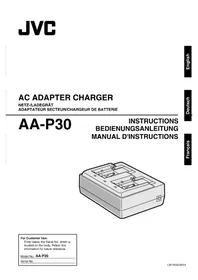



| Product Type | AC Adapter / Battery Charger |
| Brand | JVC |
| Model | AA-P30 |
| Dimensions (W x H x D) | 122 mm x 51 mm x 92 mm |
| Weight (main body) | Approx. 280 g |
| Input Power | AC 110 V to 240 V, 50/60 Hz |
| Power Consumption | 23 W |
| Output Voltage (charge) | DC 7.2 V |
| Output Current (charge) | 1.2 A |
| Output Voltage (camera) | DC 7.2 V |
| Output Current (camera) | 2.3 A |
| Compatible Batteries | BN-V416, BN-V428, BN-V438 (Lithium-ion) |
| Operating Temperature | 0°C to 40°C |
| Ideal Charging Temperature | 20°C to 25°C |
| Charging Time (BN-V416) | Approx. 2 h 10 min (1 battery) / 4 h 20 min (2 batteries in series) |
| Charging Time (BN-V428) | Approx. 3 h 20 min (1 battery) / 6 h 40 min (2 batteries) |
| Charging Time (BN-V438) | Approx. 4 h 20 min (1 battery) / 8 h 40 min (2 batteries) |
| Supplied Accessories | Power cord (approx. 2 m), DC cable (approx. 2 m) |
| Power Cord Length | Approx. 2 m |
| DC Cable Length | Approx. 2 m |
| Safety | Automatic shutdown in case of overvoltage (lightning); do not expose to water; use in a ventilated area with at least 10 cm of free space around |
| Maintenance and Cleaning | Unplug before cleaning; use a dry cloth; do not use solvents |
| General Information | Complies with the European WEEE directive; do not dispose of with household waste |
Frequently Asked Questions - AAP30 JVC
User questions about AAP30 JVC
0 question about this device. Answer the ones you know or ask your own.
Ask a new question about this device
Download the instructions for your Battery charger in PDF format for free! Find your manual AAP30 - JVC and take your electronic device back in hand. On this page are published all the documents necessary for the use of your device. AAP30 by JVC.
USER MANUAL AAP30 JVC
INSTRUCTION MANUAL

For Customer Use:
Enter below the Serial No. which is located on the body. Retain this information for future reference.
Model No.
AA-P30
Serial No.
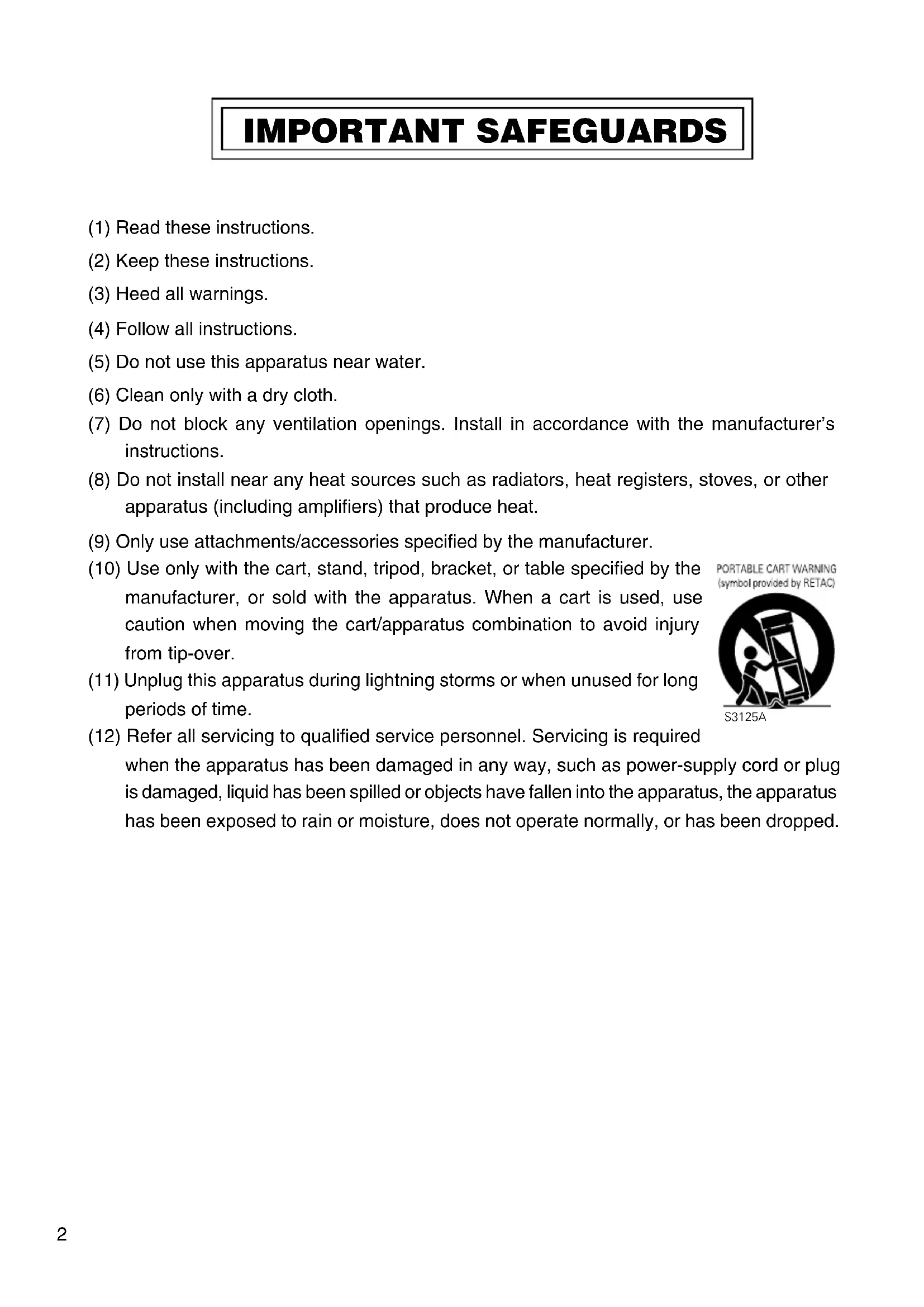
IMPORTANT SAFEGUARDS
(1) Read these instructions. (2) Keep these instructions. (3) Heed all warnings. (4) Follow all instructions.
(5) Do not use this apparatus near water.
(6) Clean only with a dry cloth.
(7) Do not block any ventilation openings. Install in accordance with the manufacturer's instructions.
(8) Do not install near any heat sources such as radiators, heat registers, stoves, or other apparatus (including amplifiers) that produce heat.
(9) Only use attachments/accessories specified by the manufacturer.
(10) Use only with the cart, stand, tripod, bracket, or table specified by the manufacturer, or sold with the apparatus. When a cart is used, use caution when moving the cart/apparatus combination to avoid injury from tip-over.
(11) Unplug this apparatus during lightning storms or when unused for long periods of time.
Refer all servicing to qualified service personnel. Servicing is required when the apparatus has been damaged in any way, such as power-supply cord or plug is damaged, liquid has been spilled or objects have fallen into the apparatus, the apparatus has been exposed to rain or moisture, does not operate normally, or has been dropped.
PORTABLE CART WARNING (symbol provided by RETAC)
S3125A
FOR USA AND CANADA
CAUTION
RISK OF ELECTRIC SHOCK DO NOT OPEN

CAUTION: TO REDUCE THE RISK OF ELECTRIC SHOCK, DO NOT REMOVE COVER (OR BACK). NO USER SERVICEABLE PARTS INSIDE.
REFER SERVICING TO QUALIFIED SERVICE PERSONNEL.
The lightning flash with arrowhead symbol, within an equilateral triangle is intended to alert the user to the presence of uninsulated “dangerous voltage” within the product's enclosure that may be of sufficient magnitude to constitute a risk of electric shock to persons.

The exclamation point within an equilateral triangle is intended to alert the user to the presence of important operating and maintenance (servicing) instructions in the literature accompanying the appliance.
INFORMATION FOR USA
INFORMATION
This equipment has been tested and found to comply with the limits for a Class B digital device, pursuant to Part 15 of the FCC Rules.
These limits are designed to provide reasonable protection against harmful interference in a residential installation. This equipment generates, uses, and can radiate radio frequency energy and, if not installed and used in accordance with the instructions, may cause harmful interference to radio communications. However, there is no guarantee that interference will not occur in a particular installation. If this equipment does cause harmful interference to radio or television reception, which can be determined by turning the equipment off and on, the user is encouraged to try to correct the interference by one or more of the following measures:
● Reorient or relocate the receiving antenna. - Increase the separation between the equipment and receiver. - Connect the equipment into an outlet on a circuit different from that to which the receiver is connected.
- Consult the dealer or an experienced radio/TV technician for help. CAUTION
CHANGES OR MODIFICATIONS NOT APPROVED BY JVC COULD VOID USER'S AUTHORITY TO OPERATE THE EQUIPMENT.
THIS DEVICE COMPLIES WITH PART 15 OF THE FCC RULES. OPERATION IS SUBJECT TO THE FOLLOWING TWO CONDITIONS: (1) THIS DEVICE MAY NOT CAUSE HARMFUL INTERFERENCE, AND (2) THIS DEVICE MUST ACCEPT ANY INTERFERENCE RECEIVED, INCLUDING INTERFERENCE THAT MAY CAUSE UNDESIRED OPERATION.
Information for USA
This device complies with part 15 of the FCC Rules. Changes or modifications not approved by JVC could void the user's authority to operate the equipment.
Due to design modifications, data given in this instruction book are subject to possible change without prior notice.
WARNING:
TO REDUCE THE RISK OF FIRE OR ELECTRIC SHOCK, DO NOT EXPOSE THIS APPLIANCE TO RAIN OR MOISTURE.
AVERTISSEMENT:
TO AVOID THE RISKS OF FIRE OR ELECTRIC SHOCK, DO NOT EXPOSE THE APPARATUS TO MOISTURE OR RAIN.
The apparatus shall not be exposed to dripping or splashing and that no objects filled with liquids, such as vases, shall be placed on the apparatus.
INFORMATION (FOR CANADA)
This Class B digital apparatus complies with Canadian ICES-003.
INFORMATION (FOR CANADA)
Connection of POWER supply
The power for the network pack is supplied through the camera that is connected to the network pack.
Safety Precautions
Thank you for purchasing this product.
(These instructions are for AA-P30U.)
Before beginning to operate this unit, please read the instruction manual carefully in order to make sure that the best possible performance is obtained.
This equipment is in conformity with the provisions and protection requirements of the corresponding European Directives. This equipment is designed for professional video appliances and can be used in the following environments:
●residential area (in houses) or rural area ●commercial and light industry; e.g. offices or theatres - urban outdoors
In order to keep the best performance and furthermore for electromagnetic compatibility we recommend to use cables not exceeding the following length:
| Port Cable Length | |
| DC OUT Exclusive Cable | Approx. 2 meters |
| AC IN Exclusive Cable | Approx. 2 meters |
The inrush current of this apparatus is 16 amperes.
CAUTION
- Where there are strong electromagnetic waves or magnetism, for example near a radio or TV transmitter, transformer, motor, etc., the picture may be disturbed. In such case, please keep the apparatus away from the sources of the disturbance.
- The mains plug shall remain readily operable.
Information for Users on Disposal of Old Equipment
[European Union]
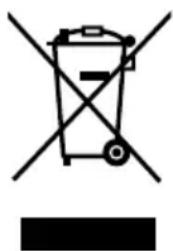
Attention:
This symbol is only valid in the European Union.
This symbol indicates that the electrical and electronic equipment should not be disposed as general household waste at its end-of-life. Instead, the product should be handed over to the applicable collection point for the recycling of electrical and electronic equipment for proper treatment, recovery and recycling in accordance with your national legislation.
By disposing of this product correctly, you will help to conserve natural resources and will help prevent potential negative effects on the environment and human health which could otherwise be caused by inappropriate waste handling of this product. For more information about collection point and recycling of this product, please contact your local municipal office, your household waste disposal service or the shop where you purchased the product.
Penalties may be applicable for incorrect disposal of this waste, in accordance with national legislation.
(Business users)
If you wish to dispose of this product, please visit our web page www.jvc-europe.com to obtain information about the take-back of the product.
[Other Countries outside the European Union]
If you wish to dispose of this product, please do so in accordance with applicable national legislation or other rules in your country for the treatment of old electrical and electronic equipment.
- This unit is an AC Adapter Charger designed exclusively for use with JVC DV camcorders.
- For detailed operations, refer to the instruction manual for your DV camcorder. For the safe use of this equipment, be sure to read this instruction manual, the instruction manuals of any other equipment in use.
- This unit can be used to recharge the BN-V416, BN-V428 or BN-V438 lithium ion battery packs. ●This unit can be used to supply AC power from a wall outlet to the equipment. ●This instruction calls this unit the "AC Adapter/Charger."
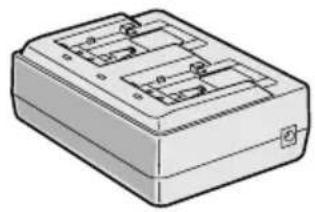
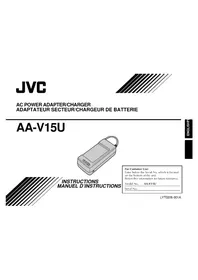
AC Adapter/Charger AA-P30
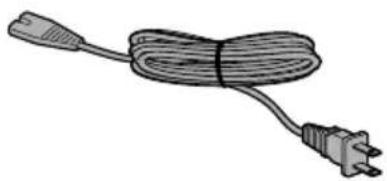
Power cord Length: Approx. 2 m
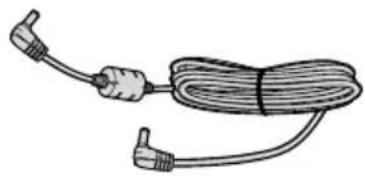
DC cable Length: Approx. 2 m
PRECAUTIONS FOR PROPER USE
When the equipment is installed in a cabinet or on a shelf, make sure that it has sufficient space on all sides to allow for ventilation (10 cm (3-15/16") or more on both sides, on top and at the rear).
Do not block the ventilation holes. (If the ventilation holes are blocked by a newspaper, or cloth etc. the heat may not be able to get out.)
No naked flame sources, such as lighted candles, should be placed on the apparatus.
When discarding batteries, environmental problems must be considered and the local rules or laws governing the disposal of these batteries must be followed strictly.
The apparatus shall not be exposed to dripping or splashing.
Do not use this equipment in a bathroom or places with water. Also do not place any containers filled with water or liquids (such as cosmetics or medicines, flower vases, potted plants, cups etc.) on top of this unit. (If water or liquid is allowed to enter this equipment, fire or electric shock may be caused.)
This unit stops automatically when excessive noise such as lightning is applied. When this happens (when the POWER LED goes out), unplug the power cord, leave it for a minute and then plug it in again. In an environment in which events such as lightning are expected often, use a product such as a surge absorber, which can be plugged into the AC line and may be purchased, separately from a store.
CHARGING THE BATTERY PACK
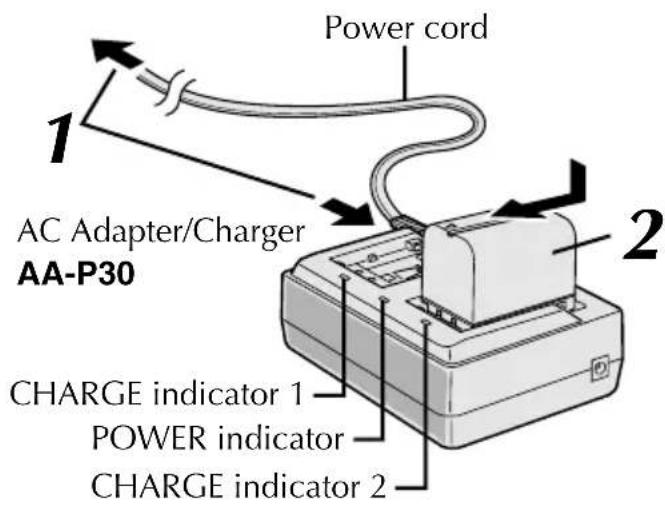
1 Make sure you unplug the DC cable from the AC Adapter/Charger. Connect one end of the power cord to the AC Adapter/Charger and the other end to the wall outlet. The POWER indicator lights.
2 Remove the battery pack's protective cap. Attach the battery pack with the ⊕⊖ mark aligned with the corresponding marks on the AC Adapter/Charger. The CHARGE Indicator begins blinking to indicate charging has started. When two battery packs are attached, they will be recharged in the order that they are attached.
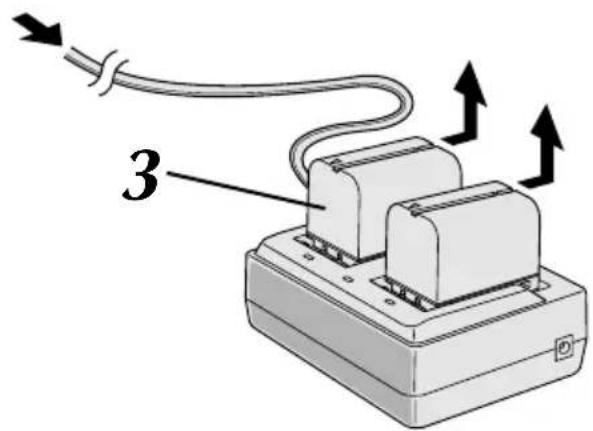
3 When the CHARGE indicator stops blinking but stays lit, charging is finished. Slide the battery and lift off. Remember to unplug the AC Adapter/Charger's power cord from the AC outlet.
MEMO:
- Perform charging where the temperature is between 10°C (50°F) and 35°C (95°F). 20°C (68°F) to 25°C (77°F) is the ideal temperature range for charging. If the environment is too cold, charging may be incomplete.
- When plugging the power cord into an AC Adapter/Charger, push it all the way in until it stops.
* When charged at temperatures between 20°C (68°F) and 25°C (77°F).
- When charging Battery Packs after a long storage period, charging time will be longer than the time indicated above.
SUPPLYING POWER
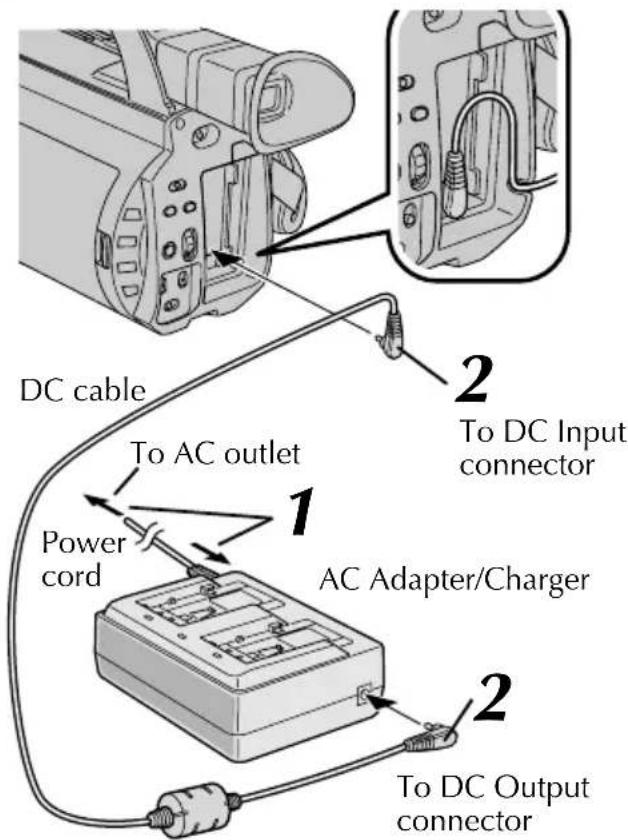
You can connect the camcorder to an AC outlet using the AA-P30 AC Adapter/Charger.
1
Connect one end of the power cord to the AC Adapter/Charger and the other end to the wall outlet.
2
Connect the AC Adapter/Charger to the camcorder.
MEMO:
- Be sure to use the DC cable provided with the AC Adapter/Charger.
- When using the DC cable, make sure to connect the end of the cable with the core filter to the AC Adapter/Charger. The core filter improves the performance of the equipment.
DURING USE ...
● The AC Adapter/Charger AA-P30 is specifically designed to charge the BN-V416, BN-V428 or BN-V438 Battery Packs. It cannot be used to charge a BN-V408. - When charging a brand new Battery Pack, or one that's been in storage for an extended period, the Charging Indicator may not come on. In this case, remove the Battery Pack, then reattach and try charging again. - If you connect the DC cable to the DC Connector while a Battery Pack is being charged, power will be supplied to the camcorder and charging will end incomplete. - Vibration noise can sometimes be heard coming from the inside of the AC Adapter/Charger. This is normal. ● The AC Adapter/Charger processes electricity internally, and will become warm during use. This is normal. Make sure to use the AC Power Adapter/Charger in well-ventilated areas only. - If the battery operation time remains extremely short even after having been fully charged, the battery is worn out and needs to be replaced. Please purchase a new one.
SPECIFICATIONS
| Power | USA and CanadaAC 120 V~, 60 HzEuropean countriesAC 220 V to 240 V~, 50 Hz/60HzOther countriesAC 110 V to 240 V~, 50 Hz/60 Hz | Operating temperature | 0°C to 40°C (32°F to 104°F)[when charging, 10°C to 35°C(50°F to 95°F)] |
| Dimensions | 122 mm (W) x 51 mm (H) x 92 mm (D) | ||
| Mass | Approx. 280 g (Main body only) | ||
| Power consumption | 23 W | Accessories | Power cord : Approx. 2 mDC cable : Approx. 2 mWarranty Card(USA and Canada only) |
| Output power | DC 7.2 V-,2 A (charge)DC 7.2 V-,2.3 A (VTR) |
Safety Instructions
Note:
PRECAUTIONS TO ENSURE CORRECT OPERATION

- INSTRUCTION MANUAL
- IMPORTANT SAFEGUARDS
- FOR USA AND CANADA
- CAUTION
- INFORMATION FOR USA
- INFORMATION
- WARNING
- AVERTISSEMENT
- INFORMATION (FOR CANADA)
- CONNECTION OF POWER SUPPLY
- SAFETY PRECAUTIONS
- INFORMATION FOR USERS ON DISPOSAL OF OLD EQUIPMENT
- [EUROPEAN UNION]
- ATTENTION
- (BUSINESS USERS)
- [OTHER COUNTRIES OUTSIDE THE EUROPEAN UNION]
- PRECAUTIONS FOR PROPER USE
- CHARGING THE BATTERY PACK
- MEMO
- SUPPLYING POWER
- DURING USE
- SPECIFICATIONS
- SAFETY INSTRUCTIONS
- NOTE
- PRECAUTIONS TO ENSURE CORRECT OPERATION
Brand : JVC
Model : AAP30
Category : Battery charger