
AAV15U - Battery charger JVC - Free user manual and instructions
Find the device manual for free AAV15U JVC in PDF.


| Product Type | Battery charger / AC adapter for JVC camcorder |
| Brand | JVC |
| Model | AA-V15U |
| Power Supply | 110–240 V~, 50/60 Hz (automatic selection); 120 V~, 60 Hz for USA and Canada |
| Power Consumption | 23 W |
| Battery Charge Output | DC 8.5 V, 1.3 A |
| Camcorder Output | DC 6.3 V, 1.8 A |
| Charging System | Constant current, peak detection, timer-controlled |
| Dimensions (W x H x D) | 140 x 42 x 68 mm |
| Weight | Approx. 300 g |
| Main Functions | Charges and discharges (Refresh) JVC batteries BN-V12U, BN-V22U, BN-V25U |
| Charge Time (BN-V12U) | Approx. 1 h 10 min |
| Charge Time (BN-V22U) | Approx. 2 h 10 min |
| Charge Time (BN-V25U) | Approx. 2 h 40 min |
| Discharge Time (BN-V12U) | Approx. 3 h 30 min |
| Discharge Time (BN-V22U) | Approx. 7 h |
| Discharge Time (BN-V25U) | Approx. 10 h |
| Charging Temperature Range | 10 °C to 35 °C |
| Operating Temperature Range | 0 °C to 40 °C |
| Storage Temperature Range | -10 °C to 30 °C |
| Digital Class | Class B (complies with FCC Part 15 and Canadian NMB-003) |
| Maintenance and Cleaning | Unplug before cleaning; use a dry cloth; do not allow water or metal objects to enter |
| Repairability and Spare Parts | Do not disassemble; contact an authorized JVC dealer for any repairs |
| Safety Precautions | Do not expose to rain, moisture, shocks, direct sunlight, vibrations, or extreme heat; use only with 120 V~ (US/CA) or 110–240 V~ (other) mains power |
Frequently Asked Questions - AAV15U JVC
User questions about AAV15U JVC
0 question about this device. Answer the ones you know or ask your own.
Ask a new question about this device
Download the instructions for your Battery charger in PDF format for free! Find your manual AAV15U - JVC and take your electronic device back in hand. On this page are published all the documents necessary for the use of your device. AAV15U by JVC.
USER MANUAL AAV15U JVC
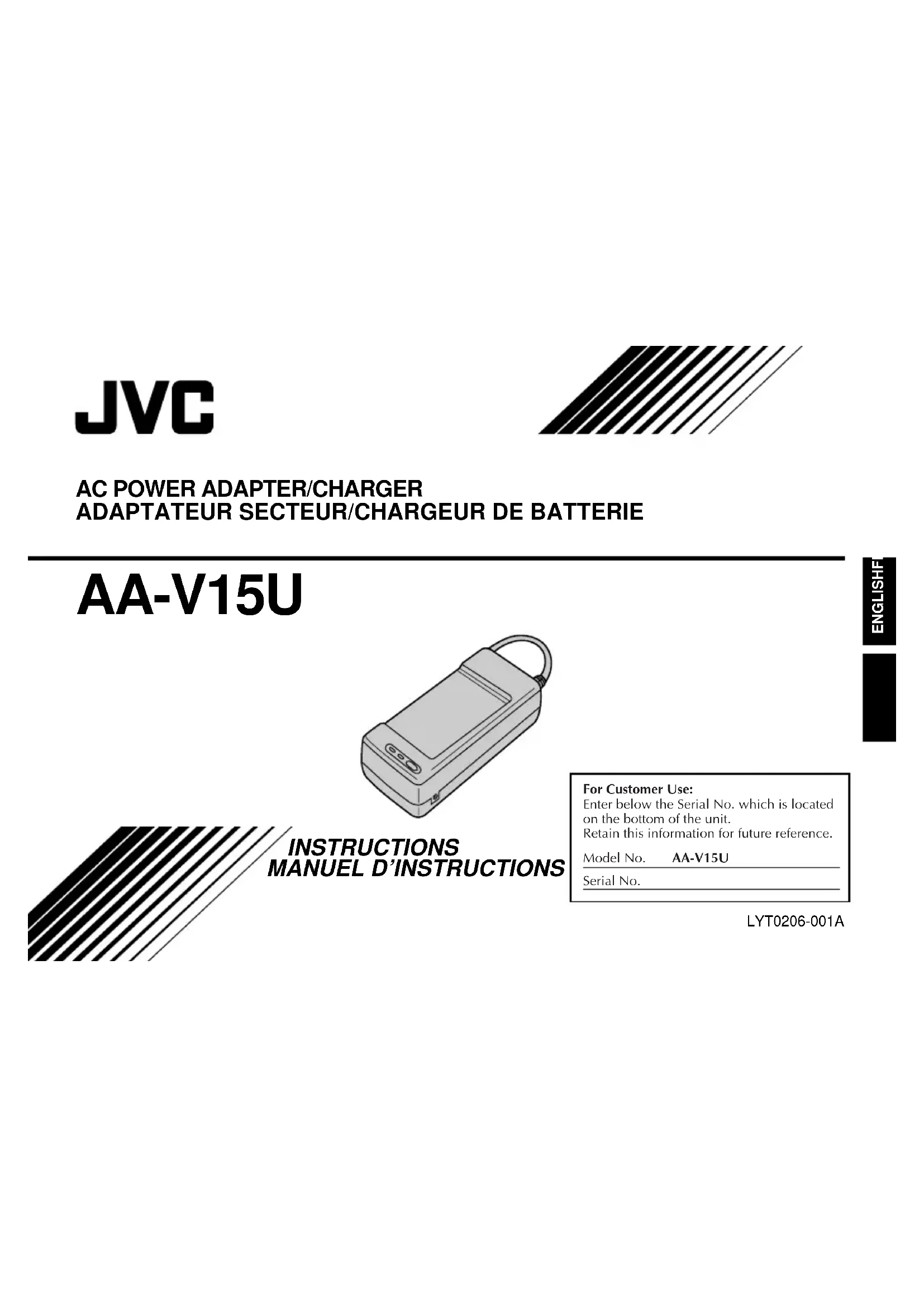
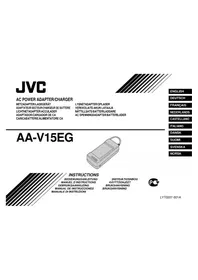
INSTRUCTIONS MANUAL
For Customer Use:
Enter below the Serial No. which is located on the bottom of the unit.
Retain this information for future reference.
Model No. AA-V15U
Serial No.
LYT0206-001A
Thank you for purchasing the JVC AA-V15U AC Power Adapter/Charger. This unit provides DC power for the JVC Video Camera from a household AC outlet. It can be used to recharge or discharge the JVC battery pack for exclusive use with the JVC Video Camera. To avoid problems and obtain the best results, please read this instruction booklet carefully before use.
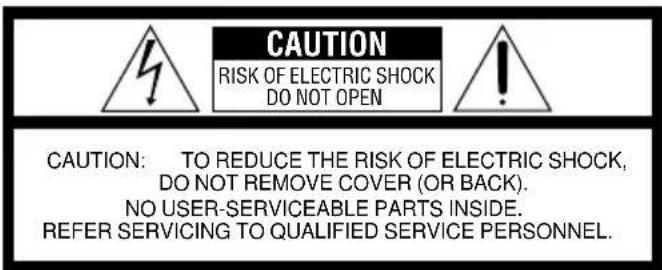
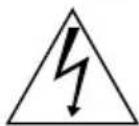
The lightning flash with arrowhead symbol, within an equilateral triangle, is intended to alert the user to the presence of uninsulated "dangerous voltage" within the product's enclosure that may be of sufficient magnitude to constitute a risk of electric shock to persons.
The exclamation point within an equilateral triangle is intended to alert the user to the presence of important operating and maintenance (servicing) instructions in the literature accompanying the appliance.
WARNING:
TO PREVENT FIRE OR SHOCK HAZARD, DO NOT EXPOSE THIS UNIT TO RAIN OR MOISTURE.
This unit should be used with AC 120V~, 60 Hz only in the USA and Canada. In other countries, this unit should be used with AC 110 - 240 V~, 50/60 Hz only.
CAUTION:
To prevent electric shocks and fire hazards, do NOT use any other power source.
NOTE:
The rating plate (serial number plate) is on the bottom of the unit.
CAUTION:
TO PREVENT ELECTRIC SHOCK, MATCH WIDE BLADE OF PLUG TO WIDE SLOT, FULLY INSERT.
This Class B digital apparatus complies with Canadian ICES-003.
If connecting the unit's power cord to an AC wall outlet other than the American National Standard C73 series type, use an AC plug adapter, called a "Siemens Plug", as shown. For this AC plug adapter, consult your nearest JVC dealer.
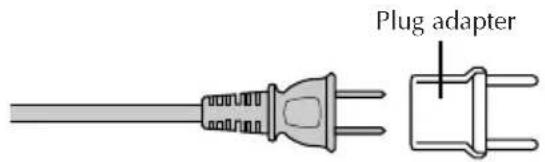
CAUTIONS:
- If used near a radio, this unit may interfere with reception.
- Prevent inflammables, water, and metallic objects from entering the unit.
- Do not disassemble or modify the unit.
- Do not apply shocks to the unit.
- Do not subject the unit to direct sunlight.
- Avoid using the unit in extremely hot or humid places.
- Avoid using the unit in places subject to vibrations.
A WORD ON THE EXCLUSIVE BATTERY PACKS
The battery packs are nickel-cadmium batteries and nickel-metal hydride batteries.
Give attention to the following to make the most of their characteristics.
For charging: 10°C to 35°C (50°F - 95°F)
For operating: 0°C to 40°C (32°F - 104°F)
For storing: -10°C to 30°C (14°F to 86°F)
CHARGING THE BATTERY PACK
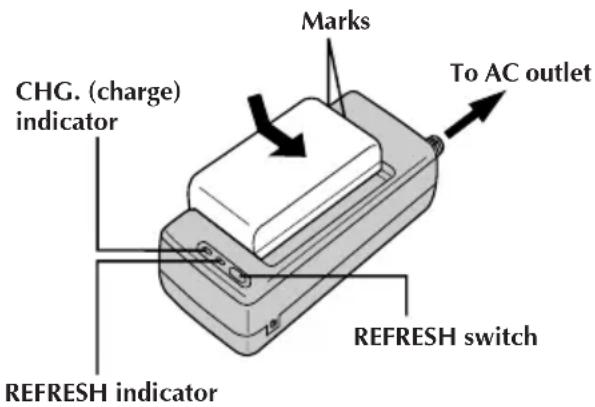
REFRESH
The AC power adapter features a REFRESH function that allows you to fully discharge the battery pack before recharging. Perform the REFRESH function after no less than 5 chargings.
To discharge the battery...
..... attach the battery pack to the adapter as shown in the above illustration. Then push REFRESH. The REFRESH indicator lights when discharging starts, and goes out when discharging is complete.
SUPPLY POWER
1 Connect the charger's AC power cord to a wall outlet.
ATTACH BATTERY PACK
2 Align the marks and slide the battery pack in the direction of the arrow until it locks in place.
• The CHG. indicator begins blinking to indicate charging has started.
DETACH BATTERY PACK
3 When the CHG. indicator stops blinking but stays lit, charging is finished. Slide the battery pack opposite the direction of the arrow.
| BATT. PACK | CHARGE | DISCHARGE |
| BN-V12U | approx. 1 hr. 10 min. | approx. 3 hrs. 30 min. |
| BN-V22U | approx. 2 hrs. 10 min. | approx. 7 hrs. |
| BN-V25U | approx. 2 hrs. 40 min. | approx. 10 hrs. |
NOTES:
- The recording time per charge is affected by such factors as the time spent in Record-Standby mode and the frequency of zooming. It is safer to have spare battery packs.
- Charging times are for fully discharged battery pack, and discharging times are for fully charged battery pack. ● Charging and discharging times vary according to the ambient temperature and the status of the battery pack.
- Remember to set the charge marker after charging a battery pack or after detaching a discharged one from your camcorder.
- High temperatures can damage the battery pack, so use only where good ventilation is available. Don't allow it to discharge in a container, such as a bag.
- If you stop recharging or discharging part way through, make sure to remove the battery pack before unplugging the adapter's AC cord.
- Remove the battery pack from the adapter immediately after discharging.
- To avoid interference with reception, do not use the AC Power Adapter/Charger near a radio.
- Make sure you unplug the DC cord before charging or discharging the battery pack.
- The CHG. indicator may not light properly with a brand new battery pack, or with one that's been stored for an extended period. In this case, remove and reattach the battery pack and recharge it. The CHG. indicator should blink during recharging. If not, contact your nearest JVC dealer.
- Perform the REFRESH function after no less than 5 charging.
- While the AC Power Adapter/Charger's power cord is disconnected from the AC outlet, it is possible to discharge the battery by pressing the REFRESH switch. During that time, the AC Power Adapter/Charger does not charge the battery. When discharging is complete, detach the battery from the AC Power Adapter/Charger to store it.
EN-5
USING AC POWER
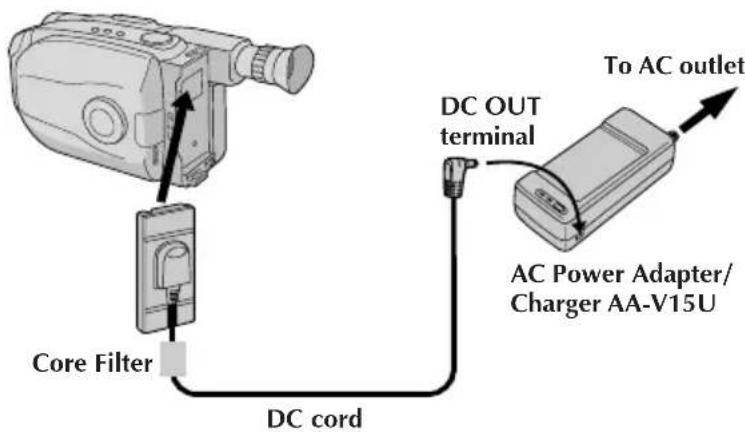
Use the AC Power Adapter (connect as shown in the illustration).
NOTE:
The supplied AC Power Adapter/Charger features automatic voltage selection in the AC range from 110 V to 240 V.
INFORMATION
This device complies with Part 15 of FCC Rules. Operation is subject to the following two conditions: (1) This device may not cause harmful interference, and (2) this device must accept any interference received, including interference that may cause undesired operation. Changes or modifications not approved by the party responsible for compliance could void the user's authority to operate the equipment. This equipment has been tested and found to comply with the limits for a Class B digital device, pursuant to Part 15 of the FCC Rules. These limits are designed to provide reasonable protection against harmful interference in a residential installation. This equipment generates, uses, and can radiate radio frequency energy and, if not installed and used in accordance with the instructions, may cause harmful interference to radio communications. However, there is no guarantee that interference will not occur in a particular installation. If this equipment does cause harmful interference to radio or television reception, which can be determined by turning the equipment off and on, the user is encouraged to try to correct the interference by one or more of the following measures:
Reorient or relocate the receiving antenna. Increase the separation between the equipment and receiver.
Connect the equipment into an outlet on a circuit different from that to which the receiver is connected. Consult the dealer or an experienced radio/TV technician for help.
SPECIFICATION
Power requirement
U.S.A. and Canada : AC 120 V~, 60 Hz
Other countries : AC 110 V to 240 V~, 50/60 Hz
Power consumption : 23 W
Output
Charge : DC 8.5 V , 1.3 A ---
VTR: DC 6.3 V, 1.8 A
Charging system: Constant current,
peak detection, timer controlled
Dimensions: 140 (W) x 42 (H)
x 68 (D) mm (5-9/16"
× 1-11/16" × 2-11/16")
Weight: Approx. 300 g (0.71 lbs)
WARNING: TO PREVENT ELECTRIC SHOCK, DO NOT OPEN THE CABINET. NO USER-SERVICEABLE PARTS INSIDE. REFER SERVICING TO QUALIFIED PERSONNEL.
JVC VICTOR COMPANY OF JAPAN, LIMITED
COPYRIGHT© 1998 VICTOR COMPANY OF JAPAN, LTD.


Printed in Japan 0598AYV*YP*YP


Brand : JVC
Model : AAV15U
Category : Battery charger