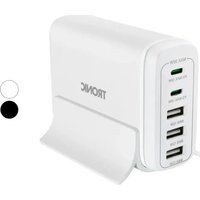
TUL 4.1 A1 - Battery charger TRONIC - Free user manual and instructions
Find the device manual for free TUL 4.1 A1 TRONIC in PDF.



User questions about TUL 4.1 A1 TRONIC
0 question about this device. Answer the ones you know or ask your own.
Ask a new question about this device
Download the instructions for your Battery charger in PDF format for free! Find your manual TUL 4.1 A1 - TRONIC and take your electronic device back in hand. On this page are published all the documents necessary for the use of your device. TUL 4.1 A1 by TRONIC.
USER MANUAL TUL 4.1 A1 TRONIC
Specifications techniques
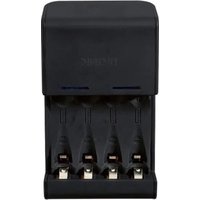
Chargeur universal
Dimensions (L× H× P) : environ 76× 45× 123mm
Introduction 49
Intended Use 49
Package contents 50
Technical specifications 50
Safety instructions 51
Overview. 54
Getting started 55
Charging NiMH batteries 55
Charging Li-Ion batteries 56
Charging a USB device. 58
Using as mobile power source 59
Maintenance/cleaning 59
Environmental regulations and disposal information. 60
Conformity Notes 60
Warranty and service information 61
Introduction
Thank you for purchasing this universal charger TRONIC TUL 4.1 A1. This universal charger lets you recharge your NiMH and Li-Ion batteries. The charger also features a USB port that allows you to recharge devices with a USB charging socket. In addition, the universal charger can be used as a mobile power source.
Intended Use
The universal charger is intended to be used exclusively to charge Li-Ion / NiMH batteries and devices with a USB charging socket. It can also be used to charge AA and AAA NiMH batteries. Any use other than that mentioned above does not correspond to the intended use.
The manufacturer accepts no liability if:
- the universal charger is not used in accordance with the intended use;
- the universal charger is operated when damaged, incomplete or modified;
- devices are connected which cannot be charged via USB. Check the documentation for the device you wish to connect.
The universal charger may only be used for private purposes, not for industrial or commercial ones. The universal charger also may not be used outdoors or in tropical climates. This universal charger fulfils norms and standards relating to CE Conformity. Any modifications to the universal charger other than recommended changes by the manufacturer may result in these standards no longer being met.
Observe the regulations and laws in the country of use.
Package contents
Universal charger TRONIC TUL 4.1 A1
- TYTM1200070EU wall plug power adapter
- Car adapter
- 2 × AAA to AA adapters
These operating instructions
If you find any items missing or damaged, please phone our hotline. You will find the phone number in the last chapter, "Warranty and Service Information".
Technical specifications
Universal charger
Dimensions (W× H× D) :approx. 76× 45× 123mm
Weight: approx. 122 g
Input voltage: 12V - 13,8V
Input current: 700mA
Charging current: 1500mA max. (USB)
NiMH AA (2500mAh max.) 680mA
NiMH AAA (1000mAh max.) 680mA
Li-Ion (3,6V/3,7V-1700mAh max.) 450mA
Li-Ion (7,2V/7,4V-1500mAh max.) 550mA
Operating temperature: +5^ C to +35^ C
Operating Humidity: < 85% RH
TYTM1200070EU wall plug power adapter
Input voltage: 100-240V
Frequency: 50/60Hz
Nominal current: 0.3A
Output voltage: 12V
Output current: 0.7A
Degree of protection: II
Safety instructions
Before you use this device for the first time, please read the following notes in this manual and heed all warnings, even if you are familiar with handling electronic devices. Keep this manual in a safe place for future reference. If you sell the universal charger or pass it on, it is essential that you also hand over this manual.



This symbol denotes important information for the safe operation of the product and user safety.
This symbol denotes further information on the topic.
General safety instructions
- This universal charger is not destined for use by persons (including children) with reduced physical, sensory or mental capabilities and/or who have no experience in, or knowledge of, using this appliance: for their own safety they should be supervised by a competent person or given instructions on how to use the appliance. Children should be supervised to ensure that they do not play with the appliance.
- Small parts can represent choking hazards. Note too that there is a risk of suffocation if airways are blocked by the packaging film.
- If you notice smoke or unusual noises or smells, disconnect all cables immediately. If this occurs, the device should no longer be used and should be inspected by an expert. Never inhale smoke from a possible device fire. If you do inadvertently inhale smoke, seek medical attention. Smoke inhalation can be damaging to your health.

Operating environment/environmental conditions
- Position the device on a stable, flat surface and do not place any heavy objects on the device.
- Keep the universal charger away from moisture. Do not place any recipients containing liquids (drinks, vases, etc.) next to or on the device. Avoid vibrations, heat and direct sunlight as these could damage the universal charger.
- The universal charger is not designed for use in environments with high temperatures or humidity (e.g. bathrooms) or those with above-average levels of dust. Operating temperature and operating humidity: 5^ to 35^ , max. 85% RH.
- If the universal charger is exposed to wide temperature fluctuations, condensation can form and create moisture, which can, in turn, cause a short circuit. If this occurs, use the universal charger only after it has reached the ambient temperature.
- Make sure that no fire hazards (e.g. burning candles) are placed on or near the device.

Cables
- Never hold the power cord with wet hands as this could cause a short circuit or electric shock.
-
Never place the device, heavy objects or furniture on the cable and make sure that the cord does not become trapped, especially near the plug or sockets. Never tie knots in a cable and do not tie it together with other cables. All cables should be laid so that nobody can trip over them or be obstructed by them.
-
To disconnect a cable, hold the universal charger and pull on the plug, not the cable.
- A damaged power cord can cause fire or an electric shock. Check the power cord from time to time. Never use adapter plugs or extension cables that do not comply with the current safety regulations in your country, and do not modify the wall plug power adapter or the power cord yourself!

Power supply
The device consumes electricity in standby mode. In order to completely disconnect the device from the mains, the built-in wall plug power adapter must be disconnected from the wall outlet. For this reason, the device should be positioned in so as to assure direct and unobstructed access to the wall outlet so that the built-in wall plug power adapter can be pulled out immediately in an emergency. To avoid the risk of fire, if the integrated wall plug power adapter is not going to be used for a while (e.g. during holidays) it should always be disconnected from the mains. If there is the risk of a thunderstorm or lightning, disconnect the device from the power supply.
Use only the TYTM1200070EU wall plug power adapter supplied and the supplied car adapter to avoid overheating, deformation of housing, fire, electric shock, explosions and other dangers. Never connect the wall plug power adapter or the car adapter to other devices.
Overview
These operating instructions have a fold-out cover. On the inside of the cover is a diagram of the universal charger with components numbered. The meanings of the numbers are as follows:
1 NiMH battery compartment
2 Revive AA/AAA (to restore AA/AAA batteries)
3 Power LED
4 LED for Li-Ion batteries
5 Charging LED for NiMH batteries
6 Charging LED for Li-Ion batteries
7 USB LED
8 USB port
9 Battery holder
10 Connection socket (for wall plug power adapter or car adapter)
1.1 Fixing rail for Li-iron batteries
12 Fixing rail unlock for Li-lon batteries
13 Revive Li-Ion (to restore Li-Ion batteries)
14 Charging contact rail unlock for Li-lon batteries
15 Battery holder unlock
16 Charging contact rail for Li-lon batteries
17 Charging contacts for Li-lon batteries
18 Li- ion battery compartment
Getting started
Charging NiMH batteries

Do not use non-rechargeable batteries. There is risk of explosion if you do!
- Open the battery holder [9] by pressing the battery holder unlock [15] on both sides.
- Remove the cover of the NiMH battery compartment [1].

When recharging AAA NiMH batteries, you will need the AAA to AA adapter supplied. Insert the AAA NiMH batteries with the positive (+) pole facing forward into the AAA to AA adapter.
- Insert two equal-type AA or AAA (with the AAA to AA adapter) NiMH batteries into the NiMH battery compartment [1], respecting the polarity (note the + and - symbols).
- The NiMH charge LED [5] lights red. If the NiMH batteries are properly detected, the NiMH charge LED [5] will start flashing red after a few seconds. If the NiMH charge LED [5] does not flash red, double-check the NiMH batteries are properly inserted.
- Close the battery holder [9] until it clicks into place.

When using the car adapter, make sure that your vehicle has a 12V battery. Never connect the car adapter to a 24V battery.
- Insert the small connector from the wall plug power adapter or car adapter into the socket [10].
-
Then, plug the wall plug power adapter into an easily accessible mains outlet or connect the car adapter to a suitable car power outlet. The Power LED [3] goes green. While charging, the NiMH charge LED [5] goes red.
-
Charging is complete when the NiMH charge LED [5] goes green. Then unplug the wall plug power adapter from the mains outlet or the car adapter from the on-board power outlet.
- Open the battery holder [9] by pressing the battery holder unlock [15] on both sides and remove the NiMH batteries.

If the NiMH batteries do not charge, you can try to restore them by using the Revive function. Proceed as follows:
- Insert two NiMH batteries of the same type and use the universal charger as described above.
- Press the Revive AA/AAA button [2] for 2 or 3 seconds.
- The NiMH charge LED [5] goes red during the charging process. When charging is complete, the NiMH charge LED [5] goes green.
If the charging process fails to start, the NiMH batteries are faulty. In this case, use new NiMH batteries.
- Unplug the universal charger from the mains and remove the NiMH batteries as described above.
Charging Li-lon batteries

You must only charge Li-1on with a voltage of 3.6V / 3.7V (one cell) and 7.2V / 7.4V (two cells). So before you start, double-check the voltage of the Li-1on battery you want to charge.
- Open the battery holder [9] by pressing the battery holder unlock [15] on both sides.
- Replace the cover of the NiMH battery compartment [1] if you had removed it.
-
Depending on the Li-lon battery, align the Li-lon battery contact rail [16] to the side or to the top, by pressing the charging contacts rail unlock [14] on both sides.
-
Align the charging contacts for Li-lon batteries [17] to the position of the positive (+) and negative (-) battery poles by adjusting the charging contacts for Li-lon batteries [17]. The polarity and voltage of Li-lon batteries are detected automatically.

Make sure that the charging contacts for Li-1on batteries [17] match the position of the positive (+) and negative (-) battery poles. If the charging contacts for Li-1on batteries [17] do not match the correct position, the Li-1on battery could get damaged!
- Insert the Li-lon battery into the Li-lon battery compartment [18] with the charging contacts facing the charging contacts for Li-lon batteries [17].
- Next, slide the fixing rail for Li-lon batteries [11] onto the Li-lon battery by pressing the fixing rail unlock for Li-lon batteries [12] on both sides.
- If the Li-lon is detected properly, the LED for Li-lon batteries [4] goes blue. If the charging LED for Li-lon batteries [4] does not go blue, double-check the position of the charging contacts for Li-lon batteries [17].
- Close the battery holder [9] until it clicks into place.

When using the car adapter, make sure that your vehicle has a 12 V battery. Never connect the car adapter to a 24 V battery.
- Insert the small connector from the wall plug power adapter or the car adapter into the socket [10].
- Next, plug the wall plug power adapter into an easily accessible mains outlet or connect the car adapter to a suitable car power outlet. The Power LED [3] now goes green. While charging, the Charging LED for Li-lon batteries [6] goes red.
- Charging complete when the Li-lon charge LED [6] goes green. Then, unplug the wall plug power adapter from the mains outlet or the car adapter from the power outlet.
-
Open the battery holder [9] by pressing the battery holder unlock [15] on both sides.
-
Next, slide the fixing rail for Li-Ion batteries [11] away from the Li-Ion battery by pressing the fixing rail unlock for Li-Ion batteries [12] on both sides.
- Then remove the Li-lon battery.

If the Li-Ion battery does not charge, you may try to recover it by using the Revive function. Proceed as follows:
- Insert the Li-Ion battery and use the universal charger as described above.
- Press the Revive Li-Ion button [13] for 2 or 3 seconds.
- The Li-lon charge LED [6] goes red during the charging process. Once charging is finished, the Li-lon charge LED [6] lights green.
If the charging process fails to start, the Li-ON battery is faulty. Use a new Li-ON battery.
- Unplug the universal charger from the mains and remove the Li-Ion battery as described above.
Charging a USB device
- Insert the USB cable of the device you wish to charge into the USB port [8].
- Insert the small connector from the wall plug power adapter or the car adapter into the socket [10].
- Next plug the wall plug power adapter into an easily accessible mains outlet or connect the car adapter to a suitable car power outlet. Now the Power LED [3] lights green. During charging the USB LED [7] goes blue.
- The charging process is completed when the USB LED [7] goes out. Then unplug the wall plug power adapter from the mains outlet or the car adapter from the power outlet.
- Now unplug the USB cable of your USB device.

It is possible to recharge batteries (NiMH or Li-lon) and a USB device at the same time.
Using as mobile power source
You can use your universal charger as a mobile power source. Proceed as follows:
- Insert a charged Li-lon battery or two charged NiMH batteries of the same type, as described in "Charging NiMH batteries" or in "Charging Li-lon batteries".

Instead of NiMH batteries you can also use new conventional (non-rechargeable) batteries. When using NiMH batteries or conventional batteries the NiMH charge LED [5] flashes red, when using a Li-Ion the Li-Ion LED [4] goes blue once the batteries are inserted properly.
- Insert the USB cable of the device you want to charge into the USB port [8].
- The USB LED [7] goes blue during charging.
- When the USB LED [7] goes out, the charging process is completed or the inserted batteries (Li-Ion or NiMH) are exhausted.
- If the USB device you wanted to recharge did not recharge fully because the batteries inserted (Li-Ion or NiMH) are exhausted, you can replace the exhausted batteries with charged batteries and continue charging the USB device. To finish the charging process, unplug the USB cable from your USB device.
Maintenance/cleaning

Unplug all cables from your universal charger and remove all batteries inserted before cleaning the universal charger. Otherwise the universal charger can be seriously damaged by a short-circuit.
The device does not contain any parts that require user maintenance. To avoid any risks, never open the case of the universal charger, the wall plug power adapter or the car adapter. Make sure that the components do not get dirty. To clean the universal charger, use a dry cloth. Never use any solvents or cleaners
that may damage the plastic housing. For more stubborn dirt, use a slightly damp cloth.
Environmental regulations and disposal information

Devices marked with this symbol are subject to European Directive 2002/96/EC. All electrical and electronic devices must be disposed of separately from household waste at official disposal centres. Proper disposal of old devices prevents damage to the environment or your health. For further information about proper disposal, contact your local council, recycling centre or the shop where you bought the device.
Respect the environment. Old rechargeable batteries must not be disposed of with domestic waste. They must be handed in at a collection point for waste batteries. Please note that batteries must be disposed of fully discharged at appropriate collection points for old batteries. If disposing of batteries which are not fully discharged, take precautions to prevent short circuits.
Dispose of all packaging in an environmentally-friendly manner. Boxes can be recycled with waste paper collections or handed in at public collection points. Foil and plastics included in the original packaging can be disposed of via your local waste disposal company in an environmentally-friendly way.
Conformity Notes

This device complies with the basic requirements of the EMC Directive 2004/108/EC, the Low-voltage Directive 2006/95/EC and the RoHS II Directive 2011/65/EU. The corresponding Declaration of Conformity can be found at the end of this User Manual.
Warranty and service information
Warranty of TARGA GmbH
This device is sold with three years warranty from the date of purchase. Please keep the original receipt in a safe place as proof of purchase. Before using your product for the first time, please read the enclosed documentation or online help. Should any problems arise which cannot be solved in this way, please call our hotline. Please have the article number and, if available, the serial number to hand for all enquiries. If it is not possible to solve the problem on the phone, our hotline support staff will initiate further servicing procedures depending on the fault. Within the warranty period the product will be repaired or replaced free of charge as we deem appropriate. No new warranty period commences if the product is repaired or replaced. Consumables such as batteries, rechargeable batteries and lamps are not covered by the warranty.
Your statutory rights towards the seller are not affected or restricted by this warranty.
Service

Phone: 0207-3650744
E-Mail: service.GB@targa-online.com

Phone: 01-2421583
E-Mail: service.IE@targa-online.com

Phone: 800-62175
E-Mail: service.MT@targa-online.com

Phone: 800-92496
E-Mail: service.CY@targa-online.com
IAN:78218

Manufacturer
TARGA GmbH
Coesterweg 45
59494 Soest
Germany
CE
EC-Declaration of Conformity
Address:
Targa GmbH
Coesterweg 45
59494 Soest, Germany
Product:
Universal Charger
Model:
TRONIC TUL 4.1 A1
Identification number:
IAN78218
The product complies with the requirements of the following European directives:
2004/108/EC
Electromagnetic Compatibility
2006/95/EC
Low Voltage
2009/125/EC
Energy Related Products
2011/65/EU
Restriction of the use of certain hazardous substances in electrical and electronic equipment
Compliance was proved by the application of the following standards:
EMC:
EN55014-1:2006+A2:2011
Soest, 28^th January 2013
Matthias Klauke, Managing Director