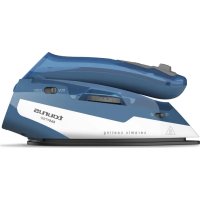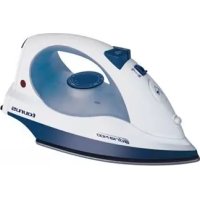
Adria 1400 - Iron TAURUS - Free user manual and instructions
Find the device manual for free Adria 1400 TAURUS in PDF.

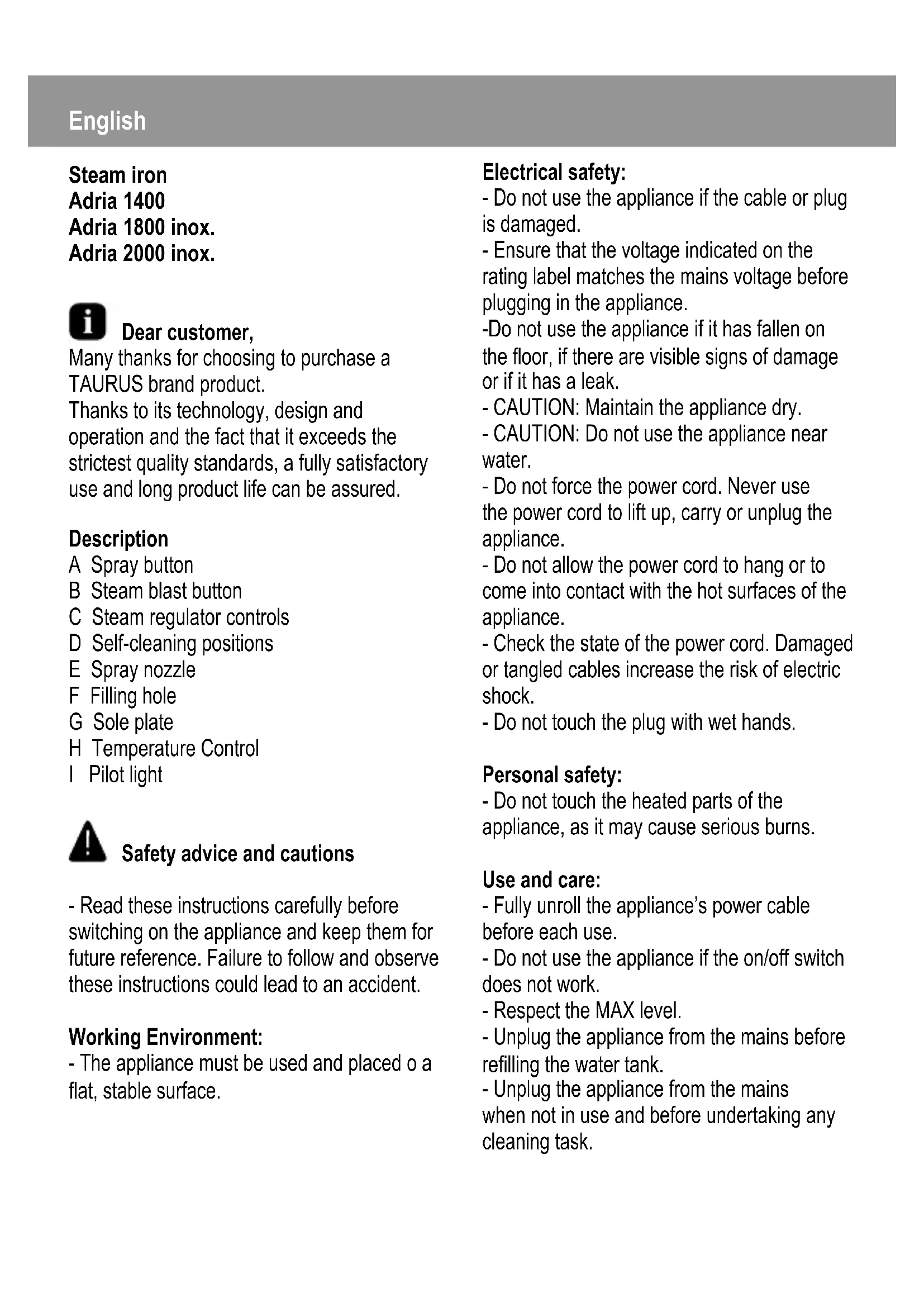


| Product type | Steam iron |
| Brand | Taurus |
| Model | Adria 1400 |
| Power supply | 230 V ~ 50 Hz |
| Nominal power | 1400 W |
| Water tank capacity | 250 ml |
| Adjustable temperature | Yes, with thermostat (positions Min, •, ••, •••, Max) |
| Ironing types | Dry, steam, vertical |
| Spray function | Yes, to moisten the fabric |
| Steam boost function | Yes, extra steam for stubborn creases |
| Self-cleaning function | Yes, limescale removal |
| Soleplate | Aluminum |
| Weight | 1.2 kg |
| Dimensions (L x W x H) | 30 x 12 x 15 cm |
| Cable length | 2 m (estimate) |
| Tank material | Transparent plastic |
| Maintenance | Clean with a damp cloth; use the self-cleaning function monthly |
| Safety | Do not immerse in water; use on a stable surface |
Frequently Asked Questions - Adria 1400 TAURUS
User questions about Adria 1400 TAURUS
0 question about this device. Answer the ones you know or ask your own.
Ask a new question about this device
Download the instructions for your Iron in PDF format for free! Find your manual Adria 1400 - TAURUS and take your electronic device back in hand. On this page are published all the documents necessary for the use of your device. Adria 1400 by TAURUS.
USER MANUAL Adria 1400 TAURUS
natural_image
Line drawing of three different iron iron holders with metal fasteners and screws (no text or symbols)Plancha a vapor
Planxa a vapor
Steam iron
text_image
Technical diagram of a steam iron with labeled parts A through H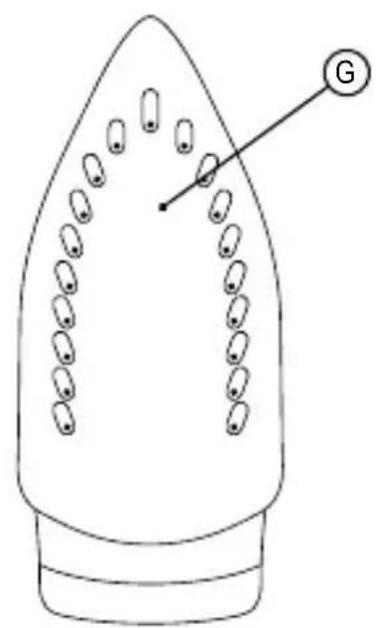
text_image
G
natural_image
Line drawing of a hand using a power iron to press or install a machine, labeled 'Fig.1' (no text on diagram)Plancha de vapor
Adria 1400
Adria 1800 inox.
Adria 2000 inox.

natural_image
Symbol of a trash bin crossed with a diagonal line and a horizontal bar below (no text or labels)natural_image
Symbol of a trash bin crossed with a diagonal line and a horizontal bar below (no text or labels)Many thanks for choosing to purchase a TAURUS brand product.
Thanks to its technology, design and operation and the fact that it exceeds the strictest quality standards, a fully satisfactory use and long product life can be assured.
Description
A Spray button
B Steam blast button
C Steam regulator controls
D Self-cleaning positions
E Spray nozzle
F Filling hole
G Sole plate
H Temperature Control
I Pilot light

Safety advice and cautions
- Read these instructions carefully before switching on the appliance and keep them for future reference. Failure to follow and observe these instructions could lead to an accident.
Working Environment:
- The appliance must be used and placed o a flat, stable surface.
Electrical safety:
- Do not use the appliance if the cable or plug is damaged.
- Ensure that the voltage indicated on the rating label matches the mains voltage before plugging in the appliance.
-Do not use the appliance if it has fallen on the floor, if there are visible signs of damage or if it has a leak. - CAUTION: Maintain the appliance dry.
- CAUTION: Do not use the appliance near water.
- Do not force the power cord. Never use the power cord to lift up, carry or unplug the appliance.
- Do not allow the power cord to hang or to come into contact with the hot surfaces of the appliance.
- Check the state of the power cord. Damaged or tangled cables increase the risk of electric shock.
- Do not touch the plug with wet hands.
Personal safety:
- Do not touch the heated parts of the appliance, as it may cause serious burns.
Use and care:
- Fully unroll the appliance's power cable before each use.
- Do not use the appliance if the on/off switch does not work.
- Respect the MAX level.
- Unplug the appliance from the mains before refilling the water tank.
-
Unplug the appliance from the mains when not in use and before undertaking any cleaning task.
-
This appliance is for household use only, not professional or industrial use.
- This appliance is not a toy. Children should be supervised to ensure that they do not play with the appliance.
- This appliance is intended for adult use. Ensure that this product is not used by the disabled, children or people unused to its handling.
- This appliance should be stored out of reach of children and/or the disabled.
- Do not store or transport the appliance if it is still hot.
- Keep the appliance in good condition. Check that the moving parts are not misaligned or jammed and make sure there are no broken parts or anomalies that may prevent the appliance from operating correctly.
- The use of distilled water is recommended.
- Never leave the appliance unattended while in use.
- Never leave the appliance connected and unattended if is not in use. This saves energy and prolongs the life of the appliance.
- Turn the thermostat control to the minimum (MIN) setting. This does not mean that the iron is switched off permanently.

structions for use
- Ensure that the selected tension on the voltage selector coincides with the tension of the mains.
Filling with water:
- You must fill the water compartment before turning on the appliance.
- It is essential to have filled the deposit with water to be able to work with steam.
- Fill the water deposit through the filling hole (fig.1)
- Close water inlet lid.
Use:
- Unroll the cable completely before plugging it in.
- Connect the appliance to the mains.
- Turn the appliance on, by using the selection knob.
-The pilot light comes on. - Select the desired temperature.
- Turn the thermostat control to the desired temperature position.
- Do not use temperatures higher than those indicated on the garments to be treated.
- Temperature for synthetic fibres (Polyester, Nylon...).
●● Temperature for silk and wool.
●●● Temperature for cotton.
(Minimum temperature for steam ironing) Max Temperature for linen.
- If garment has various kinds of fibres, select the temperature for the fibre that requires the lowest temperature. (For example, select the temperature for polyester for an article made out of 60% polyester and 40% cotton).
Dry ironing:
- The appliance has a steam flow regulator that permits dry ironing (without steam) when placed in the ● position.
Steam Ironing:
- It is possible to iron with steam whenever the deposit is filled with water and the
adequate temperature is selected.
Spray:
- The spray can be used in both steam and dry ironing.
- Press the spray button to use this operation.
- The spray button has to be pressed repeatedly to release the first spray.
Steam blast:
- This function proportions extra steam for eliminating wrinkles.
- Press the steam blast button. Wait a few seconds until vapour penetrates the fibres of the garment before pushing the button again. For optimum steam quality, do not apply more than three successive blasts.
- The steam blast button has to be pressed repeatedly to release the first shot.
Vertical steaming:
It is possible to iron hanging curtains, items of clothing on his hanger, etc. To do so, follow the instructions:
- Select the maximum temperature of the iron, while turning the temperature regulator of the iron in a clockwise direction.
- Move the iron in a top to bottom direction while pressing the steam control. Important: for cotton and linen, its recommended to put the iron base in contact with the material. For other more delicated fibres, it's recommended to keep the iron base at some centimetres of distance.
Once you have finished using the appliance:
- Select the minimum position (MIN) using the thermostat control.
- Remove the water from the water tank.

Cleaning
- Disconnect the appliance from the mains and allow it to cool before undertaking any cleaning task.
- Clean the electrical equipment and the mains connection with a damp cloth and dry. DO NOT IMMERSE IN WATER OR ANY OTHER LIQUID.
- Do not use solvents, or products with an acid or base pH such as bleach, or abrasive products, for cleaning the appliance.
- Never submerge the appliance in water or any other liquid or place it under running water.
- If the appliance is not in good condition of cleanliness, its surface may degrade and inexorably affect the duration of the appliance's useful life and could become unsafe to use.
Self-cleaning function:
- It is important to self-clean the appliance at least once a month to remove calcium and any other built-up minerals inside the iron.
- Fill the depository to its maximum level, as indicated on "water fill" section
- Place the iron in the vertical position, plug into the mains and select the maximum temperature.
- Leave the appliance to heat up until the pilot light indicates that it has reached its consigned temperature.
- Press the self-clean button, and keep it pressed down.
- Let the water flow out through the steam
vents in the base, while lightly shaking the appliance.
- Release the button after a minute or when the tank becomes empty.
- Leave the iron in the vertical position until it has cooled.

Anomalies and repair
- Take the appliance to an authorised technical support service if problems arise.
Do not try to dismantle or repair without assistance, as this may be dangerous. - If the connection to the mains has been damaged, it must be replaced and you should proceed as you would in the case of damage.
Ecology and recyclability of the product

natural_image
Simple line drawing of a trash bin with crossed lines and a blank rectangular base (no text or symbols)- This symbol means that; should you wish to dispose of the product once its working life has ended, take it to an authorised waste agent for the selective collection of Waste from
Electric and Electronic Equipment (WEEE).
This appliance complies with Directive 2006/95/EC on Low Voltage and Directive 2004/108/EC on Electromagnetic Compatibility.
natural_image
Simple line drawing of a trash bin with crossed lines and a solid black rectangle below (no text or symbols)natural_image
Symbol of a trash bin crossed with a diagonal line and a horizontal bar below (no text or labels)natural_image
Symbol of a trash bin crossed with a diagonal line and a horizontal bar below (no text or labels)natural_image
Symbol of a trash bin crossed with a diagonal line and a horizontal bar below (no text or labels)natural_image
Symbol of a trash bin crossed with a diagonal line, no text or numbers presentH Regulator temperature
I Wskaźnik świetlny
natural_image
Symbol of a trash bin crossed with a diagonal line and a horizontal bar below (no text or labels)natural_image
Symbol of a trash bin crossed with a diagonal line and a horizontal bar below (no text or labels)- Αυτό το σύμβολο
σημαίνει πως εάν
natural_image
Symbol of a trash bin crossed with diagonal lines, no text or labels presentnatural_image
Symbol of a trash bin crossed with a diagonal line and a horizontal bar below (no text or labels)natural_image
Simple line drawing of a trash bin with no text or symbols
natural_image
Simple line drawing of a trash bin with crossed lines and a blank rectangular base (no text or symbols)natural_image
Blank gray image with no visible content, text, or symbolstaurus
taurus
Avda. Barcelona, s/n
E 25790 Oliana
Spain
www.taurus.es
Product weight (approximate)
ADRIA 1400 (Ver III): N.W.: 0,82 Kgs
G.W.: 1,10 Kgs
ADRIA 1800 INOX (Ver III): N.W.: 0,82 Kgs
G.W.: 1,10 Kgs
ADRIA 2000 INOX (Ver III): N.W.: 0,82 Kgs
G.W.: 1,10 Kgs