
AX 600 - Humidifier Turmix - Free user manual and instructions
Find the device manual for free AX 600 Turmix in PDF.



| Product Type | Dehumidifier and Air Purifier |
| Brand | Turmix |
| Model | AX 600 |
| Dimensions (W x D x H) | 42 x 24 x 60 cm |
| Net Weight | 14.5 kg |
| Power Supply | 220-240 V, 50 Hz |
| Consumption (Dehumidification) | 300 W |
| Consumption (Heating) | 470 W |
| Dehumidification Capacity | 18 L / 24 h (at 32 °C, 90% RH) |
| Water Tank | Removable with handle, capacity not specified |
| Filters | Washable anti-dust filter, activated carbon filter, 3M™ High Air Flow filter |
| Main Functions | Dehumidification, air purification, heating, timer, hygrostat, LCD display, LED light |
| Purification Levels | 3 levels (washable filter, activated carbon, 3M filter) |
| Settings | Hygrometry (50/60/70/80% or continuous), ventilation (2 speeds), timer (on/off), heating |
| Display | LCD with humidity, temperature, time, timer, tank status indicators |
| Operating Temperature Range | 5 °C to 35 °C |
| Refrigerant | R-134A, 155 g |
| Noise Level | Not specified, depends on fan speed |
| Mobility | 4 casters for transport |
| Maintenance | Monthly washable filter cleaning, replace carbon filter every 6 months |
| Safety | Auto shut-off when tank full, overheat protection, child lock not specified |
| Available Spare Parts | Activated carbon filter, 3M™ High Air Flow filter, drainage hose |
| Warranty | 2 years (parts and labor) |
Frequently Asked Questions - AX 600 Turmix
User questions about AX 600 Turmix
0 question about this device. Answer the ones you know or ask your own.
Ask a new question about this device
Download the instructions for your Humidifier in PDF format for free! Find your manual AX 600 - Turmix and take your electronic device back in hand. On this page are published all the documents necessary for the use of your device. AX 600 by Turmix.
USER MANUAL AX 600 Turmix

1
4
5
3M™ High Air Flow-Filter
9
FR Chères clientes, chers clients,
4
5
9
7.1 Elimination (recyclage)
1
4
5
9
Lafnes and Gentlemen,
Thank you for choosing to purchase this TURMIX product. Since 1933 we have been working to one end alone – to give you pleasure in using our equipment. Our philosophy can be summed up in just four words: lasting, uncomplicated, fascinating and reliable.
This means that we lay a great deal of stress on quality, ergonomics, simplicity and service and repairs, with a view to offering you the very best in the way products and services.
We hope you will get a lot of pleasure out of your new TURMIX product!
Table of Contents
| 1 Initial operation | 1.1 Description of parts 52 | |
| 1.2 Brief instructions 54 | ||
| 2. Safety regulations 552 Important safety instr | ||
| 3.1 Functionality of the AX 600 563 Functionality | ||
| FR | ||
| 4 Starting operation | 4.1 Initial operation 57 | |
| 4.2 Setting up 57 | ||
| 4.3 Air purification 58 | ||
| 4.4 Adjustment of the time 59 | ||
| 4.5 Turning on the device 59 | ||
| 4.6 Humidity adjustment 59 | ||
| 4.7 Adjustment of fan position 59 | ||
| 4.8 Adjustment of the timer 59 | ||
| 4.9 Adjustment of the light 60 | ||
| 4.10 Adjustment of the heater 60 | ||
| 4.11 Humidistat 60 | ||
| 4.12 Room temperature 60 | ||
| 4.13 Maintenance and cleaning 61 | ||
| 4.14 Storage 62 | ||
| 4.15 Emptying of the water tank 62 | ||
| 4.16 Connecting the drainage tube 63 | ||
| 5 Dysfunctions | 5.1 Dysfunctions 63 | |
| 5.2 Storage/transport 64 | ||
| 6 Technical Data | 6.1 Technical Data 65 | |
| 7.1 Disposal 657 Disposal | ||
| 8 Addendum | 8.1 Defect analysis 69 | |
| 8.2 Guarantee 70 | ||
| 8.3 Accessories 71 | ||

52
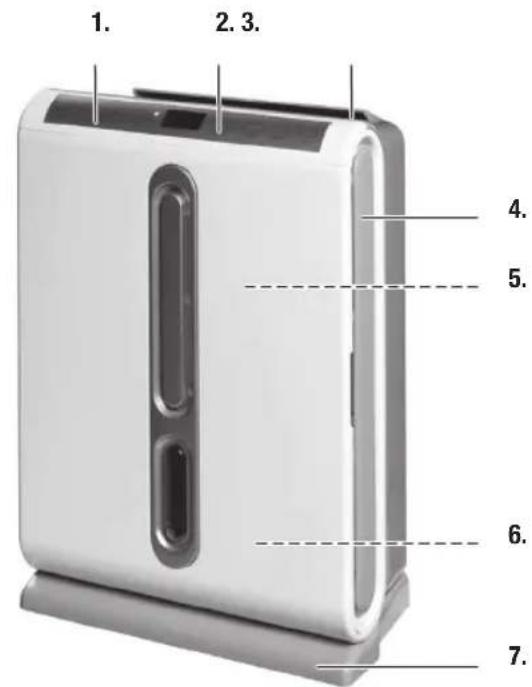
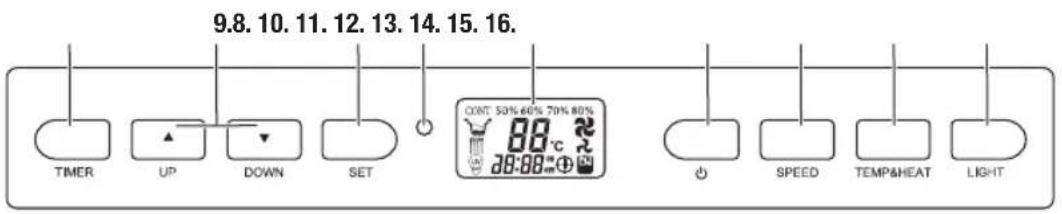
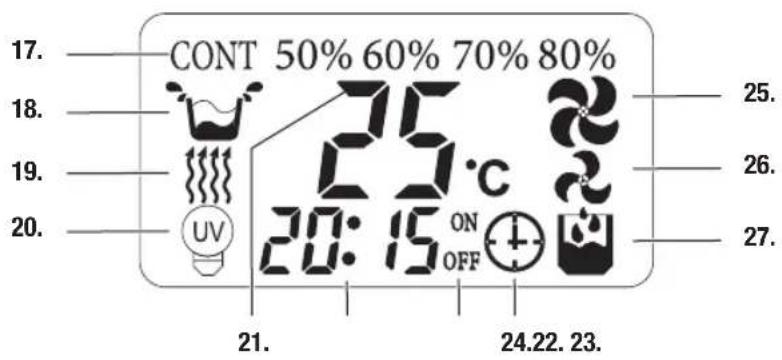
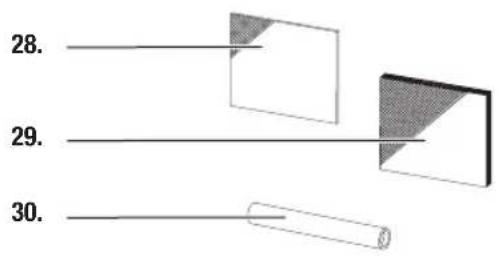
1.1 Description of Parts
| Overview of the control and unit parts | 1 Control unit |
| 2 LCD display | |
| 3 Air outlet | |
| 4 Air inlet | |
| 5 Air filter (washable; inside) | |
| 6 Water tank (inside) | |
| 7 Base with transport wheels | |
| 8 Timer function | |
| 9 Adjustment buttons up/down | |
| 10 Confirmation button | |
| 11 Dual colour LED display:Blue: device is turned onRed: water tank is full | |
| 12 LCD display | |
| 13 On/off button | |
| 14 Adjustment of the ventilation level | |
| 15 Temperature/heating adjustment | |
| 16 Light is turned on | |
| 17 Humidity adjustment mode | |
| 18 Water tank full | |
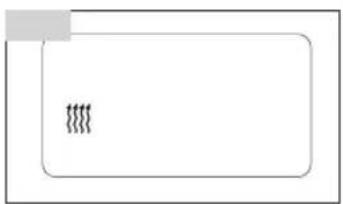
| 19 Heating function is ON | |
| 20 Light is turned on | |
| 21 Indication of relative room humidity and temperature in all units. To confirm or cancel the timer press the SET button - it indicates the status as follows:R1 - cancels the ON timerR2 - cancels the OFF timerR1 - confirms the 01 timerR2 - confirms the 02 timer | |
| 22 Real time indication and timer setting | |
| 23 Setting the timer ONSetting the timer OFF | |
| 24 Timer operation is on | |
| 25/26 High/low fan speed | |
| 27 Dehumidification – compressor runs | |
| Overview of the accessories | 28 Carbon filter |
| 29 3MTM High Air Flow-Filter | |
| 30 Drain tube |

1.2 Brief instructions
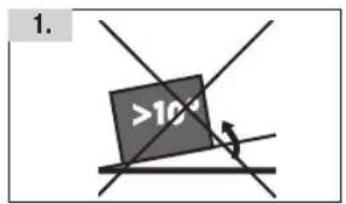
- Place the unit on a stable surface. Regard the positioning instructions on page 9
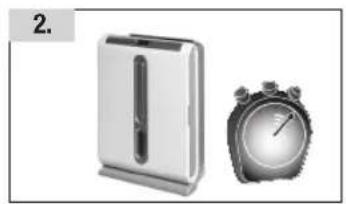
- Allow the unit to rest in an upright position for at least 2 hours before initial operation
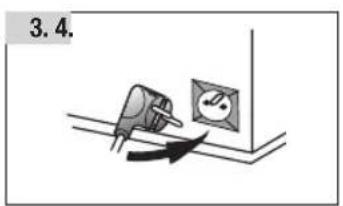
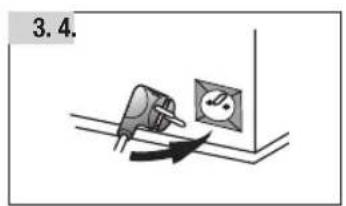
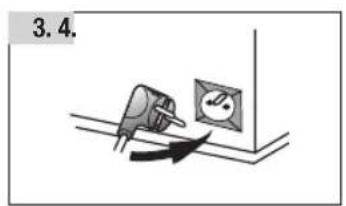
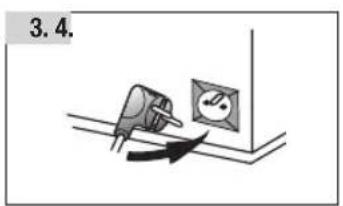
- Plug in power plug
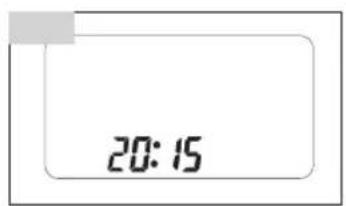
- Set the time: Press SET button 2 seconds long, then set the hour with ▲ or ▼. Again press the SET button for 2 sec. and then set the minutes with ▲ or ▼. Confirm with the SET button
- Turn on the unit with the on/off button
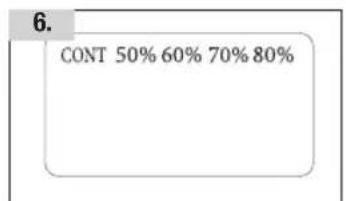
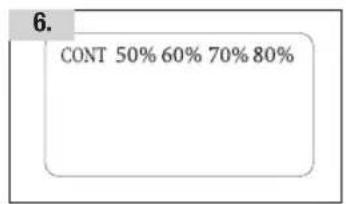
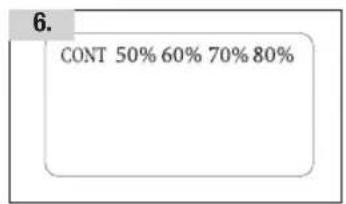
- Adjust the desired humidity with the buttons ▲ or ▼ : 50, 60. 70, or 80 %. Select CONT for continuous dehumidification
- Set fan level with SPEED button (low or high)
- Timer-adjustment see page 59
- Turn on the heating with the TEMP&HEAT button
- Indicate room temperature: Keep TEMP&HEAT button pressed for 2 seconds
- Clean the unit regularly (s. page 61)
2. Important Safety Instructions

When using the air dehumidifier the following safety precautions must be observed:
- It is essential to read the operating instructions carefully and thoroughly.
- Attention! Before the unit may be turned on for the first time it must rest in an upright position for at least 2 hours!
- There is the risk of an electric shock if the unit, power cable or plug is dipped in water or any other liquid medium.
- Do not touch the unit with wet hands.
- Place the unit on a stable and horizontal surface.
- Children should only operate electrical equipment under supervision.
- Alway unplug the power when the unit is not in use or before cleaning. Always allow the unit to cool off before inserting or removing parts (filter, water tank etc.) for the purpose of cleaning.
- Units with a defective plug or power cable and units which have been damaged or show impaired functionality should be inspected and repaired by an authorised customer service agent before trying to be put it back into operation.
- Do not use extension cable.
- The use of accessories or spare parts which are not authorised by the manufacturer may result in fires, electric shocks or personal injury.
- Do not use the unit outdoors and do not expose it to high humidity (exemple in a bathroom).
- The power cable may not come in contact with hot surfaces and should not hang down from tables or working surfaces.
- Do not set up the unit in the immediate vicinity of gas stoves, electric stoves or grills.
- Do not enter into the vents with any objects: risk of an electric shock.
- The unit should only be used in the household for the purposes for which it is intended.
- In order to turn off the unit first turn off the power switch and then unplug the power plug.
- After unpacking the unit please make sure that the plastic wrapping is kept out of reach of children.
- Persons, including children, who in view of the level of their physical, sensory or mental capacities, or their lack of experience or knowledge, are not in a position of using the unit safely may not use the unit without supervision or instructions from a responsible person.

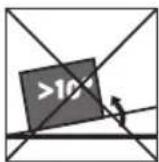


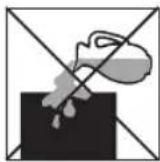
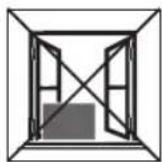
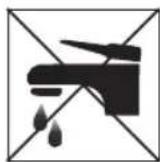
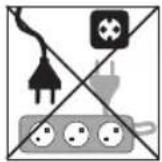
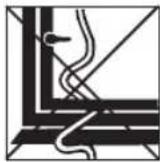
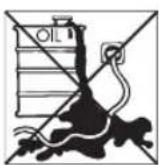
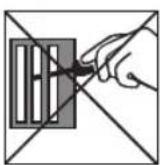
PLEASE SAVE THESE SAFETY INSTRUCTIONS!
3. Functionality
3.1 Functionality of the AX 600
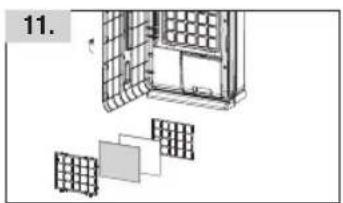
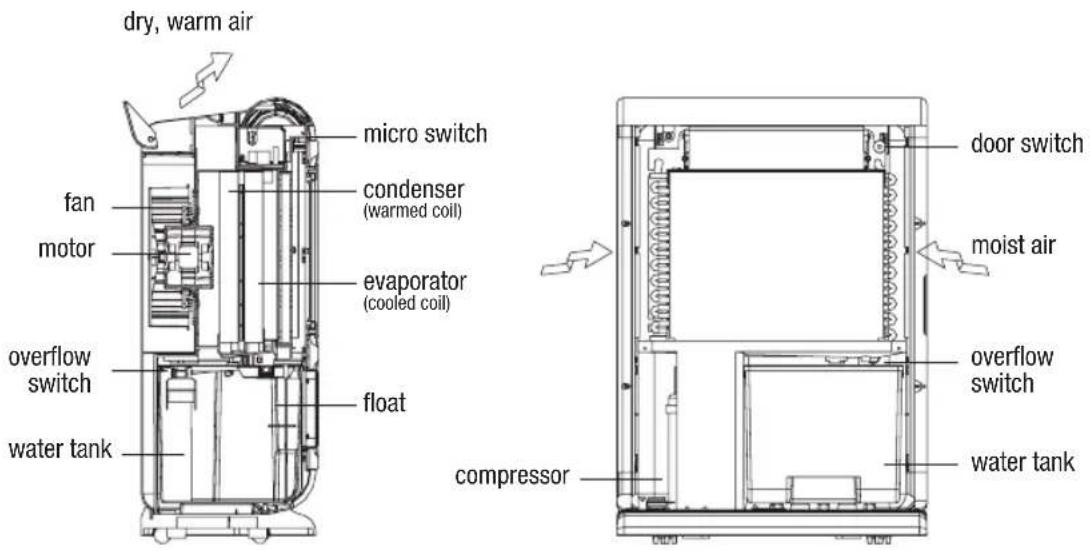
Your dehumidifier directs air through a multi-stage, highly efficient, washable filter into a cooledcoil. As the air in the room passes over the cold surface, moisture condenses and collects into a removable water tank. The drier, slightly warmer air is then expelled through the air outlet located behind the control panel of the unit into the room.
When the water tank is full the unit is automatically stopped in order to avoid flooding. The control lamp on the control panel lights up red when the tank is full. A drainage hose can be connected in order to continuously draining the water.
The air purifier and dehumidifier fight condensation, a high level of humidity and mould in your living space and therefore prevent damage to furniture and possessions. The combination of air purifier and dehumidifier may aid in relieving medical conditions such as arthritis and allergies linked to high humidity and airborne allergens by removing excess moisture, dust, smoke, animal dander, mould spores and pollen to create a less irritating living environment which you benefit from.
The air is cleaned in the air purifier as well as during operation of the dehumidifier.
It is also possible to help dry your laundry with the dehumidifier in a drying room!
3. Starting Operation
4.1 Initial operation
Before initial operation please read the instruction manual thoroughly.

Attention! Before the unit may be turned on for the first time it must rest in an upright position for at least 2 hours!
4.2 Setting up
Excess moisture spreads throughout your entire apartment or as the case may be home in the same way that cooking smells spread to every room in the house. Therefore the dehumidifier should be positioned in a central room in order to be most effective. In a warm hallway for example If possible leave doors slightly ajar to allow the air to circulate freely.
In case you have a serious problem in a specific room you can begin by positioning the dehumidifier there and move it to a more central point later on.
For the most effective use run your dehumidifier with outer doors and windows closed.
Place the unit on a stable surface. Please note the unit should not be placed directly against a radiator or other heat source.
When positioning your dehumidifier ensure that it is placed securely on a level surface clear of any obstacles which may limit the air movement as e.g. furniture. Pay attention to that nobody can trip over the power cable and keep the unit out of reach of children.
Your dehumidifier is fitted with 4 wheels for easy movement. Before you move the unit turn it off and empty the water tank.
Note: the unit may only be operated in a temperature range of 5 - 35 °C.

4.3. Air purification
1
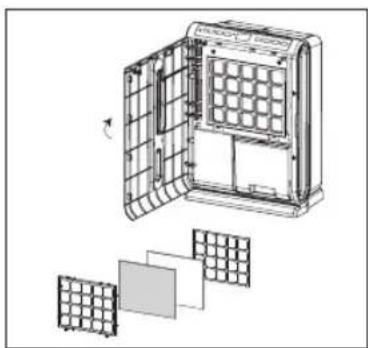
Your dehumidifier is equipped with a high definition, multi-stage air purification system.
Stage one
The first stage consists of a washable dust filter. The filter absorbs irritating odours, mould, stale cigarette smoke or vehicle fumes so that they are not recirculated into the clean air.
Stage two
The second stage consists of an activated carbon filter.
Stage three
This consists of a 3M TM High Air Flow-Filter and keeps the air free of bacteria.
Note
You can use the air purifier function even when dehumidification is not needed. Simply press the «LIGHT» button and set the humidity level to 80%. For details on cleaning the filter see the section on «Maintenance and Cleaning» (page 61).

4.4. Setting the time
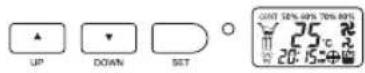
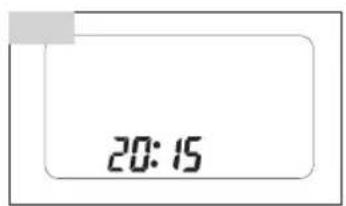
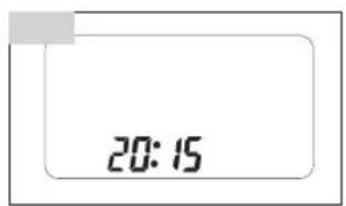
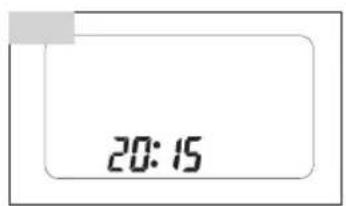
The time is continuously shown on the LCD display. When plugging in the power plug (or after power failure) 12:00 is shown on the display. In order to set the time push the SET button for 2 seconds (the left-sided hour display begins to blink). Adjust the hour by pressing the ▲ or ▼ button. To set the minutes push the SET button again for 2 seconds (the right-sided minutes display begins to blink). Press the ▲ or ▼ button to adjust the minutes. Press the SET button to conclude the setting.
4.5. Switching the unit ON and OFF
4.6. Setting the humidity level
Push the button to turn on the unit. Pushing the button again will turn the unit off.
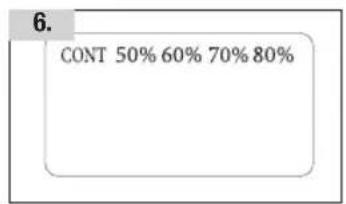
To set the desired relative humidity level repeatedly press the ▲ or ▼ button: CONT: continuous dehumidification regardless of the room's humidity 50 %: maintains the relative humidity at around 50%, ideal for personal comfort and dry storage 60 %: maintains the relative humidity at around 60% for personal comfort 70 %: maintains the relative humidity at around 70% 80 %: maintains the relative humidity at around 80%. In most cases the compressor will turn off
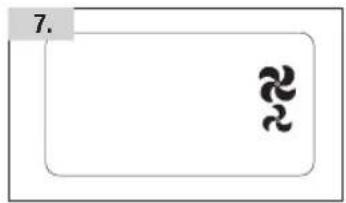
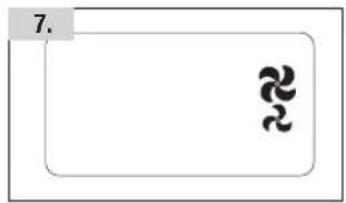
Press the SPEED button to change the fan speed, the chosen speed will be indicated on the LCD, so the high speed and for the low speed.
4.8. Setting the Timer
The timer switches the unit on and off automatically. The timer only operates correctly if the time on the unit is set accurately (see 4.4.)
When the unit is turned on:
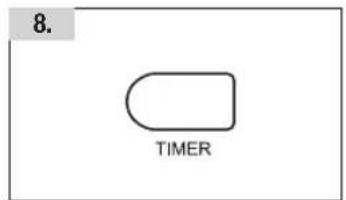
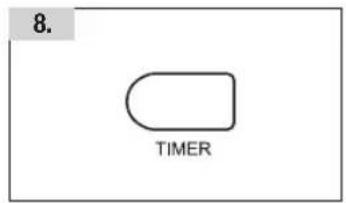
Press the TIMER button (the left-sided hour display begins to blink) and adjust the desired turn off time by pressing the ▲ or ▼ button. Press the TIMER button again (the right-sided minutes display begins to blink). Adjust the minutes by pressing the ▲ or ▼ button. (The minutes can be set in steps of 5 minutes). If you would like the unit to turn itself back on at a later time please repeat the above procedure. To activate the timer settings push the SET button once again.
When the unit is turned off:
Repeat the procedure as mentioned above. First set the turn on time (and if desired afterwards the turn off time).
Cancelling the timer:
Cancel the timer setting(s) by pressing the TIMER button.

4.9. Light adjustment
Normally the blue light is turned on as soon as the unit is connected to the power supply. In order to turn the blue light off push the LIGHT button (the light will go off and the icon on the LCD will disappear). Pushing the button again will turn the light back on. When opening the front door the electricity is disconnected and the light extinguishes.
4.10. Heater adjustment
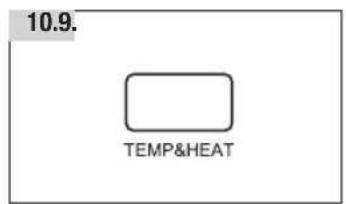
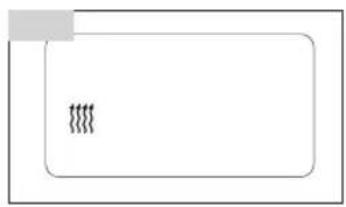
To operate the heating function, press the TEMP&HEAT button. Pressing the button again will turn the heating function off.
The heating function may be operated with the compressor or independent of it. The heater will only function at temperatures below 25 °C.
The heating improves the dehumidification performance in chilly rooms.
4.11. Room relative humidity
The relative humidity is normally indicated in the 2 digit display (relative humidity in %).
If the relative humidity is lower then 35 % the 2 digits indicate LO. If the relative humidity is higher then 95 % the 2 digits indicate HI.
4.12. Room temperature
Push the TEMP&HEAT button for 2 seconds and the LCD will indicate the room temperature.
4.13. Maintenance and Cleaning

Always unplug the unit from the mains before conducting any maintenance or cleaning of the unit!
Cleaning the casing
Only use a soft cloth to wipe the unit clean. Do not use volatile chemicals, petrol, detergents, chemically treated cloths or other harmful cleansing solutions. These can damage the casing.
4
Cleaning the washable air filter
The dehumidifier is equipped with a washable filter. This holds back dust, smoke, animal danders, mould spores and pollen to create a less irritating living environment.
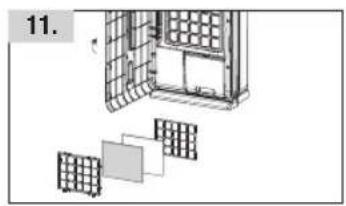
It is recommended to check the filter regularly (at least monthly and after a longer period of non-use) and to clean if necessary:
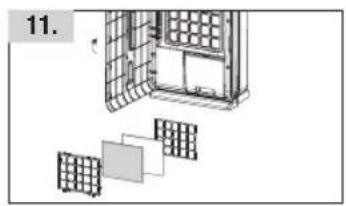
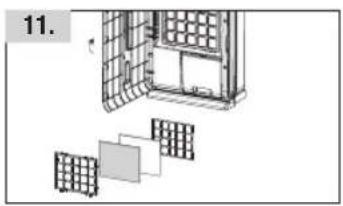
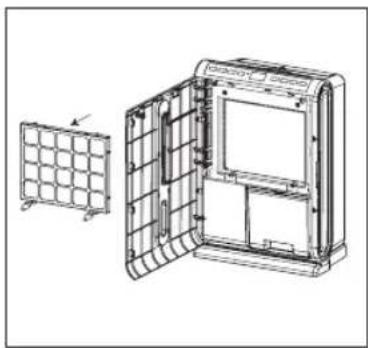
- remove the filter from the frame 4
– clean the filter carefully with a vacuum cleaner
If the filter is particularly dirty use luke-warm water with a small amount of medium strength detergent and rinse thoroughly under the cold water tap. Make sure the filter is completely dry before replacing 5. Do not expose the filter or frame to direct sunlight or other sources of direct heat as this may cause the filter and frame to warp.
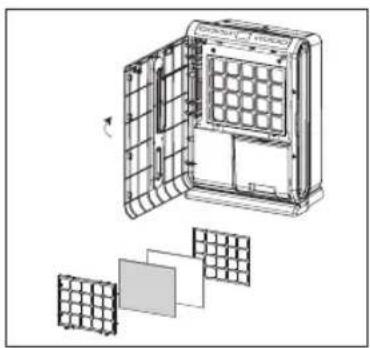
5
Cleaning and replacing the carbon filter.
The carbon filter can be cleaned with a vacuum cleaner. Never rinse it with water as this can cause damage to it. We recommend replacing the carbon filter every 6 months for hygienic reasons.
3M™ High Air Flow-Filter
The 3M TM High Air Flow-Filter can be purchased as a spare part from customer service.

4.14. Storage
If the dehumidifier is not used for longer period of time please initiate the following steps:
- disconnect the unit's plug and wrap up the power cable
- empty the water tank
- clean the unit and filter, place the unit in its original packaging or cover to protect from dust
- store the unit in an upright position in a cool, dry place out of reach for children
4.15. Emptying and cleaning the water tank
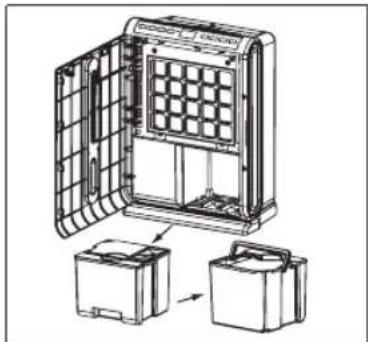
When the water tank is full the unit will turn off automatically and beep 10 times. Furthermore the colour on the control panel switches from blue to red and the icon will be displayed on the LCD.
In this case please empty the water tank as follows:
- open the front door
- hold the water tank by the recessed grip on the bottom and pull out slowly 6.
- Continue to hold the water tank on the grip and carry it to a sink 6.
6
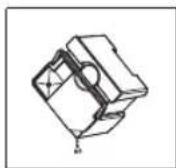
- Drain the water through the triangular opening 7.
- After emptying gently push the tank back into the unit. Close the door and check if the red indicator switched to blue and the icon has extinguished
7
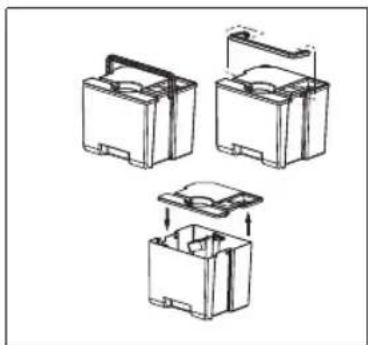
Clean the water tank as follows 8:
- turn the handle of the watr tank to the position which aligns the notch on the handle's hinge to the slot in the water tank
- carefully pull the handle out of its position and remove it
- take off the cover
- thoroughly clean the water tank and the cover (do not place in a dishwasher!)
- replace the cover
- insert the handle back into its position.
8

4.16. Connecting the drainage tube
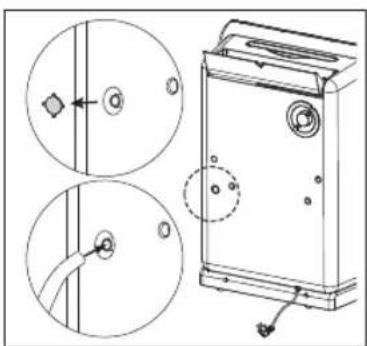
9
The humidity withdrawn from the room air can also be continuously drained off by the drainage line:
- Pull out power plug
- Cut out/pry out the round cover on the rear (this is retained with four small brackets)
- Insert the included drain tube into the opening and attach it
- The water tank must also be in the unit when the drainage tube is connected
- Ensure that the drainage tube has a continuous downward slop all the way to the outlet (it must have a consistent decline)
- Do not insert the end of the drain tube below the water level
5. Troubleshooting
| PROBLEM POSSIBLE CAUSES / SUGGESTED SOLUTIONS | |
| The unit does not operate – Is the unit plugged in? Is the mains power supply on? | |
| – Does the water tank indicate full Empty the water tank or reposition properly | |
| Unit does not seem to extract enough water | – Are too many windows or doors open? |
| – Is there something in the room producing a lot of heat? | |
| – Is the room cold? (the colder the air the less moisture the unit will extract). Switch on heater. | |
| – Is the filter dirty? | |
| – Is the room humidity already quite low? | |
| The unit does not seem to be functioning | – Is the filter dirty? |
| – Is the air inlet or outlet blocked? | |
| – Is the room humidity already quite low? | |
| – Is the room temperature below 5 °C? | |
| Too loud – Is the unit positioned | unevenly so as to create vibration? |
| – Is the floor underneath the unit uneven or of unstable material? | |
| – Is there any foreign body interfering with the unit? | |
| The unit’s fan doesn’t seem to be revolving. | – Is the filter blocked? |
| – Is there any foreign body interfering with the unit? | |
| The continuous drainage is not working | – Does the hose have a downward slope throughout its entire length? |
| – Is there a kink or sharp bend in the hose? | |
5.2 Storage and transport
When the unit is not in use or if it is being sent to the service centre the water tank must be emptied. On/off switch must be deactivated and the power plug disconnected.

6. Technical Data
| Power supply 220 – 240 V / 50 Hz | |
| Power consumption(at 32 °C at 90% RH) | 300 W |
| Heater 470 W | |
| Moisture removal (at 32 °C at 90% RH) 18 l / 24 h | |
| Cooling agent R-134A | |
| Cooling capacity 155 g | |
| Working temperature 5–35 °C | |
| Dimensions 42 x 24 x 60 cm | |
| Net weight 14.5 kg |
Alterations without prior notification possible. For detailed information please regard label on the unit.
7. Disposal
7.1 Disposal of unit
Units which are of no further use can be disposed of at a sales agency free of charge.
Units which have dangerous defects should be disposed of immediately and it should be ensured that they will no longer be used.
Do not dispose of units with household rubbish (for environmental reasons).




Our TURMIX electrical household appliances carry a warranty of 2 years from the date of purchase. We undertake to replace, free of cost, any parts of the appliance that get damaged as a consequence of material or manufacturing defects during the warranty period. Return shipments should be packed in the original packing or something equivalent. In case of improper handling or in case repairs are attempted by third parties, the warranty is rendered null and void. Damage from hydro-chemical influences (e.g. owing to calcification) as well as parts that are subjected to normal wear, do not fall under the warranty. Moreover, damage or function faults that are a consequence of water from softening plants are excluded from the warranty.
Please preserve your receipt carefully, it serves as the warranty certificate as well.
SERVICE CENTER
Grindelstrasse 3-5, 8303 Bassersdorf, Switzerland
Tel. +41 (0)43 266 16 00, Fax +41 (0)43 266 16 27
info@sckt.ch www.turmix.ch
SERVICE CENTER
office@turmix.at www.turmix.at

71
Zubehör/Accessoires/Accessori/Accessories
DE
FR
IT
GB

D0510.20010/01.2007
Änderungen vorbehalten / Sous réserve de modifications / Con riserva di modifiche / Alterations reserved
www.turmix.com



- 3M™ HIGH AIR FLOW-FILTER
- FR CHÈRES CLIENTES, CHERS CLIENTS
- 7.1 ELIMINATION (RECYCLAGE)
- 1.1 DESCRIPTION OF PARTS
- 1.2 BRIEF INSTRUCTIONS
- IMPORTANT SAFETY INSTRUCTIONS
- PLEASE SAVE THESE SAFETY INSTRUCTIONS
- FUNCTIONALITY
- 3.1 FUNCTIONALITY OF THE AX 600
- STARTING OPERATION
- 4.1 INITIAL OPERATION
- 4.2 SETTING UP
- AIR PURIFICATION
- STAGE ONE
- STAGE TWO
- STAGE THREE
- NOTE
- SETTING THE TIME
- SWITCHING THE UNIT ON AND OFF
- SETTING THE HUMIDITY LEVEL
- SETTING THE TIMER
- WHEN THE UNIT IS TURNED ON
- WHEN THE UNIT IS TURNED OFF
- CANCELLING THE TIMER
- MAINTENANCE AND CLEANING
- CLEANING THE CASING
- CLEANING THE WASHABLE AIR FILTER
- CLEANING AND REPLACING THE CARBON FILTER
- STORAGE
- EMPTYING AND CLEANING THE WATER TANK
- CONNECTING THE DRAINAGE TUBE
- TROUBLESHOOTING
- 5.2 STORAGE AND TRANSPORT
- TECHNICAL DATA
- DISPOSAL
- 7.1 DISPOSAL OF UNIT
Brand : Turmix
Model : AX 600
Category : Humidifier