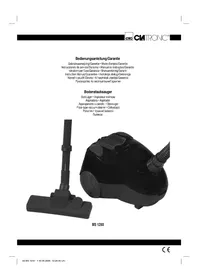
BS 1250 - Vacuum Cleaner CLATRONIC - Free user manual and instructions
Find the device manual for free BS 1250 CLATRONIC in PDF.



| Product type | Canister vacuum cleaner |
| Brand | Clatronic |
| Model | BS 1250 |
| Power supply | 230 V, 50 Hz |
| Nominal power | 1200 W |
| Maximum power | 1600 W |
| Protection class | II |
| Cable length | 5 m (estimated) |
| Dust bag capacity | 2 L (estimated) |
| Filter type | Washable motor protection filter and exhaust filter |
| Included accessories | Floor nozzle, crevice tool, 2-in-1 brush |
| Weight | 4 kg (estimated) |
| Dimensions (W x D x H) | 30 x 25 x 20 cm (estimated) |
| Main features | Air regulator on handle, full bag indicator, cable storage, parking position |
| Maintenance and cleaning | Washable filter with hot water without detergent, clean after approximately 10 bag changes |
| Safety | Do not vacuum liquids, hot ashes, or sharp objects; protection against humidity |
| Warranty | 24 months |
Frequently Asked Questions - BS 1250 CLATRONIC
User questions about BS 1250 CLATRONIC
0 question about this device. Answer the ones you know or ask your own.
Ask a new question about this device
Download the instructions for your Vacuum Cleaner in PDF format for free! Find your manual BS 1250 - CLATRONIC and take your electronic device back in hand. On this page are published all the documents necessary for the use of your device. BS 1250 by CLATRONIC.
USER MANUAL BS 1250 CLATRONIC
Overview of the Components.. 3
7 Instruction Manual. Page 24
Technical Data 25
8 Guarantee
FRANÇAIS
JEZYK POLSKI
Sommaire
Listedesifferentéselementsdecommande.. Page3
Mode d'emploi.. 10
D-47906 Kempen/Germany

Compartment à accessoires (13)
General Safety Instructions
Read the operating instructions carefully before putting the appliance into operation and keep the instructions including the warranty, the receipt and, if possible, the box with the internal packing.
- The appliance is designed exclusively for private use and for the envisaged purpose. This appliance is not fit for commercial use. Do not use it outdoors (except if it is designed to be used outdoors). Keep it away from sources of heat, direct sunlight, humidity (never dip it into any liquid) and sharp edges. Do not use the appliance with wet hands. If the appliance is humid or wet, unplug it immediately. Do not put it in water.
- When cleaning or putting it away, switch off the appliance and always pull out the plug from the socket (pull on the plug, not the cable) if the appliance is not being used and remove the attached accessories.
- Do not operate the machine without supervision. If you should leave the workplace, always switch the machine off or remove the plug from the socket (pull the plug itself, not the lead).
- Check the appliance and the cable for damage on a regular basis. Do not use the appliance if it is damaged.
- Do not try to repair the appliance on your own. Always contact an authorized technician. To avoid the exposure to danger, always have a faulty cable be replaced only by the manufacturer, by our customer service or by a qualified person and with a cable of the same type.
- Use only original spare parts.
- Pay careful attention to the following "Special Safety Instructions".
Children
- In order to ensure your children's safety, please keep all packaging (plastic bags, boxes, polystyrene etc.) out of their reach.
Caution! Do not allow small children to play with the foil as there is a danger of suffocation! - To protect children from the dangers posed by electrical appliances, make sure that the cable is hanging low and that children do not have access to the appliance.
Special Safety Instructions
- Do not suck up liquids!
- Do not suck up hot ashes or pointed or sharp objects!
- Do not use the appliance in humid rooms!
- Never use without the filter. Check that the filter is inserted correctly!
- Hair, clothing and body parts away from the vacuum nozzle during use!
- Keep the vacuum cleaner away from sources of heat like radiators, ovens, etc.!.
Overview of the Components
| 1 | Cable | |
| 2 | On/off | switch |
| 3 | Carrying | handle |
| 4 | Cable-winding | key |
5 Dust bag compartment
6 Dust bag
7 Handle for opening the dust bag compartment
8 Filter cover - Outlet filter
9 Hose connection
10 Vacuum hose
11 Suction tube
12 Floor nozzle
13 Accessory compartment
(groove and brush nozzle)
14 Parking assistance
Hook on the suction tube (not shown)
Start-up
- Insert the connection head of the suction hose (10) into the hose connector (9) until it locks in place. To do so, please press the buttons simultaneously. In order to release the hose again, please press the buttons once more on the connection head.
- Keep the buttons pressed down and then pull out the hose.
- Please insert the sections of the 2-part suction tube (11) into one another and then attach them to the handle section.
- Then assemble the floor nozzle (12) and/or the accessories.
Using the Appliance
- Unwind the length of cable (1) you require.
- Insert the mains plug into a correctly installed 230V 50Hz power socket. Turn the vacuum cleaner on by pressing the on/off switch (2) down with your foot.
- Vacuum at a steady speed. There is no need to exert pressure.
- Attention: pay attention to the range that can be covered with the cable length.
Accessory Compartment (13)
The accessories (crevice and brush nozzle) are located in the accessory compartment next to the cable duct.
Cable winding device
Pull out the cable (1) up to the maximum length indicated with the yellow mark. Never pull the cable out up to the red mark as the cable winding can be damaged. Said damages are not covered by the warranty.
Winding
Press the cable (4) winding button and guide the cable. Hold the cable to avoid wrapping.
Nozzle Attachment
Crevice and
jointed nozzle: For vacuuming upholstery, curtains and in corners and crevices etc.
2-in-1" nozzle: When this is folded together
it can be used as a groove nozzle. If you would like to use the brush nozzle, pull the brush section in the direction of the arrow until it locks in place.
Floor nozzle: To clean carpets or smooth surfaces.
Smooth
floors: Press on the brush symbol with your foot. The brush is now visible.
Carpets:
site direction. The brushes are now retracted.
Releasing
the nozzles: Pull these off while turning slightly.
Air Slide
Open the air slide on the hose handle in order to regulate the airflow or to clear any particles sticking to the nozzle.
Dust bag replacement display (6)
Hold the hose up into air. If the dust bag change display lights up, the bag is full. Please change it.
Changing the dust bag
- Pull the plug out of the socket.
- Open the lid of the dust bag compartment by the handle (7).
- Remove the bag by pulling the retainer carefully upwards so that you have easier access to the bag. Then remove the dust bag by pulling it upwards.
- Insert a new bag. Please ensure that the bag is located correctly in the guide mechanism. Then reinsert the retainer. Close the cover so that it snaps into place.
Filter
Your appliance has two fi filters.
Motor protection filter (inlet filter):
The inlet filter is located in the dust bag compartment. The filter is located vertically in the rear section of the dust housing. Remove the filter by pulling upwards. Clean the engine protection filter after 10 dust bag changes. If necessary, the filter can also be washed in warm water without any additives. Place it back into place only once it is completely dry!
Outlet filter:
The appliance is also equipped with an outlet filter. This filter is to be found under the filter cover (8). Open the ventilation grille by pressing together the lever on the side of the ventilation grille. Then pull the grille out towards the front. Remove the filter and clean as described above. Please re-insert the filter correctly and close the ventilation grille (until it clicks in place).
Cleaning and storage
Cleaning
- Pull the plug out of the socket before cleaning!
- Clean the casing with a dry cloth.
s folded together
Storage
- Let the iron cool down completely.
- Wind the cable completely.
- If you place the vacuum cleaner in a horizontal position: Please hang the hook on the suction tube in the parking area. (14) on the rear of the vacuum.
If you place the vacuum cleaner in a vertical position: Please hang the hook of the floor nozzle in the parking aid on the underside of the vacuum.
Press the lever In the oppo
Technical Data
Model: .BS 1250
Power supply: 230 V, 50 Hz
Power consumption:
$$ P _ {\text {n o m}} \cdot 1 2 0 0 \mathrm {W} $$
$$ P _ {\max } \cdot 1 6 0 0 W $$
Protection class: II
This device has been tested according to all relevant current CE guidelines, such as electromagnetic compatibility and low voltage directives, and has been constructed in accordance with the latest safety regulations.
Subject to technical changes without prior notice!
Guarantee
The device supplied by our Company is covered by a 24 month guarantee starting on the date of purchase (receipt).
During the life of the guarantee any fault of the device or its accessories ascribable to material or manufacturing defects will be eliminated free of charge by repairing or, at our discretion, by replacing it. The guarantee services do not entail an extension of the life of the guarantee nor do they give rise to any right to a new guarantee!
Proof of the guarantee is provided by the proof of purchase. Without proof of purchase no free replacement or repair will be carried out.
If you wish to make a claim under the guarantee please return the entire machine in the original packaging to your dealer together with the receipt.
Defects to consumables or parts subject to wearing as well as cleaning, maintenance or the replacement of said parts are not covered by the guarantee and hence are to be paid!
The guarantee lapses in case of unauthorized tampering.
After the expiry of the guarantee
After the expiry of the guarantee repairs can be carried by the competent dealer or repair service against the payment of the ensuing costs.
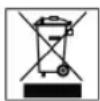
Meaning of the "Dustbin" Symbol
Protect our environment: do not dispose of electrical equipment in the domestic waste.
Please return any electrical equipment that you will no longer use to the collection points provided for their disposal.
This helps avoid the potential effects of incorrect disposal on the environment and human health.
This will contribute to the recycling and other forms of reutilisation of electrical and electronic equipment.
Information concerning where the equipment can be disposed of can be obtained from your local authority.
KpOyok Ha BCaCbBaHooJe Tpy6Ke (6e3 pnc.)
IpoIroTOBka K pa6oTe
BCTaBbTe CoeMHInTeIbHyIO RoIOBky NlnecoCHOrO IuaHra (10) B rHe3do (9), Do MexaHnuecko fHKcauM, nIra 3TOro HAKMTe OHOBPemHo 06e KhoNKn. nIra CHrTHa IuaHra, HAKMTe O6paTHo Ha KhoNKn y rHe3da.
-ДеркнгКНОПКиHaKaTbIMN BbITAHTe NJIeCOCHbI 甲nHr.
Cobepnte2-xceKIOHOHNOIbILECOCHNO Tpy6y(11)N B 3aKIOUeHNBCTaBbTe ee B pyky.
BCTaBbTe 1eTky (12) nn KaKyIO-NIO DOpyyIO HacaIky.
Popraok pa60tbc 3eNtponpno6opom
- OTMOTaTe CteBoI WUnHp Ha Heo6xOdMyIO DInHy (1).
- BctabBe BNky Bpo3eTKy C hAnpKeHHeM ceTn 230 B, 50Tu,yCTaHOBLeHHHyIO B COOTBETCTBN C npeINmcaHnMI. BKIOuHTb yCTpoCTBO BblKIOUaTeIeM Bk./BbIKI.(2), HauKAB Ha KJIaBNIuy HorOI.
- Пьлессбт ec paBHomepHOn cKopoCt bO.ДaВиТь HET HeO6xOdHMocTn.
- BhmHaHHe: cneIe 3a paDnYcom 3axBaTa PbInecOca, orpaHueHHOro DInHOr OTMOtaHHOro KaBeJI!
OTceK dIy npHaJdJIeHocTei (13)
PpHaJNeXHOCTH (COnNo DnA UeNe H CoNNo CO UeKoH) HaxOaTcB O TcEKe DnA PpHaJNeXHOCTe PraDom C yIpy6JIeHEm DnA KaBeMa.
MexaHm3 cMaTbIbAHnCeTeBOrO uHypa
Ioxaanycta He BbTnBaTe cTeBoh hyp (1) danee JeToM METK. H H N B KOe Cnyae He BbTnBaTe ero do KpachOn METK, 3TO MOKe TnpBecN K NOIOMKe MExaHm3Ma CMatbHaHH. NoO6Hbe NOIOMKn He nonaiaOT nOraHTHO.
CmTaBHaHne
HaKMTHe Ha KhoNky (4) MexaHn3Ma CmTaBbAHn H nOmaJIeHbKy IOnBaBaIte Ka6eIb. DepeKNTe Ka6eIb KpeIko B pykax, YTO6bl PpeoTbpaTb erO XnecTaHne.
Hacaika-conno
Y3Koe cnono,
KoneHcatoe conno: ydaneHn n C mKoMbeHN, 3aHaBece,a TaKe H3TpyHOIOCTyINbIX yrNOB, UeJe N Td.
HacaKa,2B1"BCnoOncAo. IpocbCaOnTb BCTaBnTp Ka y3Koe cOIIIO HaJnEkaIIM Opa3OM N 3aKpbTb BEHTnIaONHOHyOppeWetKy TOkA,TO BbITAHNE (TObblOHa 3aΦHKCpOBaIacB KpENHeHH).
ΦnIbTp
3JIeKTPoPnB6Op oChaueH dBym4 HnIbTpamM.
3aunTHbHnBnBnTpMOta (BXoHHOHnBt):
BxOHOHnBnBt HaxoNITc B OTCKe MeuKa-nIeNC6OpHnKa.
HnBt pa3MeueH BerTKaJIbHO B 3aHNe Yactn KOpNyCa
nbIEcoca.BbTnHTe nBpHtBvBepx.PoOHuaTe erO npImepHO nocne KaKdo10 CmEhbl MeuKa-nIEnc6OpHnKa.
PnHeo6XoDMOCnEr oMOHNO POMbITb B TeIOIO Bode,
6e3 Doabok.BCTaJIaIte erO obpaTHo TOnbKO nocne NOnHO
npocyukn!
BbIyucKHOHΦnIbTp:
Kpome Bcero 3JIeKTPoPnH6Op OCHaSeH BbIyNcKbHM fHbTpOM. BbHa HaeTe 3OT fHbTp NO KpbIuKo fHbTppa (8). OTKpbITb BEHTINIAUHOHHy peWetKy, cDaBHB pIyar, paCIOJIOKeHHbI C60ky Ha BeHTINIAUHOHHy peWetke. Iocne 3TOrO BbITAHITE peWetKy Bnepd. BbHbTe fHbTp n IpOuHCTHe erO, KaK
OHORe OOnCAHO. Ipocb6a ONrB BCTABNTb fHbTp HADJeKaUIM O6pa3OM N 3aKpbItb BEHTINIAUHOHHy peWetKy (YTo6bI OHa 3aФHKcHPOBaIacB B KpeIIeHNH).
UncTkaI xpaHeHne
UncTka
-ПередчincTKOВынбte cetebyIO BnIky n3 po3eKn!
- Pnpnte Kopnyc cyxoi TpAnko. Haxmnte horo ha pbiar c
Xpahene
JaTe yTHORY NIOHOCbIO OCTbITb.
-NonHSAHSGM
EcnBbCTaBnTEyCPOrTOBO rnp30HTaBHO: npoc6a NOdBecntb KpOcK Ha BCaCbBaHOue Tpy6Ke 3a npncnoc6JIeHne dIg NapkoBKn (14), paononoJHHe c o6paTHo CTOpHObl yCTpoiCTBa.
- EcnBbI cTaBnTe yCTpoiCtBO BepTnKanJIbHo: npoc6a nOBBeCnTB KpOcOK CoIIa IINI NIIa 3a II pIncNOC6JIeHne IINI napKOvKn, paCNOJIOKeHHoe C O6paTHoN CTOpOnbI yCTpoiCTBa.
TexHnueckne daHHbIe
Moienb: BS 1250
3JIeKtpoHtAnHe: 230B,50T
TIpTe6JIeMaM MOUHOCtB:
Pnom: 1200baT
Pmax. 1600baT
Klacc 3aunTbI: II
3To H3dJIeHHe npOJIO BCE Heo6xOaIMbIe n AkTyIbHbIe npOBepKn, ppeINncAHHbIe InpeKTeBBOI CE, K npIM. Ha 3JIeKTPomarHHTHyO COBMecTHMOCTb N COOTBETCTBHe Tpe60BaHrM K Hn3KOBoJIbTHOH TEXHKe, OHO 6blIO TaKKe CCKHOpyuPBOAHO IN NOCTpOeHO C yYeTOM NOcJIeHNX Tpe60BaHm IO TEXHKe 6e3OnaCHOCTH.
MbOCTaBnAem 3a C06oI npaBO HaTexHnueckne N3MeHeHnI
TapaHTnHoe 6R3aTeJbCTBO
TapaHTnHbI cpoK h TeppHTOpm Pocsncko Fedepaunu yCTaHaBnBaETcN NtHOMOHyBMIM npedCTaBNTeYMaM.
KaccobbyuekRbrrerca npaHnHbIM TaHOHm. Be3 Hero HeBO3MOJKeH 6ecJIaTHbI peMOHT HIN 3aMeHa 3dEInr.
B cnyae BO3HKNHOBHNNI npTeH3NI Io rapaHTN, npebBAIte 3dJIe B noHIOHOMnJIeKTAuIN, C opHnHaJIbHOI ynaOBHOH N KACCobBIM YekOM TOpROBOI TOUKe, pOdaBWe 3TO H3dJIeNE.
IeFekTbI 3HaawBaeMbx npHnAaJnxHOCTe HIN TpyxNcR detalei, a TaKHe YnCTKa, Texo6CnyKBaHne INI 3aMeHa TpyxNcxr detalei He NOnaJaOT nOraHTnIO, I NO3ToMy npBOoRATc 3a OTdEhHyO ONlAty!
IapaHTnTepReTc npB BCKpbITn H3JeJIIN NOCTOPOHHIMN IINZAMN.
Iocne rapaHTn
Iocne OKoHuaHnI cpoKa rapaHTnn, peMOHT 3dEJI m npOn3BOOHTcR 3a OnPaTy, COOTBeTCTByUOUMM MaCTepCKMN HIN NyHKtAMn CepBnCHOrO 06CnyKbAHn.

CiatRONICINTERNATIONAL GMBH
D-47906 Kempen/Germany · Industriering Ost 40 Internet: http://www.clatronic.de · email: info@clatronic.de

- FRANÇAIS
- JEZYK POLSKI
- Sommaire
- Compartment à accessoires (13)
- General Safety Instructions
- Children
- Special Safety Instructions
- Overview of the Components
- Start-up
- Using the Appliance
- Accessory Compartment (13)
- Cable winding device
- Winding
- Nozzle Attachment
- Air Slide
- Dust bag replacement display (6)
- Changing the dust bag
- Filter
- Cleaning and storage
- Cleaning
- Storage
- Guarantee
- After the expiry of the guarantee
- Meaning of the "Dustbin" Symbol
- IpoIroTOBka K pa6oTe
- Popraok pa60tbc 3eNtponpno6opom
- OTceK dIy npHaJdJIeHocTei (13)
- MexaHm3 cMaTbIbAHnCeTeBOrO uHypa
- CmTaBHaHne
- Hacaika-conno
- ΦnIbTp
- UncTkaI xpaHeHne
- UncTka
- Xpahene
- TexHnueckne daHHbIe
- TapaHTnHoe 6R3aTeJbCTBO
- Iocne rapaHTn
- CiatRONICINTERNATIONAL GMBH
Brand : CLATRONIC
Model : BS 1250
Category : Vacuum Cleaner