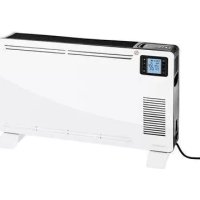
SKD 2300 A1 - Electric heater SILVERCREST - Free user manual and instructions
Find the device manual for free SKD 2300 A1 SILVERCREST in PDF.



| Product type | Electric radiator (convector) |
| Brand | SilverCrest |
| Model | SKD 2300 A1 |
| Power supply | 220 - 240 V ~ 50 Hz |
| Maximum power | 2 300 W |
| Power levels | 1 000 W, 1 300 W, 2 300 W |
| Protection class | I |
| Adjustable temperature | 5 °C to 37 °C (41 °F to 99 °F) |
| Timer | 1 to 15 hours |
| Fan | Yes, built-in |
| Frost protection | Yes, activation via power selection button |
| Overheat protection | Yes, automatic shut-off |
| Remote control | Yes, with AAA/LR03 batteries (2 x 1.5 V) |
| Display | Digital |
| Control type | Touch buttons and remote control |
| Temperature sensor | Yes, built-in |
| Safety distance | At least 1 meter from walls, furniture and other appliances |
| Warranty | 3 years |
| Maintenance | Clean exterior with a damp cloth; do not immerse |
| Intended use | Indoor, dry living rooms, private household use |
| Ambient conditions | 0 °C to +25 °C, max. 85 % relative humidity |
Frequently Asked Questions - SKD 2300 A1 SILVERCREST
User questions about SKD 2300 A1 SILVERCREST
0 question about this device. Answer the ones you know or ask your own.
Ask a new question about this device
Download the instructions for your Electric heater in PDF format for free! Find your manual SKD 2300 A1 - SILVERCREST and take your electronic device back in hand. On this page are published all the documents necessary for the use of your device. SKD 2300 A1 by SILVERCREST.
USER MANUAL SKD 2300 A1 SILVERCREST
SILVER CREST®
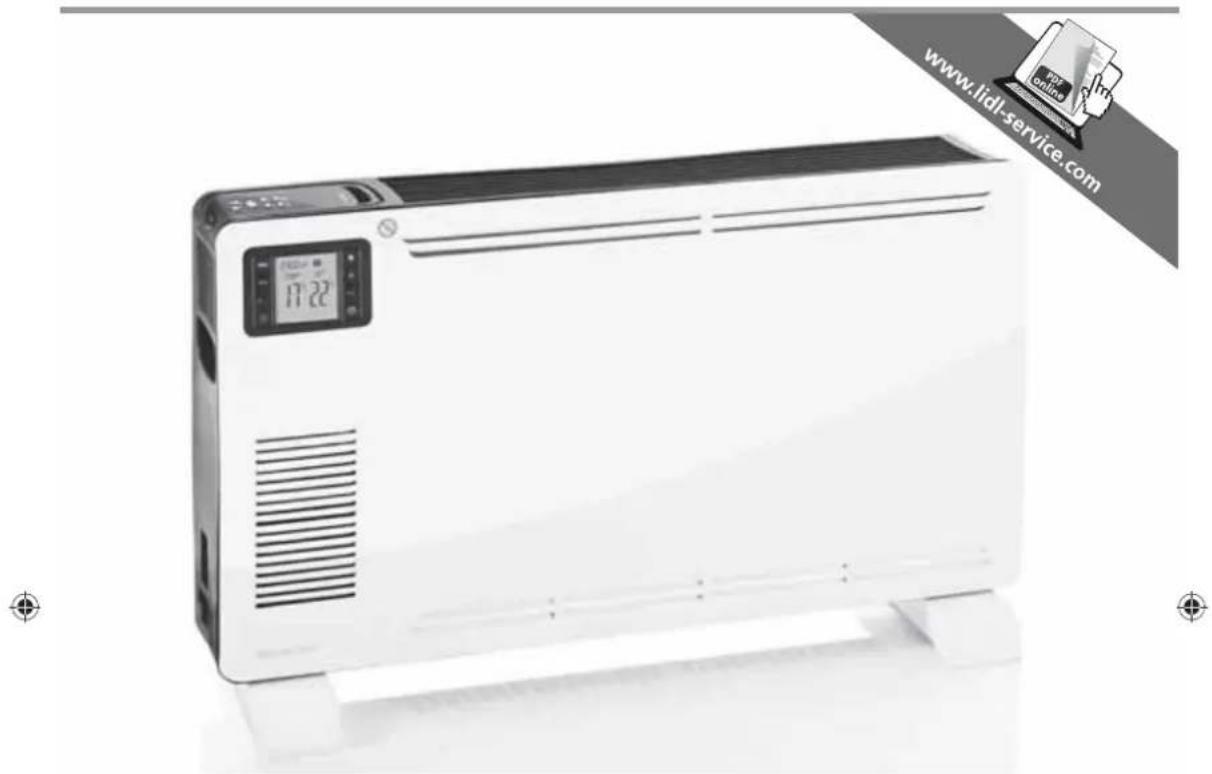
KONVEKTOR SKD 2300 A1
DE AT CH
KONVEKTOR
Bedienungsanleitung
IT CH
CONVETTORE
Operating instructions
IAN 100058
DE AT CH FR IT GB

Be sure to note the fold-out page.
SKD 2300 A1_14_V1.2_DE_FR_IT_GB





- Description 39
- Names of parts (see fold-out page).... 40
- Technical data 40
- Safety information .... 41
- Unpacking, setting up and inserting the batteries ..... 44
- Operating....45
- Cleaning....46
- Troubleshooting 47
- Disposal....47
- HOYER Handel GmbH Warranty....48
Congratulations on the purchase of your new product.
You have selected a high-quality product. The operating instructions are a constituent part of this product. They contain important information about safety, use and disposal.
Familiarize yourself with all the operating and safety instructions before using the product. Use the product only as described and for the stated spheres of application. If you pass the product on to a third party, always pass on all the documentation as well.
1. Description
1.1 Intended purpose
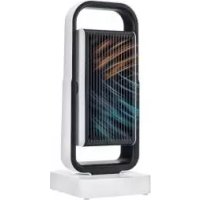
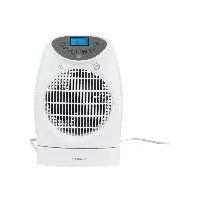
This SilverCrest SKD 2300 A1 convector heater may be used to heat dry rooms.
This appliance is intended for private use and is not suitable for commercial purposes.
The appliance is likewise suitable for:
- use in staff kitchens in shops, offices and other commercial areas,
• use in agricultural settings, - customers in hotels, motels and other accommodations,
• bed-and-breakfast establishments.
The appliance is suitable for providing auxiliary heating. It is not suitable for use on its own to heat large spaces.
The appliance is floor standing only.
1.2 Scope of supply
- 1 convector heater
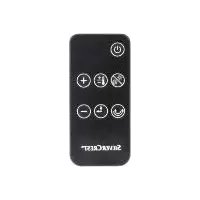
- 1 remote control
• 2 batteries type AAA/LR03 1.5 V
• 2 feet - 2 screws for feet
• 1 set of operating instructions
1.3 Symbols on the appliance

The adjacent symbol 3 warns against covering the appliance as this could cause a build up of heat leading to damage and the risk of fire.
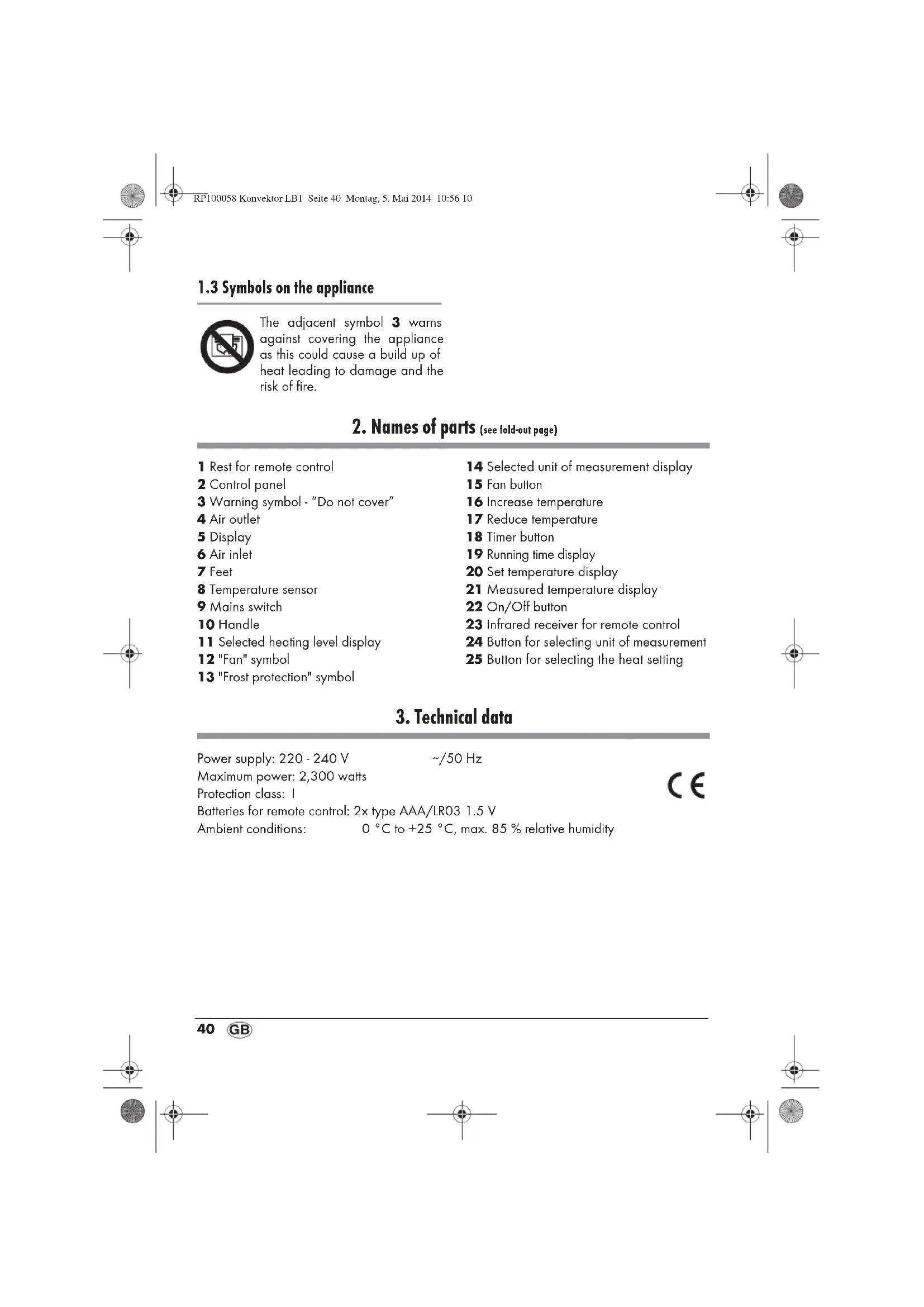
2. Names of parts (see fold-out page)
1 Rest for remote control
2 Control panel
3 Warning symbol - "Do not cover"
4 Air outlet
5 Display
6 Air inlet
7 Feet
8 Temperature sensor
9 Mains switch
10 Handle
11 Selected heating level display
12 "Fan" symbol
13 "Frost protection" symbol
14 Selected unit of measurement display
15 Fan button
16 Increase temperature
17 Reduce temperature
18 Timer button
19 Running time display
20 Set temperature display
21 Measured temperature display
22 On/Off button
23 Infrared receiver for remote control
24 Button for selecting unit of measurement
25 Button for selecting the heat setting
3. Technical data
Power supply: 220 - 240 V
\~/50 Hz
Maximum power: 2,300 watts
Protection class: I
Batteries for remote control: 2x type AAA/LR03 1.5 V
Ambient conditions: 0 °C to +25 °C, max. 85 % relative humidity
CE
40
GB





The following signalling terms are found in these Operating Instructions:

Warning!
High risk. Disregarding the warning may cause injury to life and limb.
Caution!
Medium risk. Disregarding the warning may cause damage to property.
Note:
Low risk. Circumstances that should be taken into account when dealing with this appliance.
4.2 Special informations for this appliance

Warning! To avoid injury, please observe the following information.
• Children under the age of 3 should be kept away from the appliance unless they are under constant supervision.
• Children between the ages of 3 and 8 may only switch the appliance on or off provided they are supervised or instructed in the safe use of the appliance and have understood its associated hazards and only when the appliance is placed or installed in its normal working position.
• Children between the ages of 3 and 8 may not insert the plug into the plug socket, control the appliance, clean or maintain it.
- This appliance can be used by children aged 8 or more, and by persons who have reduced physical, sensory or mental ability or who lack experience and/or knowledge, provided they are supervised or instructed in the safe use of the appliance and
have understood its associated hazards. Do not allow children to play with the appliance.
• Children may not be permitted to carry out cleaning or maintenance of the appliance unless they are older than 8 and are supervised.
- Children under the age of 8 should be kept away from the appliance and its power cable.
- Caution - some parts of the appliance may become very hot and lead to burns. Please be especially careful when children or vulnerable persons are nearby.
• The metal surfaces of the appliance may get hot, so only hold the appliance by the handles 10.
• Always take the mains plug out of its socket before cleaning.
- Never immerse the appliance in water, and protect it from splashes and drips.
- Before cleaning, allow the appliance to cool down to avoid the danger of burns.
• To prevent the heater overheating, do not cover it.
- The appliance should never be placed directly below a wall power socket, because the radiated heat could damage the electrical installation.
- Do not use this heater with a programming switch, a timer switch, a separate remote control system or any other device which switches the heater on automatically, as there is a risk of fire if the heater is covered or incorrectly set up.
Caution! To prevent material damage, please comply with the conditions below.
- Never use scouring, corrosive or abrasive cleaning materials.
- Never use the appliance in the immediate vicinity of a sink, bath tub, shower or swimming pool as splashes might get into the appliance.

4.3 General information
- Before using the appliance, be sure to read these Operating Instructions carefully. They are a component part of the appliance and must be available at all times.
- Use the appliance only for the purpose described (see "1.1 Intended purpose" on page 39).
- Check whether the mains voltage (see type plate on the appliance) agrees with your mains voltage.
- If there should be any malfunctions, the appliance may only be repaired by our Service Centre.
- The appliance must only be set up on a firm, level, dry and non-flammable surface.
- Check that the power socket is easily accessible so that you can pull out the mains plug quickly if necessary.
4.4 Protection against electric shock

Warning! The following safety information is intended to protect you against electric shock.
- Only plug the appliance into a correctly installed, earthed wall socket.
- Do not use the appliance if it has fallen on the floor, received a hard blow or fallen into water. In this contact our Service Centre. The contact data can be found in "Service Centre" on page 49.
-
The appliance must not under any circumstances be used if it is damaged. Have the device repaired in such cases by a qualified specialist. The contact data can be found in "Service Centre" on page 49.
-
If the mains cable for this appliance is damaged, it must be replaced by the manufacturer or a person with similar qualifications in order to avoid a hazard.
• Water or other liquids must never be allowed to enter the appliance. For this reason: - never use outdoors;
- never place containers filled with liquid, such as drinking glasses, vases etc. on the appliance;
- never use in a very damp environment such as a bathroom.
If nonetheless liquid does enter the appliance, unplug the mains plug immediately and have the appliance repaired by a qualified specialist. The contact data can be found in "Service Centre" on page 49.
- Never insert fingers or any objects through the protective guards into the inside of the appliance.
- Never touch the appliance, the mains cord or the mains plug with moist hands.
• Always pull the mains cord out by the plug. Never pull it by the cord itself. - Ensure that the mains cable is not kinked, twisted or crushed.
- Ensure that the mains cable is not damaged on sharp edges.
- Keep the mains cord away from hot surfaces (such as stove eyes).
case please.
• If you are not using the appliance for a prolonged period of time, remove the plug from the wall socket. Only then is the appliance completely free of current.
- You should avoid using extension cords. This is only allowed under very particular conditions:
- The extension cord has to be suited for the appliance's amperage.
- The extension cord must not be installed "loose": it must not be




possible to trip over it or within the reach of children.
- The extension cord must not by any means be damaged.
- No other devices other than this appliance must be connected to the mains socket, as otherwise overloading of the power supply network could occur (multiple sockets are not allowed!).
4.5 Protection against the danger of fire

Warning! As the appliance works at high temperatures, please observe the following safety information to prevent fire.
- While the appliance is operating, there must be no flammable objects (e.g. curtains, paper) in the immediate vicinity of the appliance.
- Never use the appliance to dry textiles or other items on, over or in front of the appliance.
- When setting up the appliance, maintain a minimum distance of 1 m from other appliances and the wall.
- Never operate the appliance in rooms where there is a risk of explosion or in the vicinity of flammable gases or liquids.
• Always check that air can freely enter and escape. Heat might otherwise build up inside the appliance.
4.6 Protection against injury

Warning! To avoid injury, please observe the following information.
- Ensure that it is not possible for anyone to trip over or to get caught up in or step on the mainscable.
- Once hot, if you wish to transport the appliance, switch it off, pull out the mains plug, and wait until the appliance has cooled down. Otherwise you could burn yourself on the hot surface.
4.7 For the safety of your child

Warning! Children often cannot assess dangers correctly and are injured as a result. Please therefore observe the following:
- The remote control contains batteries. Ensure that they are kept out of the reach of children and are not swallowed. Ingested batteries can be highly dangerous. Obtain medical assistance immediately if batteries are swallowed.
- Ensure that the packing foil does not become a deadly trap for a child. Packing film is not a toy.
4.8 Handling batteries

Warning!
To prevent a risk of explosion, normal batteries must not be charged, heated or disposed of by burning.
If battery acid has leaked, avoid contact with skin, eyes and mucous membranes to prevent injury. In the event of contact with the acid, rinse the affected areas immediately with plenty of clean water and contact a doctor at once.
Caution! To avoid damaging the appliance and ensure it functions correctly, please note:
• Always replace all batteries at the same time.
- Do not use different battery types or a mixture of new and old batteries at the same time.



- Do not short circuit the batteries.
- Remove the batteries if the device is not used for a long time. Leaking batteries could damage the device.
4.9 Material damage
Caution! To avoid material damage, please observe the following conditions.
- Remove the batteries from the remote control if you are not using it for a prolonged period of time. Leaking batteries could damage the remote control.
- Ensure that the feet are fitted correctly (see "5.1 Mounting the appliance" on page 44), otherwise the floor might be scratched or scorched.
5. Unpacking, setting up and inserting the batteries
5.1 Mounting the appliance
Before the appliance can be used, the feet 7 must be screwed on as follows:
- Unpack the appliance from the packaging.
- Remove the transport packaging.
- Check that the appliance shows no signs of damage.
- Slide the feet 7 from the outside into the corresponding supports on the underside of the convector.
- Secure the feet 7 firmly using the screws supplied.
5.2 Setting up the appliance
Note: As the appliance and heating elements are supplied with a thin film of grease, there might be a small amount of smoke and odour the first time the appliance is used. This is not harmful and will stop after a short while. Please ensure meanwhile that there is sufficient ventilation.

Warning! Ensure that there is sufficient distance from the wall, fixtures and other appliances. The distance must be at least 1 m to exclude the risk of fire.
- Select a location in compliance with the safety information (see "4. Safety information" on page 41).
- Plug the mains plug into a wall socket that complies with the technical data.
Note: If you have plugged other power consumers into the same circuit, check that the maximum load for the installed fuse is not exceeded, as otherwise the fuse will trip.
5.3 Inserting the batteries
If the appliance is new or the batteries in the remote control are flat, new type AAA/LRO3 batteries must be inserted.
- Push off the battery compartment cover on the underside of the remote control.
- Remove the old batteries if present.
Note: Please observe the instructions for disposal (see "9.2 Disposable/rechargeable batteries" on page 47).
- Insert new batteries.
Note: Ensure the correct polarity (+/-). The correct polarity is shown on the bottom of the battery compartment.
- Close the battery compartment again.



6. Operating
6.1 Using the appliance for the first time
- Plug the mains plug into a wall socket that complies with the technical data (see "3. Technical data" on page 40).
- Switch the mains switch 9 to "I" to switch on the power supply.
The lamp in the main switch 9 lights up and you hear a beep. - Press the On/Off button 22 to switch the appliance on.
The display 5 lights up.
The appliance is now ready for use and can be operated by means of the remote control or control panel 2.
6.2 Selecting the temperature
Notes:
- Temperature display 20:
- set specified temperature
-
Temperature display 21: - measured actual temperature
• Temperature is measured directly at the appliance using temperature sensor 8. It may be some time before the entire room has also reached this temperature. -
To choose whether you wish the temperature to be displayed in °C or °F, press button 24.
Selected unit of measurement 14 is shown in the display 5.
- Press the "Increase temperature" button 16 to increase the desired temperature up to a maximum of 37°C (99°F).
Selected specified temperature 20 is shown in display 5.
- Press the "Reduce temperature" button 17 to lower the desired temperature to a minimum of 5°C (41°F).
Selected specified temperature 20 is shown in display 5.
6.3 Setting the heat setting
The appliance has three heat settings:
- 1,000 watts
- 1,300 watts
-
2,300 watts
-
Press button 25 repeatedly until the desired heat setting is set.
Selected heating level 11 is shown in display 5.
- Press the fan button 15 to switch the fan on or off.
If the fan is switched on, "Fan" symbol 12 is shown in display 5.
Note: The fan might make a slight noise, but it does ensure better circulation of the heated air.
6.4 Setting the heating time
The appliance has a timer for setting the heating time to between 1 and 15 hours. The appliance switches off automatically once the heating time has expired.
- Press timer button 18 repeatedly until desired running time 19 is shown in display 5.
- To switch off the timer, press timer button 18 repeatedly until running time 19 is no longer displayed.

6.5 Thermal cut-out
For your safety the appliance has a thermal cut-out.
If the temperature inside the appliance becomes too high, the appliance switches off automatically:
- Switch the mains switch 9 to "0" to switch off the appliance.
- Check whether the air inlet 6 or outlet 4 is obstructed and remove the cause.
If you cannot establish a cause and the fault occurs repeatedly, have the appliance repaired or else take it out of use. - Wait for the appliance to cool down.
- You can then continue to operate it normally.
6.6 Frost protection
To prevent the temperature in a room falling below 0 °C (32 °F), proceed as follows:
- Press the button for selecting heating level 25 repeatedly until "Frost protection" symbol 13 appears in display 5.
As soon as the temperature in the immediate vicinity of the appliance drops significantly below 7°C (44°F), the automatically switches on.
As soon as the temperature rises to above 9 °C (48 °F), the heating switches off and display 5 shows room temperature again.
- To switch off frost protection, press the button for selecting heating level 25 repeatedly until "Frost protection" symbol 13 in display 5 disappears.
heating
7. Cleaning
To ensure your appliance gives you lasting service, you should clean it regularly.

Warning! To avoid the danger of an electric shock or burning:
- remove the mains plug before each clean;
- allow the appliance to cool down;
- never immerse the appliance in water;
-
never allow water or cleaning agent to run into the appliance.
-
Carefully remove major dust deposits from the protective guards with a vacuum cleaner.
-
Remove any remaining dirt with a soft brush.
-
Clean the outside of the appliance with a damp cloth. You could also use a little washing-up liquid.
Caution! Never use caustic or abrasive cleaning agents, as this could damage your appliance. - Wipe the appliance with a cloth moistened with clear water.
- Do not use the appliance again until it has dried completely.




8. Troubleshooting
| Fault Cause | Remedy | |
| Appliance cannot be switched on | Faulty fuse or wall socket Select another wall socket | |
| Faulty appliance Have repairs carried out at a specialist workshop or dispose of the appliance. You will find the service address in "Service Centre" on page 49. | ||
| Appliance switches off automatically | Thermal cut-out has triggered | Allow the appliance to cool down (see "6.5 Thermal cut-out" on page 46) |
| Clean the appliance (see "7. Cleaning" on page 46) | ||
| Only cold air is produced | Selected temperature has been reached | Appliance switches on again automatically as soon as the room temperature falls |
| Select a higher desired temperature | ||
9. Disposal
9.1 Appliance
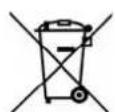
The symbol with the crossed-out rubbish bin on wheels means that within the European Union, the product must be disposed of to a sorted rubbish
collection. This applies to the product and all accessories which are marked with this symbol. Marked products must not be disposed of via the regular domestic waste but must be handed in to a recycling centre for electrical or electronic devices. Recycling helps to reduce the use of raw materials and to relieve the environment. It is therefore imperative that you follow the disposal regulations applicable in your country.
9.2 Disposable/rechargeable batteries

Batteries must not be disposed of with normal household waste. Flat
batteries must be disposed of properly. Special containers for battery disposal are provided for this purpose at the shop where you bought the batteries or at a municipal collection point. Batteries and rechargeable batteries on which the following letters are printed contain harmful substances as follows: Cd (cadmium), Hg (mercury), Pb (lead).
9.3 Packaging
If you would like to dispose of the packaging, please observe the corresponding environmental regulations in your country.
You have a warranty on this product which is valid for 3 years from the date of purchase. In the event of this product being defective, you have statutory rights against the seller of the product. These statutory rights are not limited by our warranty as set out below.
Warranty conditions
The warranty period begins with the date of purchase. Please keep the original till receipt in a safe place. This is required as your proof of purchase.
If a defect in materials or workmanship occurs within three years of the date your product was purchased, we will repair or replace the product at our discretion at no charge to you. This service under warranty assumes that the defective product and the proof of purchase (till receipt) are submitted within the three-year period and that a brief description in writing is provided of what the defect is and when it occurred.
If the defect is covered by our warranty, the repaired product or a new one will be sent back to you. There is no new warranty period following repair or replacement of the product.
Warranty period and statutory claims relating to defects
The warranty period is not extended when a service is provided under warranty. This also applies to replaced and repaired parts. Any damage or defects present at purchase must be reported immediately the product is unpacked. Repairs incurred once the warranty period has expired are chargeable.
Scope of warranty
The product has been carefully manufactured in accordance with strict quality guidelines and was thoroughly checked before being delivered.
The warranty applies to defective materials or workmanship. This warranty does not extend to product parts exposed to normal wear and tear (and which can therefore be considered wear parts) or to damage to fragile parts such as switches, batteries or parts made of glass.
This warranty is void if the product is damaged or if it is not used or maintained properly. All the information in the operating instructions should be observed precisely to ensure that the product is used properly.
It is essential to avoid intended uses and actions which are discouraged or warned against in the operating instructions.



The product is intended for only private use and not for commercial purposes.
The warranty is void in the event of misuse, incorrect treatment, use of force or interference by anyone other than our authorized service centre.
Warranty process
Please follow the instructions below to ensure that your claim is processed quickly.
- In case of any enquiry, please keep the article number (for this product: IAN 100058) and the till receipt as proof of purchase.
- The article number can be found on the type plate, as an engraving, on the cover sheet of your instructions (bottom left) or as an adhesive label on the appliance.
- If malfunctions or any other defects should occur, in the first instance contact the Service Centre mentioned below by telephone or e-mail.
- Once a product has been recorded as defective, you can then send it Freepost to the service address you are given, enclosing the proof of purchase (till receipt) and quoting what the defect is and when it occurred.

You can download these instructions and many other manuals, product videos and software from
www.lidl-service.com.

Service Centre
GB Service Great Britain
Tel.: 0871 5000 720 (£ 0.10/Min.)
E-Mail: hoyer@lidl.co.uk
IR Service Ireland
Tel.: 1890 930 034
(0,08 EUR/Min., (peak))
(0,06 EUR/Min., (off peak))
E-Mail: hoyer@lidl.ie
CY Service Cyprus
Tel.: 8009 4409
E-Mail: hoyer@lidl.com.cy
MT Service Malta
Tel.: 80062230
E-Mail: hoyer@lidl.com.mt
IAN: 100058

Supplier
Please note that the address below is not a service address. In the first instance, contact the service centre mentioned above.
HOYER Handel GmbH
Kühnehöfe 5
22761 Hamburg
Germany



HOYER HANDEL GMBH
Kühnehöfe 5
22761 Hamburg
Germany
- KONVEKTOR SKD 2300 A1
- KONVEKTOR
- CONVETTORE
- CONGRATULATIONS ON THE PURCHASE OF YOUR NEW PRODUCT
- DESCRIPTION
- 1.1 INTENDED PURPOSE
- 1.2 SCOPE OF SUPPLY
- 1.3 SYMBOLS ON THE APPLIANCE
- NAMES OF PARTS (SEE FOLD-OUT PAGE)
- TECHNICAL DATA
- WARNING
- CAUTION
- NOTE
- 4.2 SPECIAL INFORMATIONS FOR THIS APPLIANCE
- 4.3 GENERAL INFORMATION
- 4.4 PROTECTION AGAINST ELECTRIC SHOCK
- 4.5 PROTECTION AGAINST THE DANGER OF FIRE
- 4.6 PROTECTION AGAINST INJURY
- 4.7 FOR THE SAFETY OF YOUR CHILD
- 4.8 HANDLING BATTERIES
- 4.9 MATERIAL DAMAGE
- UNPACKING, SETTING UP AND INSERTING THE BATTERIES
- 5.1 MOUNTING THE APPLIANCE
- 5.2 SETTING UP THE APPLIANCE
- 5.3 INSERTING THE BATTERIES
- OPERATING
- 6.1 USING THE APPLIANCE FOR THE FIRST TIME
- 6.2 SELECTING THE TEMPERATURE
- NOTES
- 6.3 SETTING THE HEAT SETTING
- 6.4 SETTING THE HEATING TIME
- 6.5 THERMAL CUT-OUT
- 6.6 FROST PROTECTION
- CLEANING
- TROUBLESHOOTING
- DISPOSAL
- 9.1 APPLIANCE
- 9.2 DISPOSABLE/RECHARGEABLE BATTERIES
- 9.3 PACKAGING
- WARRANTY CONDITIONS
- WARRANTY PERIOD AND STATUTORY CLAIMS RELATING TO DEFECTS
- SCOPE OF WARRANTY
- WARRANTY PROCESS
- SERVICE CENTRE
- IAN: 100058
- SUPPLIER
- HOYER HANDEL GMBH
Brand : SILVERCREST
Model : SKD 2300 A1
Category : Electric heater