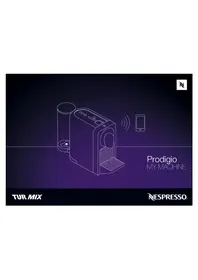
Nespresso Prodigio - Coffee machine Turmix - Free user manual and instructions
Find the device manual for free Nespresso Prodigio Turmix in PDF.



| Brand | Turmix |
| Model | Nespresso Prodigio (TX 190 Prodigio Titanium) |
| Product type | Connected espresso machine |
| Dimensions (L x D x H) | 11.95 x 25.53 x 37.4 cm |
| Weight | Approximately 3 kg |
| Power supply | 220-240 V~, 50-60 Hz, 1260 W |
| Maximum pressure | 19 bar / 1.9 MPa |
| Water tank capacity | 0.8 L |
| Main functions | Preparation of Ristretto (25 ml), Espresso (40 ml), Lungo (110 ml) coffee; Bluetooth connectivity via Nespresso app; capsule stock management; preparation scheduling; maintenance notifications (descaling); adjustable automatic shutdown |
| Water volume programming | Ristretto: 15-30 ml, Espresso: 30-70 ml, Lungo: 70-130 ml |
| Energy saving | Automatic shutdown after 9 minutes (adjustable to 30 minutes) |
| Maintenance and cleaning | Daily cleaning of the capsule bin and drip tray; regular descaling with the recommended Nespresso kit |
| Safety | Instructions: do not immerse the machine in water, do not use damaged capsules, unplug before cleaning, etc. |
| Connectivity | Bluetooth®; Nespresso mobile app (iOS/Android) |
| Warranty | 2 years parts and labor (Austria and Switzerland) |
| Package contents | Machine, water tank, drip tray, used capsule bin, quick start guide, water hardness test strips |
| Spare parts and repairability | Parts available via Nespresso Club or authorized dealer; repair by a professional recommended |
| Energy consumption | Approximately 31 kWh/year |
Frequently Asked Questions - Nespresso Prodigio Turmix
User questions about Nespresso Prodigio Turmix
0 question about this device. Answer the ones you know or ask your own.
Ask a new question about this device
Download the instructions for your Coffee machine in PDF format for free! Find your manual Nespresso Prodigio - Turmix and take your electronic device back in hand. On this page are published all the documents necessary for the use of your device. Nespresso Prodigio by Turmix.
USER MANUAL Nespresso Prodigio Turmix
EN Instruction manual
Congratulations on getting Nespresso Prodigio, the first connected Nespresso machine. This machine allows you to brew a perfect coffee time after time while living a unique connected experience with your Smartphone or Tablet. To start your connected journey, you will need to get the Nespresso App and pair your device to your Nespresso Prodigio machine.
If you have it already, please update the App.
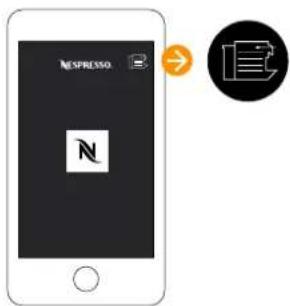
Téléchargez l'application Nespresso.
3 Click on the Machine Icon.
Pairing / Connectivity Functions/

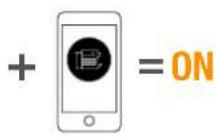
Please remember that the Bluetooth® mode must be activated beforehand on your smartphone or tablet.


When the pairing is
complete, the Nespresso Light will blink 3 times.
- Capsules stock management
- Schedule a coffee brewing
- Brew Now
- Maintenance notifications
- Descaling alert
- And more to see via the App
Quelles sonT les FonCTlons disPonIBles?
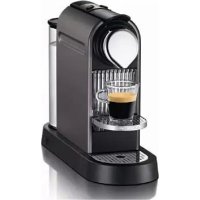
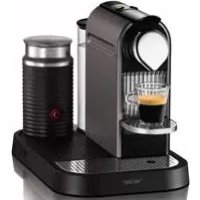
① Prodigio Coffee Machine Machine Prodigio
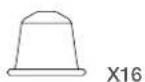
2 Tasting Box of Nespresso Grands Crus Capsules Coffret de dégustation composé de 16 capsules de Grands Crus Nespresso
3 Nespresso Welcome Brochure Brochure de bienvenue Nespresso
Nespresso is an exclusive system creating the perfect Espresso, time after time. All Nespresso machines are equipped with a unique extraction system that guarantees up to 19 bar pressure. Each parameter has been calculated with great precision to ensure that all the aromas from each Grand Cru can be extracted, to give the coffee body and create an exceptionally thick and smooth crema.
modE d'EmPLol
CAUTION: when you see this sign, please refer to the safety precautions to avoid possible harm and damage.
CAUTION: the safety precautions are part of the appliance. Read them carefully before using your new appliance for the first time. Keep them in a place where you can find and refer to them later on.
CAUTION: when you see this sign, please refer to the safety precautions to avoid possible harm and damage.
i INFORMATION: when you see this sign, please take note of the advice for the correct and safe usage of your appliance.
- The appliance is intended to prepare beverages according to these instructions.
- Do not use the appliance for anything other than its intended use.
• This appliance has been designed for indoor and non-extreme temperature conditions use only. - Protect the appliance from direct sunlight effect, prolonged water splash and humidity.
- This is a household appliance only. It is not intended to be used in: staff kitchen areas in shops, offices and other working environments; farm houses; by clients in hotels, motels and other residential type environments; bed and breakfast type environments.
• This appliance may be used by children of at least 8 years of age, as long as they are supervised
and have been given instructions about using the appliance safely and are fully aware of the dangers involved. Cleaning and user maintenance shall not be made by children unless they are older than 8 and they are supervised by an adult.
- Keep the appliance and its cord out of reach of children under 8 years of age.
- This appliance may be used by persons with reduced physical, sensory or mental capabilities, or whose experience or knowledge is not sufficient, provided they are supervised or have received instruction to use the appliance safely and understand the dangers.
• Children shall not use the device as a toy.
• The manufacturer accepts
no responsibility and the warranty will not apply for any commercial use, inappropriate handling or use of the appliance, any damage resulting from use for other purposes, faulty operation, non-professionals repair or failure to comply with the instructions.
Avoid risk of fatal electric shock and fire.
• In case of an emergency: immediately remove the plug from the power socket.
- Only plug the appliance into suitable, easily accessible, earthed mains connections. Make sure that the voltage of the power source is the same as that specified on the rating plate. The use of an incorrect connection voids the warranty.
EN Safety Precautions
The appliance must only be connected after installation.
- Do not pull the cord over sharp edges, clamp it or allow it to hang down.
- Keep the cord away from heat and damp.
- If the supply cord is damaged, it must be replaced by the manufacturer, its service agent or similarly qualified persons, in order to avoid all risks.
- If the cord is damaged, do not operate the appliance; return the appliance to the Nespresso Club or to a Nespresso authorised representative.
- If an extension cord is required, use only an earthed cord with a conductor cross-section of
at least 1.5 mm 2 or matching input power.
• To avoid hazardous damage, never place the appliance on or beside hot surfaces such as radiators, stoves, ovens, gas burners, open flame, or similar.
• Always place it on a horizontal, stable and even surface. The surface must be resistant to heat and fluids, like water, coffee, descaler or similar liquids.
- Disconnect the appliance from the mains when not in use for a long period. Disconnect by pulling out the plug and not by pulling the cord itself or the cord may become damaged.
- Before cleaning and servicing, remove the plug from the mains socket and let the appliance cool down.
- Never touch the cord with wet hands.
- Never immerse the appliance or part of it in water or other liquid.
- Never put the appliance or part of it in a dishwasher.
• Electricity and water together is dangerous and can lead to fatal electrical shocks. - Do not open the appliance. Hazardous voltage inside!
- Do not put anything into any openings. Doing so may cause fire or electrical shock!
Avoid possible harm when operating the appliance.
- Never leave the appliance unattended during operation.
- Do not use the appliance if it is damaged or not operating perfectly. Immediately remove the
plug from the power socket. Contact the Nespresso Club or Nespresso authorised representative for examination, repair or adjustment.
- A damaged appliance can cause electrical shocks, burns and fire.
• Always completely close the slider and never open it during operation. Scalding may occur. - Do not put fingers under coffee outlet, risk of scalding.
- Do not put fingers into capsule compartment or the capsule shaft. Danger of injury!
• Water could flow around a capsule when not perforated by the blades and damage the appliance. - Never use a damaged or deformed capsule. If a
capsule is blocked in the capsule compartment, turn the machine off and unplug it before any operation. Call the Nespresso Club or Nespresso authorised representative.
- Fill the water tank only with fresh and potable water.
- Empty water tank if the appliance will not be used for an extended time (holidays, etc.).
- Replace water in water tank when the appliance is not operated for a weekend or a similar period of time.
- Do not use the appliance without the drip tray and drip grid to avoid spilling any liquid on surrounding surfaces.
- Do not use any strong cleaning agent or solvent cleaner. Use a damp cloth and mild cleaning agent to clean the surface of the
appliance.
• To clean machine, use only clean cleaning tools.
- When unpacking the machine, remove the plastic film and dispose.
- This appliance is designed for Nespresso coffee capsules available exclusively through the Nespresso Club or your Nespresso authorised representative.
- All Nespresso appliances pass stringent controls. Reliability tests under practical conditions are performed randomly on selected units. This can show traces of any previous use.
- Nespresso reserves the right to change instructions without prior notice.
• This machine contains magnets.
Descaling
- Nespresso descaling agent, when used correctly, helps ensure the proper functioning of your machine over its lifetime and that your coffee experience is as perfect as the first day.
SAVE THESE
INSTRUCTIONS
Pass them on to any subsequent user.
This instruction manual is also available as a PDF at nespresso.com
2 Adjust the cable length and store the excess under the machine. Insert the remaining cable in the guide under water tank left or right socket, depending on the position chosen for the water tank. Ensure machine is in the upright position.
③ Rinse the water tank before filling it with potable water.
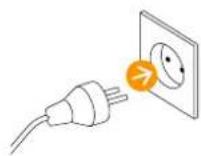
⑤ Plug the machine into the mains.
To connect your machine, please follow the instructions in sections «Get the App» and «Pairing» on page 4.
Multiple devices can be connected to your Prodigio machine only if using a unique club members number. To pair these additional devices, please follow the instructions in the sections «Get the App» and «Pairing» on page 4.
⑧ Before making any coffee, make sure to rinse your machine by:
- Placing a container under coffee outlet.
- Closing the slider and pressing the Lungo button to rinse the machine.
- Repeat three times.
To turn OFF your machine, ensure all the 3 coffee buttons are ON. Press and hold Lungo and Espresso buttons simultaneously for 3 seconds.
① Fill the water tank with potable water.
② Place a cup under the coffee outlet.
4 Open the slider, insert a capsule and close the slider. Select your coffee size based on the chosen Grand Cru:
Ristretto (25 ml / 0.84 oz)
Espresso (40 ml / 1.35 oz)
Lungo (110 ml / 3.7 oz)
You can select the desired coffee button, by pressing it, even while the machine is still heating up. The selected coffee button will blink and becomes steady on when machine is ready to brew. The coffee will then flow.
To ensure hygienic conditions, it is highly recommended to not reuse a used capsule.
5 Preparation will stop automatically. The capsule will eject automatically.
To stop the coffee flow, press the selected coffee button or slightly move the slider towards the back of the machine until the coffee flow stops. Please note, a manual top-up is not possible in this case.
To manually top up your coffee, touch any of the coffee buttons within 10 seconds from the end of preparation.
8 change the selected cup size during brewing select the new desired coffee button. The machine will immediately stop if the coffee volume extracted is larger than new desired coffee size.
To accommodate a milk recipe glass, lift the cup support.
1 Automatic OFF mode: the machine will turn into OFF mode automatically after 9 minutes of non-use.
② To change automatic OFF mode from 9 to 30 minutes:
- Ensure the machine is turned OFF
- Press and hold both the Lungo and Ristretto buttons for more than 3 sec.
- Espresso button flashes 3 times for confirmation.
To revert back to 9 minutes, repeat the same procedure. Espresso button flashes once for confirmation.
① Any coffee button can be programmed.
- Ristretto button: from 15 to 30 ml / 0.5-1 oz.
- Espresso button: from 30 to 70 ml /1 to 2.33 oz.
- Lungo button: from 70 to 130 ml / 2.33 to 3 oz.
→ - Ensure the machine is ON
- Open the slider and insert the capsule.
- Close the slider.
- Press and hold the selected coffee button.
- Release the button when desired volume is reached.
- The 3 coffee buttons flash for confirmation.
- Water volume is now stored for the button used during programming
If you reset to factory settings, this will cancel the pairing, reset the capsules stock management and the descaling alert.
① Factory settings are:
- Lungo, Espresso, Ristretto coffee buttons 110ml / 3.7oz, 40ml / 1.35 oz., 25ml / 0.84 oz.
- Automatic OFF mode after 9 minutes.
- The water hardness set by default is hard, which corresponds to around 1000 Espresso cups.
To do it via your machine:
- Ensure the machine is turned OFF.
- Press and hold Espresso & Lungo buttons for at least 5 seconds.
All the coffee buttons and LEDs will blink once as confirmation. To unpair your machine, please refer to the «Troubleshooting section».
1 Remove the water tank. Place a container under the coffee outlet.
2 Ensure the machine is ON, press and hold the Ristretto & Lungo buttons together for at least 6 seconds.
3 The Ristretto and Lungo coffee buttons will flash for confirmation. Then close the slider to start procedure. If the slider was already closed, the emptying process starts automatically. When the procedure is finished, clean the drip tray and the cup support. Machine turns to OFF mode automatically when empty.
① Empty the drip tray and the capsule container every day. Also remove lid and water tank and clean them all with odorless detergent and rinse with warm / hot water.
2 Dry all water tank container parts with a fresh and clean towel, cloth or paper and reassemble all parts. Clean the coffee outlet and inside the machine regularly with a clamp cloth.
③ Never immerse the appliance or part of it in water or any other liquid.
4 Do not use any strong or abrasive solvent, sponge or cream cleaner. Do not put in the dishwasher.
Duration approximately 15 minutes. Durée approximative : 15 minutes.

Read the safety precautions on the descaling package and refer to the table for the frequency of use. The descaling solution can be harmful. Avoid contact with eyes, skin and surfaces. Never use any product other than the Nespresso descaling kit available at the Nespresso Club to avoid damage to your machine. The following table will indicate the descaling frequency required for the optimum performance of your machine, based on water hardness. For any additional questions you may have regarding descaling, please contact the Nespresso Club.
① Empty the drip tray and the used capsule container.
2 To enter the descaling mode, ensure the machine is ON, press and hold the 3 coffee buttons for 6 seconds until the confirmation with a beep. The 3 buttons will start blinking (buttons will flash until the exit of this mode).
3 Fill the water tank with 1 unit of Nespresso descaling liquid and add 0.5 L / 17 oz of water.
4 Place a container (minimum volume: 0.8 L / 27 oz) under the coffee outlet.
5 Ensure the slider is closed and press any coffee button to start the descaling cycle, pump will run. Machine will stop automatically when water tank is empty.
6 Refill the water tank with the used descaling agent (already passed in the machine) collected into the container.
⑦ Empty the drip tray.
8 Press any button to start descaling a second time. Machine will stop automatically when the water tank is empty. Empty and rinse the water tank, drip tray and cup support thoroughly to avoid any residue.
9 Refill the water tank with fresh potable water. Press any button to start rinsing the machine, pump will run. Machine will stop automatically when the water tank is empty. Repeat this twice.
To exit the descaling mode, press and hold the 3 buttons for 6 seconds until the confirmation with a beep. The machine is now ready for use.
*On the App, the water hardness can be adjusted any time under "Water status".
Videos are available on the App and on www.nespresso.com - Go to section «services».
| Pairing has not succeeded. - Check that the Bluetooth® on the smartphone or tablet is activated.- Check the compatibility of your smartphone or tablet with the machine (see page 3). | - Ensure the smartphone or tablet is placed next to the machine during the pairing- Make sure to not turn ON any microwave close to the machine during pairing. | |
| If you want to unpair your machine, via the app: | - Go on the App «Name», click on «Machine status», then click on «Unpair this machine».- Click on «unpair this device» to confirm the unpairing. | - Note: In case of a unpairing, all the setups and specifications will be lost and the machine will be reset to factory settings. |
| If you want to unpair your machine, via the machine: | - Press simultaneously Ristretto and Espresso buttons and remove the plug from the mains. | - Note: this action will deactivate the Bluetooth® function from the machine. |
| If you want to reactivate the Bluetooth® on your machine, via the machine: | - Please reset to factory settings. See paragraph on «Reset to Factory Settings». | |
| No light on the coffee buttons. | - Machine turns OFF automatically. See paragraph on «Energy Saving Concept». | - Check the mains: plug, voltage, fuse. |
| No coffee, no water, unusual coffee flow. | - Check if the water tank is correctly positioned, if empty, fill with potable water.- Descale it if necessary. | |
| Coffee is not hot enough. - Preheat cup. - Descale the machine if necessary. | ||
| The slider does not close completely or the machine doesn't start brewing. | - Empty the capsule container. - Check that no capsule is blocked inside the machine. | (Note: do not put the finger inside the machine) |
| Leakage (water under the machine). | - Empty drip tray if full. | - If problem persists, call the Nespresso Club. |
| Maintenance light is ON. | - Empty the used capsule container and check no capsules are blocked.- Check the water tank. If empty, fill with potable water and brew a coffee. | - If problem persists, call the Nespresso Club. |
| Nespresso light is ON. | - It means your capsules stock is empty. You can order capsules via the App or Nespresso website. | |
| 3 coffee buttons flash quickly. | - To exit the descaling mode, press and hold the 3 buttons for 6 seconds until the confirmation with a beep. | - If problem persists, call the Nespresso Club, or check the App for more information. |
| Water or coffee flow does not stop even when pushing a coffee button. | - Gently move the slider towards the back of the machine to stop the flow. | |
| No coffee flow, water goes directly into the drip tray (despite inserted capsule). | - Pull the slider to ensure it is closed. | - If problem persists, call the Nespresso Club. |
| Machine turns to OFF mode. | - To save energy the machine will turn to OFF mode after 9 minutes of non-use.- See paragraph on «Energy Saving Concept». | - Press one of the coffee buttons to turn to "ON-mode" or open the slider. |
FR Dépannage
As we may not have foreseen all uses of your appliance, should you need any additional information, in case of problems or simply to seek advice, call the Nespresso Club or your Nespresso authorised representative. Contact details for your Nespresso Club or your Nespresso authorised representative can be found in the «Welcome to Nespresso» folder in your machine box or at nespresso.com
At Nespresso, we believe that each cup of coffee can not only deliver a moment of pleasure, but also restore, replenish and revive environmental resources and communities. As a company, sustainability is our way of doing business and is at the heart of everything we do.
Through our sustainability strategy The Positive Cup, we are aiming to reach our 2020 goal of making every cup of Nespresso a positive cup. To realise this vision, Nespresso has set itself ambitious commitments:
Coffee: 100% sustainably sourced coffee
Capsules: 100% sustainably managed aluminum
Climate: 100% carbon insetting
For more information, go to www.nespresso.com/positive
www.nespresso.com/entreprisedurable

This appliance complies with the EU Directive 2012/19/EC. Packaging materials and appliance contain recyclable materials. Your appliance contains valuable materials that can be recovered or can be recycled. Separation of the remaining waste materials into different types facilitates the recycling of valuable raw materials. Leave the appliance at a collection point. You can obtain information on disposal from your local authorities.
Warranty and Liability: Turmix Nespresso machines are guaranteed in Austria and Switzerland for two years (parts and labour). To claim under this guarantee you will require your store receipt showing the date of purchase. Guarantee claims cannot be accepted if the machine has not been descaled, or has been incorrectly descaled (infrequently, use of inappropriate products). This warranty also covers the use of capsules other than those of Nospresso, except if the defect or dysfunction results from the use of such capsules. In the event of a dispute, it will be for Turmix to prove that this defect or dysfunction results from the use of such capsules.
WenndieVerbindung
1 Prodigio Kaffeemaschine

- PAIRING / CONNECTIVITY FUNCTIONS
- QUELLES SONT LES FONCTLONS DISPONIBLES
- MODE D'EMPLOL
- AVOID RISK OF FATAL ELECTRIC SHOCK AND FIRE
- EN SAFETY PRECAUTIONS
- THE APPLIANCE MUST ONLY BE CONNECTED AFTER INSTALLATION
- AVOID POSSIBLE HARM WHEN OPERATING THE APPLIANCE
- DESCALING
- SAVE THESE
- INSTRUCTIONS
- ① FACTORY SETTINGS ARE
- TO DO IT VIA YOUR MACHINE
- FR DÉPANNAGE
Brand : Turmix
Model : Nespresso Prodigio
Category : Coffee machine