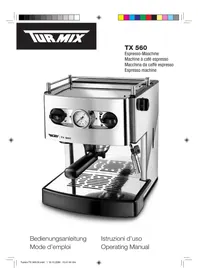
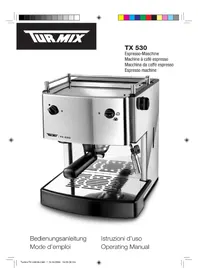
TX 560 - Coffee machine Turmix - Free user manual and instructions
Find the device manual for free TX 560 Turmix in PDF.



| Brand | Turmix |
| Model | TX 560 |
| Product type | Espresso coffee machine |
| Pump pressure | 9-15 bar (indicated on the pressure gauge) |
| AEF System | AUTO-ESPRESSO FLOW system, continuous water volume adjustment |
| Usable coffee types | Ground coffee and pods (pads) |
| Number of simultaneous cups | 1 or 2 cups (with appropriate filter) |
| Included filters | Small CremaMaker filter (1 cup), large CremaMaker filter (2 cups) |
| Additional functions | Cappuccino preparation (steam), hot water, cup preheating station |
| Water tank capacity | Approx. 1.5 L (estimated) |
| Maintenance | Regular cleaning of steam tube, filter holder, and drip tray; descaling every 4 to 6 weeks |
| Recommended descaling agent | Calco Clean TURMIX (ref. 11458) or espresso machine descaling agent |
| Safety | Automatic shut-off, safety valve in case of empty tank, standard safety instructions (do not immerse, etc.) |
| Warranty | 2 years from date of purchase (excluding wear and limescale) |
| Included accessories | Filter holder, measuring scoop, coffee tamper, small and large CremaMaker filters |
| Repairability | Authorized after-sales service; draining required before transport or prolonged storage |
Frequently Asked Questions - TX 560 Turmix
User questions about TX 560 Turmix
0 question about this device. Answer the ones you know or ask your own.
Ask a new question about this device
Download the instructions for your Coffee machine in PDF format for free! Find your manual TX 560 - Turmix and take your electronic device back in hand. On this page are published all the documents necessary for the use of your device. TX 560 by Turmix.
USER MANUAL TX 560 Turmix





3
4
5
7
8
9
10
FR Chères clients, chers clients,



3
5
8
9
10



3
4
5
7
8
9
10
Lanes and Gentlemen,
Thank you for choosing to purchase this TURMIX product. Since 1933 we have been working to one end alone – to give you pleasure in using our equipment. Our philosophy can be summed up in just four words: lasting, uncomplicated, fascinating and reliable.
This means that we lay a great deal of stress on quality, ergonomics, simplicity and service and repairs, with a view to offering you the very best in the way products and services.
We hope you will get a lot of pleasure out of your new TURMIX product!

Important note on the manometer
The manometer does not measure the pressure of the pump but the counterpressure of the coffee. The device generally shows a level of 9-15 bar.

Important: Storage and transport
When the machine is not in use, or if you are sending it to the Service Centre, all water must be removed from the system. Remove the water tank, turn the coffee quantity switch to the right, open the steam valve, start coffee supply and wait until only air issues. Activate coffee supply switch once more, and close valve. Switch off at on/off switch and disconnect power.

Table of Contents
| 1 First commissioning | 1.1 Description of Parts 46 | |
| 1.2 Instructions in brief 48 | ||
| 2. Safety requirements 492 Important safety in | ||
| 3 Commissioning | 3.1 First commissioning 50 | |
| 3.2 Setting up the equipment 50 | ||
| 3.3 Preparing the equipment 50 | ||
| 3.4 Filling / replenishing the water tank 50 | ||
| 3.5 Air removal 51 | ||
| 3.6 Making coffee 51 | ||
| 3.6.1 With ground coffee 51 | ||
| 3.6.2 With single-portion bags (pads) 52 | ||
| 3.7 The Auto Coffee Flow system (AEF®) 53 | ||
| 3.8 Making cappuccinos 53 | ||
| 3.9 Hot water supply 54 | ||
| 3.10 Cleaning the machine 54 | ||
| 3.11 Descaling the machine 55 | ||
| 3.12 TURMIX technology 55 | ||
| 4 Troubleshooting | 4.1 Troubleshooting 56 | |
| 4.2 Storage and transport 56 | ||
| 5 Disposal | 5.1 Disposing of the equipment 57 | |
| 6 Appendix | 6.1 Fault analysis 59 | |
| 6.2 Warranty 60 | ||
| 6.3 Accessories 61 | ||




46
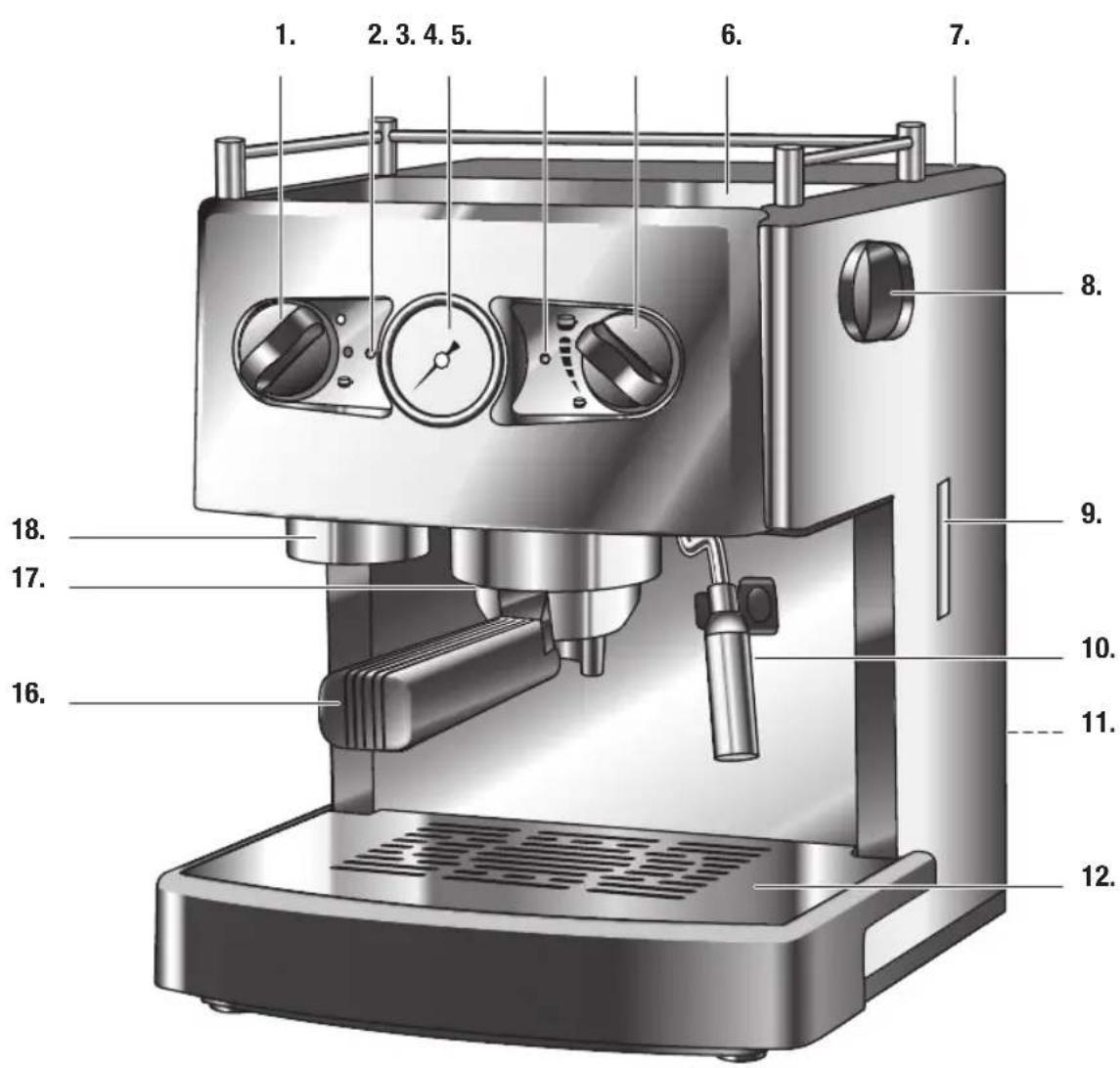

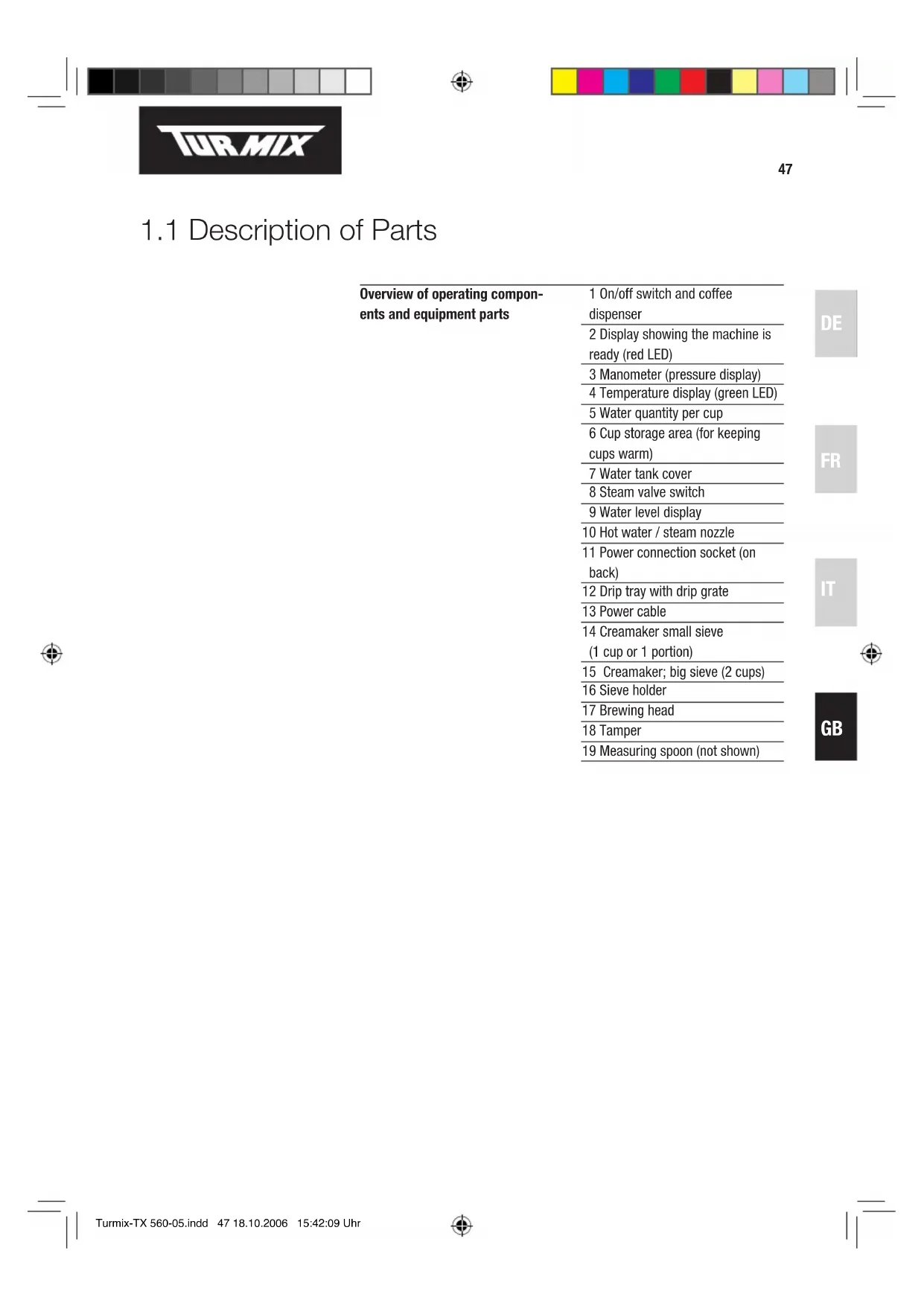
1.1 Description of Parts
| Overview of operating components and equipment parts | 1 On/off switch and coffee dispenser |
| 2 Display showing the machine is ready (red LED) | |
| 3 Manometer (pressure display) | |
| 4 Temperature display (green LED) | |
| 5 Water quantity per cup | |
| 6 Cup storage area (for keeping cups warm) | |
| 7 Water tank cover | |
| 8 Steam valve switch | |
| 9 Water level display | |
| 10 Hot water / steam nozzle | |
| 11 Power connection socket (on back) | |
| 12 Drip tray with drip grate | |
| 13 Power cable | |
| 14 Creamaker small sieve(1 cup or 1 portion) | |
| 15 Creamaker; big sieve (2 cups) | |
| 16 Sieve holder | |
| 17 Brewing head | |
| 18 Tamper | |
| 19 Measuring spoon (not shown) |

1.2 Instructions in brief
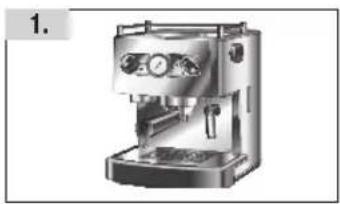

- Position the machine on a firm base
- Wash water tank, sieve support, sieves and measuring spoon
- Remove water tank and fill with cold water. When replacing, you must feel the tank slot into place
- Plug in power connection and switch on the machine at the on/off switch (turn to ●)
- Place cup under steam nozzle, turn coffee quantity switch (on the front right of the machine) to the right, open steam valve on right and activate the coffee supply switch (front left). Then wait until water without air emerges from the hot water nozzle. Again activate the coffee supply switch, and close the steam valve switch. The pump will stop. Put the coffee quantity switch in the desired position.
- To make coffee
- place sieve in sieve holder (small sieve for 1 cup / individual portions, large sieve for 2 cups)
- add 1 level measuring spoon per cup of ground coffee to the sieve and press down lightly with the tamper
- Insert sieve support from below (holding it on left) into the brewing unit, and then turn completely to the right. Place cup under dispenser
- Wait until the green control LED lights up. Set water quantity with the right regulating knob
-
Start dispensing coffee by turning the left knob quickly to
-
After coffee has been dispensed, remove the sieve holder and knock out the coffee grounds
-
The machine should be regularly cleaned and descaled.
2. Important Safety Notes

When using the coffee machine, you must observe the following safety precautions:
- It is essential to read the operating instructions carefully through.
- Do not touch the hot surfaces. You should only come into contact with the handles and knobs.
- There is the risk of an electric shock if the machine, power cable or plugs should be dipped in water or any other liquid medium.
– Children should operate electrical equipment only under supervision. - When the machine is not in use, and before cleaning, always remember to unplug the power. Before inserting or removing parts for cleaning, always allow the machine first to cool down.
- Equipment with a defective plug or power cable, and equipment that has been damaged or shows impaired functionality, should be inspected and repaired by an authorised customer service agent before you try to use it again.
- The use of accessories or spare parts that are not authorised by the manufacturer may result in fires, electric shocks or personal injury.
- Do not use the equipment in the open air.
- The power cable must not come into contact with hot surfaces and should not hang down from tables or working surfaces.
- Do not set up the equipment in the immediate vicinity of gas stoves, electric stoves or grills.
- The equipment should only be used domestically for the purposes for which it is intended.
- To switch off the equipment, the power switch must first be turned to «○», after which you can unplug the power.
- After unpacking the equipment, take care that the plastic wraps are kept in a place where children will not find them.
- Persons, including children, who in view of the level of their physical, sensory or mental capacities, or their lack of experience or knowledge, are not in a position to use the equipment with safety, may not use the equipment without supervision or instruction from a responsible person.
PLEASE KEEP THESE SAFETY INSTRUCTIONS IN A SAFE PLACE!
3. Commissioning
3.1 First commissioning
Before putting the machine into operation for the first time, please read right through the operating instructions.
3.2 Setting up the machine
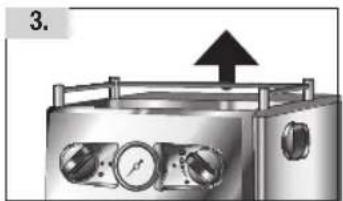
Position the machine on a firm and stable base. Do not try to carry the machine by the upper flanges!
3.3 Preparing the machine
First of all, wash all the accessories (sieve support, measuring spoon, sieve, water tank) with lukewarm water and detergent, and then rinse them in clean water.
3.4 Filling / replenishing the water tank

It is essential that before doing anything else you take out the water tank and fill it with cold water. Otherwise your new coffee machine could be damaged!
3.5 Air removal
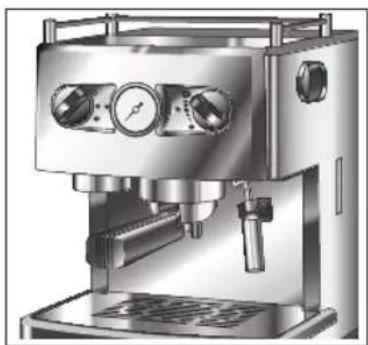
The machine is fitted with an automated suction pump.
Place a cup under the brewing head, and turn the left knob to 📋You will hear the noise of the pump. Just a few seconds later, water will start to flow from the brewing head. Turn the knob again to 📋as soon as the cup is full. The pump will switch off.
Repeat this operation a few times before you start to make coffee, so as to clean the pump and the water hoses.
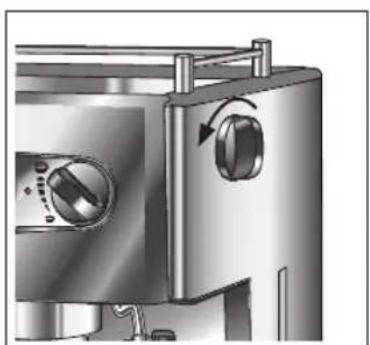
If air is found in the hose system, the pump may be prevented from working properly. If no water comes out of the brewing head, place a cup under the steam pipe. Turn the coffee quantity switch (on the front right of the machine) to the right, open the steam valve and activate the coffee supply switch (front left). Then wait until water without air emerges from the hot water nozzle. Again activate the coffee supply switch, and close the steam valve switch. The pump will stop. Put the coffee quantity switch in the desired position 2.
2
The coffee machine is now ready to operate.
3.6 Making coffee
3.6.1 With ground coffee
3
4
Remove the water tank and fill it with cold water.
Connect power.
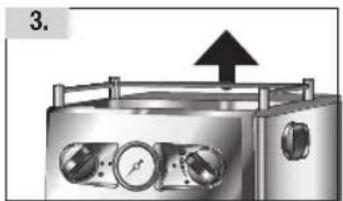
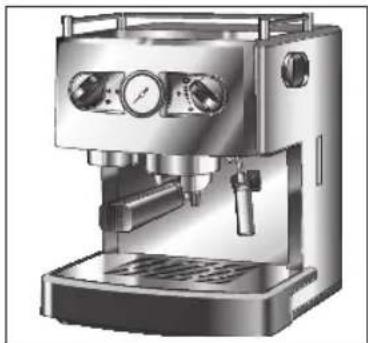
Turn power switch to ●. The red operating display will light up 3.
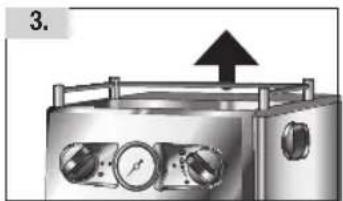
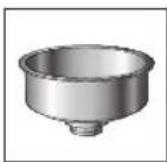
Insert the Creamaker® sieve in the sieve support 4. Press the sieve into position with your thumbs, and then insert the sieve support in the brewing head to warm it up. To insert the sieve support in the brewing head, hold the handle at an angle of about 45 degrees to the left, raise it a little and place the sieve support in the fitting. Then turn the handle to the right until the sieve support sits securely in the fitting.
When the operating temperature has been reached, the green display showing that the machine is ready to operate will light up.
Take the warmed sieve support out of the brewing head, and fill it with ground coffee, using the accompanying measuring spoon. Use one level spoonful for each cup. Press the ground coffee lightly down with the tamper. It should not however be too compressed. Remove any superfluous coffee grounds from the rim of the sieve support, and place it in the brewing head as described above.
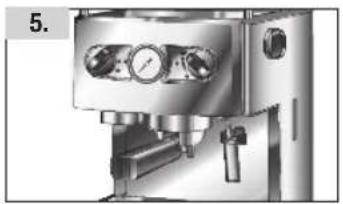
5
Place one or two cups on the drip grate, directly below the openings in the sieve support. Use cups that have been warmed in advance, or your coffee may not be hot enough.
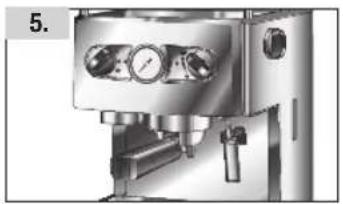
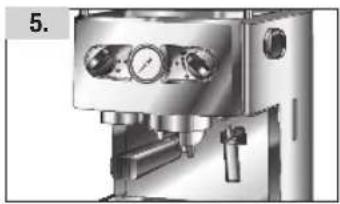
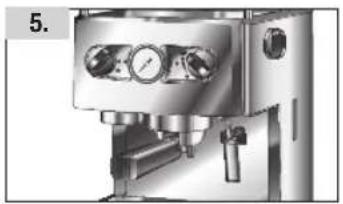
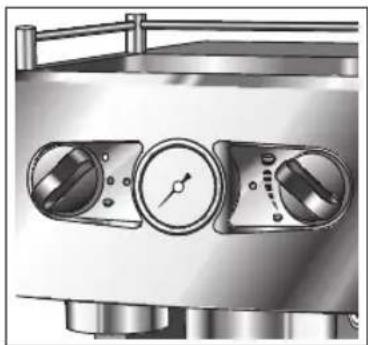
Turn the left knob briefly to shortly after this, the coffee will pour into the cups 5.
The right regulating knob is for setting the water quantity. When the desired quantity has been reached, the machine will stop automatically.
If you again turn the left knob to 📄 the dispensing of coffee can be aborted at any time 5 – see also the next page.
The more water is used, the weaker your coffee will be. Remove cups, and serve the coffee.
Remove the sieve support by turning the handle carefully to the left. Warning: the sieve support may still contain hot water.
Shake any remaining liquid out of the sieve support. To do this, you should make use of the sieve holder, otherwise there is a risk that along with the excess liquid the sieve may fall out of the sieve support. The sieve does not need to be rinsed.
Continued below ...




IMPORTANT:
If you have just made coffee using ground coffee, and now want to work with single-portion bags, you must first of all clean the machine, getting rid of any residue of ground coffee that remains. For this purpose you should turn the left knob to the water that is emitted will clean the brewing head.
3.6.2 With single-portion bags (pads)
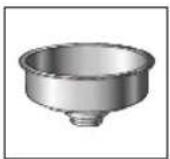
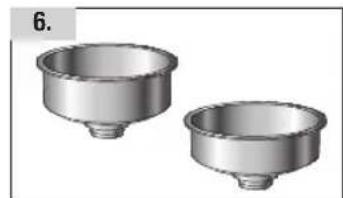
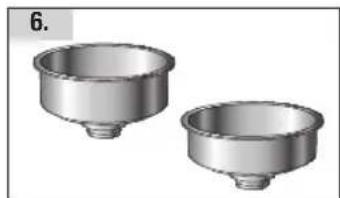
6
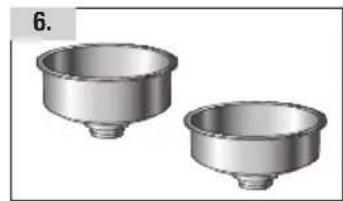
Single-portion bags, like tea bags, are ready-measured portions of coffee, each for one cup. Using single-portion bags you can make your coffee quickly, reliably and without a hitch.
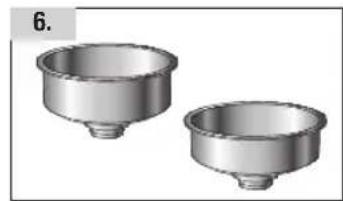
You should use the sieve support together with the smaller sieve for single-portion bags 6.
Note:
With single-portion bags you can only make one cup of coffee at a time in each brewing operation.
3.7 The «AUTO COFFEE FLOW» SYSTEM (AEF®)
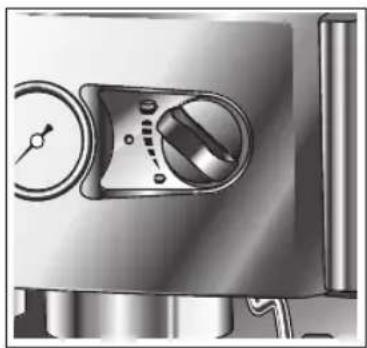
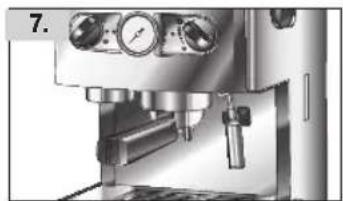
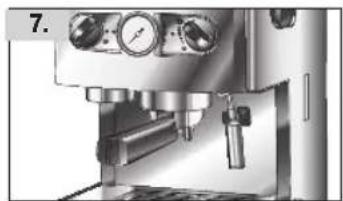
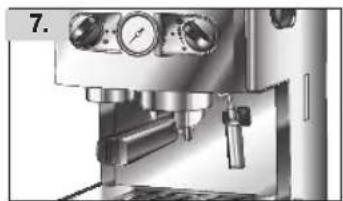
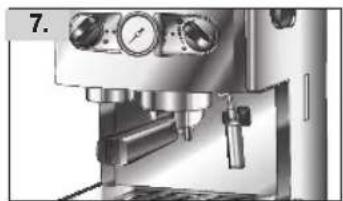
7
Your machine comes equipped with the «Auto Coffee Flow» system (AEF®). This patented electronic throughflow regulator allows you to select the water quantity for your coffee (selection is continuously variable), and so achieve exactly the coffee taste you prefer, because just the quantity of coffee you have specified will always flow into the cup. As soon as the quantity you have selected has been reached, the pump will stop automatically.
To select the water quantity, and thus the strength of your coffee, you use the continuously variable settings of the AEF® controls. You can set the quantity to any level you like, from a large cup (about 110 ml) to a half-cup of espresso (about 30 ml) or anything in between.

3.8 Making cappuccino
Cappuccino is a mixture of coffee and milk froth. You can use your machine to make real cappuccino.
To make cappuccino, besides other ingredients you should have ready a container half filled with skimmed or low-fat milk, and some large cups.
The lower the fat content of the milk, the more solid will be the froth. Using the steam pipe you can produce perfect milk froth – just take care that the milk does not boil.
NB: you should use large cups.
Turn the power switch to ●. The red operating display will light up. When the green operating display lights up, the machine is ready.
SPlace the container half filled with milk below the steam pipe in such a way that the nozzle is a little below the surface of the milk. Never let the steam pipe be completely covered by the milk.
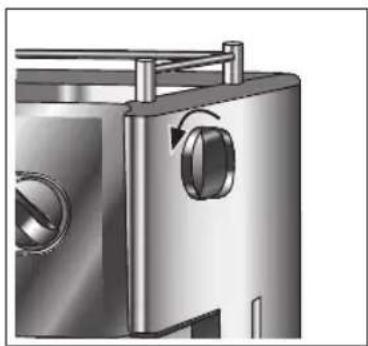
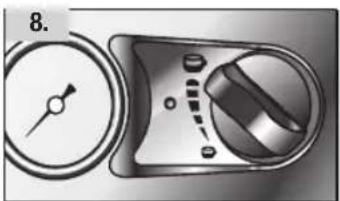
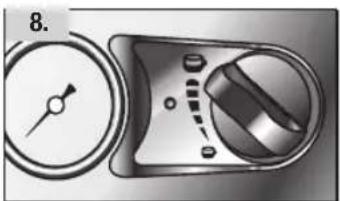
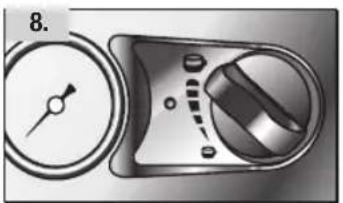
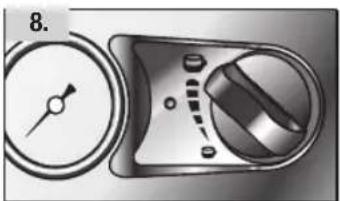
8
First of all, open the steam valve slowly by turning the knob one revolution counterclockwise 8. Then open the valve completely.
Move the container with the milk in a circle below the steam pipe, taking care that the nozzle should only be a little below the surface of the milk. The steam pipe has small openings through which it must be possible for air to be sucked in – so these must not be covered by the milk. Take care that the milk is not allowed to boil – otherwise it will not foam.
When the milk has become frothy, close the steam valve by turning the knob clockwise, and remove the container. Let the frothy milk stand for about 15 seconds, before you add it to the coffee.
Add the milk froth to the coffee with a spoon, and then pour the milk in carefully at the edge of the cup. Then dust the milk froth with cinnamon, cocoa, nutmeg or chocolate powder. Done!
TIP:
If you want to make coffee immediately after foaming milk, you must refill the water tank and lower the operating temperature of the machine – otherwise the coffee will taste burnt. To lower the operating temperature, turn the knob to and let some water run off without any ground coffee. After this you will be able to make coffee again.
3.9. Hot water supply
To make tea, bouillon or any other hot drink, you can use your machine to obtain fresh hot water:
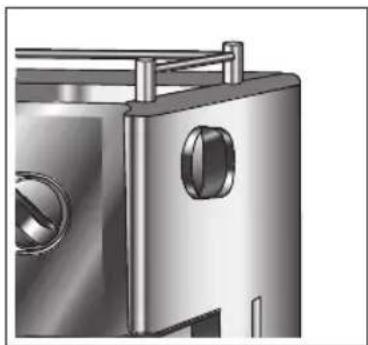
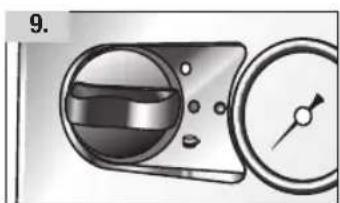
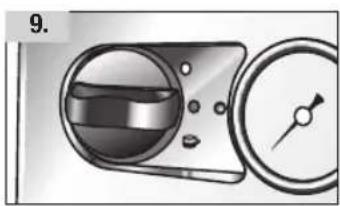
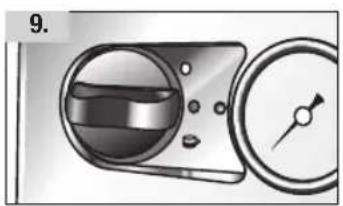
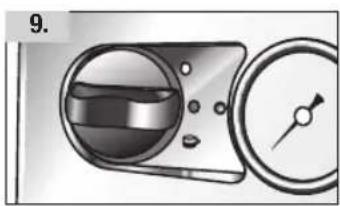
9
Take out the water tank and fill it with water.
Connect power.
Turn power switch to ●. The red display, showing the machine is ready to operate, will light up.
Hold the cup under the steam pipe.
Open the steam valve (on the right side of the machine) and turn the left knob to 📄
When you have as much water as you need, turn the left knob to ● and close the steam valve.
3.10. Cleaning the machine
10
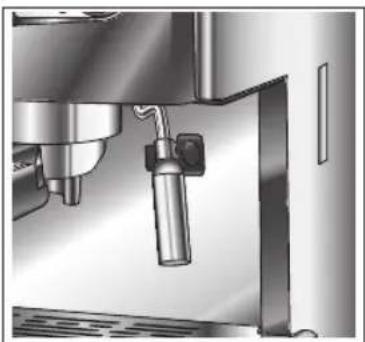
Clean the steam pipe after every time it is used, so that the nozzle and the small openings in the pipe do not get blocked 10. Milk that has dried on can be difficult to remove subsequently.
To clean, hold a damp cloth firmly below the nozzle and open the steam valve. Leave the valve open for one or two seconds, to clean the nozzle. Then wipe the surface of the steam pipe with the damp cloth.
The steam pipe may be removed. Simply turn it a little, and pull firmly. To clean it, soak it in hot water, then rinse and replace. If necessary you can also use a needle to clean the openings in the steam pipe.
From time to time you should also unscrew the nozzle at the bottom of the steam pipe and clean it carefully.
The sieve support and sieve should be cleaned after use with water and a small quantity of detergent.
Remove the drip tray and drip grate and clean them with warm water and a small quantity of detergent. For cleaning the drip tray, we would advise you to use a damp sponge.
Coffee grounds have a tendency to collect on the brewing head insulating seal. You should keep the seal clean, otherwise the taste of your coffee will be impaired.
If the coffee machine has not been used for some time, before making coffee you should first remove the standing water that remains in the hose system.
First fill the water tank with fresh water. Then turn the left knob to After a few seconds, again turn the knob to The stale water will now have been removed from the hose system.
Important:
Never activate the left knob when there is no water in the water tank, or the pump could be damaged.
3.11. Descaling the machine
Depending on the hardness of your water supply and the frequency with which the machine is used, the coffee machine should be descaled every 4 to 6 weeks. If your coffee becomes noticeably colder, or if it only runs out slowly, this indicates that it is time for the equipment to be descaled.
To do this, you would be advised to use TURMIX Calco Clean (art. 11458) or some other descaling agent for coffee machines that is standard in the trade. It is essential to get the right concentration. Never use vinegar, as this could damage the seals of the machine.
Descaling procedure:
- Switch on the machine.
- Place a sufficiently large vessel below the coffee dispensing outlet, and a second one below the hot water nozzle.
- Fill the water tank with 500 ml of cold water and 100 ml of Calco Clean.
- Activate the coffee dispensing switch without inserting the sieve holder, and let about half of the solution run through. Let the remainder run out through the hot water nozzle into the second vessel.
- Repeat this procedure with the same solution once more.
- Rinse the water tank thoroughly with clean water, and fill it with fresh water. Again place the vessels below the coffee dispensing outlet and the hot water nozzle, and let half the water that is in the tank run out through each in order to clean out the system.
- Fill the water tank once more with fresh cold water.
- Your machine is now ready to operate.
IMPORTANT NOTE:
To descale the machine, you should only use products standard in the trade that are recommended for use with coffee machines. Damage to the machine that may be caused by scale deposits will not be covered by the guarantee. Cleaning and maintenance operations other than those described here should only be carried out by qualified persons.
3.12. TURMIX technology
CREMAKER® SIEVE:
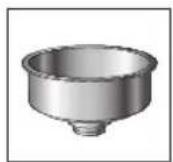
This patented filter sieve for the sieve support will guarantee a solid froth (cream) on your coffee. Can be used for one cup (small sieve) or two (large sieve).
4. Troubleshooting
| PROBLEM POSSIBLE CAUSES / SUGGESTED SOLUTIONS | |
| The coffee does not taste good | - Try again with a different quantity of coffee or a different brand. |
| The coffee has no foam or very little foam | - The coffee is not fresh. |
| - Try using more finely ground or freshly ground coffee. | |
| - Use more coffee. | |
| The coffee is not hot enough - | Warm the cups in advance (e.g. in the cup storage area). |
| - Pre-heat the sieve holder by inserting it for a few minutes. | |
| The cups are not equally full | - The coffee has not been evenly distributed in the sieve. Do not press the coffee down too firmly! |
| - Clean the sieve support. | |
| Milk foam cannot be produced | - The steam pipe is blocked. Clean the steam pipe. |
| - Use a bigger, rather narrow beaker, ideally made of stainless steel. | |
| - Always use cold milk. | |
| The coffee drips out of the sieve support | - Put less coffee in the sieve support. |
| - The single-portion bag ("pad") is incorrectly positioned. | |
| - Clean the water outlet. | |
| Water issues from the machine | - Empty the water catch basin regularly. |
| The coffee flows very slowly out of the sieve holder or does not flow at all | - The quantity of coffee grounds in the sieve is excessive. |
| - Use more coarsely ground coffee. | |
| - The machine needs descaling. | |
| - The filter sieve is blocked. Clean the sieve. | |
| - Clean the water outlet of the brewing head. | |
| Coffee grounds are found in the cup | - Clean the sieve. |
| The pump makes too much noise | - Stop the machine dispensing coffee at once (turn left knob to the water tank is incorrectly positioned or is empty. Adjust the water tank, or take it out and fill it with water. |
| The machine just doesn't work at all | - Check the power cable and the plug. |
| - Possibly the water tank was empty, and consequently the safety valve has been activated. | |
| - Switch off the machine and wait for about 30 minutes. Then switch it on again. | |
4.2 Storage and transport
When the machine is not in use, or if you are sending it to the Service Centre, all water must be removed from the system. Remove the water tank, turn the coffee quantity switch to the right, open the steam valve, start coffee supply and wait until only air issues. Activate coffee supply switch once more, and close valve. Switch off at on/off switch and disconnect power.




57
5. Disposal
5.1 Disposing of equipment
Equipment that has reached the end of its service life can be handed over at a sales outlet, and will be professionally disposed of free of charge.
Equipment that has hazardous defects should be disposed of immediately.
Please ensure that it cannot be used again.
Do not dispose of equipment with household rubbish (for environmental reasons).
DE
FR
IT

GB



58


Our TURMIX electrical household appliances carry a warranty of 2 years from the date of purchase. We undertake to replace, free of cost, any parts of the appliance that get damaged as a consequence of material or manufacturing defects during the warranty period. Return shipments should be packed in the original packing or something equivalent. In case of improper handling or in case repairs are attempted by third parties, the warranty is rendered null and void. Damage from hydro-chemical influences (e.g. owing to calcification) as well as parts that are subjected to normal wear, do not fall under the warranty. Moreover, damage or function faults that are a consequence of water from softening plants are excluded from the warranty.
Please preserve your receipt carefully, it serves as the warranty certificate as well.
SERVICE CENTER
Grindelstrasse 3-5, 8303 Bassersdorf, Switzerland
Tel. +41 (0)43 266 16 00, Fax +41 (0)43 266 16 27
info@sckt.ch www.turmix.ch
SERVICE CENTER
office@turmix.at www.turmix.at




61
Zubehör/Accessoires/Accessori/Accessories

Art. 11458
DE
This extra gentle special descaling agent has been developed for use with all espresso machines, and will achieve ideal results. Your espresso machine will thank you for using it.



62




63
DE
FR
IT
GB








D0380.20010 / 10.2006
Änderungen vorbehalten / Sous réserve de modifications / Con riserva di modifiche / Alterations reserved
www.turmix.com



- FR CHÈRES CLIENTS, CHERS CLIENTS
- LANES AND GENTLEMEN
- IMPORTANT NOTE ON THE MANOMETER
- IMPORTANT: STORAGE AND TRANSPORT
- 1.1 DESCRIPTION OF PARTS
- 1.2 INSTRUCTIONS IN BRIEF
- IMPORTANT SAFETY NOTES
- COMMISSIONING
- 3.1 FIRST COMMISSIONING
- 3.2 SETTING UP THE MACHINE
- 3.3 PREPARING THE MACHINE
- 3.4 FILLING / REPLENISHING THE WATER TANK
- 3.5 AIR REMOVAL
- 3.6 MAKING COFFEE
- 3.6.1 WITH GROUND COFFEE
- IMPORTANT
- 3.6.2 WITH SINGLE-PORTION BAGS (PADS)
- NOTE
- 3.7 THE «AUTO COFFEE FLOW» SYSTEM (AEF®)
- 3.8 MAKING CAPPUCCINO
- NB: YOU SHOULD USE LARGE CUPS
- TIP
- HOT WATER SUPPLY
- CLEANING THE MACHINE
- DESCALING THE MACHINE
- DESCALING PROCEDURE
- IMPORTANT NOTE
- TURMIX TECHNOLOGY
- CREMAKER® SIEVE
- TROUBLESHOOTING
- 4.2 STORAGE AND TRANSPORT
- DISPOSAL
- 5.1 DISPOSING OF EQUIPMENT
- ZUBEHÖR/ACCESSOIRES/ACCESSORI/ACCESSORIES
- DE
Brand : Turmix
Model : TX 560
Category : Coffee machine