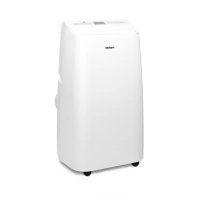
ROTEL U798CH1 - Air Conditioning

U798CH1 - Air Conditioning ROTEL - Free user manual and instructions

Find the device manual for free U798CH1 ROTEL in PDF.

📄 60 pages English EN 💬 AI Question
Notice ROTEL U798CH1 - page 47
View the manual : Français FR Deutsch DE English EN Italiano IT

User questions about U798CH1 ROTEL

0 question about this device. Answer the ones you know or ask your own.

Ask a new question about this device

L'email reste privé : il sert seulement à vous prévenir si quelqu'un répond à votre question.

No questions yet. Be the first to ask one.

Download the instructions for your Air Conditioning in PDF format for free! Find your manual U798CH1 - ROTEL and take your electronic device back in hand. On this page are published all the documents necessary for the use of your device. U798CH1 by ROTEL.
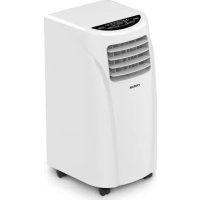
USER MANUAL U798CH1 ROTEL

MOBILEAIRCONDITIONER798CH1

U798CH1

ROTEL U798CH1 - MOBILEAIRCONDITIONER798CH1 - 1

ROTEL U798CH1 - MOBILEAIRCONDITIONER798CH1 - 2

  1. Control panel
  2. Top cover
  3. Adjustable slats
  1. Rear housing
  2. Front housing
  3. Castor
  4. Exhaust pipe

8 Piastra sigillante per finestra
9 Telecomando
10 Pannello posteriore
11 Filtro EVA
12 Gancio avolgicavo

  1. Window sealing plate assembly
  2. Remote control
  3. Rear housing
  4. EVA-filter screen
  5. Power cord hooks
  1. Handle
  2. Exhaust outlet
  3. Continuous drain hole
  4. Lower filter screen
  5. Air inlet grid
  6. Water outlet

Scolo continuo 42
Manutenzione 42
Smontaggio e conservazione 43
Risoluzione dei problemi 44
- Carateristiche tecniche 45
Smaltimento 45
English 47
- Safety instructions 47
Main features at a glance 50
Installation and adjustment 50
Installing the exhaust pipe 50
Installing the window sealing plate assembly 50
Installing the unit 51
Control panel and remote 52
Control panel. 52
Remote control. 53
Protection features 54
Frost protection. 54
Overflow protection. 54
Automatic defrosting. 54
Protection of the compressor . 54
Drainage instructions 54
Manual drainage 54
Continuous drainage 55
- Cleaning and maintenance. 55
Storage 56
Troubleshooting 57
Technical specifications 58
Disposal 58
D/F/I/E. 60
Garantie / Garantie / Garanzia / Warranty 60

Deutsch

SICHERHEITSHINWEISE

Please read all instructions before using the device.

  • This appliance may be used by persons with limited physical, sensory or mental abilities or lack of experience and/or knowledge, if they are supervised by persons responsible for their security or if they have been instructed about the safe use of the appliance and therefore fully understand the hazards involved.

  • This appliance must not be used by children; the appliance and its power cord must be kept away from children.

  • This appliance has been designed for air conditioning domestic environments (indoor operation only) and must not be used for any other purpose, such as for drying clothing, cooling food, etc.

  • The installation must be in accordance with regulations of the country where the unit is used. If case of doubt about the electrical installation, it shall be checked and if necessary modified by a qualified electrician.

  • The appliance must be plugged into an outlet that is properly installed and earthed.

  • Before plugging into a socket, it shall be ensured that the mains voltage matches the voltage specified on the rating plate of the appliance.

  • The appliance shall not be operated with a damaged cord or plug, or after the appliance malfunctions, or has been damaged in any manner. It shall be returned to the nearest authorized service facility for examination, repair or adjustment.

  • The appliance shall always be unplugged when not in use or when left unattended, and before disassembling or cleaning. It must be unplugged by grasping the plug and never by pulling the cord.

  • This appliance is not intended to be used with an external timer or a separate remote control system.

  • After the air conditioner is installed, it shall be ensured that the power plug is firmly plugged into the power outlet, and the power cord orderly placed, to prevent someone from tripping or pulling out the plug.

  • No object or obstacle shall ever come into or block the air inlet and outlet of the air conditioner. Cool

ing performance may be reduced or stopped completely.

  • The appliance must always be operated with the air filter mounted. The use of the conditioner without its filters could cause an excessive accumulation of dust or waste on the inner parts of the device with possible subsequent failures.

○ Incorrect repair attempt, assembly, reassembly or use of any accessory attachment not recommended or sold by the manufacturer may cause fire, electric shock or personal injury and will void the manufacturer's warranty.

  • The air conditioner shall not be installed and used in bathroom or other humid environments, contact with water or other fluid shall be avoided. Water can cause electrical shock or equipment damage.

The appliance shall not be installed closer than 50~cm from flammable substances (alcohol, etc.), heat sources or pressurized containers (e.g. spray cans).

  • A clearance of at least 50~cm from walls, furniture and curtains shall always be kept when operating the device.

MAIN FEATURES AT A GLANCE

New look, compact structure, streamlined machine, classy design.
Different operation modes such as cooling, dehumidification and fan.
o Adjustable slats for directing the air flow.
LED display and easy-to-understand control section with symbols.
O Fully mobile thanks to four 360 ^ movable floor castors

- INSTALLATION AND ADJUSTMENT

O Warning: before using the mobile air conditioner, let it stand straight for at least two hours.
- When moving the device, make sure to keep it in an upright position.
- Place the air conditioner in a flat and dry place and keep above 50~cm between the machine and the surrounding objects or walls.

Installing the exhaust pipe

  • Screw the exhaust pipe (exhaust fitting end) into the exhaust port on the rear panel (counterclockwise).

ROTEL U798CH1 - - INSTALLATION AND ADJUSTMENT - 1
Figure 1

Installing the window sealing plate assembly

  • Half open the window and mount the window sealing plate to the window frame (as shown in Figure 2 and 3); the assembly can be placed in horizontal and vertical direction.
  • Adjust the opening distance of the window sealing plate to bring both ends of the plate into contact with the window frame, and fix the various components of the assembly.

ROTEL U798CH1 - Installing the window sealing plate assembly - 1
Figure 2

ROTEL U798CH1 - Installing the window sealing plate assembly - 2
Figure 3

Installing the unit

  • Move the machine with installed exhaust pipe and fittings towards the window. Distance between the unit and adjacent walls or other objects shall be least 50~cm (as shown in Fig. 4).

Notes:

The flat end of the exhaust pipe joints must be snapped into place.

The pipe cannot be distorted nor has substantial bend (greater than 45^ ). Keep the ventilation of the exhaust pipe unobstructed.

  • Elongate the exhaust pipe and snap the flat end of it into the elliptical hole of the window sealing plate (as shown in Figure 5 and 6).

ROTEL U798CH1 - Notes: - 1
Figure 5

ROTEL U798CH1 - Notes: - 2
Figure 6

Caution:

The length of the exhaust pipe shall be 280 1,500~mm , and this length is based on the specifications of this air conditioner. Do not use extension tubes or replace it with a different pipe, as this may cause a malfunction.
Exhaust must be unobstructed; otherwise it may cause overheating.

- CONTROL PANEL AND REMOTE

Control panel

ROTEL U798CH1 - Control panel - 1

1 Timer key
2 Fan speed selection
3 Up key
4 LCD Display
5 Down key
6 Mode selection
7 Power key
8 Remote control reception window

Power key

Press the key to turn on or turn off the machine.

Mode selection key

Press the key to switch between cooling, fan and dehumidification mode.

Up and Down keys

Press the key to increase/decrease temperature and timing set value.
Pressing the up and down key simultaneously switches the display of the temperature between degrees Celsius and Fahrenheit.

Fan speed selection key

In cooling and air supply mode, press the key to select high, medium or low wind speed operation.
In dehumidification mode, pressing the key is invalid, and the fan will forcibly choose low wind speed operation.

Timer key

In the case of power on, press the key to close timing; in the case of power off, press the key to open timing.
Press the key, when the timing symbol flashes, press Up and Down key to select the required timing value.
- Timing values can be set within 1-24 hours and the timing value is adjusted upwards or downwards by one hour increments.

Remote control

Power: press the key to turn the device on or off.
Mode: press the key to switch between cooling, air supply and dehumidification mode.
Up: press the key to increase temperature and timing set value.
Down: press the key to reduce temperature and timing set value.
- Fan: press the key to select high, medium and low wind speed output circularly.
Timer: press the key to set timing value.
Swing: press the key to open or close swing style. Air flow of the air outlet can blow at different angles.
C F: press the key to switch between Celsius and Fahrenheit.

ROTEL U798CH1 - Remote control - 1
Remote control

PROTECTION FEATURES

Frost protection

In cooling, dehumidification or power saving mode, if the temperature of the exhaust pipe is too low, the machine will automatically enter protection status; if the temperature of the exhaust pipe rises to a certain temperature, it can automatically revert to normal operation.

Overflow protection

  • When water in the water tray exceeds the warning level, the machine will automatically sound an alarm, and the temperature display will show "FL". At this point, you need to move the drainage pipe connecting the machine or the water outlet to sewer or other drainage area to empty the water (for details, see Drainage Instructions at the end of this chapter). After the water is emptied, the machine will automatically return to the original state.

Automatic defrosting

The machine has an automatic defrosting function.

Protection of the compressor

To increase the service life of the compressor, an electronic device in the unit keeps the compressor turned off for three minutes for safety, in case of a power failure or if the air conditioner is turned off.

- DRAINAGE INSTRUCTIONS

Manual drainage

  • When the machine stops if the water compartment is full, turn off the machine power and unplug.

Note: please move the machine carefully, so as not to spill the water in the water tray at the bottom of the unit.

ROTEL U798CH1 - Manual drainage - 1

Place a water container below the side water outlet at the back of the unit.
- Unscrew the drain cover and open the water plug, the water will automatically flow into the water container.

Notes:

  • Keep the drain cover and the water plug within reach.
    During drainage, the unit can be tilted slightly backwards.
  • If the water container should be too small to hold all the water, stuff the water outlet with the water plug as soon as possible to prevent water from flowing onto the floor or the carpet.

  • When the water is discharged, put the water plug back in, and tighten the drainage cover.

  • Note: restart the machine only after the water plug and the drainage cover are securely tightened, otherwise the condensate water of the machine will flow onto the floor or the carpet.

Continuous drainage

Only applicable in cooling and dehumidification modes.

Unscrew the drainage cover, and open the water plug.
- Set the drainage pipe into the water outlet.
Connect the drainage pipe to a bucket.

ROTEL U798CH1 - Continuous drainage - 1

- CLEANING AND MAINTENANCE

Before cleaning and maintenance, turn off the machine and unplug.

Cleaning of the housing

Clean the surface of the machine with a damp soft cloth. Don't use chemicals, such as benzene, alcohol, gasoline, etc. not to damage the surface of the air conditioner or the device itself.

Cleaning of the filter screen

  • If the filter screen is clogged with dust, the air circulation will be impeded, reducing the efficiency of the air conditioner. Therefore, cleaning the filter once every two weeks is recommended.

1 Retaining screw
2 Wedging block
3 Wedging block

ROTEL U798CH1 - Cleaning of the filter screen - 1

ROTEL U798CH1 - Cleaning of the filter screen - 2

Cleaning of the upper filter screen frame

Clasp the wedging block of the EVA-filter screen frame with both hands. Force down from the outside to remove the EVA-filter screen frame. Unscrew the four screws fixing the EVA-filter screen and the rear housing to remove it (as shown above).
Put the EVA-filter screen into warm water (about 40^ ) with neutral detergent and dry it in the shade after rinsing clean.

Cleaning of the lower filter screen frame

Hold the handle of the filter screen frame and pull it outward gently to remove it.
Put the filter screen into warm water (about 40^ ) with neutral detergent and dry it in the shade after rinsing clean.

STORAGE

  • Unscrew the drainage cover, open the water plug and discharge the water from the water compartment into a water container or slightly tilt the unit backwards to discharge the water into a container.
    o Keep the appliance running on FAN mode for half a day in a warm room to dry the appliance inside and prevent mold formation.
    Turn off the machine, unplug the power plug and wrap the power cord around the hooks: replace the water plug and the drainage cover.
    ○ Remove the exhaust pipe and store it properly.
  • Remove batteries of the remote control.
    ○ Cover the air conditioner with a plastic bag. Store in a dry place, keep it out of the reach of children and take dust control measures.

TROUBLESHOOTING

ProblemReasonsSolutions
The air conditioner does not workThere is no electricityTurn it on after connecting it to a socket with electricity.
The overflow indicator displays FLDischarge the water inside.
The ambient temperature is too low or too high?Recommended temperature range to use the machine: 7-35 °C
In cooling mode, the room temperature is lower than the set temperatureChange the set temperature
In dehumidification mode, the ambient temperature is lowThe machine is placed in a room with an ambient temperature of more than 17 °C
The cooling effect is not goodThere is direct sunlightPull the curtains
Doors or windows are open; there are a lot of people; or in cooling mode, there are other sources of heatClose doors and windows, and add new air conditioner
The filter screen is dirtyClean or replace the filter screen
The air inlet or outlet is blockedClear obstructions
The device is very noisyThe air conditioning is not placed on a flat surfacePut the air conditioning on a flat and hard floor (to reduce noise)
The compressor does not workOverheat protection startsWait for 3 minutes until the temperature is lowered, and then restart the machine
The remote control does not workThe distance between the machine and the remote control is too farLet the remote control get close to the air conditioning, and make sure that the remote control directly faces to the direction of the remote-control
The remote control is not aligned with the direction of the remote-control
receiverreceiver
Batteries are deadReplace batteries
Displays ‘E1’Pipe temperature sensor failureCheck the pipe temperature sensor and related circuitry
Displays ‘E2’Room temperature sensor failureCheck the room temperature sensor and related circuitry

Do not repair or disassemble the air conditioner by yourself. Unqualified repair will lead to failure of the warranty card, and may cause damage to users or their properties.

If problems not listed in the table occur or recommended solutions do not work, seek for professional advice.

- TECHNICAL SPECIFICATIONS

Dimensions (LxWxH)430x360x730mm
Ambient temperature range7 – 35°C
Rated input power910W
Rated voltage220 – 240V
Rated frequency50Hz
Net weight27.5kg
RefrigerantR410A
GWP2090
Amount of refrigerant500g

This air conditioner uses R410A refrigerant, which is a fluorinated non-flammable greenhouse gas covered by Kyoto Protocol, with a Global Warming Potential (GWP) of 2090.

DISPOSAL

For proper disposal, please return device to a retailer, a service agent or Rotel AG.
European Directive 2012/19/EC concerning Waste Electrical and Electronic Equipment (WEEE) states that household appliances should not be disposed of using the normal solid urban waste cycle. Exhausted appliances should be collected separately to optimise the cost of re-using and recycling materials comprising the machine, while preventing potential damage to public health and the environment. The

crossed-out wheeled bin symbol appears on all products to remind owners of the obligations regarding separate waste collection. Owners should contact their local authorities or appliance dealers for further information concerning the correct disposal of household appliances.

This appliance conforms to the following EU directives:

ROTEL U798CH1 - DISPOSAL - 1

2014/35/EU (Low Voltage Directive)
2014/30/EU (Electromagnetic Compatibility Directive)

D/F/I/E

- GARANTIE / GARANTIE / GARANZIA / WARRANTY

2JAHREGARANTIE
2 ANS DE GARANTIE
2 ANNI DIGARANZIA
2 YEARS WARRANTY

4 Warranty commitment

We commit ourselves to repair this device free of charge, should a failure occur within the period of warranty despite proper handling. We repair all defects caused by material or manufacturing faults. The guarantee will be fulfilled either by repairing the device or replacing the defective parts, according to our judgement. A warranty does not cover damages due to wearing parts, damages and defects caused by improper handling or maintenance (such as limescale and commercial use). It will only be granted if either the warranty card stating date of purchase, dealer's stamp and signature, or the purchase receipt is sent with the device to the relevant after-sales service (see address below). Devices shall be returned in their original packaging. Transport costs are to be borne by the purchaser. Remember to specify your address to your sending, as well as a short declaration about the failure, shall the defect not be obvious.

Servicestation:

Service après-venture: Rotel AG

Manual assistant
Powered by Anthropic
Waiting for your message
Product information

Brand : ROTEL

Model : U798CH1

Category : Air Conditioning