U1119CH - Cooker ROTEL - Free user manual and instructions
Find the device manual for free U1119CH ROTEL in PDF.



| Product type | Induction cooker |
| Brand | Rotel |
| Model | U1119CH |
| Power supply | 220-240 V ~ 50/60 Hz |
| Maximum power | 1800 W |
| Number of cooking zones | 1 |
| Cooking surface | Ceramic glass |
| Compatible cookware diameter | 12 - 26 cm |
| Maximum cookware weight | 6 kg |
| Dimensions (L x W x H) estimated | 35 x 30 x 5 cm |
| Estimated net weight | 3 kg |
| Main functions | Cooking (60-1800 W), Frying (80-240 °C), Timer (1 min - 24 h), Child safety |
| Display | LED |
| Control | Touch |
| Safety | Child lock, cookware detection, overheating protection, automatic shutdown in case of error |
| Care and cleaning | Clean with a damp cloth after cooling; do not use abrasive products |
| Spare parts and repairability | Repair by return to manufacturer Rotel AG; no spare parts available for self-service |
| Warranty | Free repair for material or manufacturing defects (excluding wear and professional use) |
| General information | Indoor use only; do not use unsuitable cookware (aluminum, glass, ceramic) |
Frequently Asked Questions - U1119CH ROTEL
User questions about U1119CH ROTEL
0 question about this device. Answer the ones you know or ask your own.
Ask a new question about this device
Download the instructions for your Cooker in PDF format for free! Find your manual U1119CH - ROTEL and take your electronic device back in hand. On this page are published all the documents necessary for the use of your device. U1119CH by ROTEL.
USER MANUAL U1119CH ROTEL
natural_image
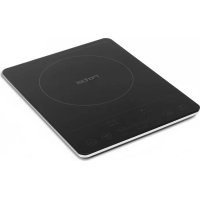
Black Rocheater with a circular top and control buttons, no visible text or symbols on the device itself.• GEBRAUCHSANWEISUNG
• MODE D'EMPLOI
• ISTRUZIONI PER L'USO
• INSTRUCTION FOR USE
D/F/I/E
Descripon of the appliance
- Microcrystal Glass Panel
- Control Panel
Deutsch
- Read all instrucons before using.
○ This appliance can be used by children aged from 8 years and above and persons with reduced physical, sensory or mental capabilities or lack of experience and knowledge if they have been given supervision or instrucon concerning use of the appliance in a safe way and understand the hazards involved. Children shall not play with the appliance. Cleaning and user maintenance shall not be made by children without supervision.
- Please place the machine on a at and solid surface ONLY.
○ Children should be supervised to ensure that they do not play with the machine.
- Do not place any of the following objects on the panel when the machine is in use.
■ Iron
■ Cast iron
- Aluminum
■ Stainless steel
- Lid and enamel
■ Knife, folk or spoon
■ Plate is made of iron, stainless steel, cast iron or aluminum
■ Empty cookware
- Do not carry or move the machine with cookware on top during heang.
- Please maintain a good surrounding environment for venlaon during heang.
- Do not insert any wire or metal objects into the air inlet or venng outlet of the machine.
○ How to take care of the panel
■ Do not drop any heavy objects onto the panel.
■ Do not pour water, acid or any liquid onto the panel.
■ Do not burn anything with re on the panel
■ Do not place any hot cookware on top when the machine is not in use.
■ If the surface (panel) is cracked, turn o the machine immediately to avoid an electric shock, and send it to be repaired.
■ Some of the cookware may generate a noise during use. Please move the cookware slightly, and the noise may cease or decrease. If not, please change the cookware.
- Do not place the machine on carpet, cloth or paper material when the machine is in use.
- Do not touch the panel aer use. The electric ceramic heater is sll burning hot even when the power is switched o.
○ Do not unplug the machine by pulling the cable.
- Please turn o the machine before unplugging. Please unplug the power cord when the machine is not going to be used for a long period of me.
- Keep the cookware away from the machine aer use.
- FUNCTION
- ON/OFF
Insert the plug into the socket, and press the ON/OFF key. The machine is on standby mode with the LED indicator light on.
- Place the cookware in the center of the cooking zone. Press Heat/Fry to choose one of the funcons, and the Heat/Fry indicator will light up.
- To turn o the machine press the ON/OFF key.
- HEAT/FRY
- Press Heat/Fry key to choose the Heat or Fry mode.
The rst press of the Heat/Fry key will be on Heat mode and the power indicator (W) will light up. Adjust the power level by sliding the slider bar from le to right (from 60W to 1800W) or from right to le (from 1800W to 60W).
- Press Heat/Fry key again, it will be in Fry mode with the temperature indicator (°C) light on. Adjust the temperature level by sliding the slider bar from le to right (from 80°C to 240°C) or from right to le (from 240°C to 80°C).
- TIMER
o Press Timer key to set mer aer select Heat or Fry mode.
○ Adjust hour of the mer from 1 to 24 hours by sliding the rst half of the slider bar. Adjust minute of the mer from 1 to 59 minutes by sliding the second half of the slider bar.
- Timer will start counting down when the me display stops ashing.
- The maximum me of the Timer is 24 hours.
- CHILD LOCK
- Press Child Lock key to enter the Lock mode. In the Lock mode, the machine will not respond to any key press. Press and hold the Child Lock key for 3 seconds or more to unlock.
○ In the Lock mode, the Child Lock indicator light will ash every 0.5-second, and return to the power or temperature display aer 5 seconds.
○ If you press any key in the Lock mode, the LED indicator will display LOC for 5 seconds to prompt you to unlock rst.
• WORKING PRINCIPLE OF INDUCTION COOKER
- Inducon cooker transfers electrical energy by inducon from a wire coil into a metal cookware. The current creates a dynamic magnec eld. When an electrically
conducve pot is brought close to the cooking surface, the magnec eld induces large eddy currents in the pot. The eddy currents ow through the electrical resistance of the pot to produce heat.
- SUITABLE COOKWARE
- Cookware with magnec boom, stainless steel with iron boom, iron/cast iron and enamel.
○ Flat boom cookware with a diameter between 12cm and 26cm. - The maximum weight of cookware with food is 6kg.
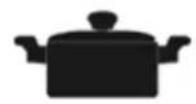
Stainless Steel
Cooking Pot

Cast Iron
Grilling Pan
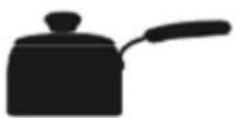
Metal Saucepan
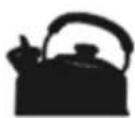
Stainless Steel
Water Pot
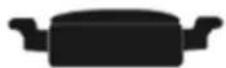
Tempura Pan

Cast Iron Pan
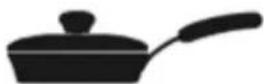
Metal Frying Pan
• INAPPROPRIATE COOKWARE
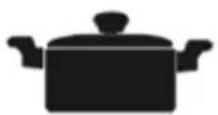
Ceramic Pot
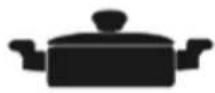
Glass Pot
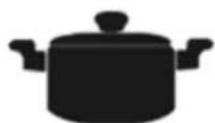
Curved-bottom Pot
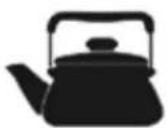
Aluminum Pot
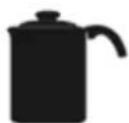
Pot Bottom
Too small
Pot with Bumpers
- ERROR INDICATION
- The following points are the most common problems encountered when using the product, along with the possible causes and suggested solutions.
- It is strictly intended as a user's reference only.
○ If the following soluons do not work for the product, please send to be repaired.
| Problem | Possible Cause and Soluon |
| No Power | Is there a power shortage in your area?Is there a short circuit in the power source of your home?Is the power plug too loose or not connected well? |
| Machine stops operangError indicaon: E1 | Is the cookware not suitable for an inducon cooker?Is the cookware posioned properly? |
| Machine stops operangError indicaon: E2 | Is the cookware empty or cooking temperature too high?Is the air inlet and/or outlet blocked?Is the surrounding temperature too high?Turn o the machine and restart aer 5 minutes. If E2 sll persists, please send to be repaired. |
| Machine stops operangError indicaon: E3 | Is the main power supply over AC 275V? |
| Machine stops operangError indicaon: E4 | Is the main power supply lower than AC 100V? |
| Machine stops operangError indicaon: E5 | Is the temperature sensor of the machine not working?Please send to be repaired. |
| Machine stops operangError indicaon: E6 | Is the cookware posioned properly?Is the cookware empty? |
| Cannot control the power or temperature level during operaon | Is the boom of the cookware not at?Use at boom cookware for beer heat transferal. |
| Water is not boiling during operaon | Is the water capacity less than 1L or more than 4L?Is the cookware not suitable for inducon cooker?Is the room temperature below 5 C? |
| Machine is heang and stops under Low power | For example, if you set the power as 80W, the machine will produce 80W heat and stop operang, and once the heat is below80W, the machine will operate again to maintain the heat at 80W. |
| Rice is rare done or rice with burning smell | Is the weight more than 1.25kg or less than 0.25kg?Is too much water?Is the cookware suitable for inducon cooker? |
- DISPOSAL
- For proper disposal, the unit is to return to the dealer, the service agent or the company Rotel AG.
D/F/I/E
• 2 JAHRE GARANTIE
• 2 ANNÉE DE GARANTIE
• 2 ANNI DI GARANZIA
• 2 YEARS WARRANTY
o Garaneverpichtung
○ Warranty commitment
We commit ourselves to repairing this device for free provided it has been handled properly and a failure has occurred within the period of warranty. We repair all defects caused by material or manufacturing faults. The warranty will be performed by repair or replacement of defective parts at our discretion. A warranty does not cover damage due to parts worn-o and damage and defects that occur due to improper usage, treatment or maintenance (particularly calcicaon and commercial use). A warranty will only be granted if the warranty card showing the date of purchase, dealer's stamp and signature or the purchase receipt together with the device is sent to the relevant service staon (see address below). Returns are to be made in the original package. Transport costs will be borne by the purchaser. Please do not forget to state your address and, should the error not be obvious, include an explanaon together with your parcel.
Servicestaon:
Service après-vente: Rotel AG