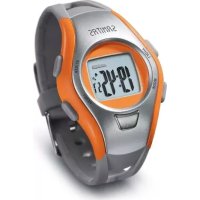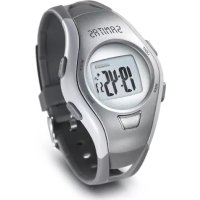
SPM 10 - Sports Watch SANITAS - Free user manual and instructions
Find the device manual for free SPM 10 SANITAS in PDF.



| Product type | Heart rate monitor sports watch without chest strap |
| Brand | Sanitas |
| Model | SPM 10 |
| Power supply | CR2025 3 V lithium battery |
| Battery life | Approximately 18 months |
| Water resistance | 50 meters (waterproof, but do not use buttons underwater) |
| Display | Digital with backlight (3 seconds) |
| Main functions | Watch, stopwatch, alarm, countdown, heart rate measurement without chest strap, heart rate alarm with customizable limits |
| Heart rate measurement | By digital sensor (touch the sensor with thumb) and rear sensor in contact with the wrist; accuracy comparable to an ECG |
| Training zones | 5 zones: heart health (50-60% max HR), fat burning (60-70%), fitness (70-80%), endurance (80-90%), anaerobic (90-100%) |
| Heart rate limit settings | Automatic according to age and gender, or manual |
| Confirmation beep | Can be activated/deactivated in setting mode |
| Time format | 12 or 24 hours, day/month or month/day display |
| Dimensions (estimate) | Approximately 45 mm diameter, 12 mm thickness |
| Weight (estimate) | Approximately 50 g |
| Materials | Plastic case, mineral glass, silicone strap |
| Maintenance and cleaning | Soft cloth slightly moistened; do not use detergents or abrasive products |
| Safety | Do not use for medical purposes; consult a doctor in case of heart disease or pacemaker use; avoid contact with sunscreens |
| Repairability and spare parts | Do not repair yourself; battery replacement by a specialist (watchmaker); warranty voided if unauthorized opening |
| Included accessories | Watch, battery installed, user manual |
Frequently Asked Questions - SPM 10 SANITAS
User questions about SPM 10 SANITAS
0 question about this device. Answer the ones you know or ask your own.
Ask a new question about this device
Download the instructions for your Sports Watch in PDF format for free! Find your manual SPM 10 - SANITAS and take your electronic device back in hand. On this page are published all the documents necessary for the use of your device. SPM 10 by SANITAS.
USER MANUAL SPM 10 SANITAS
Before using for the first time, read these instructions thoroughly, keep them safely for future reference and also allow other users access to them.
IMPORTANT:
This heart rate monitor (without chest strap) allows you to monitor your heart rate and set a training zone with upper and lower limits according to your training objective. The heart beat is measured and displayed with ECG precision, without your having to wear a cumbersome chest strap. All you need do is attach the monitor to your wrist and touch the sensor on the face of the monitor with your finger or thumb. Your heart beat can be determined within seconds with ECG precision by finger sensor measurement on the arm, upper part of the body or other arm in relation to a sensor on the back of the heart rate monitor. This heart rate monitor is thus particularly suitable for persons who cannot or do not wish to wear a chest strap as well as for sports such as hiking or walking. Other features of this heart rate monitor include a time function, stopwatch, wake alarm and countdown timer.
2. Important information
- This heart rate monitor is only designed for private use and is not intended for medical purposes.
- Never expose the device to any extreme temperatures, vibrations or shocks.
- Clean the device with a soft, slightly damp cloth. Never use any abrasives or solvents!
- Always have the battery replaced at a specialist store (CR2025 3 V lithium battery).
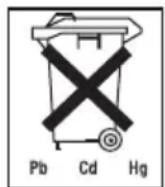
- Used batteries do not belong in domestic waste. Please take them to the appropriate collection points or leave them at the retailer.
- Never try to repair the device yourself. In the event of any complaint, contact your dealer or the service address. Before making any complaint, always have the battery replaced first. The guarantee becomes null and void if the device is opened or handled incorrectly.
-
Bear in mind that, with high-risk sports, use of a heart rate monitor constitutes an additional source of injury.
-
This device should only be used for the purpose for which it was developed, in the way specified in the instructions for use. Any improper use may be dangerous. The manufacturer is not liable for any damage caused by improper or incorrect use.
- Before use, make sure that the device and accessories do not show any visible signs of damage. If in doubt, do not use it and contact your dealer or the customer service address indicated.
- This heart rate monitor is waterproof (50 m) and is thus suitable for swimming. You should not, however, press any button while swimming, i.e. you should also not measure your heart rate.
- Avoid contact with suncreams or similar products as these might damage the print or even the plastic parts.
- Please ask your trainer or doctor in charge about your own upper and lower heart rate values for training purposes, as well as how long and often you should exercise. This will allow you to achieve optimal results during training.
- IMPORTANT: Anyone with a cardio-circulatory disease or wearing a pacemaker should only use this heart rate monitor after consulting their doctor.
3. General information for training
This heart rate monitor serves to measure the human pulse. By means of various settings, you can support your individual training program and monitor your pulse. You should monitor your pulse during exercise because you should prevent your heart from excessive strain on the one hand and on the other in order to achieve the optimal training results. The table provides you with some information on the selection of your training zone. The maximum heart rate reduces with advancing age. Information on the training heart rate must therefore always be in relation to the maximum heart rate. The following rule of thumb is used for the identification of the maximum heart rate:
For men: 220 - age = maximum heart rate
For women: 226 - age = maximum heart rate
The following example is for a 40 year old male: 220 - 40 = 180
| Heart/health programme | Fat burning zone | Fitness pro- gramme | Endurance train- ning programme | Anaerobic tra- ning | |
| Max. heart rate range | 50-60% 60-70% 70 | 0-80% 80-90% 90- | 100% | ||
| Effect Strengthens the heart and the circulatory system. | The body burns the highest per- centage of cal- lories from fat. Strengthens the heart and the cir- culatory system, enhances fitness. | Improves the respiratory and circulatory system. Ideal to promote the basic endu- rance. | Improves speed maintenance and increases basic speed. | Overloads speci- fic muscles. High injury risk for ath- letes at amateur level, risk related to the heart in case of disease. | |
| Suitable for Ideal for beginners Weight control and loss | Athletes at ama- teur level | Ambitious athletes at amateur level, professional athletes | Only professional athletes | ||
| Training | Regenerative training | Fitness training Endurance train- ning | Fitness training addressing spe- cific zones | ||
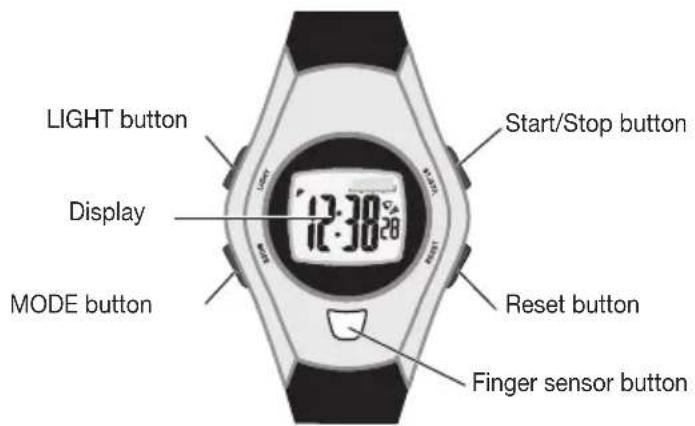
4. Description of the monitor
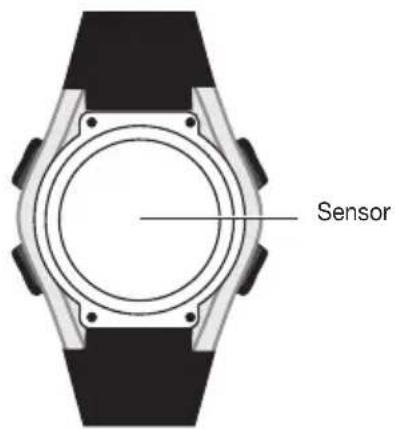
Rear view of heart rate monitor
Front view of heart rate monitor
5. Button functions
MODE
- switches between individual modes
- held depressed: to switch to setting mode
selection (in setting mode) - held depressed: to exit setting mode
START/STOP
time display/date display
- start/stop (in stopwatch and countdown mode)
- alarm on/off (wake alarm mode)
to increase settings (in setting mode)
RESET
-hour signal on/off (wake alarm mode)
- to reset stopwatch and countdown
- to decrease settings (in setting mode)
LIGHT
Backlit display for approx. 3 seconds
6. Mode overview:
Function modes

- Use the MODE button to select the individual function modes.
7. Time mode
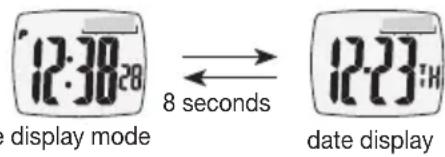
Time and date display
- Press the START/STOP button to switch between time and date display.
-
The date display automatically reverts to time display after 8 seconds if no other button is pressed.
-
With the 12-hour display (see 6.), the second half of the day is indicated by a „P“ to the left of the display.
Setting the time and date
- Hold the MODE button down for 3 seconds to enter setting mode. The seconds display then starts to flash. You can zero the seconds readout using the Start/Stop button or the Reset button.
- Select the data that you want to set (minute, hour, year, month, date) using the MODE button.
- Once the numbers start to flash, you can set the value using the Start/Stop button or the Reset button. Hold the button depressed to enter fast mode. The MODE button allows you to confirm entries and advance to the next setting.
- When the month-day display or day-month display is flashing, you can use the Start/Stop or Reset buttons to switch between European date display (d symbol appears) and US date display where the month appears first (m symbol appears).
- When the 12 or 24 hour symbol is flashing, you can choose between 12 or 24 hour display using the Start/Stop or Reset buttons.
- When the word „Beep“ appears in the display, you can choose whether to have the confirmation tone (the „beep“) on or off using the Start/Stop or Reset buttons. If the confirmation tone is activated, a short beep sounds every time a button is pressed.
Once all data has been set, hold the MODE button down for 3 seconds to exit setting mode. - If no buttons are pressed in setting mode within 60 seconds, the heart rate monitor automatically reverts to time display.
8. Heart rate measurement
- Fasten the monitor to your wrist.
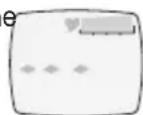
- Place one finger on the sensor and hold it down for at least 5 seconds. Make sure that the sensor at the back of the casing fits closely to the skin. At first, the display reads ·s ·s .
After 5 to 8 seconds, the heart rate reading is displayed.
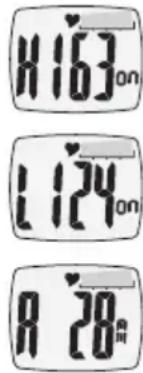
If the heart rate alarm is switched on, the relative heart rate is also displayed. - If the measured heart rate is below the lower heart rate limit, this is indicated by an ^,L^ . Any value above the upper heart rate limit is indicated by an ^,H^ .
- If, in pulse alarm mode, pulse limits according to age and gender have also not changed, the measured heart rate in the fitness performance range (between 65% and 85% of the maximum heart rate) is displayed graphically.
- 5 seconds after releasing the button, the heart rate monitor returns to the previous mode.
Advice and tips
- Heart rate measurement is possible in any function mode.
- One sensor is fitted on the back of the monitor casing. The sensor has to have constant, firm contact with the skin.
- Never measure heart rate under water.
- Clean the back of the monitor occasionally using a damp cloth.
- Never use any skin cream when using the heart rate monitoring feature.
- Clean your skin and fingers with soap in order to ensure better signal transmission.
- With very dry or thick skin, there may be transmission problems.
- Moisten the tips of your fingers or use a conductive paste.
- When measuring, avoid any twisting or bending your wrist.
9. Alarm function for heart rate
You can input a training zone with upper and lower training heart rates. When monitoring heart rate, two beeps indicate that you are outside the set training zone and that you can increase or reduce your training accordingly. This will help you to attain defined training objectives more efficiently.
9.1 Setting training limits
You have two ways of doing this:
- Enter your age and gender and the upper and lower limits for the fitness performance range (between 65% and 85% of the maximum heart rate) is calculated automatically. The graphic bar display is active if the preset heart rate limits remain unchanged.
- Set the upper and lower heart rate limits according to the information in the section „What you need to know“ or ask your trainer or doctor. If you enter the heart rate limits yourself, the graphic representation is not active.
You are in pulse alarm mode.
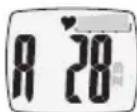
- Hold the MODE button down for 3 seconds to enter setting mode. The „Age“ display starts flashing. Now you can set your age using the Start/Stop button and the Reset button. Hold the button depressed to change the numbers in fast mode. Confirm the entry with the MODE button. This takes you to the next setting.
- The display starts flashing. Choose the gender M (male) or F (female) using the Start/Stop button and the Reset button. Confirm with MODE.
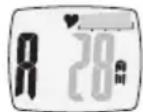
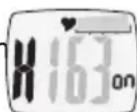
- Now you can either confirm the specified value with the MODE button or set the required heart rate with the Start/Stop button and Reset button.
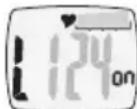
- Do exactly the same with the lower limit value.
- Once all data has been set, press the MODE button for 3 seconds to exit setting mode. If no buttons are pressed in setting mode within 60 seconds, the heart rate monitor automatically reverts to time display.
9.2 Activating pulse alarm
- Switch to pulse alarm mode with the MODE button.
-
If the heart rate alarm function is already active and the calculated heart rate limits have not been altered after entering age and gender, the following parameters are consecutively displayed every 2 seconds
-
upper training limit,
- lower training limit,
age and gender.
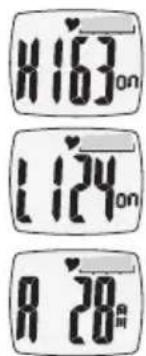
If the heart rate limits have been entered directly, the display only switches between upper and lower training limits.
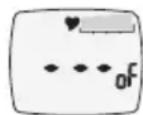
If the heart rate alarm function is switched off, 1 - - - and 2O^ - appears in the display.
Press the START/STOP button to switch the heart rate alarm function on or off.
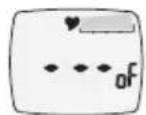
With the pulse alarm activated, the following alarms are possible during heart rate measurement:
- heart rate is within the set training zone: pulse monitor beeps once.
- heart rate is above the set training zone: pulse monitor beeps twice, "H" and actual heart rate reading flashing.
- heart rate is below the set training zone: pulse monitor beeps twice, "L" and actual heart rate reading flashing.
10. Wake alarm mode
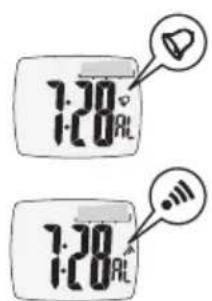
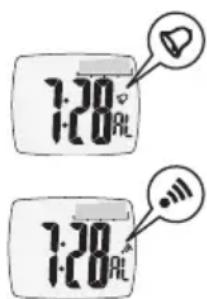
- You can switch the hourly signal on and off in wake alarm mode using the reset button. If the hourly signal is activated, the bell symbol appears in the display and a signal sounds every full hour.
- You can switch the wake alarm on and off in wake alarm mode using the start/stop button. If the wake alarm is activated, a symbol appears and the alarm sounds at the given time for 30 seconds. Press any button (except the light button) to stop the alarm.
setting alarm time
You are in wake alarm mode.
- Hold the MODE button down for 3 seconds in order to enter setting mode.
- The hours display starts flashing. Now you can set the hours using the Start/Stop button and the Reset button. Hold the button depressed to enter fast mode.
- Press the MODE button to confirm input and advance to the next setting. Enter minutes in the same way.
- Once all data has been set, press the MODE button for 3 seconds to exit setting mode. If no button is pressed in setting mode within 60 seconds, the heart rate monitor automatically reverts to time display.
11. stopwatch mode
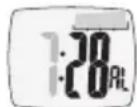
You are now in stopwatch mode.
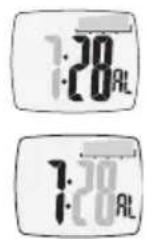
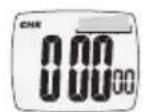
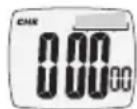
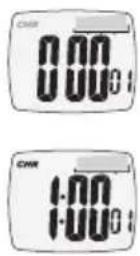
To start the stopwatch, press the start/stop button again. The letters ,CHR" in the display start flashing.
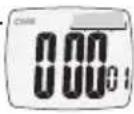
- To activate the stopwatch at any time, press the start/stop button again. The amount of time that has run is displayed.
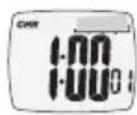
- You can continue timing at any time with the Start/Stop button.
- Use the Reset button to zero the display once timing has stopped.
Maximum timing period is 99 hours, 59 minutes and 59 seconds. If this time is exceeded, the counter starts again at 0 hours, 0 minutes and 0 seconds.
12. Countdown mode
Setting countdown time
- You are in the „Countdown“ menu.
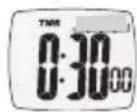
- Hold the MODE button down for 3 seconds in order to enter setting mode. The hours display starts flashing. Now you can set the hours using the Start/Stop button and the Reset button.
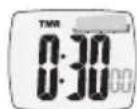
- Confirm input using the MODE button. Enter minutes and seconds in the same way. The maximum time is 99 hours, 59 minutes and 59 seconds.
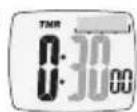
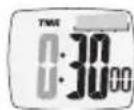
- Once all data has been set, press the MODE button for 3 seconds to exit setting mode. If no button is pressed in setting mode within 60 seconds, the heart rate monitor automatically reverts to time display. Using countdown mode
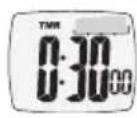
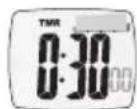
Press the START/STOP button once to start countdown. Remaining time is continuously shown in the display.
- To interrupt countdown, press the start/stop button again.
To reset countdown to the set time, press the reset button while countdown has stopped.
You can then enter a new time.
- In the last 5 seconds of the countdown, a signal sounds for each remaining second. When zero is reached, a signal sounds for 10 seconds.
- Press any button (except the light button) to stop the signal.
13. Troubleshooting
1. Dry skin
Use a conductive paste or moisten fingers and wrist.
2. Fingers do not have any firm contact with the sensor
- Fingers (not just fingertips!) must lie flat and be firmly on the sensor, with the monitor sitting securely on the wrist.
3. Hairy arms
Use a conductive paste on the wrist.
4.Cardiac arrhythmia
- Correct pulse measurement is very difficult here, irregular measurement times are to be expected.
14. Battery and disposal
A lithium battery is included in the scope of supply and has already been inserted. Battery life is approximately 18 months.
The battery for the heart rate monitor should only be replaced by a specialist (any watch repairs shop). Otherwise warranty claims become null and void.
Used batteries should not be placed with household rubbish. Dispase of them through your specialist electrical sup
plier or your local recycling point. You are legally obliged to do this.
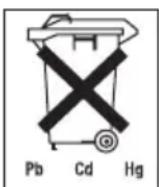
Note: Batteries containing harmful substances are marked with the following letters:
Pb = Battery contains lead, Cd = Battery contains cadmium, Hg = Battery contains mercury.
Please dispose of the device in accordance with the directive 2002/96/EC - WEEE (Waste Electrical and Electronic Equipment). If you have any queries, please refer to the local authorities responsible for waste disposal.

FRANÇAIS
1. Remarques importantes
HnKnnI npdeJe TpeHnpOBKn I
-BO3paTnnoI.
Ecnn npedeIbHbIe 3NaueHn IyIbCa 6bln BBeJeHbI HAprrMyIO, TO INdNkau n CmHeTc TOnbKO MeKdy BepxHe N HxKHe IpaHnIaMn TpeHnpOBKn.
- Ecπ ΦyHKπu CnHαJIIN3aμu N O YaCTOe NylbCa BblKlIoueHa, Ha DmCπIee NOBBLIeTc HnDnKaμu ,--- " m .oF".
-Дяв BKЛIOUeHЯ ИИ BBKЛIOUeHЯ Функци CnHAN3aци NO YAcTOTE nYnbca Haxmnte KhONky Start/Stopp.
Pn aKTHBnPOBaHNO CnHaJIIN3aUu NIO PyIbCy Pn IN3MepeHm YAcTObI PyIbCa IMeOTcR CNeDyIOUne BapNaHTbCnHaJIIN3aUu:
- YacToTa nyIbCa HaxOJNTcB I ppeJeJax yCTaHOBJIeHHo 3OHbI TpeHIpOBKn: 3ByUHT OIMN 3ByKOBoCnHaJ.
- Yactota nylbca Bblwe ycTaHOBJIeHHo3 30HbI TpeHnPOBKn: 3ByuAT DBa 3ByKOBbIX CnHaJa, MIRaHOT ,H" uDcTnHyTuA YaCTOta npJbca.
- Yactota nylba Hnke yCTaHOBHeHHo 30HbI TpeHnpOBKn: 3ByaT Dba 3ByKOBbIX CnHaJa, MIRaOT ,L " I NOCTINHyTaYacToTa Nylba.
10. Pekim 6ydnbHnka
- Yacobov CunHan Bbl BKIOUaTe N BbIKIOUaTe B pexime 6yINbHnka KhoNkoR Reset. Ecnu Yacobov CunHan aKTHBnPOBaH, Ha dncnnee nOBnRETCr NIKTORpMa KAOKOJIbHuKa, IN KaXdbI NOHbYac 3ByHT aKyCTnueckm CunHan.
- BydnlbHnK Bbl BkIIOuaeTe n BblKIOUaeTe B pexmte 6ydnbHnKa KhoNkoi Start/Stopp. Ecnn 6ydnbHnK aKTINBnPOBaH, NOBJIaETcNIKTORpAMMa, N B yka3aHHoe Bpemr B TeueHne 30 ceKyHd 3ByHT akyCTnueckn CnHaJ. DnB bblIOUeHnCnHaJa HaxMITE IIO6yIO KHOInKy (3a INCKLIIOUeHHeM KhoNkn Light).
Hacptponka BpemEn BkIoueHn6yndJIbHnKa
BbI haoDntecb B pexnme 6ydnblhNka.
- Дявхоба В ржим Habтpoин Нжмпге на 3 секундь конь MODE.
- Haunhaet MuraTb INDnkaCuaOB. TepeB Bb MoKeTe HAcTpOnTb 3HaueHne YacOB KhoNkoi Start/ Stop u KhoNkoi Reset. EcnB Bi ydepXnBaTe KHOKny HaxaToI, To nonaadeB peKIM 6bICTpOcMeHbl.
- KhoNkoM Mode nooTBepnTe BBO n nepeiDnte K cneyuOuE HacTpoKe. AHaIOnuHbIM o6pa3OM BBeDuTE MHyTbl.
- Nocne toro, kak BbI hactponn BCE daHHble, haxmte Ha 3 ckyHdbi KhoNkY Mode, yTO6bl BbiTn n3 pexnma hactpoyn. Ecnn B TeueHne 60 ckyHd B pexnme hactpoynKa He haxnmaeTc Hn ODAHa n3 KHOPOK, nybcOTaxorpaq abTomatUeCKn BO3BpauaetcHa HndnkaunIO BpeMeHN.
11. Pexim TaMepa
BbHaxoDntecBpeKMe TaMepa.
-Дязанусяа таймерахимпг Start/Stopp.Индкал,在CHR"HaDCNnee HaHnHaet MuraTb.
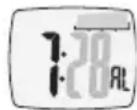
- Bby MOXeTe B IIO6oB MOMeHT OCTaHOBntb TaIMep, NOBTOpHO HaxaB KhONky Start/Stopp. Noka3bIbaeTcNCTekUee BpeMn.
- Bbl MoXeTe B IIO6oI MOMENT pOdoJXHTb OTCHT BpeMeH N KhoKoN Start/Stopp.
- Khonkoi Reset Bbl MoKeTe B OCTaHOBJIeHHOM COCTOHN C6pocTb INHdNkaCIO HA Hylb.
- MakcmaIbHaI npOoJnxTeIbHocTb OTCHeTa COCTaBnAe9 99 Yaca, 59 MHyT n 59 cekyHd. Ecnn 3TO BpemrnpEbbIeHO,OTcHET HaunHaeTc CHOba C 0 YacOB,0 MHyT n 0 cekyHd.
12. Pexim o6patHoro oTcyeTa
HacpoKa BpeMeHn 6paTHoro OTCyeTa:
- Bby haxoIndTeB bpekime o6paTHoro oTcyeTa.
- Дяв BXODа B peKIM HAcTpOuKN HaXMMte Ha 3 ceKyHDbI KhoNky MODE. HaUnHaet MmraTb INHdkaunr YacOB. Tenepb Bbl MoKeTe HAcTpOuNb 3haueHne YacOB KhoNkoJ Start/ Stop n KhoNkoJ Reset.
- KhoNkoI MODE Bbl NOITBepKdaeTe BBOJ. AHaONrHbIM 6pa3OM BBeINTE MHyTbI NceKyHdbI. MaKcMaJIbHOe BpeM CoCTaBnReT 99 Yaca, 59 MHyT n 59 CeKyHd.
Iocne toro, kak BbHactponnBce daHHbIe, HaxMnte Ha 3 cekyHdbi KhoNky Mode, YTO6bl BbInTu n3 pexIma HactpoKn. EcnB TeueHHe 60 cekyHd B pexIme HactpoKa He HaxIMaeTcH N OHa n3 KHOHOK, nybcotaxorpaΦ aBTOMaTHueCKn BO3BpaAaeTcH NaHdNKauu BpeMeHi.
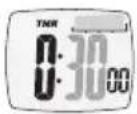
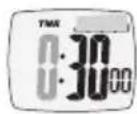
IcnoJb3OBaHnepeXnMaO6paTHOroOTCheta
-Дязanycka obpaTHoro OTCheTa Odn pa3 HaxMITE KHonky Start/Stopp. Octabueecr BpeMa nocToHHO yka3bIbaetcHaДиCnJIee.
- Ддп перьвань обрахтого осчета нахмite кону Start/Stopp.
-Дясбрca obpaTHoro OTCeTa Ha HAcTePoEHHOe BpeMa HaxMnTe B OCTaHOBJIeHHOM COCTOHN KONIKy Reset.
Tenepb Bbl MoKTe HaCTpOHTb HOBOe BpMa.
B TeueHne nocnEnHX 5 ckyHd do ncteHnna o6paTHOrO oTcHeta KAKdoo OCTaBWecnCeKyHdbI 3ByuHT akyCTnueckn cnHaJ. Pnp DoCTnKeHN Hny B TeueHN 10 ckyHd 3ByuHT akyCTnueckn cnHaJ.
-ДявьклioуеняЗыково сигнана нахмnte lyobky KhoNKу (3a ncklioueHnem KhoNKu Light).
13. YcTpaHHe HeuCnpaBHOCTe
- Cyxara koxa
- IcnoIb3yIte TOKoPBOODAUHIO NaCTU INI CMAuINBaIte KOHUNKn PJIbceB IN 3aIACTbe.
- PAnbUbI He IMeHOT npOuHoro KOHTaKTA C cEHcOpOM
-
Panbci (a He ToIbKO KOHcIKN!) DonxHb IpOuHO n POBHO npINeratb K ceHCopy, a npin6op DoJXeH HaJeXHO cIeTb Ha 3aIpcTe.
-
Bolocatble pykn
HaheCnTe TOKOpOBDAuIyIO nactY Ha 3aIcTbe.
4. HapyeHnI pyTMa cepda
- PpabnIbHOe n3MepeHne yactOtbl nyIbCa OChb 3aTpudHeo, CNeDyET OxNdaTb HepaBHomepHOe Bpem n3MepeHHA.
Pb = 6aTaapeiKa coepKNT CInHeu, Cd = 6aTaapeiKa coepKNT KaDMn, Hg = 6aTaapeiKa coepKNT pTyTb.
YtJnH3aunpnp6op aOJxHa oCyueCTBnTbC B COOTBeTCTBn C Tpe6oBaHmM DnpeKTHBbl 2002/96/EC «CTapbIe 3JIeKtpOpnp6opbl n 3JIeKtpoo6obpyoBaHne" (WEEE, Waste Electrical and Elektronik Equipment).ДЯ noJyehnHeo6xoDmblx CBeDeHn ObaaataTeCb B COOTBeTCTByIoUnn opraH MeCTHO r cMooynpabHnH.

15. rapaHTnA
Mby npedocTabnem rapaHTIO Ha depekTb MaTePnaIOB n 3roTOBneHn Ha cpoK 12 mecaeBCO DnI npodaxn Cheepo3 HNHyIO CeTb.
IapaHTnHe pacnpoocpaHReTc:
-
Ha Cnyuayu yuepe6a, Bb3BaHHoro HnpaBnIbHbIM NcNoJIb3OBaHHeM
-
Ha 6bICTpon3HaWNBaHounecaTn(B TOM YmCne 6aTaapeKn, pemeWKn)
-
Ha DepekeTbI, O KOTopbIX NOKyNaTeNb 3HaJI B MOMeHT NOKyKNI
-
Ha Cnyu an Co6CTBeHHo BnHbI NOKyNaTeJIa.
ToBap He noDnEeXHT o6raTeIbHOB cePTnФkaCm
Cpok 3Kcnpyaataunn3dennMmHmym2rda.