PerfectCare Elite Silence GC9646 - Iron PHILIPS - Free user manual and instructions
Find the device manual for free PerfectCare Elite Silence GC9646 PHILIPS in PDF.



User questions about PerfectCare Elite Silence GC9646 PHILIPS
0 question about this device. Answer the ones you know or ask your own.
Ask a new question about this device
Download the instructions for your Iron in PDF format for free! Find your manual PerfectCare Elite Silence GC9646 - PHILIPS and take your electronic device back in hand. On this page are published all the documents necessary for the use of your device. PerfectCare Elite Silence GC9646 by PHILIPS.
USER MANUAL PerfectCare Elite Silence GC9646 PHILIPS
2021 Phillips Domestic Appliances Holding B.V.
A. night star
4730015872A[13:05/2021]
PHILIPS
GC9600 range
EN User Manual
DE Benutzerhandbuch
Fl Kalytoopas
FR Mode d'emploi
IT Manuale per l'utente
NL Gebruiksaanwijzig
SV Anvandarhandbok
DA Brugervejledning
NO Brukerhandbok
ES Manual del usuario
PT Manual do'utilizaro
EL Exyepipio xprnns
HE WENOW 7

A
B
C
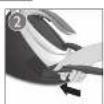
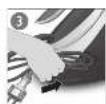
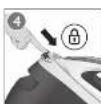
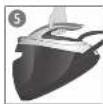
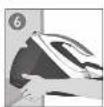


EN IMPORANT Perform sealing regularly for grant clean and groing life. Let the space cool down completely, before you remove the FASYDF-C4C K003.
Congratulations on your purchase and welcome to Philips! To fully benefit from the support that Philips offers, register your product at www.philips.com/welcome.
Read the separate important information leaflet and the user manual carefully before you use the appliance. Save both documents for future reference.
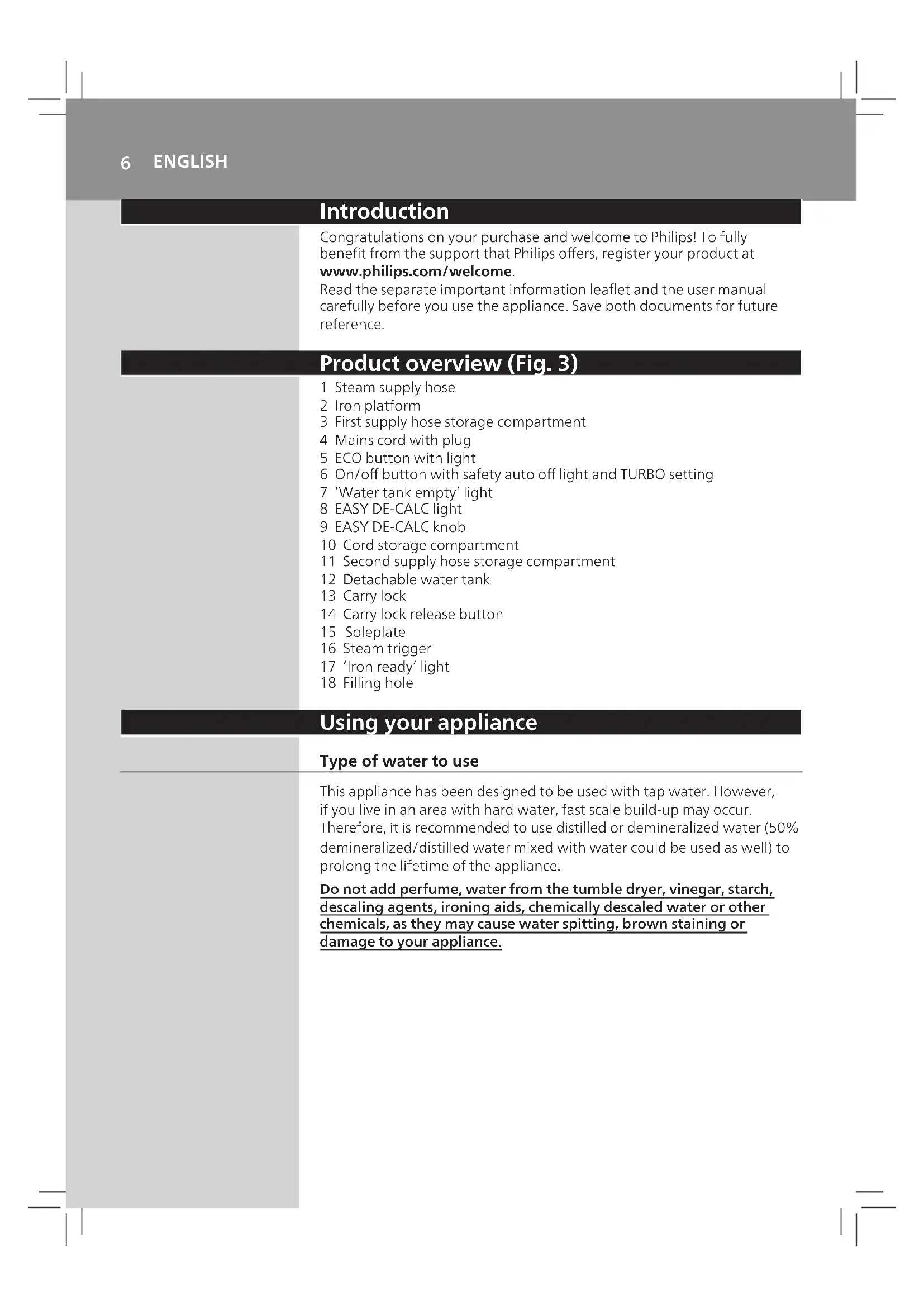
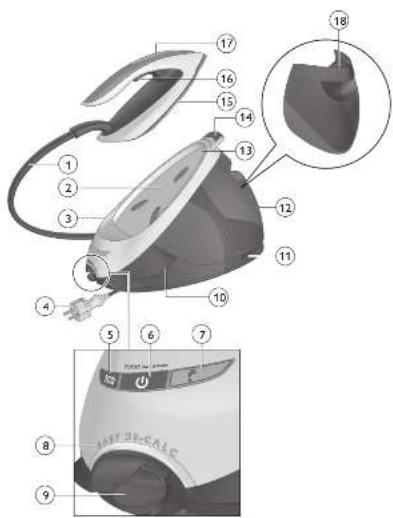
Product overview (Fig. 3)
1 Steam supply hose
2 Iron platform
3 First supply hose storage compartment
4 Mains cord with plug
5 ECO button with light
6 On/off button with safety auto off light and TURBO setting
7 'Water tank empty' light
8 EASY DE-CALC light
9 EASY DE-CALC knob
10 Cord storage compartment
11 Second supply hose storage compartment
12 Detachable water tank
13 Carry lock
14 Carry lock release button
15 Soleplate
16 Steam trigger
17 'Iron ready' light
18 Filling hole
Using your appliance
Type of water to use
This appliance has been designed to be used with tap water. However, if you live in an area with hard water, fast scale build-up may occur. Therefore, it is recommended to use distilled or demineralized water (50% demineralized/distilled water mixed with water could be used as well) to prolong the lifetime of the appliance.
Do not add perfume, water from the tumble dryer, vinegar, starch, descaling agents, ironing aids, chemically descaled water or other chemicals, as they may cause water spitting, brown staining or damage to your appliance.
Filling the water tank
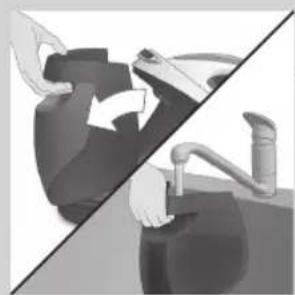
Fill the water tank before every use or when the 'water tank empty' light flashes. You can refill the water tank at any time during use.
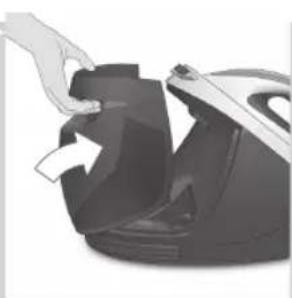
1 Remove the water tank from the appliance and fill it with tap water up to the MAX indication.
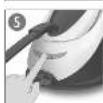
Put the water tank back into the appliance by fitting the bottom part into the appliance first.
3 Push in the top part of the water tank until it locks into place ('click').

'Water tank empty' light
When the water tank is almost empty, the 'water tank empty' light flashes. Fill the water tank and press the steam trigger to let the appliance heat up again. When the 'iron ready' light lights up continuously, you can continue steam ironing.
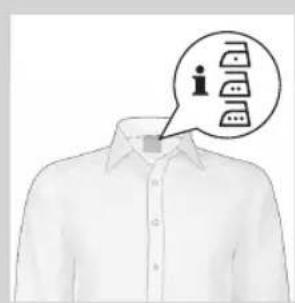
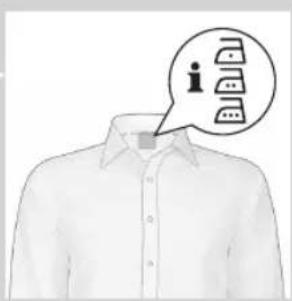
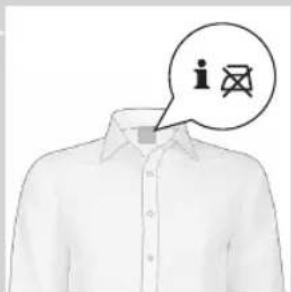
Optimal Temp Technology
The Optimal Temp Technology enables you to iron all types of ironable fabrics, in any order, without adjusting the iron temperature setting. Fabrics with these symbols are ironable, for example linen, cotton, polyester, silk, wool, viscose and rayon.
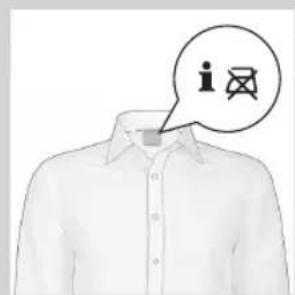
Fabrics with this symbol are not ironable. These fabrics include synthetic fabrics such as Spandex or elastane, Spandex-mixed fabrics and polyolefins (e.g. polypropylene), but also prints on garments.
8 ENGLISH
Ironing
1 Place the steam generator on a stable and even surface.
2 Make sure that there is enough water in the water tank (see section 'Filling the water tank').
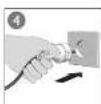
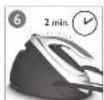
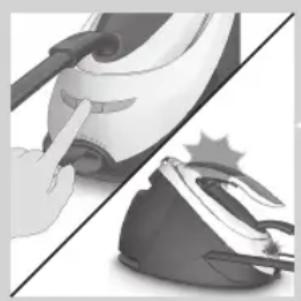
3 Put the mains plug in an earthed wall socket and press the on/off button to switch on the steam generator. The blue power-on light on the appliance and the 'iron ready' light start to flash to indicate that the appliance is heating up (this takes approx. 2 minutes).
-
When the appliance is ready for use, the 'iron ready light' and the power-on light stop flashing and light up continuously. Additionally you hear a short beep.
-
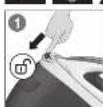
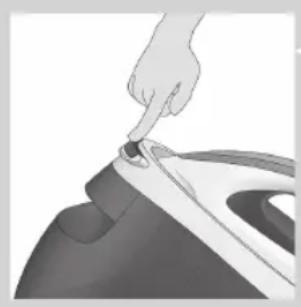
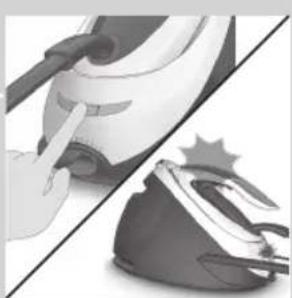
Press the carry lock release button to unlock the iron from the iron platform.
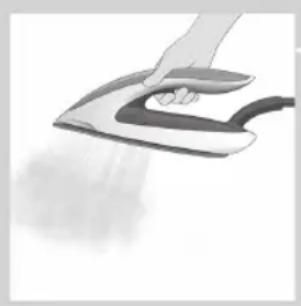
5 Press and hold the steam trigger to start ironing.
Never direct steam at people.
Steam boost function
The steam boost function is designed to help tackle difficult creases.
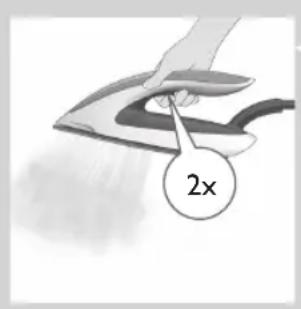
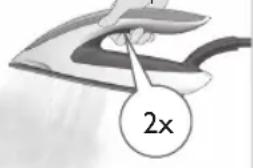
- Double press the steam trigger for a continuous shot of steam. It is not necessary to press and hold the steam trigger continuously when the steam boost function is activated. To stop the steam boost function, press the steam trigger once.
Vertical ironing
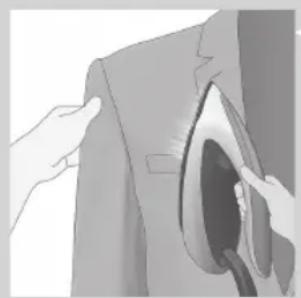
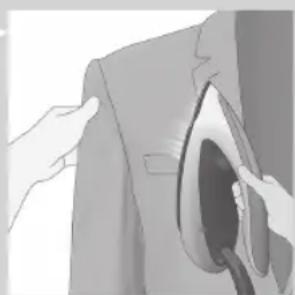
Hot steam is emitted from the iron. Never attempt to remove creases from a garment that someone is wearing. Do not apply steam near your or someone else's hand.
You can use the iron in vertical position to remove wrinkles from hanging fabrics.
1 Hold the iron in vertical position, press the steam trigger and touch the garment slightly with the soleplate.
Putting down the iron during ironing
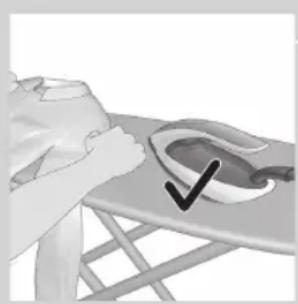
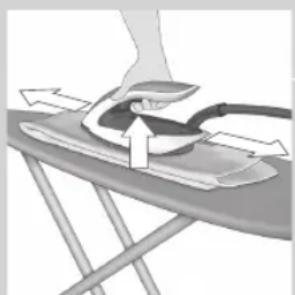
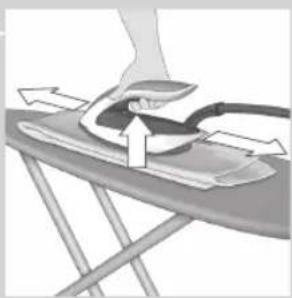
- During ironing, you can place the iron either on the iron platform or horizontally on the ironing board. Thanks to the OptimalTemp technology, the soleplate will not damage the ironing board cover.
Energy saving
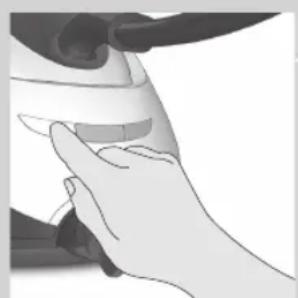
ECO mode
- By using the ECO mode (reduced amount of steam), you can save energy without compromising on the ironing result. The green light is on.
- You can deactivate the ECO mode by pressing the ECO button. The green light goes off.
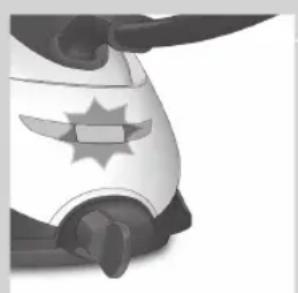
Safety auto-off mode
- To save energy, the appliance switches off automatically when it has not been used for 10 minutes. The auto-off light in the on/off button starts to flash.
- To activate the appliance again, press the on/off button. The appliance then starts to heat up again.
Note: The appliance is not switched off completely when it is in safety auto-off mode. To switch off the appliance, press the on/off button.
10 ENGLISH
Turbo steam
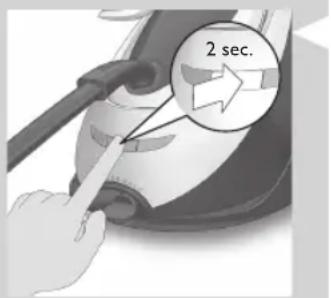
For faster ironing and a higher amount of steam, you can use Turbo steam.
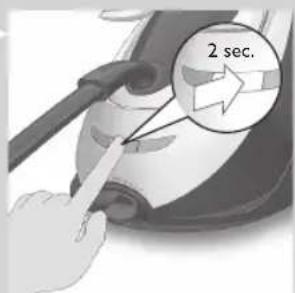
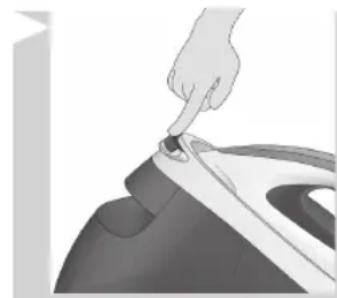
1 Press and hold the on/off button for 2 seconds until the light turns white.
2 To deactivate Turbo steam, press and hold the on/off button again for 2 seconds until the white light turns blue
Ironing tips
Minimising wrinkles while drying
Start wrinkle removal early in the drying process by spreading out your laundry properly after washing and by putting garments on hangers to make them dry naturally with fewer wrinkles.
Best practice shirt ironing
Start with the time-consuming parts like collar, cuff links and sleeves. Next, iron the bigger parts like front and back to prevent wrinkling the bigger parts when you are busy ironing the time-consuming parts.
Collar: When you iron a collar, start on its underside and work from the outside (the pointy end) inwards. Turn over and repeat. Fold down the collar and press the edge for a more crisp finish.
- Buttons: Iron on the reverse side of the buttons for more effective and faster ironing.
Cleaning and maintenance
To properly maintain your appliance, clean the iron and the appliance regularly.
1 Clean the appliance with a moist cloth. To remove stubborn stains, you can use a small amount of washing-up liquid.
2 To easily and effectively remove stains from the soleplate, switch on the appliance and let it heat up. When the appliance has heated up, move the iron over a moist cloth while you press the steam trigger.
Tip: Clean the soleplate regularly to ensure smooth gliding.
IMPORTANT - DESCALING
It is very important to perform the descending procedure as soon as the EASY DE-CALC light starts to flash and the appliance beeps continuously.
The EASY DE-CALC light flashes and the appliance beeps continuously after about a month or 10 ironing sessions to indicate that the appliance needs to be descaled. Perform the following descaling procedure before you continue ironing.
To avoid the risk of burns, unplug the appliance and let it cool down for at least two hours before you perform the descaling procedure.
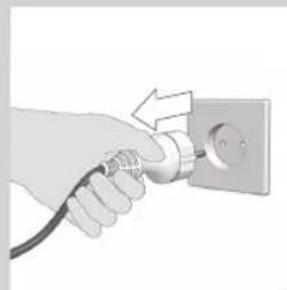
1 Remove the plug from the wall socket.
2 Place the appliance on the edge of the tabletop.
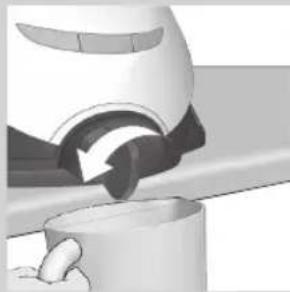
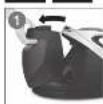
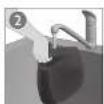
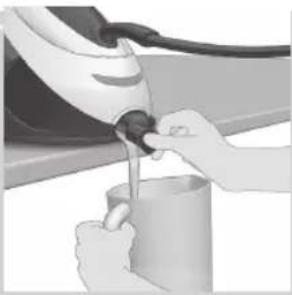
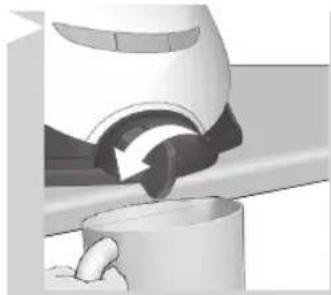
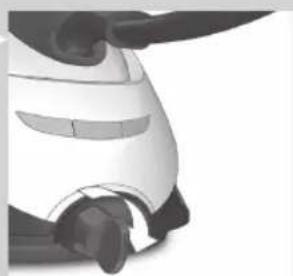
Hold a cup (with a capacity of at least 350ml ) under the EASY DE-CALC knob and turn the knob anticlockwise.
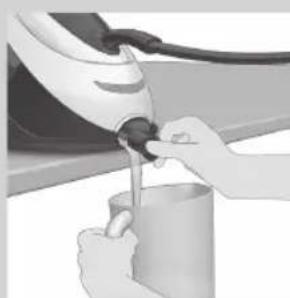
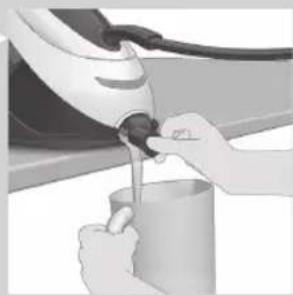
4 Remove the EASY DE-CALC knob and let the water with scale particles flow into the cup.
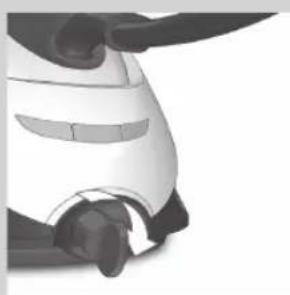
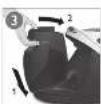
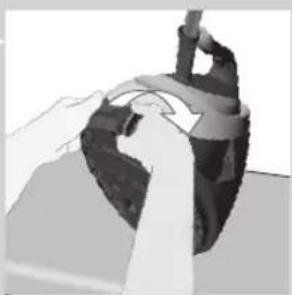
5 When no more water comes out of the appliance, reinsert the EASY DE-CALC knob and turn it clockwise to fasten it.
12 ENGLISH
IMPORTANT - Dscaling the soleplate

If you do not use the EASY DE-CALC function regularly, scale particles may build up in the soleplate and brown stains may come out of the soleplate during ironing. In this situation, you need to descale the soleplate by following the procedure below. We advice you to repeat the procedure twice to better clean the soleplate.
To avoid the risk of burns, unplug the appliance and let it cool down for at least two hours before you descale the soleplate.
1 Remove the plug from the wall socket.
2 Place the appliance on the edge of the tabletop.
3 Make sure that the water tank is empty.
4 Hold a cup (with a capacity of at least 350ml ) under the EASY DE-CALC knob and turn the knob anticlockwise.
5 Remove the EASY DE-CALC knob and let the water with scale particles flow into the cup.
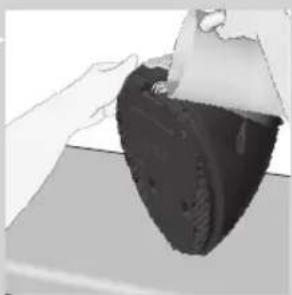
6 Hold the appliance in the position that EASY DE-CALC opening is facing up and pour 900ml distilled water into the opening.
Note: Be mindful on the heavy weight of the appliance when you tilt it.
7 Keep the EASY DE-CALC opening facing up, reinsert the EASY DE-CALC knob and turn it clockwise to fasten it.
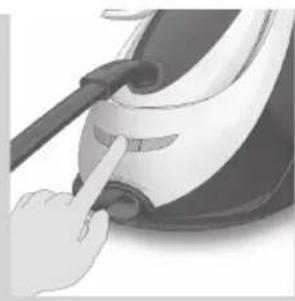
8 Put the appliance back on a stable and even surface. Plug in the appliance and switch it on.
9 Wait for 5 minutes for the appliance to heat up.
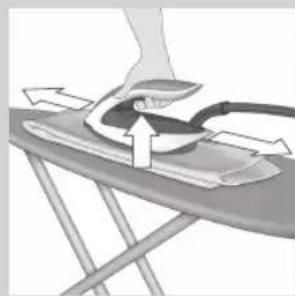
10 Keep the steam trigger pressed continuously while you move the iron on a piece of thick cloth for 3 minutes.
Warning: hot, dirty water comes out of the soleplate.
11 Stop moving the iron when no more water comes out or when steam starts coming out.
12 You can continue to use the appliance immediately. Otherwise unplug the appliance after the descending is completed.
Storage
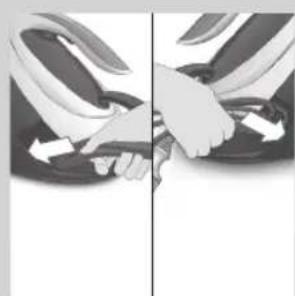
1 Switch off the appliance and unplug it.
2 Remove the water tank and empty it.
3 Put the iron on the iron platform. Push the carry lock to lock the iron onto the platform.
4 Fold the supply hose and mains cord. Put them in their respective storage compartments.
5 You can carry the appliance with one hand by the handle of the iron.
Do not carry the appliance by holding the water tank release lever.
14 ENGLISH
Troubleshooting
This chapter summarises the most common problems you could encounter with the appliance. If you are unable to solve the problem with the information below, visit www.philips.com/support for a list of frequently asked questions or contact the Consumer Care Centre in your country.
Problem Possible cause Solution
| The ironing board cover becomes wet or there are water droplets on the garment during ironing. | Steam has condensed on the ironing board cover after a long ironing session. | Replace the ironing board cover if the foam material has worn out. You can also add an extra layer of felt material under the ironing board cover to prevent condensation on the ironing board. You can buy felt in a fabric shop. |
| You have an ironing board cover that is not designed to cope with the high steam rate of the appliance. | Put an extra layer of felt material under the ironing board cover to prevent condensation on the ironing board. You can buy felt in a fabric shop. | |
| Water droplets come out of the soleplate. | The steam that was still present in the hose has cooled down and condensed into water. This causes water droplets to come out of the soleplate. | Steam away from the garment for a few seconds. |
| Steam and/or water come out from under the EASY DE-CALC knob. | The EASY DE-CALC knob is not tightened properly. | Switch off the appliance and let the appliance cool down for 2 hours. Unscrew the EASY DE-CALC knob and screw it back onto the appliance properly. Note: Some water may escape when you remove the knob. |
| The rubber sealing ring of the EASY DE-CALC knob is worn. | Contact an authorised Philips service centre for a new EASY DE-CALC knob. | |
| Dirty water and impurities come out of the soleplate or the soleplate is dirty. | Impurities or chemicals present in the water have deposited in the steam vents and/or on the soleplate. | Clean the soleplate with a damp cloth. |
| Too much scale and minerals have accumulated inside the appliance. | Descale the appliance regularly (see chapter 'Important - DESCALING'). | |
| The iron leaves a shine or an imprint on the garment. | The surface to be ironed was uneven, for instance because you were ironing over a seam or a fold in the garment. | PerfectCare is safe on all garments. The shine or imprint is not permanent and will come off if you wash the garment. Avoid ironing over seams or folds or you can place a cotton cloth over the area to be ironed to avoid imprints at seams and folds. |
| The appliance does not produce any steam. | There is not enough water in the water tank (the 'water tank empty' light flashes). | Fill the water tank (see chapter 'Using your appliance', section 'Filling the water tank'). |
| The appliance is not hot enough to produce steam. | Wait until the 'iron ready' light on the iron lights up continuously. |
Problem Possible cause Solution
| You did not press the steam trigger. | Press the steam trigger and keep it pressed while you iron. | |
| The water tank is not placed in the appliance properly. | Slide the water tank back into the appliance firmly ('click'). | |
| The appliance is not switched on. Insert the plug in the wall socket and press the on/off button to switch on the appliance. | ||
| The appliance has switched off. The light in the on/off button flashes. | The auto-off function is activated automatically when the appliance has not been used for more than 10 minutes. | Press the power on/off button to switch on the appliance again. |
| The appliance produces a pumping sound. | Water is pumped into the boiler inside the appliance. This is normal. | If the pumping sound continues nonstop, switch off the appliance and remove the plug from the wall socket. Contact an authorised Philips service centre. |
Einführung
www.philips.com/support 1
20077n17n17n17n17n17n17n17n17n17n
ywnxnnn9
yinian w7w 10n
19101910/2073
D
yin
y7y10y1yDyynn
y
7777777777777
77w w w qin7 7w9n.77nn
yin7 yin7 7y 107 nn7
77 77 77 77 77 77 77 77
□TJNN
NINXIDNIO
177nn 177n
1977
- 1
790077777777777
.
DINI DIND/IDTN
EASY 77
.DE-CALC
7777 EASY DE-CALC 799
.
777n77n77n77n77
EASY DE-CALC 799777777
1
ninnnnnnnnnnnnnnnnnnnnnnnnnnnnnnnnnnnnnnnnnnnnnnnnnnnnnnnnnnnnnnnnnnnnnnnnnnnnnnnnnnnnnnnnnnnnnnnnnnnnnnnnnnnnnnnnnnnn
EASY DE- 7U DIOIN NIO
.7INuCALC
097777777777777
EASYDE-CALC7771
177n
1771
nnnnn/nnnnn
777
177
IN/IOIINNININININ
777000nnnnn nn 7
n nn nnnnnnnnnnnnnnnnnnnnnnnnnnnnnnnnnnnnnnnnnnnnnnnnnnnnnnnnnnnnnnnnnnnnnnnnnnnnnnnnnnnnnnnnnnnnnnnnnnnnnnn
79IN71019NINNNN7
("nNnn-1uun"
125n
5
.
1970 EASY DE-CALC nn 6
nnn n7 77n77n 900
ININIOOIOIOTIOIIOI
7
IN 77 T IYI IN IIN DIONI EASY DE-CALC
ywn nn nnn .Tnni y noyn nn nn nn nn
iIN D7y9n7nn7
.
no9yannn nn nnnn nn nnnn nn nnnn nn nnnn
n73 nnyn70n
.00000000000000000000000000000
107nwnnn7 709n nnwnnn n7 09n
.079n7 7nnn
7wnnnn nix 7n nn, nN. n nn nn nn nn nn nn nn nn nn nn nn nn nn nn nn nn nn nn nn nn nn nn nn nn nn nn nn nn nn nn nn nn nn nn nn nn nn nn nn nn nn nn nn nn nn nn nn nn nn nn nn nn nn nn nn nn nn nn nn nn nn nn nn nn nn nn nn nn nn nn nn nn nn nn nn nn nn nn nn nn nn nn nn nn nn nn nn nn nn nn nn nn nn nn nn nn
n nn nn nn nn nn nn nn nn nn nn nn nn nn nn nn nn nn nn nn nn nn nn nn nn nn nn nn nn nn nn nn nn nn nn nn nn nn nn nn nn nn nn nn nn nn nn nn nn nn nn nn nn nn nn nn nn nn nn nn nn nn nn nn nn nn nn nn nn nn nn nn nn nn nn nn nn nn nn nn nn nn nn nn nn nn nn nn nn nn nn nn
126n
nnn (nin7 350 w n1y) oD nn. Jnuu nn9n NIO EASY DE-CALC n927
77n Dv DnEASYDE-CALCnnDn.
TND D'ON, TONN D'NN7 09nu INIIN7 IIN ININ DIONI EASY DE-CALC ININ
DIOONN -IUN
7y 77777777777777777777777777777777777777777
.77 10 nnnn nn nnnn nnnn nnnn nnnn nnnn nnnn nnnn nnnn nnnn nnnn nnnn nnnn nnnn nnnn nnnn nnnn nnnn nnnn nnnn nnnn nnnn nnnn nnnn nnnn nnnn nnnn nnnn nnnn nnnn nnnn nnnn nnnn nnnn nnnn
-7nnn nn n/nynnn 7y n17,
ninnnnnnnnnnnnnnnnnnnnnnnnnnnnnnnnnnnnnnnnnnnnnnnnnnnnnnnnnnnnnnnnnnnnnnnnnnnnnnnnnnnnnnnnnnnnnnnnnnnnnnnnnnnn

107
Turbo nnnn7 nn nnnn 1
2
129n
nnnnn nn nnnn 7 7 7 7 7 7 7
yann
y77 77nnn nn nn nn n nn
.000N7N D7N11D71N
1017 nnnn nn 19
17 17 17 17 17 17 17 17 17 17 17 17 17 17 17 17 17 17 17 17 17
717n7y7197077n77n77n77n77n77n77n77n77n77n77n77n77n77n77n77n77n77n77n77n77n77n77n77n77n77n77n77n77n
7107n77n
DIN YINDI
Tn nn nnnn nn nnnn nn nnnn nn
.1NN DNT WIX D7W TIN 77W97 JN IN W17 INW
7 7777777777777777
177 177 177 177 177 177 177 177
JNNN7

77NJIN9D777777
130n
"
"7n7n7n" n
Dn70nn nn nnn "7n Dn" nnn,7n Oynn nn nn 1n nn" nnnn nn nn nn nn nn nn nn nn nn nn nn nn nn nn nn nn nn nn nn nn nn nn nn nn nn nn nn nn nn nn nn nn nn nn nn nn nn nn nn nn nn nn nn nn nn nn nn nn nn nn nn nn nn nn nn nn nn nn nn nn nn nn nn nn nn nn nn nn nn nn nn nn nn nn nn nn nn nn nn nn nn nn nn nn nn nn nn nn nn nn nn nn nn nn nn nn nn nn
OptimalTEMP
y7DnDnDnDnDnDnDnDnDnDnDnDnDnDnDnDnDnDnDnDnDnDnDnDnDnDnDnDnDnDnDnDnDnDnDnDnDnDnDnDnDnDnDnDnDnDnDnDnDnDnD
177777777777777777777777777777777777777777777
Y
TINNI NNOIN 7IINN
.("n7n"y)
77 77 77 77 77 77 77 77 77 77 77 77 77 77 77 77 77 77 77 77 77 77 77 77 77 77 77 77 77 77 77 77 77 77
ND
1777777777777777777777777
ninnnnn nnnn nn nnnn nnnn nnnn
www.philips.com/welcome
wnnnn nn nnnnnnnnnnnnnnnnnnnnnnnnnnnnnnnnnnnnnnnnnnnnnnnnnnnnnnnnnnnnnnnnnnnnnnnnnnnnnnnnnnnnnnnnnnnnnnnnnnnnn
yuyu7 1
(3)
1
yinnnn 2
11X7 1107 1137 1107 113
y7n7un 74
nDy ECO 5
TURBO NININIININININININININININININININININININININININININININININININININININININININ
"77 7777777
EASY DE-CALC 8
EASY DE-CALC 9
7nnn 72710nx xN 10
11
97wn 7n 12
13
n777777714
nnn 15
11111116
"wnw7 pynnn" n1 17
17nn 18
W
wuwu
D 77
71011 711111111111111111
ywnn7 (077n/077n 50%-1wnwn7 n9N)
.
nONnn,nyynin
yOny110,0nnx07nIN ay7wn 70n
.707107 00in 00n7,0n n7
#
y9x.ynnnn"ynn"ynnn"ynn"ynn"ynn"yn
wnn 17w70nn70nn707