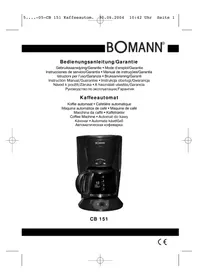
CB 151 - Coffee machine BOMANN - Free user manual and instructions
Find the device manual for free CB 151 BOMANN in PDF.


| Product type | Filter coffee machine |
| Brand | Bomann |
| Model | CB 151 |
| Capacity | 12 cups |
| Power supply | 230 V, 50 Hz |
| Power | 1000 W |
| Filter type | Paper filter size 1x4 |
| Aroma selector | Adjustable between strong and mild coffee |
| Anti-drip function | Yes, prevents dripping when removing the carafe |
| Keep warm | Yes, via hot plate |
| Water level indicator | Yes, visible on the appliance |
| Auto shut-off | No, manual switch |
| Carafe material | Glass |
| Dimensions (approx) | 25 x 25 x 35 cm |
| Weight (approx) | 2 kg |
| Color | White and black |
| Maintenance | Clean with a damp cloth; dishwasher not recommended for carafe and filter holder |
| Descaling | Recommended with citric acid-based product |
| Warranty | 24 months |
Frequently Asked Questions - CB 151 BOMANN
User questions about CB 151 BOMANN
0 question about this device. Answer the ones you know or ask your own.
Ask a new question about this device
Download the instructions for your Coffee machine in PDF format for free! Find your manual CB 151 - BOMANN and take your electronic device back in hand. On this page are published all the documents necessary for the use of your device. CB 151 by BOMANN.
USER MANUAL CB 151 BOMANN
natural_image
Black BOMANN coffee maker with digital display and control knob (no visible text or symbols on device body)CB 151
CE
D
General Safety Instructions
- Read the operating instructions carefully before putting the appliance into operation and keep the instructions including the warranty, the receipt and, if possible, the box with the internal packing.
- The appliance is designed exclusively for private use and for the envisaged purpose. This appliance is not fit for commercial use. Do not use it outdoors (except if it is designed to be used outdoors). Keep it away from sources of heat, direct sunlight, humidity (never dip it into any liquid) and sharp edges. Do not use the appliance with wet hands. If the appliance is humid or wet, unplug it immediately. Do not put it in water.
- When cleaning or putting it away, switch off the appliance and always pull out the plug from the socket (pull on the plug, not the cable) if the appliance is not being used and remove the attached accessories.
- Do not operate the machine without supervision. If you should leave the workplace, always switch the machine off or remove the plug from the socket (pull the plug itself, not the lead).
- To protect children from the dangers posed by electrical appliances, make sure that the cable is hanging low and that children do not have access to the appliance.
- Check the appliance and the cable for damage on a regular basis. Do not use the appliance if it is damaged.
- Do not try to repair the appliance on your own. Always contact an authorized technician. To avoid the exposure to danger, always have a faulty cable be replaced only by the manufacturer, by our customer service or by a qualified person and with a cable of the same type.
- Use only original spare parts.
- Pay careful attention to the following "Special Safety Instructions".
First Use of the Machine
- Before preparing the first cup of coffee carry out the brewing process with cold water (without coffee powder) 2 or 3 times to clean the appliance. Leave the appliance to cool for at least 5 minutes between each brew.
- Clean the filter pad and the glass pot by rinsing.
Electrical Connection
• Make sure that the machine is switched off (operating switch on "O").
- Before inserting the mains lead into the socket, check whether the voltage you intend to use complies with that of the machine.
For details see the machine label.
- Only connect the machine to a properly installed safety socket, 230 V/50 Hz.
GB
Preparing the coffee
- Open the water tank lid.
- Now fill with enough fresh cold water for the desired number of cups. You can read the level on the water level display. Do not overfill the appliance (max. 12 cups).
- Close the water tank lid.
- Swing the filter the left. Insert a paper filter (size 1x4) in the filter funnel and fill with ground coffee (approx. 1 teaspoon for two cups). Lock in the filter until it snaps into place.
- Place the coffee pot on the hot plate.
- Shift the switch to position I. (The LED in the switch lights up). The brewing process lasts approximately 10-15 minutes. At the end of the brewing process, please wait until the filter too is empty. Once there is no more coffee in the pot, the can be removed.
- The appliance is equipped with a drop stop that prevents that the coffee drips on the hotplate when the can is removed. Put the can back into place and the stop is activated again.
If you wish to keep the remaining warm, the switch must be left in the I position. The hotplate keeps the coffee warm until the switch is shifted to O.
Aroma selection switch
To select the aroma, change the setting between "strong coffee" ( ) and "weak coffee" ( ) according to taste.
Switching Off
The machine is switched off when the switch is in the O position. (The LED in the switch is off.)
Descaling
In order to extend the service life of the appliance, it is highly recommended to decalcify the appliance on a regular basis. The decalcification is necessary if the brewing time increases substantially. Use only a commercially available citrus acid-based decalcifier.
Cleaning
Before cleaning the machine you should always remove the mains lead and wait until the machine has cooled down. The machine should only be cleaned with a slightly damp cloth. Remove the filter on the appliance by pulling the latch on the filter insert. The coffee pot and the filter pad should be cleaned by rinsing in cold water.
This device has been tested according to all relevant current CE guidelines, such as electromagnetic compatibility and low voltage directives, and has been constructed in accordance with the latest safety regulations.
Subject to technical changes without prior notice!
Guarantee
The device supplied by our Company is covered by a 24 month guarantee starting on the date of purchase (receipt).
During the life of the guarantee any fault of the device or its accessories *) ascribable to material or manufacturing defects will be eliminated free of charge by repairing or, at our discretion, by replacing it. The guarantee services do not entail an extension of the life of the guarantee nor do they give rise to any right to a new guarantee!
Proof of the guarantee is provided by the proof of purchase. Without proof of purchase no free replacement or repair will be carried out.
If you wish to make a claim under the guarantee please return the entire machine in the original packaging to your dealer together with the receipt.
*) Damage to accessories does not mean automatic free replacement of the whole machine. In such cases please contact our hotline. Broken glass or breakage of plastic parts are always subject to a charge.
Defects to consumables or parts subject to wearing (e.g. motor pistons, kneading blades, drive shafts, spare remote control, spare toothbrushes, saw blades, etc.) as well as cleaning, maintenance or the replacement of said parts are not covered by the guarantee and hence are to be paid!
The guarantee lapses in case of unauthorized tampering.
After the expiry of the guarantee
After the expiry of the guarantee repairs can be carried by the competent dealer or repair service against the payment of the ensuing costs.
PL

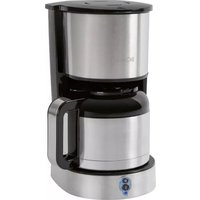
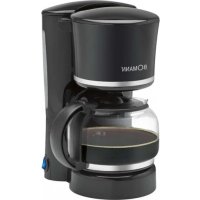
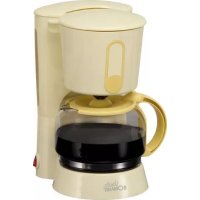
Brand : BOMANN
Model : CB 151
Category : Coffee machine