
IP300X - Cooker FAGOR - Free user manual and instructions
Find the device manual for free IP300X FAGOR in PDF.
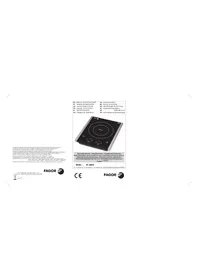



| Product type | Ceramic hob cooker |
| Brand | Fagor |
| Model | IP300X |
| Power supply | 220-240 V ~ 50 Hz |
| Power | 2000 W |
| Number of cooking zones | 1 |
| Type of cooking zone | Induction (ceramic) |
| Controls | Touch (ON/OFF, Power, +/-, Timer, Lock) |
| Available power levels | 9 levels (1-9) |
| Timer | Yes, programmable up to 2 hours |
| Child lock | Yes, dedicated key (hold 2 s to unlock) |
| Indicator lights | ON/OFF, Lock |
| Cooling fan | Yes, stops 1 min after switching off |
| Plate material | Ceramic |
| Compatible cookware | Flat magnetic bottom, diameter 12-26 cm |
| Safety | Cookware detection, automatic shut-off, lock |
| Cleaning | Damp cloth, mild detergent or toothpaste |
| Ventilation grilles | Yes, do not obstruct |
| Compliance | European EMC and Low Voltage Directives |
| Net weight | Approximately 5 kg (estimate) |
| Dimensions (W x D x H) | Approximately 30 x 40 x 8 cm (estimate) |
Frequently Asked Questions - IP300X FAGOR
User questions about IP300X FAGOR
0 question about this device. Answer the ones you know or ask your own.
Ask a new question about this device
Download the instructions for your Cooker in PDF format for free! Find your manual IP300X - FAGOR and take your electronic device back in hand. On this page are published all the documents necessary for the use of your device. IP300X by FAGOR.
USER MANUAL IP300X FAGOR
The manufacturer reserves the right to modify the models described in this User's Manual. The manufacturer reserves the right to modify the models described in this User's Manual. The manufacturer reserves the right to modify the models described in this User's Manual.
Aesae 49-20500 MONDRAGON [3uipnue] ESPAR

FAGOR

3NEKTPPOHHbIX NPHSEPOOB

10000000000 cpe 0y0, dHbV 17 (2)《关于修订<公司章程>的议案》 C 3.2018年1月1日 Dc0e0eHuaaBnHcC5cp8 OTX008, HAXOPLPECA BEGCMCTE y Paeep 714 SHKTHQDNOOPOBFOOBFIEEIEAEKEDK GBCNOKHFK HREKTHKBEKONKFBDEE DNTKOBKPOBBOE EAOEAEADKDBE KOKEKOT KOBKOT MNTPEKTMC CBOEETHEEIEAEBHOFFTRYPAEA TAKAO BOCIOINETMTOH2 we consocters the eocnns,extly Lp
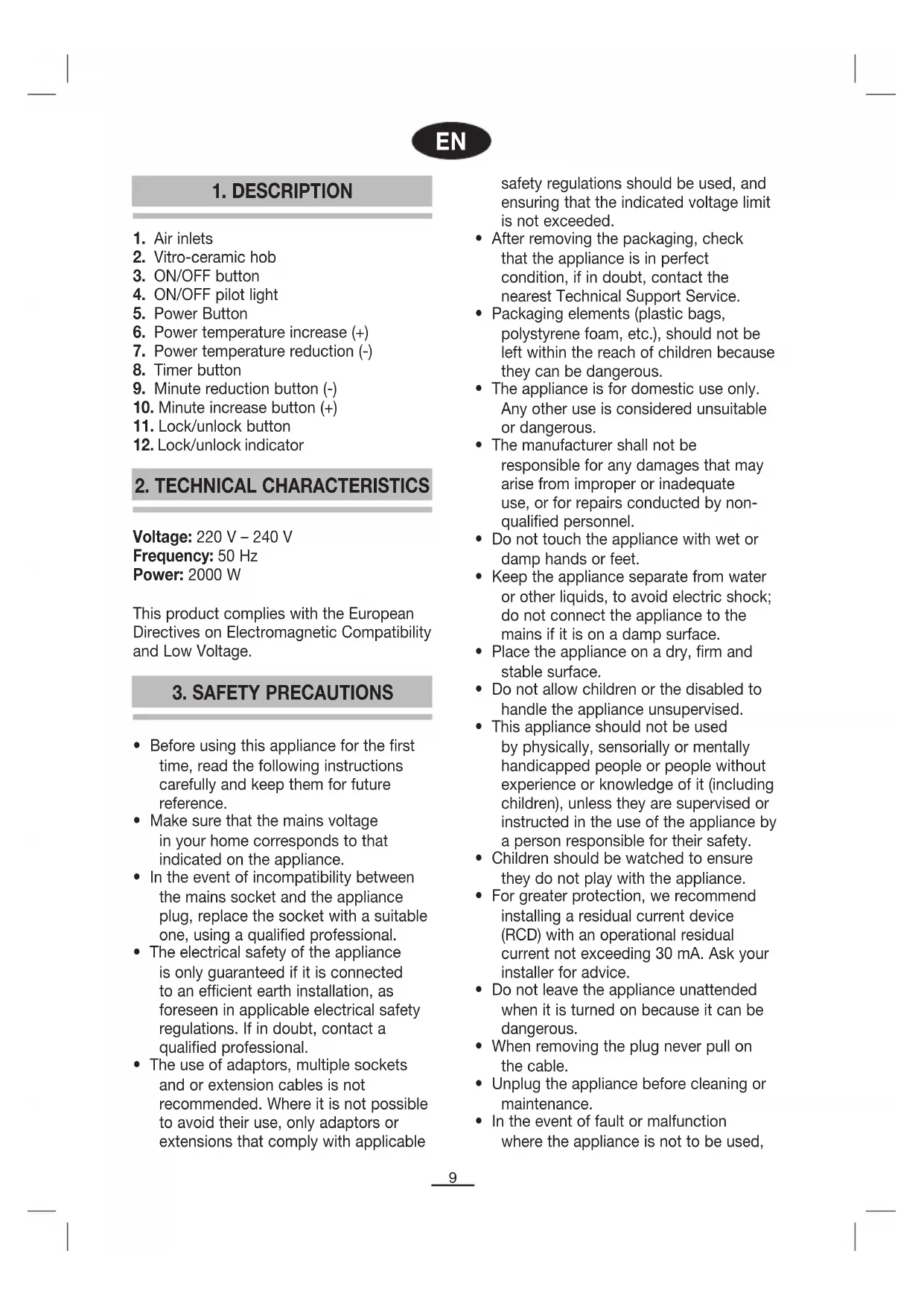
- Air inlets
- Vitro-ceramic hob
- ON/OFF button
- ON/OFF pilot light
- Power Button
- Power temperature increase (+)
- Power temperature reduction (-)
- Timer button
- Minute reduction button (-)
- Minute increase button (+)
- Lock/unlock button
- Lock/unlock indicator
2. TECHNICAL CHARACTERISTICS
Voltage: 220 V - 240 V
Frequency: 50 Hz
Power: 2000 W
This product complies with the European Directives on Electromagnetic Compatibility and Low Voltage.
3. SAFETY PRECAUTIONS
- Before using this appliance for the first time, read the following instructions carefully and keep them for future reference.
- Make sure that the mains voltage in your home corresponds to that indicated on the appliance.
- In the event of incompatibility between the mains socket and the appliance plug, replace the socket with a suitable one, using a qualified professional.
- The electrical safety of the appliance is only guaranteed if it is connected to an efficient earth installation, as foreseen in applicable electrical safety regulations. If in doubt, contact a qualified professional.
- The use of adaptors, multiple sockets and/or extension cables is not recommended. Where it is not possible to avoid their use, only adaptors or extensions that comply with applicable
safety regulations should be used, and ensuring that the indicated voltage limit is not exceeded.
- After removing the packaging, check that the appliance is in perfect condition. If in doubt, contact the nearest Technical Support Service.
- Packaging elements (plastic bags, polystyrene foam, etc.) should not be left within the reach of children because they can be dangerous. The appliance is for domestic use only. Any other use is considered unsuitable or dangerous. The manufacturer shall not be responsible for any damages that may arise from improper or inadequate use, or for repairs conducted by nonqualified personnel.
- Do not touch the appliance with wet or damp hands or feet.
- Keep the appliance separate from water or other liquids to avoid electric shock; do not connect the appliance to the mains if it is on a damp surface.
- Place the appliance on a dry, firm and stable surface.
- Do not allow children or the disabled to handle the appliance unsupervised.
- This appliance should not be used by physically, sensorially or mentally handicapped people or people without experience or knowledge of it (including children), unless they are supervised or instructed in the use of the appliance by a person responsible for their safety. Children should be watched to ensure they do not play with the appliance.
- For greater protection, we recommend installing a residual current device (RCD) with an operational residual current not exceeding 30 mA. Ask your installer for advice.
- Do not leave the appliance unattended when it is turned on because it can be dangerous.
- When removing the plug, never pull on the cable.
- Unplug the appliance before cleaning or maintenance.
- In the event of fault or malfunction where the appliance is not to be used,
turn off the appliance and do not attempt to repair. If a repair is required, contact a Technical Assistance Service authorised by the manufacturer and request the use of original spare parts.
- If the cable for this appliance is damaged, contact an authorized Technical Assistance Service to have it replaced.
- Do not leave the appliance exposed to the elements (rain, sun, ice, etc.).
- Do not use or let any part of the appliance come into contact with or near hot surfaces (kitchen gas or electric hobs or ovens).
- Do not use detergents or abrasive sponges to clean the appliance.
- Do not touch the hot surfaces. Use the handles.
- Do not let the cable come into contact with the hot parts of the appliance.
- Do not dismantle the appliance or attempt to repair it yourself.
- Do not place heavy objects on the hob.
- Do not use the hob near a source of flammable gas or in a damp atmosphere.
- Do not place the hob where water or oil could splash onto it.
- Never leave the hob unattended while it is functioning.
- Open vacuum-packed foods before heating them up on the hob.
- Do not use unsuitable pans.
- Do not cover the air vents or air inlets or insert any foreign bodies into them.
- Correctly center the pans on the heating area. After using the hob, let it cool down before touching it.
- If you should notice any external defects, disconnect the appliance to prevent short-circuiting.
- Do not leave any metal objects on the hob, as they could become very hot.
- Pacemaker wearers should consult their doctor before using this appliance.
4. PANS
- The pan base must be made of a magnetic material.
- Pans made of materials such as glass, ceramic, aluminium, copper and other non-magnetic substances cannot be used.
- The pan base must be flat, and its diameter must be between 12 and 26 cm.
5. FUNCTIONING
- Ensure the air vents and air inlets are not blocked, and that there are no metal objects on the hob apart from the pans.
- Stand the pan containing the food to be heated on the central part of the vitro-ceramic hob.
- When the hob is plugged in, a beep will sound. The appliance will be locked, therefore the lock/unlock button (11) must be pressed for about 5 seconds to unlock it.
- When unlocking the appliance, the indicator lamp (4) will start to blink, indicating that the appliance is turned off. To turn on the appliance press the ON/OFF button (3), a beep will sound and the indicator lamp (4) will remain on and not blink.
- When the hob starts to operate, if nothing has been placed on it, or if a container is removed during operation, this is detected and "EO" is shown on the corresponding display, and an intermittent beep sounds until the ON/OFF button is pressed (3) and the appliance turned off.
- Whilst the appliance is plugged in, one of the indicator lamps (4) (12) will blink, if the appliance is locked the corresponding indicator will blink (12), if it is only turned off just the other indicator will blink (4). To completely turn off the appliance it must be disconnected from the mains.
- POWER SETTING MODE "Power" (5): Allows the power level to be set.
The appliance has 9 power levels (Max level 9). Each time the Power button is pressed, power is set at level 7. This can be raised or lowered using the "+" (6) or "-" keys (7).
- Switch off the hob after use by pressing the ON/OFF button (3). The indicator lamp (4) will blink, the fan will stop running after 1 minute. Unplug the hob and leave it to cool down.
6. LOCKING
When the appliance is connected, you can activate the keypad lock by pressing the lock selector (11). The corresponding pilot light will come on and blink non-stop. When unlocked, the indicator lamp will turn off and the other indicator lamp turn on (4), and starts to blink. The hob can now only be made to function by pressing the ON/OFF button, and all the other buttons will be disabled. To disengage the lock, keep the lock selector (11) pressed for 5 seconds.
7. TIMER
If you wish the induction hob to cook during a set period of time:
- Set induction at the power required for a container.
- Press the timer button (8).
- Select the time required using the minute increase/decrease buttons (9 & 10).
The hob will stop when the time reaches zero and will emit two beeps.
NOTE: If you set the timer on 0, the appliance would work on your setting power for 2 hours, and then stop itself.
8. CLEANING AND MAINTENANCE
- Unplug the appliance and allow the hob to cool down.
- Use a soft dry cloth to gently remove any dust that has accumulated in the air vent and air inlet.
- If the hob is not excessively dirty, clean it with a damp cloth.
- If there are grease stains on the hob, clean it with a damp cloth and a little toothpaste or neutral detergent.
- Never use abrasive or degreasing cleaning agents or alcohol.
9. TROUBLESHOOTING
| Problem | Possible cause | ||
| The lock/unlock indicator does not come on when the appliance is plugged in. | It is not properly plugged in. The switch, fuse or cable are faulty. | ||
| The ON/OFF pilot light comes on and the power is set, but the appliance does not heat up. | An unsuitable pan is being used. For other causes, consult the special maintenance department. | ||
| The appliance suddenly stops heating up during functioning. | The ambient temperature is too high. The air vent or air inlet is blocked. The timer setting has elapsed. Check the protection system is working. Carry out an activation test. | ||
| E3, | E6 | Wait for a moment and then press the ON/OFF button. The hob should function correctly when it has reached its normal temperature again. | |
| Fault code E7, E8 | Press the ON/OFF button. The hob should function correctly when it has reached its normal temperature again. | ||
| E1, E2, E4, E5, Eb, EC | Contact the authorised Technical Assistance Service. | ||
| E0 | Container missing or appliance does not detect it. See section 4 of the manual. | ||
10. INFORMATION FOR THE CORRECT DISPOSAL OF ELECTRICAL AND ELECTRONIC APPLIANCES
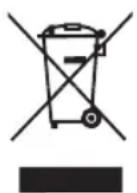
At the end of its working life, the product must not be disposed of as urban waste. It must be taken to a special local authority differentiated waste collection centre or to
a dealer providing this service. Disposing of a household appliance separately avoids
possible negative consequences for the environment and health deriving from inappropriate disposal and enables the constituent materials to be recovered to obtain significant savings in energy and resources.
To remind you that you must collaborate with a selective collection scheme, the symbol shown appears on the product warning you not to dispose of it in traditional refuse containers.
For further information, contact your local authority or the shop where you bought the product.
1. DESCRIPTION
2. TECHNICAL SPECIFICATIONS
Voltage: 220V-240V
Frequency: 50 Hz
Power: 2000 W
This device complies with the requirements of the European Directives for electromagnetic compatibility and low voltage.
3. SAFETY INSTRUCTIONS
- Before using the device for the first time, read this instruction manual carefully and keep it for future reference. Make sure that the voltage of the electrical network in your home matches the power of the device's contact. In case of incompatibility between the contact and the device's plug, replace the contact with a suitable one, using the services of a qualified professional.
- The safety of the device is guaranteed only when it is connected to a properly grounded contact, as required by the regulations.
Normal electrical safety. In case of malfunction, contact a qualified professional.
Do not interrupt the use of the device, especially with wet hands. If it is absolutely necessary to use it, only use the device and accessories that comply with the safety standards, paying attention not to exceed the maximum power indicated on the device. After removing the packaging, check that the devices are in good condition. If you have doubts, contact the nearest technical service. - Packaging materials (foam, plastic, etc.) should not be left in places accessible to children, as they are sources of danger. This device should only be used for domestic purposes. Any other use is considered improper or dangerous. - The manufacturer is not responsible for damages that may result from improper or incorrect use or repair performed by unqualified personnel. This device is not intended for use by persons (including children) with physical, sensory or mental impairments or without experience or knowledge, unless they are supervised or instructed to use the device by a person responsible for their safety. - Children should be supervised to ensure they do not play with the device. For better protection, it is recommended to install a residual current device (RCD) with a rated residual current not exceeding 30 mA. Consult your electrician for advice. Do not handle the device with wet hands or feet or standing on wet ground. To avoid electric shock, keep the device away from water or other liquids. Do not turn it on if it
Place the appliance on a dry, hard, and stable surface. Do not allow children or unauthorized persons to operate the appliance without supervision. Do not leave the appliance on, as it may be a source of danger. To disconnect, never pull the cable. - Disconnect the appliance from the electrical supply before performing any maintenance or cleaning. In case of damage or malfunction, turn it off and do not attempt to repair it yourself. If repair is necessary, contact the authorized manufacturer's technical service and insist on the use of original spare parts. If the appliance's cable is damaged, contact the authorized technical service to replace it. Do not leave the appliance exposed to atmospheric conditions (rain, sun, etc.). Do not use or place any part of the appliance on or near hot surfaces (electric or gas stoves or ovens). Do not use abrasive cleaners or detergents to clean it. Do not immerse hot surfaces. Use the handle or grip. Do not allow the cable to rest on hot parts of the appliance. - Do not disassemble or attempt to repair the device. Do not place any objects on the device. Do not use the appliance near sources of flammable gas or in a humid environment. Do not place the appliance where it could be splashed with water or oil.
Observe the appliance while it is on. - Vacuum-packed food containers must be opened before being placed on the appliance for heating. Do not use unsuitable cookware. Do not block the ventilation openings or air intakes, and do not insert objects into them. - Place the food in the center of the heating zone. After using the appliance, let it cool before cleaning it. If you notice any damage, turn off the device to avoid electric shock. Do not leave metal objects on top - they can heat up to high temperatures. The appliance, when placed on a surface, must be used with caution before using this device.
4. FOOD
- The food must be placed in a suitable container made of appropriate material.
- Materials such as glass, ceramic, aluminum, copper, and other magnetic materials cannot be used. The diameter of the cookware should be between 12 cm and 26 cm.
5. OPERATION
- Ensure that the ventilation openings and air intakes are not blocked and that there are no metal objects, except for the food container, on the surface.
- Place the food container in the center of the ceramic surface. When you turn on the appliance, a beep will sound. The device will be locked, so you will need to press the lock/unlock button (11) for about 5 seconds,
to unlock it.
Press the ON/OFF button (3) to turn on the appliance, and the indicator light (4) will illuminate continuously without flashing. When the button is pressed and the appliance is not working, if there is a power outage, or if the fuses are blown, when the button is working, the appliance will turn off and the corresponding display will show "EO", while at the same time a continuous beep will sound, which will continue until you press ON/OFF (3) and turn off the appliance. Note: When the appliance is plugged into the socket, the corresponding indicator light (4) (12) will flash: if you press the block button, the corresponding indicator light (12) will flash, and if it is just off, the other indicator light (4) will flash. To turn off the appliance completely, you must unplug it from the socket. POWER LEVEL "Power 5": Allows you to select the power level. The appliance has 9 power levels (maximum level 9). Each time you press the power adjustment button "Power", the appliance will turn on at level 7. You can increase or decrease this level with the buttons "+" (6) or "-" (7). After using the appliance, turn off the button by pressing the ON/OFF button (3). The indicator light (4) will start to flash, and the fan will stop working after 1 minute. Turn off the button and let it cool down.
6. BLOCKING
When the button is turned on, you can activate the block of the buttons by pressing the block button (11) - the corresponding indicator light will turn on and start flashing continuously. When you unlock it, the indicator light will turn off and the indicator light
(4) will start to flash. In this position, only the ON/OFF button can be activated - the rest cannot be activated. To unlock, press and hold the block button (11) for 5 seconds.
7. TIMER
If you want the induction hob to work for a set time:
Set the desired power and place the pot. - Press the timer button (8). - Select the desired time with the buttons for decreasing or increasing the minutes (9 and 10). The hob will stop when the time runs out and reaches zero, and a double beep will sound.
WARNING: If you set the timer to 0, the appliance will work at the power you selected for 2 hours and then automatically turn off.
8. CLEANING AND MAINTENANCE
Unplug the appliance from the socket and wait until it cools down.
Clean the ceramic surface with a dry cloth and remove dust from the ventilation openings and the air inlet.
Clean with a damp cloth the ceramic surface when it is slightly dirty.
When the dirt is greasy, clean it with a damp cloth and a little dishwashing detergent or a neutral detergent.
Never use abrasive products, sprays, or products for removing grease.
9. POSSIBLE FAULTS
J 4 (4)
: ()11) ("Power")
(9g) 9e jglg
7 7 7 7 7 7 7 7 7 7 7 7 7 7 7 7 7 7 7 7 7 7 7 7 7 7 7 7
.(7)"-"g""+''jRjJgallgss
(3) /jie jie jie jie jie jie jie jie jie jie
aall 1 jrrn 1 aell n c g g g (4)
∴ 2 23 = 8 - 2 22
(11)
gai 1
J (4) 1g 1
5 5
(11) (9) j
7. -g
:Lo 1
Therefore, cl N1 is equal to N 1
(109)
1. DESCRIPTION OF THE DEVICE
1. Ventilation grilles 2. Glass-ceramic panel 3. ON/OFF button 4. Backlit indicator ON/OFF 5. Power adjustment button "Power" 6. Temperature increase button (+) 7. Temperature decrease button (-) 8. Timer 9. Time increase button (+) 10. Time decrease button (-) 11. Lock/unlock button 12. Lock/unlock indicator
2. TECHNICAL SPECIFICATIONS
Voltage: 220V-240V
Frequency: 50
Power: 2000W
This device complies with European standards for electromagnetic compatibility and low voltage.
3. SAFETY INSTRUCTIONS
- Before using this device for the first time, carefully read this user manual and keep it for future reference.
- Make sure that the voltage and power in the supply network correspond to the values indicated on the device. If the parameters of the supply network and the device itself do not match, connect it to another network, using the services of a qualified specialist. Reliable operation of the device is guaranteed only if it is connected to the appropriate supply network, as required by the current safety rules.
for working with electrical appliances.
If any doubts arise, contact qualified specialists for help.
It is not recommended to use adapters, "plugs" or extension cords. If their use is necessary, only use adapters and extension cords that meet current safety requirements, and make sure that the power does not exceed the limit indicated on the adapter. After removing the device from the packaging, make sure it is in working condition; in case of any doubts, contact an authorized service center. - Packaging parts (plastic bags, foam plastic, etc.) should be kept out of reach of children, as they can be dangerous. - This device is intended for household use only. Use in any other conditions is considered inappropriate and dangerous. - The manufacturer is not responsible for breakdowns caused by incorrect or unskilled use, as well as for malfunctions caused by repairs carried out by unqualified specialists. Do not touch the device with wet or damp hands. - Keep the device away from water and other liquids to avoid short circuits. Do not connect the device to the network if it is on a wet surface. Place the device on a dry, stable, horizontal surface. Do not allow children and people with disabilities to use the device without supervision. This device is not intended for use by persons (including children) with physical, sensory or mental disabilities,
Devices that are not familiar to users or are being used for the first time, except when they are under supervision or receive appropriate operating instructions from persons responsible for their safety.
Make sure that children do not play with the device. For safety, it is recommended to install a residual current device (RCD) with a residual current not exceeding 30 mA. Consult an electrician. Do not leave the device switched on, as this may be dangerous. - When disconnecting the device from the mains, never pull the cord. - Before cleaning or maintenance, disconnect the device from the power supply. In case of malfunction or incorrect operation of the device, if this prevents its use, switch off the device and do not attempt to repair it yourself. If repair is necessary, contact an authorized service center. Make sure that when replacing any parts, original spare parts are used. - If the cable is damaged, contact an authorized service center for its replacement. Do not expose the device to negative environmental influences (rain, sun, snow, etc.). Do not allow the device to be used or stored near hot surfaces (gas or electric stoves or ovens). Do not use abrasive cleaning agents or sponges for cleaning the glass-ceramic panel. Do not touch the hot surface of the device. Use the handles and use a pot with handles. Do not allow the cable to come into contact with the hot surface of the device.
Do not disassemble or attempt to repair the device yourself. Do not place any heavy objects on the surface of the device. Do not use the device near sources of fire or in rooms with high humidity. Do not install the device in places where water or oil may get in. During use, do not leave the device unattended for a long time. - When cooking products in vacuum packaging, cook them with the lid open. - Use appropriate cookware. Make sure that the ventilation openings of the device are not blocked, and do not allow foreign objects to get into them. Place the cookware in the center of the heating zone. - After finishing work with the device, do not touch its surface until it has cooled down. - If external damage is detected, to avoid a short circuit, switch off the device. Do not leave metal objects on the surface of the device, as they may heat up. - Persons with pacemakers should consult their doctor before using induction cooktops.
4. RECOMMENDED COOKWARE
- Cookware must be made of ferromagnetic material.
- Do not use cookware made of materials such as glass, ceramics, aluminum, copper, and other non-magnetic materials. 3. Cookware must have a flat bottom with a diameter of not less than 12 and not more than 26 centimeters.
5. OPERATION
- This is ensured by the fact that the ventilation opening is not blocked by the hob. Make sure that there are no foreign metal objects on the panel. Place the empty pot, specially designed for use on induction hobs with a glass-ceramic panel. After connecting the hob to the socket, a sound signal will sound. The hob remains locked, to unlock it you need to press and hold the lock/unlock button (11) for 5 seconds.
- To turn on the hob, press the ON/OFF button (3), after which a sound signal will sound and the light indicator (4) will light up.
- If the hob is turned on and there is no cookware on the cooking panel, or, on the contrary, if during operation the cookware is removed, the sensor will detect this and the display will show the message "EO", and an intermittent sound signal will also sound, which will not stop until the hob is turned off by pressing the ON/OFF button (3).
- While the appliance is plugged into the socket, one of the light indicators (4) (12) will continue to glow: if the hob is locked, indicator (12) will glow, if it is simply turned off, the other indicator (4) will glow. To completely turn off the hob, disconnect it from the power supply. HEATING LEVEL "Power" (5): allows you to select the power level. The hob has 9 power levels (max. power level 9). When you press the power adjustment button "Power", power level 7 is automatically set. Using the buttons ^+ (6) and - (7) you can increase or decrease the power of the hob.
After using the hob, turn off the cooking panel by pressing the ON/OFF button (3). The light indicator (4) will start flashing and after 1 minute the built-in fan will stop working. Disconnect the hob from the power supply and let it cool down.
6. LOCK
When the panel is connected to the power supply, the locking of the function buttons can be activated by pressing the lock button (11), while the corresponding light indicator will light up and flash continuously. When unlocked, this light indicator will go out and the light indicator (4) will start flashing. After locking, the only button that remains active is ON/OFF, the other buttons are inactive. To remove the lock, press and hold the lock/unlock button (11) for 5 seconds.
7. TIMER
If necessary, so that cooking on the hob takes a strictly defined time:
- Set the required power level and place the cookware on the panel.
- Press the timer button (8). Using the time increase/decrease buttons (9 and 10), set the required cooking time.
When the set time has elapsed, the panel will turn off and the hob will emit two sound signals.
NOTE: If you set the timer to 0, the hob will operate at one power level for 2 hours, and then turn off.
8. CLEANING AND CARE
- Disconnect the hob from the power supply and wait until the cooking panel cools down.
- Wipe the ceramic panel with a cloth through the ventilation grille of the ventilation opening.
- If the ceramic panel is dirty
wipe it with a damp cloth.
- If the panel is dirty with lime, wipe it with a damp cloth with a toothbrush or a non-abrasive cleaning agent.
- Never use abrasive cleaning agents, special agents for removing lime, or alcohol-containing agents to clean the panel.
9. TROUBLESHOOTING
- NEKTPPOHHBIX NPHSEPOOB
- TECHNICAL CHARACTERISTICS
- SAFETY PRECAUTIONS
- PANS
- FUNCTIONING
- LOCKING
- TIMER
- CLEANING AND MAINTENANCE
- TROUBLESHOOTING
- INFORMATION FOR THE CORRECT DISPOSAL OF ELECTRICAL AND ELECTRONIC APPLIANCES
- DESCRIPTION
- TECHNICAL SPECIFICATIONS
- SAFETY INSTRUCTIONS
- FOOD
- OPERATION
- BLOCKING
- POSSIBLE FAULTS
- G
- DESCRIPTION OF THE DEVICE
- RECOMMENDED COOKWARE
- LOCK
- CLEANING AND CARE
Brand : FAGOR
Model : IP300X
Category : Cooker