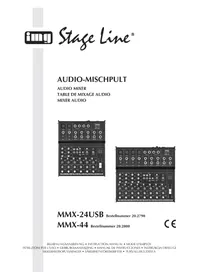
MMX3 USB - Mixer Monacor - Free user manual and instructions
Find the device manual for free MMX3 USB Monacor in PDF.


| Product Type | Miniature audio mixing console with USB interface and DSP effects unit |
| Brand | Monacor |
| Model | MMX3 USB |
| Input Channels | 4 channels: 2 mono (CH 1, CH 2) + 2 stereo (CH 3/4, CH 5/6) |
| Microphone Inputs | 2 balanced XLR inputs (CH 1, CH 2) with switchable +48 V phantom power |
| Line Inputs | CH 1/2: 6.35 mm unbalanced jack; CH 3/4: 6.35 mm balanced jack; CH 5/6: stereo RCA; TAPE IN: stereo RCA |
| Outputs | Main out (6.35 mm unbalanced jack), Tape out (RCA), Headphones (6.35 mm jack, impedance ≥ 8 Ω), USB (type B) |
| USB Interface | USB 1.1, audio input/output compatible, max. sampling rate 48 kHz, latency 0.4 ms at 44.1 kHz |
| DSP Effects | 16 built-in effects selectable via wheel, per-channel adjustment and global FX level |
| Phantom Power | +48 V switchable for both XLR inputs, with indicator LED |
| Equalizer | Bass ±15 dB at 80 Hz, Treble ±15 dB at 12 kHz (per channel) |
| Dimensions | 185 × 47 × 195 mm |
| Weight | 1.1 kg |
| Power Supply | Included power supply unit, input 230 V~ / 50 Hz, output 15 V~ |
| Compatible Operating Systems | Windows 98 SE, ME, 2000, XP, Vista, 7; Mac OS 9.1, Mac OS X |
| Included Accessories | Power supply unit, USB cable, user manual |
Frequently Asked Questions - MMX3 USB Monacor
User questions about MMX3 USB Monacor
0 question about this device. Answer the ones you know or ask your own.
Ask a new question about this device
Download the instructions for your Mixer in PDF format for free! Find your manual MMX3 USB - Monacor and take your electronic device back in hand. On this page are published all the documents necessary for the use of your device. MMX3 USB by Monacor.
USER MANUAL MMX3 USB Monacor
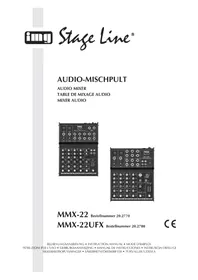
4-KANAL-AUDIO-MISCHPULT
4-CHANNEL AUDIO MIXER
GB Before switching on ...
We wish you much pleasure with your new "img Stage Line" unit. Please read these operating instructions carefully prior to operating the unit. Thus, you will get to know all functions of the unit, operating errors will be prevented, and yourself and the unit will be protected against any damage caused by improper use. Please keep the oper at-ing instructions for later use.
The English text starts on page 8.
All operating elements and connections described can be found on page 2.
1 Operating Elements and Connections
1 On / off switch of the phantom power (+48 V) for the XLR jacks (5) of channels CH 1 and CH 2 also see warning notes in chapter 4
2 POWER switch of the mixer
3 Power supply jack for connection of the power supply unit provided
4 USB jack (type B) for connection to a computer: it can be used both as an audio output (output of the sum signal) and as an audio input (feed-in of audio data for reproduction via channel CH 5 / 6)
5 Mono input (combined jack XLR, bal. / 6.3 mm jack, unbal.) for channel CH 1 and channel CH 2, for connection of a microphone via an XLR plug or an audio source with line signal level via a 6.3 mm plug
6 Impedance switch, for channel CH 1 and channel CH 2: press the button when an electric guitar or an electric bass with passive audio pick-up has been connected to the 6.3 mm jack (5)
7 Stereo input (6.3 mm jack, bal.) for channel CH 3 / 4 for connection of an audio source with line signal level; when connecting a mono source, use jack L only.
8 Stereo input (RCA) for channel CH 5 / 6 for connection of an audio source with line signal level
9 Stereo input (RCA) for connection to the output of a recorder
10 Stereo output (RCA) for connection to the input of a recorder
11 Stereo output (6.3 mm jack, unbal.) for connection of an amplifier or another unit, e. g. a second mixer
12 Output (6.3 mm jack) for connection of stereo headphones (minimum impedance 8 Ω) for monitoring the sum signal [independent of the master control (29)] or the signal at the input TAPE IN (9)
13 Button to switch the input signal of the USB jack (4) to channel CH 5 / 6
14 Button to switch the signal of the input TAPE IN (9) to the sum signal
15 Button to switch the signal of the input TAPE IN (9) to the headphone output (12)
16 Control to adjust the input amplification, for channel CH 1 and channel CH 2
17 Equalizer to adjust the high frequencies (HI) and low frequencies (LO), for each input channel
18 Effect control, for each input channel, to adjust the effect component for each channel
19 Panorama control, for channel CH 1 and channel CH 2, to place the mono signal in the stereo sound
20 Balance control, for channel CH 3 / 4 and channel CH5/6
21 Level peak indication, for channel CH 1 and channel CH 2
22 Level control, for each input channel
23 Effect level control to add the effect signal to the sum signal
24 Volume control for the headphone output (12)
25 Rotary switch to select the effect
26 Control indication for the phantom power 📋 also see item (1)
27 POWER ON indication
28 Stereo level indication for the sum signal adjusted with the master control (29); in case of overload the CLIP LEDs light up
29 Overall level control (master control): defines the level of the sum signal sent via the outputs MAIN OUT (11), TAPE OUT (10) and the USB jack (4)
2 Safety Notes
The units (mixer and plug-in power supply unit) correspond to all relevant directives of the EU and are therefore marked with €€
WARNING

The power supply unit is supplied with hazardous mains voltage. Leave servicing to skilled personnel only. Inexpert handling or modification of the power supply unit may cause an electric shock hazard.
It is essential to observe the following items:
- The units are suitable for indoor use only. Protect them against dripping water and splash water, high air humidity, and heat (admissible ambient temperature range 0 – 40 °C).
- Do not place any vessels filled with liquid, e. g. drinking glasses, on the units.
- The heat being generated in the mixer must be carried off by air circulation. Therefore, the air vents at the housing must not be covered.
- Do not set the mixer into operation, and immediately disconnect the power supply unit from the mains socket if
- there is visible damage to the mixer or the power supply unit,
- a defect might have occurred after a drop or similar accident,
- malfunctions occur.
The units must in any case be repaired by skilled personnel.
- For cleaning only use a dry, soft cloth, never use chemicals or water.
- No guarantee claims for the units and no liability for any resulting personal damage or material damage will be accepted if the units are used for other purposes than originally intended, if they are not cor-
rectly connected or operated, or not repaired in an expert way.

If the units are to be put out of operation definitively, take them to a local recycling plant for a disposal which is not harmful to the environment.
3 Applications
This miniature audio mixer with USB interface and DSP effect unit is suitable for universal applications, e. g. for audio recording at the computer. It has four input channels, i. e. 2 × mono, 2 × stereo, for connecting microphones (also phantom-powered) and audio sources with line signal level (e. g. musical instruments, players). In addition, connections for a recorder and headphones are provided. The mixed stereo signal is sent via 6.3 mm jacks and the USB jack. The USB jack can be used at the same time as an input for transferring audio data from the computer to the mixer.
The power supply is made via the supplied AC power supply unit.
4 Setting into Operation
Prior to connection / disconnection and prior to each switching on, the output controls MONITOR / PHONES (24) and MASTER (29) should be turned back to "0".
1) As audio sources, microphones and / or audio sources with line signal level (e. g. effect units, musical instruments, players) can be connected to the four input channels.
Mono channels CH 1 and CH 2:
Combined XLR / 6.3 mm jacks are available inputs (5).
- Connect microphones to the balanced XLR jacks. For phantom-powered microphones it is possible to activate a 48 V phantom power for both XLR jacks together with the switch PHANTOM POWER (1). When activated (switch position I = on), the indication PH.POWER +48V (26) lights up during operation.
Caution! With the phantom power activated, no microphone with unbalanced output must be connected as it may be damaged.
To prevent switching noise, only activate or deactivate the phantom power when the mixer is switched off or the output controls are set to "0".
- Connect mono sources with line level to the unbalanced 6.3 mm jacks. It is also possible to directly connect musical instruments of high impedance (electric guitar, electric bass) to these jacks: in this case press the button for impedance switching (6) for the channel.
- Stereo channels CH 3 / 4 and CH 5 / 6: Stereo sources with line level may be connected to the 6.3 mm jacks (7) of channel CH 3 / 4 and to the RCA jacks (8) of channel CH 5 / 6 (L = left channel, R = right channel). The jacks of channel CH 3 / 4 are balanced, however, it is also possible to connect units with unbalanced output via two-pole plugs. For connecting a mono unit to channel CH 3 / 4, use jack L only: Then the mono signal is internally sent to the right channel and the left channel.
2) The RCA jacks TAPE can be used for connection of a stereo recorder:
- Connect the replay output of the recorder to the input TAPE IN (9).
- Connect the recording input of the recorder to the output TAPE OUT (10); the output receives the sum signal adjusted with the control MASTER (29).
However, the connections may also be used for other units with line signal level, e. g. a reproducer like CD player or MP3 player may be connected to TAPE IN or an amplifier to TAPE OUT.
3) Connect stereo headphones (impedance ≥ 8 ) to the 6.3 mm jack MONITOR / PHONES (12).
4) The sum signal adjusted with the control MASTER (29) is present at the stereo output MAIN OUT (11). Here e. g. an amplifier or a second mixer may be connected. The 6.3 mm jacks are unbalanced.
5) For power supply connect the power supply unit provided to the jack 15 V\~ (3) and to a mains socket (230V\~/50Hz).
Note: If the mixer is not used for a longer time, disconnect the power supply unit from the socket. Even when the mixer is switched off, the power supply unit has a low power consumption.
6) To switch on the mixer, set the POWER switch (2) to position I. The power indication POWER ON (27) lights up.
4.1 Operation with a computer
For operation of the mixer with a computer use the audio software supplied with the operating system or an audio software installed additionally. Various audio programmes for recording and reproduction are available free of charge on the Internet.
1) Boot up the computer and connect the USB jack (4) to a USB port at the computer via the USB cable provided. The USB interface of the mixer is recognized by the computer as an external unit for audio input and audio output, depending on the operating system e. g. as "USB Audio CODEC". The required drivers (standard drivers of the operating system) are available on the computer.
Note: If not all drivers required are on the computer, they have to be installed, e. g. via the original CD of the operating system. If necessary, restart the computer after installation.
2) Activate the audio program used and make the necessary adjustments for the audio reproduction via the mixer or audio recording from the mixer (instructions of the program). The mixer can be operated according to chapter 5.
If no audio recording or audio reproduction is possible, check in the system settings of the computer if the USB interface has been selected for the audio input or audio output.
Hint: If the mixer is connected both to a computer and to units which are earthed via their mains cable (e. g. amplifier), ground loops may occur due to hum interference. To eliminate them, the mixer can be connected to the respective unit via a ground isolator (e. g. FGA-102 or FGA-202 from the product range of "img Stage Line").
5 Operation
WARNING

Never adjust the audio system and the headphones to a very high volume. Permanent high volumes may damage your hearing! Your ear will get accustomed to high volumes which do not seem to be that high after some time. Therefore, do not further increase a high volume after getting used to it.
5.1 Mixing audio sources
The following steps merely serve as an aid, other ways of procedure are also possible.
1) As a basic setting first
- set all controls GAIN (16), EQ (17), PAN (19) and BAL (20) and the control MASTER (29) to mid-position.
– turn all controls LEVEL (22) and the effect level control FX (23) back to the left stop
– disengage the button ASSIGN TO MAIN (14)
2) To reproduce the input signal of the USB jack (4) via channel CH 5 / 6, press the button USB ASSIGN TO CH 5 / 6 (13). With the button pressed the USB input signal and the signal of the input CH 5 / 6 (8) use the same channel. Therefore, do not use input CH 5 / 6 to reproduce the USB input signal only, otherwise the channel receives the mixed signal of both sources.
Note: Please pay attention to the hazard of feedback if recordings are made via the USB jack, when the recording signal of the computer is switched as an input signal to channel CH 5 / 6.
3) To adjust a mono channel to an optimum level, feed an audio signal to the channel and turn up its control LEVEL (22) approximately to mid-position. Adjust the control GAIN (16) of the channel so that the 0 dB LEDs of the level indication shortly light up at passages of highest volume. Then adjust the sound with the controls EQ (17): HI for the high frequencies, LO for the bass frequencies. As the sound adjustments affect the channel level, readjust the gain adjustment, if necessary.
Then turn the control LEVEL back to the stop and make the same adjustments for the second mono channel.
4) For the sound adjustment of a stereo channel turn the controls LEVEL (22) of the remaining channels back to the stop and turn up the control LEVEL of the respective stereo channel so that the sound can be adjusted in an optimum way with the equalizer controls (17).
5) When all adjustments for level matching and all sound adjustments have been made, mix the signals of the input channels in the desired volume ratio with the controls LEVEL (22). The LEDs PK (21) of the mono channels should not flicker at all or only flicker shortly at signal peaks. If they light up permanently, attenuate the volume of the channel.
Always turn the controls LEVEL of the channels not used back to the left stop.
6) For the mono channels place the mono signals in the stereo sound with the controls PAN (19) and adjust the stereo balance for the stereo channels with the controls BAL (20).
7) To switch the signal of the input TAPE IN (9), e. g. reproductions of tape or CD, to the sum signal, press the button ASSIGN TO MAIN (14). To feed the TAPE IN signal only to the sum, turn the controls LEVEL of the input channels back to the stop.
Note: If a recording made via the output TAPE OUT (10) is reproduced via the input TAPE IN at the same time, the button ASSIGN TO MAIN must not be pressed as otherwise feedback will occur.
8) Adjust the desired overall volume with the control MASTER (29). Then observe the level indication (28). In general, an optimum control is obtained at 0 dB. However, if the output level of the mixer is too high for the following unit, the sum signal must be adjusted to a correspondingly lower level. If the red overload LEDs CLIP light up, turn back the master control and / or individual channel level controls accordingly.
5.2 Adding an effect
1) Turn up the effect level control FX (23) approximately to mid-position so that the following effect adjustments can be heard.
2) Select one of 16 effects available with the rotary switch DSP EFFECT SELECTION (25).
3) Adjust the desired effect component for each channel with the sliding controls FX (18).
4) Add the effect signal in the desired intensity to the signal sum with the effect level control FX (23).
5.3 Monitoring via headphones
Adjust the volume for the headphones with the control MONITOR / PHONES (24) and select the monitoring signal for the headphones with the button ASSIGN TO MONITOR (15):
- To monitor the sum signal not affected by the control MASTER (29), the button must be disengaged.
- To monitor the input signal of the jacks TAPE IN (9), the button must be pressed.
6 Specifications

Input sensitivity /
Impedance
CH 1, CH 2, XLR: .... 1 mV/ 2.2 kΩ
CH 1, CH 2, jack .... 5 mV/20 kΩ (LINE) 5mV/150kΩ(INSTR.)
CH 3 / 4: ..... 360 mV/ 22 kΩ
CH 5 / 6: ..... 600 mV/ 34 kΩ
TAPE IN: 100 mV/23 kΩ
Output level
MAIN OUT / TAPE OUT: 1.1 V (at indication 0 dB), 6.5 V max.
MONITOR/PHONES:.6.5Vmax.
Frequency range: ..... 20 – 20 000 Hz
THD: ....<0.1%
Equalizer
bass range: ....±15 dB / 80 Hz
high range: ....±15 dB / 12 kHz
Headphone impedance: . ≥ 8 Ω
USB interface: .... USB1.1 compatible, sampling rate 48 kHz max., latency (A/D conversion) 0.4 ms at 44,1 kHz
Phantom power for
XLR connections: .....+48 V (switchable)
Power supply: ....... via power supply unit provided, connected to 230V\~/50Hz
Ambient temperature: ... 0 – 40 °C
Dimensions: 185 × 47 × 195 mm
Weight: 1.1 kg
Suitable operating systems
for USB operation: ..... Windows 98 SE, Windows ME, Windows 2000, Windows XP, Windows Vista, Windows 7, Mac OS 9.1, Mac OS X
Windows is a registered trademark of Microsoft Corporation in the USA and other countries.
Mac OS is a registered trademark of Apple Computer, Inc. in the USA and other countries.
Subject to technical modifications.