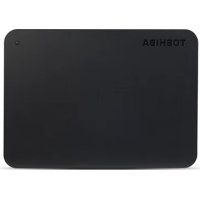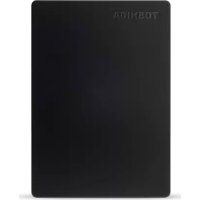
Canvio Slim - External hard drive TOSHIBA - Free user manual and instructions
Find the device manual for free Canvio Slim TOSHIBA in PDF.


| Product type | Portable external hard drive |
| Brand and model | Toshiba Canvio Slim |
| Dimensions (approx.) | 107 x 75 x 12.5 mm |
| Weight (approx.) | 130 g |
| Interface | USB 3.0 (USB 2.0 compatible) |
| Power supply | USB bus (no external power) |
| Available capacity | Up to 2 TB (depending on model) |
| Transfer speed | Up to 5 Gbit/s (USB 3.0) |
| Compatibility | Windows XP / 7 / 8 / 8.1, Mac OS X 10.6.6 and later |
| Supported formats | NTFS (default), compatible with FAT32 after reformatting |
| Main functions | Portable storage, Plug-and-Play, backup, file transfer |
| Maintenance and cleaning | Wipe with a dry, lint-free cloth; disconnect before cleaning |
| Safety | Do not open the case, avoid liquids, shocks, and extreme temperatures |
| Spare parts and repairability | Not user-repairable; removable USB cable |
| General information | Manufacturer's warranty, data recovery service available |
Frequently Asked Questions - Canvio Slim TOSHIBA
User questions about Canvio Slim TOSHIBA
0 question about this device. Answer the ones you know or ask your own.
Ask a new question about this device
Download the instructions for your External hard drive in PDF format for free! Find your manual Canvio Slim - TOSHIBA and take your electronic device back in hand. On this page are published all the documents necessary for the use of your device. Canvio Slim by TOSHIBA.
USER MANUAL Canvio Slim TOSHIBA
Safety Instructions.... 3
System Requirements 4
Installing the drive.... 4
Connecting the drive to your computer.... 5
Dismount and disconnect the drive 6
Further Advice 6
Frequently Asked Questions 6
Troubleshooting....7
TOSHIBA Support 8
Regulatory statements....9
Introduction
Thank you for choosing our TOSHIBA Canvio Slim Hard Disk Drive.
Please read this User's Manual carefully, as it contains all relevant information for installation, usage and maintenance of the drive, as well as security and safety advice.
In case it does not behave as expected, please refer to the "Frequently Asked Questions" section at the end of this manual.
Check the Components
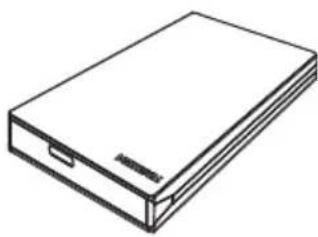
natural_image
Line drawing of a rectangular electronic device with a flat top and side connectors (no text or symbols)Canvio Slim (including User's Manual)

natural_image
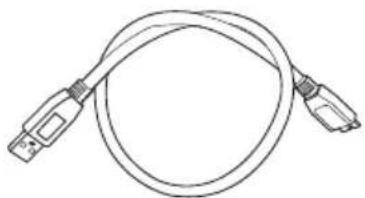
Line drawing of a USB cable with two connectors (no text or symbols)USB 3.0 Micro-B Cable
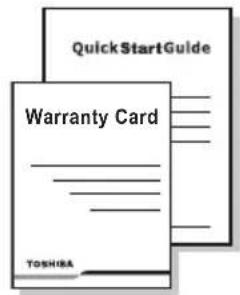
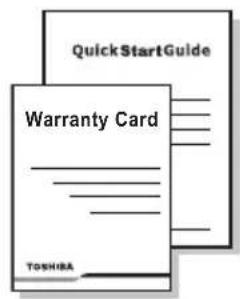
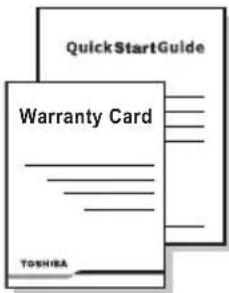
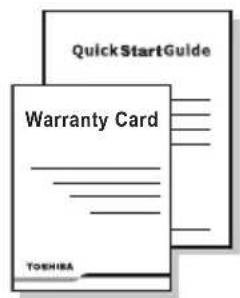
Quick Start Guide and Warranty Leaflet
This User's Manual is uploaded on the drive itself. We recommend to backup the User's Manual onto a CD or your local hard disk drive, directly after the drive being installed.
Safety Instructions
In order to avoid malfunction or damage of the drive, please carefully follow the precautions listed below.

WARNING
■ Make sure that you backup all your data on the drive, as Toshiba is not responsible for data corruption or data loss. Toshiba will not cover any data recovery cost.
Do not
■ open the enclosure or drive
■ disassemble the drive or parts of it
■ place liquids near or on the drive, as it may damage the drive, cause personal injury or may result in an electrical shock or fire
■ bump, drop or jar the drive
■ move the drive while operating, as data damage may happen
■ use other connectors than USB bus powered types
■ disconnect cables while operating. Please dismount the drive first!
■ expose the drive to temperatures outside the range of 5^ C – 35^ C while operating, and temperatures of -20^ C – 60^ C while switched off
■ expose the drive to wet or damp conditions
■ cover the drive during operation, as it may become overheated
- Immediately disconnect the drive if
■ smoke or an unusual smell is coming from the drive enclosure
■ water has entered the drive enclosure or if it becomes wet
■ an object has entered the drive enclosure
■ the cable has been damaged (in such case replace the cable with a new one)
CAUTION
This product can become hot! Avoid prolonged contact to prevent skin irritation and/or heat injury.
If the drive behaves not as expected or you have doubts about the electrical safety, please contact immediately the TOSHIBA hotline or an authorised reseller!
System Requirements
Windows® XP / Windows® 7 / Windows 8 / Windows 8.1
Apple® Mac OS X 10.6.6 / 10.6.7 / 10.6.8 / 10.7 / 10.8
One free port of USB 3.0 or USB 2.0
NOTE
USB 3.0 is backward compatible with USB 2.0.
Installing the drive
Some information about bus-powered operation and the supplied USB cable:
- Your drive is bus-powered. Therefore, there is no need to connect an external power supply as all needed current will be supplied by the connected USB port(s).
■ Passive USB hubs or USB connectors like keyboards, mice or similar products cannot be used or connected to the drive.
■ Make sure that the connectors will be inserted correctly. - Never use pressure for connecting the cables. Check the polarity before connecting!
Connecting the drive to your computer
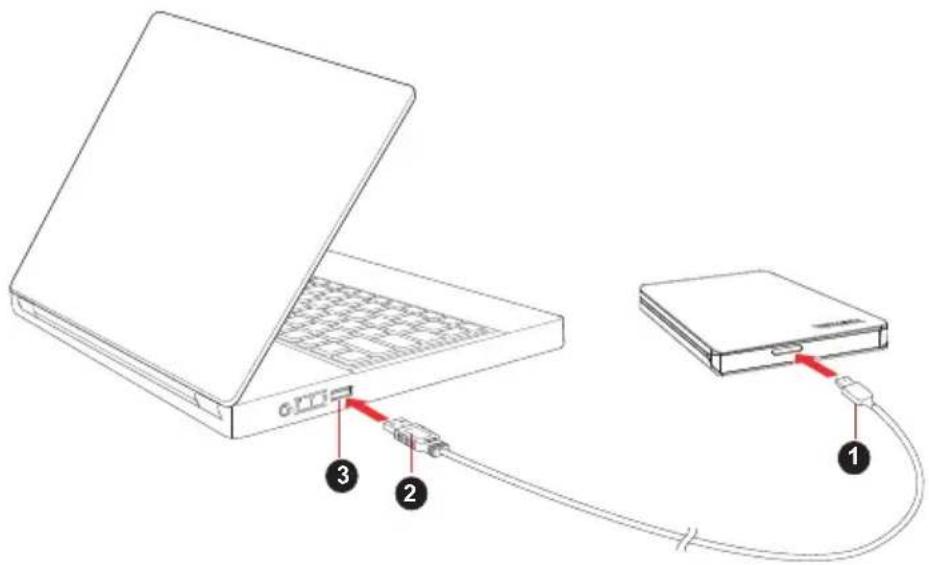
- USB 3.0 Micro-B connector 3. USB 3.0 host
backward compatible to USB 2.0
-
USB 3.0 Standard-A connector
-
With your computer powered on and fully booted up, plug the USB 3.0 Standard-A connector into a USB port of your host system, or an active USB HUB.
NOTE
You may need USB 3.0 Express Card Host Controller for your computer if the computer doesn't have USB 3.0 port. You also can connect the device to USB 2.0 port of your computer, However the transfer rate will be downgraded to that of USB 2.0.
- Now, plug the USB 3.0 micro-B connector into the corresponding port of the drive itself.
Immediately,
■ the Power/Data indicator light will illuminate
■ the drive will power up
the drive should mount and a new drive icon should appear in "My Computer"
Dismount and disconnect the drive
It is strongly recommended not to unplug the drive by just unplugging the cable connection as it may be that data is written to the drive at that time.
Such data will be lost and the drive may be damaged physically!
Please follow the steps below for a safe dismount of the drive (Windows).
- Click the "Hardware and Eject Media – icon"
A pop-up message box will appear listing the external devices connected to your computer.
- Select the TOSHIBA drive to eject.
After a few seconds, you will get the notification that it is now safe to remove the device.
- Click "OK" and you can unplug the drive now.
Cleaning the drive case / enclosure
Before cleaning the drive, make sure that it's physically disconnected from the computer. We suggest to use standard products for cleaning it and to make sure that possible remaining liquid on the surface will be wiped off.
Further Advice
For any further action of normal operation such as renaming the drive, backup data, or file management, we suggest to read your operation system user's manual.
Also for maintenance tasks such as defragmenting and optimisation we suggest to refer to the operating system user's manual.
We also strongly suggest having anti-virus software installed to protect your data against intended damage caused by virus or trojan programs.
Frequently Asked Questions
Q: Do I need to format my drive after installation?
A: No, as the drive is already formatted during the manufacturing process.
Q: Do I need USB drivers for Windows XP, Windows 7, 8, 8.1?
A: No, they are already available with your operating system.
Q: Can I boot my system from the drive?
A: No, because Windows does not support booting from external hard disk drives.
Q: Why doesn't the drive need a fan?
A: The drives are designed to have optimal heat dissipation, and therefore no fan is required. This results in a near silent operation.
Q: Why is the capacity of my drive (as shown in Windows) lower than the drives actual stated capacity?
A: This difference can be explained because of the different methods of calculating the capacity.
Hard drive manufacturers calculate on the decimal system, while the operating system calculates in the binary system.
Example decimal:
$$ 1 \mathrm{GB} = 1, 0 0 0 \mathrm{MB} = 1, 0 0 0, 0 0 0 \mathrm{KB} = 1, 0 0 0, 0 0 0, 0 0 0 \text { bytes } $$
Example binary:
$$ 1 \mathrm{GB} = 1, 0 2 4 \mathrm{MB} = 1, 0 4 8, 5 7 6 \mathrm{KB} = 1, 0 7 3, 7 4 1, 8 2 4 \text { bytes } $$
As a result, a 120GB (decimal) hard disk appears in Windows to have just 112GB (binary).
Q: Can I use my drive to copy an operating system from one computer to another?
A: No, you must follow the operating system supplier instructions for installation. A simple copy does not work.
Q: Does Toshiba offer a data recovery services?
A: Yes, Toshiba offers a Data Recovery Service for external hard drives. Please check our website www.toshiba-europe.com/services for further information about this service.
Troubleshooting
My computer does not recognize the disk drive at all.
■ Make sure all of your connections are secure.
If your drive is connected via a USB hub, make sure that it has its own power supply.
If using an add-on card, make sure it is working properly and update the software/firmware. If using Windows XP, make sure you have Service Pack 1 or later.
Is it dangerous if the drive feels warm whilst in operation?
A: This is normal, and therefore not dangerous.
The drive gives me a "Device cannot start."
A: Two possible reasons. It is either a power problem and you should check the connections, or the drive has a malfunction and requires service.
I cannot see my drive in "My Computer", but it does appear in the Device Manager.
A: Follow these instructions:
- Right-click "My Computer".
- Select "Manage" in the pop-up menu.
- Select "Disk Management".
You should see a list of available storage devices.
-
Check whether your drive is listed.
-
Right-click the right hand box and select "Delete Partition" in the pop-up menu.
-
Right-click the box and select "Create New Partition" in the pop-up menu.
-
Then select "Primary Partition" in the partition wizard window. Click next.
-
A drive letter will be displayed, which you can change. Click next.
-
Confirm to format the drive.
As I try to format the drive, I receive the message “Could not complete format”.
A: This can be caused by formatting the drive with FAT file system. Try "NTFS" file system. This should solve the problem.
TOSHIBA Support
Need help?
Please contact TOSHIBA's hard drive and storage products support page: www.toshiba.eu/externalstorage/support
For warranty claims, please check: computers.toshiba.eu/options-warranty
Regulatory statements
CE Compliance
This product is CE marked in accordance with the requirements of the applicable EU Directives. Responsible for CE marking is Toshiba Europe GmbH, Hammfelddamm 8, 41460 Neuss, Germany. A copy of the official Declaration of Conformity can be obtained from following website: http://epps.toshiba-teg.com.
Working Environment
The Electromagnetic Compliance (EMC) of this product has been verified typically for this product category for a so called Residential, Commercial & Light Industry Environment. Any other working environment has not been verified by Toshiba and the use of this product in these working environments is maybe restricted or cannot be recommended. Possible consequences of the use of this product in non verified working environments can be: Disturbances of other products or of this product in the nearby surrounding area with temporarily malfunction or data loss/corruption as result. Example of non verified working environments and related advices:
Industrial environment (e.g. where 3-phase 380V mains is being used mainly): Danger of disturbances of this product due to possible strong electromagnetic fields especially near to big machinery or power units.
■ Medical environment: The compliance to the Medical Product Directive has not been verified by Toshiba, therefore this product cannot be used as a medical product without further verification. The use in usual office environments e.g. in hospitals should be no problem if there is no restriction by the responsible administration.
■ Automotive environment: Please search the owner instructions of the related vehicle for advices regarding the use of this product (category).
■ Aviation environment: Please follow the instructions of the flight personnel regarding restrictions of use.
Additional Environments not Related to EMC
■ Outdoor use: As a typical home/office equipment this product has no special resistance against ingress of moisture and is not strong shock proofed.
- Explosive atmosphere: The use of this product in such special working environment (Ex) is not allowed.
Following information is only valid for EU-member States:
REACH - Compliance Statement
The new European Union (EU) chemical regulation, REACH (Registration, Evaluation, Authorization and Restriction of Chemicals), entered into force on 1 June 2007.
Toshiba will meet all REACH requirements and is committed to provide our customers with information about the chemical substances in our products according to REACH regulation.
Disposal of products
natural_image
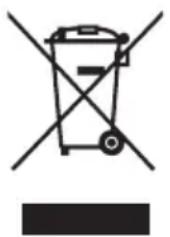
Symbol of a trash bin crossed out by two diagonal lines, with no text or labels present.The use of the symbol indicates that this product may not be treated as household waste. By ensuring this product is disposed of correctly, you will help prevent potential negative consequences for the environment and human health, which could otherwise be caused by inappropriate waste handling of this product. For more detailed information about recycling of this product, please contact your local city office, your household waste disposal service or the shop where you purchased the product.
The following information is valid only for Turkey:
Compliant with AEEE Regulation.
Notices
©2014 TOSHIBA Europe GmbH. All rights reserved.
TOSHIBA reserves the right to make technical changes. TOSHIBA assumes no liability for damages incurred directly or indirectly from errors, omissions or discrepancies between this product and the documentation.
The Toshiba name and its logos are registered trademarks of Toshiba. Other trademarks mentioned or appearing in this document are the property of their respective owners. Errors and omissions excepted.
Obsah
Úvod 2
natural_image
Line drawing of a rectangular electronic device with a flat top and side connectors (no text or symbols)natural_image
Line drawing of a USB cable with two connectors (no text or symbols)USB 3.0 Mikro-B kabel
-
USB 3.0 Mikro-B konektor 3. Hostitel USB 3.0
-
USB 3.0 Standardní-A konektor
www.toshiba.eu/externalstorage/support
natural_image
Line drawing of a rectangular electronic device with a handle and internal components (no text or symbols)natural_image
Line drawing of a USB cable with two connectors (no text or symbols)1 GB = 1.024 MB = 1.048.576 KB = 1.073.741.824 Byte
www.toshiba.eu/externalstorage/support
TOSHIBA-support....8
Regelerklæringer 8
Introduktion
natural_image
Line drawing of a rectangular electronic device with a flat top and side slots (no text or symbols)natural_image
Line drawing of a USB cable with two connectors (no text or symbols)- USB 3.0 mikro B-stik 3. USB 3.0-vært
- USB 3.0 standard A-stik
bagudkompatibel med USB 2.0
1 GB = 1.024 MB = 1.048.576 KB = 1.073.741.824 byte
Dette betyder, at en harddisk på 120 GB (i 10-talssystemet) i Windows ser ud til kun at være på 112 GB (i det binære talsystem).
www.toshiba.eu/externalstorage/support
natural_image
Symbol of a trash bin crossed with no text or numbers, representing environmental restriction (no text present)natural_image
Line drawing of a rectangular electronic device with a flat top and side connectors (no text or symbols)natural_image
Line drawing of a USB cable with two connectors (no text or symbols)Cable micro-B de USB 3.0
- Conector micro-B de USB 3.0 3. Host de USB 3.0
- Conector éstandar-A de USB 3.0
compatible retroactivamente con USB 2.0
1 GB = 1.024 MB = 1.048.576 KB = 1.073.741.824 bytes
www.toshiba.eu/externalstorage/support
natural_image
Symbol of a trash bin crossed with no text or numbers, representing waste sorting or disposal (no text present)natural_image
Line drawing of a rectangular electronic device with a flat top and side connectors (no text or symbols)natural_image
Line drawing of a USB cable with two connectors (no text or symbols)USB 3.0 Micro-B -johto Pikaopas
www.toshiba.eu/externalstorage/support
natural_image
Symbol of a trash bin with crossed lines indicating no waste or restriction, and a solid black rectangle below (no text or labels)Foire Aux Questions....6
Dépannage 7
Assistance TOSHIBA....8
Règlements....8
Introduction
natural_image
Line drawing of a rectangular electronic device with a flat top and side slots (no text or symbols)natural_image
Line drawing of a USB cable with two connectors (no text or symbols)Câble USB 3.0 micro-B
www.toshiba.eu/externalstorage/support
natural_image
Line drawing of a rectangular electronic device with a flat top and side connectors (no text or symbols)natural_image
Line drawing of a USB cable with two connectors (no text or symbols)1GB = 1.024MB = 1.048.576KB = 1.073.741.824 bytes
www.toshiba.eu/externalstorage/support
natural_image
Line drawing of a rectangular electronic device with a flat top and side slots (no text or symbols)Canvio Slim (uključujući Korisnički priručnik)
natural_image
Line drawing of a USB cable with two connectors (no text or symbols)USB 3.0 Micro-B kabel
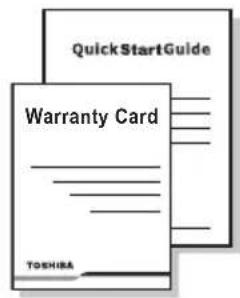
Vodič za brzi početak i Jamstveni list
-
USB 3.0 Micro-B priključak 3. USB 3.0 host
-
USB 3.0 standardni-A priključak
kompatibilan s USB 2.0
- Uz uključeno i potpuno pokrenuto računalo, spojite USB 3.0 Standard-A konektor u USB priključak vašeg sustava, na aktivnom USB koncentratoru.
NAPOMENA
1 GB = 1.024 MB = 1.048.576 KB = 1.073.741.824 bajtova
Kao rezultat, tvrdi disk veličine 120 GB (decimalno) se u sustavu Windows pojavljuje kao samo 112 GB (binarno).
www.toshiba.eu/externalstorage/support
U vezi popravaka u jamstvenom roku potražite:
computers.toshiba.eu/options-warranty
Regulativne izjave
CE sukladnost
CE
Ovaj proizvod nosi CE oznaku sukladno zahtjevima važećih direktiva EZ. Toshiba Europe GmbH, Hammfelddamm 8, 41460 Neuss, Njemačka odgovorna je za CE oznake. Kopija službene Izjave o sukladnosti se može pronaći na ovoj internetskoj stranici: http://epps.toshiba-teg.com.
Radno okruženje
natural_image
Symbol of a trash bin crossed with no text or labels, accompanied by a solid black rectangle below (no text or symbols present)Ovaj znak govori da se ovaj proizvod ne smije smatrati kućnim otpadom. Ako ovaj proizvod zbrinete na propisani način, pomoći ćete u sprječavanju mogućih negativnih posljedica za okoliš i zdravlje čovjeka koje u protivnom mogu nastati zbog nepropisnog postupanja s otpadom ovog proizvoda. Radi više pojedinosti o recikliranju ovog proizvoda, molimo obratite se vašim lokalnim vlastima, vašoj lokalnoj organizaciji za raspolaganje otpadom ili trgovini u kojoj ste kupili ovaj proizvod.
Napomene
© 2014 TOSHIBA Europe GmbH. Sva prava su zadržana.
TOSHIBA zadržava pravo na tehničke izmjene. TOSHIBA ne snosi odgovornost za posrednu ili neposrednu štetu proizašlu iz pogrešaka, propusta ili proturječnosti između ovog proizvoda i dokumentacije.
natural_image
Line drawing of a rectangular electronic device with a flat top and side connectors (no text or symbols)natural_image
Line drawing of a USB cable with two connectors (no text or symbols)www.toshiba.eu/externalstorage/support
natural_image
Line drawing of a rectangular electronic device with a flat top and side connectors (no text or symbols)natural_image
Line drawing of a USB cable with two connectors (no text or symbols)Cavo USB 3.0 micro-B
- Connettore USB 3.0 micro-B 3. Host USB 3.0
1 GB = 1.024 MB = 1.048.576 KB = 1.073.741.824 byte
www.toshiba.eu/externalstorage/support
natural_image
Line drawing of a rectangular electronic device with a flat top and side slots (no text or symbols)natural_image
Line drawing of a USB cable with two connectors (no text or symbols)- USB 3.0 Micro-B-stekker 3. USB 3.0-host
- USB 3.0 standaard-A-stekker
1 GB = 1.024 MB = 1.048.576 KB = 1.073.741.824 bytes
www.toshiba.eu/externalstorage/support
natural_image
Symbol of a trash bin with crossed lines indicating no waste or restriction, and a solid black rectangle below (no text or labels)natural_image
Line drawing of a rectangular electronic device with a flat top and side connectors (no text or symbols)natural_image
Line drawing of a USB cable with two connectors (no text or symbols)-
USB 3.0 Micro-B-kontakt 3. USB 3.0-vert
-
USB 3.0 Standard-A-kontakt
natural_image
Line drawing of a rectangular electronic device with a flat top and side connectors (no text or symbols)natural_image
Line drawing of a USB cable with two connectors (no text or symbols)www.toshiba.eu/externalstorage/support
natural_image
Symbol of a trash bin crossed with no text or numbers, representing waste sorting or disposal (no text present)natural_image
Line drawing of a rectangular electronic device with a flat top and side connectors (no text or symbols)natural_image
Line drawing of a USB cable with two connectors (no text or symbols)Cabo USB 3.0 Micro-B
- Conector USB 3.0 Micro-B 3. Anfitrião USB 3.0
- Conector USB 3.0 Standard-A
www.toshiba.eu/externalstorage/support
natural_image
Line drawing of a rectangular electronic device with a flat top and side connectors (no text or symbols)Canvio Slim (uključujući korisnički priručnik)

natural_image
Line drawing of a USB cable with two connectors (no text or symbols)USB 3.0 Micro-B kabl
- USB 3.0 Micro-B priključak 3. USB 3.0 host
- USB 3.0 Standard-A priključak
je kompatibilan sa prethodnom verzijom, sa USB 2.0
- Kada se računar uključi i potpuno pokrene, uključite USB 3.0 Standard-A priključak u USB otvor na vašem glavnom sistemu, ili aktivnom USB HUB.
NAPOMENA
1 GB = 1.024 MB = 1.048.576 KB = 1.073.741.824 bajta
Kao rezultat, čvrsti disk od 120 GB (decimalni sistem) na Windows sistemu čini se da ima samo 112 GB (binarni sistem).
P: Da li mogu da upotrebim pogonsku jedinicu za kopiranje operativnog sistema sa jednog računara na drugi?
O: Ne, morate se pridržavati uputstava dobavljača operativnog sistema za instalaciju. Jednostavan postupak kopiranja neće funkcionisati.
P: Da li Toshiba nudi usluge oporavka podataka?
O: Da, Toshiba nudi uslugu oporavka podataka za spoljne čvrste diskove. Pogledajte veb sajt www.toshiba-europe.com/services za više informacija o ovoj usluzi.
Rešavanje problema
www.toshiba.eu/externalstorage/support
natural_image
Line drawing of a rectangular electronic device with a flat top and side connectors (no text or symbols)natural_image
Line drawing of a USB cable with two connectors (no text or symbols)www.toshiba.eu/externalstorage/support
TOSHIBA-support....8
Bestämmelser....8
Inledning
natural_image
Line drawing of a rectangular electronic device with a flat top and side connectors (no text or symbols)natural_image
Line drawing of a USB cable with two connectors (no text or symbols)www.toshiba.eu/externalstorage/support
natural_image
Symbol of a trash bin crossed with no text or labels, representing waste sorting or disposal (no text present)natural_image
Line drawing of a rectangular electronic device with a flat top and side connectors (no text or symbols)natural_image
Line drawing of a USB cable with two connectors (no text or symbols)Kábel USB 3.0 Micro-B
-
Konektor USB 3.0 Micro-B 3. Zásuvka USB 3.0
-
Konektor USB 3.0 Standard-A
spätne kompatibilné s USB 2.0
www.toshiba.eu/externalstorage/support
natural_image
Line drawing of a rectangular electronic device with a flat top and side connectors (no text or symbols)natural_image
Line drawing of a USB cable with two connectors (no text or symbols)Kabel USB 3.0 Micro-B
-
Priključek USB 3.0 Micro-B 3. Gostitelj USB 3.0
-
Priključek USB 3.0 Standard-A
www.toshiba.eu/externalstorage/support
natural_image
Symbol of a trash bin crossed with no text or numbers, representing waste sorting or disposal (no text present)natural_image
Line drawing of a rectangular electronic device with a flat top and side connectors (no text or symbols)natural_image
Line drawing of a USB cable with two connectors (no text or symbols)USB 3.0 Mikro-B Kablosu
www.toshiba.eu/externalstorage/support
natural_image
Line drawing of a rectangular electronic device with a flat top and side panel (no text or symbols)natural_image
Line drawing of a USB cable with two connectors (no text or symbols)USB 3.0 Micro-B كبل
natural_image
Line drawing of a laptop connected to a CD via cable, showing port and connection points (no text or symbols)Hardware and Eject Media" 1 -."
www.toshiba.eu/externalstorage/support
natural_image
Symbol of a trash bin crossed with no text or labels, accompanied by a black rectangular block below (no text or symbols present)إشعارات
. ©2014 TOSHIBA Europe GmbH