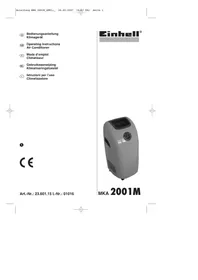
MKA 2001M - Air conditioner EINHELL - Free user manual and instructions
Find the device manual for free MKA 2001M EINHELL in PDF.

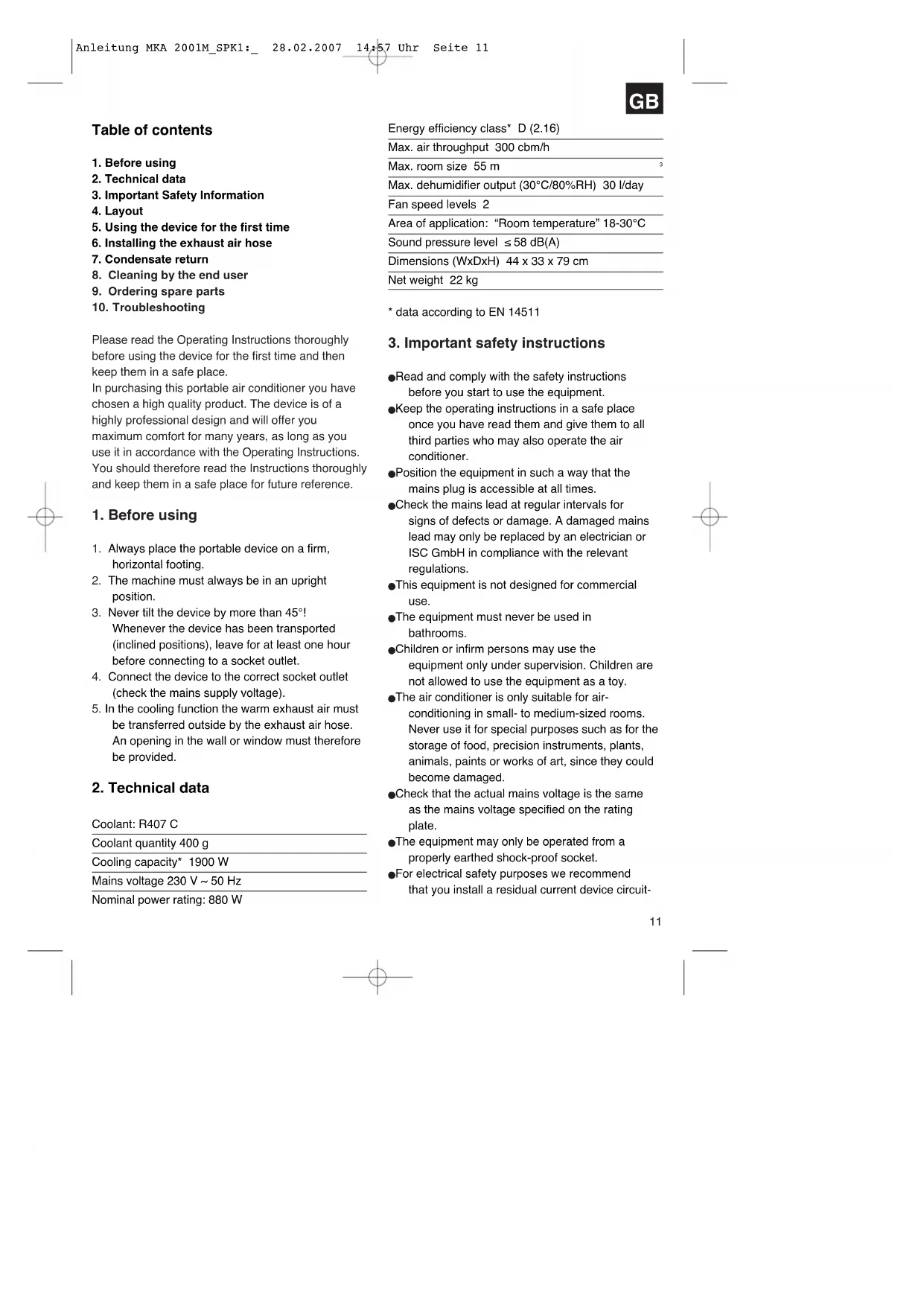


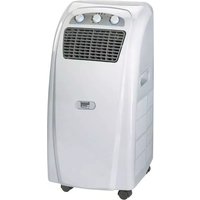
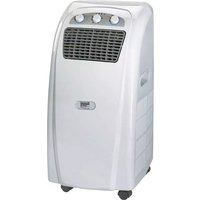
| Product type | Monoblock mobile air conditioner |
| Brand | Einhell |
| Model | MKA 2001M |
| Dimensions (W × D × H) | 44 × 33 × 79 cm |
| Net weight | 22 kg |
| Power supply | 230 V ~ 50 Hz |
| Power consumption | 880 W |
| Cooling capacity | 1900 W |
| Energy efficiency class | D |
| Refrigerant | R407C (400 g) |
| Maximum air flow | 300 m³/h |
| Maximum room volume | 55 m³ |
| Maximum dehumidification | 30 l/day |
| Fan speeds | 2 |
| Operating ambient temperature | 18-30 °C |
| Noise level | ≤ 58 dB(A) |
| Cooling function | Yes |
| Fan-only function | Yes |
| Condensation water tank | 1.2 L with automatic shut-off |
| Maintenance | Cleaning the air filter |
| Safety | Overheat protection, shut-off if tank full |
| Spare parts | Available on request |
| Warranty | 2 years |
Frequently Asked Questions - MKA 2001M EINHELL
User questions about MKA 2001M EINHELL
0 question about this device. Answer the ones you know or ask your own.
Ask a new question about this device
Download the instructions for your Air conditioner in PDF format for free! Find your manual MKA 2001M - EINHELL and take your electronic device back in hand. On this page are published all the documents necessary for the use of your device. MKA 2001M by EINHELL.
USER MANUAL MKA 2001M EINHELL
- Before using
- Technical data
- Important Safety Information
- Layout
- Using the device for the first time
- Installing the exhaust air hose
- Condensate return
- Cleaning by the end user
- Ordering spare parts
- Troubleshooting
Please read the Operating Instructions thoroughly before using the device for the first time and then keep them in a safe place.
In purchasing this portable air conditioner you have chosen a high quality product. The device is of a highly professional design and will offer you maximum comfort for many years, as long as you use it in accordance with the Operating Instructions.
You should therefore read the Instructions thoroughly and keep them in a safe place for future reference.
1. Before using
- Always place the portable device on a firm, horizontal footing.
- The machine must always be in an upright position.
- Never tilt the device by more than 45° Whenever the device has been transported (inclined positions), leave for at least one hour before connecting to a socket outlet.
- Connect the device to the correct socket outlet (check the mains supply voltage).
- In the cooling function the warm exhaust air must be transferred outside by the exhaust air hose. An opening in the wall or window must therefore be provided.
2. Technical data
Coolant: R407 C
Coolant quantity 400g
Cooling capacity* 1900 W
Mains voltage 230V 50Hz
Nominal power rating: 880 W
Energy efficiency class* D (2.16)
Max. air throughput 300 cbm/h
Max. room size 55 m
Max. dehumidifier output (30°C / 80% RH) 30 l/day
Fan speed levels 2
Area of application: "Room temperature" 18-30°C
Sound pressure level ≤ 58 dB(A)
Dimensions (WxDxH) 44 x 33 x 79 cm
Net weight 22kg
- data according to EN 14511
3. Important safety instructions
Read and comply with the safety instructions before you start to use the equipment.
- Keep the operating instructions in a safe place once you have read them and give them to all third parties who may also operate the air conditioner.
- Position the equipment in such a way that the mains plug is accessible at all times.
- Check the mains lead at regular intervals for signs of defects or damage. A damaged mains lead may only be replaced by an electrician or ISC GmbH in compliance with the relevant regulations.
This equipment is not designed for commercial use.
The equipment must never be used in bathrooms.
Children or infirm persons may use the equipment only under supervision. Children are not allowed to use the equipment as a toy.
The air conditioner is only suitable for air-conditioning in small- to medium-sized rooms. Never use it for special purposes such as for the storage of food, precision instruments, plants, animals, paints or works of art, since they could become damaged.
- Check that the actual mains voltage is the same as the mains voltage specified on the rating plate.
The equipment may only be operated from a properly earthed shock-proof socket.
For electrical safety purposes we recommend that you install a residual current device circuit
GB
breaker (earth-leakage circuit-breaker).
Important! Do not extend the cable and never use multiple plugs. Otherwise there is a risk that electrical safety can no longer be guaranteed.
- Never pull the mains plug out of the socket while the equipment is running.
In the event of any abnormalities in the operation of the equipment (e.g. smell of burning), immediately switch off the equipment and pull the plug. There is a risk of electric shock or fire damage if the equipment is allowed to continue running with possible defects.
- Never pull the plug out of the socket by pulling the cable. Hold the mains plug firmly to pull it out of the socket. Otherwise there is a risk of damaging the cable.
- Never actuate any switches with wet hands. Otherwise there is a danger of an electric shock.
- Never allow the cool air to blow directly at you and do not allow the air in the room to become too cold. This may lead to discomfort and may also be harmful to health.
- Never place and plants or animals directly in the path of the flow of cool air. Plants or animals may suffer under the effect of the flow of cool air.
- Never poke fingers or objects in the air outlet vents. The rotating fan can cause injuries.
- Never attempt to repair the air conditioner yourself. Improper repair and maintenance work can result in damage to the equipment and cause fires or damage from condensation water.
Always switch off the equipment and pull the plug before you start to clean it (risk of injury).
- Never clean the air conditioner with water. This could result in an electric shock or fire.
Do not use any inflammable agents for cleaning purposes as they could cause a fire or deformation.
- Never touch any metal parts on the inside of the equipment when removing the air filter. You may injure yourself.
If the air conditioner is used for a lengthy period of time the room has to be ventilated every now and then, otherwise there is a risk of lack of oxygen.
- Never install the equipment in a room in which combustible gases can be emitted. Emitted gases may collect and cause an explosion.
- Never hold any burning objects close to the
equipment if they could be directly affected by the emitted air. This may result in their not being completely burnt.
Pull the mains plug out of the socket if the equipment is not going to be used for some time.
Always switch off the equipment and pull out the power plug during a storm. Electrical parts may get damaged as a result of overvoltage.
If the coolant circuit should develop a leak, switch off the equipment immediately and contact your service partner.
There is a risk of harmful gas being generated if any of the coolant escapes and comes into contact with a flame. Switch off the equipment immediately.
- To avoid electromagnetic interference the device should be kept away from televisions and radios.
Packaging:
The unit is supplied in packaging to prevent it from being damaged in transit. Retain the packaging for later storage (e.g. in winter) of the device. If you should nevertheless wish to dispose of the packaging, remember that it is raw material and can therefore be reused or can be returned to the raw material system.
4. Layout
Front (Fig.1)
1 Air outlet fins
2 Functional switches
3 Rollers
4 Recessed grip
Back (Fig. 2)
5 Connection opening for exhaust air hose
6 Mains cable
7 Air intake filter, large
8 Air intake filter, small
9 Connection for condensate collection tray drain (sealed with a stopper)
10 Stopper, top
Accessories (Fig. 3)
11 Exhaust air hose
12 Window exhaust air adapter
13 Window adapter
Description of the function switch and LED display (Fig. 4)
14 Air conditioner off (OFF)
15 Fan mode "Fan speed fast"
16 Fan mode "Fan speed slow"
17 Cooling mode "Fan speed fast"
18 Cooling mode "Fan speed slow"
19 LED condensation collection tray full (FULL)
20 LED voltage present (POWER)
21 LED equipment on (RUN)
Principle of operation for cooling:
Heat is extracted from the air in the room by the air heat-exchanger (evaporator) in which the coolant circulates. This air is conveyed to the outside air heat-exchanger (condenser). This transfers the heat to the air outside via the exhaust air hose which is connected to the device and leads out to the open air.
Tips on saving energy
Only use the air conditioner when you really need to.
- Close all windows, doors and Venetian blinds in order to reduce incoming sunlight as far as possible.
5. Starting the equipment (Fig. 1-4)
Notes:
- Please note that the minimum distance between the equipment and the wall to the side and rear must be 50 cm . The minimum distance to other objects at the front must be 2m .
Check that both stoppers (item 9 and 10) for the continuous condensation drain and the connection for the condensation tray drain are present and secure.
Use the cooling mode only within the specified area of application (see technical data).
Before moving the device the condensation collection tray must be emptied completely.
To protect the compressor it will not start until the device has been switched on for three minutes.
Plug the mains plug into the mains socket outlet and the "POWER" LED shines red. You can switch the device on with the function switch. As soon as the device is switched on the "RUN" LED will light up.
To switch the device off, turn the function switch
to "OFF".
After turning the function switch from cooling mode to fan mode, you must wait at least 3 minutes before resetting the function switch to cooling mode.
If the equipment was switched off after running in cooling mode, you must wait at least 3 minutes before reselecting the cooling mode.
In cooling mode the room temperature should be no more than 5°C below the outdoor temperature. The lowest possible room temperature that can be achieved with the cooling function is approx. 20°C . The lowest possible room temperature depends on local conditions, the outdoor temperature and the prevailing room temperature before the cooling function is switched on. The higher the outdoor temperature, the higher the attainable room temperature.
Operation:
- Screw the exhaust air adapter for the window anticlockwise onto the exhaust air hose. Then screw the exhaust air hose anti-clockwise into the connection opening on the reverse of the air conditioner. Please note. The end of the exhaust air hose must be placed outdoors whilst the device is in cooling mode so that the warm exhaust air can flow outwards (see section 6).
- Set the function switch to:
a) Fan speed fast or fan speed slow if you want to use the air conditioner as a fan without cooling. b) Cooling mode with fan speed fast or cooling mode with fan speed slow if you want to use the cooling function.
- You can adjust the air outlet fins horizontally upwards or downwards.
6. Installing the exhaust air hose
Use only the supplied exhaust air hose. The length of the exhaust air hose can be varied between 375mm and 1,200mm . First screw the exhaust air hose for the window anticlockwise into the hose and then screw the hose into the connection opening on the reverse of the air conditioner (Fig. 6).
For maximum cooling performance the exhaust hose should be as short as possible. Avoid kinks and excessive bends in the hose (Fig. 5) so that the exhaust air can be transferred out without hindrance.
GB
If you ignore this advice, the equipment as a whole may overheat and shut down. This could result in damage to the equipment.
Important!
The length of the exhaust air hose is matched to the technical specifications of the device. Never extend the hose as this could lead to malfunctions or faults on the device. Under certain circumstances a partial vacuum may develop in the room, which will lead to a reduction in the cooling performance of the device. To prevent this from happening you must ensure that there is a supply of air to the room (leave the door to the room slightly open).
Fitting the exhaust air hose through an open window (Fig. 6)
Use the exhaust air adapter for the window and the extendible window adapter. Slide the exhaust air adapter for the window over the exhaust air hose.
Open the window slightly and clamp the window adapter in the gap. Secure the window so that the window adapter is kept firmly in place. Insert the exhaust air adapter for the window in the opening provided in the window adapter.
Note: Take appropriate precautions to prevent unauthorized entry through the window.
7. Condensate return
For the cooling mode the device is fitted with a condensate return unit. When the system is in operation the condensate is collected in a trough (approx. contents 1.2 liters) integrated in the device. From there it is evaporated by the condenser and transferred outside by the exhaust air hose. When the trough is full, the equipment switches off automatically and the LED "FULL" comes on.
Proceed as follows (Fig. 7):
Unplug the device.
- Place a suitable container beneath the condensate drain (1) and remove the plug (2). The trough then empties.
- Reinsert the plug in the condensate drain. The device is now ready for operation again.
Note: Under normal circumstances the condensate trough never becomes full in cooling mode. However, if this should happen, please contact your customer services workshop.
8. Cleaning by the end user
To avoid an electric shock or risk of fire, always pull out the mains plug first before starting any cleaning work.
A) Cleaning the air filter (Fig. 8)
The air conditioner is fitted with a filter. Important: Never use the device without air filters.
Use a vacuum cleaner or tap the dust filter gently to remove the dust. If the filter is very dirty, wash it carefully with warm water. Then allow to dry thoroughly.
B) Cleaning the housing
Use only gentle cleaner and a soft cloth to clean the housing. Never use aggressive media, petrol, alcohol or thinner. Only fit the filter back in place when thoroughly dry.
C) At the end of the season
At the end of the season, let the device run for approx. 3 hours in the fan function (FAN).
- Then roll up the power cable and store it in the storage compartment provided at the back of the device.
- Place a suitable container beneath the condensate drain and remove the plug. The trough then empties (see Chapter 7).
- Re-insert the plug in the condensate drain.
Important: If the plug is not inserted or is not inserted correctly, water will escape the next time the device is used again.
Clean the filter and the housing.
Re-insert the filter when thoroughly dry.
- Store the device in an upright position, preferably packed in the original box, in a dry and dust-tight location.
9. Ordering spare parts
Please provide the following information on all orders for spare parts:
Model/type of appliance
Article number of the appliance
ID number of the appliance
Number of the required spare part
For our latest prices and information please go to www.isc-gmbh.info
10. Troubleshooting
If the device is operated properly you should experience no problems with malfunctions or faults. In the event of any malfunctions or faults, please check the following before you contact your customer services.
GB
| Problem Rectification measures | |
| Device does not work Is the mains plug proper | y connected?Is there a voltage supply at the mains socket outlet?Was the ON/OFF button pressed?Is the condensation water tank full or not properly inserted? |
| Device does not have a cooling effect or cooling performance is not satisfactory | If the room temperature is below 18°C, the cooling mode will not work.If the room temperature is above 18°C, the cooling compressor will automatically activate after a potential defrosting phase.Is the room exposed to direct sunlight?Are any doors and windows open?Are there a lot of people in the room?Is a device in the room generating a lot of heat? |
| Weak ventilation performance Is the air hose blocked?Is the filter soiled?Is the air inlet or air outlet blocked? | |
| The device is too loud Has the device been set | up on an uneven surface/at an angle? |
| The compressor does not work Is the condensation water tank full?If the compressor has overheated and the overheating cutout has switched off the compressor, wait until the compressor cools down. | |
Have the device inspected by a specialist firm when you have used it for some time.
F
Table des matieres
87/404/EWG
R&TTED1999/5/EG
2000/14/EG:
□95/54/EG:
97/68/EG:
EN 60335-1: +A1 + A11 + A12; EN 60335-2-40: +A11 + A12; EN 50366: +A1; EN 55014-1: +A1 + A2; EN 55014-2: +A1; EN 61000-3-2: +A2; EN 61000-3-11: +A11
Subject to change without notice

Nur fur EU-Lander
For EU countries only
Never place any electric tools in your household refuse.
To comply with European Directive 2002/96/EC concerning old electric and electronic equipment and its implementation in national laws, old electric tools have to be separated from other waste and disposed of in an environment-friendly fashion, e.g. by taking to a recycling depot.
Recycling alternative to the demand to return electrical devices:
As an alternative to returning the electrical device, the owner is obliged to cooperate in ensuring that the device is properly recycled if ownership is relinquished. This can also be done by handing over the used device to a returns center, which will dispose of it in accordance with national commercial and industrial waste management legislation. This does not apply to the accessories and auxiliary equipment without any electrical components which are included with the used device.
Given unfavorable conditions in the power supply the equipment may cause the voltage to drop temporarily. If the supply impedance "Z" at the connection point to the public power supply exceeds 0,357 Ω it may be necessary to take further measures before the equipment can be used as intended from this power supply. If necessary, you can ask your local electricity supply company for the impedance value.
(1)
The reprinting or reproduction by any other means, in whole or in part, of documentation and papers accompanying products is permitted only with the express consent of ISC GmbH.
F
All of our products undergo strict quality checks to ensure that they reach you in perfect condition. In the unlikely event that your device develops a fault, please contact our service department at the address shown on this guarantee card. Of course, if you would prefer to call us then we are also happy to offer our assistance under the service number printed below. Please note the following terms under which guarantee claims can be made:
- These guarantee terms cover additional guarantee rights and do not affect your statutory warranty rights. We do not charge you for this guarantee.
- Our guarantee only covers problems caused by material or manufacturing defects, and it is restricted to the rectification of these defects or replacement of the device. Please note that our devices have not been designed for use in commercial, trade or industrial applications. Consequently, the guarantee is invalidated if the equipment is used in commercial, trade or industrial applications or for other equivalent activities. The following are also excluded from our guarantee: compensation for transport damage, damage caused by failure to comply with the installation/assembly instructions or damage caused by unprofessional installation, failure to comply with the operating instructions (e.g. connection to the wrong mains voltage or current type), misuse or inappropriate use (such as overloading of the device or use of non-approved tools or accessories), failure to comply with the maintenance and safety regulations, ingress of foreign bodies into the device (e.g. sand, stones or dust), effects of force or external influences (e.g. damage caused by the device being dropped) and normal wear resulting from proper operation of the device.
The guarantee is rendered null and void if any attempt is made to tamper with the device.
- The guarantee is valid for a period of 2 years starting from the purchase date of the device. Guarantee claims should be submitted before the end of the guarantee period within two weeks of the defect being noticed. No guarantee claims will be accepted after the end of the guarantee period. The original guarantee period remains applicable to the device even if repairs are carried out or parts are replaced. In such cases, the work performed or parts fitted will not result in an extension of the guarantee period, and no new guarantee will become active for the work performed or parts fitted. This also applies when an on-site service is used.
- In order to assert your guarantee claim, please send your defective device postage-free to the address shown below. Please enclose either the original or a copy of your sales receipt or another dated proof of purchase. Please keep your sales receipt in a safe place, as it is your proof of purchase. It would help us if you could describe the nature of the problem in as much detail as possible. If the defect is covered by our guarantee then your device will either be repaired immediately and returned to you, or we will send you a new device.
Of course, we are also happy offer a chargeable repair service for any defects which are not covered by the scope of this guarantee or for units which are no longer covered. To take advantage of this service, please send the device to our service address.
BULLETIN DE GARANTIE
Chere CLIENT, Cher Client

- BEFORE USING
- TECHNICAL DATA
- IMPORTANT SAFETY INSTRUCTIONS
- GB
- PACKAGING
- LAYOUT
- FRONT (FIG.1)
- BACK (FIG. 2)
- ACCESSORIES (FIG. 3)
- DESCRIPTION OF THE FUNCTION SWITCH AND LED DISPLAY (FIG. 4)
- PRINCIPLE OF OPERATION FOR COOLING
- TIPS ON SAVING ENERGY
- STARTING THE EQUIPMENT (FIG. 1-4)
- NOTES
- OPERATION
- INSTALLING THE EXHAUST AIR HOSE
- IMPORTANT
- FITTING THE EXHAUST AIR HOSE THROUGH AN OPEN WINDOW (FIG. 6)
- CONDENSATE RETURN
- CLEANING BY THE END USER
- CLEANING THE AIR FILTER (FIG. 8)
- CLEANING THE HOUSING
- AT THE END OF THE SEASON
- ORDERING SPARE PARTS
- TROUBLESHOOTING
- F
- TABLE DES MATIERES
- BULLETIN DE GARANTIE
- CHERE CLIENT, CHER CLIENT
Brand : EINHELL
Model : MKA 2001M
Category : Air conditioner