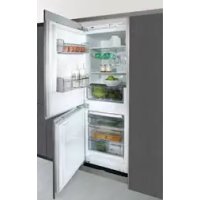
FIM6725 - Fridge FAGOR - Free user manual and instructions
Find the device manual for free FIM6725 FAGOR in PDF.



User questions about FIM6725 FAGOR
0 question about this device. Answer the ones you know or ask your own.
Ask a new question about this device
Download the instructions for your Fridge in PDF format for free! Find your manual FIM6725 - FAGOR and take your electronic device back in hand. On this page are published all the documents necessary for the use of your device. FIM6725 by FAGOR.
USER MANUAL FIM6725 FAGOR
Very important: Read this manual in its entirety before using your fridge.
This manual has been designed so that the text relates to the corresponding drawings.

Identifi cation

Identify the model of your refrigerator ("a", "b")
by comparing the control panel with the illustrations.
1
Installation
1.1 Unpacking. Remove all protective elements.
1.2 Location. Place far away from heat sources and protect from direct sunlight to conserve energy.
Don't install the fridge outdoors or expose it to the rain.
Check that trays are correctly installed, and install containers with space between them to avoid vibrations.
1.3 Power supply connection. Let the fridge settle for at least 2 hours in an upright position before connecting it. Check the data on the name-plate (220-240V earthed) (1.3.1, 1.3.2).
Do not use adaptors or extension cables.
Prevent the cable from coming into contact with the motor or becoming trapped beneath it.
2
Use
2.1 Switching on the refrigerator. Press + or — key until you see a number on the display (2.1.1).
2.2 Selecting the compartment. In combination refrigerators the refrigeration compartment
and the freezer compartment operate independently.
2.3 Temperature selection. Press the +, — keys, first for the freezer compartment and then for the refrigeration compartment (2.3.1).
Once the temperature has been selected, you can see the current temperature for a compartment by pressing the + or - keys for 5 seconds for the appropriate compartment. The compartment temperature will blink.
Recommendation: The recommended temperature for the refrigeration compartment is 4 and the freezer compartment is -for already frozen food. If you want to freeze, the recommended temperature is -24
Remember that the inside temperature depends on room temperature, location and how often the door is opened.
2.4 Refrigerator functions.
Rapid cooling mode: This function sets, refrigeration to the coldest temperature for 6 hours. Its use is recommended when placing a large quantity of food in the refrigerator. To activate and deactivate: Press SUPER (2.4.1).
Holiday mode: The vacation function is very useful when the refrigerator will not be used for a long period of time, but you want to keep food in the freezer. In this mode your refrigerator will use little power and prevent the build up of internal smells.
⚠ Warning: To use this function, the refrigerator door must be closed.
To activate and deactivate: Press +, - keys until is displayed (2.4.2). Repeat to deactivate.
Some models allow the refrigeration compartment to be turned off. Press +, - (2.4.3), keys, until no number can be seen.
2.5 Freezer functions.
Rapid cooling mode: This function sets the coldest freezer temperature for 52 hours. It is recommended that this function be activated
24 hours prior to inserting a large amount of food in the freezer.
To activate and deactivate: Press SUPER (2.5.1).
Connecting/disconnecting the freezer:
Press +, — (2.5.2) keys until no temperature is visible on the display. Shutting off the freezer also shuts off the refrigeration compartment.
2.6 Usage recommendations.
- Don't leave the doors open for longer than necessary or place hot food in the refrigerator. This will achieve the most efficient use of your refrigerator and avoid increased power consumption.
- If your refrigerator is of the NO FROST variety, don't block the ventilation grilles and leave space between foods so that air can circulate between them.
- Don't place fizzy drink or glass bottles containing liquid in the freezer as they may burst.
- Store food in airtight containers, to prevent it drying out.
- Do not eat extremely cold ices or foods as they can cause burns in the mouth.
3 Maintenance and cleaning
3.1 Internal cleaning. To clean the interior, use a sponge or cloth soaked in water with bicarbonate of soda to prevent odours developing. Under no circumstances should steam vapour machines, solvents or abrasive detergents be employed.
3.2 External cleaning. Do not use steam-cleaning machines to clean screens.
It is advisable to clean the front grille on the appliance base once a year with a vacuum cleaner.
3.3 Accessory cleaning. Not suitable for cleaning in a dishwasher. Clean manually with a sponge or cloth.
3.4 Lamp change. If the lamp blows: disconnect the refrigerator. Remove cover by pressing tab (3.4.1, 3.4.3), and remove faulty lamp (3.4.2, 3.4.4). Replace it with a lamp with the same thread, E14, 220-240V, 15/25W or according to fi xture instructions.
3.5 Changing the carbon fi Iter. The refrigerator may include a carbon fi Iter to absorb the odours from certain foods and retain microorganisms (fungus and bacteria) from circulating air.
The fi Iter maintains its properties for 6 months. It is recommended it be replaced after this time. Its location varies depending on model.
To activate the fi Iter: Press the tab and remove the cover to access the fi Iter (3.5.1, 3.5.3). Separate the fi Iter from the cover (3.5.2, 3.5.4) and remove the seals (3.5.5).
Press the BIOFILTER viewer until you hear a light click (3.5.6) and in a few seconds the duration scale will become coloured. Place new filter in original position.
Keep spent fi Iters and spares out of children's reach: ingestion in large quantities can be dangerous.
Do not wet fi Iter, as it will loose its power.
3.6 S.P.A. salus per aquam (optional)
Your refrigerator may include an S.P.A. accessory to maintain a constant humidity level in the vegetable compartment, to prevent food drying out.
This is located in the vegetable drawer divider (3.6.1). It is comprised of a tank with a pouring glass and a fi ll level indicator. When the S.P.A. needs water the level will go down until it disappears. Remove the glass (3.6.2) and use it to refi ll the tank (3.6.3).
The filter should be changed every 2 years (3.6.4).
4
Diagnostics

4.1 Door open. If you keep the door open for more than 2 minutes an alarm sounds and the refrigerator light goes out. The alarm is disconnected when the door is closed.
4.2 Freezer not cold enough
- If freezer temperature is abnormally high a warning light will appear (4.2.1), in addition to an intermittent acoustic alarm. Press SUPER to manually deactivate the acoustic alarm (4.2.2).
- The first time the device is connected the warning light is activated, but the alarm will not sound.
4.3 Loss of electrical power
Open the refrigerator doors as little as possible. When the power returns, check to see if food has defrosted.
4.4 Normal refrigerator noises
It is perfectly normal for your refrigerator to make certain noises while it is running and you should not worry about them.
• The coolant gas can make a bubbling sound as it circulates.
• The compressor may make humming or tapping sounds, especially at start-up.
- The expansion and contraction of material used may make clicking or creaking sounds.
- The air moved by freezer fans and the refrigerator base may create a small background noise.
Do not attempt to repair the fridge. Contact technical support.
5
Safety
- Keep the ventilation grilles uncovered.
• Take care not to damage the refrigeration circuit.
- Don't us electrical devices inside the refrigerator, unless recommended by the manufacturer.
- Don't use mechanical devices or means other than those recommended by the manufacturer to speed up the thawing process.
- This appliance is not intended for use by people (including children) whose physical, sensory, or mental capacities are impaired or who lack experience or knowledge, except under supervision or after receiving instruction regarding use of the appliance from a person responsible for their safety. Use by children should be supervised to prevent them playing with the appliance.
- If the power cable is damaged, it should be replaced by the manufacturer, by their after-sales service, or by similarly quailed personnel to prevent dangerous situations.

The environment

This refrigerator was designed with environmental conservation in mind.
The appliance operates with coolant R600A, which does not damage the environment.
Respect the environment. Use the recommended temperatures for each compartment. They will depend on the mode you need for efficient use of your refrigerator.
Disconnect the refrigerator or set it to holiday mode when you will not be using it for a prolonged period. You will reduce power consumption and save energy.
Avoid leaving the doors open more time than necessary. It causes an increase in power use.
Waste management of electrical and electronic appliances.
The symbol 📂 indicates that the appliance must not be disposed of in traditional bins for domestic waste.
Deliver your refrigerator to a special collection centre.
Recycling domestic appliances prevents negative impacts on health and the environment and helps save energy and resources.
For more information, contact your local authorities or the establishment where you purchased your refrigerator.
