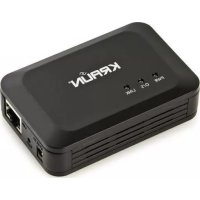
KR.QE - Network card / adapter Kraun - Free user manual and instructions
Find the device manual for free KR.QE Kraun in PDF.



| Product Type | NAS Network Adapter (Network Attached Storage Dongle) |
| Brand | Kraun |
| Model | KR.QE |
| Connectivity | USB 2.0 (for external drive), Ethernet RJ45 10/100/1000 |
| Power | Power adapter 5V (included) |
| Supported operating systems | Microsoft Windows 2000 / XP / Vista / 7, Apple Mac OS X 10.5.4 or higher |
| Maximum disk capacity | 2 TB (external USB hard disk) |
| Server functions | SAMBA (CIFS), FTP, BitTorrent, Media Server (DLNA), Print Server |
| Maximum number of users | 16 users and 16 shared folders per account |
| Maximum simultaneous TCP connections | 64 |
| Network protocols | DHCP (client or server), Static or automatic IP |
| Default IP address | 169.254.0.1 or "stockage" via browser |
| Dimensions (approx.) | 10 x 6 x 2 cm |
| Weight (approx.) | 100 g |
| Material | ABS plastic |
| Care and cleaning | Clean with a soft, dry cloth. Avoid moisture and dust. |
| Safety | CE certifications, ISO 9001 & 14001. Do not modify the product. |
| Spare parts and repairability | No user-serviceable parts. Contact after-sales service. |
| Package contents | NAS Dongle KR.QE, 5V power adapter, Ethernet cable, installation CD, quick start guide |
Frequently Asked Questions - KR.QE Kraun
User questions about KR.QE Kraun
0 question about this device. Answer the ones you know or ask your own.
Ask a new question about this device
Download the instructions for your Network card / adapter in PDF format for free! Find your manual KR.QE - Kraun and take your electronic device back in hand. On this page are published all the documents necessary for the use of your device. KR.QE by Kraun.
USER MANUAL KR.QE Kraun
4. FAQ
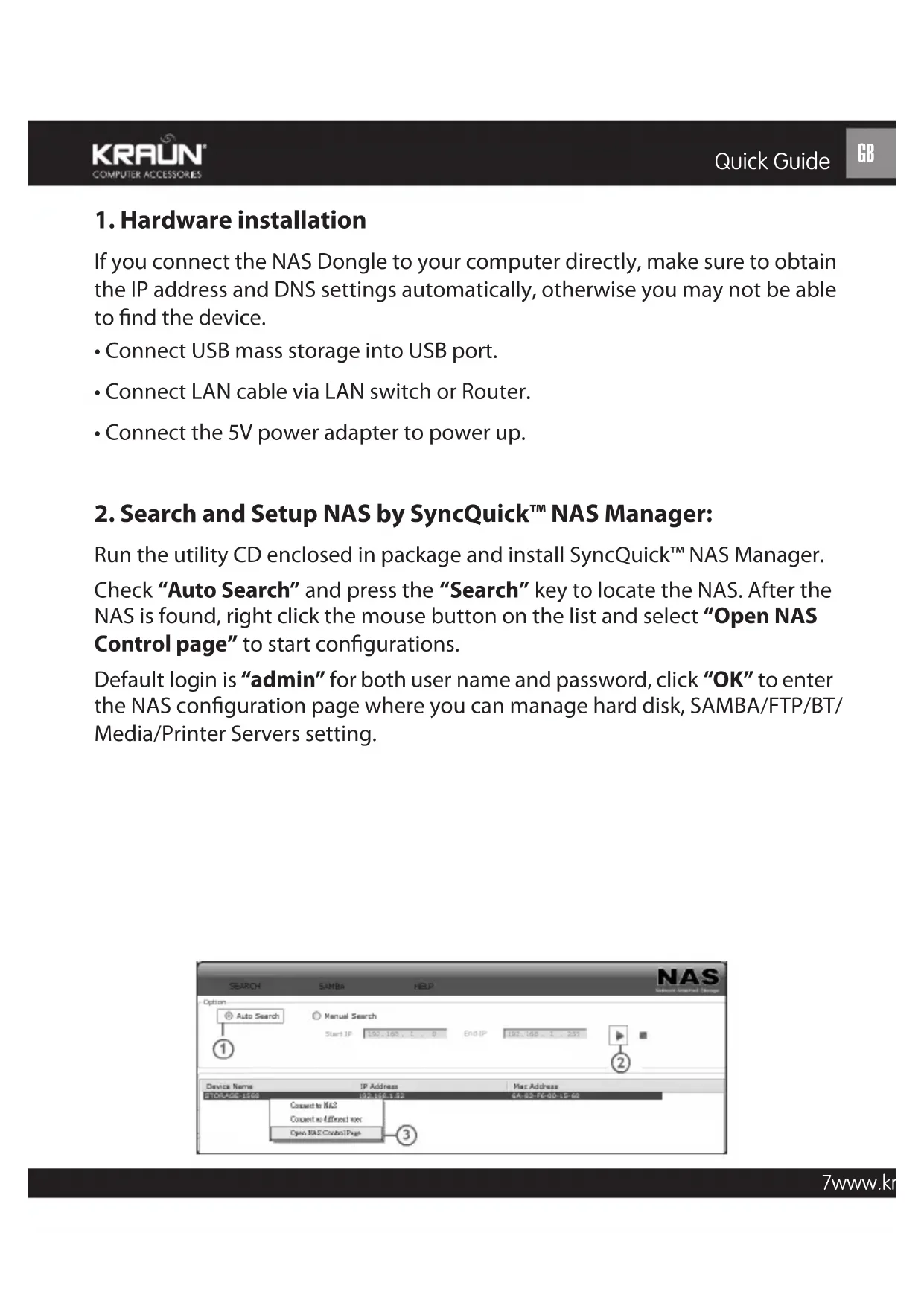
1. Hardware installation
If you connect the NAS Dongle to your computer directly, make sure to obtain the IP address and DNS settings automatically, otherwise you may not be able to find the device.
- Connect USB mass storage into USB port.
- Connect LAN cable via LAN switch or Router.
- Connect the 5V power adapter to power up.
2. Search and Setup NAS by SyncQuick™ NAS Manager:
Run the utility CD enclosed in package and install SyncQuick™ NAS Manager.
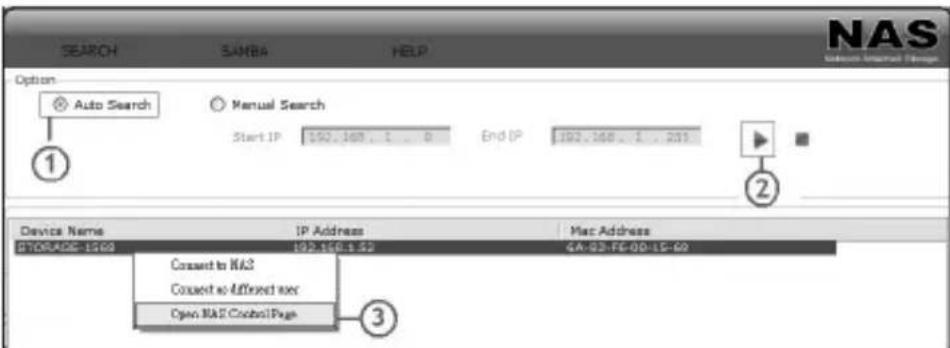
Check "Auto Search" and press the "Search" key to locate the NAS. After the NAS is found, right click the mouse button on the list and select "Open NAS Control page" to start configurations.
Default login is "admin" for both user name and password, click "OK" to enter the NAS configuration page where you can manage hard disk, SAMBA/FTP/BT/Media/Printer Servers setting.
3. NAS setting
3.1 Disk Format
Once you log in the NAS configuration page, you should format the hard disk immediately in order to make NAS performs perfectly.
![KRAUN COMPUTER ALEJFOODS File Path File ID: Sogate SYR987-543 Format Data: You will have all files? Do you want to read it? Text Send: Print special include to log your basic email information. 2017.11.5 2017.12.19 (6:00) [config] P: P: P: P: P: P: P: P: P: P: P: P: P: P: P: P: P: P: P: P: P: P: P:…](/content/2026/02/369051/images/3031bdcd5d7c16586a97b31dfbca5213bff4d535465722ded627aea1beefef6e.jpg)
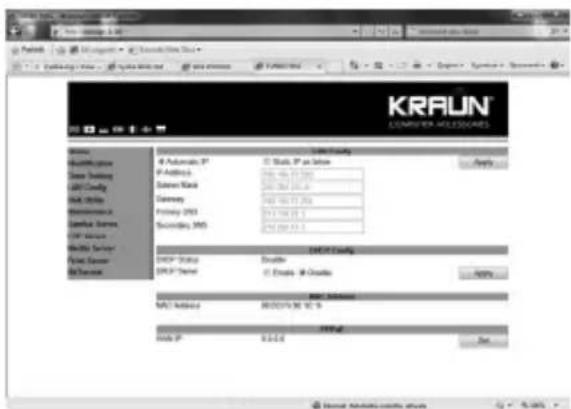
3.2 IP Configuration
By default, the "IP config" is set to "Automatic IP". This is the recommended setting and will allow the NAS to obtain it IP address automatically. If you prefer setting it manually, select the static IP option, enter your own value and click "Apply" to confirm the new setting.
3.3 SAMBA Server
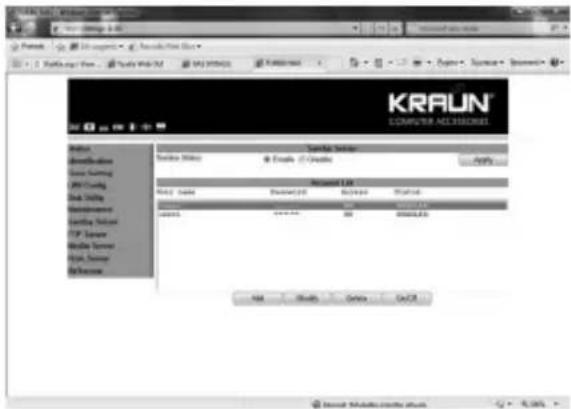
SMB server allows you to share data or files through LAN envelopment. A guest folder shared to all is default from the NAS Dongle.
- How to crate user: Click on the "Add" button and type new account name and password and than "OK". Eg: "User1" for demonstrations.
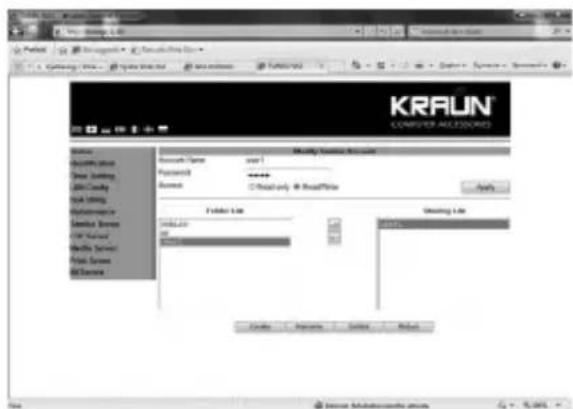
- How to share a SAMBA folder: Select the User Name on the Account List and click "Modify"; you can now select the folder to share to this user.
4. FAQ
Q: What is the NAS default IP address?
A: The default IP address for the NAS is 169.254.0.1 or enters "storage" in IE browser bar to search for it.
Q: What Operating Systems does the NAS support?
A: The NAS supports Microsoft Windows 2000 / XP / Vista / 7 and Apple Macintosh OS 10.5.4 above.
Q: Why can't I create/share folders in SMB or FTP server?
A: To avoid languages support issue, you are suggested to create/share folders with English characters only.
Q: Why WinXP can not enter SMB folder with password via the NAS?
A: Please update Win XP to SP2 or above. After update, please make sure if you have installed Norton Internet Security, if you do, please check with Norton service center.
Q: What is the limitation of user to login FTP and Samba server?
A:
| Samba Server | User Level Access (maximum create 16 user accounts, 16 folders shared by one account) |
| FTP Server | maximum create 16 user account, 16 folders shared by one account |
| Maximum User Login | FTP 8 User/Samba 8 User (Total 64 TCP connection at the same time) |
Q: Any limitations for NAS file name length?
A: The limitation of length of file folder is 12 bytes.
Q: What is the maximum hard disk capacity supported by the NAS?
A: The NAS supports maximum 2TB hard disk capacity.
Q: How to setup the NAS to be in daylight saving time?
A: The NAS does not support Daylight saving time setting.
Q: What can DHCP do as well with NAS?
A: You can setup NAS as a DHCP server if there is no any other DHCP Server exists in your local network. Otherwise, NAS will automatically turn off its DHCP server function and become a DHCP client. For example, if you have installed a router with built-in (activate) DHCP Server, the NAS will automatically setup itself as DHCP client.
Warning
The manufacturer is under no circumstances liable for any unauthorised modifications made to the product by the user or any other parties which may compromise its conformity and safety.
3.2 Configuration IP
3.3 SAMBA-Server
4. FAQ
3.3 Servidor SAMBA
3.2 Configuração IP
3.3 Servidor SAMBA
4. FAQ
3.2 IP konfigurálás
3.2 Konfiguracja IP
3.3 Server SAMBA
4. FAQ
Produced and distributed by a company with Quality and Environmental System certified ISO 9001 and ISO 14001
The original CE Declaration of Conformity is available at the site www.kraun.it
Short Declaration of conformity
We declare this product is complying with the laws in force and meeting all the essential requirements as specified by the directives
2004/108/CE, 2006/95/CE and 1999/05/CE whenever these laws may be applied


- FAQ
- HARDWARE INSTALLATION
- SEARCH AND SETUP NAS BY SYNCQUICK™ NAS MANAGER
- NAS SETTING
- 3.1 DISK FORMAT
- 3.2 IP CONFIGURATION
- 3.3 SAMBA SERVER
- Q: WHAT IS THE NAS DEFAULT IP ADDRESS
- Q: WHAT OPERATING SYSTEMS DOES THE NAS SUPPORT
- Q: WHY CAN'T I CREATE/SHARE FOLDERS IN SMB OR FTP SERVER
- Q: WHY WINXP CAN NOT ENTER SMB FOLDER WITH PASSWORD VIA THE NAS
- Q: WHAT IS THE LIMITATION OF USER TO LOGIN FTP AND SAMBA SERVER
- Q: ANY LIMITATIONS FOR NAS FILE NAME LENGTH
- Q: WHAT IS THE MAXIMUM HARD DISK CAPACITY SUPPORTED BY THE NAS
- Q: HOW TO SETUP THE NAS TO BE IN DAYLIGHT SAVING TIME
- Q: WHAT CAN DHCP DO AS WELL WITH NAS
- WARNING
- 3.2 CONFIGURATION IP
- 3.3 SAMBA-SERVER
- 3.3 SERVIDOR SAMBA
- 3.2 CONFIGURAÇÃO IP
- 3.2 IP KONFIGURÁLÁS
- 3.2 KONFIGURACJA IP
- 3.3 SERVER SAMBA
- SHORT DECLARATION OF CONFORMITY
Brand : Kraun
Model : KR.QE
Category : Network card / adapter