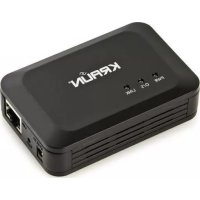
KR.XC - Network card / adapter Kraun - Free user manual and instructions
Find the device manual for free KR.XC Kraun in PDF.


Pick your language and provide your email: we'll send you a specifically translated version.
| Product Type | Network Card / Adapter |
| Brand | Kraun |
| Model | KR.XC |
| Interface | PCI Express (typical) |
| Data Transfer Rate | Up to 1000 Mbps (Gigabit Ethernet) |
| Network Standard | IEEE 802.3, 802.3u, 802.3ab |
| Connector Type | RJ-45 |
| Compatible Operating Systems | Windows, Linux, macOS |
| LED Indicators | Link/Activity |
| Dimensions (approx.) | 120 mm x 80 mm x 20 mm |
| Weight (approx.) | 50 g |
| Power Consumption | 2.5 W (typical) |
| Operating Temperature | 0°C to 50°C |
| Storage Temperature | -20°C to 70°C |
| Humidity (Operating) | 10% to 90% (non-condensing) |
| Certifications | CE, FCC |
| Package Contents | Network card, low-profile bracket, driver CD, user manual |
| Warranty | 2 years (typical) |
| Plug and Play | Yes |
Frequently Asked Questions - KR.XC Kraun
How do I install the Kraun KR.XC network card?
Turn off your computer and unplug it. Open the case, insert the card into an available PCI Express slot, secure it with a screw, and close the case. Power on the computer and install drivers from the included CD or download from the Kraun website.
Which operating systems are supported?
The Kraun KR.XC supports Windows (7/8/10/11), Linux (kernel 2.6+), and macOS (10.6+). Drivers are provided for most versions.
What is the maximum speed of this adapter?
It supports Gigabit Ethernet (10/100/1000 Mbps) for fast network connections.
Does it support full duplex?
Yes, the card supports full-duplex operation for simultaneous send and receive at full speed.
Why is my network card not detected?
Ensure the card is properly seated in the slot. Check BIOS settings to see if the PCIe slot is enabled. Also, try a different PCIe slot if available.
How to update drivers?
Visit the Kraun support page, search for KR.XC, download the latest driver for your OS, and run the installer. Alternatively, use Windows Update or Device Manager to search for updates.
Can I use this card with a laptop?
No, this is a desktop PCIe card. For laptops, use a USB-to-Ethernet adapter instead.
Does the card come with a low-profile bracket?
Yes, the package includes both standard and low-profile brackets to fit smaller cases.
What do the LED indicators mean?
Green light indicates link (connection established). Blinking shows network activity.
How to troubleshoot intermittent connection?
Check the Ethernet cable for damage, try a different port on the router, update drivers, and ensure no IP conflicts. Also, disable power saving for the network adapter in device settings.
User questions about KR.XC Kraun
0 question about this device. Answer the ones you know or ask your own.
Ask a new question about this device
No questions yet. Be the first to ask one.
Download the instructions for your Network card / adapter in PDF format for free! Find your manual KR.XC - Kraun and take your electronic device back in hand. On this page are published all the documents necessary for the use of your device. KR.XC by Kraun.