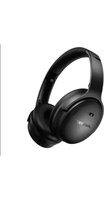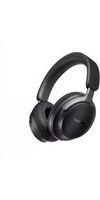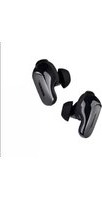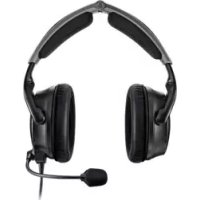
40075 - Wireless Earbuds BOSE - Free user manual and instructions
Find the device manual for free 40075 BOSE in PDF.



User questions about 40075 BOSE
0 question about this device. Answer the ones you know or ask your own.
Ask a new question about this device
Download the instructions for your Wireless Earbuds in PDF format for free! Find your manual 40075 - BOSE and take your electronic device back in hand. On this page are published all the documents necessary for the use of your device. 40075 by BOSE.
USER MANUAL 40075 BOSE
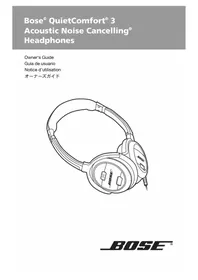
Bose® QuietComfort® 3 Acoustic Noise Cancelling® Headphones
Owner's Guide
Guia de usuario
natural_image
Line drawing of a BoSE audio headset with exposed earbuds and control buttons (no text or symbols)Please read this owner's guide
Please take the time to follow the instructions in this owner's guide carefully. It will help you to properly use your new Bose® product and enjoy its features. Please save this owner's guide for future reference.

WARNINGS
- To reduce the risk of fire or electric shock, do not expose the battery charger to rain or moisture. Do not expose the charger to dripping or splashing of liquids.
- The battery charger must be used indoors. It is neither designed nor tested for use outdoors, in recreation vehicles, or on boats.
- Charge the battery only on a charger approved by Bose Corporation. Do not continue charging the battery if it does not reach full charge within the specified charging time. Doing so may cause the battery to become hot, rupture, or ignite. If you see any heat deformation or leakage, properly dispose of the battery.
- Do not expose the battery to temperatures greater than 212^ (1 00°C). If exposed to excessive heat, the battery can catch fire and explode.
- Do not place the battery in direct sunlight, or use or store it inside cars in hot weather where it can be exposed to temperatures in excess of 140^ (60°C). Doing so may cause the battery to generate heat, rupture, or ignite. Using the battery in this manner also may result in a loss of performance and a shortened life expectancy.
- Do not short circuit the battery. Avoid placing it around metal objects such as keys, pocket change, paper clips, and jewelry.
- Do not h it the battery with a hammer, step on, throw or drop it to expose it to a strong shock. Do not pierce the battery with a sharp object such as a nail. Do not crush, dent, or deform the battery in any way. If the battery becomes deformed, properly dispose of it.
- The battery used in this device may present a risk of fire or chemical burn if mistreated. Do not disassemble, heat above 212°F (100°C), or incinerate. Replace battery with Bose part PC40229 only. Use of another battery may present a risk of fire or explosion.

CAUTIONS
- Do not allow the battery to get wet. Avoid using it in high humidity environments.
- Avoid electrostatic discharge to the battery.
- Do not drop or sit on the headphones, or allow them to be immersed in water.
- Long-term exposure to loud music may cause hearing damage. It is best to avoid extreme volume when using these headphones, especially for extended periods.
- Do not use these headphones when operating a motor vehicle on a public road, or where the inability to hear outside sounds may present a danger to you or others.
- Sounds that you rely on as reminders or warnings may have an unfamiliar character when you are using the headphones. Be aware of how these sounds vary in character, so you can recognize them as needed.
Please dispose of used or damaged batteries promptly and properly, following any local regulations. Keep away from children. Do not incinerate.
To return batteries for recycling, contact Bose or your Bose dealer. In the United States only, call 1-800-905-2180. For other regions, see the contact information on the inside back cover.
This product conforms to the EMC Directive 89/336/EEC and to the Low Voltage Directive 73/23/EEC. The complete Declaration of Conformity can be found at www.bose.com/static/compliance/index.html.
- Read these instructions – for all components before using this product.
- Keep these instructions – for future reference.
- Heed all warnings – on the product and in the owner's guide.
- Follow all instructions.
- Do not use this product near water or moisture – Do not use this product near a bathtub, washbowl, kitchen sink, laundry tub, in a wet basement, near a swimming pool, or anywhere else that water or moisture are present.
- Clean only with a dry cloth – and as directed by Bose Corporation. Unplug the battery charger from the wall outlet before cleaning.
- Do not block any ventilation op enings. Install in accordance with the manufacturer's instructions.
- Do not install near any heat sources, such as radiators, heat registers, stoves, or other apparatus (including amplifiers) that produce heat.
- Only use attachments/accessories specified by Bose.
- Unplug the battery charger during lightning storms or when unused for long periods of time – to prevent damage to this product.
- Refer all servicing to qualified service personnel. Servicing is required when the apparatus has been damaged in any way: such as power-supply cord or plug is damaged; liquid has been spilled or objects have fallen into the apparatus; the apparatus has been exposed to rain or moisture, does not operate normally, or has been dropped – Do not attempt to service this product yourself. Opening or removing covers may expose you to dangerous voltages or other hazards. Please call Bose to be referred to an authorized service center near you.
Compliance with FCC rules (U.S.A., only)
This device complies with Part 15 of the FCC rules. Operation is subject to the following two conditions: (1) This device may not cause harmful interference, and (2) this device must accept any interference received, including interference that may cause undesired operation.
NOTICE
This equipment has been tested and found to comply with the limits for a Class B digital device, pursuant to Part 15 of the FCC rules. These limits are designed to provide reasonable protection against harmful interference in a residential installation. This equipment generates, uses, and can radiate radio frequency energy and, if not installed and used in accordance with the instructions, may cause harmful interference to radio communications. However, this is no guarantee that interference will not occur in a particular installation. If this equipment does cause harmful interference to radio or television reception, which can be determined by turning the equipment off and on, you are encouraged to try to correct the interference by one or more of the following measures:
- Reorient or relocate the receiving antenna.
- Increase the separation between the equipment and receiver.
- Connect the equipment to an outlet on a different circuit than the one to which the receiver is connected.
- Consult the dealer or an experienced radio/TV technician for help.
FCC WARNING
- Changes or modifications not expressly approved by the party responsible for compliance could void the user's authority to operate this equipment.
- Proper connections must be used for connection to a host computer and/or peripherals in order to meet FCC emission limits.
Introducing the QuietComfort® 3 Acoustic Noise Cancelling® headphones
Thank you for purchasing the QuietComfort® 3 Acoustic Noise Cancelling® headphones from Bose. Our innovative technologies enable these on-ear headphones to reduce unwanted distractions while providing you with lifelike audio performance and a comfortable fit.
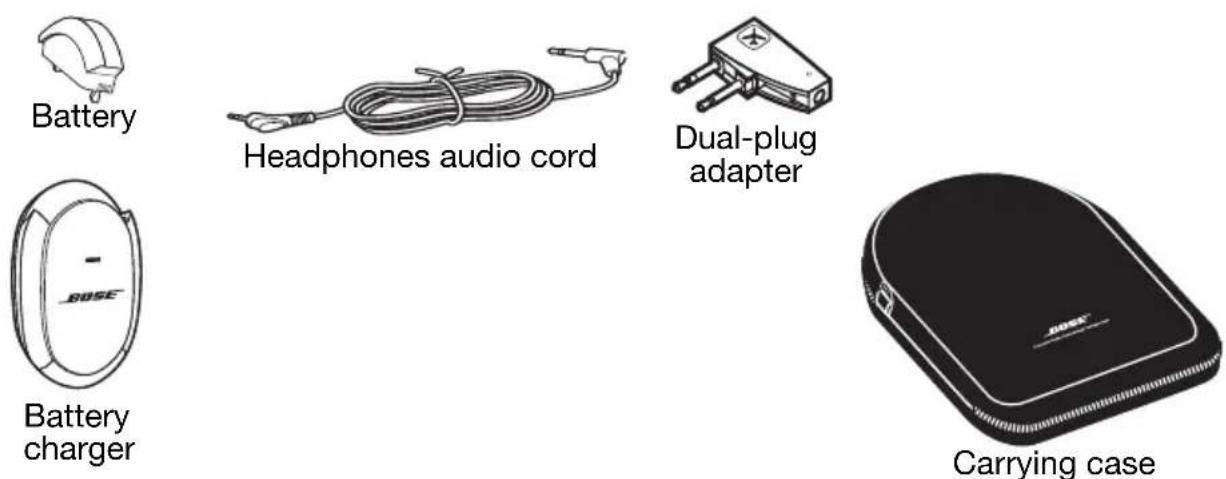
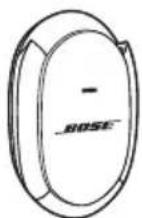
Accessories included:
IMPORTANT: Before initial headphone use, it is important to fully charge the battery for a minimum of two hours. See "Charging the battery" on page 5.
Charging the battery
Initial charging time for a new battery is approximately two hours. After that, charging time varies depending on the battery charge state.
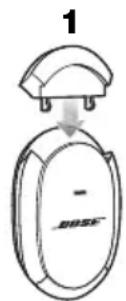
- Insert the battery into the charger.
- Swing the plug pr ongs out of the charger body.
- Plug the charger into a live AC (mains) outlet.
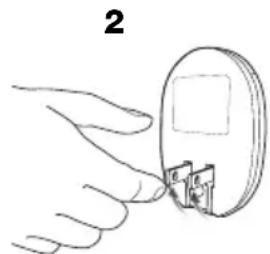
natural_image
Hand inserting a small electronic component into a circular socket (no text or symbols visible)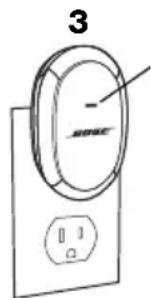
Indicator:
On = Charging Off = Charging complete
Flashing = See "Troubleshooting" on page 10.
IMPORTANT: DO NOT STORE A BATTERY IN THE CHARGER.
- After charging, unplug the battery charger and remove the battery.
- Storing a battery in the charger diminishes the charged state of the battery over time and may permanently reduce the capacity of the battery.
Battery handling and precautions
- The battery does not have to be completely discharged in order to charge it. You can charge the battery at any time.
- Never leave the battery in a discharged state. Charge after use and before storage.
- Avoid extreme temperatures when charging the battery. Battery charging should occur within the temperature range of 32^ (0°C) to 95^ (35°C).
- A fully charged battery provides approximately 25 hours of use. Replace the battery when it no longer provides adequate power after charging. To order a replacement battery, see “Troubleshooting” on page 10.
- Keep the terminals on the battery, in the charger, and in the right earcup of the headphones clean at all times. Dirty terminals may cause poor electrical connections and affect performance. For cleaning instructions, see “Cleaning” on page 10.
Installing the battery
Be sure to fully charge the battery before first use. See "Charging the battery" on page 5.
- Make sure the headphones power switch is off.
- Hold the headphones right earcup as shown.
- Insert the battery into the compartment. Be sure to push the battery all the way in until it is flush with the earcup.
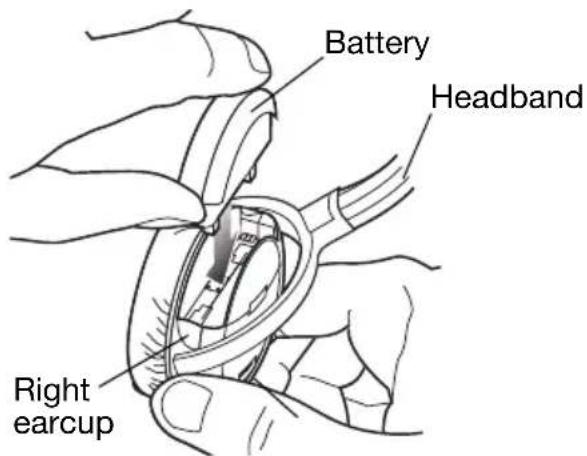
Removing the battery for charging
Perform Step 1 and 2 and lift the battery straight up and out of the battery compartment.
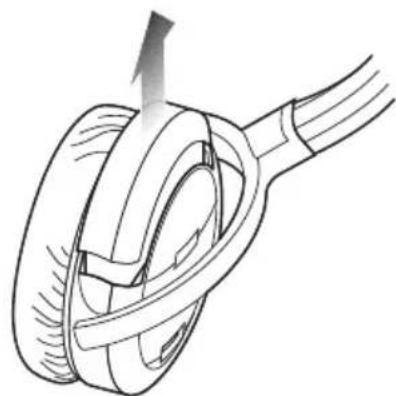
natural_image
Diagram of a mechanical component with a rotating shaft and curved internal structure (no text or symbols)Wearing your headphones
You can use your headphones only for noise reduction or for listening to audio along with the benefit of noise reduction.
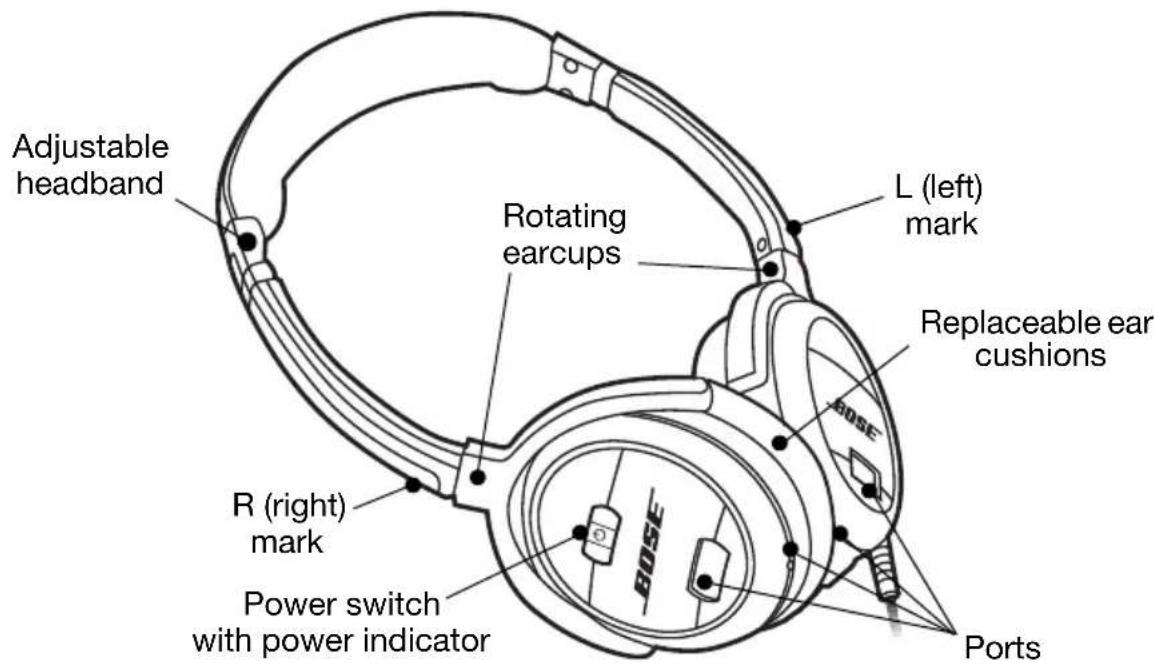
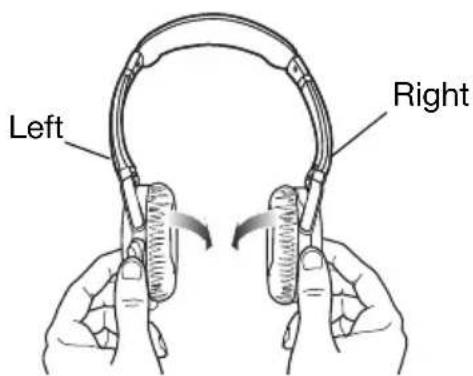
As you put on the headphones, observe the L (left) and R (right) markings that identify the left and right earcups. Adjust the headband so it rests gently on top of your head and the earcup cushions fit comfortably on your ears.
Using your headphones for audio with noise reduction
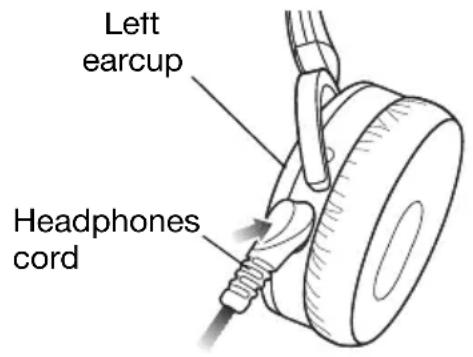
For listening to an audio source, you need to use the supplied headphones cord.
- Plug the appropriate end of the headphones cord into the left earcup.
- Plug the other end of the cord into the audio device (see "Connecting to portable and home audio devices" on page 8).
- T urn on the audio device, making sure the volume is initially set to a low level.
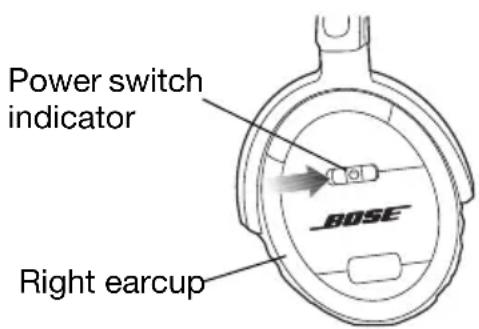
- Turn on your headphones. The power switch indicator should light.
- Set the volume level using the volume control on the audio device.
Using your headphones only for noise reduction
When using the headphones just for noise reduction, you do not need to connect the headphones cord. Just turn on your headphones and put them on your head.
When the battery needs charging
- When the power switch indicator starts flashing the battery is in a low-charge state. From the moment the indicator starts flashing, the battery has about four hours of life left.
- When replacing a battery, make sure you charge the new battery for a minimum of two hours. See “Charging the battery” on page 5.
- Before storing the battery for an extended period of time, fully charge the battery to maximize its life.
Connecting to portable and home audio devices
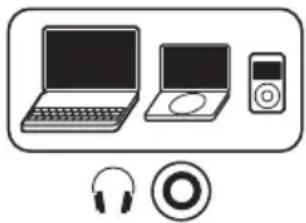
The 3.5 mm plug on the headphones cord allows you to connect your headphones to a variety of audio devices that use a 3.5 mm output jack:
• CD, DVD, or MP3/digital audio player
- Desktop or laptop personal computer
natural_image
Illustration of electronic devices including laptops, a CD, and headphones (no text or symbols)Connecting to airline audio systems
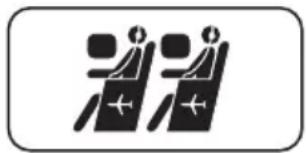
The audio output connections on airline audio systems vary, but they typically have dual or single 3.5 mm output jacks.
Note: Airline audio may not equal the high-quality audio you experience from a home stereo or portable source.
natural_image
Two stylized human figures in a row, no text or symbols presentConnecting to dual output jacks
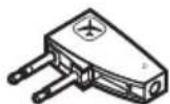
Plug the headphone cord into the dual-plug adapter and insert it into the dual output jacks.

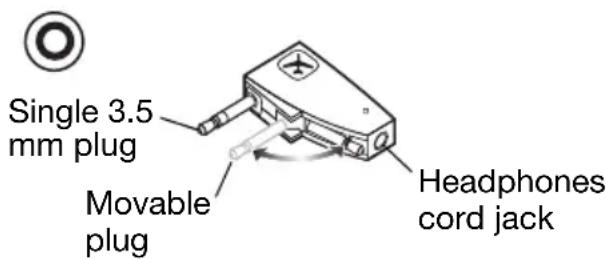
Dual 3.5 mm plugs
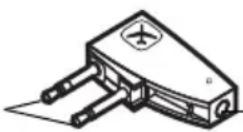
Headphones cord jack
Connecting to a single output jack
Pivot the movable plug so that it snaps in place against the adapter body. Plug the headphone cord into the adapter and insert it into the single output jack.
The dual-plug adapter lowers the volume levels of strong audio output signals that are common on airline systems. If you find that the volume level is too low, remove the adapter and plug the headphone cord directly into the 3.5 mm output jack.
WARNING: Use only the Bose® airline adapter to connect headphone to airplane seat jacks. DO NOT use adapters intended for mobile phones as this could result in personal injury such as burns or property damage due to overheating. Remove and disconnect immediately if you experience warming sensation or loss of audio.
Folding and storing
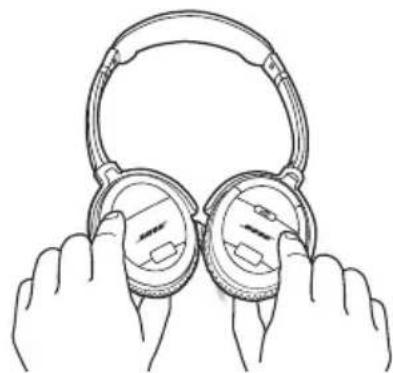
QuietComfort® 3 Acoustic Noise Cancelling® headphones feature rotating earcups that fold flat for easy, convenient storage.
natural_image
Line drawing of two hands holding up a pair of hardcover headphones (no text or symbols)CAUTION: The earcups rotate only in one direction. Incorrectly rotating the earcups can damage the headphones.
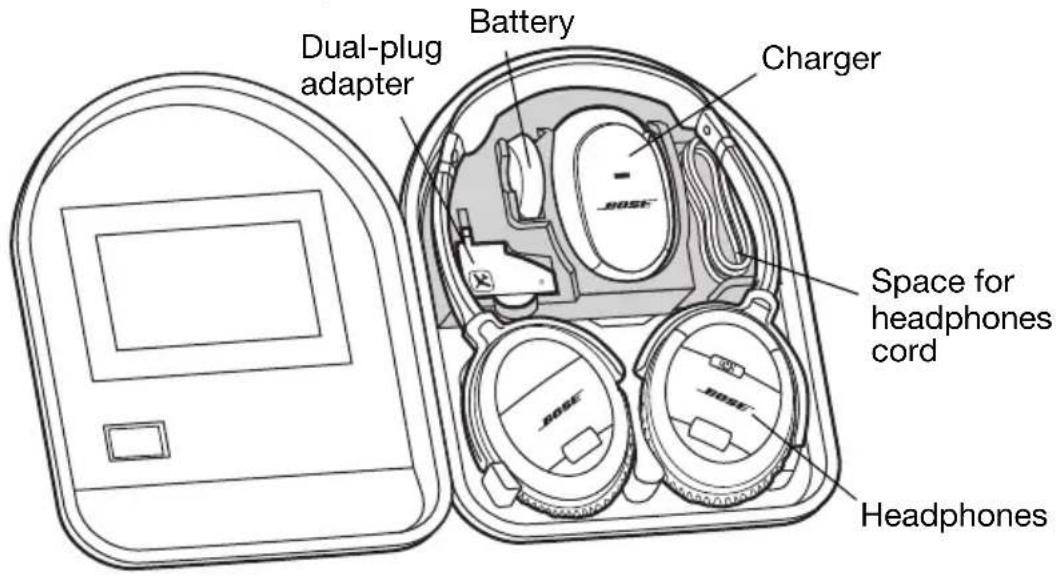
Using the carrying case
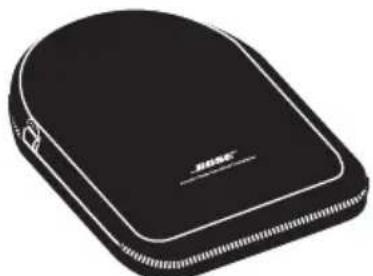
The carrying case provides safe storage for your headphones and its accessories. The foam tray holding the battery and charger is removable, allowing you to store other items, such as an MP3 player, in the case.
Note: To maximize battery life, always charge the battery before storing it and never store the battery in the charger.
Cleaning
Scheduled cleaning is not required. However, you can simply wipe the outside surface of the headphones with a dry cloth, as needed. Also, be sure that the earcup ports are clear and that no moisture is allowed into the earcups. Use only a dry cloth to clean the electrical contacts on the battery, in the charger, or in the battery compartment of the headphones.
CAUTIONS:
- Be sure to unplug the battery charge r before cleaning it.
- DO NOT use a moist cloth to clean the electrical contacts on the battery, in the charger, or in the battery compartment of the headphones.
Troubleshooting
If you experience any trouble using your headphones, try the instructions in the following table. If you still need help, call for technical assistance. In the United States only, call 1-800-905-2180. For other regions, see the contact information on the inside back cover.
| Problem What to | do |
| No noise reduction | Make sure the headphones power switch is on.Charge the battery. |
| Low or no volume | Make sure the audio source is on and the volume is turned up.Do not use the dual-plug adapter.Check the headphones cord connection at the source and the earcup. |
| Crackling noise; intermittent loss of noise reduction | Charge the battery.Clean the contacts on the battery and in the battery compartment. See “Cleaning” on page 10.Replace the battery. |
| Low rumbling sound | Adjust earcup fit on your ears.Make sure earcup ports are not blocked. |
| Charger indicator is flashing | Remove the battery, wait 10 seconds, and insert it again.Unplug the charger, wait 10 seconds, and plug it in again.Make sure the air temperature is within the acceptable range for charging, 32°F (0°C) to 95°F (35°C).Replace the battery.Replace the charger. |
| Short battery life after charging | Replace the battery.Replace the charger. |
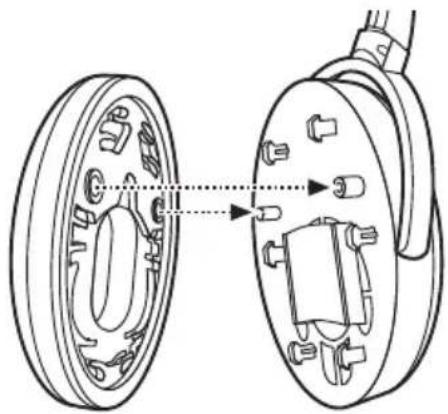
Reattaching earcup cushions
If an earcup cushion becomes detached from the earcup:
- Align the two holes on the back of the cushion with the two posts on the earcup.
- Push the cushion onto the earcup.
- Press in around the outside edge of the cushion to snap it in place.
- Make sure the cushion is flush all the way around and that there are no gaps between the cushion and the earcup.
natural_image
Technical line drawing of a car wheel assembly showing two components with mounting holes and a central hub (no text or labels)English
Accessories
You can purchase accessories from your Bose® dealer, on the Internet (www.bose.com), or by placing an order over the phone. See the inside back cover for contact information.
- Battery
• QC® 3 Mobile Communications Kit - Battery charger • Replacement ear cushions
- Carrying case • Accessory kit (includes adapters and extension cable)
- 5 ft. (1.5 m) audio extension cable
Power ratings
Battery charger: 100VAC - 240VAC, 5.5W Battery: 3.7VDC, 200mAh
natural_image
Coiled cable with two connectors, no text or symbols visiblenatural_image
Black and white photo of a closed athletic device labeled 'BOSS' (no additional text or symbols visible)Funda de transporte
natural_image
Hand holding a circular device with two small components inserted (no text or symbols visible)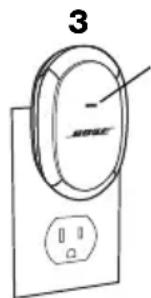
indicador:
natural_image
Diagram of a mechanical component with a rotating shaft and curved internal structure (no text or symbols)natural_image
Illustration of electronic devices including laptops, a CD, and headphones (no text or symbols)natural_image
Two stylized human figures in a row inside a rounded rectangle (no text or symbols)natural_image
Technical line drawing of a mechanical assembly showing two components with no visible text or symbolsEspañol Ti
Accesorios
natural_image
Hand inserting a small electronic component into a circular socket (no text or symbols visible)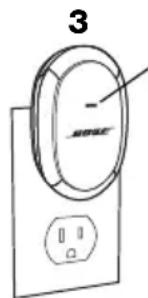
Indicateur :
natural_image
Diagram of a mechanical component with a rotating shaft and curved internal structure (no text or symbols)Port du casque
natural_image
Illustration of electronic devices including a laptop, a CD, and headphones (no text or symbols)natural_image
Two identical black icons with plus signs inside, resembling a simplified vehicle or traffic sign (no text or symbols)natural_image
Technical line drawing of a mechanical assembly showing two components with no visible text or symbolsAccessoires
natural_image
Coiled black cable with two connectors, no text or symbols visibleヘッドホンオーディオコード
デュアルプラ
グアダブタ
バッテリ
チャージャ
natural_image
Black and white illustration of a closed athletic device labeled 'BOBE' (no additional text or symbols)キャリングケース
natural_image
Hand holding a circular device with two small components inserted (no text or symbols visible)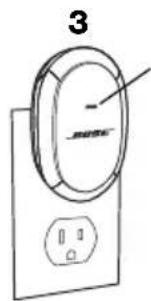
natural_image
Diagram of a mechanical component with a rotating shaft and curved housing (no text or symbols)ヘッドホンの装着
natural_image
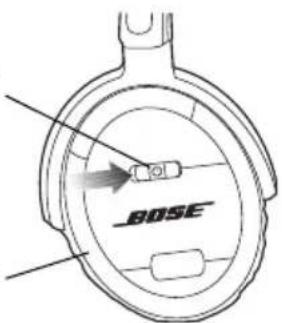
Mechanical diagram showing a car tire with attached cable and plug (no text or symbols)電源スイッチインディケータ
右イヤーカップ
バッテリの充電が必要な場合
natural_image
Illustration of electronic devices including laptops, a CD, and headphones (no text or symbols)natural_image
Two stylized human figures with plus signs, no text or symbols presentデュアル出力ジャックへの接続
natural_image
Line drawing of two hands holding up a pair of hardcover headphones (no text or symbols)natural_image
Technical line drawing of a mechanical assembly showing two components with no visible text or symbolsアクセサリ
natural_image
Blank gray image with no visible content, text, or symbolsAustralia
Phone: 1 www.Bose800 023 367
www.Bose.com.au
Belgique/België
Phone: 012 390800
Fax: 012 390840
Canada
Phone: 1-800-465-2673
Fax: 1-800-862-2673
www.Bose.ca
China
Phone: 86-21-62713000, x162
Fax: 86-21-62713008
Danmark
Phone: 04343-7777
Fax: 04343-7818
Deutschland
Phone: +49-5921-724142
Fax: +49-5921-724251
www.Bose.de
France
Phone: 01-30616363
Fax: 01-30616382
www.Bosefrance.fr
India
Phone: 1 600 11 2673
Fax: 91 11 2307 3823
www.Boseindia.com
Ireland
Phone: (042) 9671500
Fax: (042) 9671501
www.Bose.ie
Italia
Phone: 06 60 292 292
Fax: 06 60 292 119
www.Bose.it
Japan
Phone: 0120-130-168
Fax: 03-5489-1069
www.Bose.co.jp
Mexico
Phone: +52 (55) 52 02 35 45
Fax: +52 (55) 52 02 41 95
Nederland
Phone: 0299-390111
Fax: 0299-390109
www.Bose.nl
New Zealand
Phone: 0800 501 511
Norge
Phone: 62 82 15 60
Fax: 62 82 15 69
Österreich
Phone: 01-60404340
Fax: 01-604043423
Schweiz
Phone: 061-9757733
Fax: 061-9757744
Sverige
Phone: 031-878850
Fax: 031-274891
United Kingdom
Phone: 0870 7414500
Fax: 0870 7414545
www.Bose.co.uk
United States
Phone: 1-888-757-9943
Fax: 1-877-289-4366
www.Bose.com
World Wide Web
www.Bose.com
www.Boseeurope.com