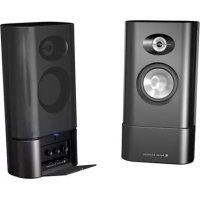
MX5020 - Loudspeaker ALTEC LANSING - Free user manual and instructions
Find the device manual for free MX5020 ALTEC LANSING in PDF.



| Product Type | 2-piece Powered Speaker System |
| Brand | Altec Lansing |
| Model | MX5020 |
| Total Power | 12 Watts RMS |
| Frequency Response | 90 Hz - 20 kHz (-10 dB) |
| Maximum Sound Pressure | 95 dB SPL |
| Signal-to-Noise Ratio | >75 dB at 1 kHz |
| Speakers per Satellite | 1-inch horn-loaded tweeter + 3-inch midrange/woofer |
| Impedance | 8 ohms per channel |
| Power Supply | AC Power Adapter |
| Controls | Volume, Bass, Treble, On/Off with LED indicator |
| Audio Inputs | 1 stereo 3.5mm input (front), 1 auxiliary 3.5mm input (rear) |
| Headphone Output | 3.5mm jack (front, mutes speakers) |
| Magnetic Shielding | Yes (shielded satellites) |
| Removable Grilles | Yes |
| Included Cables | 3.5mm stereo cable, color-coded RCA cables, AC adapter |
| Cleaning | Soft dry cloth only; avoid volatile products |
| Safety | Do not expose to rain or moisture; unplug during storms |
| Warranty | 2-year limited |
| Country of Origin | United States (ISO9002 certified factory) |
Frequently Asked Questions - MX5020 ALTEC LANSING
User questions about MX5020 ALTEC LANSING
0 question about this device. Answer the ones you know or ask your own.
Ask a new question about this device
Download the instructions for your Loudspeaker in PDF format for free! Find your manual MX5020 - ALTEC LANSING and take your electronic device back in hand. On this page are published all the documents necessary for the use of your device. MX5020 by ALTEC LANSING.
USER MANUAL MX5020 ALTEC LANSING

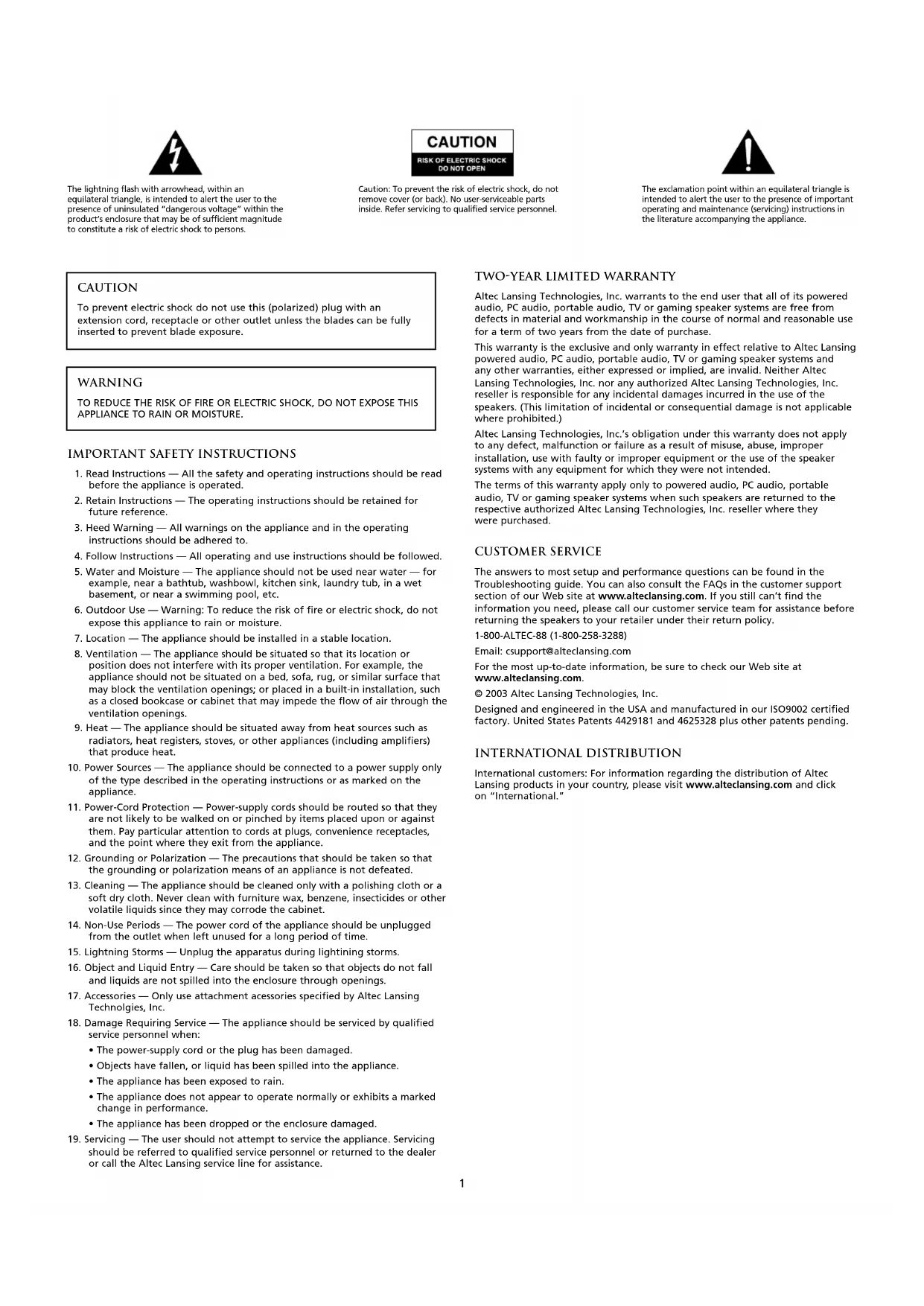
The lightning flash with arrowhead, within an equilateral triangle, is intended to alert the user to the presence of uninsulated "dangerous voltage" within the product's enclosure that may be of sufficient magnitude to constitute a risk of electric shock to persons.
CAUTION
RISK OF ELECTRIC SHOCK DO NOT OPEN
Caution: To prevent the risk of electric shock, do not remove cover (or back). No user-serviceable parts inside. Refer servicing to qualified service personnel.

The exclamation point within an equilateral triangle is intended to alert the user to the presence of important operating and maintenance (servicing) instructions in the literature accompanying the appliance.
CAUTION
To prevent electric shock do not use this (polarized) plug with an extension cord, receptacle or other outlet unless the blades can be fully inserted to prevent blade exposure.
WARNING
TO REDUCE THE RISK OF FIRE OR ELECTRIC SHOCK, DO NOT EXPOSE THIS APPLIANCE TO RAIN OR MOISTURE.
IMPORTANT SAFETY INSTRUCTIONS
-
Read Instructions — All the safety and operating instructions should be read before the appliance is operated.
-
Retain Instructions - The operating instructions should be retained for future reference.
-
Heed Warning - All warnings on the appliance and in the operating instructions should be adhered to.
-
Follow Instructions - All operating and use instructions should be followed.
-
Water and Moisture — The appliance should not be used near water — for example, near a bathtub, washbowl, kitchen sink, laundry tub, in a wet basement, or near a swimming pool, etc.
-
Outdoor Use - Warning: To reduce the risk of fire or electric shock, do not expose this appliance to rain or moisture.
-
Location - The appliance should be installed in a stable location.
-
Ventilation — The appliance should be situated so that its location or position does not interfere with its proper ventilation. For example, the appliance should not be situated on a bed, sofa, rug, or similar surface that may block the ventilation openings; or placed in a built-in installation, such as a closed bookcase or cabinet that may impede the flow of air through the ventilation openings.
-
Heat — The appliance should be situated away from heat sources such as radiators, heat registers, stoves, or other appliances (including amplifiers) that produce heat.
-
Power Sources — The appliance should be connected to a power supply only of the type described in the operating instructions or as marked on the appliance.
-
Power-Cord Protection — Power-supply cords should be routed so that they are not likely to be walked on or pinched by items placed upon or against them. Pay particular attention to cords at plugs, convenience receptacles, and the point where they exit from the appliance.
-
Grounding or Polarization — The precautions that should be taken so that the grounding or polarization means of an appliance is not defeated.
-
Cleaning — The appliance should be cleaned only with a polishing cloth or a soft dry cloth. Never clean with furniture wax, benzene, insecticides or other volatile liquids since they may corrode the cabinet.
-
Non-Use Periods - The power cord of the appliance should be unplugged from the outlet when left unused for a long period of time.
-
Lightning Storms — Unplug the apparatus during lightning storms.
-
Object and Liquid Entry — Care should be taken so that objects do not fall and liquids are not spilled into the enclosure through openings.
-
Accessories - Only use attachment accessories specified by Altec Lansing Technologies, Inc.
-
Damage Requiring Service — The appliance should be serviced by qualified service personnel when:
-
The power-supply cord or the plug has been damaged.
-
Objects have fallen, or liquid has been spilled into the appliance.
The appliance has been exposed to rain.
The appliance does not appear to operate normally or exhibits a marked change in performance.
The appliance has been dropped or the enclosure damaged. -
Servicing — The user should not attempt to service the appliance. Servicing should be referred to qualified service personnel or returned to the dealer or call the Altec Lansing service line for assistance.
TWO-YEAR LIMITED WARRANTY
Altec Lansing Technologies, Inc. warrants to the end user that all of its powered audio, PC audio, portable audio, TV or gaming speaker systems are free from defects in material and workmanship in the course of normal and reasonable use for a term of two years from the date of purchase.
This warranty is the exclusive and only warranty in effect relative to Altec Lansing powered audio, PC audio, portable audio, TV or gaming speaker systems and any other warranties, either expressed or implied, are invalid. Neither Altec Lansing Technologies, Inc. nor any authorized Altec Lansing Technologies, Inc. reseller is responsible for any incidental damages incurred in the use of the speakers. (This limitation of incidental or consequential damage is not applicable where prohibited.)
Altec Lansing Technologies, Inc.'s obligation under this warranty does not apply to any defect, malfunction or failure as a result of misuse, abuse, improper installation, use with faulty or improper equipment or the use of the speaker systems with any equipment for which they were not intended.
The terms of this warranty apply only to powered audio, PC audio, portable audio, TV or gaming speaker systems when such speakers are returned to the respective authorized Altec Lansing Technologies, Inc. reseller where they were purchased.
CUSTOMER SERVICE
The answers to most setup and performance questions can be found in the Troubleshooting guide. You can also consult the FAQs in the customer support section of our Web site at www.alteclansing.com. If you still can't find the information you need, please call our customer service team for assistance before returning the speakers to your retailer under their return policy.
1-800-ALTEC-88(1-800-258-3288)
Email: csupport@alteclansing.com
For the most up-to-date information, be sure to check our Web site at www.alteclansing.com.
© 2003 Altec Lansing Technologies, Inc.
Designed and engineered in the USA and manufactured in our ISO9002 certified factory. United States Patents 4429181 and 4625328 plus other patents pending.
INTERNATIONAL DISTRIBUTION
International customers: For information regarding the distribution of Altec Lansing products in your country, please visit www.alteclansing.com and click on "International."
MX5020 TWO-PIECE POWERED AUDIO SYSTEM
Thank you for purchasing this Altec Lansing product. For generations, Altec Lansing has been first in audio innovation. Today, our line of powered speakers has received more performance awards than any other brand. In all kinds of desktop environments, in every price range, Altec Lansing offers sound of distinction — giving even the most demanding customers the audio enjoyment they seek. Just listen to this!
BOX CONTENTS
- Two satellite speakers with removable grills
- 3.5mm stereo cable
Color-coded cables and AC adapter - User's guide and quick connect instructions
PLACING SPEAKERS
SATELLITE SPEAKERS
Arrange the satellite speakers to suit your listening tastes — from right next to the monitor to as far apart as the speaker cords allow.
For optimum sound, satellite speakers should be placed in a left/right configuration, preferably apart and at equal distance from the center of the listening area. This will offer the best stereo imaging and provide the most satisfying results.
Note: The satellite speakers ARE magnetically shielded and can be placed close to video displays such as TVs and computer monitors without distorting the image.
MAKING CONNECTIONS
Warning: Do not insert the speaker system's power plug into a wall outlet until all connections are made. Also, turn off audio source (i.e., your PC, MP3 player, Sony PlayStation, etc.) before connecting the outputs to the speaker system's inputs.
To ensure first-time operation as expected, please carefully follow the connection sequences described below in the order indicated.
SPEAKER SYSTEM
To set-up the speaker system:
Plug the color-coded RCA cable hard-wired to the back of the left satellite into the matching jack marked LEFT on the back of the right satellite.
INPUTS
Various connection schemes between your audio source and the speaker system are available. Determine if you'll be setting up the speaker system for PC audio/PC gaming/DVD playback, for portable audio devices (such as MP3 or portable CD players), or for console gaming and TV, then skip to the appropriate section.
PC AUDIO/PC GAMING/DVD PLAYBACK
All PC sound cards have audio outputs. Typically, the outputs will be marked as "front output" and "rear output." In some cases, slightly different terminology may be used. The sound card's documentation should help you determine which outputs to use with your speaker system.
- Make sure the power to your computer is turned off.
- Locate the lime green 3.5mm stereo cable provided with your speaker system.
- Connect one end of the lime green 3.5mm stereo cable to the matching jack on the back of the right satellite, and the other end to the lime green output labeled "FRONT" on your sound card.
PORTABLE AUDIO DEVICES (MP3, PORTABLE CD PLAYERS, ETC.)
- Make sure the power to your portable audio device is turned off.
- Locate the lime green 3.5mm stereo cable provided with this system.
- Connect one end of the lime green 3.5mm stereo cable to the matching jack on the back of the right satellite, and the other end to the headphone jack on your portable audio device.
CONSOLE GAMING AND TV
(Requires the use of the Console Gaming Y-Adapter, which is not included. This adapter can be purchased at www.alteclansing.com.)
Most console game systems feature dual-RCA outputs. To connect your speakers, follow the steps below:
- Make sure the power to your console gaming system is turned off.
- The Console Gaming Y-Adapter has a lime green 3.5mm stereo jack on one end and two RCA jacks on the other — one red and one white.
- Locate the red and white RCA plugs on the end of the cable connected to the back of your console gaming system. Connect them to the matching red and white RCA jacks on the Console Gaming Y-Adapter.
- Connect one end of the lime green 3.5mm stereo cable to the matching jack on the back of the right satellite, and the other end to the matching jack on the Console Gaming Y-Adapter.
POWERING ON
- After all other connections are made, plug one end of the power adapter into the back of the right satellite and the other end into the AC wall outlet. The speaker system is now ready to operate.
- Turn on the audio source.
- Access the controls by pressing on the LED/push button located on the right satellite. The door will automatically pivot 90 degrees. Note: To close the door, gently rotate it back to the closed position until you hear the "click" of the locking mechanism. You can choose to expose the controls by hiding the door under the satellite. To hide the door, lift the satellite and let the door swing automatically 270 degrees under the satellite.
- Turn on the speaker system by turning the master volume knob clockwise on the right satellite until you hear a click sound. An LED will light on the front of the right satellite when the power is ON.
Note: To avoid hearing a popping sound when you turn on your Altec Lansing speaker system, always turn on your audio source first.
VOLUME CONTROL
The VOLUME knob on the right satellite controls the master volume. Turn the knob clockwise to increase the volume and counterclockwise to decrease the volume.
BASS CONTROL
The BASS knob on the right satellite controls the bass. Turn the knob clockwise to increase the bass and counterclockwise to decrease the bass.
TREBLE CONTROL
The TREBLE knob on the right satellite controls the treble. Turn the knob clockwise to increase the treble and counterclockwise to decrease the treble.
HEADPHONES
To use headphones with the system, plug them into the labeled jack behind the pivoting door on the right satellite. When headphones are connected, the speaker system is muted.
AUXILIARY INPUT
This auxiliary or secondary input is located on the back of the right satellite. Connect any audio source that has a stereo 3.5mm plug (i.e. headphone style plug), including portable CD or MP3 players.
Caution: Make sure the audio source features a line-out jack. This will ensure that the output is not amplified. Check the owner's manual for your audio device for more information.
Note: You may need a cable that has RCA plugs on one end and a 3.5mm stereo male plug on the other or 3.5mm stereo plugs on both ends. These types of plugs may be purchased at most electronics stores.
SYSTEM SPECIFICATIONS*
Altec Lansing's superior sound comes from our proprietary technology, which utilizes custom-built, high-fidelity drivers, state-of-the-art equalization circuitry, and a harmonious mix of the following specifications:
| Sound Pressure Level (SPL): 95 dB | Frequency Response: 90 Hz - 20 kHz (-10 dB) |
| Total Continuous Power: 12 Watts RMS | Signal to Noise Ratio @ 1 kHz input: >75 dB |
| • Front Speakers: 6 Watts/channel @ 8 ohms @ 1% THD @ 20 - 20,000 Hz 2 Channels Loaded | Drivers (per satellite): One 1" horn-loaded tweeter and one 3" mid-bass driver |
*Power rating conforms to FTC Amplifier Rule #16 C.F.R. Part 432.
TROUBLESHOOTING
| SYMPTOM POSSIBLE PROBLEM SOLUTION | ||
| No LEDs are lit. | Power isn't turned on. | Turn the VOLUME knob on the right speaker until you hear a click sound. An LED will light next to the knob when the power is ON. |
| AC power cord isn't connected to the wall outlet or the back of the subwoofer. | Check to see if the "Power On" LED is illuminated on the right satellite. If not, connect the AC power cord. | |
| Surge protector (if used) isn't powered on. | If the AC power cord is plugged into a surge protector, make sure the surge protector is switched on. | |
| Wall outlet not functioning. | Plug another device into the wall outlet (same jack) to verify the wall outlet is working. | |
| No sound from one or more speakers. | Power isn't turned on. | Verify the AC power cord is plugged into the wall outlet. |
| Turn the VOLUME knob on the right speaker until you hear a click sound. An LED will light next to the knob when the power is ON. | ||
| Volume is set too low. | Turn the VOLUME knob clockwise to raise the volume. | |
| Check volume level on the computer sound card or alternate audio source device, and set at mid-level. | ||
| 3.5mm stereo cable isn't connected to audio source. | Check plug connections on the audio source. Make sure the signal cables are inserted firmly into the correct jacks. | |
| 3.5mm stereo cable is connected to wrong output on audio source. | Make sure the 3.5mm stereo cable is connected and fully inserted into the "line-out," "audio-out," or the headphone jack of the audio source. | |
| Problem with audio source device. | Test the speakers on another audio device. Remove the 3.5mm stereo cable from the audio source device and connect it to "line-out," "audio-out," or the headphone jack of another audio source. | |
| Crackling sound from speakers. | Bad connection. | Check all cables. Make sure they are connected to "line-out" or "audio-out" jack on your sound card or other audio source — NOT "speaker-out." |
| Volume level in computer operating system is set too high. | Check the computer operating system volume level and decrease it if necessary. | |
| A problem with your audio source device. | Unplug the stereo cable from the audio source. Then plug it into the headphone jack of an alternate audio source (e.g., Walkman, Discman or FM radio). | |
| Sound is distorted. | Volume level set too high. | Turn the VOLUME knob counterclockwise to lower the volume. |
| Computer operating system volume level is set too high. | Adjust the computer operating system volume and balance levels to the center as a starting point, then adjust the level on the speaker using the volume control. | |
| Sound source is distorted. | WAV files are often of poor quality. So distortion and noise are easily noticed with high-powered speakers. Try a different sound source such as a music CD. | |
| Radio interference. | Too close to a radio tower. | Move your speakers until the interference goes away. |
© 2003 Altec Lansing Technologies, Inc.
© 2003 Altec Lansing Technologies, Inc.
© 2003 Altec Lansing Technologies, Inc.
Projectado e concebido nos EUA e fabricado em{nossa fabrica certificada com o ISO9002. Patentes 4429181 e 4625328 dos Estados Unidos da AmERICA acrescidas de outras patentes pendentes.
© 2003 Altec Lansing Technologies, Inc.
© 2003 Altec Lansing Technologies, Inc.
© 2003 Altec Lansing Technologies, Inc.
© 2003 Altec Lansing Technologies, Inc.
M国,4429181吴4625328的如
表的定义
藥藥藥藥藥藥藥藥藥藥藥藥藥藥藥藥藥藥藥藥藥藥藥藥藥藥藥藥藥藥藥藥藥藥藥藥藥藥藥藥藥藥藥藥藥藥藥藥藥藥藥藥藥藥藥藥藥藥藥藥藥藥藥藥藥藥藥藥藥藥藥藥藥藥藥藥藥藥藻藻藻藻藻藻藻藻藻藻藻藻藻藻藻藻藻藻藻藻藻藻藻藻藻藻藻藻藻藻藻藻藻藻藻藻藻藻藻藻藻藻藻藻藻藻藻藻藻藻藻藻藻藻藻藻藻藻藻藻藻藻藻藻藻藻藻藻藻藻藻藻藻藻藻藻藻藻藻藻藻藻藻藻藻藻藻藻藻藻
#
·默默默默默默默默默默默默默默默默默默默默默默默默默默默默默默默默默默默默默默默默默默默默默默默默默默默默默默默
-3.5mm S-1000
-
·
△Ⅲ升明灯
VU
MnTIOI OIOIOOIOIOIOIOIOIOIOIOIOIOIOIOIOIOIOIOIOIOIOIOIOIOIOIOIOIOIOIOIOIOIOIOIOIOIOIOIOIOIOIOIOIOIOIOIOIOIOIOIOIOIOIOIOIOIOIOIOIOIOIOIOIOIOIOIOIOIOIOIOIOIOIOIOIOIO
原默默默默默默默默默默默默默默默默默默默默默默默默默默默默默默默默默默默默默默默默默默默默默默默默默默默默默默默默默默默默默默默默默默默默默默默默默默默默默默默默默默默默默默默默默默默默默默默默默默默默
甲
OukiOJiJHJFJHJFJHJFJHJFJHJFJHJFJHJFJHJFJHJFJHJFJHJFJHJFJHJFJHJFJHJFJHJFJHJFJHJFJHJFJHJFJHJFJHJFJHJFJHJFJHJFJHJ
PC Ondo/PC 册/ DVD
- 四是六是六是六是六是六是六是六是六是六是六是六是六是六是六是六是六是六是六是六是六是六是六是六是六是六是六是六是六是六是六是六是六是六是六是六是六是六是六是六是六是六是六是六是六是六是六是六是六是六是六是6
2.0
3.OgJK 90D 50000000000000000000000000000000000000000000000000000000000000000000000000000
4.曾歌歌歌歌歌歌歌歌歌歌歌歌歌歌歌歌歌歌歌歌歌歌歌歌歌歌歌歌歌歌歌歌歌歌歌歌歌歌歌歌歌歌歌歌歌歌歌歌歌歌歌歌歌歌歌歌歌歌歌歌歌歌歌歌歌歌歌歌歌歌歌歌歌歌歌歌歌歌歌歌歌歌歌歌歌歌歌歌歌歌歌歌歌歌歌歌歌歌歌歌
© 2003 Altec Lansing Technologies, Inc.

- CAUTION
- RISK OF ELECTRIC SHOCK DO NOT OPEN
- WARNING
- IMPORTANT SAFETY INSTRUCTIONS
- TWO-YEAR LIMITED WARRANTY
- CUSTOMER SERVICE
- INTERNATIONAL DISTRIBUTION
- MX5020 TWO-PIECE POWERED AUDIO SYSTEM
- BOX CONTENTS
- PLACING SPEAKERS
- SATELLITE SPEAKERS
- MAKING CONNECTIONS
- SPEAKER SYSTEM
- INPUTS
- PC AUDIO/PC GAMING/DVD PLAYBACK
- PORTABLE AUDIO DEVICES (MP3, PORTABLE CD PLAYERS, ETC.)
- CONSOLE GAMING AND TV
- POWERING ON
- VOLUME CONTROL
- BASS CONTROL
- TREBLE CONTROL
- HEADPHONES
- AUXILIARY INPUT
- SYSTEM SPECIFICATIONS*
- TROUBLESHOOTING
- 表的定义
- #
- △Ⅲ升明灯
- VU
- 甲
- PC Ondo/PC 册/ DVD
Brand : ALTEC LANSING
Model : MX5020
Category : Loudspeaker