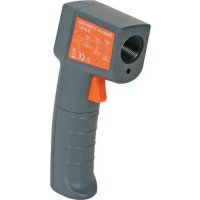
DVM439 - Thermometer VELLEMAN - Free user manual and instructions
Find the device manual for free DVM439 VELLEMAN in PDF.

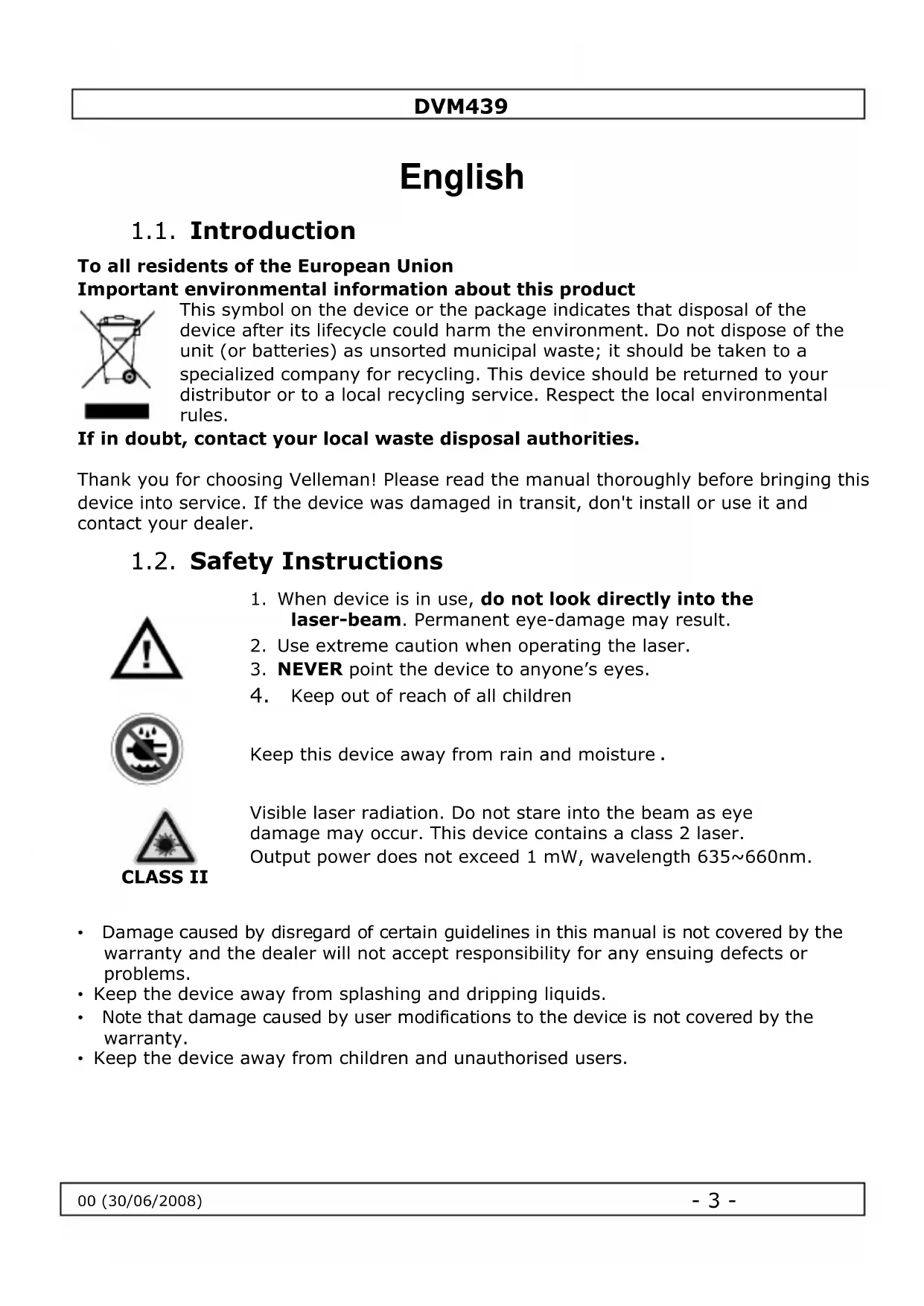


| Product type | Non-contact infrared thermometer with laser |
| Brand | Velleman |
| Model | DVM439 |
| Dimensions (L x W x H) | 172.9 x 36.0 x 71.5 mm |
| Weight (with batteries) | 152 g |
| Power supply | 2 x 1.5 V R03 batteries (included) |
| Measuring range | -35 °C to +365 °C (-31 °F to +689 °F) |
| Resolution | 0.2 °C / 0.5 °F |
| Accuracy | ±2.5% of reading or ±2.5 °C (whichever is greater) for Tobj > 0 °C; ±(2.5 °C + 0.05 °C/°C) for Tobj between -35 °C and 0 °C |
| Response time (90%) | 1 second |
| Emissivity | 0.95 (fixed) |
| Distance to spot ratio | 8:1 |
| Sensor wavelength | 5 μm – 14 μm |
| Laser | Class 2, < 1 mW, 635 – 660 nm |
| Display | LCD with backlight |
| Measurement units | °C or °F (selectable) |
| Main functions | Non-contact measurement, display hold, max value display, auto power off (15 s) |
| Operating temperature | 0 °C to +50 °C |
| Storage temperature | -20 °C to +65 °C |
| Maintenance and cleaning | Clean the sensor with a soft cloth or cotton swab slightly moistened with water or alcohol. Do not immerse. No user-serviceable parts. |
| Safety | Class 2 laser – do not look into beam. Protect from moisture and dust. |
| Spare parts and repairability | No user-serviceable parts. Contact the dealer for spare parts. |
| General information | Delivered with batteries. Warranty not applicable if instructions are not followed. |
Frequently Asked Questions - DVM439 VELLEMAN
User questions about DVM439 VELLEMAN
0 question about this device. Answer the ones you know or ask your own.
Ask a new question about this device
Download the instructions for your Thermometer in PDF format for free! Find your manual DVM439 - VELLEMAN and take your electronic device back in hand. On this page are published all the documents necessary for the use of your device. DVM439 by VELLEMAN.
USER MANUAL DVM439 VELLEMAN
NON-CONTACT INFRARED THERMOMETER INFRAROODTHERMOMETER - ZONDER CONTACT THERMOMÉTURE INFRAROUGE - SANS CONTACT TERMÔMETRO IR DE BOLSILLO - SIN CONTACTO BERÜHRUNGSLOSES INFRAROT-THERMOMETER
USER MANUAL
GEBRUIKERSHANDLEIDING
NOTICE D'EMPLOI
MANUAL DEL USUARIO
BEDIENUNGSANLEITUNG
CE
Table of contents
English. 3
Nederlands - 7 -
Français - 11 -
Espanol - 15 -
Deutsch - 19 -
English
1.1. Introduction
To all residents of the European Union Important environmental information about this product
This symbol on the device or the package indicates that disposal of the device after its lifecycle could harm the environment. Do not dispose of the unit (or batteries) as assorted municipal waste; it should be taken to a specialized company for recycling. This device should be returned to your distributor or to a local recycling service. Respect the local environmental rules.
If in doubt, contact your local waste disposal authorities.
Thank you for choosing Velleman! Please read the manual thoroughly before bringing this device into service. If the device was damaged in transit, don't install or use it and contact your dealer.
1.2. Safety Instructions

- When device is in use, do not look directly into the laser-beam. Permanent eye-damage may result.
- Use extreme caution when operating the laser.
- NEVER point the device to anyone's eyes.
- Keep out of reach of all children

Keep this device away from rain and moisture .

Visible laser radiation. Do not stare into the beam as eye damage may occur. This device contains a class 2 laser. Output power does not exceed 1mW , wavelength 635 660nm .
- Damage caused by disregard of certain guidelines in this manual is not covered by the warranty and the dealer will not accept responsibility for any ensuing defects or problems.
- Keep the device away from splashing and dripping liquids.
- Note that damage caused by user modifications to the device is not covered by the warranty.
- Keep the device away from children and unauthorised users.
1.3. General Guidelines
- This device is battery-operated, using 2 type AAA, 1.5V batteries.
- Protect this device from shocks and abuse. Avoid brute force when operating the device.
- Protected the device against extreme heat (see "Technical Specifications"), dust and moisture.
Familiarise yourself with the functions of the device before actually using it. - Use the original packaging if the device is to be transported.
- All modifications of the device are forbidden for safety reasons.
- Only use the device for its intended purpose. Using the device in an unauthorised way will void the warranty.
- Readings may be affected if the unit is operated within radio frequency electromagnetic field strength of about 3 volts per meter, but the performance of the instrument will not be permanently affected.
Note: under an EM field of 3V/m from 350 to 550MHz, the maximum error is 8^ (14.4°F).
- This device contains a class 2 laser (Output power < 1mW , wavelength 635 660nm ). DO NOT STARE INTO BEAM, eye damage may result.
1.4. Features
- non-contact infrared laser thermometer
- LCD display with backlight
temperature readout in ^ C or ^ F - Continues Real-Time maximum data
hold mode - Auto power-off (± 15 sec.)
- 'trigger-to-scan' temperature function
1.5.Use
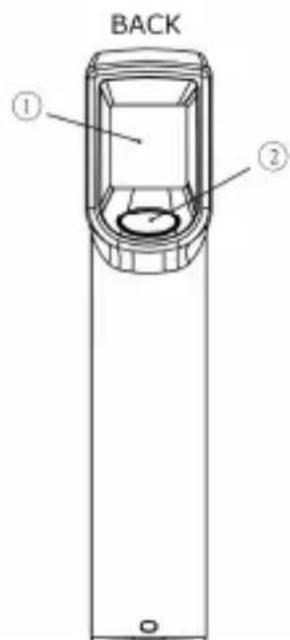
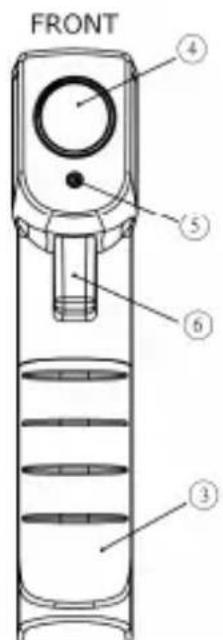
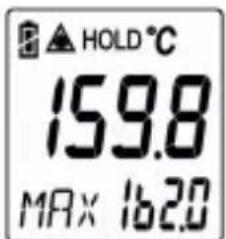
Display example
- LCD display
- Mode key
- Battery cover
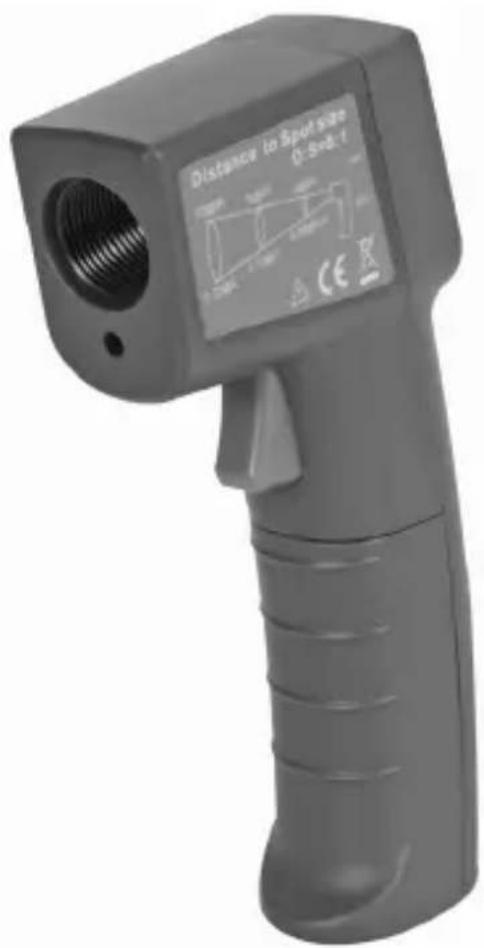
- Infrared Lens
- Laser
- Meas. Key
DVM439
- Simply aim the infrared lens (4) at the target and press the Meas. key (6) to display the target's surface temperature. A red laser spot will appear on the target during measurement. The distance to target ratio is 8:1, meaning that at e.g. 8 cm, the target must be larger than 1 cm to have a proper measurement. Make sure the target area is within this field of view.
- The thermometer can be used in either ^ C or ^ F mode. To switch between modes, press the Mode key (2) while the unit is on. The ^ C or ^ F symbol will appear on the display (1).
- The maximum measured value is always shown at the bottom of the display (1), next to the MAX icon.
- The hold mode is automatically activated when the Meas. key (6) is released. The last measurement will remain on the display (1) until a new measurement is started, or the device shuts off automatically (after approx. 15 sec.).
Note that the backlight is always on, while the laser is only on during measurement.
1.6. Troubleshooting
H, Lo
'Hi' or 'Lo' is displayed when the temperature being measured is outside of the range of the instrument (see technical specifications).
E-2
'Er2' is displayed when the thermometer is exposed to rapid changes in ambient temperature. Let the thermometer stabilize to the working/room temperature for at least 30 minutes.
Er-3
'Er3' is displayed when the ambient temperature exceeds 0^ (+32^) or +50^ (+122^) . Let the thermometer stabilize to the working/room temperature for at least 30 minutes.
Er
Error 5~9, for all other error messages it is necessary to reset the thermometer. To reset it, wait until the instrument off, remove the batteries and wait for at least one minute. Reinsert the batteries and switch on. If the error message remains please contact the Service Department for further assistance.
1.7. Cleaning and storage
- The sensor lens is the most delicate part of the thermometer and should be kept clean at all times.
- To do this, only use a soft cloth or cotton bud with a little water or medical alcohol.
- Allow the lens to fully dry before using the thermometer.
- Wipe the other parts of the thermometer regularly with a moist, lint-free cloth. Do not use alcohol or solvents.
- Do not submerge the thermometer in water or any other liquid.
- There are no user-serviceable parts.
- Contact your dealer for spare parts if necessary.
- The thermometer should be stored between -20^ to +65^ (-4°F to +149 °F).
1.8. Battery
- The thermometer incorporates a visual low battery indication as follows:

'Battery OK': measurements are possible

'Battery low': battery needs to be replaced, measurement still possible

'Battery Exhausted': measurements no longer possible, replace battery.
- To replace the battery, wait until the instrument powers off.
- Open the battery compartment by sliding the battery cover (3) downwards.
- Replace the battery with two new type AAA, 1.5V batteries.
- Close the battery compartment by sliding the battery cover back in place.

A malfunction may occur if the power is on when the battery is replaced. If a malfunction occurs, restart the device. Keep the battery away from children.
1.9. Technical Specification
measurement range -35°C ~ +365°C (-31°F ~ +689°F)
operating range 0^ +50^(+32^ +122^)
storage temperature -20^ +65^ (-4^ +149^)
accuracy T_obj = -35 0^ ± (2.5^ + 0.05 / ^)
(t_amb=23 ± 3^ C) T_obj=0 365^ C: ± 2,5 % of reading or 2,5^ C (4,5^ F)
whichever is greater
resolution 0.2^ / 0.5^
response time (90%) 1 sec
emissivity 0.95 (fixed)
display LCD
wavelength 5 m - 14 m
auto switching-off 15 sec
distance-to-spot ratio D:S = 8:1
power supply 2 × AAA , 1.5V battery (incl.)
dimensions 172.9× 36.0× 71.5mm
weight 152 gr. (5.36 oz) (batteries included)
Use this device with original accessories only. Velleman nv cannot be held responsible in the event of damage or injury resulted from (incorrect) use of this device.
For more info concerning this product, please visit our website
www.velleman.eu.
The information in this manual is subject to change without prior notice.
Nederlandss
2.1. Inleiding
resolute 0,2^ / 0,5^
respondijd (90%) 1 sec.


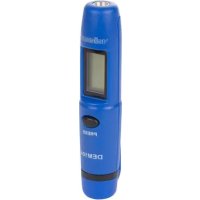
Brand : VELLEMAN
Model : DVM439
Category : Thermometer