TM903 - Tablet IT WORKS - Free user manual and instructions
Find the device manual for free TM903 IT WORKS in PDF.



| Product type | Tablet |
| Brand | IT WORKS |
| Model | TM903 |
| Processor | Amlogic 8276-MX dual core 1.5 GHz (Cortex A9) |
| RAM memory | 1 GB DDR3 |
| Internal storage capacity | 16 GB Flash |
| Memory expansion | microSD card up to 32 GB |
| Screen size | 9.7 inches (24.6 cm) |
| Screen resolution | 1024 x 768 pixels |
| Screen technology | Capacitive TFT LCD |
| Wi-Fi connection | IEEE 802.11 b/g/n |
| Ports | USB 2.0 high speed, HDMI (type C), DC IN 5V jack, headphone jack |
| Front camera | 0.3 megapixel |
| Rear camera | 2 megapixels |
| Speaker | 1 x 1 W |
| Microphone | Built-in |
| Operating system | Android 4.1 |
| Battery | Rechargeable lithium polymer |
| Power supply | DC 5V, 2A power adapter |
| Battery life (music) | About 7 hours |
| Battery life (video) | About 3 hours |
| Battery life (Internet browsing) | About 3 hours |
| Dimensions (approx.) | 240 x 170 x 9 mm |
| Weight (approx.) | 500 g |
| Care and cleaning | Turn off the device. Clean with a soft, dry cloth. Do not use abrasive products. |
| Safety | Do not replace the battery with an incorrect type. Dispose of used batteries according to instructions. Use headphones compliant with French standard (Order of November 8, 2005). |
| Spare parts and repairability | Contact IT WORKS after-sales service for spare parts. |
| General information | Household use only. Do not expose to moisture. |
Frequently Asked Questions - TM903 IT WORKS
User questions about TM903 IT WORKS
0 question about this device. Answer the ones you know or ask your own.
Ask a new question about this device
Download the instructions for your Tablet in PDF format for free! Find your manual TM903 - IT WORKS and take your electronic device back in hand. On this page are published all the documents necessary for the use of your device. TM903 by IT WORKS.
USER MANUAL TM903 IT WORKS
natural_image
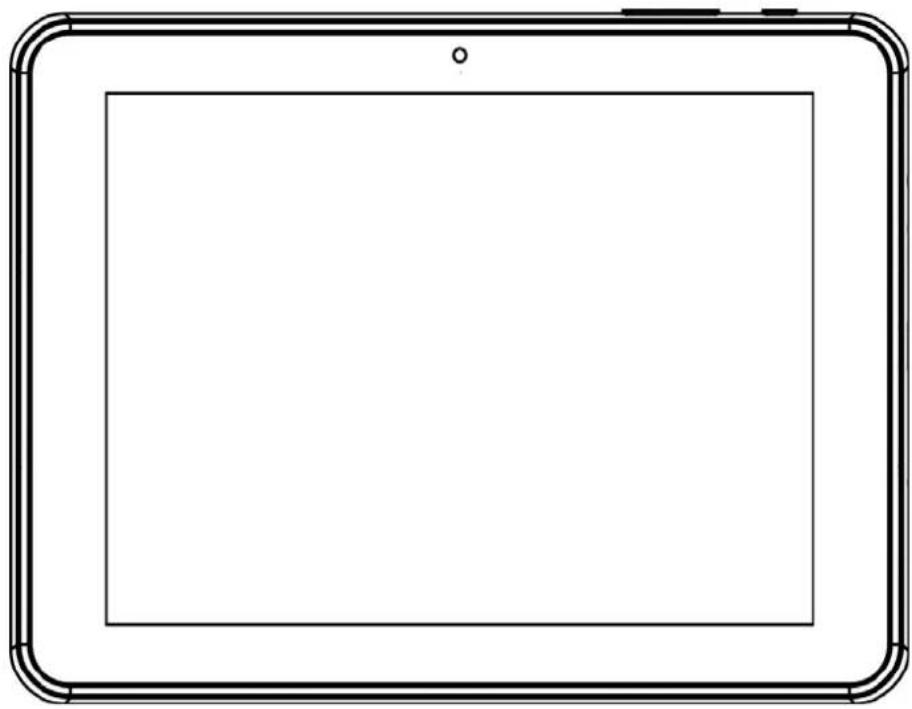
Simple line drawing of a tablet device with rounded corners and a blank screen (no text or symbols)INSTRUCTIONMANUAL
WARNINGS
This appliance is intended for domestic household use only and should not be used for any other purpose or in any other application, such as for domestic use or in a commercial environment.
CAUTION
RISKOFEXPLOSIONIFBATTERYISREPLACEDBYANINCORRECTTYPE DISPOSEOFUSEDBATTERIESACCORDINGTOTHEINSTRUCTIONS.
FEATURES
BrowsetheWeb.
Keepintouchwithfriendsandfamily
WatchYouTube™videos
Browse the world's most popular video-sharing community
Readyourfavouritebooks
Downloadthousandsofbookswith theincludedE-bookreader
Discoverthousandsofappsfor
Android™ Gamesandapplications
ConnecttotheInternetwirelessly
High-speed Wi-Fi 802.11 b/g/n networking
Enjoy your medial library anywhere
Portablepowerhouseplayspopular music, video, and photoformats
TFcardreader
Increaseyourstoragecapacity(upto 32GBsupported)
Built-incamera
Convenientfront-facingcamera (0.3MP), rear2MP
Automaticorientationdetection
Readanywayyouwant;thedisplay adjustsautomatically
ReadingbooksintheePubformat requirestheincludedE-bookreader application.
RequiresoptionalHDMIcable
(Type A-to-Type C). 1080p HD video playback requires a video file encoded at 1080p. Streaming video quality will be affected by the source, and the quality and condition of your network connection.
UNITATAGLANCE
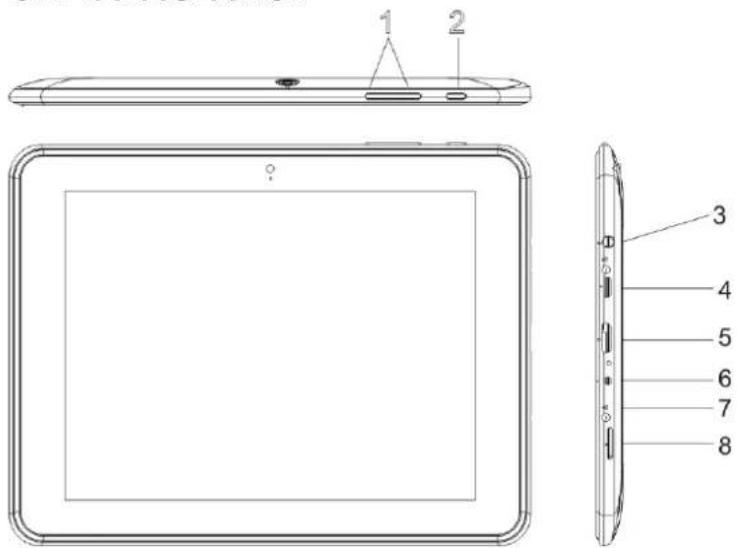
1.VOL+/VOL-
Remarks: WhentheSPL warningappears& youpress 'cancel', the volume cannot be increased anymore unless you reduce the volume and then increase the volume again.
-
⏻
-
Presstoturntheuniton,ortoturnthescreenonoroff.
- Pressandholdtopowerof f theunit.
3.
4.
5.HDMIport
6.DCIN5V
7.R(reset)
8.TFCARD


Atfullpower, prolonged listening to the player and a gamethe ear of the user.
WARNING: To protect your hearing, it is important that any headphones or earphonesusedinconjunctionwiththisproductarecompliantwith French Decree of 8 November 2005 implementing Article L.5232-1. This ensuresthatthesoundleveldoesnotexceed100dBSPL.Theprolonged listeningathighvolumeformorethanfivehoursaweekcandamage yourhearing.

Topreventpossiblehearingdamage, donotlistenathighvolumelevelsfor longperiods.
GETTINGSTARTED
TurningtheTabletOnorOff
Toturnthetableton:
Pressandholduntilthescreenturnson.WaituntiltheHomescreenappears.
Thetabletisnowreadyforuse.
Toturnthetabletoff:
- PressandholduntiltheDeviceOptionsmenuappears.
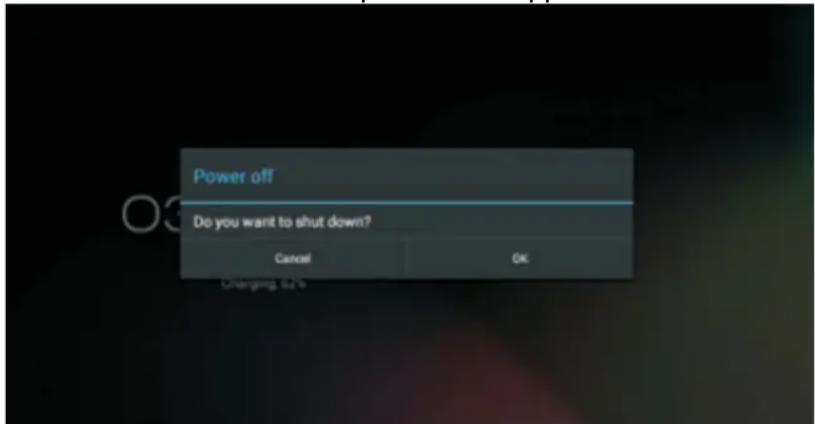
- TouchOKonthescreent of the tablet.
TurningtheScreenOnoroff(Standby)
Whenthetabletison,youcanturnoffthescreentosavebatterypower.
Press ⏻ once to turn the screen off. Press ⏻ again to turn the screen back on.
NOTE: To save battery power, the screen can be set to turn off automatically when the tabletisnotinuse. Thescreenofftimeoutcanbesetinthe"Display" optionunder"Settings"menu.
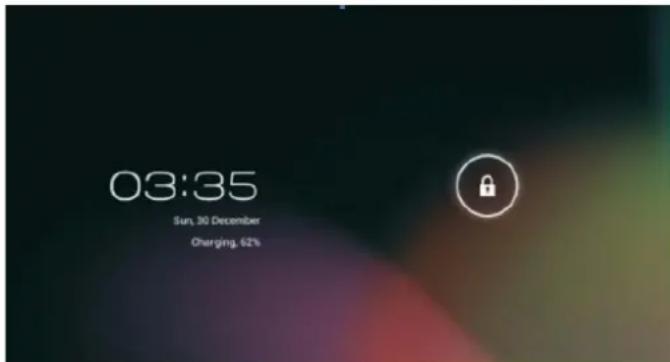
UnlockingtheScreen
Whenthescreenturnsoffandyouwanttounlockthescreen,dragthelockicon acrossthescreentowardsthelockicon.
ABOUTAPPLICATIONS
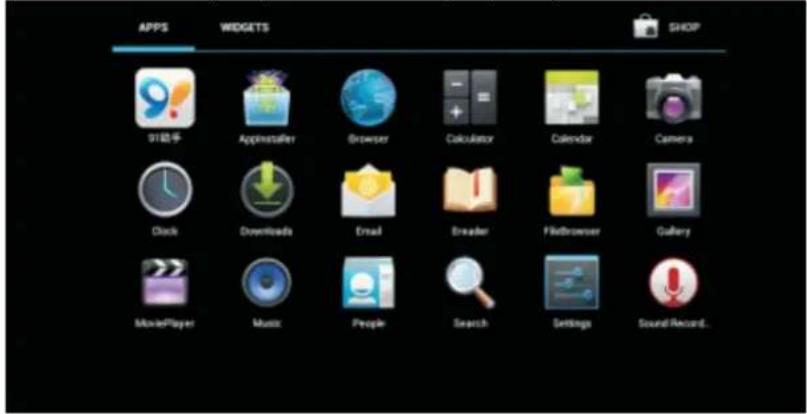
Toopenanapplication,touchtheapplicationicononthehomescreenorinthe Launcher(iconontheupperrightcorner)togetin.
Launcherscreen(onlyforillustrativepurpose):
PreinstalledApplications
Some applications have been installed on your tablet for your convenience. These applications include:

Browsetheweb.
Performsimplemathematicaloperations.

Takepicturesorvideoswiththefrontfacingcamera.

Checkyouremail.

Playmusic.
AccesstheSettingsmenutosettheoptions.
InstallingApplications
Youcanalsodownloadandinstallapplicationsfromthedevice'sapplications marketplace,thewebbrowser,orothersources.
CONNECTTINGTHETABLETTOAWI-FINETWORK
- TurnontheWi-Firadioi f itisnotalreadyon.ToturnonWi-Fi:
a. GototheHomescreen:PresstheHomekey.
b. OpentheSettingsmenu: taptheiconrightuponthehomescreentogetinto thelauncher, thentouchSettingsicon.
c.OpentheWireless&networksmenu:SlidertheicontoONstatus.
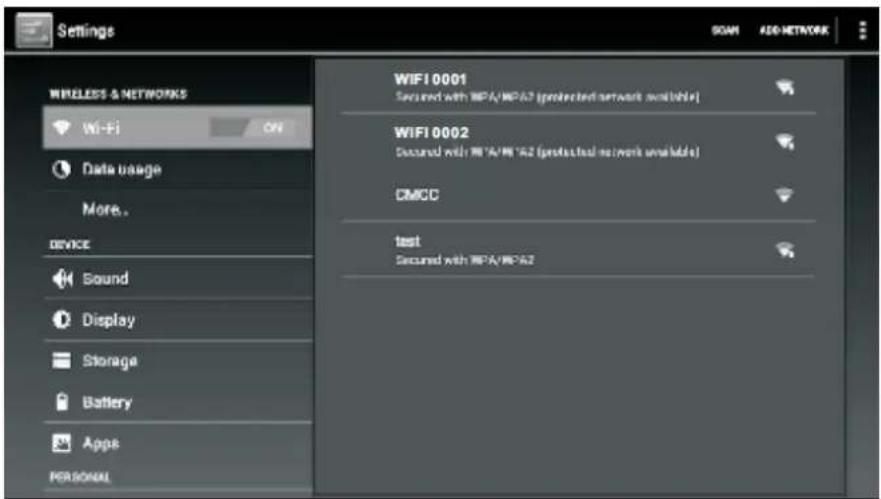
When Wi-Fi is on, the tablet will search and display a list of available Wi-Fi networks.
NOTE: Ifanetworkthatyouhaveconnectedtopreviouslyisfound, thetabletwill connecttoit. If you don't see your network in the list, you can force the tablet to re-scan. To scan for networks, tap the Menu key, and then touch "SCAN".
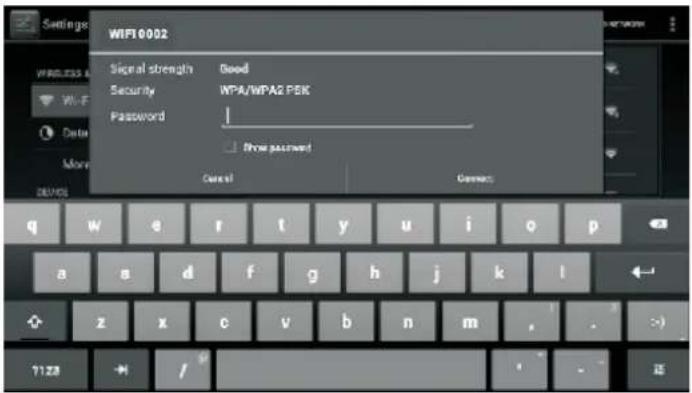
- SelectanavailableWi-Finetworktoconnectto:
In the same Wi-Fi settings menu above, touch a network in the list.
If thenetworkisopen, the tablet will prompt you to confirm connection to the network. Touch Connect to confirm.
If thenetworkissecured(asindicatedbyaLockicon),thetabletwillpromptyouto enterapasswordorothercredentials.TouchtheWirelesspasswordboxtoshowthe on-screen keyboard and then use it to enter the password. Touch "Connect" to confirm.
When the tablet has been connected to a Wi-Fi network, the Notifications bar at thethelowofthescreenwillshowaWi-Fisignalindicator.
CONNECTINGTHETABLETTOACOMPUTER/UDISK
- Connectthetablettothecomputer/UdiskusingthesuppliedUSBcable.
2.SlidetheUSBiconuponthescreenandthentouch"USBconnected".
- Mountthestorage.
- Touch "Turn on USB storage" on the screen to mount the built-in storage of the tablet. When it is mounted, you can copy file to from the tablet.
SPECIFICATIONS
| ProcessorAmlogic8276-M | XDualcore1.5GHz(cortexA9) |
| RMA1GBDDR3 | |
| Storage16GBflashbuilt-in; | Supportupto32GBTFcard |
| Display9.7”TFTLCD(1024x768),Capacitivetouchscreen | |
| Wi-FiNetworkingIEEE802 | 11b/g/n |
| USB | USB2.0highspeed |
| AdditionalFeatures | Built-inmicrophoneFrontfacingcamera(0.3MP),rear2MP1x1Wspeaker |
| OperatingSystem | AndroidTM 4.1 |
| Power | Rechargeable Li-poly battery powerAdapter(DC5V,2A) |
| PlaybackTime | Upto7-hourmusic,3-hourvideo,3-hourwebbrowsing |
Musicwastestedwitha128kbpsMP3file;videowastestedwitha1920x1080 MPEG-4/AVC file; browsing was tested with the screen brightness set to default. Actual playback resultsmayvary.

Asaresponsibleretailerwecareabouttheenvironment.
Assuchweurgeyoutofollowthecorrectdisposalprocedurefortheproduct, packagingmaterialsandifapplicable,accessoriesandbatteries.Thiswillhelp conservenaturalresourcesandensurethatthematerialsarerecycledinamanner thatprotectshealthandtheenvironment.
You must follow laws and regulations about disposals. Waste electrical products and batteries must be disposed of separately from household wastewater the product reaches the endofits life.
Contactthestorewhereyouboughttheproductandyourlocalauthoritytolearn aboutdisposalandrecycling.
Thebatteriesmustbedisposedofatyourlocalrecyclingpoint.
Weapologiseforanyinconveniencecausedbyminorinconsistenciesinthese instructions,whichmayoccurasaresultofproductimprovementanddevelopment.
KesaElectricals©UK:EC1N6TE31/01/2013
Declaration of Conformity
The following product has been deemed to comply with the requirements of the listed European Directives:-
R&TTE Directive (1999 / 5 / EC)
Electromagnetic Compatibility Directive (2004/108/EC)
Low Voltage Directive (2006/95/EC)
RoHS 2 (2011/65/EU)
Product Description: Multimedia Tablet
Brand: I.T.Works
Model numbers: TM 903
The above listed product conforms to the following EU Standards:
ETSI EN 300 328 V1.7.1 (2006-10)
ETSI EN 301489-1 V.1.9.2 (2011-09)
ETSI EN 301489-17 V2.1.1 (2009-05)
EN 62479:2010
EN 55022:2010
EN 55024:2010
EN 61000-3-2:2006+A1:2009+A2:2009
EN 61000-3-3:2008
EN 60950-1:2006+A11:2009+A1:2010+A12:2011
The person responsible for this declaration is:
Name: Steve Connor
Position: General Manager of Direct Sourcing
Signature:

Date:
11.3.13

it.works
Downloaded from www.vandenborre.be
TABLETTE
MODÈLETM903
natural_image
Simple line drawing of a tablet device with rounded corners and a blank screen (no text or symbols)MODED'EMPLOI
ATTENTION
1.VOL+/VOL-
APPLICATIONS
Applicationspréinstallées
Consultervose-mails.

CONNEXIONÀUNORDINATEUR/PÉRIPHÉRIQUEUSB
Downloaded from www.vandenborre.be
TABLETA
MODELOTM903
natural_image
Simple line drawing of a tablet device with rounded corners and a blank screen (no text or symbols)MANUALDEINSTRUCCIONES
ADVERTENCIAS
- VOL+/VOL-
- Toque OKenlapantallaparaapagarlatableta.
EncenderoApagarlaPantalla(Espera)
KesaElectricals©UK:EC1N6TE31/01/2013
TABLET
MODELLOTM903
natural_image
Simple line drawing of a tablet device with rounded corners and a blank screen (no text or symbols)MANUALED'ISTRUZIONI
ATTENZIONE
COLPOD'OCCHIOSULL'UNITÀ
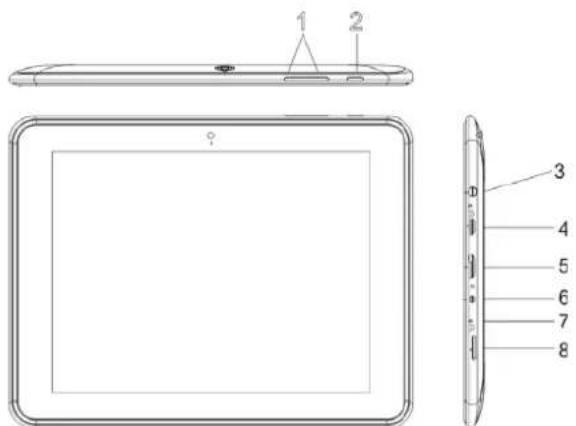
1.VOL+/VOL-
ToccareOKsulloschermoperspegnereiltablet.
Accendereespegnereloschermo(Standby)
Quandoiltabletèacceso,sipuòspegnereloschermoperrisparmiareenergia.
SULLEAPPLICAZIONI
COLLEGAREILTABLETAUNCOMPUTER/UDISK
- Collegareiltabletauncomputer/UdiskusandoilcavoUSBindotazione.
2.Farscorrere l'iconaUSBsulloschermoinaltoepoitoccare"USBcollegato".
3.Installarelamemoria.
- Toccare"AccenderememoriaUSB"sulloschermoperinstallarelamemoria internadeltablet.Quandoèpronta,sipossonocopiareifilesuledaltablet.
CARATTERISTICHETECNICHE
KesaElectricals©UK:EC1N6TE31/01/2013
TABLET
MODELTM903
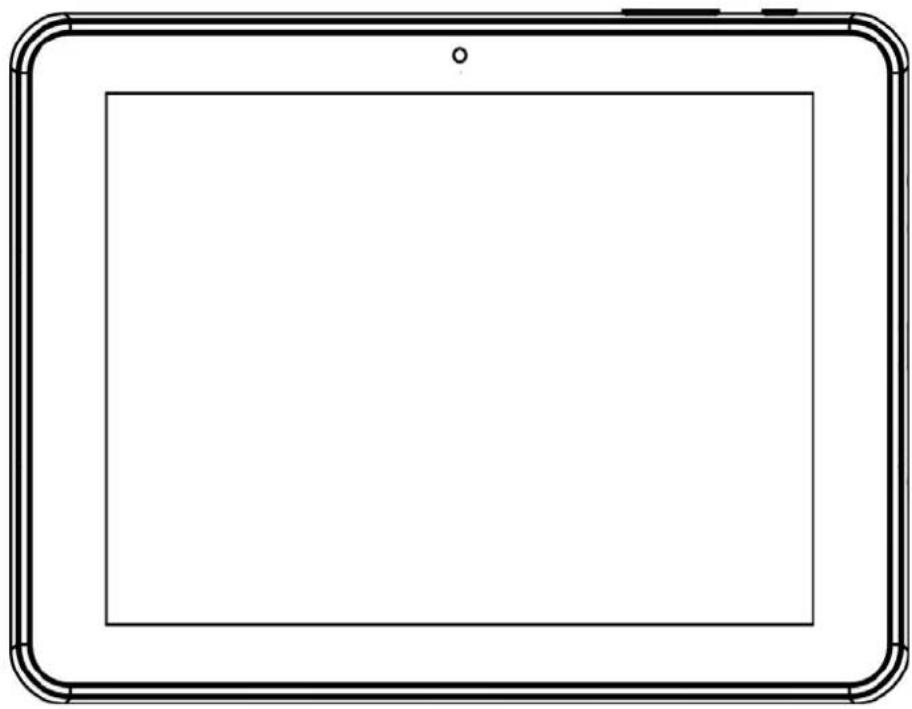
natural_image
Simple line drawing of a tablet device with rounded corners and a blank screen (no text or symbols)GEBRUIKSAANWIJZING
WAARSCHUWINGEN
1.VOL+/VOL-
- DrukOKophetschermomdetabletuitteschakelen.
HetSchermINofUIT(Standby)schakelen.
TOEPASSINGEN
UWTABLETAANSLUITENOPEENCOMPUTER/UDISK.
KesaElectricals©UK:EC1N6TE31/01/2013
it.works
Downloaded from www.vandenborre.be
TABLET
MODELTM903
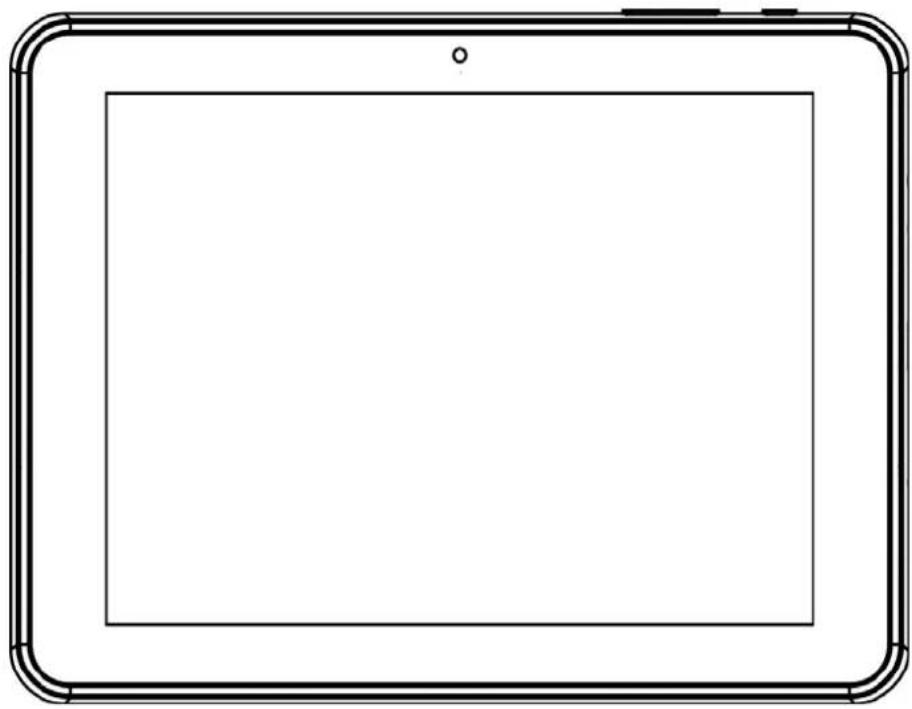
natural_image
Simple line drawing of a tablet device with rounded corners and a blank screen (no text or symbols)POKYNYKPOUŽITÍ
UPOZORNĚNÍ
1. HLASITOST+/HLASITOST-
OAPLIKACÍCH
PŘIPOJENÍ TABLETU K POČÍTAČI / U DISKU
KesaElectricals©UK:EC1N6TE31/01/2013
it.works
Downloaded from www.vandenborre.be
TABLET
MODELTM903
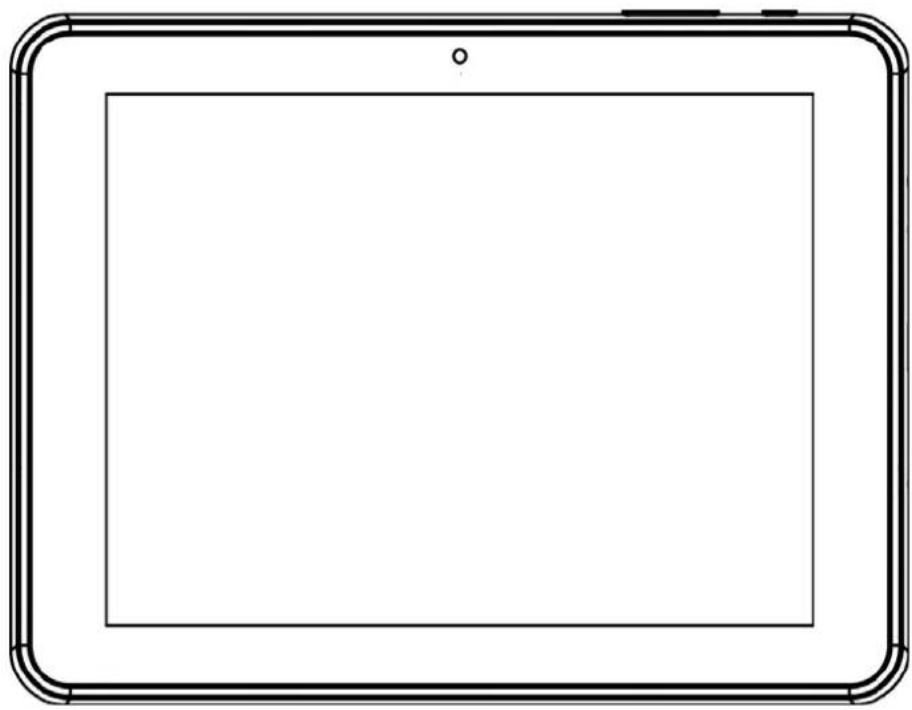
natural_image
Simple line drawing of a tablet device with rounded corners and a blank screen (no text or symbols)NÁVODNAPOUŽITIE
VAROVANIA
1.VOL+/VOL-
- PrevypnutietabletuklepnitenaOKnaobrazovke.
INFORMÁCIEOAPLIKÁCIÁCH
PRIPOJENIE TABLETU K POČÍTAČU/USB DISKU
KesaElectricals©UK:EC1N6TE31/01/2013
it.works
Downloaded from www.vandenborre.be
TABLET
MODELTM903
natural_image
Simple line drawing of a tablet device with rounded corners and a blank screen (no text or symbols)YÖNERGEELKİTABI
UYARILAR
1.SES+/SES-
UYGULAMALARHAKKINDA
KuruluUygulamalar
KesaElectricals©UK:EC1N6TE31/01/2013