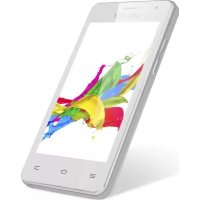
Quantum 400 - Smartphone GOCLEVER - Free user manual and instructions
Find the device manual for free Quantum 400 GOCLEVER in PDF.



| Product Type | Smartphone |
| Brand | GoClever |
| Model | Quantum 400 |
| Dimensions (approx.) | 145 x 73 x 10 mm |
| Weight (approx.) | 150 g |
| Display | 4.0 inches, TFT |
| Processor | Quad-core 1.2 GHz |
| RAM Memory | 1 GB |
| Internal Storage | 8 GB |
| External Storage | microSD up to 32 GB |
| Rear Camera | 5 MP |
| Front Camera | 2 MP |
| Battery | Li-Ion 2000 mAh, removable |
| Charging Time | Approximately 3.5 hours |
| Operating System | Android 4.4 KitKat |
| Network | Dual SIM (2G + 3G) |
| Connectivity | Wi-Fi 802.11 b/g/n, Bluetooth 4.0, microUSB 2.0 |
| Sensors | Proximity, accelerometer |
| Box Contents | Phone, battery, charger, USB cable, headset, quick guide |
| Care and Cleaning | Clean with a soft dry cloth. Avoid moisture. |
| Safety | Do not expose to water or extreme temperatures. Use the provided charger. |
| Spare Parts and Repairability | Replaceable battery. For other repairs, contact an authorized service center. |
| General Information | Manufacturer warranty 24 months. Register at register.goclever.com. |
Frequently Asked Questions - Quantum 400 GOCLEVER
User questions about Quantum 400 GOCLEVER
0 question about this device. Answer the ones you know or ask your own.
Ask a new question about this device
Download the instructions for your Smartphone in PDF format for free! Find your manual Quantum 400 - GOCLEVER and take your electronic device back in hand. On this page are published all the documents necessary for the use of your device. Quantum 400 by GOCLEVER.
USER MANUAL Quantum 400 GOCLEVER
natural_image
Two smartphones displaying colorful abstract graphics on their screens (no text or symbols visible)QUANTUM 400
Quick Start Guide

2 | English | GB
8 Polish | PL
16 Bulgarian BG
22 | Croatian | HR
28 | Czech | CZ
34 | Estonian | EST
40 | French | FR
46 | German | DE
54 | Greek | GR
60 Hungarian | HU
66 | Italian | IT
72 | Latvian | LV
78 Lithuanian | LT
84 | Portuguese | PT
90 | Romanian | RO
98 | Serbian | SRB
104 | Slovak | SK
110 | Slovenian | SL
116 Spanish | ES
122 Ukrainian | UA
130 | Service center list
natural_image
Abstract geometric composition with a blue square, a green square, and two colored rectangles (no text or symbols)Quick Start Guide - GB
Package contents

- GOCLEVER QUANTUM 400
- AC Adapter
- Earphones
- USB Cable
- Quick Start Guide
- Battery
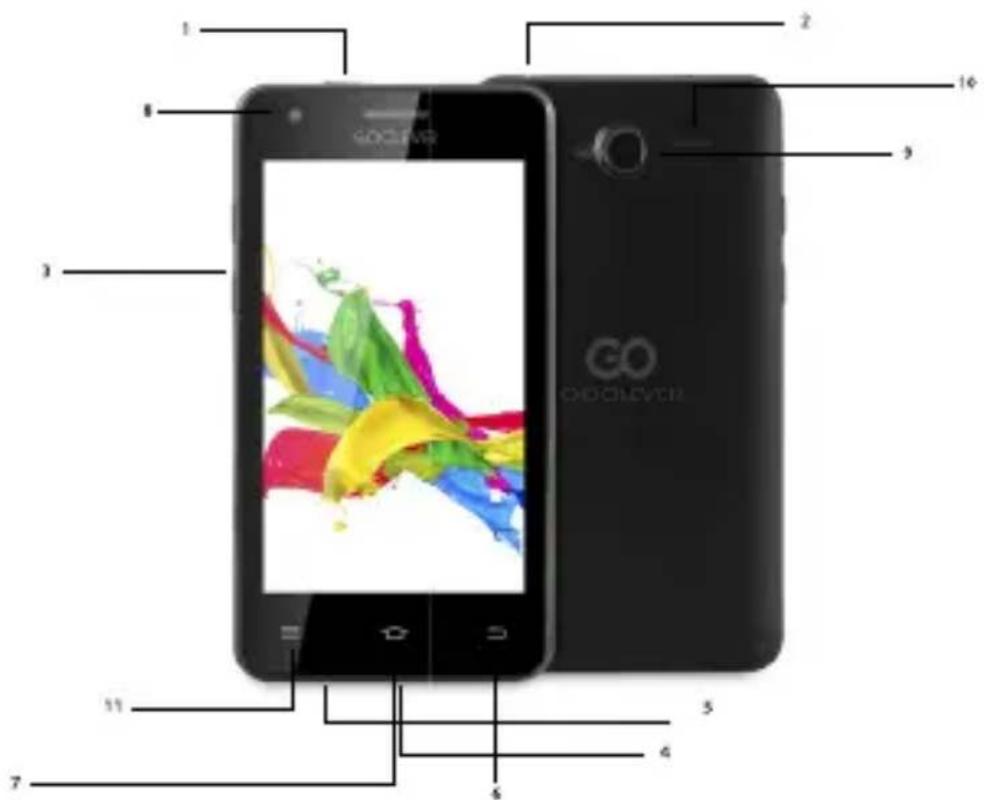
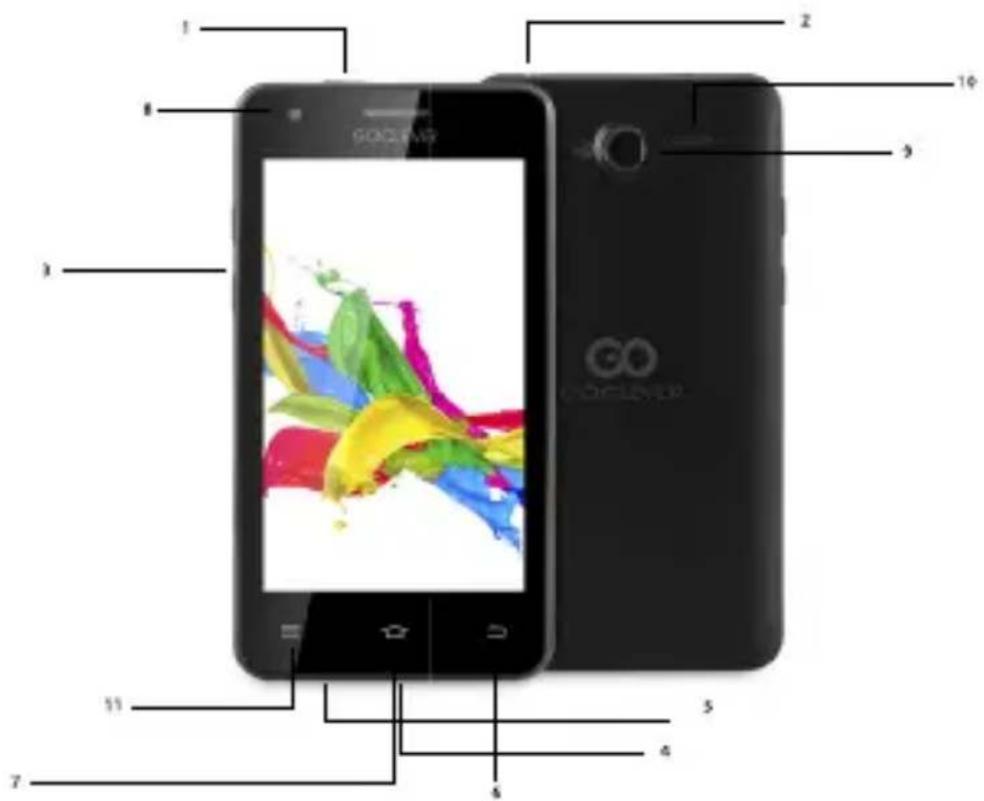
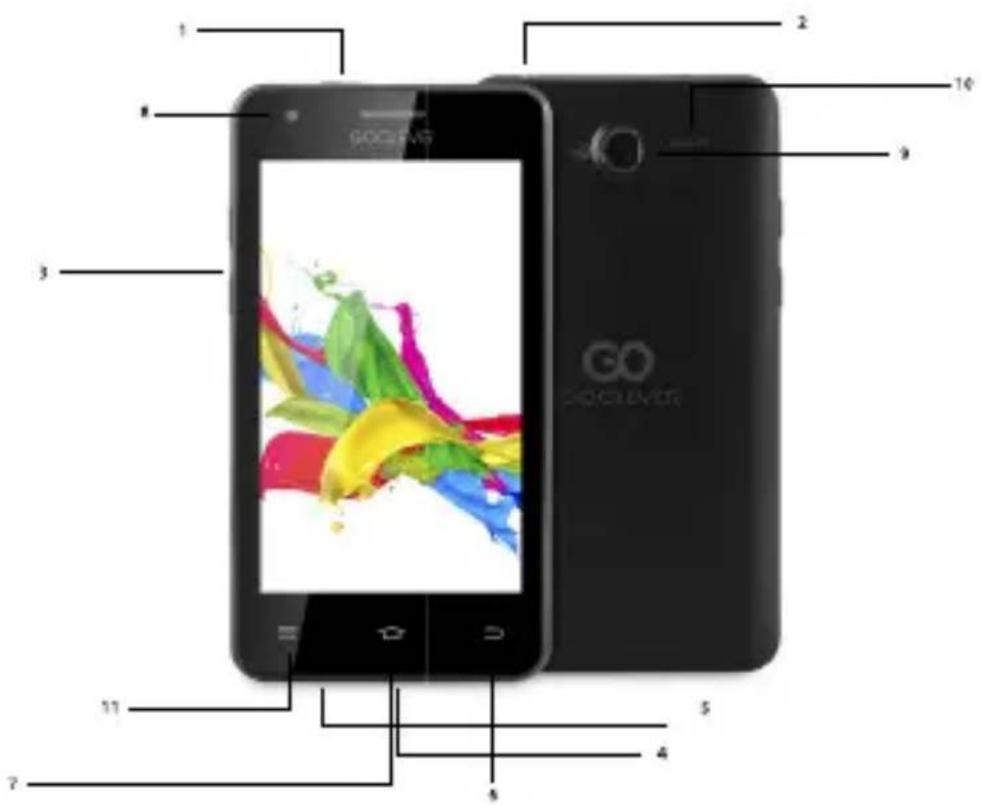
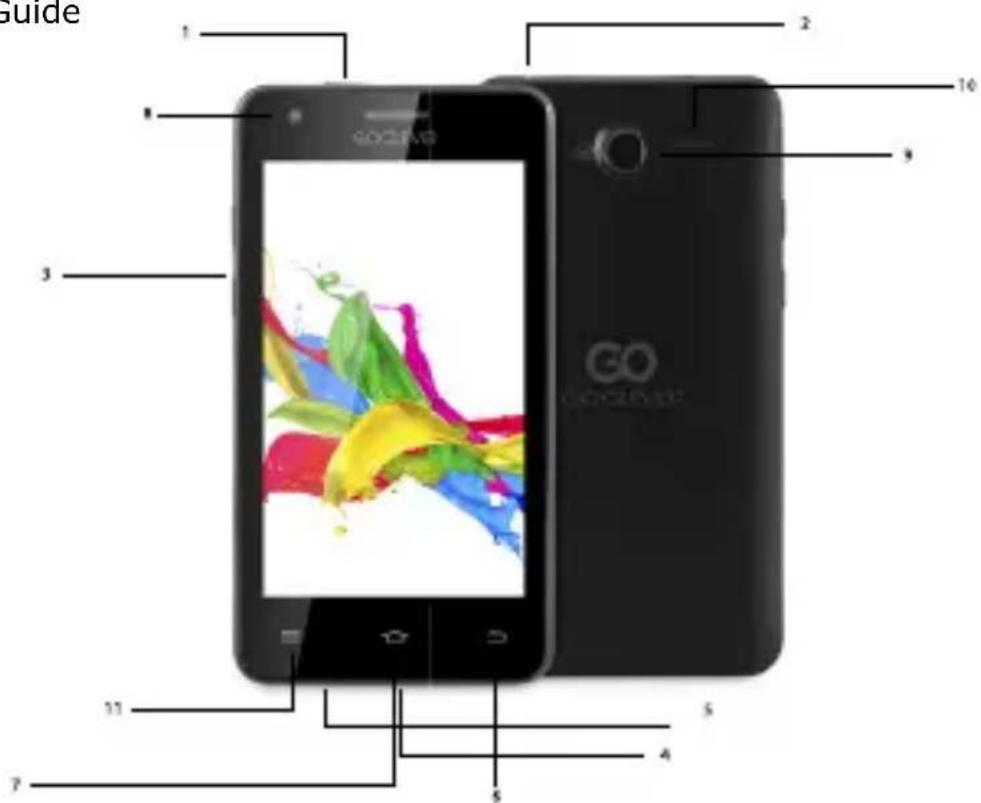
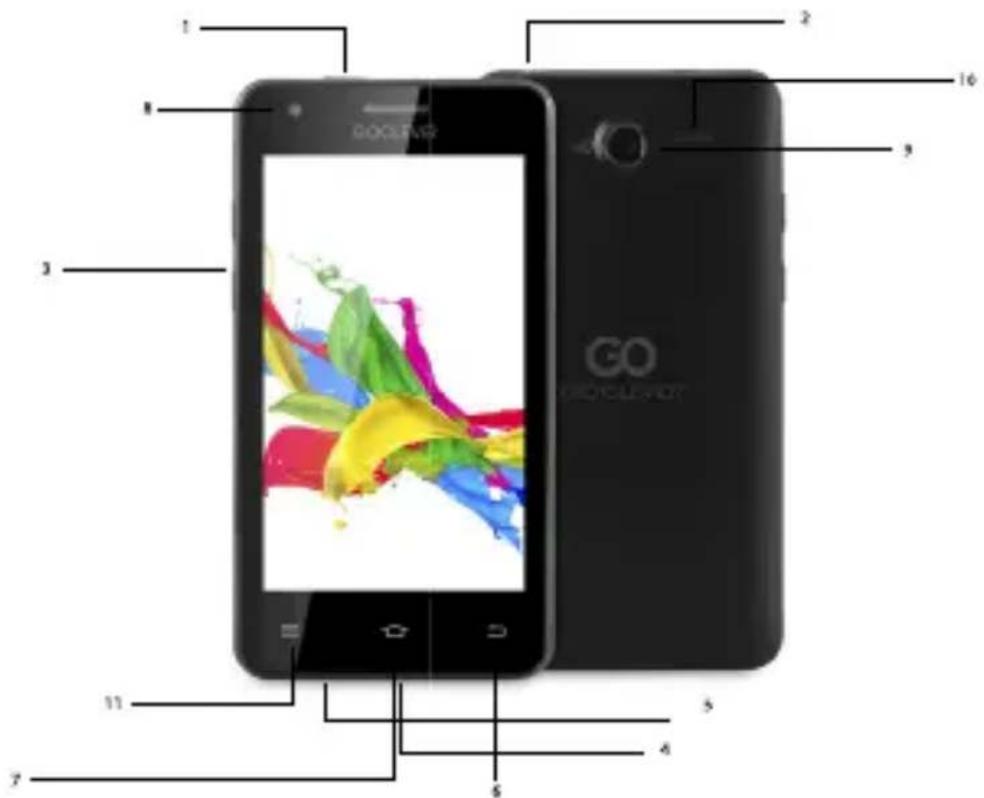
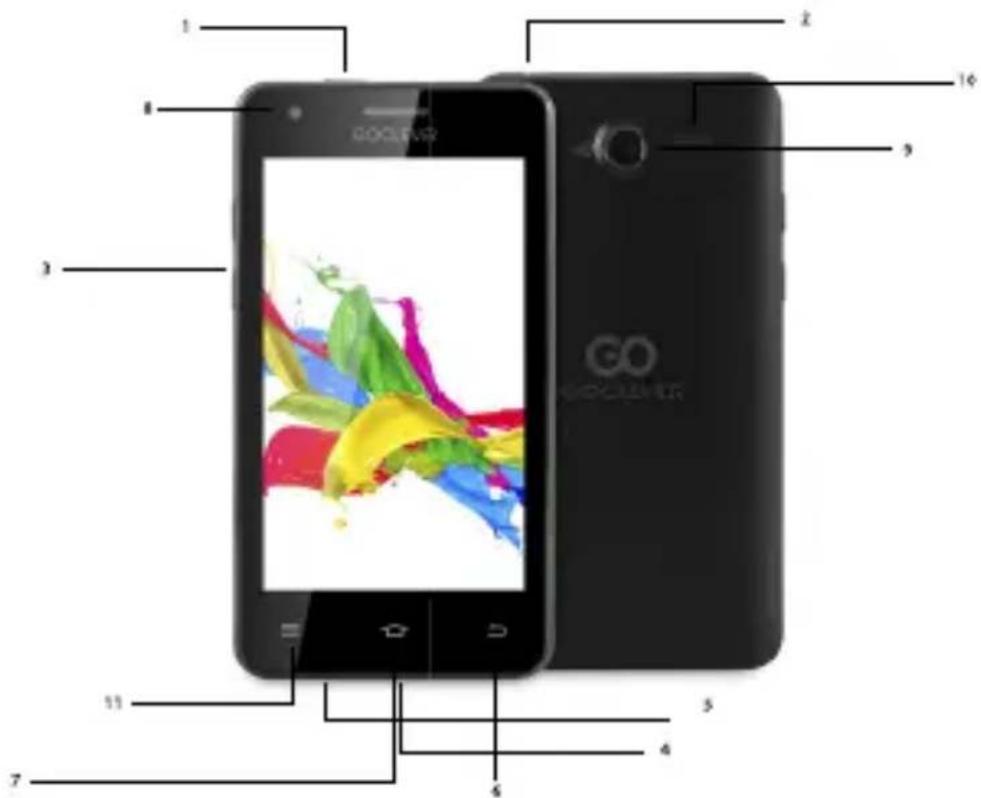
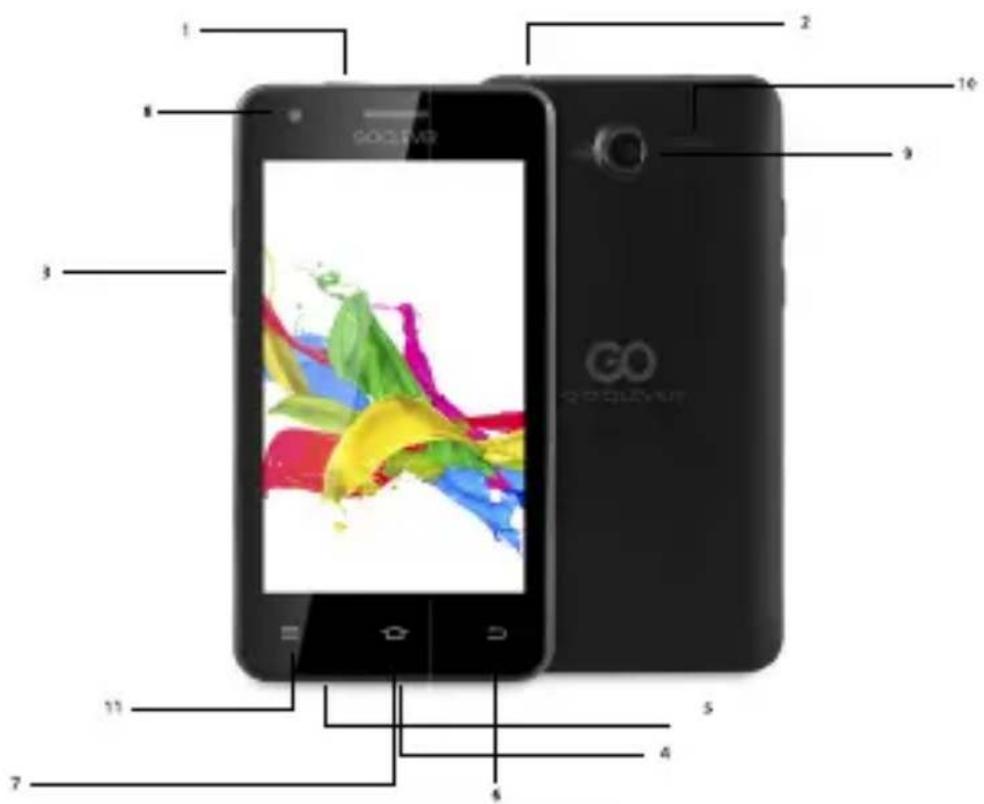
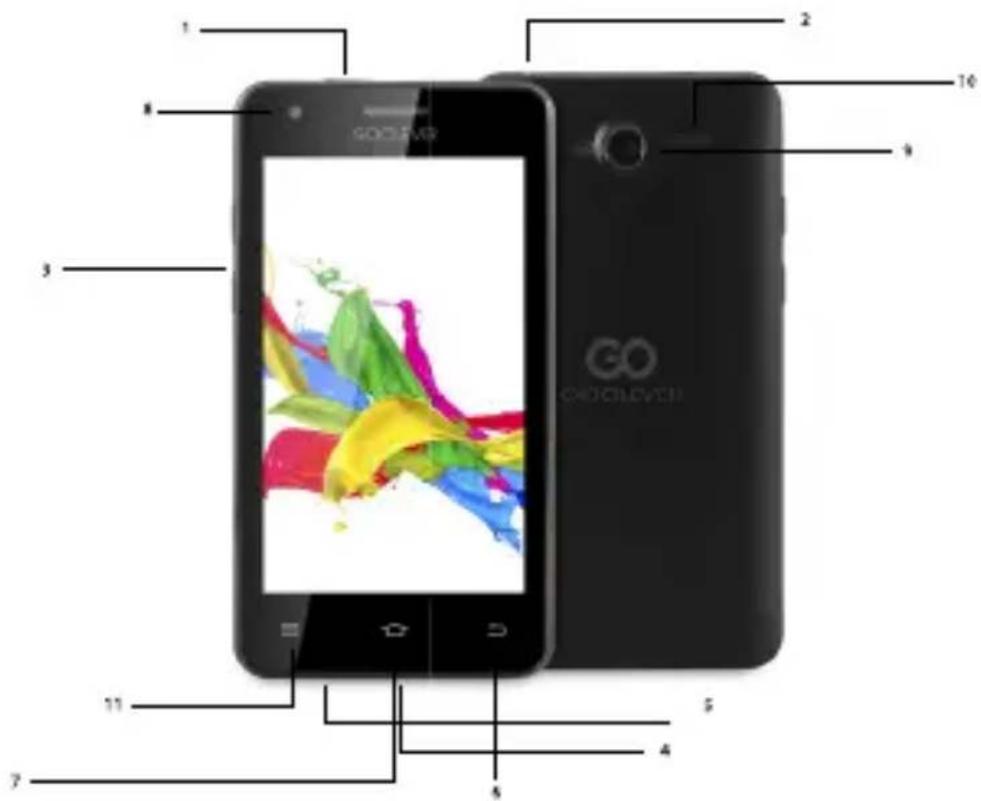
Device Overview
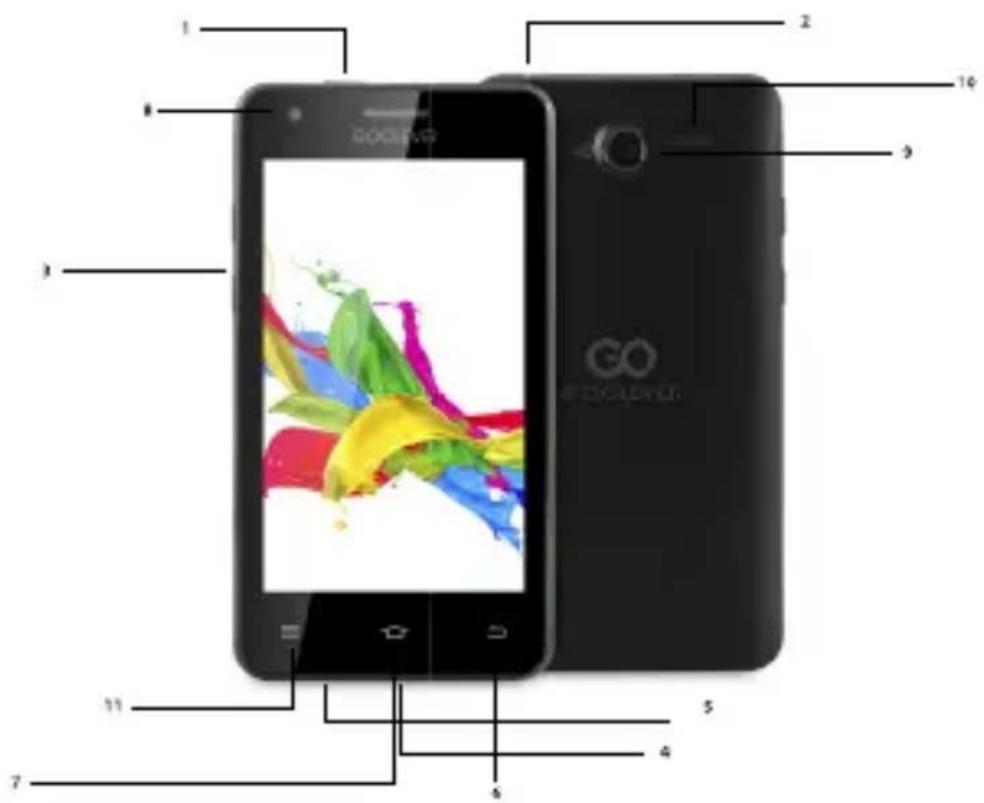
- Power key: power Your phone on and off. Suspend and activate it.
- Headset and microphone jack: plug in headphones or a microphone.
- Volume keys: adjust the volume of the device.
- Micro USB port: connect optional accessories and a charger.
- Microphone: allows other callers to hear when You are speaking to them.
- Back key: step backwards when navigating a menu or a web page.
- Menu key: access submenus with additional options.
- Front facing camera: take pictures and shoot videos with the front camera.
- Rear facing camera: take pictures and shoot videos with the rear camera.
- External speaker: allows You to hear the caller.
11.Settings.
Quick Start Guide - GB

Removing the back cover and battery
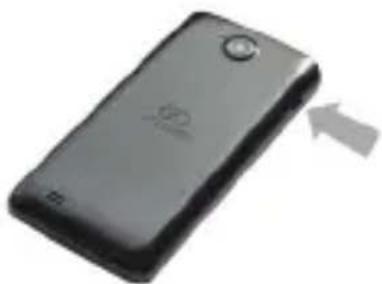
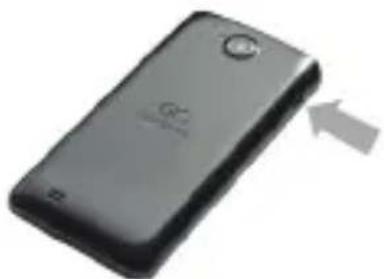
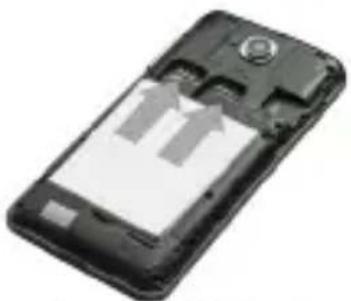
Remove the back cover by inserting a fingernail into the slot on the bottom side of Your phone. Lift the cover up and away from the phone.
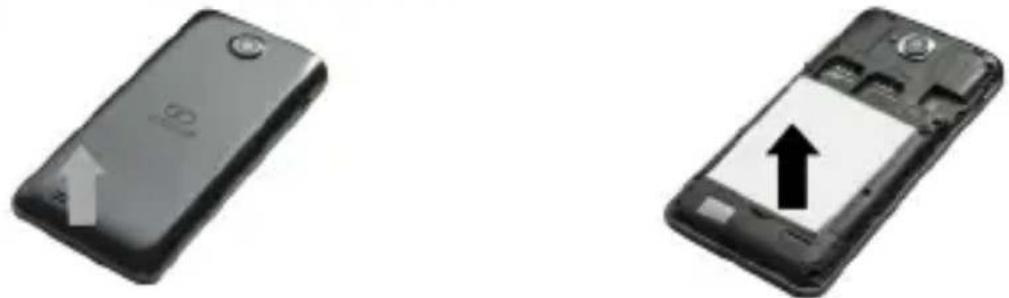
Taking out the battery: hold the side of device tightly with one hand and pull out the battery with the other hand.
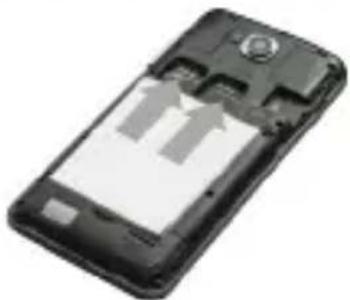
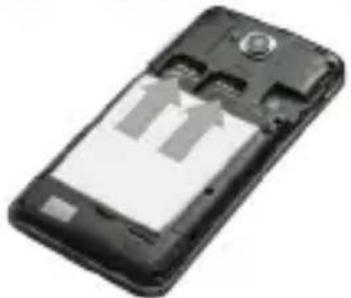
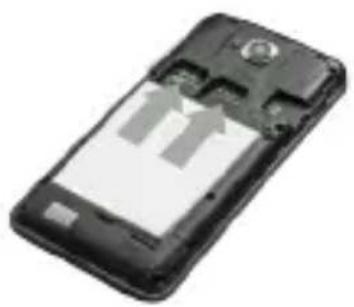
Installing SIM and microSD™ cards
natural_image
Black smartphone with visible internal components and two upward arrows indicating motion (no text or symbols)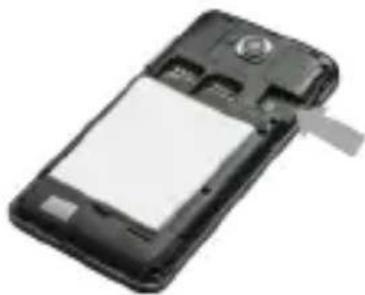
natural_image
Black mobile phone with a blank screen and attached antenna (no visible text or symbols)a. SIM cards
The slot on the right is a GSM card slot. The slot on the left is a 3G WCDMA card slot (compatible with a 2G card). Carefully slide the SIM card into the socket, until the card locks into place. Make sure that the card's gold contacts face into the phone. To remove the SIM card carefully pull it out of the slot.
b. MicroSD ^TM cards
Carefully slide the MicroSD ^TM card into the socket, until the card locks into place. Make sure that the card's gold contacts face into the phone. To remove the MicroSD ^TM card carefully pull it out of the slot.
Charging
natural_image
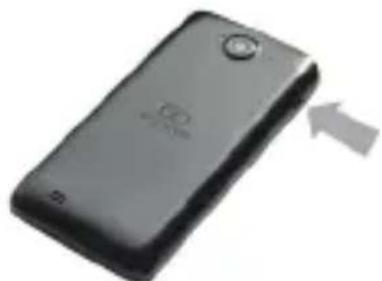
Black handheld device with a circular button and a white arrow pointing to it (no visible text or symbols)Plug one end of the micro USB cable into the micro USB port on the device and the power adapter into a standard AC power socket. A discharged battery recharges fully in approximately 3.5 hours. Operating the device while charging may extend the charging time.
Quick Start Guide - GB
Power on/Sleep Mode/Power off
Press and hold the Power Button for a few seconds to power on the device. It will automatically enter the Home screen after start-up. While the device is on, press the Power Button once to enter sleep mode and press it again to activate the device. While the device is on, press and hold the Power Button, and then select the Power off/Standby option from the menu to power off the device or to enter sleep mode.

CERTIFICATE OF CONFORMITY C€
GOCLEVER Ltd. hereby declares under our sole responsibility that the product GOCLEVER QUANTUM 400 is in conformity with the essential requirements of the following Directives is declared:
| EMC DIRECTIVE | 2004 / 108 / EC |
| LVD DIRECTIVE | 2006 / 95 / EC |
| R&TTE DIRECTIVE | 1999 / 5 / EC |
The full document with detailed information is available on our website: www.goclever.com. The .pdf file with the CE declaration is placed among the bookmarks of our product catalogue. Please read our Privacy Policy and Cookie Policy at www.goclever.com.

natural_image
Abstract geometric composition of three colored squares (blue, green, magenta) with no text or symbols
This product has been certified as RoHS Compliant.
MARK OF CONFORMITY - UKRAINE - National mark of conformity confirms that the specified product complies with the requirements of the technical regulations in Ukraine.
Correct Disposal of This product (Waste Electrical & Electronic Equipment).
(Applicable in the European Union and other European countries with separate collection systems)
This marking indicates that at the end of its working life this product should not be disposed of with other household waste in the EU. To prevent possible harm to the environment or human health from uncontrolled waste disposal, please separate this from other types of wastes and recycle it responsibly to promote the sustainable reuse of material resources. To dispose of your used device, please use the return and collection systems available in your area or contact the retailer where the product was purchased. They can take this product for safe environmental recycling.
Quick Start Guide - GB

Disposal of waste batteries (applicable in the European Union and other European countries with separate collection systems)
The symbol may appear on the battery or on the packaging to indicate that the battery provided with this product shall not be treated as household waste. On certain batteries this symbol might be used in combination with a chemical symbol. The chemical symbols for mercury (Hg) or lead (Pb) are added if the battery contains more than 0.0005% mercury or 0.004% lead. By ensuring these batteries are disposed of correctly, you will help prevent potentially negative consequences for the environment and human health which could otherwise be caused by inappropriate waste handling of the battery. The recycling of the materials will help to conserve natural resources. In case of products that for safety, performance or data integrity reasons require a permanent connection with an incorporated battery, this battery should be replaced by qualified service staff only. To ensure that the battery will be treated properly, hand over the product at end-of-life to the applicable collection point for the recycling of electrical and electronic equipment. Hand the battery over to the applicable collection point for the recycling of waste batteries. For more detailed information about recycling of this product or battery, please contact your local government Office, your household waste disposal service or the shop where you purchased the product.
CONDITIONS OF WI-FI USAGE [ZNAK WIFI]
When using the IEEE 802.11b/g/n Wireless LAN standard, channels 1 to 13 (2.4 GHz...2.4835 GHz) are selectable for both indoor and outdoor use, however with restrictive conditions applying in France, Italy and Norway, as follows: France: When using this product indoors, all channels can be used without restrictions. Outdoors only channels 1 to 6 are allowed. This means that in Peer-to-Peer mode, the WLAN feature can only be used outside if the peer sets up the communication on an authorized channel (i.e., between 1 & 6).
Please make sure the access point is configured properly to a channel ranging from 1 to 6 before setting up the connection.
Italy: Use of the RLAN network is governed: Disposal of Old Electrical & Electronic - with respect to private use, by the Legislative Decree of 1.8.2003, no. 259 ("Code of Electronic Communications"). In particular Article 104 indicates when the prior obtainment of a general authorization is required and Art. 105 indicates when free use is permitted - with respect
Quick Start Guide - GB
to the supply to the public of the WLAN access to telecom networks and services, by the Ministerial Decree 28.5.2003, as amended, and Art. 25 (general authorization for electronic communications networks and services) of the Code of electronic communications.
Norway: Use of this equipment is not allowed within 20 km of the center of Ny-Ålesund, Svalbard.

REGISTER A PRODUCT
Register your GOCLEVER product to get more!
Thank you for choosing GOCLEVER! We want you to enjoy your purchase to the fullest. So that You can enjoy Your purchase to the fullest please register Your device. Registration will take you a few minutes. Go to www.goclever.com and get more! Do not miss the chance to enjoy these benefits:
- 12 months of door-to-door warranty (for selected countries and products),
- Handy tips and rapid technical support,
- Reminders about firmware updates that will keep your product up to date
- Exclusive previews of new products,
- Special offers and promotions - up to 30% discount (for selected countries and products),
- Free map updates (for selected countries and products).
TECHNICAL SUPPORT
WEBSITE: www.goclever.com/support
- USER GUIDES (have a look on online user's manual, download and share with).
- SOFTWARE AND UPDATE MANUALS (be up to date with the latest OS software or use the backup files to solve your software problems).
- FREQUENTLY ASKED QUESTIONS
- SERVICE CENTRE LOCATIONS (we recommend to use GOCLEVER Central Service and local partner services directly than make a complaint or technical inquiries to stores).
- WARRANTY INFORMATION (your GOCLEVER TAB includes 24 month guarantee. The optional for selected countries is 12 month "door2door" guarantee. See our website for details).
- SERVICE PROCEDURE
- RMA APPLICATION (depends on country).
Quick Start Guide - GB

The full manual is available at www.goclever.com
WARRANTY CARD
DATE OF SALE: :
DATE OF MANUFACTURE:
PRODUCT NAME:
SERIAL NUMBER:
| DEALER'S NAME / STAMP | SIGNATURE |
Date and customer's signature
Repairs history
| Date | Confirmed defect | Made repairs | Servive sign and stamp |

natural_image
Abstract pattern of colored squares (green, magenta, blue) on white background with no text or symbolsQuick Start Guide - PL
natural_image
Black smartphone with a circular button and upward arrow, no visible text or symbols on the device body.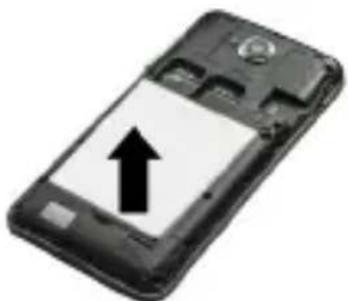
natural_image
Black mobile phone with an upward arrow on its screen (no text or symbols visible)natural_image
Black mobile phone with partially open screen showing two upward arrows (no text or symbols visible)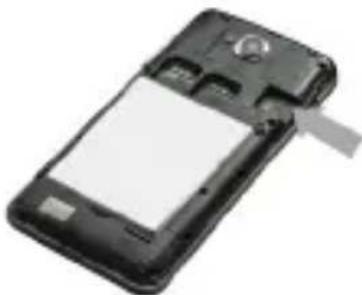
natural_image
Black mobile phone with a blank screen and a gray strap (no visible text or symbols)natural_image
Black handheld mobile phone with a circular button and an arrow pointing to the right side (no visible text or symbols)Ładowanie
STRONA: www.goclever.com/support
natural_image
Abstract pattern of colored squares (no text or symbols)Quick Start Guide - BG
Състав на комплекта

natural_image
Black rectangular electronic device with a circular button and a gray upward arrow, no visible text or symbols.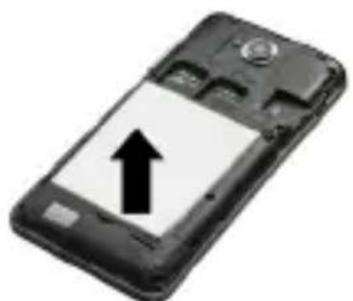
natural_image
Black mobile phone with an upward arrow on its screen (no text or symbols visible)natural_image
Black mobile phone casing with visible internal components and two upward arrows indicating motion (no text or symbols)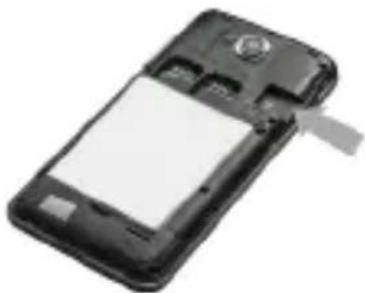
natural_image
Black mobile phone with a blank screen and a scroll wheel (no visible text or symbols)natural_image
Black rectangular device with a circular button and an arrow pointing to it (no visible text or symbols)natural_image
Abstract geometric composition with colored squares (no text or symbols)
САЙТ: www.goclever.com/support
natural_image
Abstract pattern of colored squares (magenta, cyan, green) on white background with no text or symbolsQuick Start Guide - HR
Sadržaj paketa
- Telefon GOCLEVER QUANTUM 400
- Punjač
- Slušalice
- USB kabel
- Brzi vodič
- Akumulator

Pregled
- Gumb za napajanje: uključivanje i isključivanje opreme. Režim mirovanja, aktiviranje.
- Priključak za slušalice: povezivanje slušalica.
- Tipke za ugađanje glasnoće: regulacija nivoa glasnoće.
- USB port: povezivanje dodatnog pribora.
- Mikrofon.
- Gumb za povratak na prethodnu stranicu.
- Tipka za glavni zaslon, povratak na glavni zaslon.
8.Prednja kamera. - Stražnja kamera.
10.Zvučnici - Postavke.
Quick Start Guide - HR

Uklanjanje stražnjeg poklopca i vađenje akumulatora
Uklanjanje stražnjeg poklopca: čvrsto držite s jednom rukom bok uređaja i podignite stražnji poklopac s drugom rukom kod zasuna.

natural_image
Black rectangular electronic device with a circular button and a gray upward arrow, no visible text or symbols.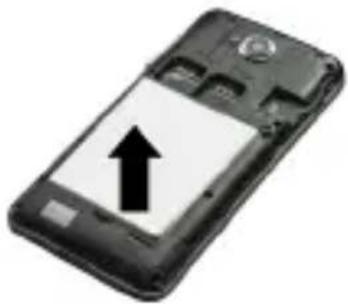
natural_image
Black and white photo of a smartphone with an upward arrow on the screen (no text or symbols visible)Vađenje akumulatora: čvrsto držite s jednom rukom bokove uređaja, te z drugom rukom izvadite akumulator, izdigavši ga u donjem dijelu.
Umetanje SIM kartica i kartice microSD™
natural_image
Black smartphone with visible internal components and a circular head (no text or symbols)
natural_image
Black mobile phone with a blank screen and a scroll wheel (no visible text or symbols)a. Umetanje SIM kartica
Desna utičnica je gnezdo GSM kartice dok je lijevo priključni utor za kartice 3G WCDMA, sukladnih s standardom 2G. Za umetanje kartice lagano je gurnite u odgovarajući utor. Uvjerite se da je prostor sa zlatim kontaktom SIM kartice okrenut prema dolje. Kako biste izvadili karticu, nježno je izvadite iz utora.
b. Umetanje microSD ™ kartice
Za umetanje kartice nježno pogurajte je u pravi utor. Uvjerite se da je zlatno kontaktno područje microSD ^TM kartice okrenuto prema dolje. Kako biste izvadili karticu, nježno je izvadite iz utora.
Punjenje
natural_image
Black mobile phone with a circular button and a white arrow pointing to its side (no visible text or symbols)natural_image
Abstract composition of three colored squares (blue, green, magenta) with no text or symbolsQuick Start Guide - HR

Zbrinjavanje iskorištenih baterija (Odnosi se na Europsku z uniju i druge europske države s posebnim sustavom tretmana odlaganja)
STRANICA: www.goclever.com/support
natural_image
Abstract pattern of colored squares (magenta, cyan, green) on white background with no text or symbolsQuick Start Guide - CZ
Obsah balení

natural_image
Black rectangular electronic device with a white arrow pointing upward (no visible text or symbols)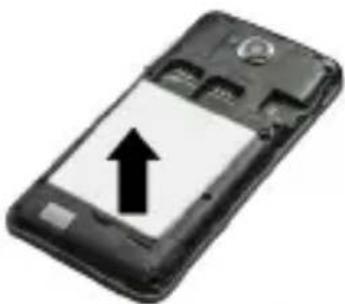
natural_image
Black mobile phone with an upward arrow on its screen (no text or symbols visible)natural_image
Black smartphone with visible internal components and two upward arrows indicating motion (no text or symbols)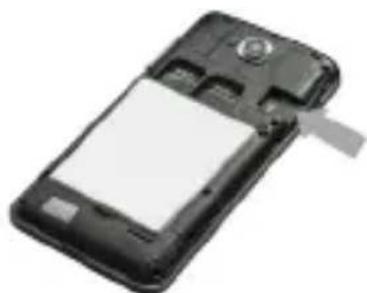
natural_image
Black mobile phone with a blank screen and a scroll wheel (no visible text or symbols)natural_image
Black rectangular electronic device with a circular button and an arrow pointing to it (no visible text or symbols)
natural_image
Abstract geometric composition of three colored squares (blue, green, magenta) with no text or symbolsnatural_image
Abstract geometric composition of three colored squares (blue, green, magenta) with no text or symbolsPODMÍNKY POUŽÍVÁNÍ WI-FI
natural_image
Abstract pattern of colored squares (green, magenta, blue) on white background with no text or symbolsQuick Start Guide - EST
Pakendi sisu
- GOCLEVER QUANTUM 400
- Toiteadapter
- Körvaklapid
- USB Kaabel
- Kiir kasutusjuhend
- Aku

Toote ülevaade
natural_image
Black rectangular electronic device with a white upward arrow indicating growth (no visible text or symbols)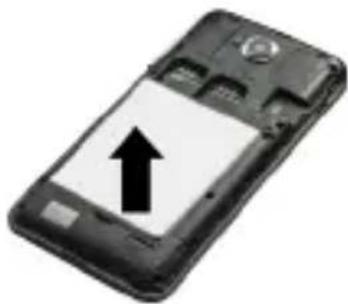
natural_image
Black mobile phone with an upward arrow on its screen (no text or symbols visible)natural_image
Black smartphone with visible internal components and two upward arrows indicating motion (no text or symbols)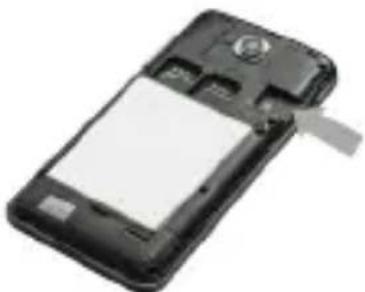
natural_image
Black mobile phone with a blank screen and a scroll wheel (no visible text or symbols)natural_image
Black rectangular electronic device with a circular button and a small logo, shown with an arrow pointing to it (no visible text or symbols on the device body)natural_image
Abstract composition of three colored squares (blue, green, magenta) with no text or symbolswww.goclever.com/support
- KASUTUSJUHENDID (online ja allalaaditavad).
natural_image
Abstract black and white graphic symbol resembling the number 'GO' or infinity sign (no text or symbols present)GOCLEVER
INFINITE INVENTION

Quick Start Guide - EST

GARANTIIKAART
MÜÜGIKUUPÄEV: ...... TOOTMISKUUPÄEV: ...... TOOTE KAUBAMÄRGI NIMI: ....
SEERIANUMBER: ....
| EDASIMÜÜJA NIMI/PITSER | ALLKIRI |
natural_image
Abstract pattern of colored squares (green, magenta, blue) on white background with no text or symbolsQuick Start Guide - FR
Aperçu
natural_image
Black mobile phone casing with visible internal components and two upward arrows indicating motion (no text or symbols)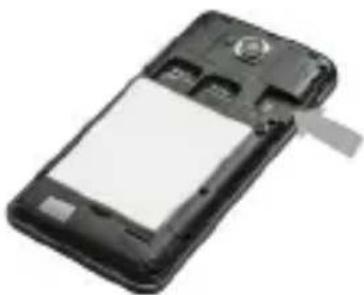
natural_image
Black mobile phone with a blank screen and a small logo on the front panel (no visible text or symbols)natural_image
Black rectangular electronic device with a circular button and an arrow pointing to it (no visible text or symbols)SITE: www.goclever.com/support
natural_image
Abstract pattern of colored squares (no text or symbols)Quick Start Guide - DE
Verpackung Inhalt

-
GOCLEVER QUANTUM 400
-
AC Netzteil
-
Earphones
-
USB Kabel
-
Quick Start Guide
-
Akku
Geräteübersicht
natural_image
Black rectangular electronic device with a circular button and a gray arrow pointing upward (no visible text or symbols)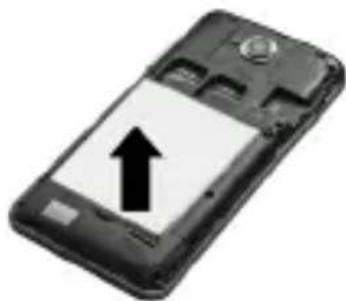
natural_image
Black mobile phone with an upward arrow on its screen (no text or symbols visible)natural_image
Black mobile phone casing with visible internal circuit lines and two arrows indicating movement (no text or symbols)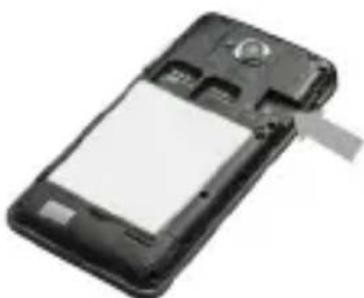
natural_image
Black mobile phone with a blank screen and a scroll wheel (no visible text or symbols)a. SIM Karte
natural_image
Black mobile phone with a circular button and an arrow pointing to it (no visible text or symbols)natural_image
Abstract composition of three colored squares (blue, green, magenta) with no text or symbols
www.goclever.com/support
natural_image
Abstract pattern of colored squares (green, magenta, blue) on white background with no text or symbolsQuick Start Guide - GR
natural_image
Black rectangular electronic device with a white circular button and a gray upward arrow, no visible text or symbols.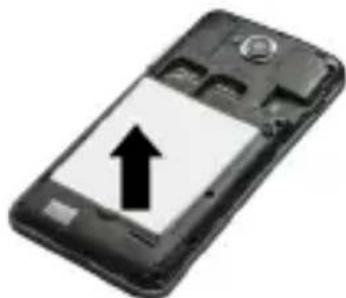
natural_image
Black mobile phone with an upward arrow on its screen (no text or symbols visible)natural_image
Black mobile phone casing with visible internal components and two gray arrows indicating motion (no text or symbols)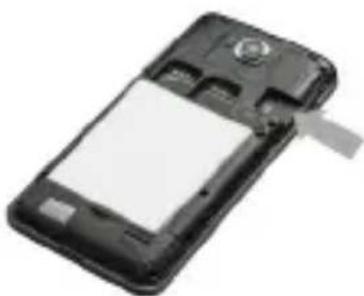
natural_image
Black mobile phone with a blank screen and a scroll wheel (no visible text or symbols)natural_image
Black mobile phone with a circular button and an arrow pointing to it (no visible text or symbols)natural_image
Abstract pattern of colored squares (green, magenta, blue) on white background with no text or symbolsQuick Start Guide - HU
A csomag tartalma
natural_image
Black smartphone with visible internal components and two upward arrows indicating motion (no text or symbols)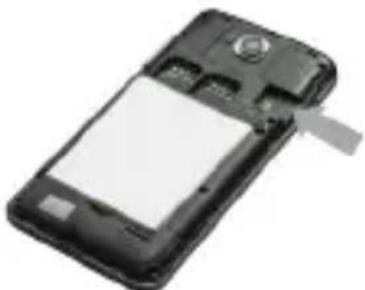
natural_image
Black mobile phone with a blank screen and a scroll wheel (no visible text or symbols)natural_image
Black handheld device with a circular button and an arrow pointing to it (no visible text or symbols)natural_image
Abstract geometric composition of three colored squares (blue, green, magenta) with no text or symbolsQuick Start Guide - HU
natural_image
Abstract geometric composition of three colored squares (blue, green, magenta) with no text or symbols
WWW oldal: www.goclever.com/support
natural_image
Abstract pattern of colored squares (green, magenta, blue) on white background with no text or symbolsQuick Start Guide - IT
natural_image
Two black mobile phones with one showing a white arrow and the other displaying an upward arrow (no text or symbols visible)natural_image
Two black mobile phones with visible internal components and a blank screen, shown from different angles (no text or symbols)natural_image
Black handheld device with a circular button and an arrow pointing to it (no visible text or symbols)natural_image
Abstract geometric composition with three colored squares and the number 69 at the bottom (no text or symbols beyond the number)Quick Start Guide - IT
SITO WEB: http://www.goclever.com/it/it/pages/Service_Center_Locations.html
natural_image
Abstract pattern of colored squares (green, magenta, blue) arranged in a horizontal sequence (no text or symbols)Quick Start Guide - LV
Iepakojuma saturs
natural_image
Black rectangular electronic device with a circular button and a gray upward arrow, no visible text or symbols.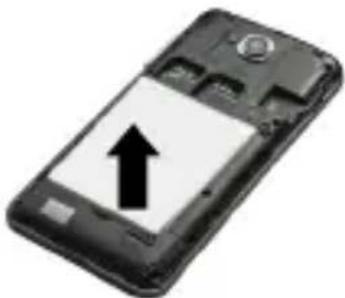
natural_image
Black and white photo of a smartphone with an upward arrow on its screen (no text or symbols visible)natural_image
Black smartphone case with visible internal components and two upward arrows indicating motion (no text or symbols)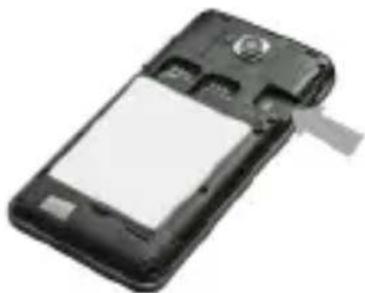
natural_image
Black mobile phone with a blank screen and attached strap (no visible text or symbols)natural_image
Abstract geometric composition of three colored squares (blue, green, magenta) with no text or symbolsLādēšana
natural_image
Black rectangular electronic device with a circular button and an arrow pointing to it (no visible text or symbols)www.goclever.com/support
natural_image
Abstract pattern of colored squares (green, magenta, blue) on white background with no text or symbolsQuick Start Guide - LT
Pakuotės turinys
- Telefonas GOCLEVER QUANTUM 400
- Kroviklis
- Ausinès
- USB laidas
- Sutrumpinta instrukcija
- Akumuliatorius

Apžvalga
natural_image
Black rectangular device with a gray arrow pointing upward, no visible text or symbols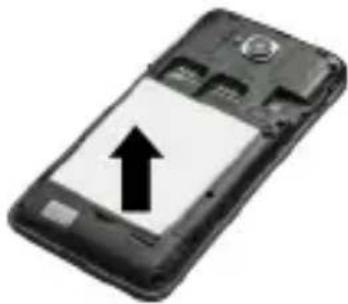
natural_image
Black mobile phone with an upward arrow on its screen (no text or symbols visible)natural_image
Black smartphone with visible internal components and two upward arrows indicating motion (no text or symbols)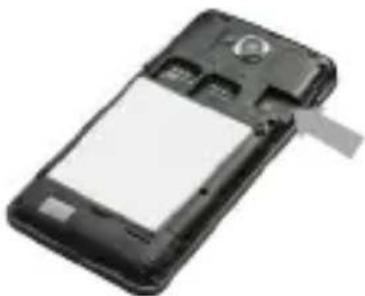
natural_image
Black mobile phone with a blank screen and a gray tab (no visible text or symbols)natural_image
Black handheld device with a circular button and an arrow pointing to it (no visible text or symbols)natural_image
Abstract geometric composition of three colored squares (blue, green, magenta) with no text or symbolsQuick Start Guide - LT
www.goclever.com/support
natural_image
Abstract pattern of colored squares (no text or symbols)Quick Start Guide - PT
natural_image
Black rectangular electronic device with a circular button and an upward arrow indicator (no text or symbols)
natural_image
Black and white photo of a smartphone with an upward arrow on its screen (no text or symbols visible)natural_image
Black smartphone with visible internal components and two upward arrows indicating motion (no text or symbols)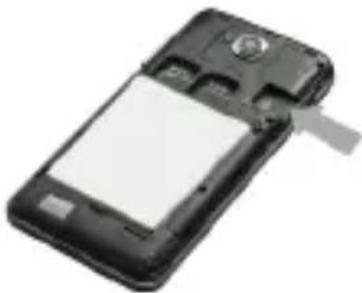
natural_image
Black mobile phone with a blank screen and a scroll wheel (no visible text or symbols)natural_image
Black mobile phone with a circular button and an arrow pointing to it (no visible text or symbols)natural_image
Abstract geometric composition of three colored squares (blue, green, magenta) with no text or symbolsQuick Start Guide - PT
natural_image
Abstract geometric composition of three colored squares (blue, green, magenta) with no text or symbolsQuick Start Guide - PT

PÁGINA: www.goclever.com/support
natural_image
Abstract pattern of colored squares (green, magenta, blue) on white background with no text or symbolsQuick Start Guide - RO
Pachetul contine
- GOCLEVER QUANTUM 400
- Adaptor AC
- Casti
- Cablu USB
- Ghid rapid de pornire
- Baterie

Prezentare produs
natural_image
Black rectangular device with a white arrow pointing upward, no visible text or symbols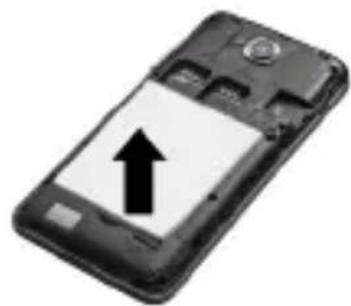
natural_image
Black and white photo of a smartphone with an upward arrow on the screen (no text or symbols visible)Instalare SIM si card microSD™
natural_image
Black smartphone back panel with visible internal components and mounting holes (no text or symbols)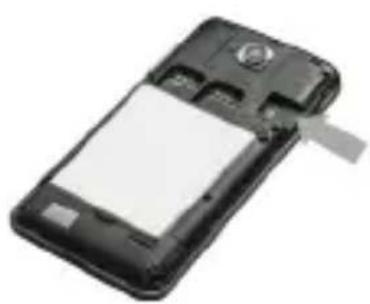
natural_image
Black mobile phone with a blank screen and a scroll wheel (no visible text or symbols)a)(Compatibil cu card microSD™ de 2GB). Introduceti cardul SIM cu grija in socket pana la capat. Asigurati-va ca zona aurie de contact este cu fata in jos. Pentru a indeparta cartela SIM, va rugam sa o extrageti cu grija din slot.
b) Carduri MicroSD ^TM
Introduceti cu grija cardul MicroSD ™ in socket pana la capat.
natural_image
Black mobile phone with a circular button and an arrow pointing to it (no visible text or symbols)a inchide sau introduce in stand by telefonul.
CERTIFICAT DE CONFORMITATE
natural_image
Abstract geometric composition of three colored squares (blue, green, magenta) with no text or symbolsQuick Start Guide - RO

CONDITII FOLOSIRE WI-FI
natural_image
Abstract geometric composition with three colored squares (purple, green, blue) and the number 95 at the bottom (no text or symbols beyond the number)Quick Start Guide - RO
SUPPORT TEHNIC
WEBSITE: www.goclever.com/support
Quick Start Guide - RO

CERTIFICAT DE GARANTIE
DATA VANZARII:
DATA PRODUCTIEI:
NUME PRODUS:
NUMAR SERIAL:
| NUME DEALER /STAMPILA | SEMNATURA |
natural_image
Abstract pattern of colored squares (green, magenta, blue) on white background with no text or symbolsQuick Start Guide - SRB
Sadržaj paketa

- Telefon GOCLEVER QUANTUM 400
- Punjač
- Slušalice
- USB kabl
- Brzi vodič
- Akumulator
Pregled
- Taster za napajanje: uključenje i isključenje uređaja. Režim spavanja, aktivacija.
- Priključak za slušalice: priključenje slušalica.
- Tasteri za jačinu zvuka: Regulacija jačine zvuka.
- USB port: povezivanje opcione opreme.
- Mikrofon.
6.Dugme za povratak na prethodnu stranicu. - Dugme za početni ekran, povratak na glavni ekran.
8.Prednja kamera.
9.Zadnja kamera.
10.Zadnja kamera.
11.Podešavanja.
Quick Start Guide - SRB

Demontaža zadnjeg poklopca i vađenje akumulatora
natural_image
Black rectangular electronic device with a circular button and a white arrow pointing upward (no visible text or symbols)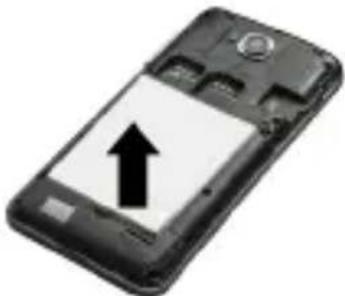
natural_image
Black smartphone with an upward arrow on its screen (no text or symbols visible)Vađenje akumulatora: pridržite čvrsto jednom rukom bokove uređaja i izvadite drugom rukom akumulator, podićući ga u donjem delu.
Ubacivanje SIM kartice i microSD™ kartice
natural_image
Black smartphone case with visible internal components and two upward arrows indicating motion (no text or symbols)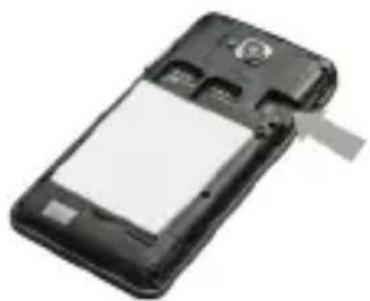
natural_image
Black mobile phone with a blank screen and a scroll, no visible text or symbolsa. Ubacivanje SIM kartice
natural_image
Black mobile phone with a circular button and an arrow pointing to it (no visible text or symbols)Priključite jedan kraj USB kabla u USB priključak na uređaju, a zatim ubacite punjač u električnu utičnicu. Za potpuno punjenje potrebno je oko 3,5 sati. Korišćenje uređaja tokom punjenja, može produžiti vreme punjenja.
Quick Start Guide - SRB
Napomena: Ako telefon nije u upotrebi duže vreme, akumulator se postepeno prazni. Akumulator treba napuniti pre upotrebe ili, čak i kada telefon nije u upotrebi, napunite bateriju svaka tri meseca.
Uključivanje / isključivanje uređaja/ režim mirovanja
Pritisnite i držite dugme za napajanje kroz nekoliko sekundi. Pojavljuje se dobrodošli ekran, a zatim glavni ekran. Kada se dugme pritisne jedanput uređaj prelazi u režim mirovanja. Da biste izašli iz ovog režima , ponovo pritisnite dugme za napajanje. Da biste isključili uređaj, pritisnite i držite dugme za napajanje, posle čega iz menija izaberite isključivanje (Power off) .

SERTFIKAT O USKLAĐENOSTI - EU ZEMLJE C€
Ovim GOCLEVER Sp. z o.o. izjavljuje, da uređaj GOCLEVER QUANTUM 400 usklađen je sa osnovnim zahtevima i drugim bitnim odredbama po-menutih dole direktiva:
natural_image
Abstract geometric composition of three colored squares (blue, green, magenta) with no text or symbolsSAJT: www.goclever.com/support
- KORISNIČKI VODIĆ (pregledajte skračeno uputstvo za rukovanje, preuzmite fajlove i podelite ih).
- SOFTVER I UPUTSTVA ZA UPDATOVANJE (budite u toku sa najnovijim softverom, iskoristite rezervne kopije datoteke, da se brzo reši softverski problem).
- NAJČEŠĆA PITANJA (tehnička pitanja i odgovori na bilo koju temu).
- LAKACIJA SERVISA (preporučujemo ovlašćeni servis GOCLEVER, da se ubrza Vaš zahtev).
- INFORMACIJE O GARANCIJI (obezbeđujemo 24-mesečnu garanciju proizvođaća. Za odabrane zemlje nudimo godišnji sistem "od vrata do vrata". Detalji se mogu naći na našem sajtu).
- SERVISNE PROCEDURE (pročitajte pre nego što predate uređaj na servis).
- OBRAZAC PRIJAVE REKLAMACIJE (za odabrane zemlje).

Quick Start Guide - SRB

GARANCIJSKA KNIŽICA
DATUM PRODAJE: ....
DATUM PROIZVODNJE: ....
NAZIV PROIZVODA:
SERIJSKI BROJ: ....
natural_image
Abstract pattern of colored squares (green, magenta, blue) arranged in a horizontal row with no text or symbolsQuick Start Guide - SK
Obsah balenia
- Telefón GOCLEVER QUANTUM 400
- Nabíjačka
- Slúchadlá
- USB kábel
- Skrátený návod
- Akumulátor

Prehl'ad
natural_image
Black mobile phone casing with visible internal components and two upward arrows indicating motion (no text or symbols)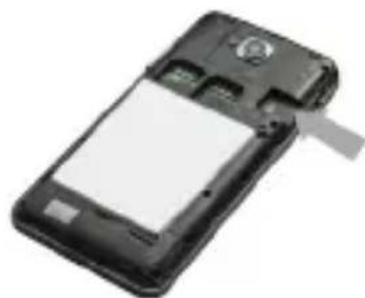
natural_image
Black mobile phone with a blank screen and a scroll, no visible text or symbolsa. Vkladanie SIM karty.
natural_image
Black rectangular electronic device with a circular button and a gray arrow pointing to it (no visible text or symbols)
natural_image
Abstract geometric composition of three colored squares (blue, green, magenta) with no text or symbolsnatural_image
Abstract geometric composition with three colored squares (blue, green, magenta) and partial text 'guany' visible below, no readable document content.Quick Start Guide - SK

natural_image
Abstract pattern of colored squares (green, magenta, blue) on white background with no text or symbolsQuick Start Guide - SL
Vsebina paketa
- Telefon GOCLEVER QUANTUM 400
- Polninik
- Slušalke
- USB kabel
- Kratka navodila
- Akumulator

Pregled
natural_image
Abstract geometric composition of three colored squares (blue, green, magenta) with no text or symbols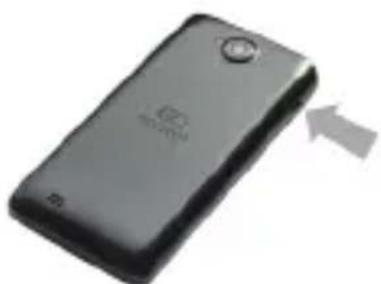
natural_image
Black mobile phone with a circular button and an arrow pointing to it (no visible text or symbols)natural_image
Abstract geometric composition of three colored squares (blue, green, magenta) with no text or symbolsQuick Start Guide - SL

NOTRANJE: www.goclever.com/support
natural_image
Abstract pattern of colored squares (no text or symbols)Quick Start Guide - ES
natural_image
Black rectangular electronic device with a gray upward arrow and 'PORTER' logo (no readable text or symbols beyond branding)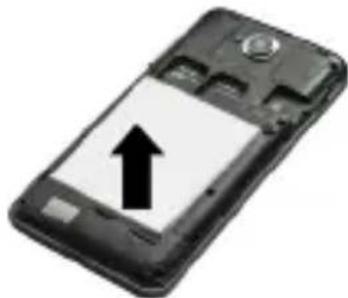
natural_image
Black-and-white photo of a mobile phone with an upward arrow on its screen (no text or symbols visible)natural_image
Black smartphone with visible internal components and two upward arrows indicating motion (no text or symbols)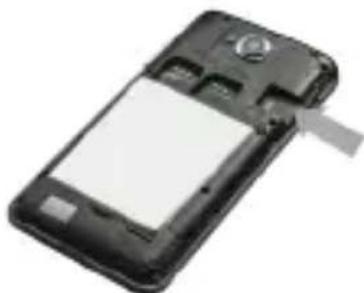
natural_image
Black mobile phone with a blank screen and attached antenna (no visible text or symbols)natural_image
Black mobile phone with a circular button and an arrow pointing to it (no visible text or symbols)natural_image
Abstract geometric composition of three colored squares (blue, green, magenta) with no text or symbolsQuick Start Guide - ES
natural_image
Abstract geometric composition of three colored squares (blue, green, magenta) with no text or symbols
PÁGINA: www.goclever.com/support
natural_image
Abstract pattern of colored squares (green, magenta, blue) on white background with no text or symbolsQuick Start Guide - UA
Комплект поставки
natural_image
Black rectangular electronic device with a white arrow pointing upward, no visible text or symbols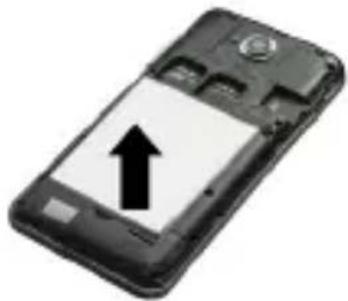
natural_image
Black mobile phone with an upward arrow on its screen (no text or symbols visible)natural_image
Black mobile phone casing with visible internal components and two upward arrows indicating motion (no text or symbols)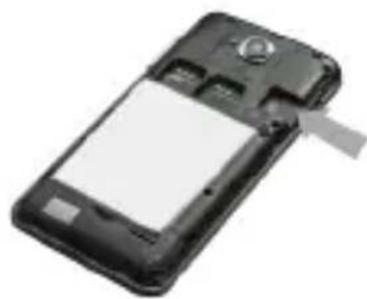
natural_image
Black mobile phone with a blank screen and a scroll, no visible text or symbolsa. SIM карти
natural_image
Black mobile phone with a circular button and an arrow pointing to it (no visible text or symbols)natural_image
Abstract composition of three colored squares (blue, green, magenta) with no text or symbols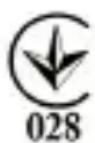
www.goclever.com/support
Quick Start Guide - UA

CERTIFICAT DE GARANTIE
DATA VANZARII:
DATA PRODUCTIEI:
NUME PRODUS:
NUMAR SERIAL:
| NUME DEALER /STAMPILA | SEMNATURA |
natural_image
Abstract pattern of colored squares (no text or symbols)Service Center List
POLAND
tel: +48 618488767
email: serwis@goclever.com
UK
fel: 0844 8566848
email: uk@goclever.com
IRELAND
email: ireland@goclever.com
SPAIN
Célúlar Net S.L.
Member of Logo d.o.o. group
Bulevar kralja Aleksandră 265, 11000
Beograd, Srbija
tel: +381 11 3820-535 , +381 11 3820-536 ,
+381 11 3820-537
servis@etservis.rs
www.etservis.rs
MONTENEGRO
ITS Information Technology Service
Josipa Broza, Zgrada Normala pp4, 81000
Podgorica
tel: +382 (0) 20 512-596
www.itscg.me
BULGARIA
Stemo
bul. Nikola Vaptsarov 55, EXPO 2000
tel. (+359 2) 8162300
fax: 8162303
email: main@sf.stemo.bg
www.stemo.bg
HUNGARY
SZELLEMKÉP BT
220053, Republic of Belarus, Minsk,
V.Slutskoi 67-2
email: belarus@goclever.com
tel: +3/5 (17) 3354883
CZECH REPUBLIC & SLOVAKIA
Bouncer s.r.o
S.C. Cordon Electronics S.R.L
Str. Dumitru Brumarescu nr. 9A, sector 4,
Bucuresti, Romania
email: office@cordongroup.ro
fel: +40 372324762, +40 213009905
UKRAINE
Service Center KROK-TTC
Rusanivska Naberezhna 8
Ravis (Kyiv)
tel: +380 800504504, 380 (44) 295-79-49,
295-89-19, 380 (63) 232-05-23

natural_image
Abstract black and white logo design resembling the letters 'GO' (no text or symbols present)GOCLEVER
INFINITE INVENTION

- Quick Start Guide
- Quick Start Guide - GB
- Package contents
- Device Overview
- Removing the back cover and battery
- Installing SIM and microSD™ cards
- a. SIM cards
- b. MicroSD TM cards
- Charging
- Power on/Sleep Mode/Power off
- CERTIFICATE OF CONFORMITY C€
- Correct Disposal of This product (Waste Electrical & Electronic Equipment).
- Disposal of waste batteries (applicable in the European Union and other European countries with separate collection systems)
- CONDITIONS OF WI-FI USAGE [ZNAK WIFI]
- REGISTER A PRODUCT
- TECHNICAL SUPPORT
- WARRANTY CARD
- Quick Start Guide - PL
- Ładowanie
- Quick Start Guide - BG
- Състав на комплекта
- Quick Start Guide - HR
- Sadržaj paketa
- Pregled
- Uklanjanje stražnjeg poklopca i vađenje akumulatora
- Umetanje SIM kartica i kartice microSD™
- a. Umetanje SIM kartica
- b. Umetanje microSD ™ kartice
- Punjenje
- Zbrinjavanje iskorištenih baterija (Odnosi se na Europsku z uniju i druge europske države s posebnim sustavom tretmana odlaganja)
- Quick Start Guide - CZ
- Obsah balení
- PODMÍNKY POUŽÍVÁNÍ WI-FI
- Quick Start Guide - EST
- Pakendi sisu
- Toote ülevaade
- GOCLEVER
- GARANTIIKAART
- Quick Start Guide - FR
- Aperçu
- Quick Start Guide - DE
- Verpackung Inhalt
- Geräteübersicht
- a. SIM Karte
- Quick Start Guide - GR
- Quick Start Guide - HU
- A csomag tartalma
- Quick Start Guide - IT
- Quick Start Guide - LV
- Iepakojuma saturs
- Lādēšana
- Quick Start Guide - LT
- Pakuotės turinys
- Apžvalga
- Quick Start Guide - PT
- Quick Start Guide - RO
- Pachetul contine
- Prezentare produs
- Instalare SIM si card microSD™
- CERTIFICAT DE CONFORMITATE
- CONDITII FOLOSIRE WI-FI
- SUPPORT TEHNIC
- CERTIFICAT DE GARANTIE
- Quick Start Guide - SRB
- Demontaža zadnjeg poklopca i vađenje akumulatora
- Ubacivanje SIM kartice i microSD™ kartice
- a. Ubacivanje SIM kartice
- Uključivanje / isključivanje uređaja/ režim mirovanja
- SERTFIKAT O USKLAĐENOSTI - EU ZEMLJE C€
- GARANCIJSKA KNIŽICA
- Quick Start Guide - SK
- Obsah balenia
- Prehl'ad
- Quick Start Guide - SL
- Vsebina paketa
- Quick Start Guide - ES
- Quick Start Guide - UA
- Комплект поставки
- a. SIM карти
- Service Center List
- POLAND
- UK
- IRELAND
- SPAIN
- MONTENEGRO
- BULGARIA
- HUNGARY
- CZECH REPUBLIC & SLOVAKIA
- UKRAINE
Brand : GOCLEVER
Model : Quantum 400
Category : Smartphone