Addon T8 - Speaker AUDIO PRO - Free user manual and instructions
Find the device manual for free Addon T8 AUDIO PRO in PDF.



User questions about Addon T8 AUDIO PRO
0 question about this device. Answer the ones you know or ask your own.
Ask a new question about this device
Download the instructions for your Speaker in PDF format for free! Find your manual Addon T8 - AUDIO PRO and take your electronic device back in hand. On this page are published all the documents necessary for the use of your device. Addon T8 by AUDIO PRO.
USER MANUAL Addon T8 AUDIO PRO
natural_image
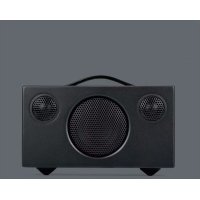
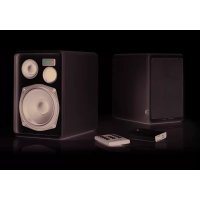
Black studio audio amplifier with two speakers and a mesh grille (no text or symbols on the speaker body)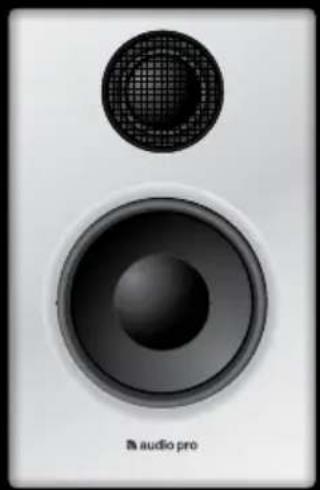
natural_image
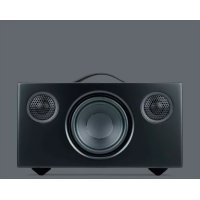
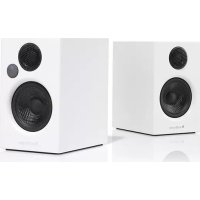
Close-up of a speaker with a mesh grille and 'audio pro' label (no other text or symbols)ADDON T8
OWNERS MANUAL
BRUKSANVISNING
MANUEL D'UTILISATION
BEDIENUNGSANLEITUNG
GUIDA UTENTE
KÄYTTÖOPAS
MANUAL DEL PROPIETARIO

audio pro
SOUND OF SCANDINAVIA
audio pro
SOUND OF SCANDINAVIA
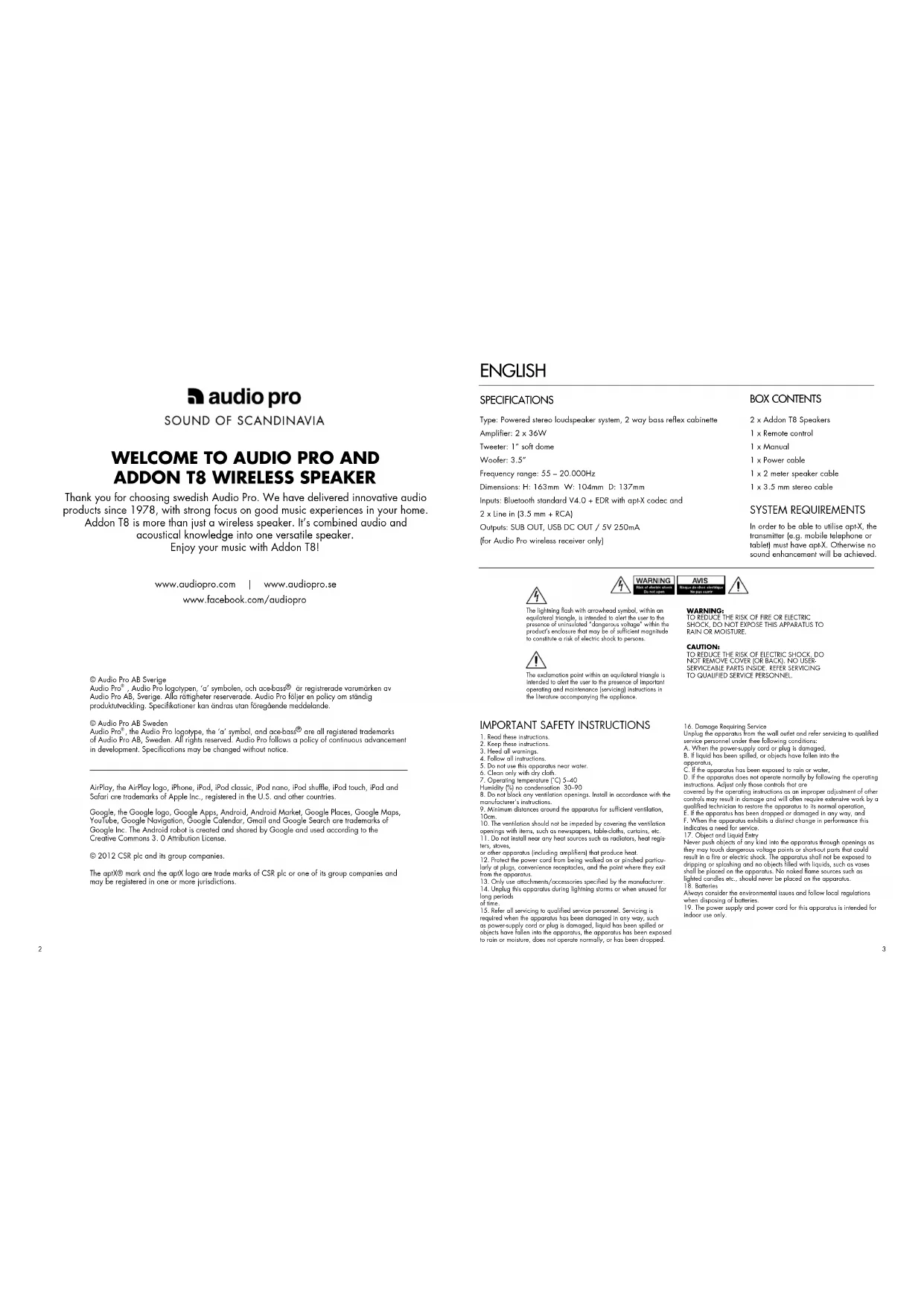
WELCOME TO AUDIO PRO AND ADDON T8 WIRELESS SPEAKER
Thank you for choosing swedish Audio Pro. We have delivered innovative audio products since 1978, with strong focus on good music experiences in your home.
Addon T8 is more than just a wireless speaker. It's combined audio and acoustical knowledge into one versatile speaker.
Enjoy your music with Addon T8!
www.audiopro.com | www.audiopro.se
www.facebook.com/audiopro
© Audio Pro AB Sverige
© Audio Pro AB Sweden
Audio Pro ^® , the Audio Pro logotype, the 'a' symbol, and ace-bass ^® are all registered trademarks of Audio Pro AB, Sweden. All rights reserved. Audio Pro follows a policy of continuous advancement in development. Specifications may be changed without notice.
AirPlay, the AirPlay logo, iPhone, iPod, iPod classic, iPod nano, iPod shuffle, iPod touch, iPad and Safari are trademarks of Apple Inc., registered in the U.S. and other countries.
Google, the Google logo, Google Apps, Android, Android Market, Google Places, Google Maps, YouTube, Google Navigation, Google Calendar, Gmail and Google Search are trademarks of Google Inc. The Android robot is created and shared by Google and used according to the Creative Commons 3.0 Attribution License.
© 2012 CSR plc and its group companies.
The aptX® mark and the aptX logo are trade marks of CSR plc or one of its group companies and may be registered in one or more jurisdictions.
ENGLISH
SPECIFICATIONS
Type: Powered stereo loudspeaker system, 2 way bass reflex cabinette Amplifier: 2 x 36W
Tweeter: 1" soft dome
Woolfer: 3.5
Frequency range: 55 - 20.000Hz
Dimensions: H: 163mm W: 104mm D: 137mm
Inputs: Bluetooth standard V4.0 + EDR with api-X codec and
2 x Line in (3.5 mm + RCA)
Outputs: SUB OUT, USB DC OUT / 5V 250mA
(for Audio Pro wireless receiver only)
BOX CONTENTS
2 x Addon T8 Speakers
1 x Remote control
1 x Manual
1 x Power cable
1 x 2 meter speaker cable
1 x 3.5 mm stereo cable
SYSTEM REQUIREMENTS
In order to be able to utilise apt-X, the transmitter (e.g. mobile telephone or tablet) must have apt-X. Otherwise no sound enhancement will be achieved.

The lightning flush with arrowhead symbol, within an equilateral triangle, is intended to alert the user to the presence of uninsulated "dangerous voltage" within the product's enclosure that may be of sufficient magnitude to constitute a risk of electric shock to persons.

The exclamation point within an equilateral triangle is intended to alert the user to the presence of important operating and maintenance (servicing) instructions in the literature accompanying the appliance.

WARNING:
TO REDUCE THE RISK OF FIRE OR ELECTRIC SHOCK, DO NOT EXPOSE THIS APPARATUS TO RAIN OR MOISTURE
CAUTION:
TO REDUCE THE RISK OF ELECTRIC SHOCK, DO NOT REMOVE COVER (OR BACK), NO USER SERVICEABLE PARTS INSIDE. REFER SERVICING TO QUALIFIED SERVICE PERSONNEL.
IMPORTANT SAFETY INSTRUCTIONS
-
Read these instructions.
-
Keep these instructions.
-
Head oil warnings.
-
Follow all instructions.
-
Do not use this program
-
Do not use this apparatus near water.
-
Close only with any cloth.
-
Operating temperature 1015-40
Humidity (%) no condensation, 30-90
-
Do not block any ventilation openings. Install in accordance with the manufacturer's instructions.
-
Minimum distances around the apparatus for sufficient ventilation,
10cm.
- The ventilation should not be impeded by covering the ventilation
openings with items, such as newspapers, table-cloths, curtains, etc. 11. Do not install near any heat sources such as radiators, heat registers, soves.
or other apparatus (including amplifiers) that produce heat
-
Protect the power cord from being walked on or pinched particularly or plugs, convenience receptacles, and the point where they exit from the apparatus.
-
Only use attachments/accessories specified by the manufacturer.
- Unplug this apparatus during lightning storms or when unused for long periods
of time.
1.5. Refer all servicing to qualified service personnel. Servicing is required when the apparatus has been damaged in any way, such as power supply cord or plug is damaged, liquid has been spilled or objects have fallen into the apparatus, the apparatus has been exposed to rain or moisture, does not operate normally, or has been chopped.
- Damage Requiring Service
Unplug the apparatus from the wall outlet and refer servicing to qualified
service personnel under thee following conditions:
A. When the power-supply cord or plug is damaged
- If liquid has been spilled, or objects have fallen into the
apporalus.
C. If the apparatus has been exposed to rain or water,
D. If the apparatus does not operate normally by following the operating instructions. Adjust only those controls that are
covered by the operating instructions as an improper adjustment of other controls may result in damage and will often require extensive work by a qualified technician to restore the apparatus to its normal operation.
E. If the apparatus has been dropped or damaged in any way, and F. When the apparatus exhibits a distinct change in performance this indicates a need for service.
- Object and Liquid Entry
Never push objects of any kind into the apparatus through openings as they may touch dangerous voltage points or short-out parts that could result in a fire or electric shock. The apparatus shall not be exposed to dripping or splashing and no objects filled with liquids, such as vases shall be placed on the apparatus. No naked flame sources such as lighted candles etc., should never be placed on the apparatus.
- Batteries
Always consider the environmental issues and follow local regulations when disposing of batteries.
- The power supply and power cord for this apparatus is intended for indoor use only.
ENJOY YOUR ADDON T8
BLUETOOTH 4.0 WITH APT-X - WIRELESS MUSIC PLAYER
With Bluetooth® technology you can enjoy wireless streaming of music from your smartphone, tablet or computer. Bluetooth gives you the freedom to move around your home with all your music directly in your hand. The advantage with opt-X technology is that the sound quality via Bluetooth is significantly better than A2DP Bluetooth.
CONNECT MULTIPLE AUDIO SOURCES
Addon T8 is a versatile speaker. Apart from being an excellent wireless speaker, we wanted it to be able to be used in many ways. That is why we equipped Addon T8 with several connection possibilities. Connect any audio source that has audio output (e.g. a headphone jack) to one of the two audio inputs.
Let Addon T8 help your flat screen TV produce fantastic sound. Simply connect Addon T8 to your TV with a 3.5 mm stereo cable and your TV experience will sound as good as it looks.
ADD AN POWERED SUBWOOFER FOR EXTRA BASS
The versatility of Addon T8 is further evidenced by the subwoofer jack for the connection of a powered subwoofer. Subwoofer's one of the cornerstones of Audio Pro, and the company was in fact started in 1978 with a revolutionary powered subwoofer. By connecting a powered subwoofer you achieve an additional dimension of deep bass for all your music. Get ready to party!
COMBINE WITH AUDIO PRO'S WIRELESS NETWORK
Audio Pro is a pioneer of wireless hi-fi audio with its award-winning speaker series Living. Addon T8 can be combined with existing Living wireless speakers. Simply connect an Audio Pro wireless receiver to Addon T8 and you are ready for a truly first-rate wireless multi-room sound experience!

BASIC FUNCTIONS
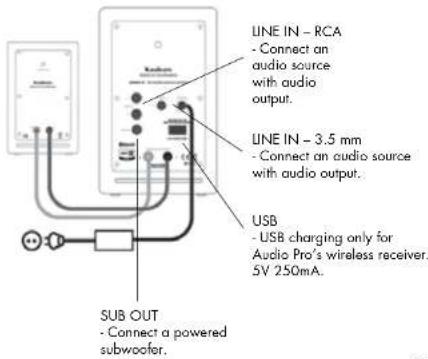
REAR CONNECTIONS
text_image
LINE IN - RCA - Connect an audio source with audio output. LINE IN - 3.5 mm - Connect an audio source with audio output. USB - USB charging only for Audio Pro's wireless receiver. 5V 250mA. SUB OUT - Connect a powered subwoofer.REMOTE CONTROL
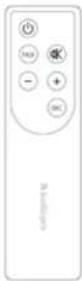
On/Standby
Pairing button
Volume down
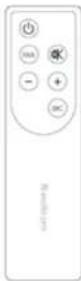
Mute function
Volume up
Select audio source
The LED flashes slowly when the mute function is activated. In Standby mode, the same colour is retained as for the source being used, but with a 50 % reduction in intensity. After 20 minutes without a signal the speaker powers down into Standby mode.
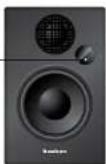
The LED on the speaker shows Blue for Bluetooth, Green for 3.5 mm and Red for RCA.
PAIR YOUR DEVICE WITH ADDON T8
-
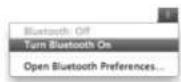
Activate Bluetooth in your device (smartphone, tablet or computer).
-
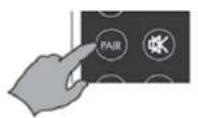
Ensure that the audio source is Bluetooth and that the LED is showing blue. Press the PAIR button on the remote control.
-
The LED on Addon T8 starts to flash rapidly. Select "ADDON T8" in the list of Bluetooth devices that have been located. The LED now shows a solid blue light. Done!
Open a music service and enjoy wireless music playing. Please see below regarding individual devices' Bluetooth use.
You only need to pair your smartphone/computer with Addon T8 once, after which the device will be included in the list of your Bluetooth devices.
USING DEVICES WITH BLUETOOTH
IPHONE/IPAD/IPOD TOUCH
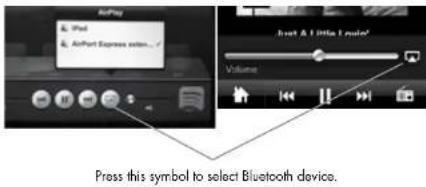
First pair your iOS device with Addon T8. Open a music service (Spotify, WIMP, LastFM, etc.). Locate the AirPlay icon in the music service. Select your Addon T8 speaker in the list. Press "play" to play your music.
text_image
AirPlay iPad AirPort Express select...? AirPlay AirPort Express select... AirPlay AirPort Express select... AirPlay AirPort Express select... AirPlay AirPort Express select... AirPlay AirPort Express select... AirPlay AirPort Express select... AirPlay AirPort Express select... AirPlay AirPort Express select... AirPlay AirPort Express select... AirPlay AirPort Express select... AirPlay AirPort Express select... AirPlay AirPort Express select... AirPlay AirPort Express select... AirPlay Volume Press this symbol to select Bluetooth device.Bluetooth
ANDROID DEVICES
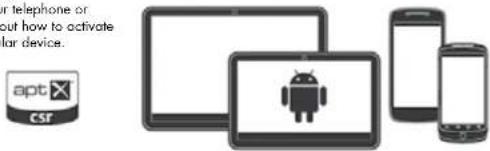
Read the manual for your telephone or tablet for instructions about how to activate Bluetooth in your particular device.
Bluetooth®
text_image
or telephone or out how to activate or device. apt CSFMAC OR PC
Most computers have built-in Bluetooth that enables the wireless playing of music directly from your computer to Addon T8. Search for "Bluetooth" in your computer's help function to see how it works with your particular operating system.
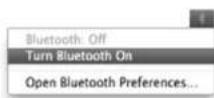
Please note: When you turn on the speaker it will search for already paired devices. If Addon T8 finds such a device it will automatically connect to the already paired device. Addon T8 can remember up to 6 paired devices.
CONNECT MULTIPLE AUDIO SOURCES
Audio via 3.5 mm or RCA input
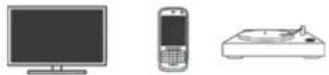
Connect other audio sources that have audio output (e.g. a headphone jack) by cable to Addon T8. For example: MP3 player, Airport Express, CD player, mobile telephone, iPhone/iPad/iPod dock, TV, record player.


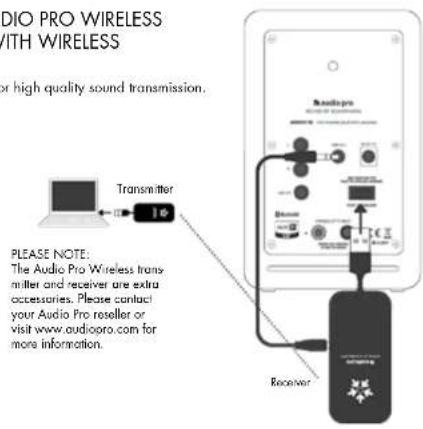
COMBINE ADDON T8 WITH AUDIO PRO WIRELESS - HIGH QUALITY, HI-FI AUDIO WITH WIRELESS TRANSMITTER AND RECEIVER
The USB dongles create a wireless network for high quality sound transmission.
With Audio Pro wireless transmitter and receiver you can also:
- have an unlimited number of receivers for sound in several rooms - have up to 3 different transmitters for different audio sources in different rooms
- send wireless music from your PC or Mac to your stereo - combine audio with all the speakers in the wireless Living series
text_image
AUDIO PRO WIRELESS WITH WIRELESS or high quality sound transmission. TRANSMITTER PLEASE NOTE: The Audio Pro Wireless trans- mitter and receiver are extra accessories. Please contact your Audio Pro reseller or visit www.audiopro.com for more information. ReceiverVOLUME SETTINGS
Each audio source [Bluetooth, Line 1 and Line 2] stores separate volume settings in its memory. This means that you can have a high volume when using Bluetooth and can then regulate the volume on the device from which you are playing music. If you change audio source to Line 1 or Line 2, they will have the last chosen volume setting stored in their memory.



OPTIONS
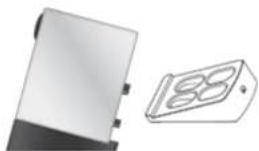
Base stand for improved nearfield sound dispersion.
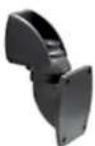
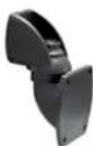
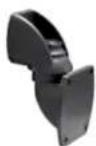
WB201 wall bracket for wall mounting.
MORE ABOUT USING BLUETOOTH
- BLUETOOTH ACTIVATION
Select Bluetooth as the input source by pressing "SRC" (Source) on the remote control until the LED on Addon T8 turns blue. Bluetooth is now activated, with a flashing blue light if no device is connected, and a solid blue light if a device is connected. Addon T8 will now automatically search for paired devices for 3 minutes, and the LED will rapidly flash blue during the search. Addon T8 will locate devices within range that have previously been connected and will connect them automatically. If no devices are located within 3 minutes, Addon T8 will revert to Standby status. Please see the "Pair your device with Addon T8" section for information about how to pair new devices with Addon T8.
- CONNECT TWO DEVICES SIMULTANEOUSLY
Addon T8 can be connected via Bluetooth to two devices simultaneously. If two devices A and B (e.g., two different smartphones) are to be connected, first pair device A. Then pair device B with Addon T8. Next, select "Addon T8" in the list of Bluetooth devices in smartphone A again. Now devices A and B are both connected to Addon T8. If the two devices play music at the same time, the device that started playing music first takes priority. If one device pauses the music, the other device can then start playing. (Please note that different devices may have different reaction times when it comes to starting music in different applications).
- AUTO CONNECTION
If a device is moved outside the range of Addon T8 (approx. 10 metres without obstacles), that device is disconnected. The device is automatically connected again when it is moved back within range. Addon T8 can memorise up to 6 devices and always starts by searching for the last device to have been connected. If Addon T8 has been connected to devices A–B–C–D–E–F in that order, device F is given first priority, while device A is given last priority. Every time Addon T8 starts up, it will perform an auto connection of devices within its range. Devices F and E are connected first and, if those devices are not located, devices D and C will be connected instead, and so on. Please note:
- Auto connection will not function if Addon T8 is turned off via the main power switch at the rear of the unit. - If a seventh device is connected, device A's address will no longer be memorised.
- Always start Bluetooth in your smartphone/computer first, and then start Addon T8 for auto connection.
- If the "PAIR" button is pressed while Bluetooth is selected as the audio source, Addon TB will perform a new search for 3 minutes during which the LED will rapidly flash blue.
TROUBLESHOOTING
With the help of Bluetooth technology, Bluetooth-compatible devices can easily be connected to each other over a short wireless connection. • A Bluetooth device could cause sound-related or technical faults.
depending on use, in the following cases:
- When some part of the body is in contact with the receiving/transmitting system for the Bluetooth device or Addon TB.
- Electrical variations due to obstacles in the form of walls, comers, etc. - Exposure to electrical disruptions from devices within the same frequency band, for example medical equipment, microwave ovens and wireless networks.
- Place Adder T8 and the Bluetooth device close to each other during the pairing process.
- The greater the distance between Addon 18 and the Bluetooth device, the poorer the quality will be. If the distance exceeds the Bluetooth device's wireless range, the connection will be lost.
- In areas with poor reception, the Bluetooth connection might not work as well as it should
- The Bluetooth connection only works when it is near the device. The connection is automatically broken if the Bluetooth device moves outside the range area. The sound quality may even deteriorate within that area due to obstacles such as walls or doors.
- This wireless device may cause electrical disruptions during use.
- You do not need to enter the PIN code (password) when connecting the Bluetooth device to TB. If the window for entering the PIN code is displayed, you should enter <0000>.
- You cannot connect to a Bluetooth device that only supports the HF area function here (hands free).
- Addon TB cannot search or connect correctly in the following cases:
- If there is a strong electric field around Addon TB.
- If the Bluetooth device is turned off, is not available or does not function as it should.
-
Please note that items such as, for example, microwave ovens, wireless network adapters, fluorescent lights and gas cookers use the same frequency range as the Bluetooth device, which could lead to electrical disturbances.
-
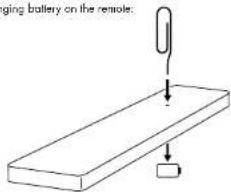
Changing battery on the remote:
text_image
ging battery on the remote:SVENSKA
SPECIFICATIONER
Typ: Aktivt stereohögtalaresystem, 2-vägs basreflexkabinett
text_image
Diagram showing connections between two multimeter setups with labeled components and wiring connectionsSUB OUT
- Anslut aktiv subwoofer.
FJÄRRKONTROLL
On/Standby Pairingknapp
Volym ner
Tyst funktion
Volym upp
Välj ljudkälla
text_image
AirPlay AirPort Express audio... About & Little I create! Volumenatural_image
Illustration of four electronic devices: desktops, mobile phones, and a robot (no text or symbols)MAC ELLER PC
natural_image
Illustration of a device with a 3D display showing three numbered slots (no text or symbols)Dimensions: H: 163mm L: 104mm P: 137mm
text_image
Diagram showing connections between two connected electrical meters with labeled components and wiring pathstext_image
AirPlay iPad AirPort Express video...# Volumenatural_image
Illustration of four electronic devices: desktops, mobile phones, and a central Android robot (no text or symbols)MAC OU PC
text_image
Diagram showing connections between two multimeter devices with labeled components and wiring connectionsnatural_image
Illustration of four electronic devices: tablet, smartphone, and mobile phone with Android logo (no text or symbols)MAC ODER PC
text_image
Readings Schematic of Readings Emplangernatural_image
Two electronic components: a rectangular device and a 18-pin display (no visible text or symbols)BLUETOOTH 4.0 CON APT-X - RIPRODUTTORE MUSICALE WIRELESS
natural_image
Illustration of four electronic devices: desktops, mobile phones, and a robot (no text or symbols)MAC O PC
text_image
AUDIO PRO WIRELESS TRASMETTITORE E a trasmissione del suano in Trasmettitore PLEASE NOTE: The Audio Pro Wireless trans- mitter and receiver are extra accessories. Please contact your Audio Pro roseller or visit www.audiooro.com for more information. RicavitoreIMPOSTARE IL VOLUME
Mital: K: 163mm L: 104mm S: 137mm
Tulot: Bluetooth-standard V4.0 + EDR, jolla apt-X-koodekki
ja 2 x Line in (3,5 mm + RCA)
Lähdöl: 1 x RCA Sub Out, 1 x USB DC OUT / 5 V 250 mA
(Vain Audio Pro:n langattomalle vastaanottimelle)
PAKKAUSSISÄLTÖ
text_image
Diagram showing connections between two electrical meters with labeled components and a power outletnatural_image
Illustration of four electronic devices: desktops, mobile phones, and a central Android robot (no text or symbols)MAC TAI PC
natural_image
Illustration of a device with a 3D display showing the number 88, alongside a separate view of its internal structure (no text or symbols present)WB201 seinakiinnike.
LISÄÄ BLUETOOTHIN KÄYTÖSTÄ
- BLUETOOTHIN KÄYTTOÖNOTTO
In order to be able to utilise apt-X, the transmitter (e.g. mobile telephone or tablet) must have apt-X. Otherwise no sound enhancement will be achieved.

text_image
AirPlay iPad AirPort Express action... Just & Little Make Volumenatural_image
Illustration of four electronic devices: desktops, mobile phones, and a central Android robot (no text or symbols)MAC O PC
natural_image
Illustration of a device with a 3D display showing two numbered components (no text or symbols)WB201 soporte de pared.