112372 - Oven PRINCESS - Free user manual and instructions
Find the device manual for free 112372 PRINCESS in PDF.

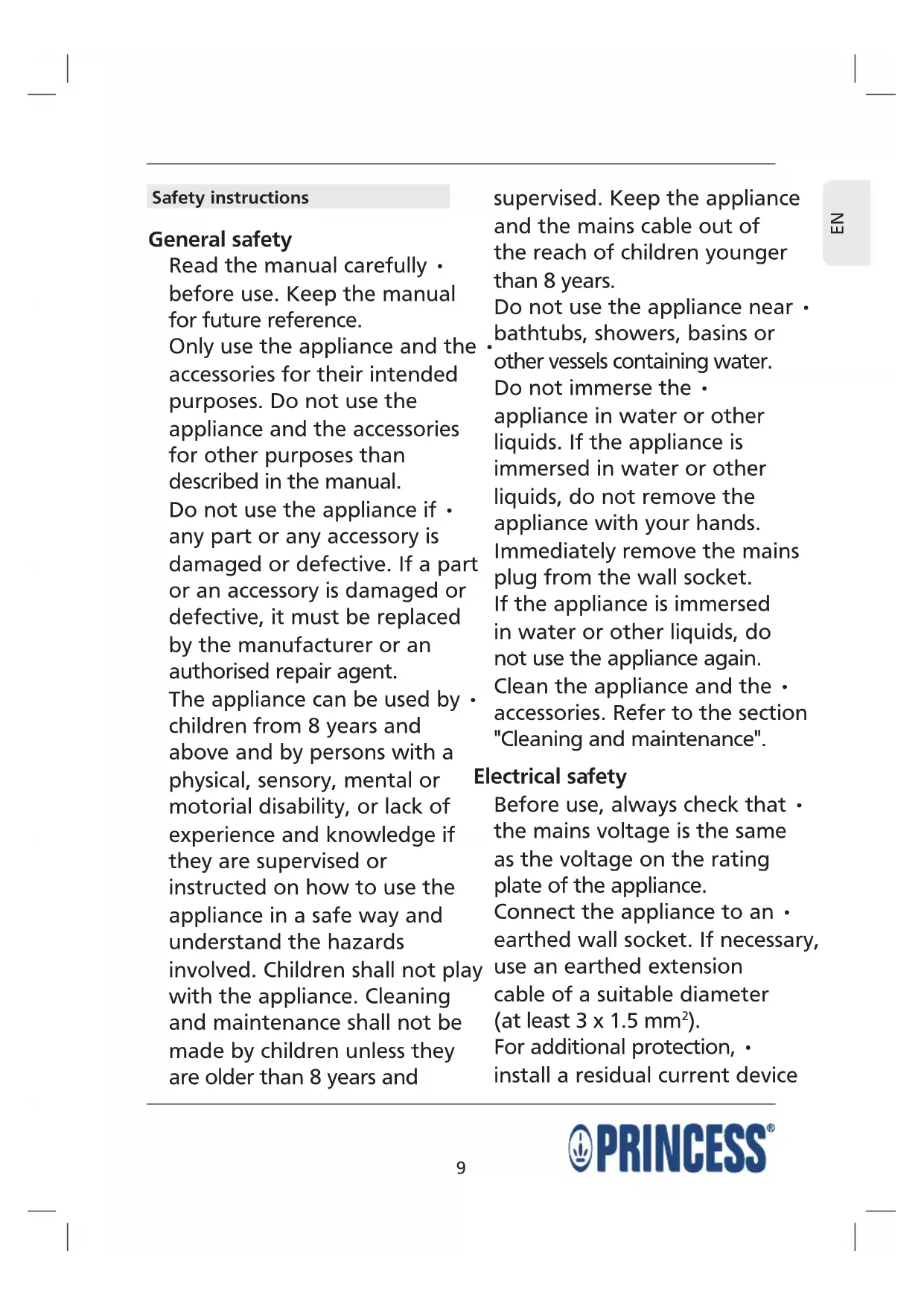


| Product type | Tabletop oven |
| Brand | Princess |
| Model | 112372 |
| Power supply | 220-240 V ~ 50/60 Hz |
| Power | Approximately 1500 W |
| Temperature range | 90 °C to 230 °C |
| Timer | 0 to 60 minutes |
| Heating functions | Top, Bottom, Top+Bottom, Top convection, Bottom convection, Top+Bottom convection |
| Compartment capacity | Approximately 12 liters |
| Material | Steel and glass |
| Included accessories | Cooking grid, baking tray, food fork |
| Cleaning | Damp cloth for interior, soapy water for accessories |
| Safety | Automatic shut-off, door must be closed, hot surfaces |
| Use | Indoor, domestic |
| Dimensions (W x D x H) | Approximately 35 x 30 x 25 cm |
| Weight | Approximately 3.5 kg |
Frequently Asked Questions - 112372 PRINCESS
User questions about 112372 PRINCESS
0 question about this device. Answer the ones you know or ask your own.
Ask a new question about this device
Download the instructions for your Oven in PDF format for free! Find your manual 112372 - PRINCESS and take your electronic device back in hand. On this page are published all the documents necessary for the use of your device. 112372 by PRINCESS.
USER MANUAL 112372 PRINCESS
Deutsch 19 Portuguese 42
Espanol 24 Polski 46
112371 Princess Oven 28L
112372 Princess Oven 35L
112373 Princess Oven 42L


D
Read the manual carefully before use. Keep the manual for future reference.
Only use the appliance and the accessories for their intended purposes. Do not use the appliance and the accessories for other purposes than described in the manual.
Do not use the appliance if any part or any accessory is damaged or defective. If a part or an accessory is damaged or defective, it must be replaced by the manufacturer or an authorised repair agent.
The appliance can be used by children from 8 years and above and by persons with a physical, sensory, mental or motorial disability, or lack of experience and knowledge if they are supervised or instructed on how to use the appliance in a safe way and understand the hazards involved. Children shall not play with the appliance. Cleaning and maintenance shall not be made by children unless they are older than 8 years and
supervised. Keep the appliance and the mains cable out of the reach of children younger than 8 years.
Do not use the appliance near . bathtubs, showers, basins or other vessels containing water. Do not immerse the . appliance in water or other liquids. If the appliance is immersed in water or other liquids, do not remove the appliance with your hands.
Immediately remove the mains plug from the wall socket.
If the appliance is immersed in water or other liquids, do not use the appliance again.
Clean the appliance and the accessories. Refer to the section "Cleaning and maintenance".
Electrical safety
Before use, always check that the mains voltage is the same as the voltage on the rating plate of the appliance.
Connect the appliance to an earthed wall socket. If necessary, use an earthed extension cable of a suitable diameter (at least 3 × 1.5 ~mm^2 ).
For additional protection, · install a residual current device
(RCD) with a rated residual operating current that does not exceed 30mA .
The appliance is not intended to be operated by means of an external timer or separate remote-control system.
Make sure that water cannot enter the contact plugs of the mains cable and the extension cable.
Always fully unwind the mains cable and the extension cable.
Make sure that the mains cable does not hang over the edge of a worktop and cannot be caught accidentally or tripped over.
Keep the mains cable away from heat, oil and sharp edges. Regularly check the mains cable and the mains plug for signs of damage. Do not use the appliance if the mains cable or the mains plug is damaged or defective. If the mains cable or the mains plug is damaged or defective, it must be replaced by the manufacturer or an authorised repair agent.
Do not pull the mains cable to disconnect the mains plug from the mains.
Disconnect the mains plug from the mains when the appliance is not in use, before assembly or disassembly and before cleaning and maintenance.
Safety instructions for ovens
The appliance is suitable for domestic use only.
Do not use the appliance outdoors.
- Place the appliance on a stable - and flat surface.
Place the appliance on a heat-resistant and splash-proof surface.
Do not place the appliance on a hob.
Do not cover the appliance. Do not place objects on top of the appliance. Do not place objects on the open door.
Make sure that there is sufficient space around the appliance to allow heat to escape and provide sufficient ventilation.
Make sure that the appliance does not come into contact with flammable material.
- Keep the appliance away from heat sources. Do not place the appliance on hot surfaces or near open flames.
Only put containers made of metal, stone or glass in the appliance. Do not put containers made of other materials in the appliance.
Do not use the appliance for storage purposes.
Beware of hot parts. The surfaces marked with a caution symbol for hot surfaces are liable to become hot during use. The accessible surfaces can become hot when the appliance is operating. The outer surface can become hot when the appliance is operating.
Be careful when touching the appliance. If you need to touch
the appliance during or shortly after use, always wear oven gloves.
Make sure that your hands are dry before touching the appliance.
Do not leave the appliance unattended during use.
Do not move the appliance while it is switched on or is still hot. Remove the mains plug from the wall socket and wait until the appliance has cooled down.
- Cleaning and maintenance
Warning!
- Before cleaning or maintenance, remove the mains plug from the wall socket and wait until the appliance has cooled down.
- Do not immerse the appliance in water or any other liquids.
Caution!
- Do not use aggressive or abrasive cleaning agents to clean the appliance.
- Do not use sharp objects to clean the appliance.
Do not use oven cleaners to clean the inside of the appliance.
- Do not clean the appliance in the dishwasher.
Do not clean the accessories in the dishwasher.
Regularly check the appliance for possible damage.
Clean the inside of the appliance with a damp cloth. Thoroughly dry the inside of the appliance with a clean, dry cloth. Do not wipe the heating elements.
Clean the baking rack, the baking tray and the food fork in soapy water. Rinse the accessories under running water. Thoroughly dry the accessories with a clean, dry cloth.
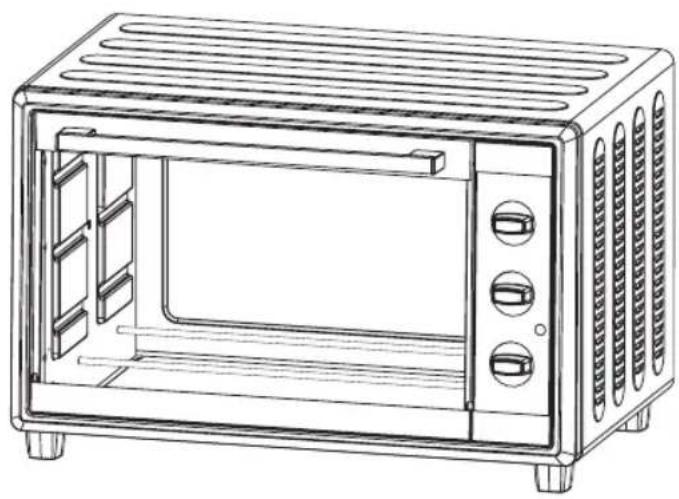
Description (fig. A)
Your 112371/112372/112373 Princess oven has been designed for toasting bread, baking food and defrosting food. The appliance is suitable for indoor use only. The appliance is suitable for domestic use only.
- Temperature control dial
- Function dial
- Timer dial
- On/off indicator
- Cooking compartment
- Heating element
- Door
- Door grip
- Baking rack
- Baking tray
- Food fork
Initial use (fig. A)
Place the appliance on a stable and flat surface.
Insert the mains plug into the wall socket. Insert the baking rack (9) and the baking tray (10) into the cooking compartment (5).
Slide the accessory into the support rails in the sides of the cooking compartment.
Turn the function dial (2) to position "C" (fig. C).
Turn the temperature control dial (1) clockwise to set the temperature to 230^ .
Turn the timer dial (3) clockwise to set the time to 10 minutes. The on/off indicator (4) comes on. The appliance starts heating. If the process is completed, the appliance will switch off automatically. The on/off indicator (4) goes off.
Note: If you switch on the appliance for the first time, the appliance may emit a little smoke and a characteristic smell for a short period.
This is normal operation.
Use
Setting the temperature (fig. B)
The temperature can be set from 0^ and 230^ .
Turn the temperature control dial (1) clockwise to increase the temperature.
Turn the temperature control dial (1) counterclockwise to decrease the temperature.
Setting the oven function (fig. C)
Turn the function dial (2) to set the required oven function. Refer to the table below to set the correct oven function.
Setting Oven function
A Upper heating
B Lower heating
C Upper & lower heating
D Upper heating/convection
E Lower heating/convection
F Upper & lower heating/convection
Setting the time /
Switching on and off (fig. D)
The time can be set from 0 minutes to 60 minutes.
To switch on the appliance, turn the timer dial (3) to the required time. The on/off indicator (4) comes on.
To switch on the appliance for 5 minutes or less, first turn the timer dial (3) clockwise to more than 6 minutes and then back to the required time. The on/off indicator (4) comes on.
While the appliance is operating: Turn the timer dial (3) clockwise to increase the time. Turn the timer dial (3) counterclockwise to decrease the time.
- To switch off the appliance, turn the timer dial (3) to the "OFF" position. The on/off indicator (4) goes off.
Hints for use (fig. A - D)
Warning!
Always keep the door closed during use.
- Do not place the baking tray directly onto the lower heating element.
Caution!
If necessary, preheat the oven before putting the food into the cooking compartment.
The space between the upper heating element and the food must be at least 30mm in order to achieve the best results.
Place the appliance on a stable and flat surface.
Insert the mains plug into the wall socket.
-
Open the door (7) using the door grip (8).
-
Insert the baking rack (9) and/or the baking tray (10) into the cooking compartment (5). Slide the accessory into the support rails in the sides of the cooking compartment.
- Put the food onto the baking rack (9) or the baking tray (10).
- Set the temperature using the temperature control dial (1).
- Set the oven function using the function dial (2).
- Switch on the appliance by turning the timer dial (3) clockwise to set the time. The on/off indicator (4) comes on.
The appliance starts heating.
Regularly look through the door (7) to check whether the food is prepared correctly and to make sure that it does not burn.
To interrupt the process, turn the timer dial (3) to the "OFF" position. The on/off indicator (4) goes off.
If the process is completed, the appliance will switch off automatically. A bell will ring.
The on/off indicator (4) goes off.
Take one of the following actions:
Use the food fork (11) to remove the food from the appliance.
Use oven gloves to remove the food from the appliance.
After use, remove the mains plug from the wall socket and wait until the appliance has cooled down.
- Electrical safety
- Safety instructions for ovens
- - Cleaning and maintenance
- Warning!
- Caution!
- Description (fig. A)
- Initial use (fig. A)
- Use
- Setting the temperature (fig. B)
- Setting the oven function (fig. C)
- Setting Oven function
- Setting the time /
- Switching on and off (fig. D)
- Hints for use (fig. A - D)
Brand : PRINCESS
Model : 112372
Category : Oven