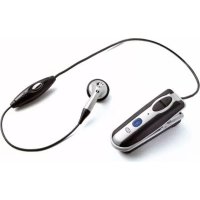
BF400 - Earphones SBS - Free user manual and instructions
Find the device manual for free BF400 SBS in PDF.

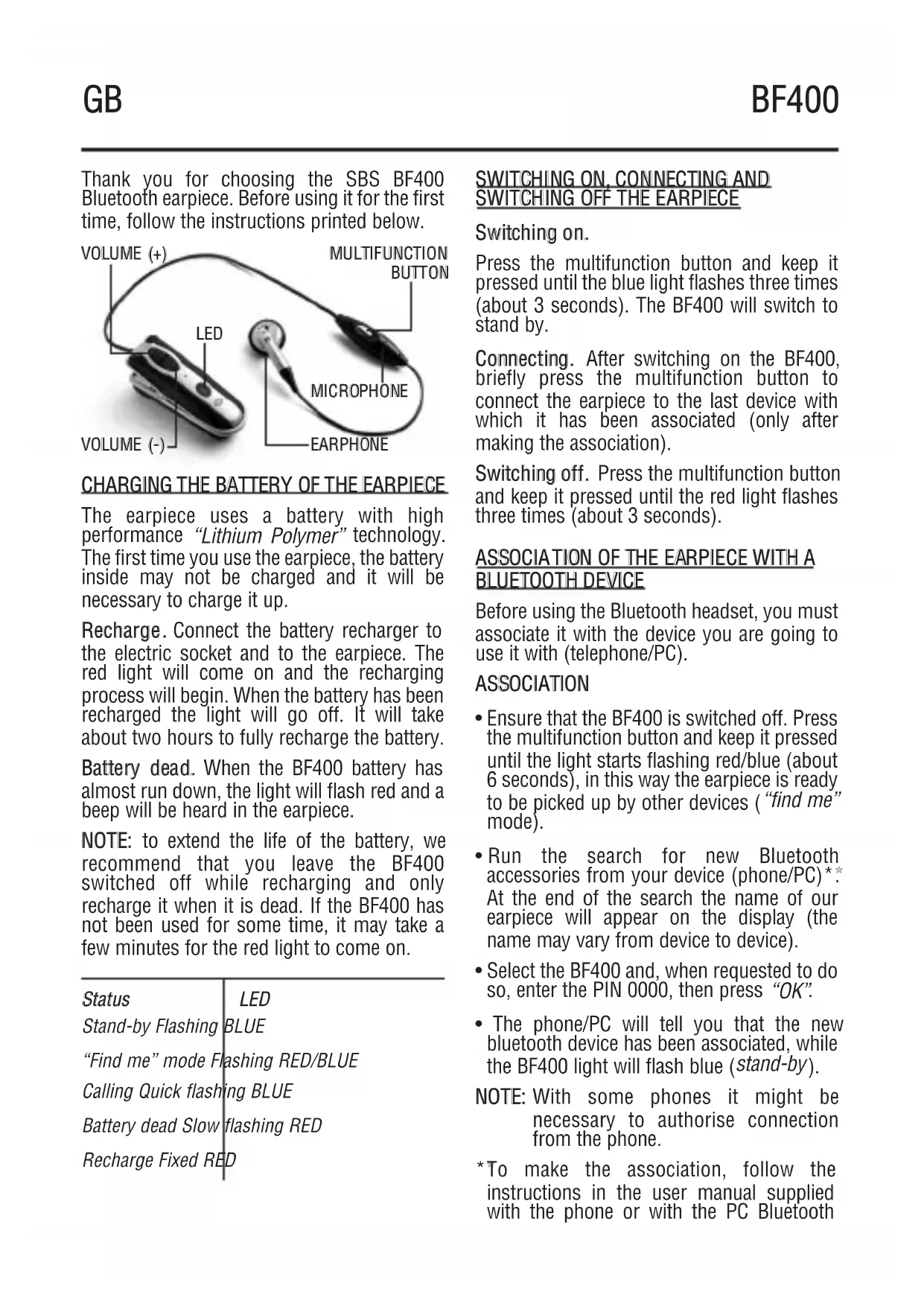


| Product Type | Bluetooth headset (earpiece) |
| Brand | SBS |
| Model | BF400 |
| Connection Technology | Bluetooth |
| Power Supply | Rechargeable lithium-polymer battery |
| Charging Time | Approximately 2 hours |
| Charge Indicator | Solid red light during charging, turns off when fully charged |
| Low Battery Indicator | Flashing red light and beep |
| Control Buttons | Multi-function button, Volume +, Volume - |
| Main Functions | Answer/end/reject calls, call transfer, last number redial, voice calls, mute function, music listening |
| Compatibility | Mobile phones and PCs with Bluetooth |
| Use with PC | Audio configuration in control panel, Skype support |
| Operating Temperature | -10°C to +45°C |
| Cleaning | Soft cloth, do not use solvents |
| Included Accessories | Charger adapter |
Frequently Asked Questions - BF400 SBS
User questions about BF400 SBS
0 question about this device. Answer the ones you know or ask your own.
Ask a new question about this device
Download the instructions for your Earphones in PDF format for free! Find your manual BF400 - SBS and take your electronic device back in hand. On this page are published all the documents necessary for the use of your device. BF400 by SBS.
USER MANUAL BF400 SBS
BF400
GGBB User's guide
I I I I I I I I I I I I I I I I I I I I I I I I I I I I I I I I I I I I I I I I I I I I I I I
FF Mode d'emploi
Thank you for choosing the SBS BF400 Bluetooth earpiece. Before using it for the first time, follow the instructions printed below.
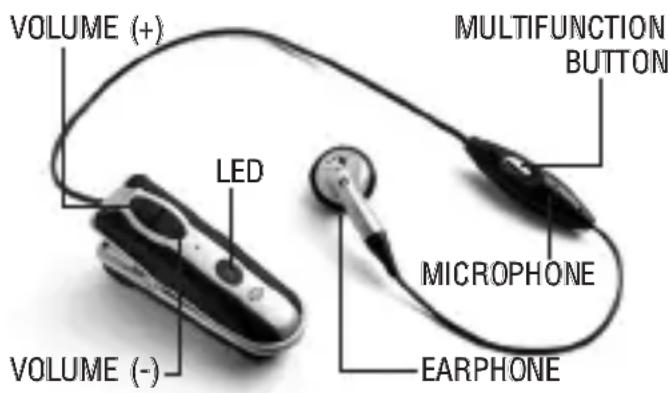
CHARGING THE BATTERY OF THE EARPIECE
The earpiece uses a battery with high performance “Lithium Polymer” technology. The first time you use the earpiece, the battery inside may not be charged and it will be necessary to charge it up.
Recharge. Connect the battery recharger to the electric socket and to the earpiece. The red light will come on and the recharging process will begin. When the battery has been recharged the light will go off. It will take about two hours to fully recharge the battery.
Battery dead. When the BF400 battery has almost run down, the light will flash red and a beep will be heard in the earpiece.
NOTE: to extend the life of the battery, we recommend that you leave the BF400 switched off while recharging and only recharge it when it is dead. If the BF400 has not been used for some time, it may take a few minutes for the red light to come on.
| Status | LED |
| Stand-by Flashing BLUE | |
| "Find me" mode Flashing RED/BLUE | |
| Calling Quick flashing BLUE | |
| Battery dead Slow flashing RED | |
| Recharge Fixed RED | |
SWITCHING ON, CONNECTING AND SWITCHING OFF THE EARPIECE
Switching on.
Press the multifunction button and keep it pressed until the blue light flashes three times (about 3 seconds). The BF400 will switch to stand by.
Connecting. After switching on the BF400, briefly press the multifunction button to connect the earpiece to the last device with which it has been associated (only after making the association).
Switching off. Press the multifunction button and keep it pressed until the red light flashes three times (about 3 seconds).
ASSOCIATION OF THE EARPIECE WITH A BLUETOOTH DEVICE
Before using the Bluetooth headset, you must associate it with the device you are going to use it with (telephone/PC).
ASSOCIATION
- Ensure that the BF400 is switched off. Press the multifunction button and keep it pressed until the light starts flashing red/blue (about 6 seconds), in this way the earpiece is ready to be picked up by other devices (“find me” mode).
- Run the search for new Bluetooth accessories from your device (phone/PC) ** . At the end of the search the name of our earpiece will appear on the display (the name may vary from device to device).
- Select the BF400 and, when requested to do so, enter the PIN 0000, then press "OK".
- The phone/PC will tell you that the new bluetooth device has been associated, while the BF400 light will flash blue (stand-by).
NOTE: With some phones it might be necessary to authorise connection from the phone.
*To make the association, follow the instructions in the user manual supplied with the phone or with the PC Bluetooth
interface. The BF400 will stay in "find me" mode for a maximum of two minutes. If the association is not completed within this time, the earpiece will revert automatically to stand-by.
USING THE BF400 WITH MOBILE PHONES
After associating our earpiece with a phone it can be used to manage calls with the various functions supported.
ATTENTION: the possibility to use all the functions of our earpiece depends exclusively on the functions supported by the phone in use (e.g.: if the phone does not support voice calls, this function will not be available).
Answering calls. When you receive a call, the BF400 will play the tune (or the musical notes depending on the phone) in the earpiece. Briefly press the multifunction button to answer.
Ending calls. During a call, briefly press the multifunction button to end the conversation.
Refusing a call. When you receive a call, wait to hear the tune, then press the BF400 multifunction button and keep it pressed for 3 seconds (you will hear a beep in the earpiece and the call will be refused).
Regulating the volume. During a conversation or in stand-by mode, repeatedly press the "Volume +" button to increase the incoming volume or the "Volume -" button to lower it.
Transferring calls. Using the BF400 it is possible, during a phone call, to transfer the conversation from the earpiece to the telephone and vice versa.
Earset > Mobile phone
Press and hold the "Volume +" button for 3 seconds. You will hear a beep in the headset and the conversation will be transferred to the phone.
Mobile phone > Earset
Press and hold the "Volume +" button for 3 seconds. You will hear a beep in the headset and the conversation will be transferred to the earpiece (with Nokia phones all you have to do is press the multifunction button). Voice calls. While the earpiece is in stand-by mode, briefly press the multifunction button and, when requested to do so, pronounce the name of the person you wish to call.
ATTENTION: to use this function the name has to be vocally recorded in the phone book first.
Recalling the last number. Press the "Volume +" button and keep it pressed for 3 seconds. The BF400 will connect to the telephone and recall the last number called.
"MUTE" function. During a conversation, press the volume buttons ("Volume +" and "Volume -") simultaneously for 3 seconds to activate "Mute" mode. To deactivate it, briefly press one of the two "Volume" buttons.
USING THE BF400 WITH A PC
Connection. Start the connection from the PC. When you hear the tune in the headset, briefly press the multifunction button to accept the connection.
ATTENTION: it is important that the connection is made in this way. If the connection is activated from the headset it may not be possible to use it as an audio peripheral (in this case, disconnect and repeat the connection).
Listening to music. To use the BF400 as an audio peripheral it is necessary to proceed as follows.
- Enter the "Control Panel".
- Select "Sounds and multimedia," then select the "Audio" folder***.
- In the “Sound Reproduction” section, select the “Bluetooth Audio” peripheral***.
In this way all the musical files will be reproduced using our earpiece as the preferred listening peripheral.
** The settings may vary depending on the operating system.
Use with SKYPE. After connection, start the "Skype" system installed to use our headset during conversation.
ATTENTION: it is necessary to have configured a Skype account to use this service.
Regulating the volume. While listening to multimedia files or during a conversation, repeatedly press the "Volume+" button to increase the incoming volume or the "Volume-" button to lower it.
WARNINGS
- Do not expose to damp.
- Do not use solvents or abrasive materials to clean the BF400.
- Do not expose to high temperatures (the battery might explode).
- Only use the original recharger supplied in the box.
- Charge and use the BF400 at a temperature between -10°C and +45°C .
- Do not dismantle either the earpiece or the battery recharger.
- If the earpiece is not going to be used for some time, we recommend that you recharge the battery and store everything in a cool, dry place.
- Keep the product out of the reach of children (certain small parts could be swallowed).
- Should you have any problems or require further information, please contact the SBS Customer Service Department.
PIN: 0000
www.sbs-power.com
customercare@sbs-power.com
DIRECTIVE 2002/96/EC OF THE EUROPEAN PARLIAMENT AND OF THE COUNCIL of 27
January 2003 on waste electrical and electronic equipment (WEEE) Information for users ✗
(a) the device requirement not to dispose of WEEE as unsorted municipal waste and to collect such WEEE separately;
(b) the device must return and collection systems available to them;
(c) the device will be collected by the vendor
in case of a new one is buyed
(d) the device not correctly disposed has potential effects on the environment and human health as a result of the presence of hazardous substances in electrical and electronic equipment;
(e) The symbol indicating separate collection for electrical and electronic equipment consists of the crossed-out wheeled bin, as shown below.
The symbol must be printed visibly, legibly and indelibly.
www.sbs-power.it customercare@sbs-power.it
PIN: 0000
www.sbs-power.com customercare@sbs-power.com
PIN: 0000
www.sbs-power.com
customercare@sbs-power.com
PIN: 0000
www.sbs-power.com customercare@sbs-power.com
PIN: 0000
www.sbs-power.com customercare@sbs-power.com
PIN: 0000

Living technology
customercare@sbs-power.com


- BF400
- CHARGING THE BATTERY OF THE EARPIECE
- SWITCHING ON, CONNECTING AND SWITCHING OFF THE EARPIECE
- SWITCHING ON
- ASSOCIATION OF THE EARPIECE WITH A BLUETOOTH DEVICE
- ASSOCIATION
- USING THE BF400 WITH MOBILE PHONES
- EARSET > MOBILE PHONE
- MOBILE PHONE > EARSET
- USING THE BF400 WITH A PC
- WARNINGS
- DIRECTIVE 2002/96/EC OF THE EUROPEAN PARLIAMENT AND OF THE COUNCIL OF 27
Brand : SBS
Model : BF400
Category : Earphones