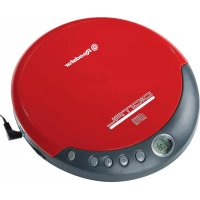
PCD290CD - Cd player/recorder ROADSTAR - Free user manual and instructions
Find the device manual for free PCD290CD ROADSTAR in PDF.

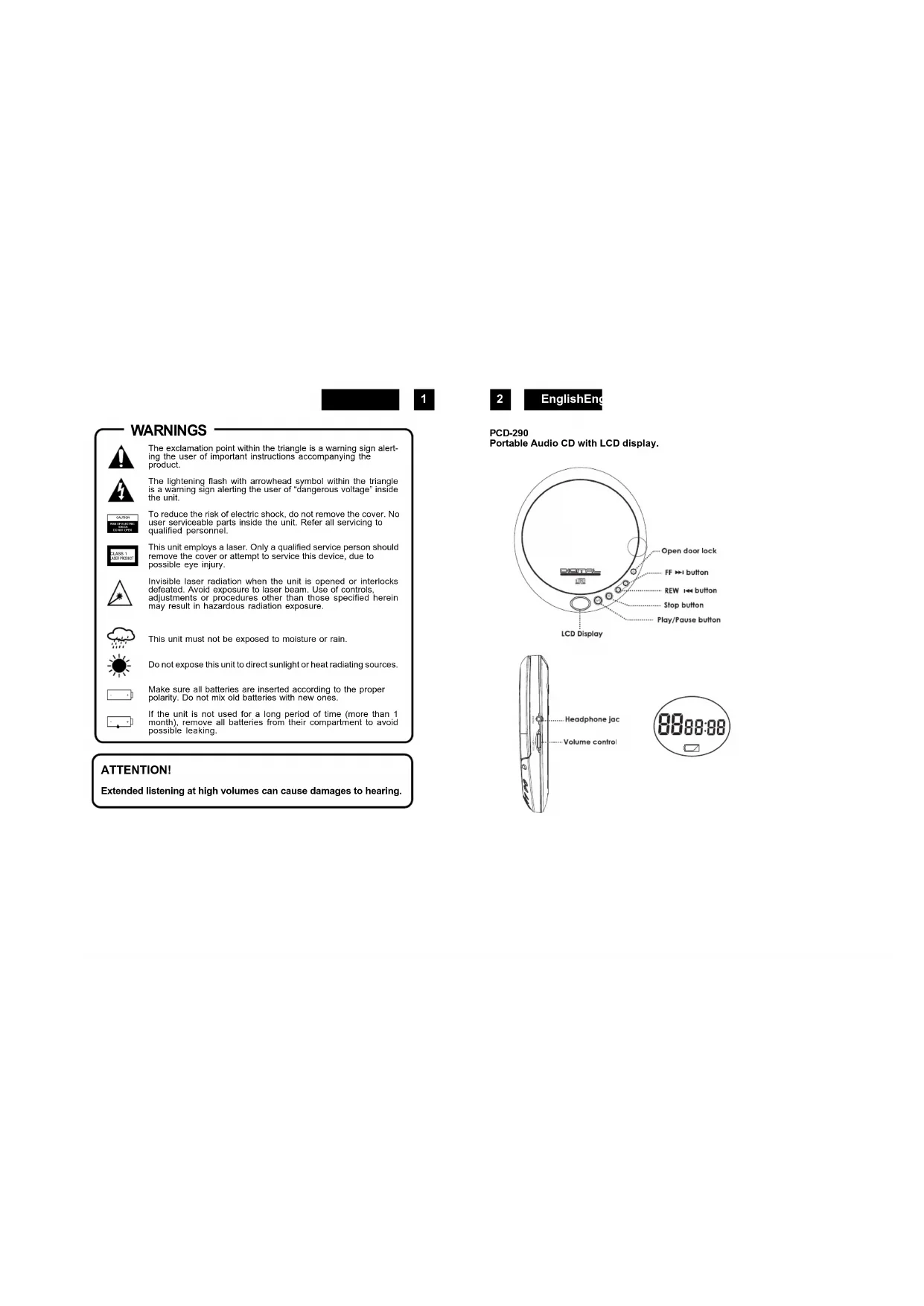


| Product type | Portable CD player with LCD display |
| Brand / Model | Roadstar PCD290CD |
| Power supply | 2 alkaline 1.5V AA/UM-3 batteries |
| Power consumption | 0.8 W (DC 3 V) |
| Dimensions (W x H x D) | 135 x 26 x 145 mm |
| Weight | 195 g |
| Supported disc format | Audio CD (8 cm and 12 cm) |
| Digital-to-analog conversion | 1-bit DAC, 8x oversampling |
| Frequency response | 20 – 20,000 Hz |
| Wow and flutter | Below measurable limits |
| Channels | 2 channels (stereo) |
| Headphone output | 20 mW (32 Ω) |
| Playback functions | Play, pause, stop, skip forward/backward, fast search |
| Auto off | After approximately 30 seconds in standby mode |
| Low battery indicator | Yes (flashing symbol on screen) |
| Maintenance and cleaning | Clean the exterior with a soft, slightly damp cloth; clean CDs from the center outward with a soft, dry cloth |
| Safety | Class 1 laser; do not open the casing; avoid direct exposure to the beam |
| Spare parts and repairability | No user-serviceable parts; contact a qualified technician |
| Included accessories | Stereo headphones |
Frequently Asked Questions - PCD290CD ROADSTAR
User questions about PCD290CD ROADSTAR
0 question about this device. Answer the ones you know or ask your own.
Ask a new question about this device
Download the instructions for your Cd player/recorder in PDF format for free! Find your manual PCD290CD - ROADSTAR and take your electronic device back in hand. On this page are published all the documents necessary for the use of your device. PCD290CD by ROADSTAR.
USER MANUAL PCD290CD ROADSTAR
SLIM PORTABLE CD PLAYER WITH LCD DISPLAY
PCD-290
Instruction manual
Bedienungsanleitung
Roadstar is a registered Trademark of Roadstar S.A. - Switzerland All rights reserved
Roadstar Management SA, via Passeggiata 7, CH 6883 Novazzano (Switzerland)


WARNING


The exclamation point within the triangle is a warning sign alerting the user of important instructions accompanying the product.
The lightening flash with arrowhead symbol within the triangle is a warning sign alerting the user of "dangerous voltage" inside the unit.
To reduce the risk of electric shock, do not remove the cover. No user serviceable parts inside the unit. Refer all servicing to qualified personnel.
This unit employs a laser. Only a qualified service person should remove the cover or attempt to service this device, due to possible eye injury.
Invisible laser radiation when the unit is opened or interlocks defeated. Avoid exposure to laser beam. Use of controls, adjustments or procedures other than those specified herein may result in hazardous radiation exposure.
This unit must not be exposed to moisture or rain.
Do not expose this unit to direct sunlight or heat radiating sources.
Make sure all batteries are inserted according to the proper polarity. Do not mix old batteries with new ones.
If the unit is not used for a long period of time (more than 1 month), remove all batteries from their compartment to avoid possible leaking.
ATTENTION!
Extended listening at high volumes can cause damages to hearing.
2
EnglishEn
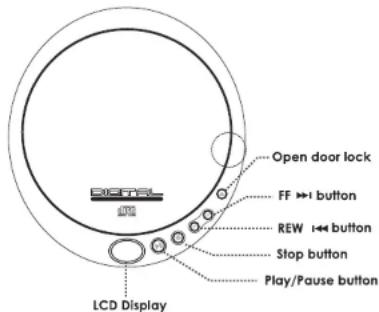
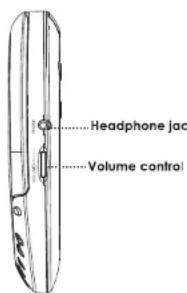
PCD-290
Portable Audio CD with LCD display.
POWERSUPPLY
Use with regular batteries
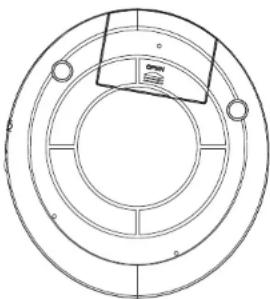
- Open the battery compartment door, located in the disc compartment. (Do not remove the battery door).
- Insert 2 × 1.5V / UM-3/AA size alkaline batteries, following the correct polarity, as indicated in the battery compartment.
- Close the battery compartment door.
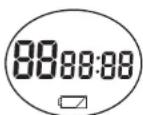
Note: If the symbol flashes in the display, batteries are weak and ought to be replaced.
EARPHONES
Connect the stereo earphones (included) to the Phones jack.
CDPLAYBACK
- Connect the Headphones (included) or optional headphones into the Phones jack.2. Press the Door Open button to open the CD compartment door.
- Insert a disc with the label side facing up.
- Close the CD compartment door until a click is heard.
- Set the VOLUME control to minimum.
- Press the PLAY/PAUSE (>II) button, the unit power will turn on automatically and start playback.
The total number of tracks and total playing time appear on the display. Playback starts. During playback, the actual track and the elapsed time appear.
7. Adjust the VOLUME control to your desired listening level.
8. To stop playback temporarily, press the PLAY/PAUSE (>I) button once. The elapsed time and track number will flash on the display. Press the PLAY/PAUSE (>II) button again to resume playback.
9. To stop playback, press the STOP button once.
- To turn the unit off, press the STOP twice.
Notes:
- When the CD door is accidentally opened during playback, " OPEN" will appear on the display.
- Wait until the disc is fully stopped before pressing the OPEN button.
This unit can play 3 (8cm) single CDs without an adaptor.
4
EnglishEn
LOCATING A PARTICULAR TRACK OR POINT OF THE TRACK
- Press the -SKIP/SEARCH (H) button once to go back to the beginning of the current track.
- Press the -SKIP/SEARCH (H) button repeatedly to go back to previous tracks.
- Press the +SKIP/SEARCH (H) button repeatedly to go to next tracks.
- Press and hold either +SKIP/SEARCH (H) or -SKIP/SEARCH (H) button to search Backwards or forwards, at high speed, a particular point of track.Note: Low level audio will be heard during the search process to assist in locating the
correct point in the track.
AUTO POWER OFF
When the unit is stopped (standby mode) for approximately 30 seconds, the Auto Power Off function will activated and turn the unit off automatically.
BATTERY COMPARTMENT
HandlingCDs
Your CD player has been especially designed for the reproduction of compact discs bearing the CD mark. No other discs should be loaded into the player.
Always place the disc in tray with the label facing up.
Although compact discs are impervious to wear during play, damage to the surface of a disc through improper handling will result in playback irregularities.
To preserve your compact discs, please handle them with care.
Although minute dust particles and fingerprints should have no effect on playback, you should keep the surface of the recorded side of your discs clean by wiping the disc with a clean, dry, lint-free soft cloth with straight movements from the centre outwards.
Never use record cleaners, record sprays, antistatic sprays, liquids nor chemical based liquids
MAINTENANCE
Cleaning the unit
Wipe the outside surface of the unit with a soft cloth moistened with water and mild soap.

Correct Disposal of This Product
(Waste Electrical & Electronic Equipment)
This marking shown on the product or its literature, indicates that it should not be disposed with other household wastes at the end of its working life. To prevent possible harm to the environment or human health from uncontrolled waste disposal, please separate this from other types of wastes and recycle it responsibly to promote the sustainable reuse of material resources.
Household users should contact either the retailer where they purchased this product, or their local government office, for details of where and how they can take this item for environmentally safe recycling. Business users should contact their supplier and check the terms and conditions of the purchase contract. This product should not be mixed with other commercial wastes for disposal.
6
EnglishEn
to clean the surface of a disc. They may in fact irreparably damage the disc's plastic surface. Always return the disc to its protective plastic case when not using it. Avoid exposing discs to direct sunlight, excessive temperatures or high humidity for extended periods of time. Do not write on the label side of the disc with a ball/point pen as this may scratch the disc.
IMPORTANT
Since movement of the CD mechanism and the sensitive circuitry may cause interference to a radio tuner nearby switch this unit off while operating other radio devices.
This product utilizes a laser
Danger - Invisible laser radiation when opened and interlock failed or defeated. Avoid direct exposure to the beam.
Caution - Use of controls, adjustments, or procedures not listed in this manual may result in hazardous radiation exposure.
Concerning Compact Discs
Only compact discs identified with this mark can be used with this player.

SPECIFICATIONS
Audio
D/A conversion 1-bit DAC, 8 times oversampling
Frequency response 20-20,000Hz
Wow and flutter Below measurable limits
No. of channels 2 channels (stereo)
Headphone: 20mW (32Ohm)
General
Power requirements -2 x LR6/UM-3/“AA” alkaline
batteryPower consumption
Dimension
Weight
Approx. 135(W) X 26(H) X 145(D)
195 g.
Specifications and the design are subject to possible modifications without notice.
SICHERHEITSHINWEISE

Riguardo | Compact Discs
Circa 135(L) X 26(A) X 134 (P) mm
Peso
195 g.
Conversao D/A 1-bit DAC, 8 x oversampling
Resposta da Frequencia 20-20,000Hz


- SLIM PORTABLE CD PLAYER WITH LCD DISPLAY
- PCD-290
- WARNING
- ATTENTION!
- EnglishEn
- POWERSUPPLY
- Use with regular batteries
- EARPHONES
- CDPLAYBACK
- Notes:
- LOCATING A PARTICULAR TRACK OR POINT OF THE TRACK
- AUTO POWER OFF
- HandlingCDs
- MAINTENANCE
- Cleaning the unit
- Correct Disposal of This Product
- (Waste Electrical & Electronic Equipment)
- IMPORTANT
- Concerning Compact Discs
- SPECIFICATIONS
- Audio
- General
- SICHERHEITSHINWEISE
- Riguardo | Compact Discs
Brand : ROADSTAR
Model : PCD290CD
Category : Cd player/recorder