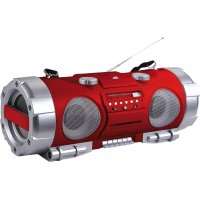
RCR4950USRD - Cd player/recorder ROADSTAR - Free user manual and instructions
Find the device manual for free RCR4950USRD ROADSTAR in PDF.

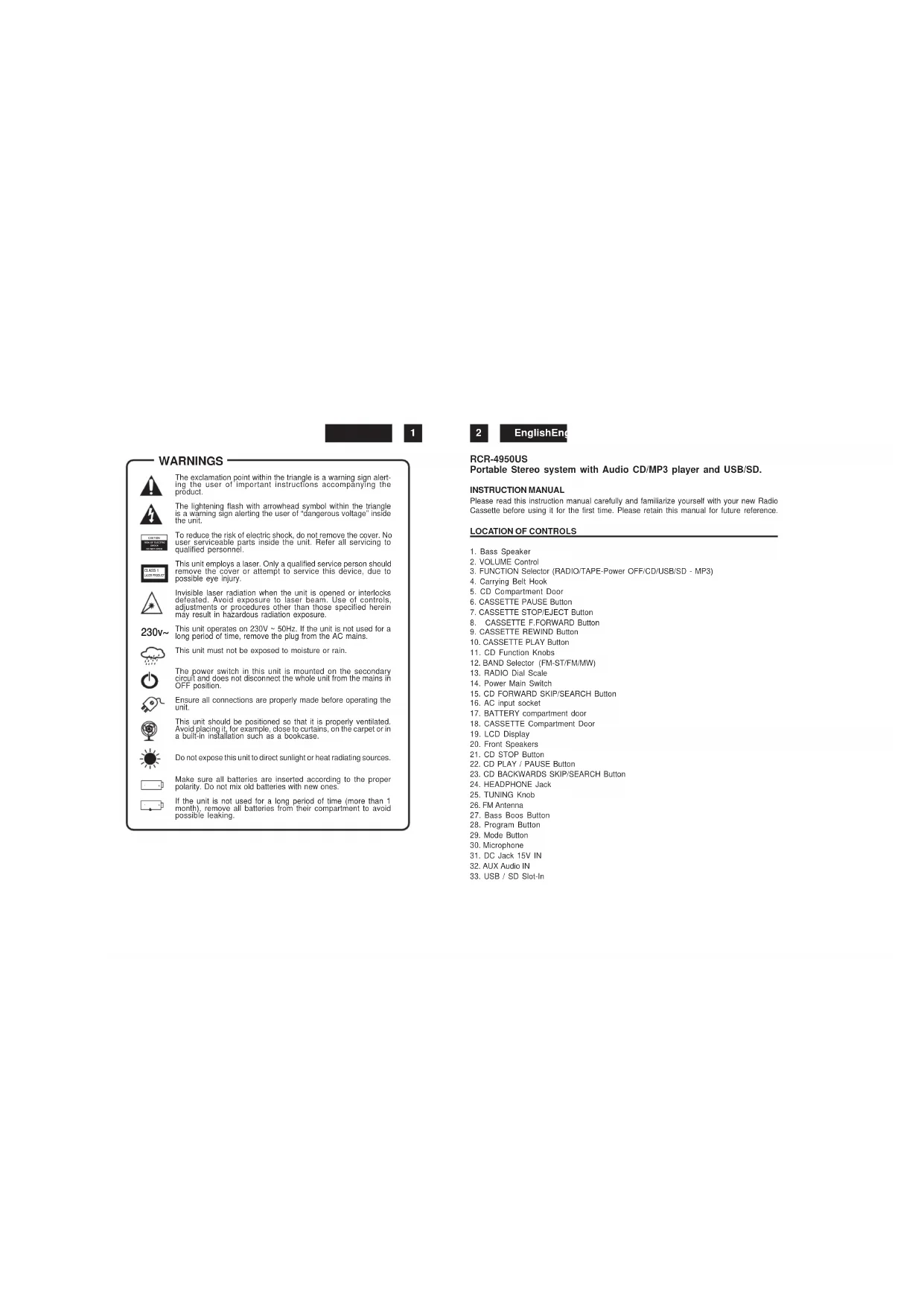


| Product type | Portable CD player/recorder |
| Brand | ROADSTAR |
| Model | RCR4950USRD |
| Mains power | 230 V~50 Hz |
| Battery power | 10 UM-1 batteries (1.5 V) |
| Radio bands | FM (88-108 MHz) and MW (540-1600 MHz) |
| FM antenna | Telescopic |
| CD player | Compatible with audio CD and MP3 (via USB/SD) |
| Supported formats | Audio CD, MP3 |
| Connectors | 3.5 mm headphone jack, AUX IN, USB, SD slot, microphone |
| Speakers | 2 built-in speakers |
| CD playback controls | Play/Pause, Stop, Skip forward/backward, Programming, Repeat/random mode |
| Cassette functions | Play, Pause, Fast forward, Rewind, Stop/Eject |
| Safety | Double electrical insulation; invisible laser radiation – do not open |
| Included accessories | Power cord, user manual |
| Maintenance | Clean with a soft cloth; do not use solvents |
| Operating conditions | Do not expose to moisture, excessive heat or direct sunlight |
| Intended use | Domestic use, portable audio |
| Warranty | Consult the dealer |
| General information | Complies with European standards |
Frequently Asked Questions - RCR4950USRD ROADSTAR
User questions about RCR4950USRD ROADSTAR
0 question about this device. Answer the ones you know or ask your own.
Ask a new question about this device
Download the instructions for your Cd player/recorder in PDF format for free! Find your manual RCR4950USRD - ROADSTAR and take your electronic device back in hand. On this page are published all the documents necessary for the use of your device. RCR4950USRD by ROADSTAR.
USER MANUAL RCR4950USRD ROADSTAR
PORTABLE STEREOMW/FM/FM-STEREORADIO WITH AUDIO CD AND MP3 PLAYERAND USB/SD
RCR-4950US
Instruction manual
Bedienungsanleitung
Roadstar is a registered Trademark of Roadstar S.A. - Switzerland All rights reserved


INDEX
English Page 1
Deutsch Seite 11
Français Page 21
Italiano Pagina 31
Espanol Página 41
Portugues Pagina 51
- Your new unit was manufactured and assembled under strict ROADSTAR quality control. Thank-you for purchasing our product for your music enjoyment. Before operating the unit, please read this instruction manual carefully. Keep it also handy for further future references.
Votre nouvel appliarel a eté fabrique et mont en
étant soumis aux nombreux tests ROADSTAR.Nous
espôns que cet appliarel vous docrna entésatisfaction.Avant de vous adonner à ces activités,vezille dire
attentivement ce manuel d'instructions.Conservezyle
a portée de main à fin de reference utelaine.
Vuestro nuevo sisama ha sido construido segun las nurnas estracias de control de calidad ROADSTAR, La felicitatem y el damos las grazas para su seleccion de este aparado. Por favor lear manual antes deponer en functionamento el equipo y guardar esta,.documentation en case de que se necesse neutramente.
The exclamation point within the triangle is a warning sign alerting the user of important instructions accompanying the product.

The lightening flash with arrowhead symbol within the triangle is a warning sign alerting the user of "dangerous voltage" inside the unit.

To reduce the risk of electric shock, do not remove the cover. No user serviceable parts inside the unit. Refer all servicing to qualified personnel.

This unit employs a laser. Only a qualified service person should remove the cover or attempt to service this device, due to possible eye injury.

Invisible laser radiation when the unit is opened or interlocks defeated. Avoid exposure to lasar beam. Use of controls, adjustments or procedures other than those specified herein may result in hazardous radiation exposure.
230v~
This unit operates on 230V 50Hz . If the unit is not used for a long period of time, remove the plug from the AC mains.

This unit must not be exposed to moisture or rain.

The power switch in this unit is mounted on the secondary circuit and does not disconnect the whole unit from the mains in OFF position.

Ensure all connections are properly made before operating the unit.

This unit should be positioned so that it is properly ventilated. Avoid placing it, for example, close to curtains, on the carpet or in a built-in installation such as a bookcase.

Do not expose this unit to direct sunlight or heat radiating sources.

Make sure all batteries are inserted according to the proper polarity. Do not mix old batteries with new ones.

If the unit is not used for a long period of time (more than 1 month), remove all batteries from their compartment to avoid possible leaking.
2
EnglishEng
RCR-4950US
Portable Stereo system with Audio CD/MP3 player and USB/SD.
INSTRUCTION MANUAL
Please read this instruction manual carefully and familiarize yourself with your new Radio Cassette before using it for the first time. Please retain this manual for future reference.
LOCATION OF CONTROLS
-
Bass Speaker
-
VOLUME Control
-
FUNCTION Selector (RADIO/TAPE-Power OFF/CD/USB/SD - MP3)
-
Carrying Belt Hook
5.CD Compartment Door
6.CASSETTE PAUSE Button
- CASSETTE STOP/EJECT Button
8.CASSETTE F.FORWARD Button
9.CASSETTE REWIND Button
10.CASSETTE PLAY Button
-
CD Functien Kr
-
BAND Selector (FM-ST/FM/MW)
-
RADIO Dial Scale
-
Power Main Switch
15.CDFORWARDSKIP/SEARCHButton
-
AC input socket
-
BATTERY compartment door
-
CASSETTE Compartment Door
19.LCD Display
-
Front Speakers
-
CD STOP Butto
-
CD PLAY/PAUSEButton
-
CD BACKWARDS SKIP/SEARCH Button
-
HEADPHONE Jack
-
TUNING Knob
-
FM Antenna
-
Bass Bops Button
-
Program Button
29.Mode Button
30.Microphone
31.DCJack15VJN
32.AUX Audio IN
- USB / SD Slot-In
CONNECTING TO POWER
Before switching on make sure that the voltage of your electricity supply is the same as that indicated on the rating plate.
For your own safely read the following instructions carefully before attempting to connect this unit to the maina.
This unit is designed to operate on AC 230V 50Hz current only. Connecting it to other power sources may damage the unit.
Caution
To prevent electric shock disconnect from the mains before removing cover. No user serviceable parts inside. Refer servicing to qualified service personnel.
Safety Precaution
Do not allow this unit to be exposed to rain or moisture.
Mains Supply: AC230Volts / 50Hz - AC only
This symbol means that this unit is double insulated. An earth connection is not required.
POWER SUPPLY
- Remove the stereo carefully from the box, retaining the packaging for future use.
- Please read this instruction book carefully before operating this unit.
AC Power Operation
- Plug the supplied AC power cord into the AC power socket (16) on the back of this portable stereo. Connect the AC Power Cord to your AC household mains outlet and switch on the mains supply (14). Make sure the voltage is compatible.
Battery Operation
- Remove mains load from the unit for battery operation.
- Open the Battery Compartment (17) at the back of the stereo and insert 10 x UMI batteries following the polarity diagram shown inside the battery compartment.
- Batteries should be removed from the compartment if the unit is not to be used for some time.
- Flat batteries should be removed from the unit to avoid leakage.
4
EnglishEng
RADIO OPERATION
- Set the Function Selector (3) to the Radio position.
- Select the desired frequency band with the Band Selector (12)
- Tune to the desired radio station by turning the Tuning control (25).
- Adjust the Volume (2) control to the desired level.
- To turn off the radio, set the Function Selector (3) to the Tape position.
Antenna
For FM reception there is a built-in telescopic FM antenna at the rear of the unit. Extend the antenna and move it around to obtain the best reception. For MW reception the signals are picked up through a built-in ferrite antenna. Your may have to orient the unit to obtain the best reception.
FM Stereo and Mono Reception
When an FM signal is tuned in, setting the BAND selector (12) to the FM ST position will enable the broadcasting to be received in stereo sound.
When stereo signals are weak and the reception is noisy, it is often preferable to receive the broadcasting in mono. Switch the Band Selector (12) to FM (Mono). Reception will then be less noisy.
To remove a disc from its storage case, press down on the centre of the case and lift the disc out, holding it carefully by the edges.
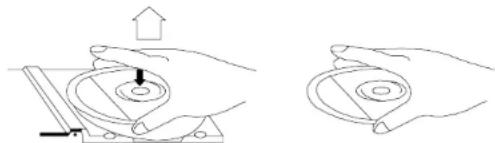
- Fingerprints and dust should be carefully wiped off the disc's recorded surface with a soft cloth. Unlike conventional records, compact discs have no grooves to collect dust and microscopic debris so gently wiping with a soft cloth should remove most particles. Wipe in a straight line from the inside to the outside of the disc. Small dust particles and light stains will have absolutely no effect on reproduction quality.
- Never use chemicals such as record sprays, antistatic sprays, benzine, or thinners to

clean compact discs. These chemicals can irreparably damage the disc's surface. - Discs should be returned to their cases after use. This avoids serious scratches that could cause the Laser pickup to skip.
- Do not expose discs to direct sunlight, high humidity, or high temperatures for extended periods. Long exposure to high temperatures can warp the disc.
- Do not stick paper or write anything with a ballpoint pen on the label side of the disc.
CD/USB/SD-MP3 OPERATION
Loading and Unloading Compact Discs
- Set the Function Selector (3) to the CD/MP3 Position.
- Open the disc compartment's door.
- When the door has opened, remove a disc from its case and place it carefully in the compartment with the label side facing up. Locate 3^ discs, on the central spindle in the compartment.
- Close the door by pressing on the center of the disc compartment door.
PLAY BACK
- Load a CD into the disc compartment, and close the compartment. The total number of tracks appears on the display
-
Press the Play/Pause button (22). The disc play will begin from the start of the first track of the disc.
-
At the end of the disc, the unit will switch to stop mode and the play indicator will go out. Notes: If the disc is deeply scratched, or too dirty, disc play may not start. If an improperly centred disc is played, noise can be heard in the mechanism. The use of such discs should be avoided.
IMPORTANT INFORMATION
This compact disc player has built-in error compensation circuits to correct for minor defects in a disc. There are limits, however, to the amount of correction available.
In some cases the CD player may skip some tracks on a disc during disc play. This problem may be caused by defects (such as scratches) on the disc being played, which are too large for the error compensation circuits to handle.
- To stop CD play, Press the Stop Button (21). Disc play will stop, the Play indicator will go off, and the display will show the total number of tracks on the CD.
- To temporarily stop disc play (pause mode), press the Pause Button (22). Disc play will stop at the current play position. The Play indication will begin to flash.
- To resume disc play, press the Play Button again.

Starting disc play from the beginning of a particular track
- Press the Forward or Reverse Skip Track Buttons (15'23) to select the desired track. The number of the selected track will be shown on the CD display. Press the Play/Pause Button (22) to start play.
To skip to the next track
- To skip to the beginning of next track 5 while track 4 is playing.
- Press the Skip Forward Skip Track Button once to skip to the beginning of next track. Continuously pressing the Forward Skip Track Button until the desired trade is reached. Once the beginning of the last track is reached the CD player will not advance any further.
To skip back to the previous track on a disc
- To skip back to the beginning of current track. Press the skip Backward once.
2 Toskip back to the beginning of previous track.
Press the skip backward Skip Track Button twice.
Continuously pressing the Reverse Skip Track Button makes the CD player skip back through the disc track by track. Once the beginning of the first track is reached, the CD player will not go back any further.
Manual Search
- During playback, pressing the Forward or Reverse Skip / Search buttons will cause the player to scan through the current track. At the end of a track the player will skip to the next track and continue scanning. At the beginning of a track the player will skip to the previous track and continue scanning.
- When the player reaches the end of the final track, or the beginning of the first track, it will stop scanning.
RANDOM DISC PLAY (CD/USB/SD)
- Press the PLAY/PAUSE button (22) and after press the MODE button (29) 3 times to enter the Random mode. "RANDOM" appears on the display, then press PLAY/PAUSE button (22) to start playback in Random order.
- Press SKIP UP button (15) to go to next Random track.
REPEAT DISC PLAY (CD/USB/SD)
For repeat play of one track
Press the MODE button (29) once. The REPEAT indicator will appear.
Select the desired track by pressing the Forward or Reverse Skip Track buttons (18/27). The selected track will be shown on the CD display.
Press the Play/Pause button (22)
The selected track will then begin playing through to its end. At which point it will automatically return to the beginning of that track. This will continue until the Stop button (21) is pressed. If the MODE button (29) is pressed three times more, the Repeat indicator will go off, Repeat play will end, and normal disc play will resume from that point.
When the selected track has finished playing, the CD play will Stop.
For repeat disc play of all the tracks on the CD
Press the Sloop button (21) first, then press the MODE button (14) twice. The REPEAT ALL indicator will light up.
Press the Play/Pause button (22).
The disc will then begin playing through to the end of the last track. At which point it will automatically return to the beginning of the first track. This will continue until the Stop button (21) is pressed.
If the MODEButton (29) is pressed once more, the Repeat indicator will be cancelled, repeat play will end, and normal disc play will resume from that point.
When the last track has finished playing, the CD player will then Stop.
For repeat disc play of all the tracks on the MP3
Press MODE to select the repeat mode when playing MP3 song. During playback, press and
hold MODE for 3 seconds to enable selection of MP3 folders, press Forward or Reverse Skip
Track buttons (18/27) to select the folder, the LCD flocks. Then press MODE to select REP
1/ REP ALL / ALBUM / RANDOM then reess PLAY to start playback.
Program function
In STOP mode, press PROGRAM and use Forward or Reverse Skip Track buttons (18/27)
to select the track. Repeat until done then press PLAY to start program playback. Up to 99
tracks can be programmed.
CASSETTE OPERATION
INSERTION AND REMOVAL OF CASSETTES
-
Press the Stop/Eject Button (7) to open the Cassette Door.
-
Slip your cassette tape into the holder with the exposed side facing up (the side for
playing faces you
3 Close the Cassette Doors securely before starting.
8
EnglishEng
PLAYBACK
- Set the Function Selector (3) to the TAPE position.
- Insert your cassette tape with the exposed side facing up.
- Press the Play Key (10) to activate playback.
- Set the Volume to the desired level
5 Press the Pause Key (6) wherever you want to suspend playback. Press Pause key again to continue play back.
6 Press the Stop / Eject Key (7) when finished.
HEADPHONE
This unit will accept stereo headphones (not included) with a 3.5mm plug and an impedance of 8 ohms or greater. The speakers are automatically disconnected when headphones are connected to the PHONES JACKS (24).
BASS BOOST
This feature reinforces the general Bass (Low frequencies) effect on sound.
Press (27) if desired.
AUX-IN SOCKET
To connect analogue replay devices. Via this socket you can also hear the sound of other playback devices such as MP3 players, CD players etc. through the loudspeakers.
-
Please connect the external device with 3.5mm stereo jack plug to the AUX IN socket (27).
-
Turn the function selector switch (23) to the AUX position
-
Through the loudspeakers you can hear the playback of the sound from the external device; with the VOLUME control (1) you can change the volume. The CD buttons do not have any function.
-
For the remaining procedure please see the operating instructions of the external sound source.
IMPORTANT
Since movement of the CD mechanism and the sensitive circuitry may cause interference to a radio tuner nearby switch this unit off while operating other radio devices.
This product utilizes a lase
Danger - Invisible laser radiation when opened and interlock failed or defeated. Avoid direct exposure to the beam.
Caution - Use of controls, adjustments, or procedures not listed in this manual may result in hazardous radiation exposure.
READING USB/SD PORT
GETTINGSTART
- Press the FUNCTION Button (3) on the unit to select the "MEDIA" mode.
- Plug in the USB harddrive or SD card into the USB port.
- The total tracks will appear in display. (If an MP3 CD is saved into hardrive, the total albums / folders will appear at the top middle also.)
OPERATION
- Follow the normal procedures for CD playback.
NOTES: USB socket for USB MP3 player or USB harddrive only. When playing back music through the USB port, do not disconnect the USB driver from the system. This may cause the system to malfunction.
Concerning Compact Discs
Only compact discs identified with this mark can be used with This player:

10
EnglishEng
SPECIFICATIONS
Power Supply
AC:290V~50Hz
Batteries:10xUM-1
Radio Frequency Coverage
FM:88-108MHz
MW:540-1600kHz
CD Player
Pick Up: 3-Beam. Semiconductor Laser
Encoding: 16-Bit Linear
Specifications and the design are subject to possible modifications without notice due to improvement.
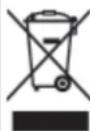
Correct Disposal of This Product
(Waste Electrical & Electronic Equipment)
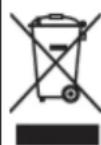
This marking shown on the product or its literature, indicates that it should not be disposed with other household wastes at the end of its working life. To prevent possible harm to the environment or human health from uncontrolled waste disposal, please separate this from other types of wastes and recycle it responsibly to promote the sustainable reuse of material resources.
Household users should contact either the retailer where they purchased this product, or their local government office, for details of where and how they can take this item for environmentally safe recycling.
Business users should contract their supplier and check the terms and conditions of the purchase contract. This product should not be mixed with other commercial wastes for disposal.
SICHERHEITSHINWEISE

WIEDERHOLTE WIEDERGABEEINESTITELS
POUR ARRETER LA LECTURE D'UN CD/USB/SD
Alcance: 3-Raios, Laser Semi-conductor
Encoding: 16-Bit Linear


- PORTABLE STEREOMW/FM/FM-STEREORADIO WITH AUDIO CD AND MP3 PLAYERAND USB/SD
- INDEX
- 230v~
- 2
- EnglishEng
- RCR-4950US
- INSTRUCTION MANUAL
- LOCATION OF CONTROLS
- CONNECTING TO POWER
- Caution
- Safety Precaution
- POWER SUPPLY
- AC Power Operation
- Battery Operation
- RADIO OPERATION
- Antenna
- FM Stereo and Mono Reception
- CD/USB/SD-MP3 OPERATION
- Loading and Unloading Compact Discs
- PLAY BACK
- IMPORTANT INFORMATION
- Starting disc play from the beginning of a particular track
- To skip to the next track
- To skip back to the previous track on a disc
- Manual Search
- RANDOM DISC PLAY (CD/USB/SD)
- REPEAT DISC PLAY (CD/USB/SD)
- For repeat disc play of all the tracks on the CD
- For repeat disc play of all the tracks on the MP3
- CASSETTE OPERATION
- INSERTION AND REMOVAL OF CASSETTES
- PLAYBACK
- HEADPHONE
- BASS BOOST
- AUX-IN SOCKET
- IMPORTANT
- READING USB/SD PORT
- GETTINGSTART
- OPERATION
- Concerning Compact Discs
- SPECIFICATIONS
- Radio Frequency Coverage
- CD Player
- Correct Disposal of This Product
- (Waste Electrical & Electronic Equipment)
- SICHERHEITSHINWEISE
- WIEDERHOLTE WIEDERGABEEINESTITELS
- POUR ARRETER LA LECTURE D'UN CD/USB/SD
Brand : ROADSTAR
Model : RCR4950USRD
Category : Cd player/recorder